iCloud Drive is the part of iCloud that stores your files and folders in the cloud and keeps them up to date on every iPhone, iPad, Mac and Windows PC signed in to the same Apple Account.
This guide explains where iCloud Drive lives on each device, how it differs from iCloud itself, how storage and pricing work, whether it uses local space, and how to search, recover and compare it with Google Drive and OneDrive.
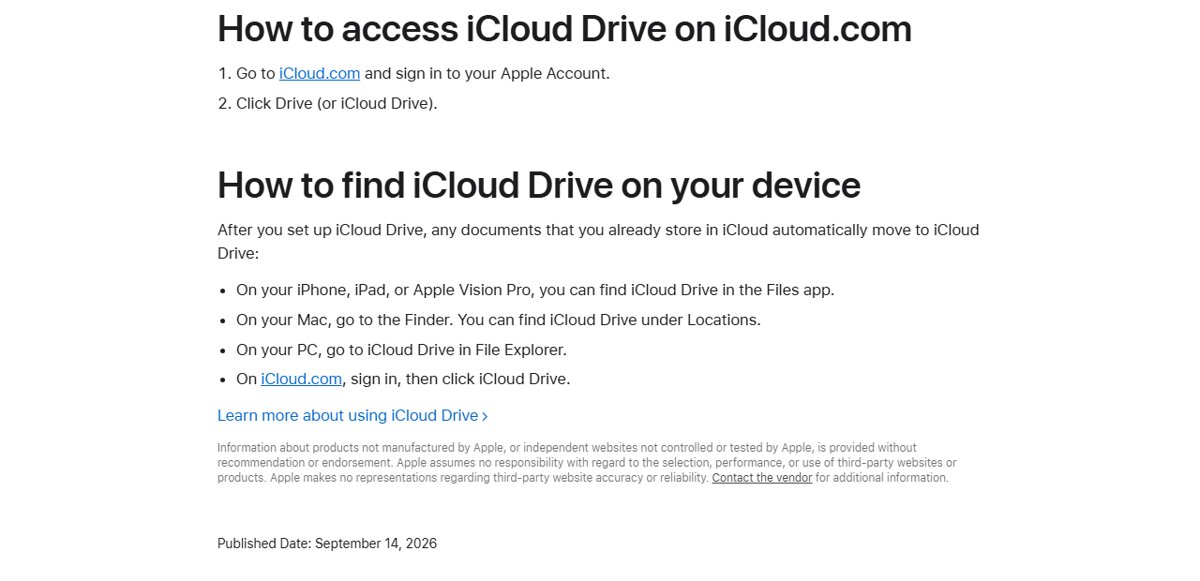
How to access iCloud Drive on iPhone, Mac, PC and the web
iCloud Drive has no separate app. It appears inside the file manager each device already has, once iCloud Drive is turned on for that device.
| Device | Where iCloud Drive appears | How to turn it on |
|---|---|---|
| iPhone or iPad | Files app > Browse > iCloud Drive | Settings > your name > iCloud > Sync this iPhone (or iPad) |
| Mac | iCloud Drive in the Finder sidebar | System Settings > your name > iCloud > Drive > Sync this Mac |
| Windows PC | iCloud Drive in the File Explorer Navigation pane | Install iCloud for Windows, sign in, then turn on iCloud Drive |
| Any web browser | Drive (or iCloud Drive) at iCloud.com | Sign in to iCloud.com with your Apple Account |
What is iCloud Drive?
iCloud Drive is Apple's cloud folder for documents, presentations and any other file you choose to keep there. A change on one device, such as renaming or deleting a file, appears on all your devices automatically.
| Question | Answer |
|---|---|
| What it stores | Files and folders of any kind, including Pages, Numbers and Keynote documents and app data saved to iCloud |
| Who can see the files | Files appear on devices signed in to your Apple Account; other people see them only if you share a file or folder |
| Sharing | Share a file or folder by link; you choose whether people can edit or only view, and collaborators' changes show in real time |
| Storage used | Every file you add counts toward your iCloud storage |
| Deleted files | Go to Recently Deleted on iPhone, iPad and iCloud.com, or the Trash on a Mac, for 30 days |
| Security | Data in iCloud is encrypted; Advanced Data Protection limits decryption to your trusted devices |
Is iCloud Drive the same as iCloud?
No. iCloud is Apple's whole cloud service, and iCloud Drive is one feature inside it. iCloud Photos, iCloud Backup and iCloud Mail are separate features that share the same storage.
| iCloud feature | What it holds | Where you see it |
|---|---|---|
| iCloud (the service) | Your Apple Account's cloud storage, free email account and every synced feature | Settings or System Settings > your name > iCloud |
| iCloud Drive | Files and folders you save to it | Files app, Finder, File Explorer, iCloud.com |
| iCloud Photos | Your full photo and video library | The Photos app, not iCloud Drive |
| iCloud Backup | iPhone and iPad data and settings that do not already sync to iCloud | Used only when you restore or set up a device |
| iCloud Mail | Your free @icloud.com email account | Mail app and iCloud.com |
Apps that store their data in iCloud Drive keep it there instead of in your iCloud Backup, so the same file is never stored twice.
How does iCloud storage work?
Every Apple Account starts with 5 GB of free iCloud storage, shared by iCloud Drive, iCloud Photos, iPhone and iPad backups, and iCloud Mail. iCloud+ adds more storage plus features such as iCloud Private Relay and Hide My Email.
| Plan | Storage | US price per month |
|---|---|---|
| Free iCloud | 5 GB | Free |
| iCloud+ | 50 GB | $0.99 |
| iCloud+ | 200 GB | $2.99 |
| iCloud+ | 2 TB | $9.99 |
| iCloud+ | 6 TB | $29.99 |
| iCloud+ | 12 TB | $59.99 |
Residents of some US states pay tax on top of these prices. An iCloud+ plan can be shared with up to five other Family Sharing members.
When your data exceeds your plan, iCloud stops syncing and updating until you buy more space or delete something, and documents you try to save to iCloud Drive wait on the device.
How to find iCloud Drive on iPhone
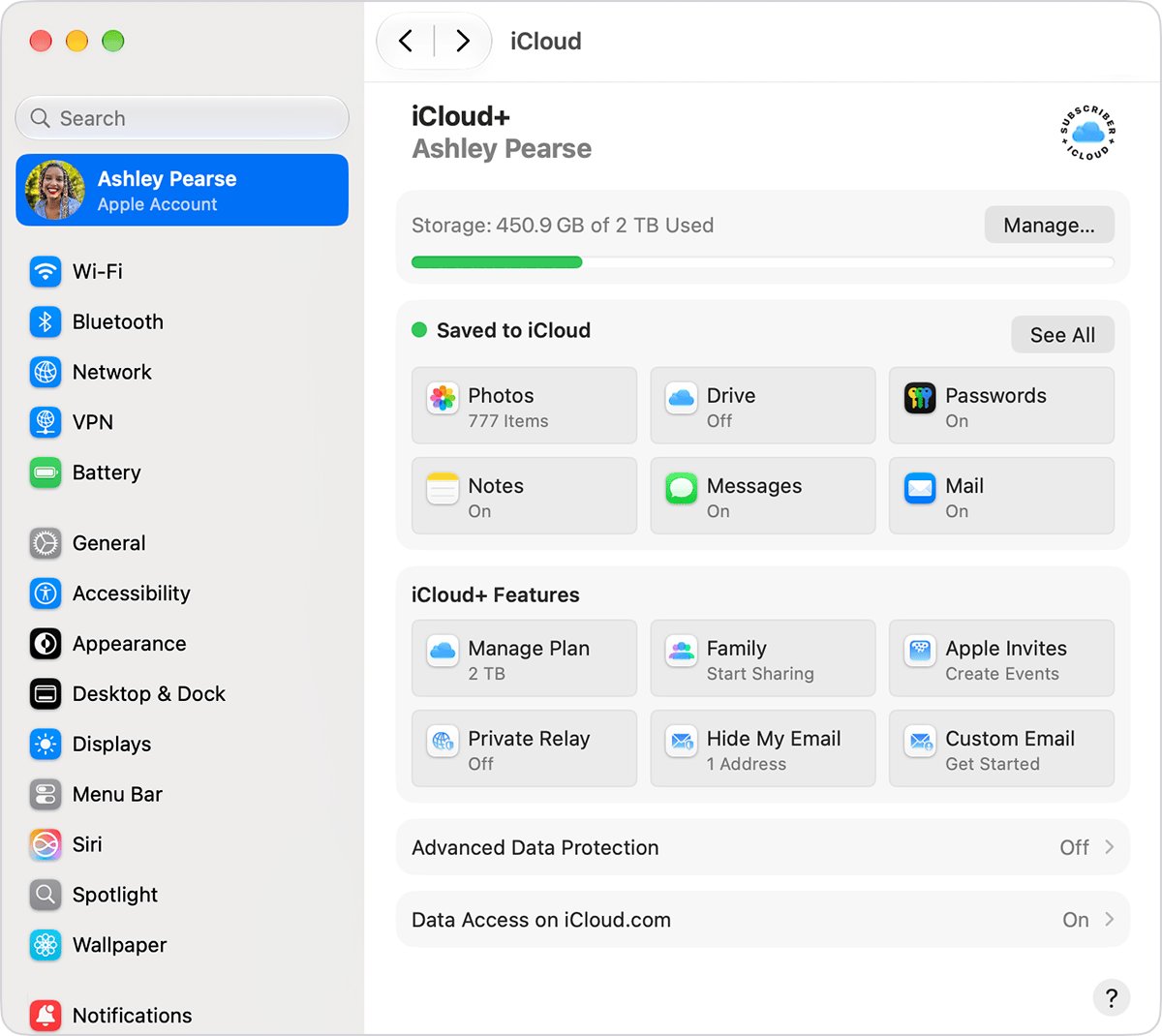
Update the iPhone to the latest iOS and sign in with the same Apple Account you use on your other devices.
- Open Settings and tap your name.
- Tap iCloud.
- Under Saved to iCloud or Apps Using iCloud, tap Sync this iPhone to turn on iCloud Drive.
- Open the Files app. If it is not on the Home Screen, swipe down and search for Files.
- Tap the Browse tab and choose iCloud Drive.
- Tap a file to open it. Files under On My iPhone are stored only on the phone.
Where is iCloud Drive on my Mac?
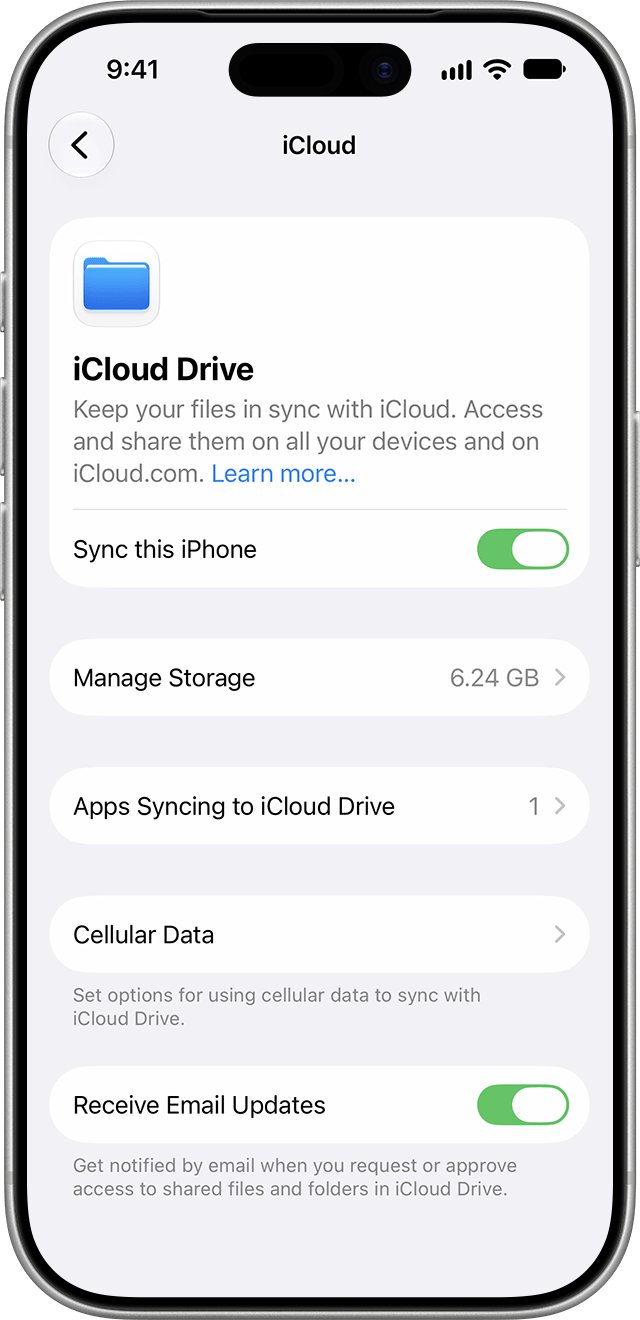
iCloud Drive sits in the Finder sidebar once Sync this Mac is on. Turning on Desktop & Documents Folders also moves those two folders into iCloud Drive.
- Open System Settings and click your name at the top of the sidebar.
- Click iCloud, then click Drive.
- Turn on Sync this Mac.
- Turn on Desktop & Documents Folders if you want those folders on your other devices.
- Click Done.
- Open a Finder window and click iCloud Drive in the sidebar.
If another cloud service already syncs your Desktop and Documents folders, Apple says to turn it off first, because two services syncing the same folders interfere with each other. Hold the pointer over iCloud Drive in the Finder sidebar to see its sync status.
How to view iCloud Drive on PC
On Windows you need iCloud for Windows from the Microsoft Store, and Apple's current instructions name Windows 11 or later. Set up iCloud Drive on an iPhone, iPad or Mac first, then download iCloud for Windows.
- Install iCloud for Windows from the Microsoft Store.
- Open Start, find iCloud for Windows in the app list and open it.
- Sign in with your Apple Account.
- Click the arrow button to the right of iCloud Drive and turn on iCloud Drive.
- Click Done.
- Open File Explorer and click iCloud Drive in the Navigation pane.
How to access iCloud Drive on iCloud.com
iCloud.com works from any computer, including a borrowed one or a Chromebook. Apple supports recent versions of Chrome, Edge and Firefox on a PC.
- Go to icloud.com/iclouddrive in a browser.
- Sign in to your Apple Account.
- Select Recents or Browse in the sidebar.
- Double-click a file or folder to open it on a computer, or tap it on a phone or tablet.
- Select a file and press the Space bar to preview it on a computer.
How to search iCloud Drive
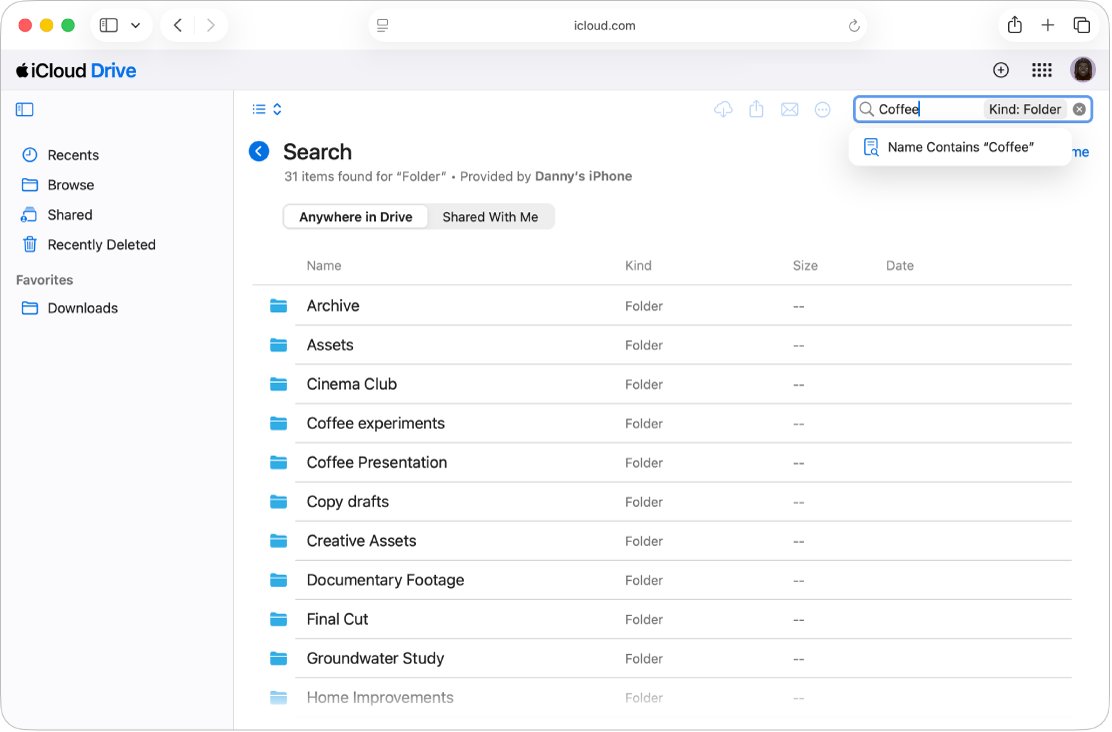
Each device searches iCloud Drive from its own search field. On iCloud.com, search needs a trusted device running iOS 26.4, iPadOS 26.4, macOS 26.4 or later, which supplies the results.
| Where you are | How to search | Notes |
|---|---|---|
| iPhone or iPad | Open Files and type the file name in the search field | Or tap Browse > iCloud Drive and open folders by hand |
| iCloud.com | Open icloud.com/iclouddrive, select Recents or Browse, type in the search field and press Return | The first time, select Continue and tap Allow on your trusted device to turn on Allow Search on iCloud.com |
| Windows PC | Open iCloud Drive in File Explorer and use the File Explorer search box | Works like searching any other folder in File Explorer |
Does iCloud Drive use local storage?
Yes, for the files kept on the device, and Apple gives each platform a way to keep some files in the cloud only. Storing files in iCloud Drive frees up space on your device when they are not downloaded.
| Device | What stays on the device | How to save space |
|---|---|---|
| Mac | The full contents of iCloud Drive while the Mac has room | Turn on Optimize Mac Storage so older documents stay only in iCloud when space runs low |
| Windows PC | Only files you have downloaded or pinned; a file must download before it opens | Leave files unpinned; pin with Always keep on this device only what you need offline |
| iPhone or iPad | Files saved under On My iPhone or On My iPad use device storage | Save large files to iCloud Drive in the Files app; Apple says storing files in the cloud frees up space on the device |
Every file in iCloud Drive still counts toward your iCloud storage, wherever it is downloaded. On a Mac, the reasons iCloud Drive takes up space on a MacBook come down to these settings.
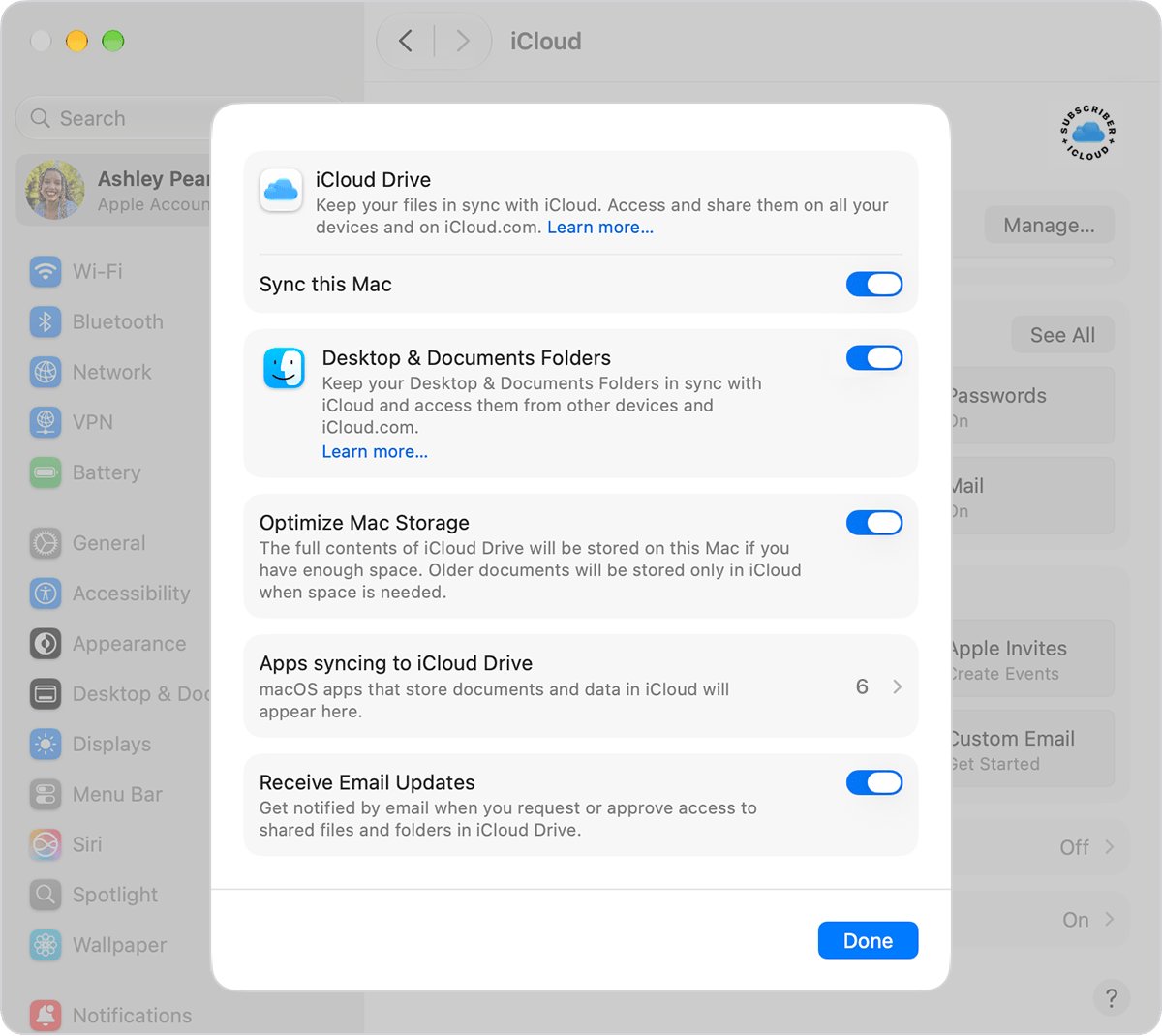
How to turn on Optimize Mac Storage for iCloud Drive
With this setting on, the Mac keeps older documents only in iCloud when it needs space. If the Mac has room, the full contents of iCloud Drive stay on it.
- Open System Settings and click your name at the top of the sidebar.
- Click iCloud, then click Drive.
- Make sure iCloud Drive is turned on.
- Turn on Optimize Mac Storage.
- Click Done.
How to recover deleted files from iCloud Drive
Files deleted from iCloud Drive on any device can be recovered on iCloud.com for 30 days. Files you permanently remove, or a Mac Trash you have emptied, cannot be recovered.
- Go to icloud.com/iclouddrive and sign in to your Apple Account.
- Select Recently Deleted in the sidebar.
- Select each file you want back and select Recover, or select Recover All.
- For files deleted from other apps, go to icloud.com/recovery and select Restore Files.
- Look for each recovered file in the folder it was in when you deleted it.
- Avoid editing or deleting iCloud Drive files until the recovery finishes.
iCloud Drive vs Google Drive vs OneDrive
All three keep files in the cloud, but the free allowance and what shares it differ. iCloud is built into every Apple device, which is the main advantage of iCloud Drive for iPhone and Mac owners.
| Service | Free storage | Shared with | Paid upgrade |
|---|---|---|---|
| iCloud Drive | 5 GB | iCloud Photos, iPhone and iPad backups, iCloud Mail | iCloud+ (50 GB to 12 TB) |
| Google Drive | 15 GB | Gmail and Google Photos | Google One |
| OneDrive | 5 GB | OneDrive files and photos, Outlook.com attachments | Microsoft 365 (100 GB with Basic) |
OneDrive and iCloud are not the same service: OneDrive belongs to a Microsoft account and iCloud to an Apple Account, and each has its own storage.
Can't find files in iCloud Drive on iPhone, Mac or PC
A photo is missing from iCloud Drive
Your photo library lives in the Photos app, not in iCloud Drive.
- Open the Photos app.
- Search or scroll for the picture there.
- Check iCloud Drive only for images you saved to it from the Files app.
A downloaded file is not in iCloud Drive on iPhone
Downloads go to a separate folder inside iCloud Drive.
- Open the Files app and tap Browse.
- Tap iCloud Drive.
- Open the Downloads folder.
Can't move or save a document to iCloud Drive on Mac
Your iCloud storage is full; the document stays on the Mac and uploads when space becomes available.
- Open System Settings > your name > iCloud and check your storage.
- Upgrade to a larger iCloud+ plan, or remove items you no longer need from iCloud Drive.
- Wait for the document to upload once space is free.
iCloud Drive files will not open offline on a PC
Files that are not downloaded or pinned stay only in iCloud.
- Open File Explorer and click iCloud Drive in the Navigation pane.
- Right-click the file or folder.
- Choose Always keep on this device.
- Wait for the download to finish. If files stay stuck, fix iCloud Drive sync pending on the PC and try again.
Files on one device are not on another
Devices with iCloud Drive turned off, or on a different Apple Account, are not kept up to date.
- Check that every device is signed in to the same Apple Account.
- Turn on Sync this [device] in iCloud settings on the device that is behind.
- Keep the device online, then refresh iCloud Drive if the files still lag.
iCloud Drive storage and access FAQ
What is iCloud Drive on iPhone?
iCloud Drive on iPhone is the iCloud Drive location in the Files app, where files you store in iCloud appear. Turn it on in Settings > your name > iCloud > Sync this iPhone, then open Files > Browse > iCloud Drive.
Where is iCloud Drive on my computer?
On a Mac, iCloud Drive is in the Finder sidebar after you turn on Sync this Mac. On a Windows PC, it is in the File Explorer Navigation pane once iCloud for Windows is installed and iCloud Drive is turned on.
Is iCloud Drive the same as iCloud?
No. iCloud is Apple's full cloud service, covering Photos, Mail, Backup, passwords and more. iCloud Drive is the file storage feature inside iCloud, and it shares your iCloud storage allowance with those other features.
Why do I need iCloud storage?
iCloud storage holds your iPhone backups, full-resolution photo library and iCloud Drive files so they survive a lost or replaced device. The free 5 GB fills quickly with photos and backups, which is why many people upgrade to iCloud+.
What is the point of iCloud storage if I have space on my phone?
iCloud storage keeps a copy of your data off the device, so it survives if the phone is lost, and it keeps files and photos the same on every Apple device and PC. Local space alone gives neither.
Does iCloud Drive use local storage?
Yes, for files that are downloaded to the device. A Mac keeps the full iCloud Drive unless Optimize Mac Storage frees space, and a Windows PC downloads files only when you open or pin them. Every file still counts toward iCloud storage.
How do I access iCloud Drive from any computer?
Go to icloud.com/iclouddrive in Chrome, Edge or Firefox and sign in with your Apple Account. Select Recents or Browse in the sidebar to see your files, and double-click one to open it.
How does iCloud work?
iCloud stores your photos, files, notes, passwords and other data on Apple's servers and keeps them up to date on every device signed in to your Apple Account. Change something on one device and the change appears on the others automatically.
Are OneDrive and iCloud the same?
No. OneDrive is Microsoft's cloud storage tied to a Microsoft account, with 5 GB free. iCloud is Apple's service tied to an Apple Account, also with 5 GB free. You can use both on the same PC or iPhone.