When apple.com will not let you choose Apple Store pickup, the cause is usually the order itself: the payment method, the storefront or the configuration, not the store's stock.
This guide covers how to select pickup in your Bag, which payment types Apple bars from pickup, how the veterans storefront and gift cards fit in, and what to bring when you collect.
How to choose Apple Store pickup at checkout
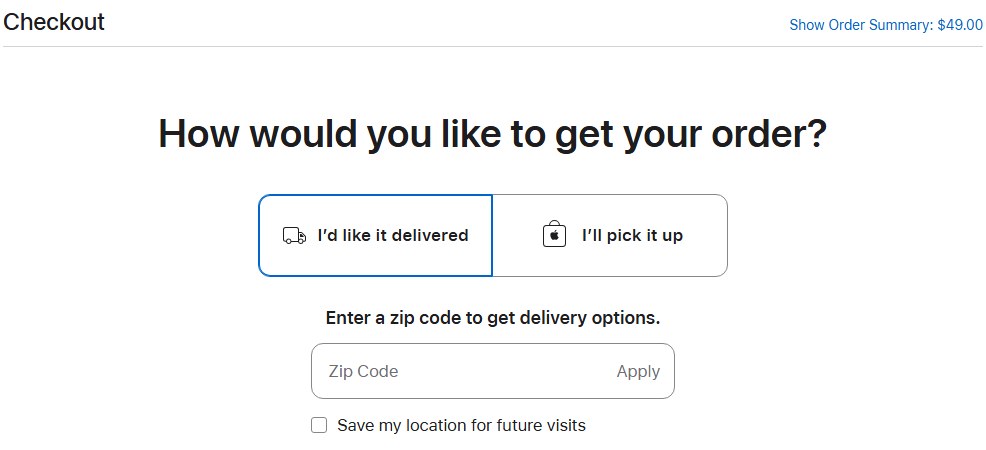
Pickup is chosen per item in your Bag, before you pay. Pick the store first, then pay with a card or Apple Pay so the payment step does not limit your options.
- Click the Bag link in the upper right of any apple.com page.
- Select the item for pickup and choose the Apple Store you want to collect from.
- Click Check Out Now and sign in with your Apple Account, or continue as a guest.
- At the payment step, choose a credit card, debit card or Apple Pay rather than a business lease, wire transfer or money order.
- Review the order and click Place Order Now.
- Wait for the pickup notification email with the QR code before you travel to the store.
If the store you want does not offer the item, check Apple Store inventory at nearby stores from the same Bag screen before you switch to delivery.
Why Apple Store pickup is not allowed for your order
Match what you see at checkout to a row. Each cause comes from Apple's own shopping help pages.
| What is on the order | What Apple says | What to do |
|---|---|---|
| Business lease, wire transfer or money order | These are ineligible payment methods for pickup items | Pay with a credit or debit card, Apple Pay or Apple Card |
| Apple Gift Card or Apple Account Balance with PayPal or a split card payment | Apple Gift Cards can't be used with PayPal or split credit card payments | Combine gift cards with Apple Pay or one credit card only |
| Order placed in the Veterans and Military storefront | Discounted pricing applies only to that storefront, not to Apple Store or Apple Online Store purchases | Ask Apple by chat or 1-800-MY-APPLE which fulfilment the storefront offers for your item |
| Engraved product or customised Mac | These take extra time to prepare, and the date updates during configuration | Choose a standard configuration to collect sooner, or accept delivery |
| Browser blocks cookies | Cookies are needed to add items to your Bag and complete checkout | Enable cookies in your browser, or call 1-800-MY-APPLE to order |
Apple payment methods not eligible for pickup
Apple accepts eight payment types online, and only three are named as ineligible for pickup items.
| Payment method | Allowed on apple.com | Pickup items |
|---|---|---|
| Apple Pay | Yes | Not restricted by Apple's help page |
| Apple Card | Yes | Not restricted by Apple's help page |
| Credit or debit card (American Express, Discover, MasterCard, UnionPay, Visa) | Yes | Not restricted by Apple's help page |
| PayPal | Yes, via the PayPal website | Not restricted by Apple's help page |
| Apple Gift Cards (up to eight online) | Yes | Not listed as ineligible; combine only with Apple Account Balance, Apple Pay or one credit card |
| Apple Account Balance | Yes, when signed in | Not listed as ineligible |
| Apple Business Lease | Yes | Ineligible |
| Wire transfer or money order | By arrangement | Ineligible |
Apple also notes that payment methods may affect the final shipment date to allow for processing. A debit card has daily spending limits that can delay an order even when the account holds enough money.
How to spend an Apple Gift Card at the Apple Store
If pickup disappears once a gift card or account balance is applied online, you can still spend the card in person. An Apple Store takes up to 20 Apple Gift Cards in one transaction, against eight online, one of the differences between buying online and in store.
- Check the card's remaining value online by entering the PIN from the card insert or gift card email.
- Keep the physical card or the gift card email with you; Apple asks you to keep the card until the purchase is complete.
- At the Apple Store, present the physical card or the email to the Specialist at the time of payment.
- Cover any remainder with Apple Pay or one credit card.
- For an online order instead, place it with a card for pickup and keep the gift cards for a later in-store purchase.
Apple Gift Cards work only in the country or region where they were bought, and they cannot be used to buy another Apple Gift Card. Older Apple Store Gift Cards buy physical products only.
Apple military discount in store vs online
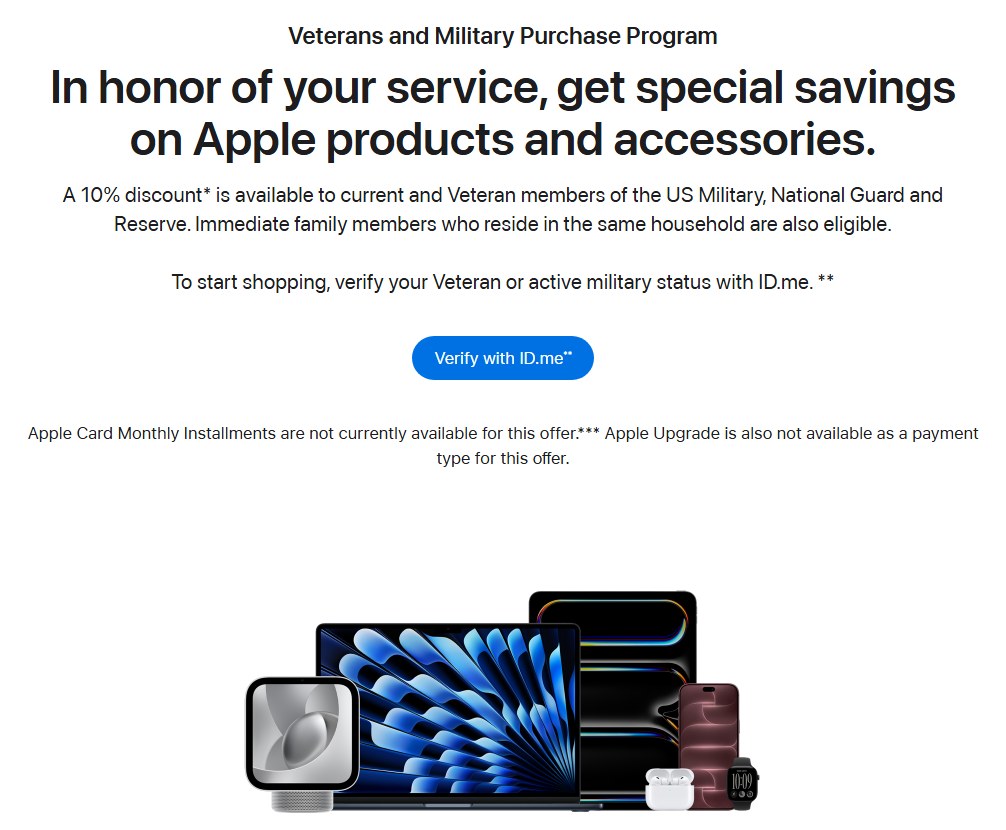
The 10% Veterans and Military Purchase Program discount is tied to one storefront, so buying in an Apple Store or on the regular Apple Online Store loses it.
| Question | Answer from Apple |
|---|---|
| Who is eligible? | Current and veteran members of the US Military, National Guard and Reserve, plus immediate family in the same household |
| How do you verify? | With ID.me, using an existing account or a new one |
| Does the discount apply in an Apple Store? | No. Purchases at an Apple Store location or the Apple Online Store are not eligible for the storefront's pricing |
| Can you use Apple Card Monthly Installments? | No. ACMI is not available in the special storefront |
| Can you use Apple Upgrade? | No. It is not a payment type for this offer |
| Are any products excluded? | ZEISS Optical Inserts (Prescription) are excluded from discount programs |
| Where do you get help? | Chat from the storefront page or call 1-800-MY-APPLE |
If installments matter more than the discount, apply for Apple Card and buy through the regular store, where ACMI is offered.
Apple Store pickup vs two-hour delivery
When pickup is blocked, a delivery option may still get the product to you the same day. Checkout shows only the options that fit your items and location.
| Your situation | Choose | Why |
|---|---|---|
| You can reach the store and pay by card | Apple Pickup | You collect once the QR code notification arrives |
| Pickup is not offered but you need it today | Two-hour delivery, if offered | Apple lists two-hour delivery for eligible items |
| No rush | Standard delivery | Standard delivery is free for all online orders |
| You must pay with several gift cards | Buy in the Apple Store | Stores accept up to 20 gift cards per transaction |
| You want the veterans discount | Veterans and Military storefront | The discount does not apply in Apple Stores |
Apple does not deliver to P.O. boxes. Tax on a pickup order uses the rate for the Apple Store address where you collect it.
Apple Store pickup ID requirements
| Order type | Who can collect | Bring |
|---|---|---|
| Standard pickup order | You or your designated pickup contact | Order number, valid government-issued photo ID, and the QR code or Wallet pass from the pickup notification |
| Unlocked iPhone | The purchaser or a designated pickup contact | Card used for payment or the order number, plus valid photo ID |
| iPhone on a carrier contract | The primary account holder or a person the account holder authorized | Card used for payment or the order number, plus valid photo ID |
| Photo ID address differs from billing address | Same as above | A second form of ID with the correct address, such as a utility bill |
Screenshots or photos of the QR code email or Wallet pass are not accepted. Add the pickup pass to the Wallet app on iPhone so it is ready at the counter.
How to let someone else pick up an Apple order
- Choose pickup for the item in your Bag and continue to checkout.
- Name the other person as the pickup contact when checkout asks who will collect the order.
- Place the order and check that the order acknowledgement email shows your pickup contact.
- Forward the pickup notification so the contact can show the QR code or Wallet pass.
- Tell the contact to bring the order number and a valid government-issued photo ID.
For an iPhone on a carrier contract, only the primary account holder or a person that account holder authorized can collect. Contact the carrier to confirm who is authorized.
How to check Apple Store pickup order status
- Open apple.com/orderstatus and sign in with your Apple Account.
- Select the order to see the pickup store and the status of each item.
- Look for the pickup notification email and mobile notification with the QR code.
- If you chose a time window, arrive at the store during that window.
The order acknowledgement email lists the Apple Store location for each pickup item. Apple sends a pickup reminder email if an item is still waiting to be collected.
How to cancel an Apple order and reorder it for pickup
Once an item has shipped or been prepared for shipment, the shipping address can no longer change. For an item that has not shipped, Order Status lets you cancel items and change your order.
- Open apple.com/orderstatus and sign in with the Apple Account used for the order.
- Select the order and cancel the item that was set to ship.
- Add the item to your Bag again and select it for pickup at your Apple Store.
- Pay with a method that is eligible for pickup items and click Place Order Now.
If the item has already shipped, return it for a refund at an Apple Store within 14 days of delivery instead.
Apple online order pickup not working
Pickup option disappears after you add a payment method
Business lease, wire transfers and money orders are ineligible for pickup items, and gift cards cannot be combined with PayPal or split card payments.
- Go back to the payment step and remove the ineligible method.
- Pay with a credit card, debit card, Apple Card or Apple Pay.
- If you need to spend gift cards, buy the item in the Apple Store, where up to 20 gift cards work in one transaction.
The item is in stock but only delivery is offered
The storefront or configuration limits fulfilment, for example a customised Mac or the Veterans and Military storefront.
- Switch to the standard configuration of the product and check the store again.
- Ask Apple by chat or 1-800-MY-APPLE whether pickup is available for your storefront order.
- Choose two-hour delivery if checkout offers it for your address.
Unable to pick up the order at the store
A required item is missing, or the person collecting is not the named contact.
- Show the QR code or Wallet pass from the notification, not a screenshot.
- Bring the order number and a government-issued photo ID that matches the order.
- Wait for the pickup notification before travelling; the order is not ready until it arrives.
Bag or checkout will not save the pickup store
Cookies are disabled, so apple.com cannot keep items in your Bag.
- Enable cookies for apple.com in your browser settings.
- Reload the Bag and select the item for pickup again.
- If cookies must stay off, call 1-800-MY-APPLE (1-800-692-7753) to place the order.
Apple Store pickup not allowed FAQ
Which payment methods can't be used for Apple Store pickup?
Apple lists business lease, wire transfers and money orders as ineligible payment methods for pickup items. Credit and debit cards, Apple Card, Apple Pay, PayPal, Apple Gift Cards and Apple Account Balance are not on that list.
Can someone else pick up my Apple order?
Yes. A designated pickup contact can collect the order with the order number, a valid government-issued photo ID and the QR code or Wallet pass. Carrier contract iPhones can be collected only by the primary account holder or someone they authorized.
Can I use Apple Gift Cards in an Apple Store?
Yes. Present the physical card or gift card email at payment, and an Apple Store accepts up to 20 Apple Gift Cards in one transaction. Online, the limit is eight gift cards per order, combined with Apple Pay or one credit card.
Does the Apple veterans discount apply in store?
No. The 10% Veterans and Military discount applies only in the special online storefront after ID.me verification. Apple states that purchases at an Apple Store location or on the regular Apple Online Store are not eligible for that pricing.
Can I show a screenshot of the Apple pickup QR code?
No. Apple does not accept screenshots or photos of the QR code email or Wallet pass. Show the original notification or add the pickup pass to the Wallet app on your iPhone before you go.
What ID do I need to pick up an iPhone from Apple?
Bring the card used for payment or the order number, plus a valid photo ID. If the photo ID address does not match the billing address on your account, bring a second form of ID, such as a utility bill, with the correct address.
Is Apple Store pickup available for every item in stock?
Not always. Pickup is chosen per item in your Bag, and the payment method, storefront and configuration all affect what checkout offers. Engraved products and customised Macs take extra preparation time, so choosing a standard configuration avoids that extra preparation time.