To check Apple Store inventory, add the product to your Bag on apple.com, select it for pickup at the Apple Store you want, and checkout shows whether that store has it and when you can collect it.
The same check works in the Apple Store app, and the sections below cover finding the nearest store, pickup versus delivery, order statuses, what to bring and how to check past Apple purchases.
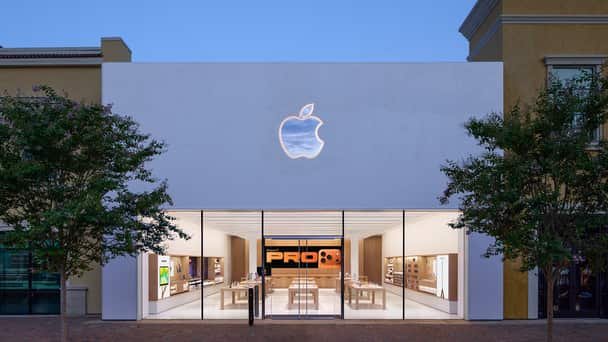
How to check Apple Store inventory online
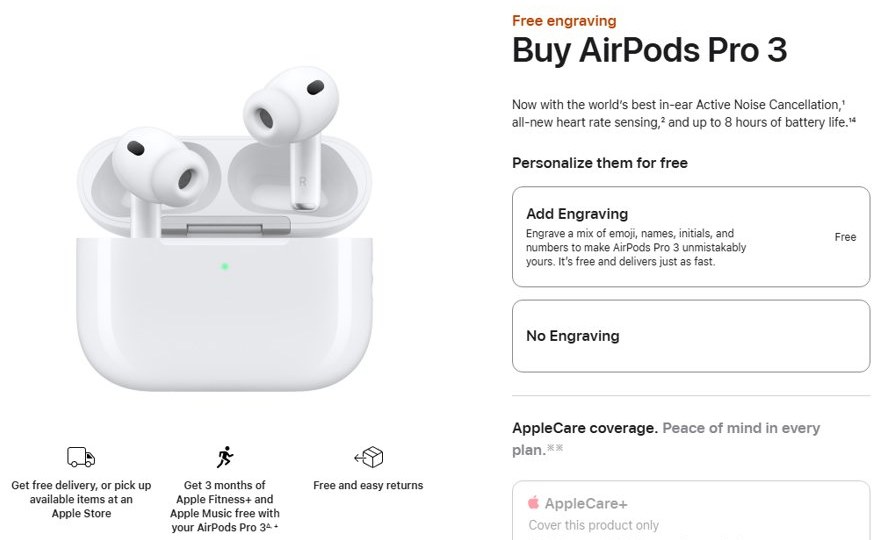
Apple's buy pages offer free delivery or pickup of available items at an Apple Store, and stock is shown per store once you choose pickup.
- Go to apple.com and open the Buy page for the product.
- Choose the model, colour, storage and any coverage options, then select Continue and add the item to your Bag.
- Select the Bag link in the upper right of any apple.com page.
- In your Bag, select the item for pickup and choose the Apple Store you want to collect it from.
- Select Check Out Now; checkout shows whether the item is available for pickup at that store and the estimated timing.
- If that store does not have it, choose another nearby store or switch the item to delivery.
Nothing is held for you until you place the order. Apple confirms a pickup only with the email and mobile notification it sends when the item is ready.
How to check Apple Store stock in the Apple Store app
The Apple Store app lets you shop standard configurations, stay connected with your favourite Apple Store and reserve a new iPhone for pickup.
- Open the App Store on your iPhone or iPad, search for Apple Store and download the app.
- Open the Apple Store app and sign in with your Apple Account.
- Pick the iPhone, iPad, Mac, Apple Watch or accessory you want and choose its configuration.
- Choose pickup at your Apple Store to see whether the item is available there.
- For a new iPhone, reserve it for pickup at the store, then wait for the pickup notification before you go.
The app needs iOS 18.0 or iPadOS 18.0 or later, and Apple notes that the app and some features are available only in select countries. Custom-built Macs and personalised iPads are bought on apple.com, in an Apple Store or by calling 1-800-MY-APPLE.
Apple Store inventory near me: how to find the closest store
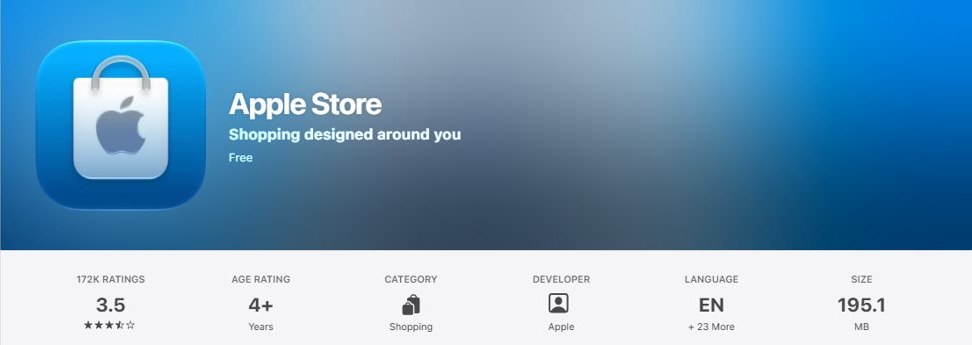
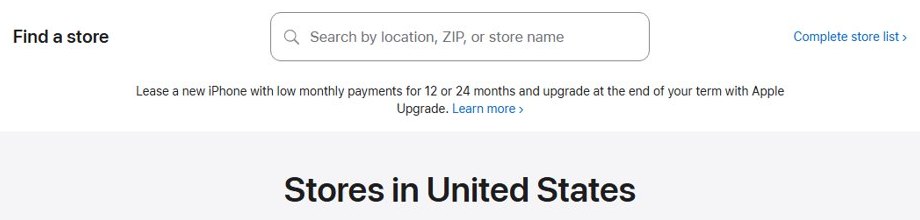
- Go to apple.com/retail, the Find a store page.
- Type your city, ZIP code or a store name in the Search by location, ZIP, or store name box.
- Or select Complete store list to see every Apple Store in the United States.
- Open a store's page to see its local hours before you plan a pickup.
- Use that store when you choose pickup in your Bag or in the Apple Store app.
In the Apple Store app you can also get directions to a nearby Apple Store. If the visit is for a repair rather than a purchase, book a Genius Bar appointment instead.
Is there an Apple iPhone inventory checker or stock tracker?
Apple's own inventory check is the pickup availability shown for each store in your Bag, at checkout and in the Apple Store app. Each tool below answers a different part of the question.
| Tool | What it tells you | Run by Apple? |
|---|---|---|
| Pickup option in the apple.com Bag and checkout | Whether a chosen store can supply the item, and when | Yes |
| Apple Store app | Store pickup for standard models; iPhone pickup reservations | Yes |
| Order Status | Where your placed order is, from Processing to Ready for Pickup | Yes |
| Pickup notification email, text or Wallet pass | That your item is waiting at the store | Yes |
| Apple Specialist chat or 1-800-MY-APPLE | Help choosing a model and placing the order | Yes |
| Third-party inventory trackers | Their own reading of availability | No; only Apple's pickup notification confirms an item is held for you |
Apple Store pickup or delivery: which is faster?
| Your situation | Choose | Why |
|---|---|---|
| The store you picked has the item and you want it today | In-store pickup | Collect it as soon as the pickup notification arrives |
| In-stock Mac, iPad, iPhone, AirPods or Apple Watch, and tomorrow is fine | Next-day delivery | Free for these in-stock products |
| You need an eligible in-stock item within hours in a major metro | Two-hour courier delivery | Costs $9 in most metros |
| Customised Mac or engraved product | Standard delivery | Customisation adds preparation time, and two-hour delivery is not offered for these |
| Nearby stores show no pickup availability | Delivery | Items ship as they become available, and Order Status shows the estimate |
Pickup is still an online order, so the same online versus in-store buying rules for returns and pricing apply.
What to bring to pick up an Apple Store order
Wait for Apple's pickup email and mobile notification with a QR code before you go to the store.
| Order type | Bring | Notes |
|---|---|---|
| Any pickup order | Order number, a valid government-issued photo ID, and the QR code or Wallet pass from the pickup notification | Screenshots or photos of the email or Wallet pass are not accepted |
| Order with a time window | The same items | Arrive during the window you selected |
| Unlocked iPhone | The card used for payment or the order number, plus a valid photo ID | The buyer or the designated pickup contact can collect it |
| iPhone upgrade on a carrier contract | The same items | Only the primary account holder or a person the carrier authorises can collect it |
| Photo ID address differs from your billing address | A second form of ID with the correct address, such as a utility bill | Applies to iPhone pickups |
You can add the pickup pass to the Wallet app on iPhone. If you change your mind later, Apple accepts returns at an Apple Store within 14 days, and you can request an Apple refund for online orders.
Apple Store pickup order status meanings
Sign in at apple.com/orderstatus and select an item to see its progress bar and status message.
| Status | What it means |
|---|---|
| Order Placed | Apple has your order and payment details; you may still be able to edit it |
| Processing | The item is being prepared; editing may still be possible |
| Shipping to Store | The item has shipped and is on its way to the Apple Store |
| Check in Today | The item will be available at the Apple Store later today |
| Ready for Pickup | The item is waiting; bring your photo ID and order number |
| Picked up | The item has been collected from the store |
How to check Apple Store purchases and order status
- Go to apple.com/orderstatus to open your Order Listing page.
- Sign in with your Apple Account and password, or with your order number and the email address or post code if you checked out as a guest.
- Select an item to open its order details.
- Read the progress bar and status message next to each item.
- For shipped items, select Track Shipment to see the carrier's tracking page.
- For pickup items, check the store location and pickup contact shown in the order.
Order Status is also where you return or cancel eligible items, edit delivery details and print an invoice.
Where to check Apple purchases on iPhone, Mac, Windows and the web
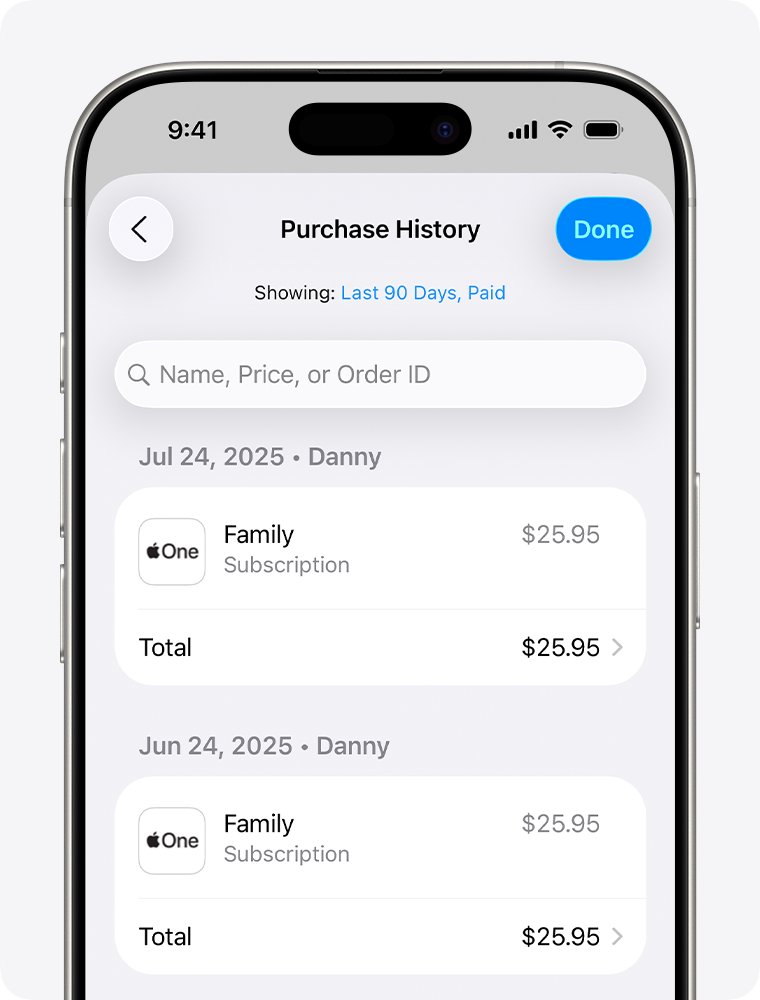
Apps, subscriptions, music and other content bought from Apple appear in your Apple ID purchase history, which is separate from Apple Store hardware orders.
| Device | Path to purchase history |
|---|---|
| iPhone or iPad | App Store > your photo or initials > Apps & Purchase History > Purchase History |
| Mac | App Store > your name at the bottom of the sidebar > Apps & Purchase History > Purchase History |
| Windows PC | Apple Music or Apple TV app > your name > View My Account > Purchase History > See All |
| Any web browser | reportaproblem.apple.com, signed in with your Apple Account |
The list opens on Last 90 days; select that filter to see older purchases. On reportaproblem.apple.com you can search for a charge by its amount.
How to find the Apple Store app on iPhone
- Go to the Home Screen and swipe left past all your Home Screen pages to reach App Library.
- Tap the search field at the top of the screen.
- Type Apple Store, or App Store if you want Apple's app store instead.
- Tap the app in the results to open it.
- If the Apple Store app is not listed, open the App Store, search for Apple Store and download it.
App Library also shows apps you removed from the Home Screen. To put one back, touch and hold it in App Library until it moves to the Home Screen.
Apple Store pickup not available: how to fix it
The item is not available for pickup at your store
That store cannot supply the configuration you chose.
- In your Bag, choose a different Apple Store near you for pickup.
- Try a standard configuration; customised and engraved products need extra preparation time.
- Switch the item to delivery; Order Status then shows the shipping estimate.
- Select Save for later to keep the item in Your Saves and check again later.
You have not received a pickup notification
The order is not ready yet.
- Open apple.com/orderstatus and check whether the status reads Ready for Pickup.
- Wait for the email and mobile notification with the QR code before you travel.
- Add or correct your mobile number in the order's pickup notification preferences to get text updates.
The store cannot release your order
A required item is missing or does not match.
- Show the QR code or Wallet pass from the notification itself, not a screenshot.
- Bring the order number and a valid government-issued photo ID.
- If someone else is collecting, make sure they are the pickup contact named on the order.
Apple Store inventory FAQ
How do I check Apple Store inventory?
Add the product to your Bag on apple.com or in the Apple Store app, select it for pickup and choose a store. Checkout then shows whether that store can supply the item and when it will be ready.
How do I check Apple Store purchases?
Go to apple.com/orderstatus and sign in with your Apple Account, or use your order number with your email address or post code. Select an item to see its status, tracking and pickup details.
How do I check App Store purchases on iPhone?
Open the App Store, tap your photo or initials, tap Apps & Purchase History, then Purchase History. The list starts on the last 90 days; tap that filter to see older purchases.
Where can I check Apple purchases online?
Sign in at reportaproblem.apple.com with your Apple Account to see apps, subscriptions and other content you bought. For iPhone, Mac or accessory orders from the Apple Store, use apple.com/orderstatus instead.
How can I check in-app purchases on Apple?
Open your purchase history in the App Store or at reportaproblem.apple.com. To find one charge, search reportaproblem.apple.com for its amount to see which app or subscription it was for.
How do I find an Apple Store near me?
Go to apple.com/retail and search by city, ZIP code or store name, or open the complete store list. The Apple Store app can also give you directions to a nearby store.
How do I find the Apple Store app on iPad?
Open the App Store on your iPad, search for Apple Store and download it if it is not already installed. The Apple Store app needs iPadOS 18.0 or later and is available only in select countries.
Can someone else pick up my Apple Store order?
Yes, a designated pickup contact can collect it with the order number, a valid government-issued photo ID and the QR code or Wallet pass. Carrier-contract iPhones need the account holder or an authorised user.
Can I reserve an iPhone for pickup at an Apple Store?
Yes. The Apple Store app lets you reserve a new iPhone for pickup at your Apple Store. Wait for the pickup notification before you go, and bring your photo ID and order number.