NVRAM (non-volatile random-access memory) is memory that keeps its contents when the power goes off, so a computer can remember settings such as the startup disk, time zone and boot entries between restarts.
This guide explains what NVRAM stores on a Mac and on a UEFI-based Windows PC, its features, strengths and limitations, and how to reset or read it when settings misbehave.

What is NVRAM? The short answer
Ordinary RAM loses everything the moment power drops. NVRAM holds a small set of values that the firmware and operating system must find again at the next startup.
Treat NVRAM as the settings memory of your computer: on an Intel-based Mac it holds things like sound volume, display resolution, startup-disk selection and time zone, and on a UEFI PC it holds the firmware environment variables that control booting. Apple describes NVRAM as a small amount of memory the Mac uses to store and quickly access certain system settings, and Microsoft documents that on a UEFI-based system NVRAM contains the firmware environment variables that specify system boot settings.
NVRAM overview: what it stores on a Mac and a Windows PC
The exact contents depend on the machine. Apple notes that the settings vary by Mac and the devices you use with it, and Microsoft notes that the set of firmware variables is determined by the boot firmware.
| Device | What NVRAM holds | How you normally change it |
|---|---|---|
| Intel-based Mac | Sound volume, display resolution, startup-disk selection, time zone (Apple's examples) | System Settings (or System Preferences on older macOS) |
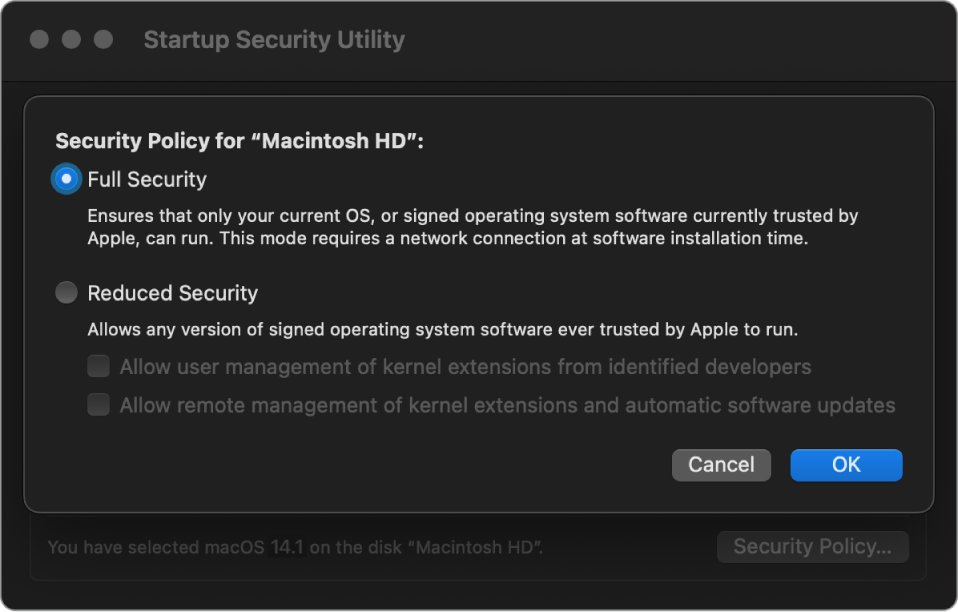
| Mac with Apple silicon | Apple's reset steps do not apply and are not needed; the System Integrity Protection policy moved out of NVRAM into the LocalPolicy | System Settings; security policy through Startup Security Utility in recoveryOS |
| UEFI-based Windows PC | Firmware environment variables that specify system boot settings, plus Secure Boot variables such as PK, KEK, db and dbx | UEFI firmware settings, or Windows APIs that need the system environment privilege |
| Legacy BIOS PC | No firmware environment variables visible to Windows: the Windows firmware-variable functions always fail on legacy BIOS | BIOS setup screen |
| Server with persistent memory | Whole data sets on NVDIMM-N or Intel Optane persistent memory modules in a DIMM slot | PowerShell storage cmdlets on Windows Server |
The Secure Boot keys are a good example of why this memory matters. Secure Boot depends on them surviving every power cycle, which is also why it is tied to the TPM and Secure Boot requirements of Windows 11.
Features of non-volatile random-access memory
| Feature | What it means | Where you see it |
|---|---|---|
| Non-volatility | Contents stay put after shutdown, unplugging or a crash | Persistent memory keeps its contents through unexpected power loss, user shutdown or a system crash, per Microsoft |
| Random access | Any value can be read directly without scanning from the start | Persistent memory in Direct Access (DAX) mode behaves like memory for the lowest latency |
| Various types | Battery-backed memory, firmware variable storage and DIMM-based persistent memory all count as NVRAM | Desktop Mac battery, UEFI variable store, NVDIMM-N and Intel Optane modules |
| Compact form factor | Firmware NVRAM is a small store; server persistent memory fits a standard DIMM slot | Apple calls Mac NVRAM "a small amount of memory" |
| Supports various data types | Holds small settings, binary keys and boot entries, or full block storage on servers | UEFI Secure Boot keys are stored as byte arrays; PmemDisks hold NTFS or ReFS volumes |
| Attribute-controlled access | UEFI variables carry attributes that set who can read or write them | Get-SecureBootUEFI shows PK with NON VOLATILE, BOOTSERVICE ACCESS and RUNTIME ACCESS attributes |
Types of NVRAM in Macs, PCs and servers
NVRAM is a role, not one chip. Several technologies fill that role, and they differ in how they keep data when power is gone.
| Type | How it keeps data | Typical use | Weak point |
|---|---|---|---|
| Battery-backed settings memory | A small battery keeps the contents alive while the machine is unplugged | Older desktop Macs | Settings reset at every shutdown when the battery fails |
| UEFI firmware variable store | Location and storage are defined by the firmware maker | Boot order, boot entries, Secure Boot keys on UEFI PCs | Writing needs administrator rights; a wrong value can affect startup |
| NVDIMM-N | Persistent-mode memory module that Windows Server treats as persistent memory | Server cache or storage tier | Supported in persistent mode only |
| Intel Optane persistent memory | Non-volatile media in a DIMM slot; App Direct mode is persistent, Memory mode behaves as slower RAM | Server storage tier in Windows Server 2019 and later | Slower than DRAM and costs more per GB than NVMe |
| Flash storage (SSD, NVMe) | Non-volatile cells that wear with writes | General storage; often the medium behind firmware stores | Write endurance varies by model |
Strengths of the NVRAM technology
| Strength | Why it matters | Example |
|---|---|---|
| Provides data persistence | Values survive shutdown, power loss and crashes | A Mac starts from the startup disk you picked last time |
| Fast access | Settings are read at startup without loading the operating system first | Apple says the Mac uses NVRAM to quickly access certain system settings |
| Increases data reliability | Critical boot and security values are not rebuilt from scratch each boot | Secure Boot keys stay in place across restarts |
| Throughput above SSDs | Persistent memory gives higher throughput than SSD and NVMe | Windows Server uses persistent memory as a cache tier by default |
| Versatility across applications | The same idea serves laptops, desktops and servers | Mac settings, UEFI boot data, server storage |
| Low power consumption | Data stays without constant power to keep it | Battery-backed stores run from a small cell while unplugged |
| Compatibility | Standard interfaces expose it to the operating system | Windows reads UEFI variables through documented APIs since Windows Vista; persistent memory works with NTFS and ReFS |
Limitations of non-volatile random-access memory
| Limitation | What happens | What to do |
|---|---|---|
| Limited write endurance | Flash media wears as it is written; drives come in higher- and lower-endurance models | Avoid tools that rewrite firmware variables in a loop; on servers, cache writes on higher-endurance drives |
| Higher cost | Persistent memory costs more per GB than NVMe | Use it as cache or a small dedicated tier, as Microsoft advises |
| Limited storage density | Firmware NVRAM is small, so only settings and keys fit | Keep files on the disk, not in firmware |
| Data retention issues | Persistent memory does not protect against torn writes in a power failure | Turn on Block Translation Table (BTT) when you create a PmemDisk |
| Battery issues | A failing battery lets a desktop Mac forget volume or time zone at every shutdown | Have the Mac serviced to replace the battery |
| Slower than DRAM | Persistent memory trades some speed for persistence | Keep working data in regular RAM |
Difference between NVRAM and NVM, RAM and SSD storage
| Term | Keeps data without power? | Typical size and job |
|---|---|---|
| RAM (DRAM) | No | Large and fast working memory for running apps |
| NVRAM | Yes | Small random-access store for settings, boot data and keys; on servers, persistent memory modules |
| NVM (non-volatile memory) | Yes | Umbrella term for any memory that keeps data, including flash, SSDs, NVMe and NVRAM |
| SSD / NVMe storage | Yes | Large block storage for files; slower than persistent memory, cheaper per GB |
How to reset NVRAM on an Intel-based Mac
Apple recommends this only when a setting stored in NVRAM does not work as expected, and as the final step before you sell, give away, trade in or recycle an Intel-based Mac. On a Mac with Apple silicon, these steps do not apply and are not needed.
- Choose Apple menu > Shut Down.
- Press the power button, then immediately press and hold Option, Command, P and R together.
- Keep holding the keys for about 20 seconds; the Mac can appear to restart, play the startup sound twice or show the Apple logo twice.
- Release the keys and let the Mac finish starting up.
- Open System Settings and set any reset values again, such as sound volume, display resolution, startup disk or time zone.
How to save settings to NVRAM on a Mac or a UEFI PC
You rarely write to NVRAM directly. The system writes the value for you when you change a setting that lives there.
On a PC, the firmware screen is where boot settings are saved. If the Shift-restart route is not available, you can enter the BIOS with the startup key instead.
- On a Mac, open System Settings and change the setting, for example sound volume, display resolution or startup disk; macOS stores the value itself.
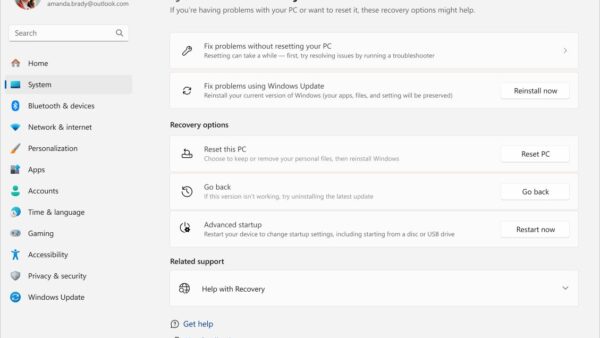
- On a Windows PC, open Start, select Power, then hold Shift while you select Restart.
- Select Troubleshoot > Advanced options > UEFI Firmware settings, then select Restart.
- Change the boot or security setting you need in the firmware menus.
- Use the firmware's save-and-exit option so the value is written before the PC restarts; the exact label depends on the PC maker.
Read UEFI NVRAM variables in Windows with PowerShell
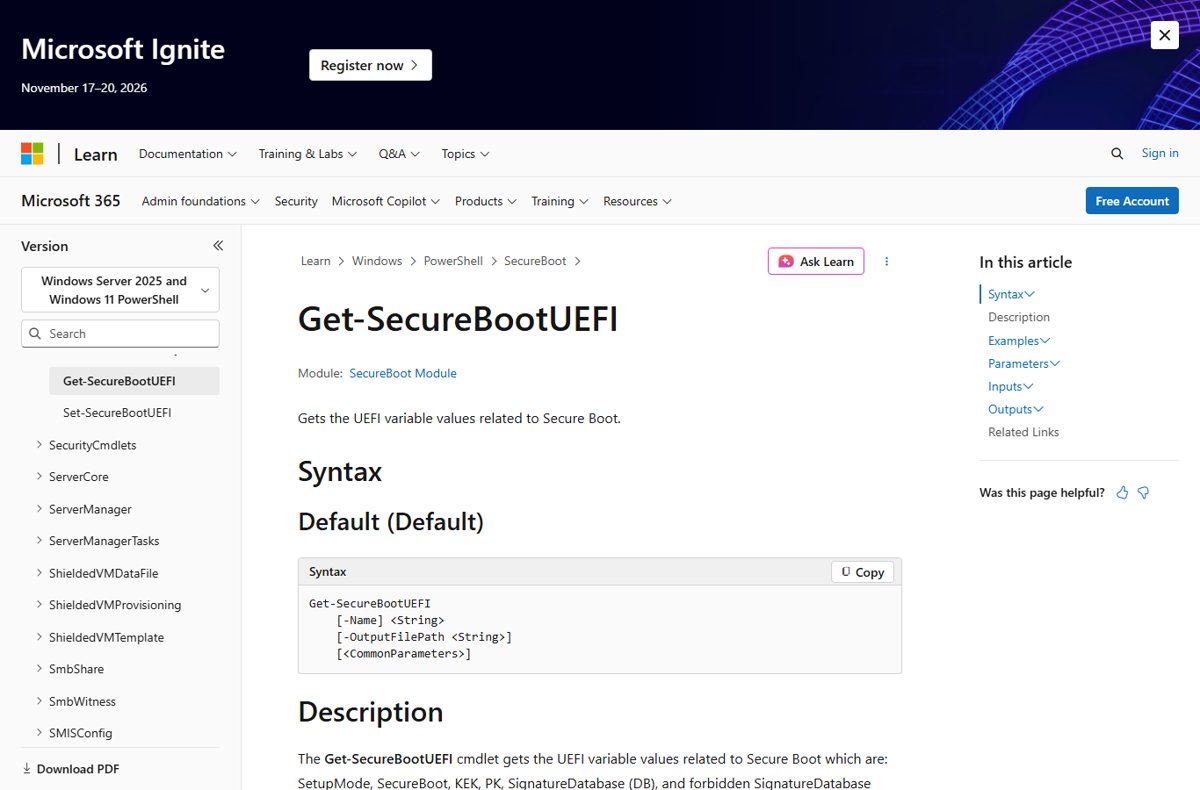
Windows can read the Secure Boot variables stored in UEFI NVRAM. Open Windows PowerShell as administrator first, or the cmdlet reports "Unable to set proper privileges. Access was denied."
Get-SecureBootUEFI -Name SecureBootReads the SecureBoot UEFI variable from firmware. The -Name parameter also accepts PK, KEK, db, dbx and SetupMode; add | Format-List to see the variable attributes, including NON VOLATILE.
You should see: The cmdlet returns the variable name and its bytes. "Cmdlet not supported on this platform" means a legacy BIOS PC or one without Secure Boot, and "Variable is currently undefined" means the variable does not exist.
How to check an NVRAM reset or change worked
- On a Mac, open System Settings after the restart and confirm the sound volume, display resolution and time zone show the values you expect.
- Shut the Mac down, then start it again and confirm those values stayed put; a value that resets again points at the NVRAM battery on a desktop Mac.
- On a Windows PC, open Windows PowerShell as administrator and run
Confirm-SecureBootUEFI. - Read the result: True means Secure Boot is on, False means the PC supports it but it is off, and "Cmdlet not supported on this platform" means a legacy BIOS PC.
If the result is False and you want it on, you can turn on Secure Boot in Windows 11 from the UEFI settings.
NVRAM problems: reset not working, settings lost, charging issues
Volume or time zone resets every time a desktop Mac is shut down and unplugged
The small battery that keeps NVRAM alive while the Mac is unplugged is failing.
- Confirm the problem happens only after the Mac is unplugged.
- Have the Mac serviced so the NVRAM battery can be replaced.
- Set the values again in System Settings after the repair.
The Mac ignores Option-Command-P-R at startup
The keyboard is not ready, a firmware password is set, Boot Camp is the startup disk, or the Mac has Apple silicon.
- Check whether the Mac has Apple silicon; if it does, the reset is not needed.
- Shut the Mac down fully instead of restarting, then press the power button and hold the keys.
- Use the built-in keyboard or a wired Mac keyboard instead of a wireless or PC keyboard.
- Turn off the firmware password, then try again.
- If you start up from Windows through Boot Camp, set the startup disk to macOS first.
Mac battery is not charging after an NVRAM reset
Charging is managed by the System Management Controller (SMC), not NVRAM, and resetting the SMC does not touch NVRAM.
- On a Mac with Apple silicon, plug in power and choose Apple menu > Restart; the SMC resets automatically.
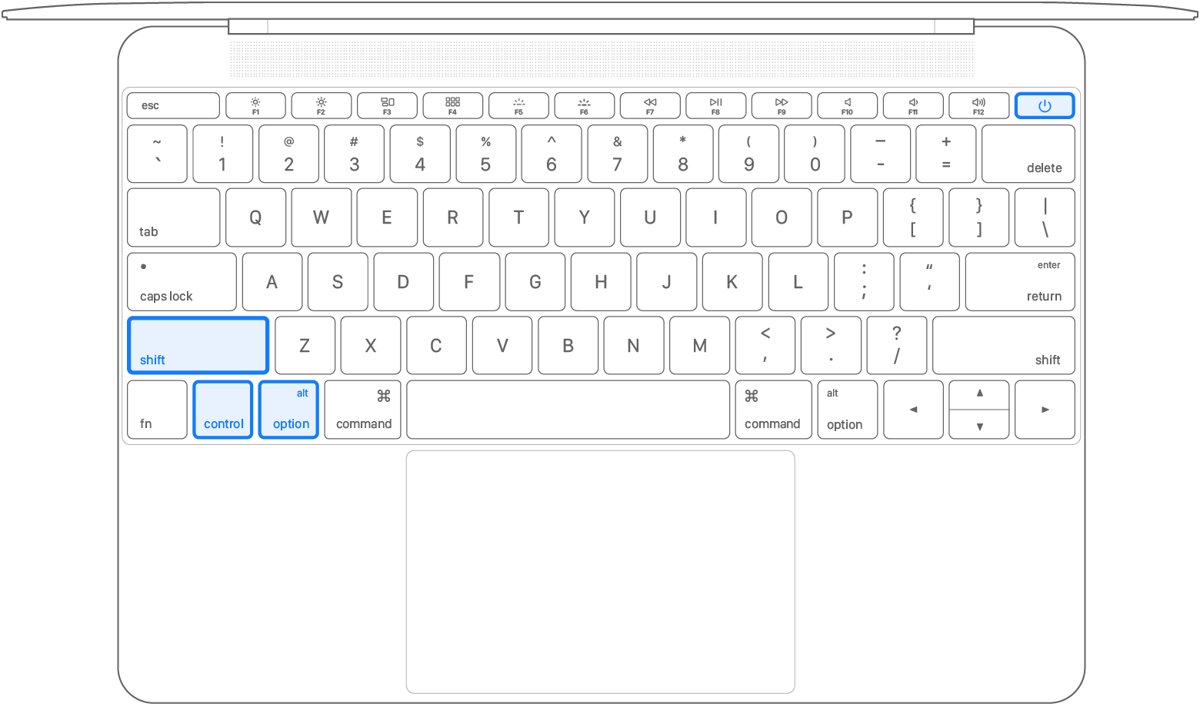
- On an Intel Mac laptop without a T2 chip, shut down, then hold left Shift, left Control, left Option and the power button for 10 seconds.
- Release all keys, then press the power button to turn the Mac on.
- On an Intel Mac laptop with the T2 chip, hold left Control, left Option and right Shift for 7 seconds, add the power button for another 7 seconds, then release and start up.
PowerShell says "Cmdlet not supported on this platform"
Windows was installed in legacy BIOS mode, or the PC does not support Secure Boot, so no UEFI variables are reachable.
- Run
Get-SecureBootUEFI -Name SecureBootfrom an administrator PowerShell window to rule out a permissions error. - Open the firmware menus and check whether the PC offers UEFI boot.
- Note that Windows boots in the mode it was installed with, so switching from BIOS to UEFI needs a disk prepared for UEFI (GPT).
NVRAM frequently asked questions
What is an NVRAM?
NVRAM is non-volatile random-access memory: memory that keeps its data when the power is off. Computers use a small amount of it to store settings and boot data, such as the startup disk on an Intel Mac or the firmware boot variables on a UEFI PC.
What does NVRAM do?
NVRAM lets a computer remember values between restarts without loading the operating system first. On an Intel-based Mac it stores sound volume, display resolution, startup-disk selection and time zone; on a UEFI PC it holds boot settings and Secure Boot keys.
How do you save to NVRAM?
You change the setting and the system writes it to NVRAM for you. On a Mac, use System Settings. On a UEFI PC, change the value in the UEFI firmware settings and save before exiting; Windows programs can also write firmware variables with administrator privilege.
Does an NVRAM reset help with a charging problem?
No, charging is handled by the System Management Controller (SMC), not NVRAM. Apple lists a battery that is not charging as a reason to reset the SMC, and notes that an SMC reset does not affect NVRAM or PRAM.
What is the difference between NVRAM and NVM?
NVM (non-volatile memory) is the umbrella term for any memory that keeps data without power, including SSDs and flash drives. NVRAM is the random-access kind, used for small, fast stores such as firmware settings or server persistent memory modules.
Is flash memory used as NVRAM?
Flash is non-volatile, so it can serve as an NVRAM store, but it wears with every write. Microsoft documents that the location of UEFI firmware variables is defined by the firmware maker, so the medium behind a PC's NVRAM depends on the board.
Is NVRAM the same as PRAM on a Mac?
Apple treats them as the same thing for reset purposes: its support page says "NVRAM (or PRAM)" and uses one key combination, Option-Command-P-R, to reset both on an Intel-based Mac.
Do Macs with Apple silicon need an NVRAM reset?
No. Apple states that the NVRAM reset steps do not apply to Mac computers with Apple silicon and are not needed on them. Change settings in System Settings instead, and restart the Mac if a setting does not take effect.
Does resetting NVRAM delete my files?
No, an NVRAM reset only clears stored system settings such as volume, resolution, startup disk and time zone. Your files stay on the disk, and after startup you only need to set those system settings again.
Bottom line: when NVRAM matters and when to reset it
Leave NVRAM alone unless a stored setting misbehaves: reset it on an Intel-based Mac only when volume, resolution, startup disk or time zone will not stick, and change PC boot values only through UEFI firmware settings. NVRAM holds the small set of values a computer needs before the operating system loads, so normal settings screens already write to it, while charging and power faults belong to the SMC instead.