To install a Windows update offline, search its KB number at catalog.update.microsoft.com, select Download for your architecture, save the .msu file and run it on the PC.
This guide covers searching and saving updates from the Microsoft Update Catalog, installing them with the standalone installer or DISM, checkpoint cumulative updates, uninstalling an update, update errors and reading the update log.
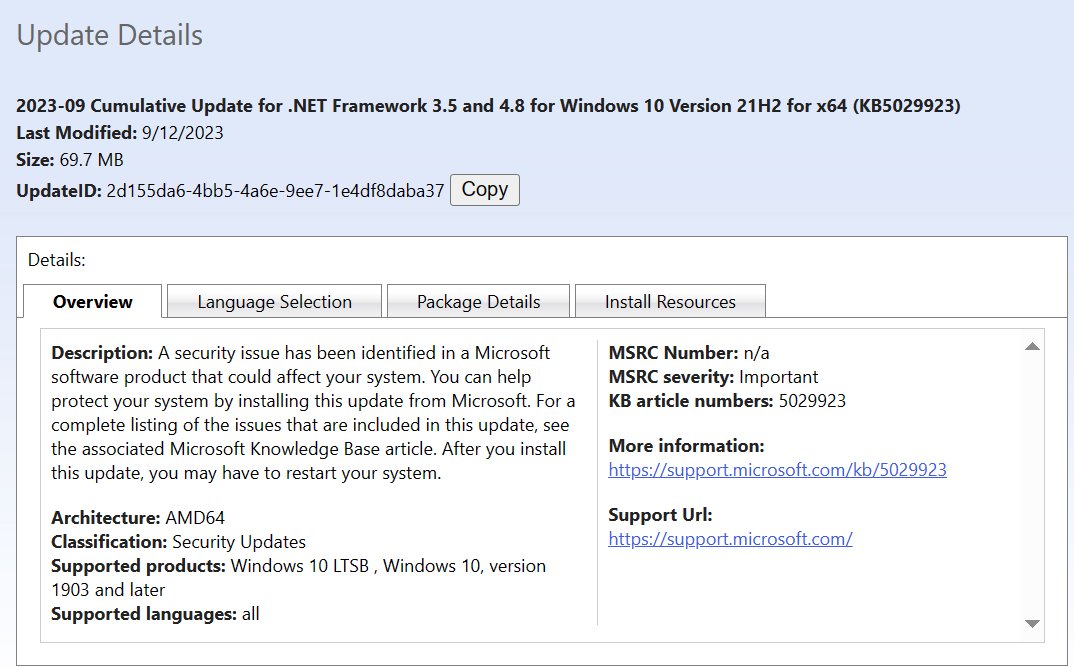
Download and save updates via Microsoft Update Catalog website
The Microsoft Update Catalog is Microsoft's one-stop listing of software updates, drivers and hotfixes. It works in any modern browser and needs no sign-in.
- Open https://www.catalog.update.microsoft.com in your browser.
- Type the KB number, for example
KB5048667, in the search box and press Enter. - Match the row to your Windows version and architecture (x64 or ARM64) in the Title and Products columns.
- Select Download on that row.
- In the pop-up, select each .msu link to save the file. The pop-up also lists any prior checkpoint updates that are required.
- Copy the saved files to a USB drive if the target PC has no internet connection.
For feature-update packages, the Windows 11 26H2 catalog listings show what that release offers.
What is the Microsoft Update Catalog
| Question | Answer |
|---|---|
| What it lists | Important, recommended and optional updates, drivers and hotfixes |
| What you can search | Update title, description, product, classification, KB number, and for drivers the model, manufacturer, class or a 4-part hardware ID |
| Who it is for | Distribution across a corporate network; home users are pointed to automatic Windows Update |
| Import targets | WSUS, System Center Essentials and Configuration Manager can import updates directly |
| Security release cadence | Monthly, with out-of-band updates when a widespread threat appears |
| File types | .msu (Windows Update Standalone Installer) and .cab packages |
How to install a Microsoft Update Catalog update offline
An .msu file is a Windows Update Standalone Installer package, such as the Windows 11 26H2 KB5121794 installer. Running it applies the update without contacting Windows Update.
- Sign in with an administrator account, because some updates need administrator access.
- Copy the .msu file to the PC.
- If the catalog pop-up listed checkpoint updates, install those files first, oldest first.
- Double-click the .msu file to open the Windows Update Standalone Installer.
- Select Yes to install the update.
- Select Restart Now when prompted to finish the install.
Install an .msu update with DISM
DISM can add an .msu to the running system on Windows 11, version 21H2 or later. On older Windows versions, DISM adds .msu files only to offline images. Run it from an elevated Command Prompt.
Dism /Online /Add-Package /PackagePath:C:\packages\/Online targets the running Windows installation. /PackagePath can point to one .msu or to a folder; on Windows 11, version 24H2 and later, put the target cumulative update and its checkpoint updates in that folder and DISM installs them in the right order.
You should see: DISM reports that the operation completed successfully, then asks you to restart.
To patch an offline image instead, mount it with Dism /Mount-Image, run Dism /Image:C:\test\offline /Add-Package /PackagePath:C:\packages\package.msu, then commit with Dism /Unmount-Image /MountDir:C:\test\offline /Commit.
Checkpoint cumulative updates in the Microsoft Update Catalog
| Situation | What to install |
|---|---|
| PC already has the latest checkpoint cumulative update | Only the target .msu |
| PC is behind the latest checkpoint | Every prior checkpoint .msu in order, then the target, or all at once with DISM |
| Image needs Features on Demand or language packs | All prior checkpoints and the target with DISM, even if a checkpoint is already installed |
| WinRE image (winre.wim) | The servicing stack update and SafeOS Dynamic Update, not the cumulative update |
Checkpoint cumulative updates started with Windows 11, version 24H2. The KB article for each update lists its preceding checkpoints under the Catalog release channel.
How to uninstall Windows updates in Windows 11
- Select Start > Settings > Windows Update.
- Under More options, select Update history.
- Under Related settings, select Uninstall updates.
- Find the update in the list and select Uninstall.
- Restart the PC if Windows asks you to.
Some updates cannot be uninstalled, but you can hide an unwanted update so it does not reinstall. If Windows will not start, open the Windows Recovery Environment and select Troubleshoot > Advanced options > Uninstall Updates.
Windows Update “Error encountered” on Windows 11
Windows Update shows Error encountered with a code
Corrupt cached update files, a stopped service or low disk space, which the Windows Update troubleshooter can often detect.
- Select Start > Settings > System > Troubleshoot > Other troubleshooters.
- Find Windows Update and select Run.
- Free up space: a 64-bit upgrade needs at least 20 GB free.
- Download the same KB from the Microsoft Update Catalog and install the .msu manually.
Update fails with 0x8007000d or 0x80070002
The Windows Update cache holds damaged files.
- Press Win + R, type
services.mscand press Enter. - Right-click Windows Update and select Stop.
- Delete everything inside
C:\Windows\SoftwareDistribution. - Right-click Windows Update and select Start, then check for updates again.
The .msu says the update is not applicable to your computer
The file is for another Windows version or architecture, or a checkpoint update is missing.
- Check the Products column in the catalog against your Windows version.
- Download the x64 or ARM64 file that matches the PC.
- Install any checkpoint cumulative updates the catalog pop-up listed before the target update.
Microsoft Update Catalog is down or shows error 8DDD000F
The page address is wrong or the site is temporarily unavailable.
- Check the address is catalog.update.microsoft.com.
- Reload the search page and search the KB number again.
- Try again later if the error page keeps appearing.
How to read Windows Update logs in Windows 11
Windows Update writes trace files (.etl) to C:\Windows\Logs\WindowsUpdate. PowerShell merges them into one readable log.
Get-WindowsUpdateLogMerges the Windows Update .etl trace files into a single WindowsUpdate.log file on your desktop. Run it in PowerShell; the file is a static copy, so run it again for newer entries.
You should see: PowerShell prints WindowsUpdate.log written to, followed by the desktop path.
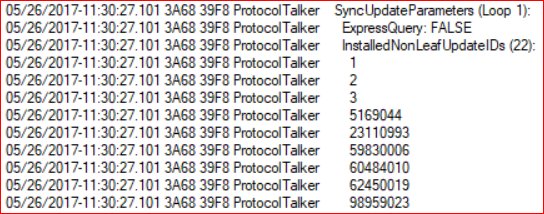
Search the log for the KB number and components such as DownloadManager or Handler. For install-stage failures, check CBS.log in %systemroot%\Logs\CBS. To confirm an install, open Settings > Windows Update > Update history and find the KB.
Microsoft Update Catalog FAQ
What is the Microsoft Update Catalog?
It is a Microsoft service that lists software updates, drivers and hotfixes for distribution across a network. You can search it by KB number, product or hardware ID and download the .msu or .cab files to install manually.
Where is the Microsoft Update Catalog?
The catalog lives at https://www.catalog.update.microsoft.com. It opens in Edge, Chrome or Firefox and needs no Microsoft account to search or download updates.
How do I use the Microsoft Update Catalog?
Search the KB number, find the row for your Windows version and architecture, and select Download. Save the .msu file from the pop-up, then double-click it on the target PC to install the update.
How do I install an update from the Microsoft Update Catalog?
Double-click the downloaded .msu file to run the Windows Update Standalone Installer, confirm, and restart. You can also run Dism /Online /Add-Package /PackagePath: with the file path from an elevated Command Prompt.
Is the Microsoft Update Catalog safe and legit?
Yes. It is Microsoft's own site on the microsoft.com domain, and the files are the same signed updates Windows Update delivers. Use it only for updates that match your Windows version and architecture.
Do I need to update Windows manually?
Usually not. Microsoft recommends automatic Windows Update for home PCs. The catalog helps when a PC is offline, an update keeps failing, or you need to patch several machines or an image.
Why are Windows updates so important?
Important updates improve security and reliability. Microsoft releases security updates monthly and ships an update early when a widespread threat appears, so skipping them leaves the PC exposed to known attacks.
Is Microsoft Update Catalog down?
If the site shows an error number such as 8DDD000F, check the address and reload. A persistent error page usually means the site is temporarily unavailable, so try again later.