Remove the Hotmail account from Mail and add it back as Microsoft Exchange, because Outlook.com stopped accepting Basic Authentication on September 16, 2024, so an older Mail setup fails even with the correct password.
An Apple app-specific password will not help, since it only signs in to an Apple Account. This guide covers the fix on a MacBook, how to test the password, and what to do when Microsoft has blocked the account.
How to fix Mail on MacBook not accepting a Hotmail password
Apple lists Microsoft Exchange as the provider for @hotmail.com, @live.com, @msn.com and @outlook.com addresses on Mac. Remove the old account first, or Mail may report that the account already exists.
- In Mail, copy any messages that exist only on the Mac to a mailbox under On My Mac.
- Choose Mail > Settings, then click Accounts.
- Select the Hotmail account and click the remove button below the list.
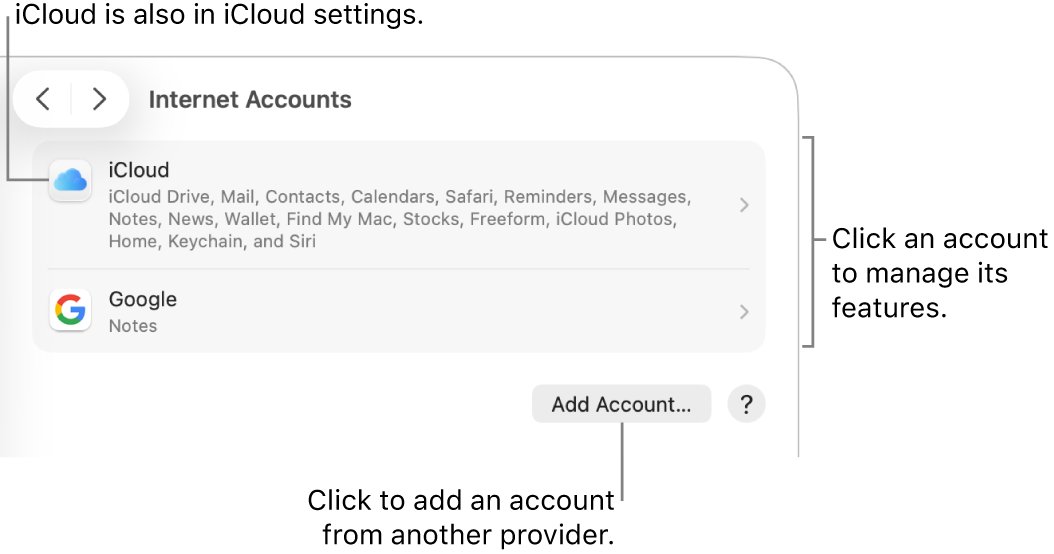
- If Mail sends you to Internet Accounts, choose Apple menu > System Settings > Internet Accounts, select the account and click Delete Account.
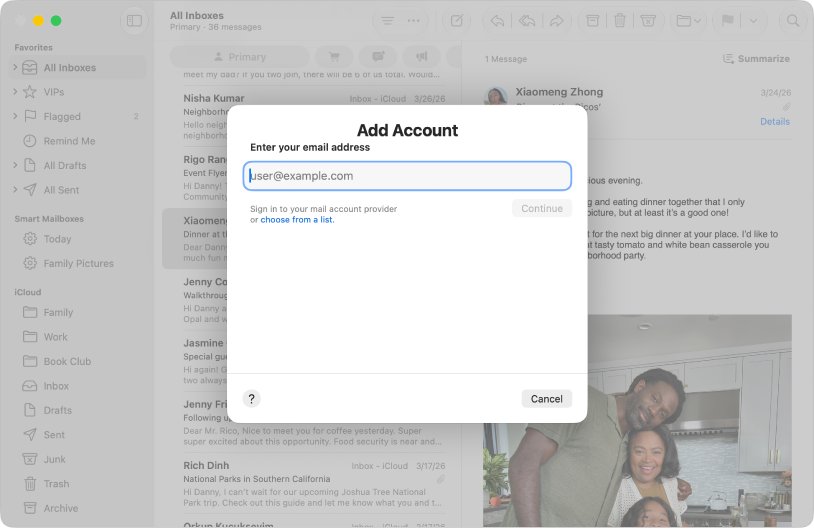
- Back in Mail, choose Mail > Add Account.
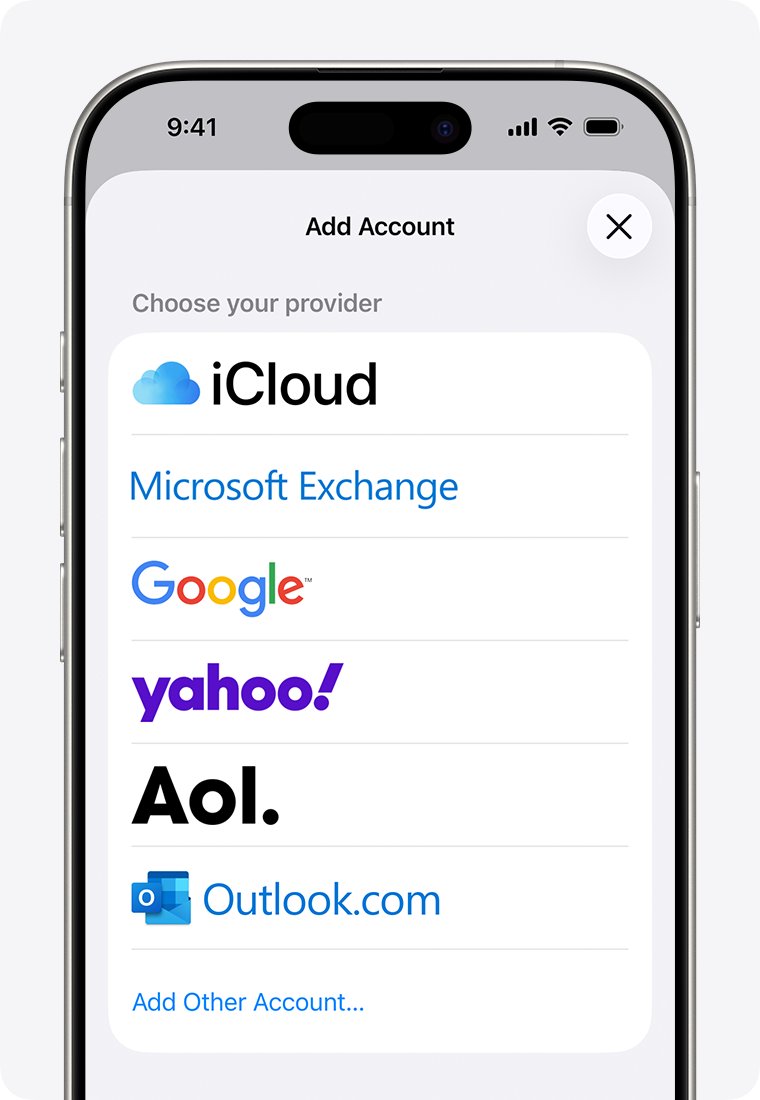
- Click choose from a list, select Microsoft Exchange, then click Continue.
- Enter your Hotmail address and follow the onscreen instructions to sign in to your Microsoft account.
- Approve the sign-in request if your account uses two-step verification.
Enter your normal Microsoft account password at the sign-in step, not an app-specific password.
Why Mail on Mac keeps rejecting your Hotmail account name and password
Microsoft says password prompts and connection errors in Apple Mail suggest the account was set up with Basic Authentication. The other causes in this table are worth ruling out if a fresh setup still fails.
| Cause | How to spot it | What to do |
|---|---|---|
| Old setup that relies on Basic Authentication | The password works on Outlook.com but not in Mail | Remove the account and add it back as Microsoft Exchange |
| Wrong provider chosen when adding the account | The account was added as IMAP, POP or another provider | Remove it and pick Microsoft Exchange from the list |
| Apple app-specific password entered in Mail | The password came from account.apple.com | Use your Microsoft account sign-in instead |
| Password changed or forgotten | The password also fails on Outlook.com | Reset it with Microsoft, then sign in again in Mail |
| Microsoft blocked or locked the account | Outlook.com shows a blocked or locked message | Run Microsoft's Sign-in Helper |
| Mistyped address or wrong domain | Microsoft cannot find the account | Check the spelling and the domain, such as .com or .co.uk |
Does an app-specific password work for Hotmail in Mail on Mac?
No. Apple's app-specific passwords sign third-party apps in to an Apple Account, so Microsoft has no record of them and Hotmail rejects them. Microsoft has its own app passwords, which serve a narrower purpose.
| Password type | Created at | What it is for | Use it for Hotmail in Mail? |
|---|---|---|---|
| Microsoft account password | Your Microsoft account | Signing in to Outlook.com and Microsoft services | Yes, at the sign-in step after you choose Microsoft Exchange |
| Apple app-specific password | account.apple.com, under Sign-In and Security | Third-party apps that sign in to your Apple Account | No, it does not belong to the Hotmail account |
| Microsoft app password | Additional security options in your Microsoft account | Apps and older devices that do not support two-step verification | Only as a later step, if two-step verification is on and sign-in still fails |
The App passwords section appears only when two-step verification is on. Microsoft says you may need one if your password is not recognized, but it also requires Modern Auth for Outlook.com, so try Microsoft Exchange first.
Microsoft Exchange, IMAP or Outlook for Hotmail on a MacBook
| Your situation | Use this | Why |
|---|---|---|
| You want Hotmail in Apple Mail | Microsoft Exchange | It is the provider Apple lists for Hotmail addresses on Mac |
| Your account was added as IMAP or POP | Remove it and switch to Microsoft Exchange | Outlook.com requires OAuth2 on every IMAP, POP and SMTP connection |
| You have a reason to enter servers by hand | Hotmail IMAP and SMTP settings | POP and IMAP access is off by default in Outlook.com, so turn it on first |
| Apple Mail still fails after a clean setup | Outlook for Mac | Microsoft recommends Outlook when an app cannot use Modern Authentication |
How to test your Hotmail password on Outlook.com
A browser test separates a Mail problem from an account problem. Apple recommends it because a working webmail sign-in proves the account is valid.
- Open a web browser on the MacBook and load any website to confirm you are online.
- Go to the Hotmail sign-in page and enter your full Hotmail address.
- Type the password by hand instead of pasting it from a saved note.
- Look for any notice about a blocked account or updated terms, and follow it.
- If your inbox opens, go back to Mail and re-add the account as Microsoft Exchange.
- If the password fails here too, reset it with Microsoft before you touch Mail again.
Apple Mail login failed on Mac: status messages explained
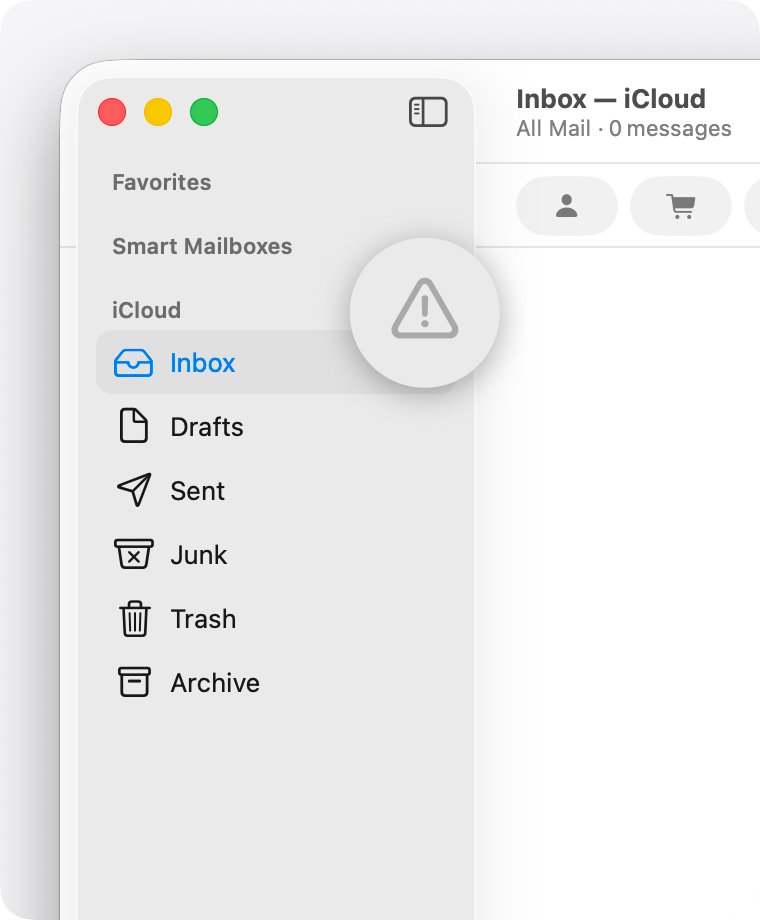
When Mail cannot connect, a warning symbol or lightning bolt appears next to the account's inbox in the sidebar or in the upper-right corner of the window. Click it to read the status, then match it here.
| Message in Mail | What it means | What to do |
|---|---|---|
| Login failed | The provider refused the account as set up | Remove the account and add it back as Microsoft Exchange |
| Password prompt that keeps failing | The provider is rejecting the password | Test the password on Outlook.com, then reset it if it fails |
| Network offline or can't connect to the server | Mail cannot reach the mail server | Check for a VPN or other software that interacts with your network connection |
| Temporary outage | The provider has a service problem | Check the provider's status page and try again later |
How to reset a forgotten Hotmail password
- Go to account.live.com/password/reset in a browser.
- Enter your Hotmail address, then select Next.
- Choose where Microsoft should send the security code and confirm the details it shows.
- Enter the code from your recovery email or phone, then select Next.
- Type a new password and enter it again to confirm.
- Sign in on Outlook.com with the new password, then add the account in Mail.
If you know the password and just want to change it, use Change password at account.microsoft.com/security instead.
Will removing Hotmail from Mail delete emails on Mac?
Removing the account deletes its messages from the Mac only, so copies on the Outlook.com server stay available. Mail downloads them again after you add the account back. If you are unsure a message is on the server, move or copy it to a mailbox under On My Mac in the Mail sidebar first. Removing the account in Internet Accounts can also delete data stored in other apps that use it, though that data may return when you add the account again.
How to tell if Hotmail is online in Mail on Mac
- Choose Mail > Settings, then click Accounts.
- Select the Hotmail account and click Account Information.
- Read Status, where a colored dot shows whether the account is online or offline.
- Close the window and click the Get Mail button in the toolbar.
- Send a test message to your Hotmail address from another account and check that it arrives without a password prompt.
- Reply from Mail and check that the reply reaches the other account.
Hotmail account name or password not working in Mail on Mac
"Account already exists" when you add Hotmail to Mail
The old account is still on the Mac.
- Open System Settings and click Internet Accounts in the sidebar.
- Select the Hotmail account, click Delete Account, then click OK.
- In Mail, choose Mail > Add Account and select Microsoft Exchange.
Microsoft says it cannot find an account with that username
The address has a typing error, uses the wrong domain, or the account is gone.
- Check the spelling of the name and the domain, such as .com or .co.uk.
- Try another alias or phone number on the account.
- Run Microsoft's Sign-in Helper at aka.ms/sign-in-helper.
- If you have not signed in for over two years, create a new account, because Microsoft may have deleted the old one and cannot reopen it.
Hotmail says the password is incorrect after you turn on two-step verification
The app or sign-in method cannot complete two-step verification.
- Remove the account and add it back as Microsoft Exchange so the sign-in can ask for approval.
- If sign-in still fails, sign in to your Microsoft account and open Additional security options.
- Scroll to App passwords and select Create password.
- Enter the new app password where Mail asks for the Microsoft account password.
Outlook.com account temporarily blocked
Microsoft noticed unusual sign-in activity and paused the account to protect it.
- Open Microsoft's Sign-in Helper at aka.ms/sign-in-helper.
- Follow the prompts to unblock the account.
- Enter the security code or change your password if Microsoft asks.
- Add the account to Mail again once you can sign in on Outlook.com.
Microsoft account has been locked
Too many incorrect password attempts, or activity that may violate Microsoft's terms, can lock the account.
- Sign in at account.microsoft.com and follow the unlock prompts.
- If you cannot sign in, run the Sign-in Helper.
- Reopen Mail and re-enter your sign-in only after the account is unlocked, because repeated failures add to the problem.
Hotmail IMAP connection error in Mail
Microsoft can flag an IMAP connection when the account is set up as IMAP in several email apps.
- Go to account.live.com/activity and sign in with the affected account.
- Under Recent activity, expand the Session Type event that matches the time of the error.
- Select This was me.
- Try the connection again, or switch the account to Microsoft Exchange.
Apple Mail cannot get mail from Hotmail on a MacBook
These symptoms can continue after the password is sorted, so work through them once the account shows as online.
Mail not updating on MacBook
Mail may be set to check for messages only when you ask.
- Choose Mail > Settings, then click General.
- Set Check for new messages to Automatically.
- Click the Get Mail button in the toolbar to check right away.
Apple Mail not receiving mail from Hotmail
The mailbox may be over its storage limit, or an Outlook.com notice is waiting.
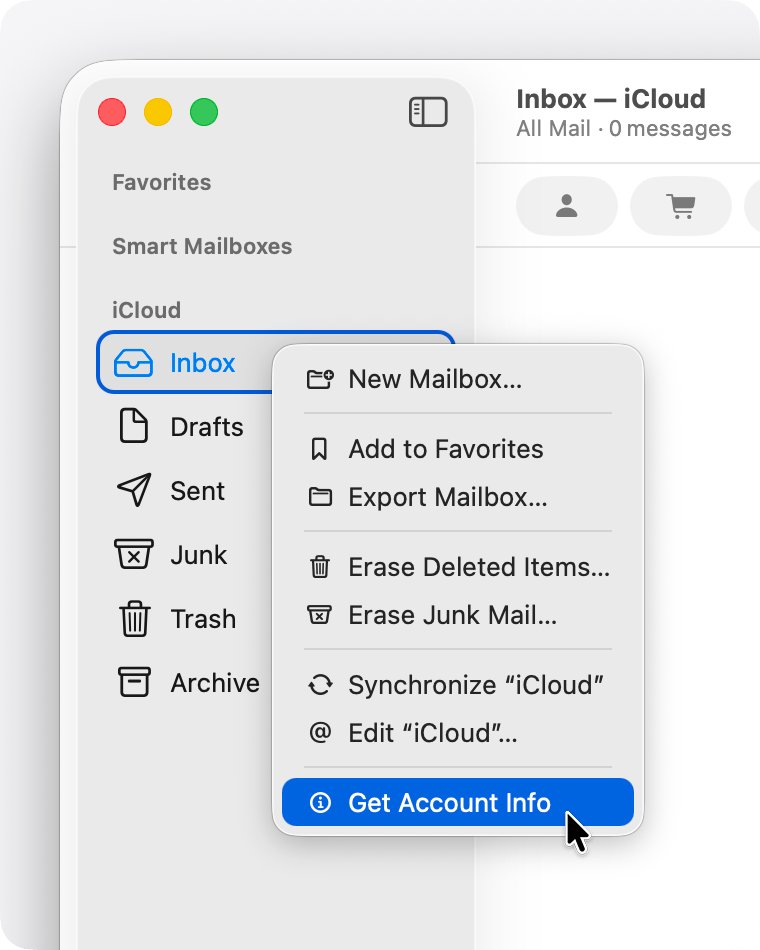
- Control-click the account's mailbox in the sidebar and choose Get Account Info.
- If storage is full, delete messages and choose Mailbox > Erase Deleted Items.
- Sign in on the web and accept any updated terms and conditions.
Mac Mail not sending emails from Hotmail
Mail may be offline or the account may need a fresh setup.
- Confirm the Mac can load websites in a browser.
- Click the warning symbol in the Mail window and read the status message.
- Check that a VPN or other network software is not interfering.
- Remove the account and add it back with the correct provider if nothing else helps.
Use Outlook on Mac if Apple Mail still rejects Hotmail
Install Outlook for Mac if a clean Microsoft Exchange setup keeps failing while Outlook.com works in a browser. Microsoft recommends Outlook when an email app cannot use Modern Authentication, and it says all users can get Outlook for free. You can download Outlook for Mac and add your Outlook.com account to it, or read mail through Outlook on the web in the meantime.
Mail on MacBook and Hotmail password FAQ
Why is my Apple Mail not working?
Start with the warning symbol or lightning bolt beside the inbox, which explains the failure. Then confirm the Mac is online, test the account in a browser, check the storage quota, and remove and re-add the account with the correct provider if nothing else helps.
Why is mail not updating on my MacBook?
Mail may be set to check manually or the account may be offline. Set Check for new messages to Automatically in Mail > Settings > General, click the Get Mail button, and look at the account's Status under Accounts > Account Information.
Why am I not receiving emails on my Apple devices?
Check that the account is online and test the same address in a browser. A full mailbox, updated provider terms, or an account blocked by the provider can stop delivery. If mail arrives in webmail but not in the app, the account setup needs fixing.
Why is Mail not working on iPhone with Hotmail?
The account likely needs the iPhone's own provider, which is Outlook.com rather than Microsoft Exchange. Delete it in Settings > Apps > Mail > Mail Accounts, then add it back. Other Mail problems on iPhone have separate causes after a software update.
Do I need an app-specific password for Hotmail in Apple Mail?
No. Apple's app-specific passwords only sign third-party apps in to an Apple Account, so they cannot unlock a Hotmail mailbox. Add the account as Microsoft Exchange on Mac and sign in to your Microsoft account when prompted.
Why does Apple Mail say login failed for my Hotmail account?
Microsoft ended Basic Authentication for Outlook.com accounts on September 16, 2024, so older setups cannot log in with a stored password. Remove the account from Mail, add it back as Microsoft Exchange, and confirm the password works on Outlook.com first.
Can I still use Hotmail with Apple Mail on a Mac?
Yes. Apple Mail still works with @hotmail.com addresses, and Apple lists Microsoft Exchange as the provider to choose on Mac. On iPhone, iPad and Apple Vision Pro, the provider to choose is Outlook.com.
Why is my Outlook email not working on Mac?
Test the account on Outlook.com first. If the web inbox works, the app setup is the problem, so remove and re-add the account. If the web inbox fails, reset the password or run Microsoft's Sign-in Helper to clear a block.