Microsoft no longer sells Copilot Pro to individuals, so the way to get its features today is to subscribe to Microsoft 365 Premium for $19.99 a month or $199.99 a year in the US.
This guide covers the subscribe process, the free trial, switching an existing Copilot Pro plan, checking what you have, cancelling, and what the free Copilot app gives you without paying.
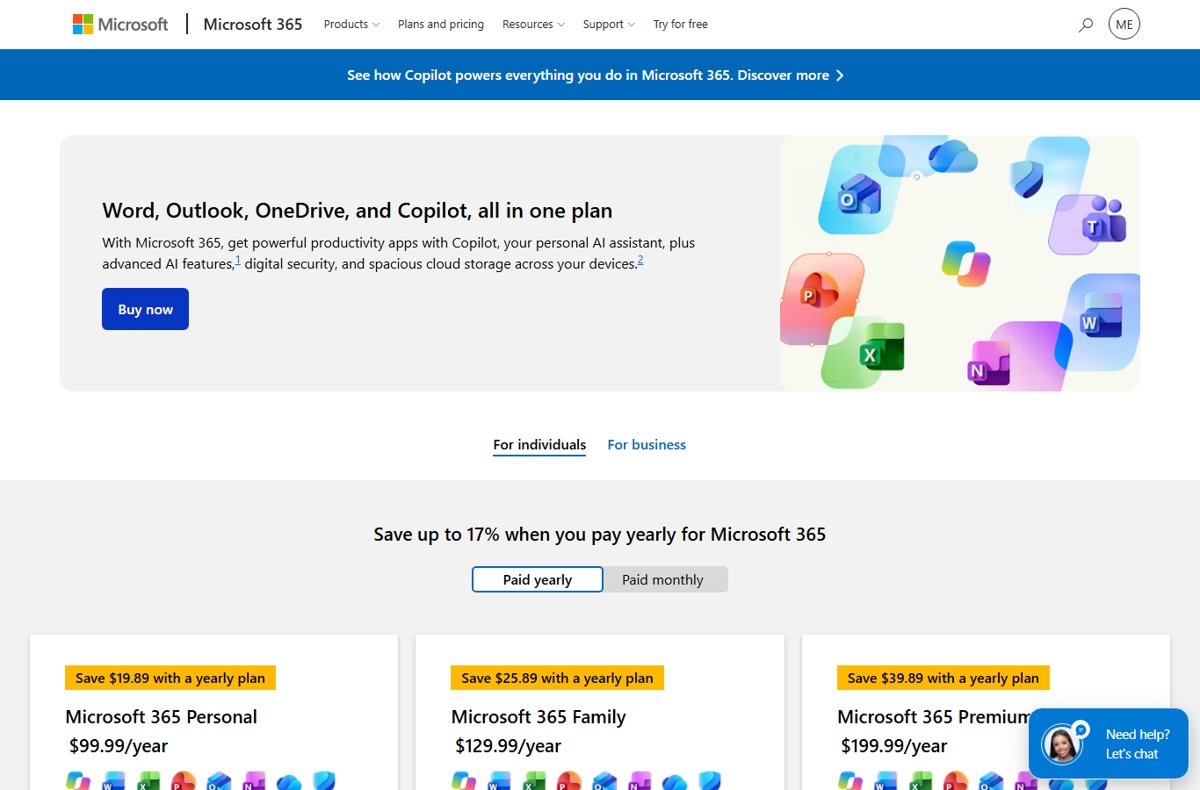
Subscribe to Copilot Pro process with Microsoft 365 Premium
Microsoft announced on October 1, 2025 that it would stop selling Copilot Pro and that Microsoft 365 Premium combines everything in Microsoft 365 Family and Copilot Pro. The old Copilot Pro store link now opens the Microsoft 365 Premium page.
- Open the Microsoft 365 Premium page in the Microsoft Store at
microsoft.com/microsoft-365. - Choose yearly billing with Buy and download ($199.99/year), or select Buy now $19.99/month for monthly billing.
- Sign in with the personal Microsoft account you want to own the subscription.
- Review the cart, add a payment method and complete checkout.
- Sign in to the Copilot app and to Word, Excel, PowerPoint, Outlook or OneNote with the same account to use the Copilot features.
Only the subscription owner gets the AI features. Premium covers up to six people for apps and storage, but Copilot benefits cannot be shared with the other members.
Is Copilot Pro still available?
| Question | Answer |
|---|---|
| What is Microsoft Copilot Pro? | Microsoft's former paid Copilot plan for individuals, which added Copilot inside the Microsoft 365 apps |
| Can new users buy Copilot Pro? | No. Microsoft stated it will no longer sell Copilot Pro |
| What replaced it? | Microsoft 365 Premium, which combines Microsoft 365 Family and Copilot Pro |
| When was the change announced? | October 1, 2025 |
| What if you already pay for Copilot Pro? | Microsoft says you can switch to Microsoft 365 Premium |
| What if you pay for Copilot Pro and Personal or Family? | Microsoft says switching to Premium keeps everything you had for less money |
| Is there a plan above Premium? | Yes, Microsoft 365 Pro has the highest Voice and Vision limits and 5 TB of pooled storage for new subscribers from October 8, 2026 |
| Countries where Copilot is available | Over 170 markets; China (excluding Hong Kong SAR) and embargoed markets are the exceptions, and Microsoft notes plan features and apps can vary by region |
Copilot Pro subscription cost: which Microsoft 365 plan to buy
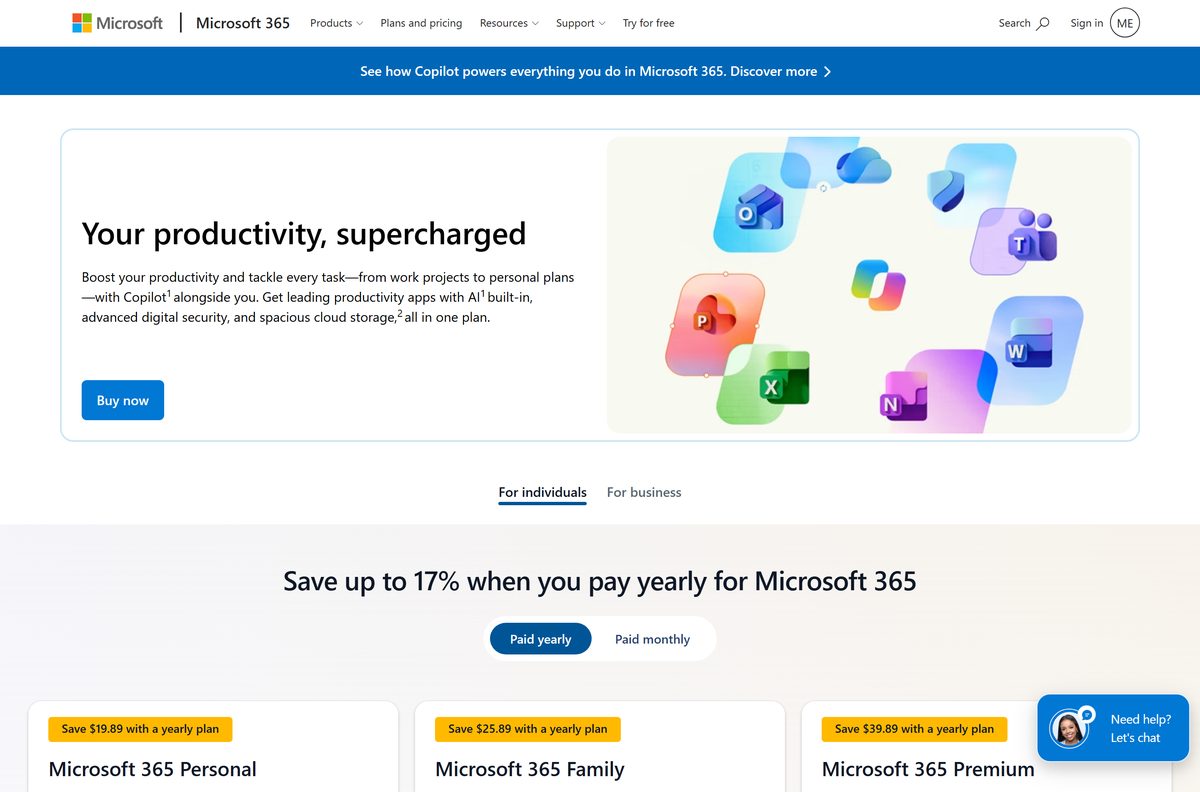
Compare plans by how much AI you need. Prices are US list prices, and every paid plan below includes Copilot in the desktop apps for the subscription owner.
| Your situation | Plan | US price | Why |
|---|---|---|---|
| Occasional chat and image creation | Microsoft Copilot (free) | $0 | Works at copilot.cloud.microsoft without a subscription |
| One person who wants Copilot in Word and Excel | Microsoft 365 Personal | $99.99/year or $9.99/month | Copilot in the apps with higher usage than free, 1 TB storage |
| A household of up to six people | Microsoft 365 Family | $129.99/year or $12.99/month | Same AI as Personal for the owner, 2 TB shared storage |
| Former Copilot Pro users or heavy AI use | Microsoft 365 Premium | $199.99/year or $19.99/month | Extensive usage, Researcher and Analyst agents, Copilot Pro features |
| Highest voice and vision limits | Microsoft 365 Pro | See Microsoft's plan page | Highest usage tier and 5 TB pooled storage |
Copilot Pro inside Microsoft 365 apps: what you get
With a Microsoft 365 Personal, Family, Premium or Pro plan, Copilot works inside the Microsoft 365 apps and other Microsoft tools such as Teams, OneDrive and Designer for the subscription owner. Premium is the plan that carries over the Copilot Pro features.
| App | What Copilot does | Note |
|---|---|---|
| Copilot in Word | Drafts letters and documents, suggests tone and rewrites phrases | Desktop app included in every individual plan |
| Copilot in Excel | Analyzes data, generates formulas and creates charts | Needs AutoSave on, so the file must be saved to OneDrive |
| Copilot in PowerPoint | Builds a presentation from a simple prompt or an existing file | Owner of the subscription only |
| Copilot in Outlook | Drafts emails and summarizes long threads | Owner of the subscription only |
| Copilot in OneNote | Plans things like a travel itinerary from your notes | Owner of the subscription only |
| Copilot in Teams | Rewrites chat messages for tone, length and clarity | Teams calls run up to 30 hours with up to 300 people |
| Copilot in OneDrive | AI Restyle refreshes photos with new looks and styles | Listed as a Premium and Pro feature |
| Designer, Photos, Paint and Notepad | Designer creates graphics and edits photos; Photos, Paint and Notepad add AI editing, image creation and rewriting | Select Windows apps |
| Researcher and Analyst | Researcher finds and summarizes information; Analyst turns raw numbers into insight | Premium and Pro |
| AI models that power Copilot | Microsoft does not publish a fixed model list for individual plans; new OpenAI models reach business licenses first, and Microsoft said GPT-5.2 would start rolling out to Premium subscribers in early 2026 | Premium gets new models after Microsoft 365 Copilot business users |
To get started with Copilot in these apps, sign in to the desktop app with the Microsoft account that owns the subscription. Family members on the same plan get the apps and storage but not these Copilot features.
Copilot Pro vs Microsoft 365 Copilot
Copilot Pro and its replacement, Microsoft 365 Premium, are for personal Microsoft accounts. Microsoft 365 Copilot is the business product, licensed per user for work or school accounts.
| Point | Microsoft 365 Premium (was Copilot Pro) | Microsoft 365 Copilot Business |
|---|---|---|
| Account | Personal Microsoft account | Work or school account |
| US price | $19.99/month or $199.99/year for the owner | Add-on listed at $21.00 per user/month paid yearly, with a lower promotional price shown; bundles such as Microsoft 365 Business Standard with Copilot cost $23.50 per user/month |
| Apps with Copilot | Word, Excel, PowerPoint, Outlook and OneNote | Word, Excel, PowerPoint, Outlook and Teams |
| Work data | Your own files and the web | Chat connected to your organization's work data |
| Who buys it | You, from the Microsoft Store | Your organization's admin, for up to 300 users on Business plans |
A personal Premium subscription does not add Copilot to a work account, and a business license does not cover your personal account.
How to start a Microsoft 365 Premium free trial
Microsoft offers a one-month free trial of Premium. The subscription renews at the regular price unless you cancel.
- Open the Microsoft 365 Premium page in the Microsoft Store.
- Select Try free for 1 month.
- Sign in with your Microsoft account and add a payment method.
- Go to
account.microsoft.com/servicesafter the trial starts. - Select Turn off recurring billing if you do not want the plan to renew when the trial ends.
Turning off recurring billing does not end the trial early. You keep the features until the date shown.
How to switch from Copilot Pro to Microsoft 365 Premium
Microsoft upgrades by buying the new plan on the same account. Remaining days on a Microsoft 365 plan convert and are added to Premium, though the added time can be shorter than what was left.
- Sign in at
account.microsoft.com/servicesand note which account holds your Copilot Pro plan. - Buy Microsoft 365 Premium with that same Microsoft account.
- Return to
account.microsoft.com/servicesand check the subscriptions listed. - If Copilot Pro is still set to renew, select Manage next to it.
- Select Cancel and follow the prompts so you are not billed for both plans.
If you bought Copilot Pro through the Apple App Store or Google Play, change or cancel it through that store instead.
How to check your Copilot subscription
- Go to
account.microsoft.com/servicesand sign in. - Look for Microsoft 365 Premium (or Copilot Pro, if you kept it) in your subscriptions list.
- Check the renewal date and whether recurring billing is on.
- On Windows 11, you can also select Start, then your account picture, to see your Microsoft 365 subscription.
How to cancel Copilot Pro subscription
Cancel from the Microsoft account you used to buy the plan. The same steps apply to Microsoft 365 Premium.
- Go to
account.microsoft.com/servicesand sign in with the purchasing account. - Find the subscription and select Manage.
- Select Cancel, or Upgrade or Cancel if that is the label shown.
- Follow the on-screen prompts to finish.
- If you see Turn on recurring billing instead of Manage, the plan is already set to end on the date shown.
Prorated refunds are offered only in some countries, such as Canada, Israel, Korea and Turkey for any subscription length. Purchases made through Apple or Google are cancelled and refunded through that store.
Does Copilot require a subscription?
No. Microsoft Copilot is free to use, and a subscription only adds Copilot inside the Microsoft 365 apps and higher usage limits.
| Feature | Free Copilot | Microsoft 365 Premium |
|---|---|---|
| Chat at copilot.cloud.microsoft | Yes, no sign-in needed | Yes, extensive usage |
| Chat history and image creation | Yes, when signed in with a personal account | Yes, extensive image creation |
| Copilot in Word, Excel, PowerPoint, Outlook, OneNote | No | Yes, for the subscription owner |
| Researcher and Analyst agents | No | Yes |
| Cloud storage | No | Shared storage for up to six people |
| Microsoft Defender security app | No | Yes |
Microsoft also notes that if you use Microsoft Copilot without a Microsoft 365 subscription, you might see ads in Copilot.
Get Copilot apps for Windows, Mac, mobile and web
The same Microsoft account unlocks your subscription's Copilot benefits in every Copilot app, so install the one that fits each device and sign in.
| Where | How to open it | Good to know |
|---|---|---|
| Web | Go to copilot.com or copilot.cloud.microsoft |
Basic chat works without signing in |
| Windows | Open the Copilot app on Windows | Profile and settings sit behind your profile icon |
| Mac | Install Copilot for macOS | Sign in with the subscription owner's account |
| Phone and tablet | Install the Copilot mobile app | The refreshed mobile app adds citations, voice chat, and syncs conversations and preferences across devices |
| Microsoft Edge | Open the Copilot sidebar in Edge | Settings are under the sidebar menu (…) |
| Work or school account | Try Copilot Chat with an eligible Microsoft 365 business license | Copilot Chat is the business version, not part of an individual plan |
To get the most out of Copilot on a paid plan, sign in to both the Copilot app and the Microsoft 365 desktop apps with the subscription owner's account.
Troubleshooting common Copilot Pro subscription issues
Copilot button missing in Word, Excel or PowerPoint after subscribing
The button moved to the lower-right corner of the document, or the app has not picked up the new license.
- Look in the lower-right corner of the document for the Copilot button before anything else.
- Install the latest Microsoft 365 updates.
- Go to File > Account and select Update License, then close and restart every Microsoft 365 app.
- Under Account Privacy, select Manage Settings and make sure Experiences that analyze your content and All connected experiences are both on.
A family member on Premium or Family cannot see Copilot
AI features belong to the subscription owner only and cannot be shared.
- Sign in to the apps with the account that owns the subscription to use Copilot.
- Give the other person their own Personal or Premium plan if they need Copilot.
Still billed for Copilot Pro after moving to Premium
The old Copilot Pro plan is still set to renew.
- Go to
account.microsoft.com/servicesand find Copilot Pro. - Select Manage > Cancel, or cancel through the Apple or Google store if you bought it there.
Copilot Pro subscription FAQ
How do I subscribe to Copilot Pro?
You can no longer subscribe to Copilot Pro, because Microsoft stopped selling it. Buy Microsoft 365 Premium instead from the Microsoft Store; it includes everything Copilot Pro offered plus the Microsoft 365 apps and cloud storage.
How much is a Copilot Pro subscription?
Copilot Pro is no longer sold. Its replacement, Microsoft 365 Premium, costs $19.99 a month or $199.99 a year in the US, and it comes with a one-month free trial.
Does Copilot require a subscription?
No. The free Microsoft Copilot works at copilot.cloud.microsoft without signing in. A Microsoft 365 Personal, Family, Premium or Pro subscription is needed only for Copilot inside Word, Excel, PowerPoint, Outlook and OneNote.
Is Copilot a subscription service?
Partly. Microsoft Copilot has a free tier, and paid features come through Microsoft 365 subscriptions for individuals. Businesses get Copilot Chat with eligible Microsoft 365 business licenses and can add a paid Microsoft Copilot license.
How do I cancel my Copilot Pro subscription?
Go to account.microsoft.com/services, sign in with the account you bought it with, select Manage next to Copilot Pro, then Cancel. If you bought it through Apple or Google, cancel it in that store.
Can I share Copilot Pro features with my family?
No. In Microsoft 365 Family, Premium and Pro, the AI features belong to the subscription owner only. Up to five other people can share the apps and storage, but not the Copilot benefits.
Is Microsoft 365 Premium the same as Copilot Pro?
Microsoft 365 Premium includes everything in Copilot Pro and everything in Microsoft 365 Family. That adds the desktop apps, shared cloud storage and Microsoft Defender to the Copilot features.
How do I cancel a GitHub Copilot Pro subscription?
GitHub Copilot Pro is a different product: a coding assistant sold and billed by GitHub, not a Microsoft 365 plan. Cancel it from your GitHub account's billing settings, not from account.microsoft.com.
Bottom line: should you pay for Copilot Pro features?
Start with the free Copilot app, and buy Microsoft 365 Premium only if you need Copilot inside the Office apps with high usage limits. Copilot Pro cannot be bought anymore, and Premium is its direct replacement, while Personal at $9.99 a month already adds Copilot in Word, Excel and PowerPoint for lighter use.