To activate YouTube TV, open the YouTube TV app on your TV, go to tv.youtube.com/start on your phone or computer, enter the code shown on the TV, pick the account that holds your plan and select Allow.
This guide covers the code flow on smart TVs, Roku, Fire TV, Apple TV, Google TV and game consoles, plus fixes for codes that fail and for account or location blocks.
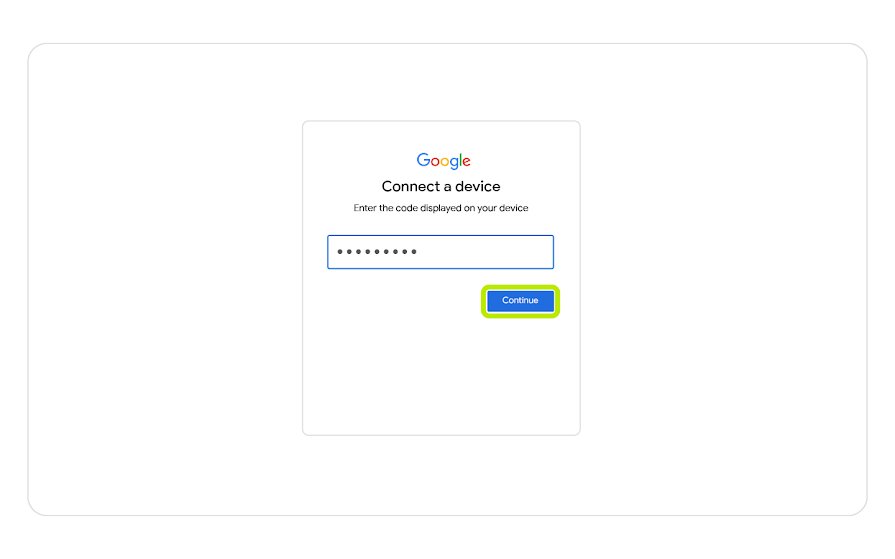
How to Activate YouTube TV at tv.youtube.com/start
These are the steps Google documents for every smart TV, streaming player and game console. Keep the TV on the code screen while you finish them on a second device.
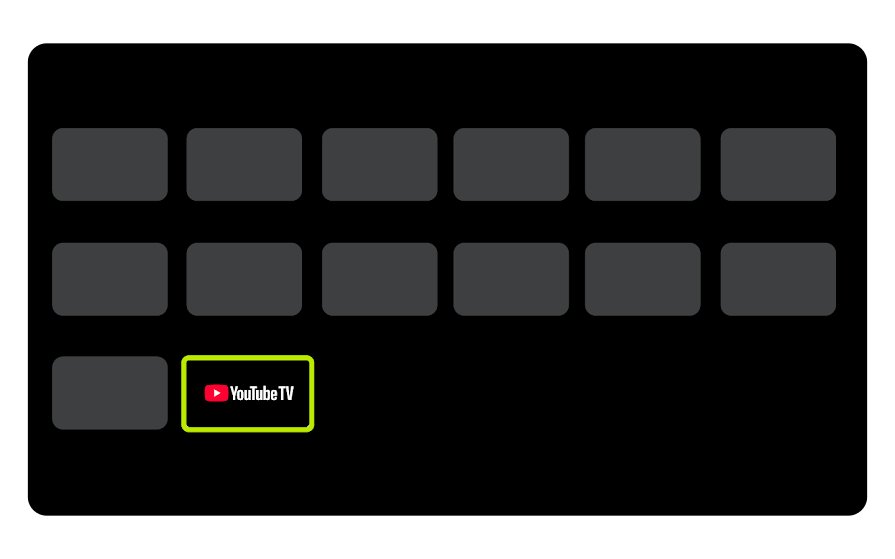
- Open the YouTube TV app on your smart TV, streaming device or game console.
- Leave the sign-in screen open. It shows a QR code and an activation code.
- Scan the QR code with your phone, or go to tv.youtube.com/start on a phone, tablet or computer.
- Type the activation code exactly as the TV shows it, then tap Continue.
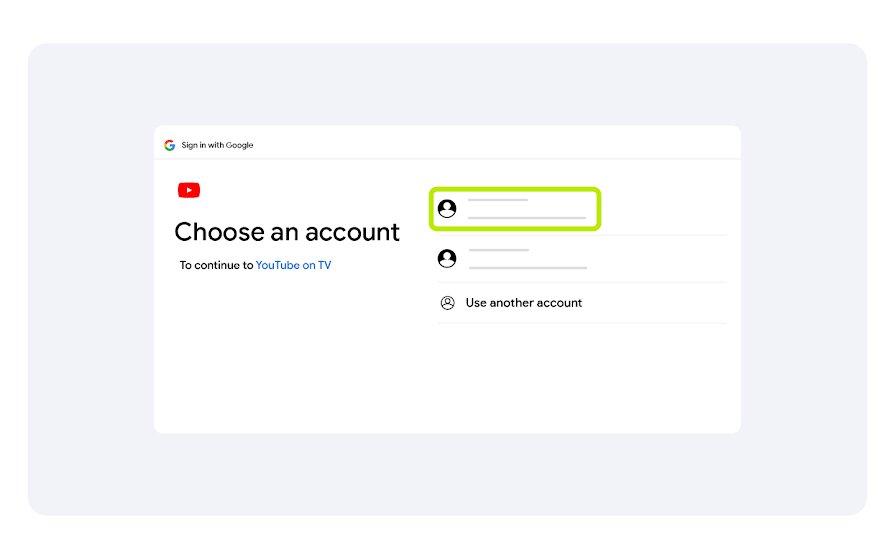
- Select the Google Account that holds your YouTube TV Base Plan.
- Select Allow to connect the TV to your account.
Use only tv.youtube.com/start or the QR code on your own screen; Google does not route YouTube TV activation through any other website.
What You Need Before Activating YouTube TV
The code only links a TV to an account that already has YouTube TV. Google says to sign up at tv.youtube.com first if you have not.
| Requirement | What Google specifies | Notes |
|---|---|---|
| A Google Account with YouTube TV access | An active YouTube TV Base Plan, either your own or shared through a family group | Sign up at tv.youtube.com with your Google Account; a trial counts |
| A supported TV or streaming device | A device with the YouTube TV app, such as Roku, Fire TV, Apple TV, Google TV, Samsung, LG, Vizio SmartCast, Xbox or PlayStation | Update the TV firmware and the app first; Samsung and LG need current firmware |
| A second device for entering the code | A phone, tablet or computer with a browser, or a phone camera for the QR code | No second device? Use Sign in with your remote instead |
| A home area | The home zip code you gave at sign-up | Local channels follow this area; YouTube TV may also ask for device location |
| A working internet connection | At least 3 Mbps for standard definition; 7 Mbps or more for reliable HD | These are Google's streaming minimums; restart the router if the app will not load |
Activating YouTube TV on Smart TVs and Streaming Devices
The code step is the same on every device. What changes is how you install the app, so find your device below, install the app, then run the activation steps above.
Google also supports TVs with Chromecast built-in and TV devices with AirPlay, where you cast from the phone app instead of signing in on the TV.
| Your device | Get the YouTube TV app | Then |
|---|---|---|
| Roku | From the home screen, select Streaming Channels > Search channels, search for YouTube TV and add it | Open the app and enter the code at tv.youtube.com/start |
| Amazon Fire TV | Start the Fire TV, search for YouTube TV and download the app | Open the app and enter the code at tv.youtube.com/start |
| Apple TV | Open the App Store from the Home screen, search for YouTube TV and download it | Open the app and enter the code at tv.youtube.com/start |
| Google TV and Android TV, including Chromecast with Google TV | Open the Google Play Store on the TV, search for YouTube TV and download it | Open the app and enter the code at tv.youtube.com/start |
| Samsung TV | Press Home on the remote, select Apps, find YouTube TV in the recommended apps and save it to the home screen | Update the TV firmware if the app is missing |
| LG TV | Press Home on the remote, open the LG Content Store, search for YouTube TV and download it | Update the TV firmware if the app is missing |
| Xbox Series X, Series S, One X, One S or One | Download YouTube TV from the Xbox app store | Open the app and enter the code at tv.youtube.com/start |
| PlayStation | Open the PlayStation Store, search for YouTube TV, select the listing under apps and select download or install | Open the app and enter the code at tv.youtube.com/start |
| Vizio SmartCast, TiVo Stream 4K, Xfinity Flex or XClass TV | Listed by Google as supported devices | Open the app and enter the code at tv.youtube.com/start |
Sign in with your remote when you have no phone or computer
The TV sign-in screen offers a second route that skips tv.youtube.com/start entirely. It is slower because you type your email address and password with the on-screen keyboard.
- Open the YouTube TV app on the TV.
- On the sign-in screen, select Sign in with your remote.
- Type the email address of the Google Account that holds your YouTube TV plan.
- Type the password and follow any sign-in prompts on screen.
- Wait for the YouTube TV home screen to load.
How to check YouTube TV is activated on your TV
A successful activation replaces the code screen with the YouTube TV app. These checks confirm the TV is on the right account and the right location.
- Confirm the TV now shows the YouTube TV home screen instead of the activation code.
- Select your profile photo and check that it belongs to the account holding your Base Plan.
- Select Location and confirm Home area and Current playback area match where you are.
- On a computer, open myaccount.google.com/permissions and confirm YouTube TV appears in the list of connected apps.
How to Fix YouTube TV Activation Code Problems
Try these fixes in order under the symptom that matches yours. Most code failures come from an expired code or from typing it on the wrong page.
The activation code does not work or the page gets stuck
The code on the TV expired before you finished entering it.
- Press Back on the TV remote and reopen the sign-in screen to get a new code.
- Reload tv.youtube.com/start on your phone or computer.
- Enter the new code straight away and tap Continue.
- Select your account and select Allow without leaving the page.
You entered the code at youtube.com/activate instead
That page, also reached through yt.be/activate, signs in the regular YouTube app, not YouTube TV.
- Check which app is open on the TV: YouTube TV and the regular YouTube app are separate apps with separate codes.
- Go to tv.youtube.com/start for a YouTube TV code.
- Use yt.be/activate only for the regular YouTube app on a smart TV or console.
The YouTube TV app will not load the sign-in screen
The app, the device software or the network is stuck.
- Hold the power button to turn the device off, wait 30 seconds and turn it on again.
- Unplug your router, wait 30 seconds and plug it back in.
- Install the latest system update for your TV or streaming device.
- Update the YouTube TV app to the newest version.
- Uninstall the YouTube TV app, reinstall it and sign in again.
Account, Subscription, and Location Issues During Activation
A code can go through and the TV can still refuse to play. These cases trace back to the account you picked or the location YouTube TV sees.
The account you chose has no YouTube TV
You selected a Google Account that does not hold the Base Plan or belong to its family group.
- Sign out on the TV by selecting your profile photo and Sign Out.
- Start activation again and select the account associated with your YouTube TV Base Plan.
- If you are a family member, accept the family group invitation email first, then sign in with your own Google Account.
- If your membership was cancelled, sign up again at tv.youtube.com and repeat activation.
YouTube TV asks you to confirm your location
YouTube TV cannot match your current playback area, or you have not used it in your home area for 3 months.
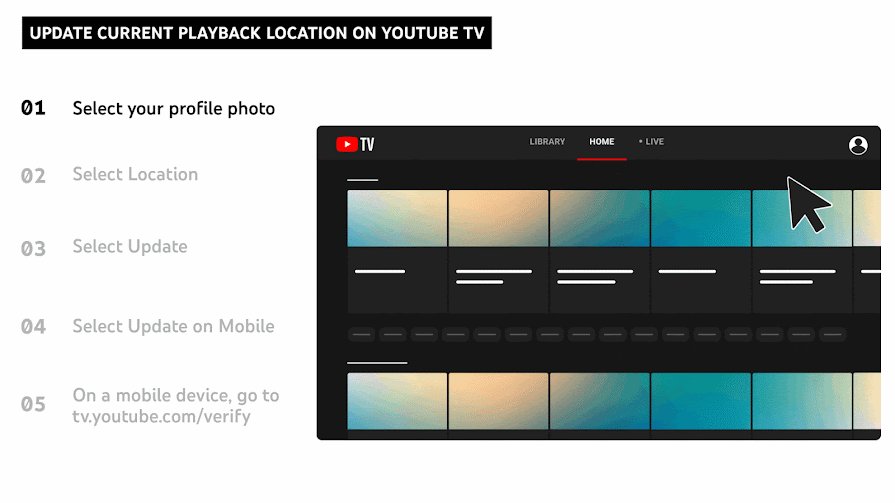
- On the TV, select your profile photo, then Location > Current playback area.
- Follow the prompt to go to tv.youtube.com/verify on your phone.
- Allow the website to access your phone's location.
- Watch YouTube TV in your home area at least once every 3 months to keep local networks.
You moved and need to change your home area
Local channels follow your home area, which has a change limit.
- Go to tv.youtube.com on a computer and select your profile photo.
- Select Location, then Update next to Home area.
- Be in the new area when you change it. Google blocks the change if you are not there.
- Expect a refusal if you already changed your home area twice in the last 12 months.
Security Tips When Signing In on Shared Devices
Activating YouTube TV on a hotel TV, a friend's console or a rental leaves your account signed in there. Signing out on the TV removes YouTube TV for every account on that device, and a remote sign-out works even after you leave.
- Enter the code only at tv.youtube.com/start or through the QR code on the TV you are standing in front of.
- Never type a code someone sends you by message, because it links their screen to your account.
- Before you leave a shared TV, select your profile photo and Sign Out.
- To remove only your account and keep others, select Switch account and Remove under your account.
- If you forgot to sign out, open myaccount.google.com/permissions, find YouTube TV and select Remove access.
Frequently Asked Questions
These questions come from Bing autocomplete and the questions the ranking page answers. Off-topic suggestions such as activating a YouTube channel are left out.
How do I activate YouTube TV?
Open the YouTube TV app on your TV, then go to tv.youtube.com/start on your phone or computer, or scan the QR code. Enter the code from the TV, tap Continue, pick the account with your Base Plan and select Allow.
Where do I enter the YouTube TV activation code from my TV?
Enter it at tv.youtube.com/start in a browser on your phone, tablet or computer. Scanning the QR code on the TV screen opens the same page. The regular YouTube address, youtube.com/activate, does not accept YouTube TV codes.
Do I need a paid YouTube TV subscription before using tv.youtube.com/start?
Yes. You need an active YouTube TV Base Plan, a free trial, or membership in a family group that has one. Google says to sign up for YouTube TV first, at tv.youtube.com, before signing in on a TV.
What should I do if my YouTube TV activation code does not work?
The code has most likely expired. Press Back on the TV to get a new code, reload tv.youtube.com/start on your phone, and enter the new code straight away. Check that you are using tv.youtube.com/start and not youtube.com/activate.
Can I activate YouTube TV on Roku, Fire TV, Apple TV, Chromecast, or a smart TV?
Yes. Google lists Roku, Fire TV, Apple TV, Google TV and Android TV, Samsung, LG and Vizio SmartCast TVs, Xbox and PlayStation. Install the YouTube TV app from the device's app store, then enter the code at tv.youtube.com/start.
How do I activate YouTube on a smart TV?
For the regular YouTube app, scan the QR code on the TV or go to yt.be/activate on your phone and enter the code shown. That flow is separate from YouTube TV, which uses tv.youtube.com/start.
How do I activate YouTube TV through Verizon?
Google lets some mobile carriers and internet providers bill YouTube TV on your monthly bill. Activation on the TV is unchanged: open the app, enter the code at tv.youtube.com/start, and pick the Google Account you used when you signed up.
How do I reactivate YouTube TV?
Resume a paused membership any time from tv.youtube.com. To restart a cancelled one, sign up again at tv.youtube.com with the same Google Account. Google warns you may lose promotional prices and previous recordings, and partner-billed plans switch to Google billing.
How do I get on YouTube TV on a laptop?
There is no code step on a computer. Go to tv.youtube.com in a web browser and sign in with the Google Account that holds your plan. The activation code is only for TV apps and game consoles.
Why does YouTube TV ask me to confirm my location during activation?
Local channels depend on your home area and current playback area. If YouTube TV cannot identify your location, it sends you to tv.youtube.com/verify, where you allow your phone to share its location.
Bottom Line
Activate every TV with the code at tv.youtube.com/start, and when a code fails, get a fresh one from the TV rather than retyping the old one. Google documents this single flow for all supported TVs and consoles, and an expired code is the cause it names for sign-in getting stuck.

![Microsoft refund : Store & Xbox A-Z refund guide [2026]](https://techdows.com/wp-content/uploads/2026/10/Xbox-Support-Request-a-refund-for-digital-games-page-with-Sign-In-button-600x338.jpg)
![How to use a laptop screen as an external monitor [tutorial]](https://techdows.com/wp-content/uploads/2026/10/macOS-Displays-settings-with-an-iPad-added-as-an-extended-display-600x338.jpg)
How to login YouTube at yt.be activate with TV code (2026) - Techdows
[…] device has its own app install and location check when you activate YouTube TV on a new device. Billing or plan questions go to YouTube TV customer service, not YouTube […]