Google Play Pass includes over 1,000 games and apps, and the complete current list lives in the Play Pass tab of the Google Play Store app, because Google adds and removes titles and the catalog varies by country.
Below are 24 titles confirmed on their own Google Play listings on 9 October 2026, followed by how to open the full catalog, subscribe, share Play Pass with family and cancel it.
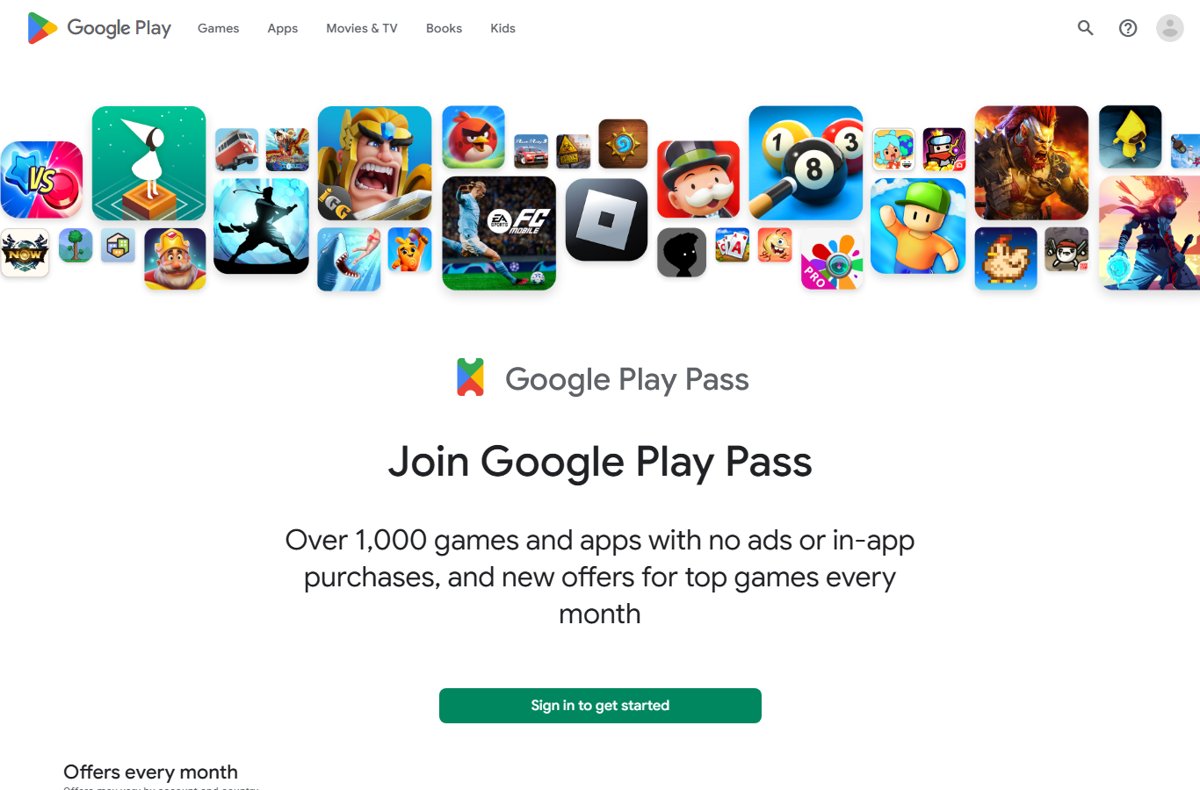
How to see the full Google Play Pass catalog on Android
Google does not publish one public web page with every Play Pass title. The full list for your account and country appears inside the Play Store app once you subscribe.
- Open the Google Play Store app on your Android phone or tablet.
- Tap Play Pass at the bottom of the screen.
- Scroll through the collections to browse the catalog of games and apps.
- Tap any title to open its details page.
- Look for the Play Pass logo at the top of the details page to confirm the title is included.
If you have no subscription yet, the Play Pass tab is missing. Google states that you lose access to that tab when a subscription ends.
Google Play Pass games list (checked 9 October 2026)
Each game below carried a Play Pass banner on its US Google Play listing on 9 October 2026. Paid games show Free with a Play Pass subscription; free games with ads or in-app purchases show a line saying the game is free of ads and in-app purchases with Play Pass.
Prices are the regular US list prices shown on Google Play that day, not temporary sale prices.
| Game | Developer | Normal price on Google Play | What Play Pass unlocks |
|---|---|---|---|
| Stardew Valley | ConcernedApe | $4.99 | The full paid game |
| Monument Valley | ustwo games | $3.99 | The full paid game |
| Monument Valley 2 | ustwo games | $3.99 | The full paid game |
| Terraria | 505 Games Srl | $4.99 | The full paid game |
| Mini Metro | Dinosaur Polo Club | $0.99 | The full paid game |
| Thimbleweed Park | Terrible Toybox, Inc. | $9.99 | The full paid game |
| Star Wars: KOTOR | Aspyr Media, Inc. | $9.99 | The full paid game |
| Reigns | DevolverDigital | $2.99 | The full paid game |
| Reigns: Her Majesty | DevolverDigital | $2.99 | The full paid game |
| Slay the Spire | Balor Games | $9.99 | The full paid game |
| Dead Cells | Playdigious | $8.49 | The full paid game |
| LIMBO | Playdead | $3.99 | The full paid game |
| Machinarium | Amanita Design | $9.99 | The full paid game |
| The Room | Fireproof Games | $0.99 | The full paid game |
| Kingdom Two Crowns | Raw Fury | $6.99 | The full paid game |
| Kingdom Rush Tower Defense TD | Ironhide Games | Free with ads and in-app purchases | No ads, in-app purchases unlocked |
| Alto's Adventure | Noodlecake | Free with ads and in-app purchases | No ads, in-app purchases unlocked |
| Alto's Odyssey | Noodlecake | Free with ads and in-app purchases | No ads, in-app purchases unlocked |
| Plague Inc. | Ndemic Creations | Free with ads and in-app purchases | No ads, in-app purchases unlocked |
| Rebel Inc. | Ndemic Creations | Free with in-app purchases | In-app purchases unlocked |
| Grand Mountain Adventure | Toppluva AB | Free with ads and in-app purchases | No ads, in-app purchases unlocked |
Bloons TD 6, Minecraft, Grand Theft Auto: San Andreas and Among Us showed no Play Pass banner on the same date, so they are not part of the catalog in the US right now.
Google Play Pass apps list (checked 9 October 2026)
Play Pass also covers utility apps. These three showed the Play Pass banner on their US listings on 9 October 2026.
| App | Developer | Normal price on Google Play | What Play Pass unlocks |
|---|---|---|---|
| Photo Studio PRO: photo editor | KVADGroup App Studio | $49.99 | The full paid app |
| Moon+ Reader Pro | Moon+ | $11.99 | The full paid app |
| Business Calendar 2 Planner | Appgenix Software | Free with ads and in-app purchases | No ads, in-app purchases unlocked |
AccuWeather, AccuBattery, Nova Launcher Lifetime Prime, Pocket Casts and Solid Explorer had no Play Pass banner on that date.
Understanding Google Play Pass: how the subscription works
Play Pass is a Google Play subscription that unlocks a selected catalog, not the whole store. Google says availability of games, apps and offers varies by country and changes as titles are added or removed.
| Question | Answer from Google |
|---|---|
| What do you get? | Over 1,000 games and apps without ads or in-app purchases, with paid titles unlocked at no extra cost |
| Does it cover all of Google Play? | No, only a selection of apps and games |
| What about titles you already own? | Catalog titles you already have get ads removed and in-app purchases unlocked |
| Where does it work? | Android phones and tablets, plus Google Play Games on PC and XR |
| How big is the PC library? | Over 500 titles, including PC-optimized games |
| Can you pause it? | No, Google says Play Pass cannot currently be paused |
| Does Google track usage? | Yes, Play Pass usage is measured to pay developers; Google says individual usage is not shared with them |
Benefits of Google Play Pass
The catalog is the main benefit. Several extras depend on your country, your Play Points membership and whether you are the family manager.
| Benefit | Who gets it | Where it is available |
|---|---|---|
| Catalog of 1,000+ games and apps with no ads or in-app purchases | Subscriber and up to 5 family members | Countries where Play Pass is sold |
| Weekly Play Pass offers, such as money off an in-app purchase in top games outside the catalog | Family manager only, not on a $0 trial | Australia, Brazil, Chile, France, Germany, Great Britain, India, Indonesia, Italy, Japan, Korea, Mexico, Netherlands, Philippines, Poland, Saudi Arabia, Spain, Taiwan, Thailand, U.S., Ukraine |
| Weekly Google Play Points bonuses and boosters | Subscribers enrolled in Play Points, plus their family group | France, Germany, Great Britain, Japan, Korea, Taiwan, United States |
| Gold level on Google Play Points | The paying subscriber only, on an active paid plan | France, Germany, United Kingdom, United States (rolling out) |
| Play Pass on Google Play Games on PC | Any subscriber signed in with the same Google Account | Where Google Play Games on PC is offered |
Google states that offers, points bonuses and boosters cannot currently be redeemed on XR or Google Play Games on PC.
Google Play Pass requirements
| Requirement | Detail |
|---|---|
| Android version | Android 4.4 or later |
| Play Store version | Google Play Store app 16.6.25 or later |
| Location | A country where Play Pass is available |
| Payment | A valid payment method on Google Play |
| Country match | Your billing country and Google Play country must be the same |
| Account type | A personal Google Account; work or school accounts cannot subscribe |
| Family sharing | You must be a family manager, or able to create a family group |
How to subscribe to Google Play Pass
You are charged only when the trial period ends. Cancel before then if you do not want to pay.
- Open the Google Play Store app.
- Tap your Profile picture at the top right.
- Tap Play Pass.
- Tap Get started.
- Follow the on-screen instructions to choose a plan and confirm payment.
The current price for your country appears on the sign-up screen before you confirm.
How to sign up for Google Play Pass on PC
An existing mobile subscription works automatically on PC when you sign in to Google Play Games with the same Google Account, at no extra cost. If the PC client is missing, install Google Play Games on Windows first.
- Open Google Play Games on your computer.
- Click the Play Pass promotional banner on the home screen, or click Get with Play Pass on an eligible game's details page.
- Review the plans and the catalog coverage on PC.
- Select a monthly or yearly subscription to finish registration.
- On the Explore tab, turn on the Play Pass filter to list games included at no extra cost.
Cloud saves sync your progress, unlocked premium games and levels between phone and PC.
How to check if a game is included in Google Play Pass
- Open the game's or app's page in the Google Play Store app or on play.google.com.
- Look under the install button for Free with a Play Pass subscription on a paid title.
- On a free title, look for the line saying it is free of ads and in-app purchases with a Google Play Pass subscription.
- In the app, check for the Play Pass logo at the top of the details page.
- On PC, look for the Play Pass icon and the Ads-free or Fully Unlocked ribbon on the game's page.
No banner means the title is not in the catalog for your country today, even if it was included before.
Keeping the Google Play Pass list updated: new and leaving titles
Google adds new Play Pass titles, bonuses, boosters and offers on Thursdays. Titles also leave the catalog, and what happens next depends on whether the title was free or paid.
| Change | What happens to you |
|---|---|
| New titles added | They appear in the Play Pass tab on Thursdays |
| A free game or app leaves Play Pass | You keep using it, but ads and paid in-app items may return |
| A paid game or app leaves Play Pass | You can use it for some time, then must buy it separately |
| You uninstall a Play Pass title | Your subscription is not cancelled |
The date in each list heading shows when those titles were last confirmed on Google Play.
How to share Google Play Pass with family members
A family manager can share Play Pass with up to 5 other family members at no extra charge. Each member has to activate it on their own account, and monthly offers stay with the family manager.
- As the family manager, open the Google Play Store app.
- Tap your Profile picture, then tap Settings.
- Tap Family, then Sign up for Family Library, and follow the on-screen instructions.
- As a family member, accept the family group invitation sent by email or SMS.
- Open the Google Play Store app, tap your Profile picture, then tap Play Pass and Activate.
Google notes that Family Library and the family payment method are no longer available in India.
How to cancel Google Play Pass
Cancelling from the family manager's account ends access for every family member at the end of the billing period. A family member who only wants to leave can deactivate Play Pass for their own account with the same steps.
- Open the Google Play Store app.
- Tap your Profile picture at the top right.
- Tap Payments & subscriptions, then Subscriptions.
- Tap Play Pass.
- Tap Cancel subscription and confirm.
Installed apps and their data stay on your device, but ads and in-app purchases may return and any saved offers are lost. Rejoining restores the content. The same page lets you manage your Google Play subscriptions, check the renewal date and change the payment method.
Google Play Pass offers and tab not showing: fixes
Play Pass offers are missing
Offers are not available on a $0 subscription or trial, or in countries outside the offers list.
- Open the Google Play Store app and tap Play Pass.
- Tap the Offers tab.
- If it is empty, check whether you are still on a free trial; offers start on a paid plan.
- Confirm your Google Play country is on the offers list in the benefits table above.
Offers or Play Points rewards missing on a new phone
Google runs policy and compliance checks after you add a Play Pass account to a new device.
- Sign in to the new device with the same Google Account.
- Allow up to 15 days for weekly Play Points rewards and offers to appear.
A family member cannot use Play Pass
Family members must accept the family invitation and activate Play Pass themselves.
- Accept the family group invitation sent by email or SMS.
- In the Google Play Store app, tap your Profile picture, then Play Pass, then Activate.
The subscribe option is refused
The account is a work or school account, or the billing country does not match the Google Play country.
- Switch to a personal Google Account in the Google Play Store app.
- Make sure your payment method's billing country matches your Google Play country.
- Update the Google Play Store app to version 16.6.25 or later.
Tips for maximizing your experience with Google Play Pass
| Tip | Why it helps |
|---|---|
| Open the Play Pass tab on Thursdays | New titles, bonuses, boosters and offers arrive that day |
| Claim weekly Play Points bonuses before the next Thursday | Unclaimed bonuses expire when the next week's reward replaces them |
| Use offers before they expire | Saved or active offers are lost if you cancel |
| Enroll in Google Play Points | Play Pass bonuses, boosters and Gold level all require membership |
| Turn on the Play Pass filter on PC | It lists games included at no extra cost on Google Play Games |
| Share with family | Up to 5 members get the catalog on one subscription |
| Check the banner before buying a game | A title in the catalog costs nothing extra while you subscribe |
Google Play Pass list FAQ
Is there a full list of all Google Play Pass games and apps?
Yes, but only inside the Google Play Store app. Subscribers see the full catalog of more than 1,000 games and apps in the Play Pass tab. Google does not publish one public web page listing every title, and the catalog varies by country.
How many games and apps are in Google Play Pass?
Google says Play Pass includes over 1,000 games and apps on Android. On Google Play Games on PC the library is over 500 titles, including PC-optimized games. Both numbers change as Google adds and removes titles.
What kind of apps are there in Google Play Pass?
Play Pass covers both games and utility apps. Apps confirmed on 9 October 2026 include Photo Studio PRO, Moon+ Reader Pro and Business Calendar 2 Planner, unlocked without ads or in-app purchases.
What happens to games I already own that join Play Pass?
Catalog titles you already have get the Play Pass treatment. Google says ads are removed and in-app purchases are unlocked in games and apps you own once they are part of your subscription.
What are Google Play Pass offers?
Offers are weekly deals in select top games outside the catalog, such as money off an in-app purchase. They are available in listed countries, only to the family manager, and not during a $0 trial.
Can I share Google Play Pass with my family?
Yes. A family manager can share Play Pass with up to 5 other family members at no extra charge. Each member activates it on their own account, while monthly offers stay with the family manager.
Can I pause Google Play Pass?
No. Google states that Play Pass subscriptions cannot currently be paused. You can cancel instead, keep access until the billing period ends, and resubscribe later to use the content again.
What happens to Play Pass games after I cancel?
Installed apps and their data stay on your device after cancelling. Paid titles may prompt you to buy them or resubscribe, and free titles may show ads and in-app purchases again.
Is Google Play Pass worth it?
Subscribe if two or more paid titles in the tables above are on your wish list, and compare the price on the sign-up screen with their list prices first. The 17 paid games and apps confirmed here total $147.33 at regular US prices, and the catalog has more than 1,000 titles, but paid titles stop working without the subscription unless you buy them.