Sign up for Google Voice for free at voice.google.com by signing in with your Google Account, accepting the terms, and selecting a number by city or area code.
The free Basic plan is for personal use in the US, so this guide also covers the phone and ID checks, costs, Canada and UK options, and sign-up errors.
Step by step tutorial: Signing up for Google Voice
A computer is the quickest route. Google lists Chrome, Firefox, Edge and Safari as supported browsers on Windows, macOS and ChromeOS.
- Go to voice.google.com in your browser.
- Sign in with the Google Account you want to attach the number to.
- Review the Terms of Service and Privacy Policy, then click Continue.
- Search for available numbers by city or area code. Try a nearby city or area code if your search shows nothing.
- Click Select next to the number you want.
- Follow the on-screen instructions to finish setup.
- Click Verify now on the banner and complete identity verification, because calls and messages stay off until you pass.
Google Voice doesn't offer 1-800 numbers, so you can't pick a toll-free number during sign-up.
Google Voice sign up on iPhone and Android
The mobile apps follow the same order as the website. Only the store and the button on the terms screen differ.
| Step | iPhone and iPad | Android phone and tablet |
|---|---|---|
| Get the app | Install Google Voice from the App Store | Install Google Voice from the Play Store |
| Sign in | Open the app and sign in to your Google Account | Open the app and sign in to your Google Account |
| Accept the terms | Review them and tap Accept | Review them and tap Continue |
| Find a number | Tap Search, then enter a city or area code | Tap Search, then enter a city or area code |
| Choose it | Tap Select next to the number | Tap Select next to the number |
| Finish | Follow the on-screen instructions | Keep your phone on and able to get texts, because Google texts a code to check it |
You can keep more than one Google Account in the Voice app. Your phone's own number can be linked to only one of those accounts.
Google Voice sign up with phone number
Basic Google Voice requires a phone number to forward calls. The steps below add one from a computer, and you can link up to six numbers in total.
- Open Google Voice and click Settings at the top right.
- Under Account and Linked numbers, click New linked number.
- Enter the phone number you want to link.
- For a mobile number, click Send code and wait for the text.
- For a landline, click Verify by phone, then Call, and listen for the code.
- Enter the code and click Verify.
Calls to your Google Voice number now also ring on the linked phone. Never share that code with anyone, because Google employees will never ask for it.
Google Voice identity verification during sign up
Anyone requesting a new Google Voice number must complete this check. Have a valid government-issued ID ready before you begin, since attempts are limited.
- Open Google Voice and click Verify now on the banner.
- Click Start verification when prompted.
- Enter your legal name, matching the name on your document.
- Select your document type and upload clear images, then click Next. Upload both sides of a two-sided document.
- Enter your address and click Submit.
- Select the address format you want to use and click Confirm.
- Wait for the result, then click Got it.
The result is an instant pass, an instant fail or a manual review. Google says a manual review can take up to 3 business days.
Google Voice number free sign up: what costs money
The number and the Basic plan cost $0. Charges start with certain calls, paid plans and number transfers.
| Item | Price listed by Google | Applies to |
|---|---|---|
| Basic Google Voice | $0 | One personal user in the US |
| Calls from the US to the US and Canada | Almost all free; some specific numbers cost 1 cent per minute | Basic plan calls |
| Texts to US, Canadian and Puerto Rican numbers | No charge, with some US territories excluded | Interactive conversations, not bulk messages |
| Calls outside the US | Listed international rates, paid with credit on Basic | Long-distance and international calls |
| Voice Starter (Standalone) | $10 per month | One US user who wants call transfer, easy recording and support |
| Voice Standard (Standalone) | $20 per month | One US user who wants auto attendants and AI call summaries |
| Workspace add-ons | $10, $20 or $30 per user per month | Organizations with a paid Google Workspace plan |
| Porting a mobile number into Voice | $20 | Refunded if you cancel the port request |
| Unlocking a Voice number to port it out | $3 | Free if the number was originally ported in |
Google Voice sign up in Canada and the UK
Personal Google Voice plans are available only in the US. Outside it, the supported route is a business number through Google Workspace.
| Where you live | Basic and Standalone plans | Workspace add-on with custom business numbers |
|---|---|---|
| United States | Available | Available |
| Canada | Not available | Available |
| United Kingdom | Not available | Available |
| Belgium, Denmark, France, Germany, Ireland | Not available | Available |
| Italy, Netherlands, Portugal, Spain, Sweden, Switzerland | Not available | Available |
| Any other country | Not available | Not listed by Google for custom numbers |
A business number needs both a Google Voice for business subscription and a paid Google Workspace plan. Google lists Voice from $10 per user per month and Workspace from $6 per user per month.
Why can't I sign up for Google Voice?
Google doesn't publish one list of sign-up errors, so match what you see to the closest case below.
Google Voice isn't letting me sign up from outside the US
Basic and Standalone plans are available only in the US.
- Check the country table above for your location.
- Ask a Google Workspace administrator about a Voice add-on if your country is listed.
I can't sign up for Google Voice with a work or school account
An administrator manages Voice on those accounts.
- Contact your work or school administrator to add Voice.
- Sign in with a personal Google Account if you want a personal number instead.
I can't sign up for a Google Voice number in my area
The city or area code you searched has no numbers available.
- Search again with a nearby city.
- Try a nearby area code and click Select when a number appears.
Google Voice sign up with phone number fails
A number that is already linked to a Google Voice number can't be linked again.
- Sign in to the other Google Account that holds the number, if you have one.
- Click Settings, then Account, and click Remove next to the linked number.
- Return to the new account and repeat the linking steps.
Google Voice sign up error during ID verification
Blurry, expired or cropped documents are rejected, and attempts are limited.
- Use a current document with the same full name you entered.
- Capture all four corners in focus, with no glare.
- Upload only the document Google asks for, because other uploads can lead to suspension.
Google Voice redirects me to a suspended access page
Google can suspend access over a perceived Terms of Service violation.
- Open the suspended-accounts contact form linked on that page if you think it is a mistake.
- Check your service restrictions and file an appeal if you weren't redirected from Google Voice.
How to login to Google Voice
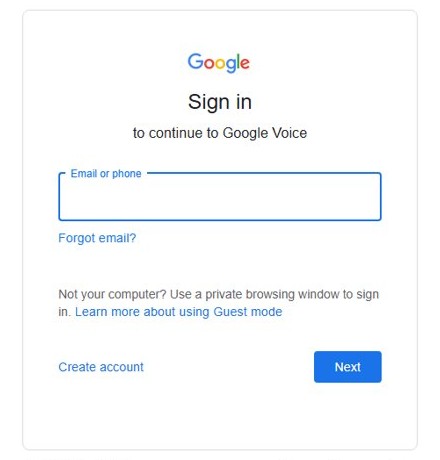
Use these steps to sign in to your Google Voice account on a computer once setup is done.
- Go to voice.google.com.
- Click Sign In at the upper right.
- Enter your Google Account information.
- Click Next.
On Android, open the Voice app and tap your profile picture to switch accounts. Use Google's account recovery page if you aren't sure which account holds the number.
How to find your Google Voice number after you sign up
Your Settings page shows whether the sign-up finished on this account.
- Go to voice.google.com and sign in to your Google Account.
- Click Settings at the top right.
- Look under Account, where the number listed is your Voice number.
- If no number appears, sign in to any other account you used, or click Choose to add Voice to this personal account.
How to port a phone number to Google Voice
Porting moves your mobile number into Voice for a $20 fee, and it needs a personal account. US users can port only active US mobile numbers, and not every number is eligible.
- Open Google Voice on a computer and click Settings at the top right.
- In the Account section, under Port a number to Google Voice, click Port a number.
- Click Get Started and enter the number to port.
- Enter the 6-digit code sent by text, or request a call instead.
- Enter your carrier account information if the number is eligible.
- Review the request and click Next to pay through Google Pay.
- Track it under Settings, Account, then Track your progress.
Keep your phone plan until Google Voice confirms the port, because your carrier cancels the service afterward. Numbers take up to 48 hours to move and texts up to 3 business days.
How to keep your Google Voice number active
Google reclaims numbers that show no activity and warns you with a reclaim date first. Any of the first three actions below, done before that date, keeps the number.
- Make a call from your Voice number.
- Send a text from your Voice number.
- Listen to your voicemail.
- If the date has passed, go to voice.google.com within 45 days and sign in with the original account.
- Accept the Terms of Service and Privacy Policy, then search by city or area code.
- Click Select next to your old number and follow the instructions.
Your existing messages stay in the account after a reclaim, but calls and texts to the number stop. A number you delete yourself follows a different rule: you can reclaim it within 90 days.
Tips for using Google Voice
| Tip | What to do | Why it matters |
|---|---|---|
| Keep the tab open | In Chrome, right-click the Voice tab and click Pin Tab | Calls reach your computer only while voice.google.com is open |
| Choose where calls ring | Settings, Calls, then Incoming calls | Turn off a device or forwarding to a linked number without removing it |
| Check the Spam folder | Menu, then Spam | An expected text may land there |
| Use your carrier number for banks | Give the bank or subscription service your mobile number | Some sites won't text Google Voice numbers |
| Text in small groups | Add up to 7 names or numbers | Bulk sending can trigger a temporary block or suspension |
| Keep another route to 911 | Use a mobile phone for emergencies | Emergency calling on Voice is limited to Workspace and Standalone accounts, and it fails in an outage |
| Screen and block callers | Use call screening and blocking in Voice | Both come with the service, along with spam protection |
| Search your voicemail | Read transcripts in your inbox and search them like emails | You find a message without playing every recording |
You can also get Google Voice on your PC or Mac and sign in with the same Google Account.
Google Voice sign up frequently asked questions
What is Google Voice?
Google Voice is a Google service that gives you a phone number for calls, texts and voicemail. You use it from a web browser or the mobile apps, and calls can also ring on phones you link to the account.
Why do people use Google Voice?
People use Google Voice to get a second number that works from a browser and from their phone. It also adds voicemail transcripts in your inbox, call screening, caller blocking, spam protection and low-rate international calls.
Why isn't Google Voice letting me sign up?
The usual reasons are that you are outside the US, using a work or school account, or trying to link a number already linked to Voice. A failed ID check or a suspended account can also stop the sign-up.
Is Google Voice really free?
Yes, Basic Google Voice costs $0 for personal use in the US. Almost all calls from the US to the US and Canada are free, though some specific numbers cost 1 cent per minute and international calls are charged.
Can I use Google Voice without a phone?
You can make and receive calls at voice.google.com or in the app once the number is active. Google still describes Basic Google Voice as requiring a phone number to forward calls, so plan on having one during setup.
Can I port my current phone number to Google Voice?
Yes, if the number is eligible. Personal accounts can port a mobile number for $20, and US users can port only active US mobile numbers. Accounts managed by a work or school can't port a mobile number in.
Can I use Google Voice for business?
Yes, through Google Voice for business, which needs a paid Google Workspace plan. Add-on plans cost $10, $20 or $30 per user per month and add features such as auto attendants, ring groups and numbers that stay with the company.
Can I sign up for Google Voice in Canada or the UK?
Not for a free personal number, because Basic and Standalone plans are available only in the US. Businesses in Canada and the UK can get custom numbers by adding Google Voice to a paid Google Workspace plan.
How do I sign into my Google Voice account?
Go to voice.google.com, click Sign In at the upper right, enter your Google Account information and click Next. On a phone, open the Voice app instead. To receive calls on a computer, keep the voice.google.com tab open.
Do I need a Gmail account to sign up for Google Voice?
You need a Google Account to sign in at voice.google.com. Google offers the free Basic plan for personal, consumer use, and work or school accounts must get Voice from their administrator instead.