You can start the ZBrush download for Windows 11, Windows 10 and Mac straight from Maxon, and run it free for 14 days. Maxon publishes full standalone installers for x64 PCs, Windows on Arm laptops and Macs, plus the Maxon App that manages licensing and updates.
This guide covers which installer to pick, installing on Windows and Mac, what the subscription includes, how the separate iPad app fits in, system requirements, and fixes for setup failures.
Which ZBrush download do you need?
Maxon builds a separate installer per architecture. Match your machine to a row and take that file.
| Your machine | Get this | Size |
|---|---|---|
| Windows 11 or Windows 10 PC with an Intel or AMD processor | Maxon_ZBrush_2026.2.1_Installer_win_x86_64.exe | 2.49 GB |
| Copilot+ PC with a Snapdragon X Elite or X Elite 2 chip | Maxon_ZBrush_2026.2.1_Installer_win_arm64.exe | 2.31 GB |
| Mac with Apple silicon, or an Intel chip with SSE4.2 | Maxon_ZBrush_2026.2.1_Installer_mac.dmg | 2.62 GB |
| Any supported PC or Mac, managed in one place | Maxon App from the downloads page | 44.9 MB Windows, 47.3 MB Mac |
| iPad running iPadOS 17 or later on an A12 Bionic chip | ZBrush on the App Store | Separate app |
The desktop files are complete offline installers, so setup does not pull anything down while it runs. Licensing still needs a connection.
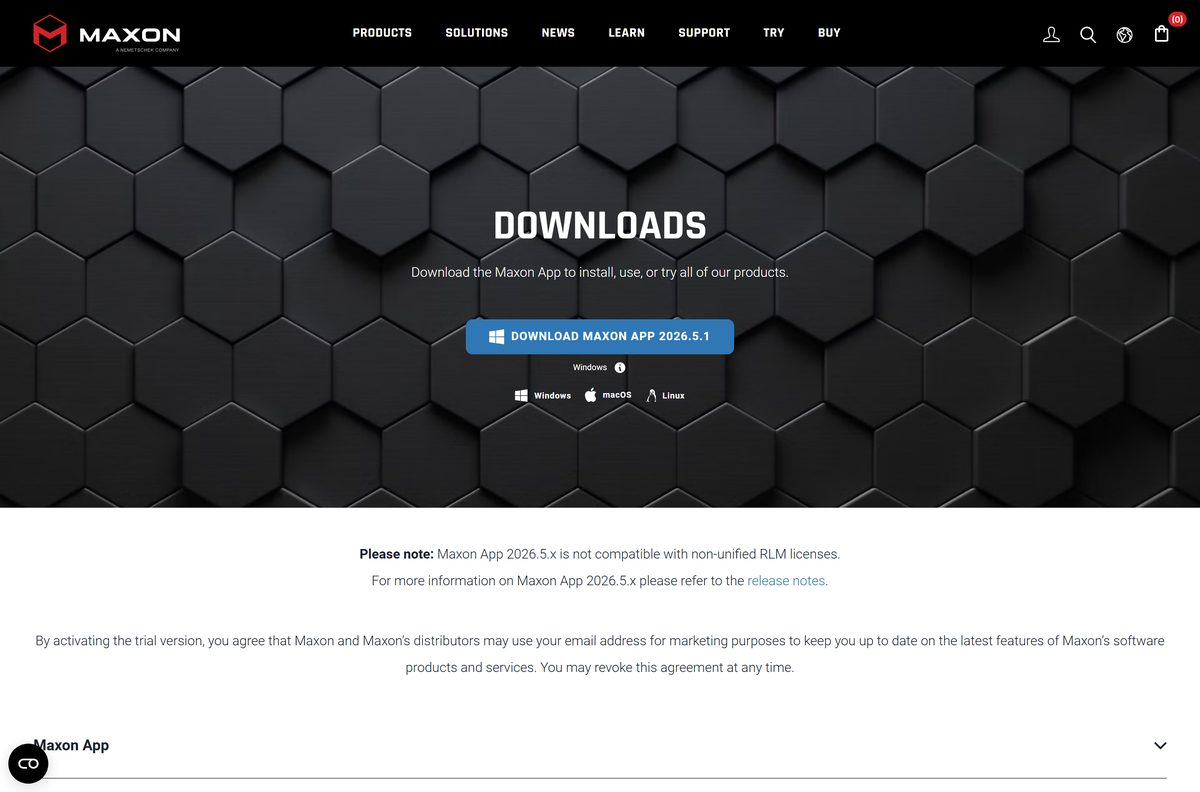
Download ZBrush from the official Maxon links
Maxon distributes the installers from maxon.net and through the Maxon App. A copy anywhere else has been repackaged.
- Maxon downloads page — full installers for Windows, Windows on Arm and macOS
- ZBrush product page — plan contents and the Start free trial button
- Maxon trial page — 14-day trial, taken through the Maxon App
- ZBrush 2026.2.1 release notes — what the June 17, 2026 update added and fixed
- System requirements for Maxon products — current Windows, macOS and iPadOS minimums
- ZBrush on the App Store — the separate iPad app from MAXON Computer GmbH
A MyMaxon account is required before the software runs, on every platform.

How to install ZBrush on Windows 11 and 10
The Windows installer is a full package. Allow roughly 8 GB of free drive space before you start.
- Open the Maxon downloads page and sign in to your MyMaxon account.
- Pick the x86_64 file for an Intel or AMD PC, or the arm64 file for a Snapdragon laptop.
- Double-click the saved installer and select Yes at the User Account Control prompt.
- Choose your interface language and select OK.
- Select Next on the welcome page.
- Read the licence agreement, select I accept the agreement, then select Next.
- Keep the suggested install folder, or select the folder icon to choose another one, then select Next.
- Leave the application, documentation and plugin components ticked and select Next.
- Select Next to write the files, then select Finish when setup ends.
- Launch ZBrush and sign in with your MyMaxon account to activate the licence.
Install under an administrator account. Anyone else on the PC can run it afterwards.
Rerun the installer to add any component you skipped.
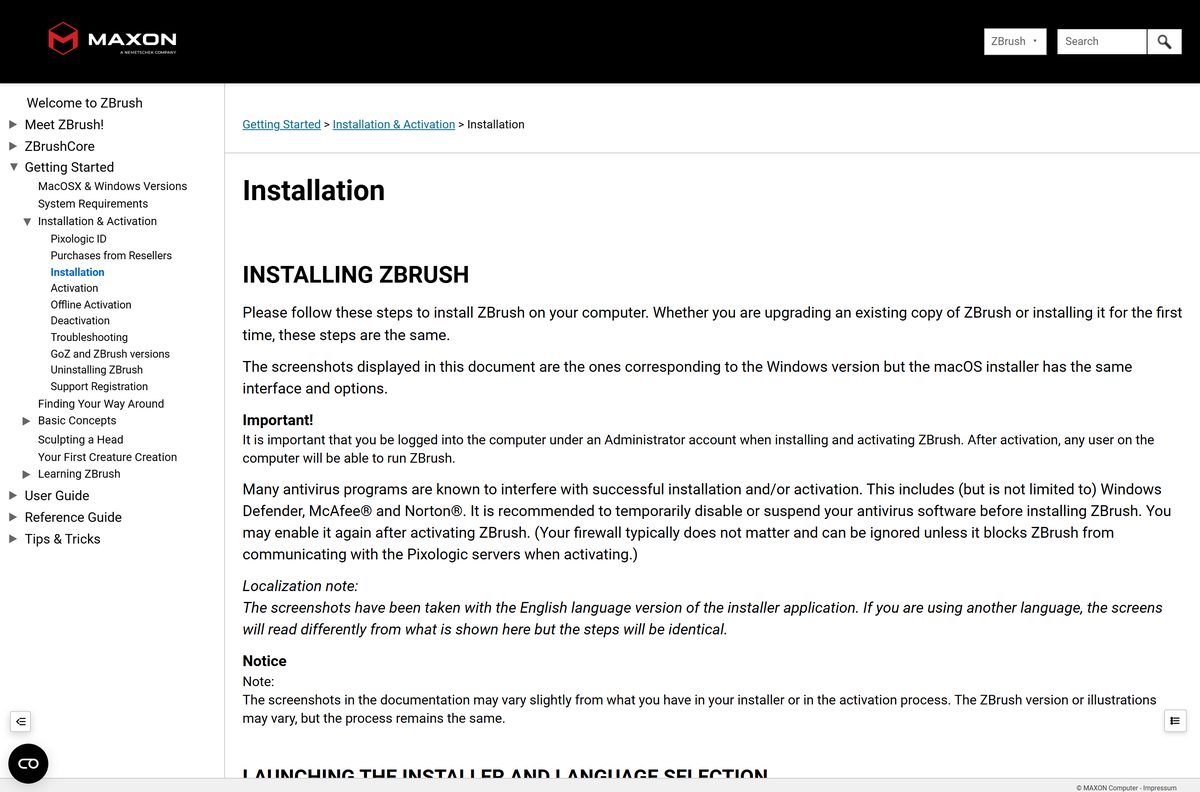
How to install ZBrush with the Maxon App instead
The Maxon App handles installs, updates and licence status for every Maxon product, and it is how the free trial is issued.
- Download the Maxon App for Windows or macOS from the downloads page.
- Run the installer and open the app when it finishes.
- Sign in with your MyMaxon account.
- Open the All Products or My Products tab.
- Select Install next to ZBrush, then pick Latest Version or Other Versions.
- Wait for the download bar to fill, then follow the installer that starts on its own.
- Return to the app and confirm ZBrush now reads Up to Date.
The trial covers the full Maxon One line-up for 14 days, and only current releases are offered as trials.
Which ZBrush download do you need for your Mac?
One disk image covers every supported Mac. Open the Apple menu and select About This Mac to read your chip and macOS version.
| Your Mac | Get this | What happens |
|---|---|---|
| Apple silicon M1 or later on macOS 14 or newer | Maxon_ZBrush_2026.2.1_Installer_mac.dmg | Supported configuration |
| Intel Mac with SSE4.2 on macOS 14 or newer | Maxon_ZBrush_2026.2.1_Installer_mac.dmg | Supported; the 2026.2.1 update fixed a startup crash on older Intel Macs |
| macOS 13 Ventura or older | Maxon system requirements | Update macOS first |
Double-click the disk image, then the installer application inside it, and enter your macOS password.
The app and its own uninstaller land in the related Applications folder.
Is ZBrush free?
No. ZBrush is a paid subscription, and the free part is a 14-day trial taken through the Maxon App. Maxon sells it as a single per-licence subscription or inside the Maxon One bundle, which covers Cinema 4D, Redshift, Red Giant and the rest of the line. The plan adds free access to Redshift CPU and free access to ZBrush on iPad, premium features included. Maxon prices its plans in local currency, so check the figure on the product page for your country. Any site offering a free full version is not Maxon.
Compare the plans on the product page before the trial runs out.

Which ZBrush version should you install?
Install the current 2026.2.1 release unless you hold a perpetual licence bought before 2022. The June 2026 build added ZModeler bevel modes for inner and outer edges, GoZ support for Autodesk 3ds Max and Maya 2027, and automatic installation of plugins and documentation. It also fixed Live Boolean rendering, Lightbox brush loading, a Dynamic Subdivision crash and a Windows on Arm stall in Decimation Master. Legacy perpetual licences run on the older Pixologic licensing system, and a Maxon-licensed build has to come off the machine before an old one goes on.
Releases from within the year are available in the Maxon App. Maxon documents the legacy route on its older versions page.
How to check your ZBrush version and update it
The Maxon App reports the installed build and delivers updates, so the big installer only gets downloaded once.
- Open the Maxon App and go to the My Products tab.
- Read the version shown beside ZBrush.
- Compare it with the newest entry in Maxon’s release notes.
- Close ZBrush if it is running.
- Select Update beside the product and wait for the download bar.
- Follow the installer that launches, then reopen the app to confirm Up to Date.
Keep the Maxon App current too, because plugin and documentation installs now depend on it.
Check the ZBrush system requirements before you download
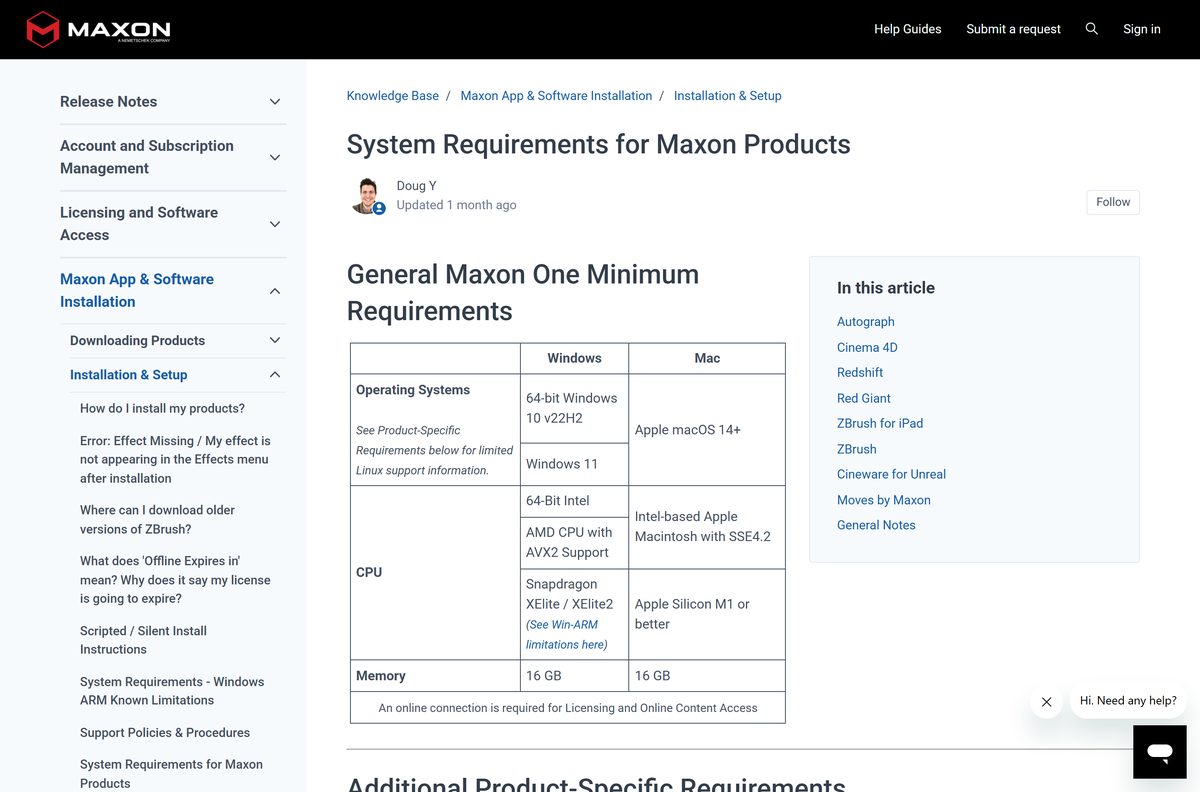
These minimums apply to the 2026 releases on Windows and macOS.
| Field | Value |
|---|---|
| Software | ZBrush |
| Developer | Maxon Computer GmbH |
| Latest version | 2026.2.1, released June 17, 2026 |
| Licence | Paid subscription with a 14-day free trial |
| Windows | Windows 10 version 22H2 or Windows 11, 64-bit |
| macOS | macOS 14 or later |
| Processor | 64-bit Intel, AMD with AVX2, or Snapdragon X Elite on PC; Apple silicon M1 or later, or Intel with SSE4.2, on Mac |
| RAM | 16 GB |
| Graphics | OpenGL 3.3 or higher and Vulkan 1.1 or higher |
| Drive space | 8 GB minimum, 100 GB recommended on an SSD for the app and its scratch disk |
| Display | 1920 x 1080 or higher, 32-bit colour |
| Input | Mouse, or a pressure-sensitive tablet or pen display from Wacom, XP-Pen, Xencelabs or Huion |
| Architecture | x64 and arm64 installers on Windows; Apple silicon and Intel on macOS |
| Installer size | 2.49 GB x64, 2.31 GB arm64, 2.62 GB macOS |
| Offline installer | Yes; licensing and online content need a connection |
| Official download source | maxon.net |
| Last verified | 2026-09-22 |
Maxon advises against tablets built on N-Trig technology.
Press Windows + R, type winver and select OK to read your Windows version.
Fix ZBrush not downloading or installing on Windows and Mac
The installer will not start, or setup reports an unsupported system
Maxon requires Windows 10 version 22H2 or Windows 11, or macOS 14 or later, with 16 GB of RAM.
- Run winver on Windows, or open About This Mac on a Mac.
- Install pending updates from Settings > Windows Update or System Settings > General > Software Update.
- Confirm the machine has 16 GB of RAM.
- Restart and run the installer again.
The download stops partway or the file fails to open
The package is roughly 2.5 GB, so a dropped connection or a full drive truncates it.
- Free at least 8 GB on the system drive.
- Switch to a stable network and turn off any VPN.
- Delete the partial file and fetch a fresh copy from the downloads page.
- Save to an internal drive rather than a USB stick.
- Right-click the file and select Run as administrator on Windows.
Setup finishes but the app will not launch or activate
Activation needs a MyMaxon sign-in and an online connection, and the viewport needs OpenGL 3.3 with Vulkan 1.1.
- Open the Maxon App and confirm you are signed in and the licence is active.
- Sign out, sign back in, then start ZBrush again.
- Update your graphics driver from the GPU maker’s own site.
- Reinstall from the My Products tab if the entry shows an error.
How to uninstall ZBrush
Deactivate the licence first. An activation that is never released keeps counting against your seat.
- Close the app and save any open tools and projects.
- Open the Maxon App and go to the Products tab.
- Select the three-dot menu beside the entry and choose Uninstall on Windows.
- On a Mac, run the dedicated uninstaller in the related Applications folder instead.
- Confirm the system prompt and wait for removal to finish.
- Run the leftover cleanup tool in Program files > Maxon > Tools as an administrator, or Library > Application Support > Maxon > Tools on a Mac.
Windows users can also remove it from Add or Remove Programs. Your saved ZTL and OBJ files stay where you put them.
Which ZBrush alternative should you try?
Each option covers part of the same ground. None of them opens ZBrush project files.
| Tool | Price | Best for |
|---|---|---|
| Blender | Free, open source | Sculpting plus modelling, rendering and animation in one free app |
| Maxon Cinema 4D | Paid subscription | Layout, motion graphics and rendering rather than high-poly sculpting |
| ZBrush on iPad | Free download, subscription unlocks premium features | Sculpting on a tablet with a pencil, then moving to the desktop |
Pick Blender when budget decides it. Stay on the desktop app when your pipeline runs on GoZ bridges.
Frequently asked questions
Is the ZBrush download free?
The installer is free to download, and Maxon gives a 14-day free trial through the Maxon App. Continued use needs a paid subscription, either a ZBrush licence on its own or the Maxon One bundle.
Where is the official ZBrush download page?
Maxon hosts it at maxon.net/en/downloads. That page carries the full Windows x64, Windows on Arm and macOS installers, plus the Maxon App that installs and licenses the software for you.
Does ZBrush work on Windows 11?
Yes. Maxon lists 64-bit Windows 11, and Windows 10 version 22H2, as the supported releases. The machine needs 16 GB of RAM and a graphics card that supports OpenGL 3.3 and Vulkan 1.1.
How big is the ZBrush download?
The Windows x64 installer is 2.49 GB, the Windows on Arm installer is 2.31 GB, and the macOS disk image is 2.62 GB. Maxon asks for 8 GB of free drive space, and recommends 100 GB for the scratch disk.
Is there a ZBrush offline installer?
Yes. The files on the Maxon downloads page are complete standalone installers, not small web setups. Licensing and online content access still need an internet connection once the software is installed.
Is there a ZBrush download for Mac?
Yes. Maxon ships a 2.62 GB disk image that covers Apple silicon Macs and Intel Macs with SSE4.2, on macOS 14 or later. The June 2026 update fixed a startup crash on older Intel machines.
Does ZBrush run on ARM64 Windows laptops?
Yes. Maxon publishes a native arm64 installer for Snapdragon X Elite and X Elite 2 Copilot+ PCs, alongside the x64 build for Intel and AMD processors. Pick the one that matches your chip.
Is ZBrush safe to download?
Yes, when the file comes from maxon.net or the Maxon App. Copies on download portals and sites promising a free full version are repackaged builds, and no Maxon licence will activate them.
What is the latest version of ZBrush?
Version 2026.2.1, released on June 17, 2026. It added ZModeler bevel modes, GoZ for Autodesk 3ds Max and Maya 2027, and automatic plugin and documentation installs through the Maxon App.
Is ZBrush for iPad the same download?
No. The iPad version is a separate app from MAXON Computer GmbH on the App Store. It needs iPadOS 17 or later and an A12 Bionic chip, and a desktop subscription unlocks its premium features.
How do I download an older version of ZBrush?
Releases from within the year appear in the Maxon App. Perpetual licences bought before 2022 use the Pixologic My Licenses page, which allows five installer downloads a day and resets every 24 hours.
Why will ZBrush not install?
The usual causes are an unsupported Windows or macOS build, too little free drive space for a 2.5 GB package, a dropped download, or a missing MyMaxon sign-in at activation. Fix the cause, then run a fresh installer.






