Windows Voice Recorder is free, and on most PCs it is already installed. Windows 11 lists it as Sound Recorder, and both names point at the same Microsoft Store product, 9WZDNCRFHWKN.
The app is delivered only through the Microsoft Store. There is no standalone setup file and no macOS build, so Mac owners record with Apple’s Voice Memos instead.
This guide covers which package your PC receives, the official Store listing, installing with winget, microphone permission, uninstalling, and fixes for the app missing or recording silence.
Which Windows Voice Recorder download do you need?
The Store decides the package from your Windows build. Match your row and open the listing.
| Your PC | What the Store installs | Bundle size |
|---|---|---|
| Windows 11, build 22000 or later | Sound Recorder 2021.2607.1.0 | 9.96 MB |
| Windows 10, build 17134 or later | Voice Recorder 2021.2103.28.0 | 8.71 MB |
| Windows on Arm, any supported build | Same listing, ARM64 package | Inside the bundle |
| Windows 8.1 or Windows 7 | No package exists, both are out of support | 0 |
| Mac | Apple Voice Memos, already installed | 0 |
Those sizes cover the whole multi-architecture bundle Microsoft ships to the Store. Your PC unpacks one architecture from it, so the space used on disk is smaller.
Download Windows Voice Recorder from the official Microsoft source
Microsoft distributes this app in exactly one place. Every other result is somebody else’s recorder with a similar name.
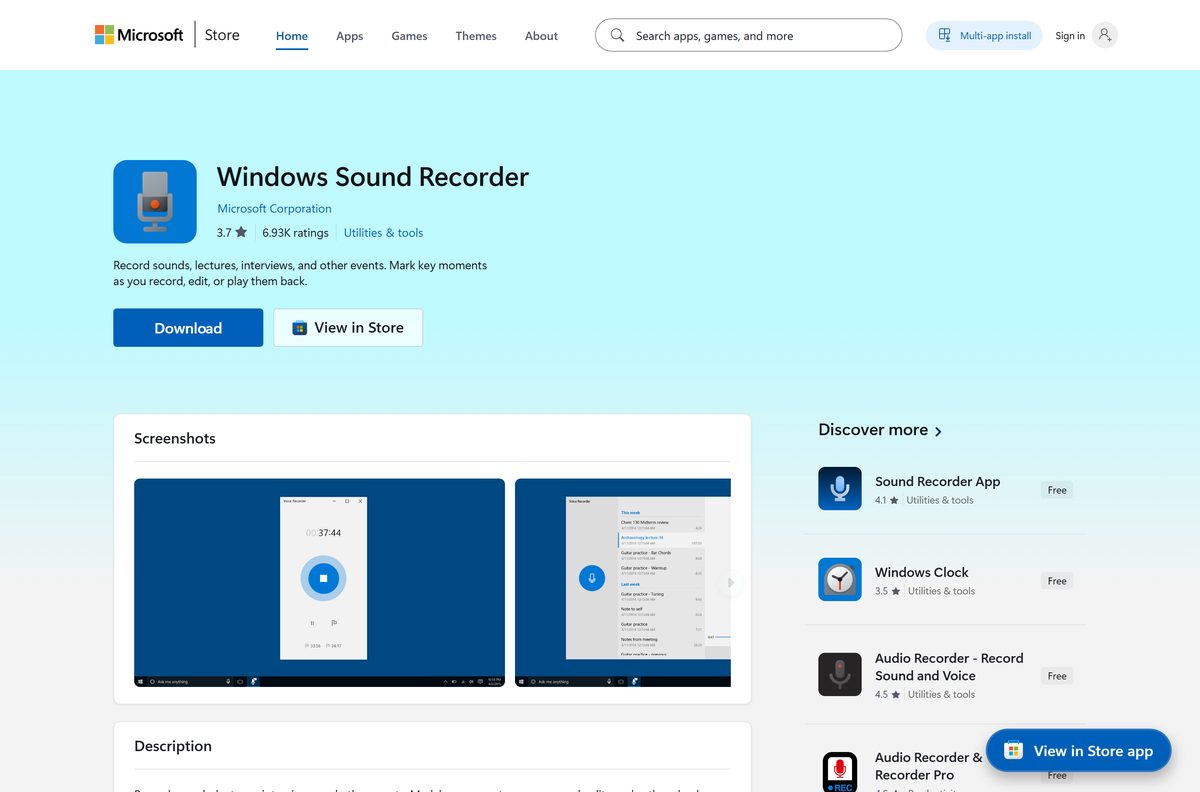
- Microsoft Store listing, product 9WZDNCRFHWKN — publisher Microsoft Corporation, list price USD 0.00
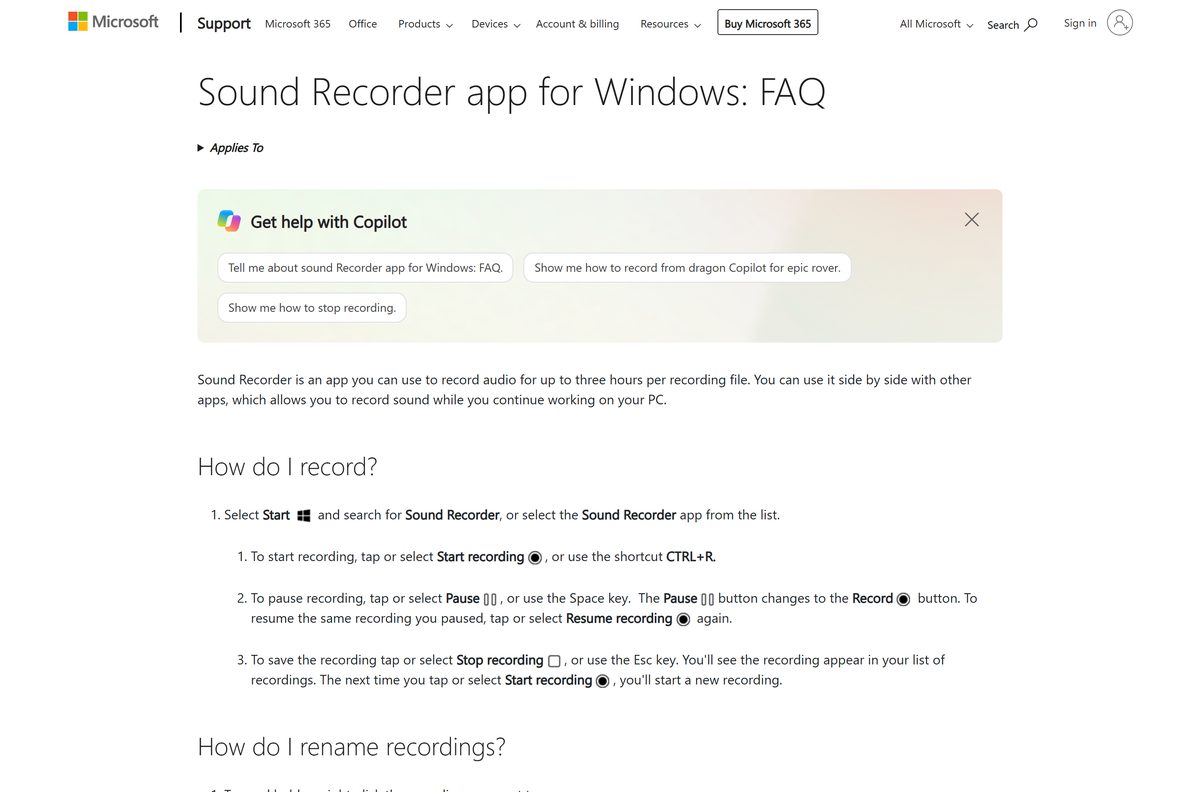
- Microsoft’s Sound Recorder FAQ — recording limits, keyboard shortcuts and microphone permission
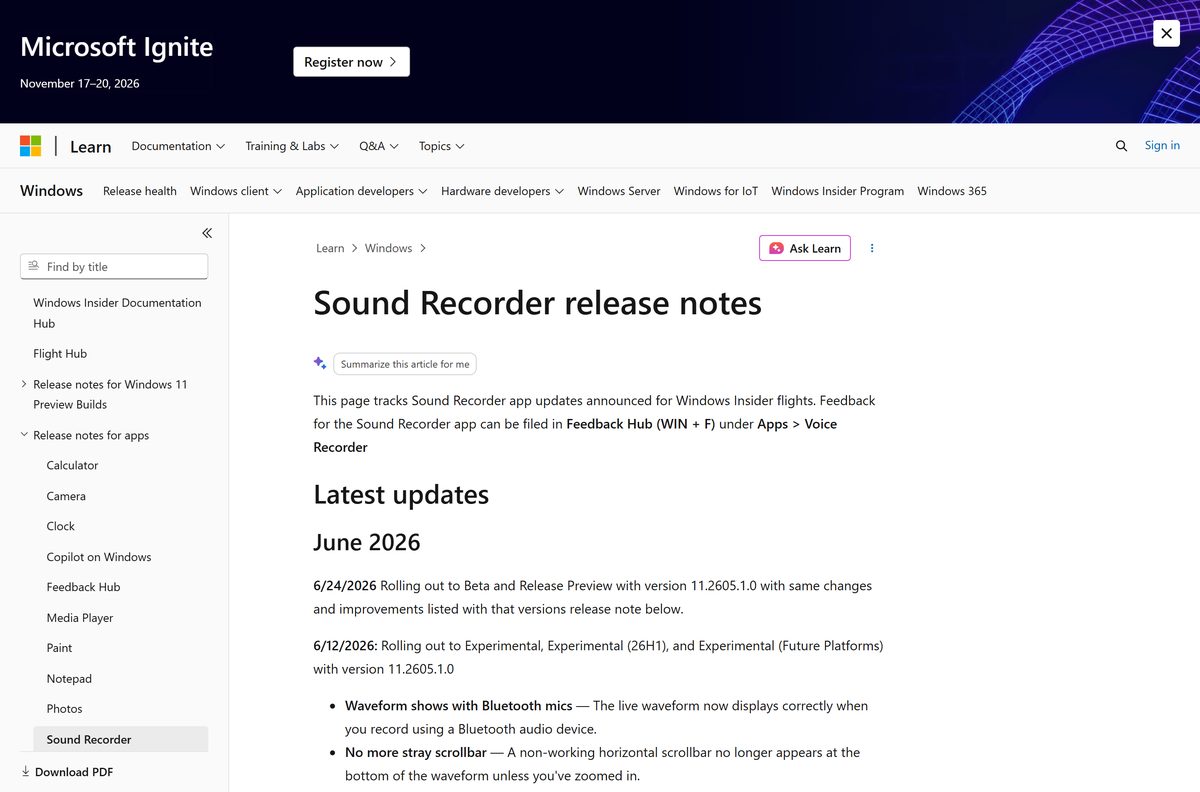
- Sound Recorder release notes on Microsoft Learn — what changed in the current app update
The old product page at microsoft.com/en-us/p/windows-voice-recorder/9wzdncrfhwkn now redirects to that same Store listing, which is why searches for either name land on one app.
There is no offline installer and no .exe. Microsoft’s own guidance is to download apps from official publisher websites or stores.
Check the Windows Voice Recorder system requirements
The app inherits the requirements of the Windows version it runs on, then adds one piece of hardware: a working microphone.
| Field | Value |
|---|---|
| Developer | Microsoft Corporation |
| Latest version | 2021.2607.1.0 |
| Windows 10 package | 2021.2103.28.0 |
| Package identity | Microsoft.WindowsSoundRecorder |
| Store product ID | 9WZDNCRFHWKN |
| Price | Free, USD 0.00 |
| Supported OS | Windows 11 build 22000 or later, Windows 10 build 17134 or later |
| Architecture | x64 and ARM64 on Windows 11, plus x86 on the Windows 10 package |
| Bundle size | 9.96 MB on Windows 11, 8.71 MB on Windows 10 |
| Offline installer | None, the Store is the only delivery channel |
| Mac version | None |
| Hardware | A microphone, plus the Windows 11 minimum of 4 GB RAM, 64 GB storage and TPM 2.0 |
| Maximum recording | Three hours per file |
| Last verified | 2026-09-22 |
Windows 10 reached end of support on 14 October 2025. The app still runs there, but the operating system under it stops receiving security fixes unless the PC is enrolled in consumer Extended Security Updates.
Install Sound Recorder from the Microsoft Store or with winget
Use this when the app is missing from Start, or after somebody uninstalled it.
- Open Microsoft Store from the Start menu.
- Search for Sound Recorder, or open product 9WZDNCRFHWKN directly.
- Check that the publisher line reads Microsoft Corporation.
- Select Get, or Install if the app has been on this PC before.
- Wait for the button to change to Open, then select it.
- For a command line instead, right-click Start, select Terminal, and run winget install 9WZDNCRFHWKN –source msstore .
Microsoft publishes no friendlier winget identifier for this app, so the Store product ID is the string to type. winget install documents the rest of the arguments.
How to set up the recorder and capture your first take
A fresh install records nothing until Windows grants microphone access. Granting it takes one prompt.
- Select Start, type Sound Recorder, and open the app.
- Select Yes when Windows asks to let the app use your microphone.
- Pick your input device from the microphone selector at the bottom left.
- Select Start recording, or press Ctrl + R.
- Press the Space key to pause, and press it again to resume.
- Press Esc to stop and save the take.
- Right-click the new entry in the left-hand list and select Rename to give it a useful name.
One file holds up to three hours of audio. Recordings live inside the app, so uninstalling it deletes them.
If the prompt never appears, open microphone privacy settings and turn on access for the app by hand.
How to check your Sound Recorder version and update it
Store apps update quietly, so the fastest way to read the installed version is PowerShell.
- Right-click Start and select Terminal.
- Run Get-AppxPackage Microsoft.WindowsSoundRecorder | Select-Object Name, Version .
- Compare the number it prints with 2021.2607.1.0 on Windows 11, or 2021.2103.28.0 on Windows 10.
- To pull an update, open Microsoft Store, select Library, then select Get updates.
- Leave the Store open until the Sound Recorder row stops showing progress.
Get-AppxPackage lists every package installed for your account, so the same command works for any Store app.
Is Windows Voice Recorder free?
Yes. The Microsoft Store lists the app at USD 0.00, with no paid tier, no subscription and no licence to buy. The paid results around this search term belong to other publishers. Several Store apps carry names like Voice Recorder Pro or Audio Recorder and charge for features Microsoft’s app already includes, and a portal download of the same package is usually years behind the Store copy. Check the publisher line reads Microsoft Corporation before you select Get.
Which name is on your PC: Voice Recorder or Sound Recorder?
Both names describe one product. The label your Start menu shows depends on the Windows build underneath.
Install nothing extra. Windows 11 shows Sound Recorder, Windows 10 shows Voice Recorder, and the Store serves both from product 9WZDNCRFHWKN. The package identity is Microsoft.WindowsSoundRecorder on either build. Microsoft’s support page for using the voice recorder now resolves to the Sound Recorder FAQ, and Feedback Hub still files bugs for the app under Apps then Voice Recorder. Searching the Store for the older name returns third-party apps, so open the product ID instead.
Which voice recorder should you use on your Mac?
Microsoft ships no macOS build of this app. Apple’s own recorder covers the same job and is already installed.
| What you want to do | Use this on a Mac | Cost |
|---|---|---|
| Record a lecture, meeting or memo | Voice Memos, in the Applications folder | Free with macOS |
| Start a recording right now | Voice Memos, then click the record button | Free with macOS |
| Edit, mix and export to other formats | Audacity for macOS | Free |
Voice Memos syncs recordings to every Apple device signed in to the same Apple Account, which the Windows app does not do.
Fix Sound Recorder not installing, missing or recording silence
The app is missing from the Start menu
Somebody removed it, or a feature update dropped it from a Windows 10 image.
- Select Start and type Sound Recorder, then type Voice Recorder, because the two builds label it differently.
- Open the Store listing and select Get.
- If the button reads Install rather than Get, the app is tied to your account and returns without a new purchase.
The Microsoft Store refuses to install it
A stale Store cache or a signed-out account blocks the download.
- Press Windows + R, type wsreset.exe , and select OK.
- Wait about ten seconds for the blank window to close and the Store to reopen.
- Select your profile picture in the Store and confirm you are signed in with a Microsoft account.
- Run the steps on Microsoft’s page for problems with apps from Microsoft Store if the download still stalls.
The app opens but the recording is silent
Microphone access is off, or Windows is listening to the wrong input device.
- Select Start > Settings > Privacy & security > Microphone.
- Turn on Let apps access your microphone.
- Find the recorder in the app list below and turn its switch on.
- Return to the app and pick the correct input from the microphone selector.
- Record ten seconds and play it back before you rely on the setup.
The Mark button does nothing during a WAV recording
Markers are turned off for WAV, because that format cannot store them.
- Stop the recording and start a new one in the app’s default format.
- Select Mark while recording to drop a marker at that moment.
- Read the release notes for the rest of the current fixes.
How to uninstall the recorder from Windows 11 and 10
Removing the app deletes the recordings stored inside it. Copy anything you need out first.
- Open a recording, select Share, and send a copy to Mail or another app you keep.
- Select Start > Settings > Apps > Installed apps.
- Find the recorder in the list and select the three dots beside it.
- Select Uninstall, then confirm.
- To remove it from a script instead, right-click Start, select Terminal (Admin), and run Get-AppxPackage Microsoft.WindowsSoundRecorder | Remove-AppxPackage .
- Reinstall later from the Store listing whenever you need it back.
Remove-AppxPackage removes the package for the current user only, so other accounts on the PC keep their copy.
Which recording app should you install instead?
Microsoft’s app records, trims and shares. Anything beyond that needs a different tool.
| App | Choose it for | Price | Official download |
|---|---|---|---|
| Audacity | Multi-track editing, noise reduction and exporting to several formats | Free | audacityteam.org |
| OBS Studio | Capturing system audio and screen video in the same take | Free | obsproject.com |
| Apple Voice Memos | The same quick-memo job on a Mac, iPhone or iPad | Free with macOS | support.apple.com |
Stay with Microsoft’s app for interviews, lectures and voice notes. Move to Audacity the first time you need to cut two takes together.
Frequently asked questions
Is Windows Voice Recorder free to download?
Yes. The Microsoft Store lists product 9WZDNCRFHWKN at USD 0.00 from Microsoft Corporation. There is no paid tier, no subscription and no licence key.
Is Voice Recorder the same as Sound Recorder?
Yes. One Store product serves both names. Windows 11 shows Sound Recorder, Windows 10 shows Voice Recorder, and the package identity is Microsoft.WindowsSoundRecorder on either build.
What is the official voice recorder download page?
The Microsoft Store listing at apps.microsoft.com/detail/9wzdncrfhwkn, published by Microsoft Corporation. The older windows-voice-recorder product page on microsoft.com redirects to it.
Do I already have a voice recorder on my PC?
Almost certainly. Select Start and type Sound Recorder, then Voice Recorder. If neither appears, the app was removed and the Store puts it back at no cost.
There is no voice recorder in Windows 11. What now?
Windows 11 renamed it Sound Recorder, so searching the old name finds nothing. Search the new name, or open Store product 9WZDNCRFHWKN and select Get.
How big is the download?
The Windows 11 bundle is 9.96 MB and the Windows 10 package is 8.71 MB. Both figures cover every architecture, so one PC unpacks less than that.
Is there an offline installer or an .exe?
No. Microsoft ships this app only through the Microsoft Store, so installing it needs an internet connection and a working Store service on the PC.
Does it run on 64-bit and ARM64 PCs?
Yes. The Windows 11 bundle carries x64 and ARM64 packages, and the Windows 10 bundle adds x86. The Store picks the right one for your processor.
Which version is current?
2021.2607.1.0 on Windows 11 build 22000 or later. Windows 10 build 17134 or later receives 2021.2103.28.0, the last package built for that platform.
Is there a voice recorder for Mac?
Microsoft publishes none. Apple’s Voice Memos is already in the Applications folder on every Mac, and it syncs recordings to your iPhone and iPad.
How long can one recording be?
Three hours per file, per Microsoft’s own FAQ. You can keep working in other apps while a recording runs, because the app records in the background.
Where are my recordings stored?
Inside the app itself. Uninstalling the app deletes them, so use Share to send a copy to Mail or another app before you remove it.
Why is my recording silent?
Microphone access is off, or the wrong input is selected. Open Settings > Privacy & security > Microphone, turn on access for the app, then pick the right device.