The Windows Subsystem for Linux download is one command. Open Terminal as administrator, run wsl –install , and Windows fetches WSL 2 and Ubuntu from the Microsoft Store. It costs nothing.
This guide covers that command, the offline MSI and MSIX packages, the Store route, distributions, WSL 1 against WSL 2, updates, install errors and removal.
Which Windows Subsystem for Linux download do you need?
Most people never download a file. The wsl –install command pulls the current package for you. Match your case to a row below.
| Your situation | What to get | Size |
|---|---|---|
| Windows 11, or Windows 10 version 2004 and later | Run wsl –install | Downloaded for you |
| An Intel or AMD PC with no Microsoft Store access | wsl.2.7.14.0.x64.msi | 247.0 MB |
| An Arm PC such as a Snapdragon laptop or Surface Pro X | wsl.2.7.14.0.arm64.msi | 245.1 MB |
| One package that covers both chip types | Microsoft.WSL_2.7.14.0_x64_ARM64.msixbundle | 494.9 MB |
| You want Windows to keep it updated | The Microsoft Store listing | Free |
| Windows 10 build 18362 to 19040 | Manual install steps | Optional components |
Open Settings > System > About and read System type to see whether your PC is x64 or Arm based.
Download the official WSL packages for Windows 11 and 10
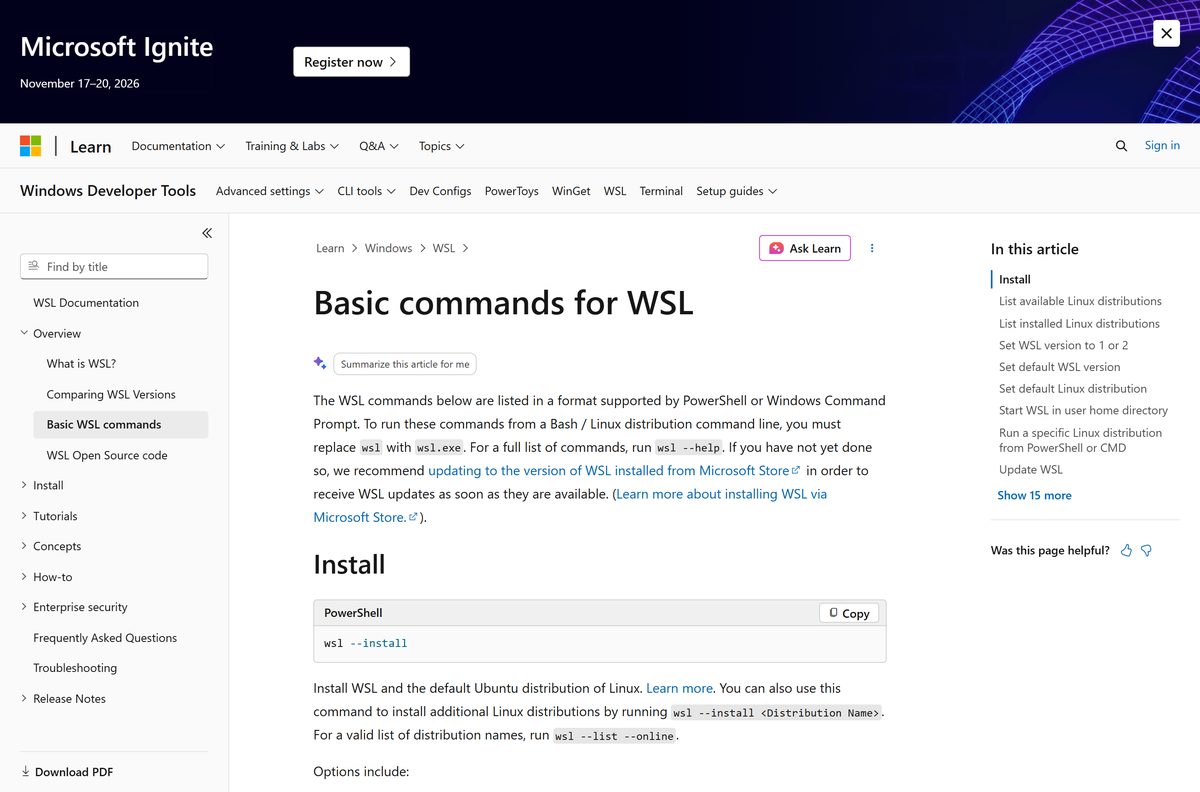
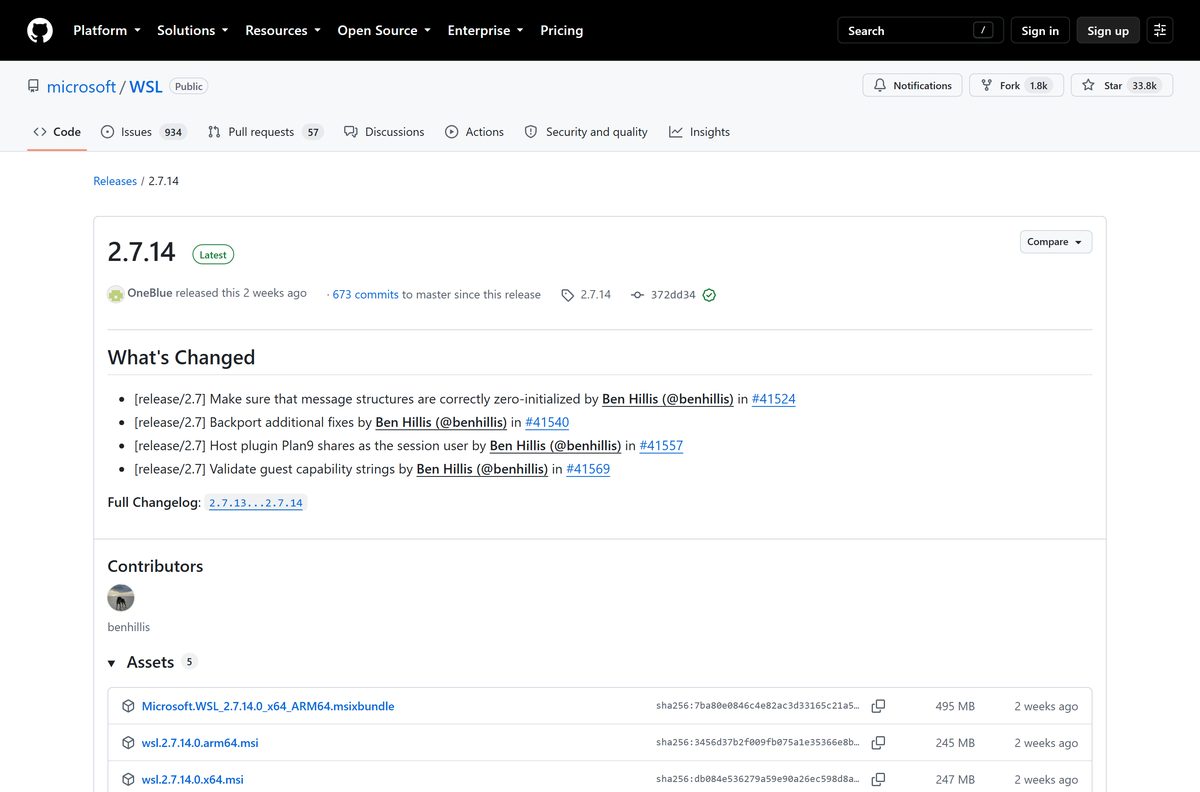
Microsoft ships every package from the microsoft/WSL repository and links the install guide from Microsoft Learn. Version 2.7.14 is the current release.
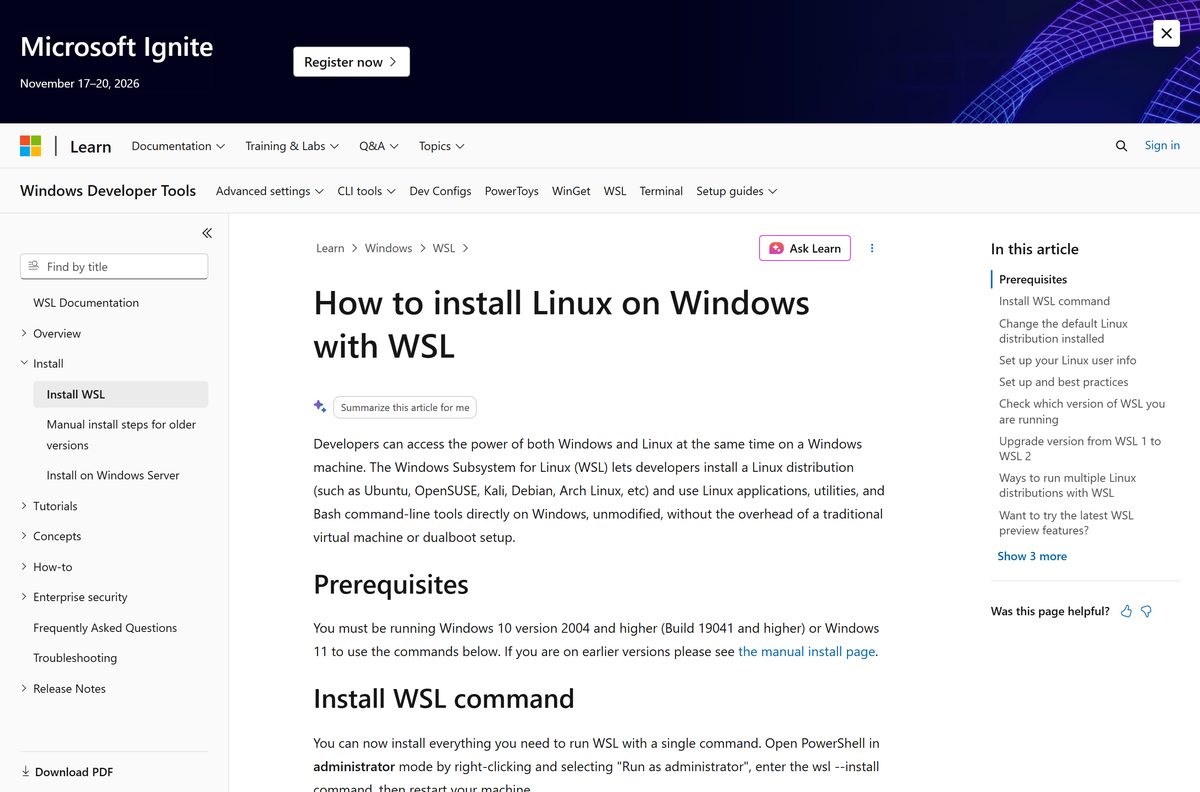
- Install WSL on Microsoft Learn — the wsl –install command and its prerequisites
- WSL latest release on GitHub — release notes and every package
- wsl.2.7.14.0.x64.msi — 247.0 MB · Intel and AMD PCs
- wsl.2.7.14.0.arm64.msi — 245.1 MB · Arm64 PCs
- Microsoft.WSL_2.7.14.0_x64_ARM64.msixbundle — 494.9 MB · both architectures in one file
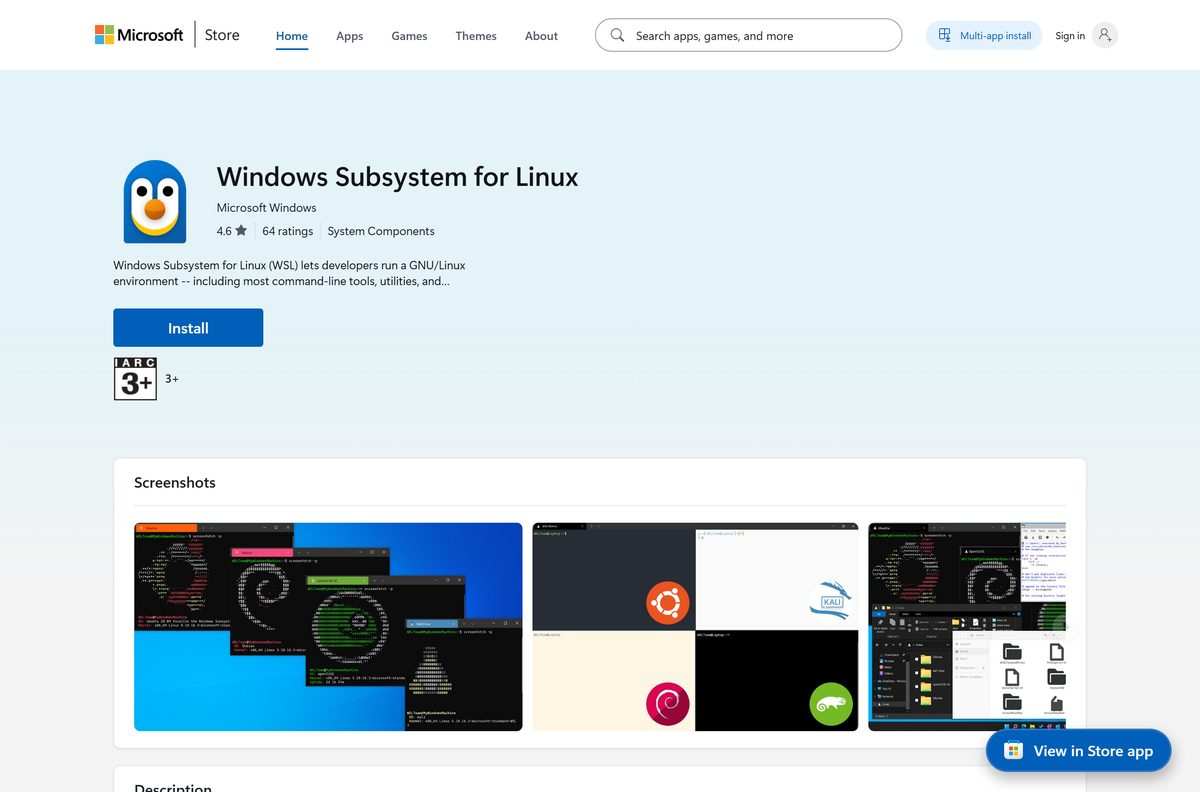
- Windows Subsystem for Linux in the Microsoft Store — free, published by Microsoft Corp.
Ignore copies on download portals. These packages exist only on the Microsoft repository and the Store.
How to install WSL on Windows 11 and 10 with one command
The command enables the required Windows features, installs the Store package and adds Ubuntu. An administrator terminal is required.
- Right-click Start and select Terminal (Admin), or open PowerShell with Run as administrator.
- Select Yes at the User Account Control prompt.
- Run wsl –install .
- Wait while Windows enables the components and downloads the distribution.
- Restart your PC when the command asks for it.
- Open Start, type Ubuntu and select it.
- Enter a username and a UNIX password when the console asks, then wait for the first-run setup to finish.
- Run wsl -l -v in Terminal to confirm the distribution is listed and set to version 2.
If wsl –install prints the help text, WSL is already on the PC. Run wsl –list –online to see the available names, then wsl –install -d
Install WSL from the Microsoft Store or without it
The Store package replaced the in-box Windows component, so updates arrive as store releases instead of Windows updates. Managed PCs that block the Store have two documented routes.
- Open the Store listing and select Get, then Open when it finishes.
- Install a distribution separately from the Linux distributions collection in the Store, or with wsl –install -d
. - Run wsl –install –web-download instead when the Store is blocked, which pulls the package from GitHub.
- Run wsl –install –inbox to use the Windows component instead of the Store package.
- Add –enable-wsl1 to the install command if you also need the older WSL 1 architecture.
- Run wsl –update –web-download afterwards to pick up later releases on a Store-free PC.
On a PC with no Store and no internet at install time, double-click the MSI instead. It carries the whole platform.
Which Linux setup should you use on a Mac?
WSL is a Windows feature, and the release page ships Windows packages only. A Mac reaches the same tools by another route.
| What you want on a Mac | Use this | Where to get it |
|---|---|---|
| A Bash or zsh command line | Terminal, already in macOS | Apple Terminal User Guide |
| Linux containers for development | Docker Desktop for Mac | Docker Desktop |
| A full Linux desktop | Ubuntu in a virtual machine | Ubuntu Desktop |
| WSL itself | A Windows 11 or Windows 10 PC | Install WSL |
Is Windows Subsystem for Linux free?
Yes. Every package is free, and Microsoft publishes the source under the MIT License. The Store listing shows a list price of 0.00 USD, and WSL 2 works on Windows 10 Home and Windows 11 Home as well as Pro. Anything charging for the platform itself is not from Microsoft. A few Store distributions, such as Pengwin and Fedora Remix, are paid apps from other publishers.
Should you run WSL 1 or WSL 2?
Run WSL 2. It is the default, and wsl –install sets every new distribution to it. WSL 2 runs a real Linux kernel inside a managed lightweight virtual machine, which gives full system call compatibility, systemd support and much faster file work inside the Linux file system. WSL 1 wins in one place: files kept on the Windows drive. Switch a single distribution with wsl –set-version
How to check your WSL version and update it
Two things update separately: the platform itself, and the packages inside each Linux distribution.
- Open Terminal and run wsl –version to see the platform, kernel and WSLg versions.
- Run wsl –status to see the default distribution and default version.
- Run wsl –update to install the newest release.
- Run wsl –update –web-download instead when the Microsoft Store is unavailable.
- Run wsl –update –pre-release to test the next build before it ships.
- Compare the number against the releases page if a fix you need is recent.
- Open your distribution and run sudo apt update followed by sudo apt upgrade to update Ubuntu or Debian packages.
Run wsl –shutdown after an update so the utility virtual machine restarts on the new build.
Check the WSL system requirements before you install
| Field | Value |
|---|---|
| Software | Windows Subsystem for Linux |
| Developer | Microsoft Corporation |
| Latest version | 2.7.14 |
| Licence | Free, open source (MIT License) |
| Windows | Windows 11, or Windows 10 version 2004 (build 19041) and later |
| Older Windows | WSL 2 runs on Windows 10 version 1903, build 18362.1049 and later, after a manual install |
| Editions | All desktop editions, including Windows 10 Home and Windows 11 Home |
| macOS | Not supported. Microsoft ships no Mac build |
| Architecture | x64 and Arm64 |
| Required features | Virtual Machine Platform, plus virtualization enabled in firmware |
| File size | 247.0 MB (x64 MSI); 245.1 MB (Arm64 MSI) |
| Default distribution | Ubuntu |
| Offline installer | Yes: the MSI and MSIX packages |
| Official source | Microsoft Learn, microsoft/WSL releases, Microsoft Store |
| Last verified | 2026-09-22 |
Press Windows key + R, type winver and select OK to read your build number.
Which Linux distributions can you install with WSL?
Run wsl –list –online for the exact names the -d flag accepts. Each distribution also has its own Store listing.
| Distribution | Note | Store listing |
|---|---|---|
| Ubuntu | Installed by default | Store page |
| Debian | Debian GNU/Linux for WSL | Store page |
| Kali Linux | Security tooling, rolling release | Store page |
| Arch WSL | Arch Linux | Store page |
| Fedora WSL | Fedora | Store page |
| openSUSE Tumbleweed | Rolling SUSE release | Store page |
Any other Linux image still works. Import it from a TAR file with wsl –import
Fix WSL not installing on Windows 11 or 10
The command prints the help text instead of installing
WSL is already present, so the bare install command does nothing.
- Run wsl –list –online to list the distributions available.
- Run wsl –install -d
with a name from that list. - Run wsl –install –web-download -d
if the install stalls at 0.0%.
Error: 0x80370102 The virtual machine could not be started because a required feature is not installed
Virtualization is off, or the Virtual Machine Platform feature is missing.
- Enable virtualization in your PC firmware, under the CPU settings.
- Turn on Virtual Machine Platform in Turn Windows features on or off.
- Run bcdedit /enum | findstr -i hypervisorlaunchtype in an elevated prompt.
- Run bcdedit /set hypervisorlaunchtype Auto if the value reads Off, then restart.
- Update VMware or VirtualBox to a Hyper-V aware version, or close it.
Installation failed with error 0x80070003
WSL runs only from the system drive, and new apps are being saved elsewhere.
- Open Settings > System > Storage > Advanced storage settings > Where new content is saved on Windows 11.
- Open Settings > System > Storage > Change where new content is saved on Windows 10.
- Set new apps to save to your C: drive.
- Run the install command again.
WslRegisterDistribution failed with error 0x8007019e
The Windows Subsystem for Linux optional component is not enabled.
- Open PowerShell as administrator.
- Run dism.exe /online /enable-feature /featurename:Microsoft-Windows-Subsystem-Linux /all /norestart .
- Restart the PC.
- Run Get-WindowsOptionalFeature -Online -FeatureName Microsoft-Windows-Subsystem-Linux to confirm the state reads Enabled.
Error: 0x800704ec This program is blocked by group policy
A policy blocks the older component on a managed PC.
- Run wsl –update to move to the Store release.
- Run wsl –update –web-download if the Store is blocked as well.
- Ask your administrator to allow the package when both commands fail.
How to uninstall WSL and remove a Linux distribution
Removing a distribution deletes its files, its settings and everything installed inside it. Copy anything you need out first.
- Run wsl –list –verbose to see the exact distribution names.
- Run wsl –export
–format vhd first if you want a backup. - Run wsl –unregister
to delete that distribution and its data. - Remove the distribution app from Settings > Apps > Installed apps.
- Run wsl –shutdown to stop the utility virtual machine.
- Uninstall Windows Subsystem for Linux from Settings > Apps > Installed apps to remove the platform.
- Clear Windows Subsystem for Linux and Virtual Machine Platform in Turn Windows features on or off.
- Restart the PC.
Leave Virtual Machine Platform on if Hyper-V, Windows Sandbox or the Android emulator still need it.
What should you use instead of WSL?
The alternatives are mostly other ways to reach Linux on the same PC, not rival products.
| Option | Cost | Pick it when |
|---|---|---|
| WSL 1 | Free | Your project files have to live on the Windows drive |
| The in-box Windows component | Free | Store access is blocked; install with wsl --install --inbox |
| Ubuntu Desktop in a virtual machine | Free | You need a Linux graphical desktop, not a shell |
| Docker Desktop | See Docker’s terms | Containers are the real goal; it uses the WSL 2 backend |
| Pre-release WSL build | Free | You want a fix before it ships; run wsl --update --pre-release |
Frequently asked questions
Is the Windows Subsystem for Linux download free?
Yes. Every package is free, and Microsoft publishes the source under the MIT License. The Store listing carries a list price of 0.00 USD. Windows 10 Home and Windows 11 Home support it, so no Pro upgrade is needed.
Where is the official WSL download page?
Microsoft Learn hosts the Install WSL guide, and the packages themselves sit on the microsoft/WSL releases page on GitHub. A free Store listing published by Microsoft Corp. covers the same platform.
Does WSL work on Windows 11?
Yes. Windows 11 supports it out of the box, and wsl –install in an administrator terminal enables the features and installs Ubuntu. Windows 10 needs version 2004, build 19041 or later, for the same command.
How big is the WSL download?
The x64 MSI is 247.0 MB and the Arm64 MSI is 245.1 MB. The MSIX bundle that carries both architectures is 494.9 MB. A Linux distribution downloads separately and adds a few hundred megabytes more.
Is there a WSL offline installer?
Yes. The MSI files and the MSIX bundle on the releases page are complete packages that install without the Microsoft Store. The distribution itself still needs a download, or an imported TAR file.
Can you download WSL for Mac?
No. It is a Windows feature and Microsoft ships no macOS build. On a Mac, use the built-in Terminal for a shell, Docker Desktop for Linux containers, or a virtual machine for a full Linux desktop.
Is there a 64-bit or ARM64 version of WSL?
Yes. Microsoft supports x64 and Arm64 processors, and publishes a separate MSI for each. The MSIX bundle contains both. There is no 32-bit build, because the platform needs a 64-bit Windows install.
Is WSL safe to download?
Yes, when it comes from Microsoft Learn, the microsoft/WSL releases page or the Microsoft Store. The command route never touches a third-party site. Skip download portals repackaging the MSI.
What is the latest version of WSL?
Release 2.7.14 is the current build, published on 11 September 2026. The Microsoft Store package reports the same number. Run wsl –version to see what is on your PC and wsl –update to move up.
Do you need Windows Pro or Hyper-V for WSL 2?
No. WSL 2 needs the Virtual Machine Platform feature, which is a subset of Hyper-V and ships in every desktop edition. Windows 10 Home and Windows 11 Home both run it.
How do you change the Linux distribution WSL installs?
Run wsl –list –online to see the available names, then wsl –install -d
Why won’t WSL install on my PC?
The usual causes are virtualization disabled in firmware, a missing Virtual Machine Platform feature, apps set to install on a drive other than C:, or a group policy blocking the package. Each one has a fix in the troubleshooting section above.