The Webex download for Windows and Mac is free, and it comes straight from Cisco: the Webex downloads page and the installers on binaries.webex.com. Webex App 46.9.0.35800 is the current build on both platforms.
Each file is a full package rather than a small web stub. The 64-bit Windows installer, Webex.msi, is 260.4 MB, and the Apple silicon Webex.dmg is 207.2 MB.
This guide covers which file fits your machine, winget and MSI deployment, the free plan limits, the Mac builds, updates and install fixes.
Which Webex download do you need?
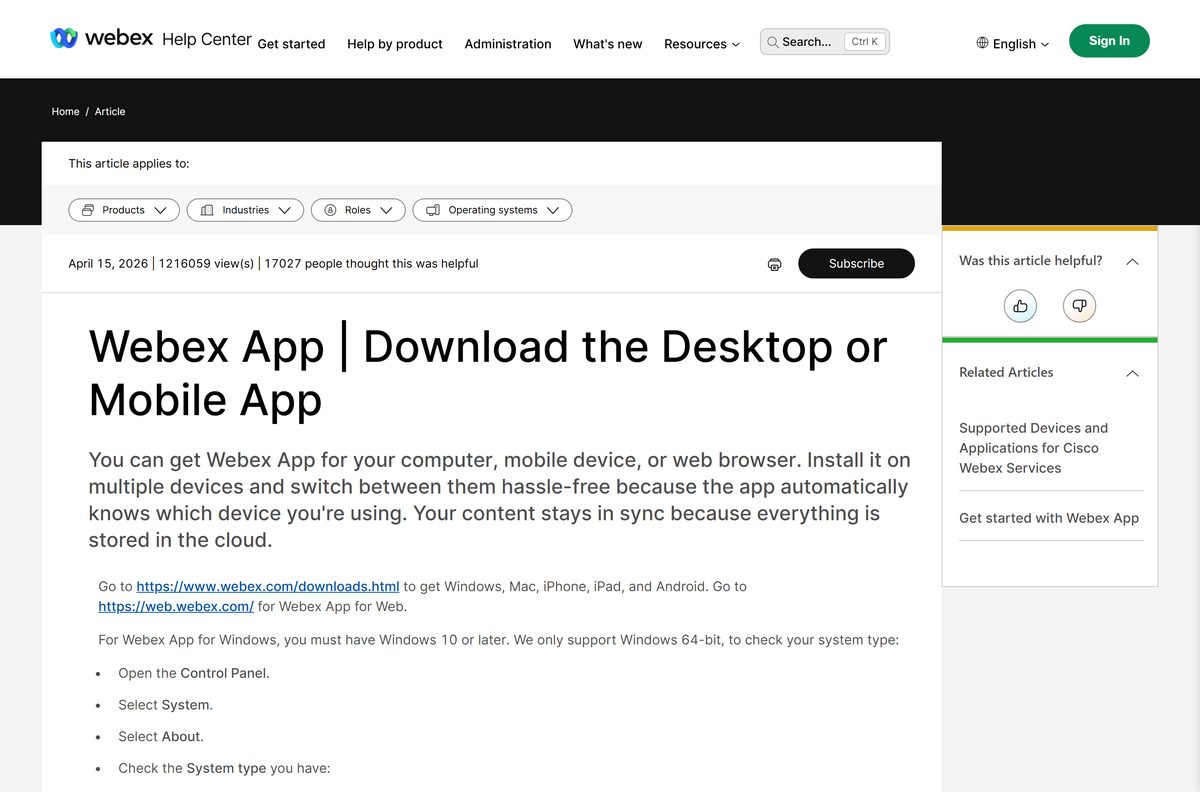
Match the machine you are installing on. Webex ships no 32-bit Windows build.
| Your machine | File to download | Size |
|---|---|---|
| Windows 11 or 10 on Intel or AMD | Webex.msi, 64-bit | 260.4 MB |
| Windows on ARM: Snapdragon X Elite/Plus or Microsoft SQ1 and later | Webex.msi, ARM64 | 217.0 MB |
| Mac with Apple silicon | Webex.dmg, Apple silicon | 207.2 MB |
| Mac with an Intel processor | Webex.dmg, Intel | 240.7 MB |
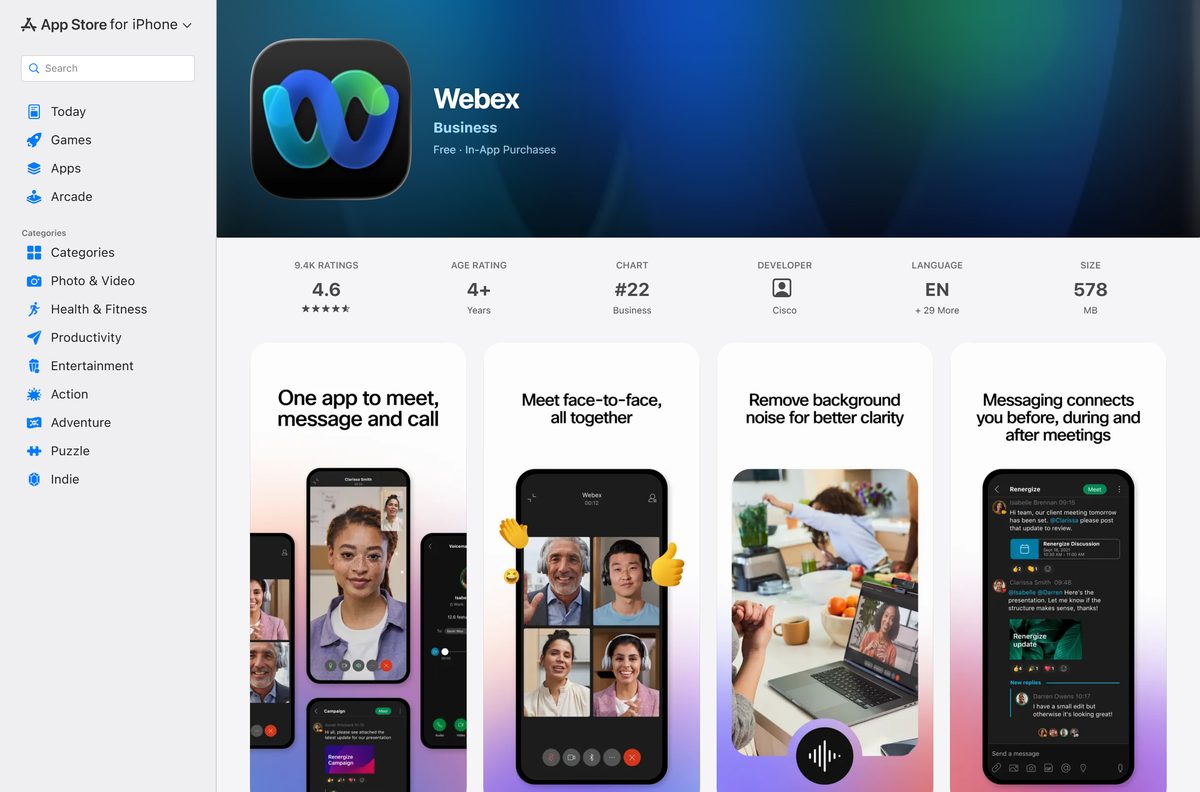
| iPhone or iPad | Webex on the App Store | 578 MB |
| Android phone or tablet | Webex on Google Play | Varies by device |
| A PC where you cannot install anything | Webex App for Web | No download |
Not sure which Windows build you have? Open Settings, select System, then About, and read System type. It says x64-based or ARM-based.
Download Webex for Windows 11 and 10 from the official source
The downloads page picks a file for you. These links name the exact installer instead, and all of them sit on Cisco’s binaries.webex.com server.
- Webex.msi (64-bit, all languages) — 260.4 MB
- Webex_en.msi (64-bit, English only) — 259.9 MB
- Webex.msi (ARM64, all languages) — 217.0 MB
- Webex downloads page — Windows, Mac, iPhone, iPad and Android in one place
- Webex App installation guide for admins — lists every installer and command-line option
The localized MSI installs the app in your Windows display language. Pick the English-only file when you want the same language on every PC.
How to install Webex on Windows 11 and 10
A personal PC needs no administrator rights for this install.
- Open Settings, select System, then About, and note whether System type says x64-based or ARM-based.
- Download Webex.msi for that system type from the links above or from the Webex downloads page.
- Open your Downloads folder and double-click Webex.msi.
- Follow the setup prompts and accept the license agreement.
- Wait for the installer to finish, then open Webex from the Start menu.
- Enter your email address to sign in, or sign up for a free account.
- Join a meeting from its link, or start one from the Meetings area.
Webex App relies on the Microsoft Edge WebView2 runtime. If Webex will not open after setup, the fix section below covers it.
Install Webex with winget from the command line
Cisco’s desktop app is listed in the Windows Package Manager as Cisco.Webex, and the manifest already carries build 46.9.0.35800.
- Right-click Start and select Terminal.
- Run winget install Cisco.Webex and accept the source agreement if asked.
- Wait for winget to download and run the installer.
- Run winget upgrade Cisco.Webex later to move to a newer build.
- Open Webex from the Start menu and sign in.
Run winget show Cisco.Webex first to see which build winget will install.
Download the Webex MSI package for deployment
IT teams use the same MSI with msiexec. ALLUSERS=1 switches to a per-computer install, and EMAIL= prefills the sign-in address.
| Package | Architecture | Size |
|---|---|---|
| Webex.msi (localized) | x64 | 260.4 MB |
| Webex_en.msi (English only) | x64 | 259.9 MB |
| Webex.msi (localized) | ARM64 | 217.0 MB |
A silent per-computer install is msiexec /i Webex.msi ALLUSERS=1 ACCEPT_EULA=TRUE /qn , and msiexec /x Webex.msi removes it again.
Cisco lists the full set of MSI parameters, plus the VDI downloads, in its installation and automatic upgrade guide. Control Hub lets an organization set how often the app updates.
Which Webex download do you need for your Mac?
Open the Apple menu and select About This Mac. A Chip line naming Apple means Apple silicon; a Processor line naming Intel means the Intel build.
| Your Mac | Download | Size |
|---|---|---|
| Apple silicon | Webex.dmg, Apple silicon | 207.2 MB |
| Intel processor | Webex.dmg, Intel | 240.7 MB |
| Apple silicon Macs you manage centrally | Webex.pkg, Apple silicon | 207.7 MB |
| Intel Macs you manage centrally | Webex.pkg, Intel | 241.3 MB |
| macOS 11 Big Sur or older | Use Webex App for Web | Desktop app needs macOS 12 |
Double-click Webex.dmg and move Webex into Applications. Any other folder works too. On macOS Sequoia 15, the app must be version 44.9 or later.
Is Webex free?
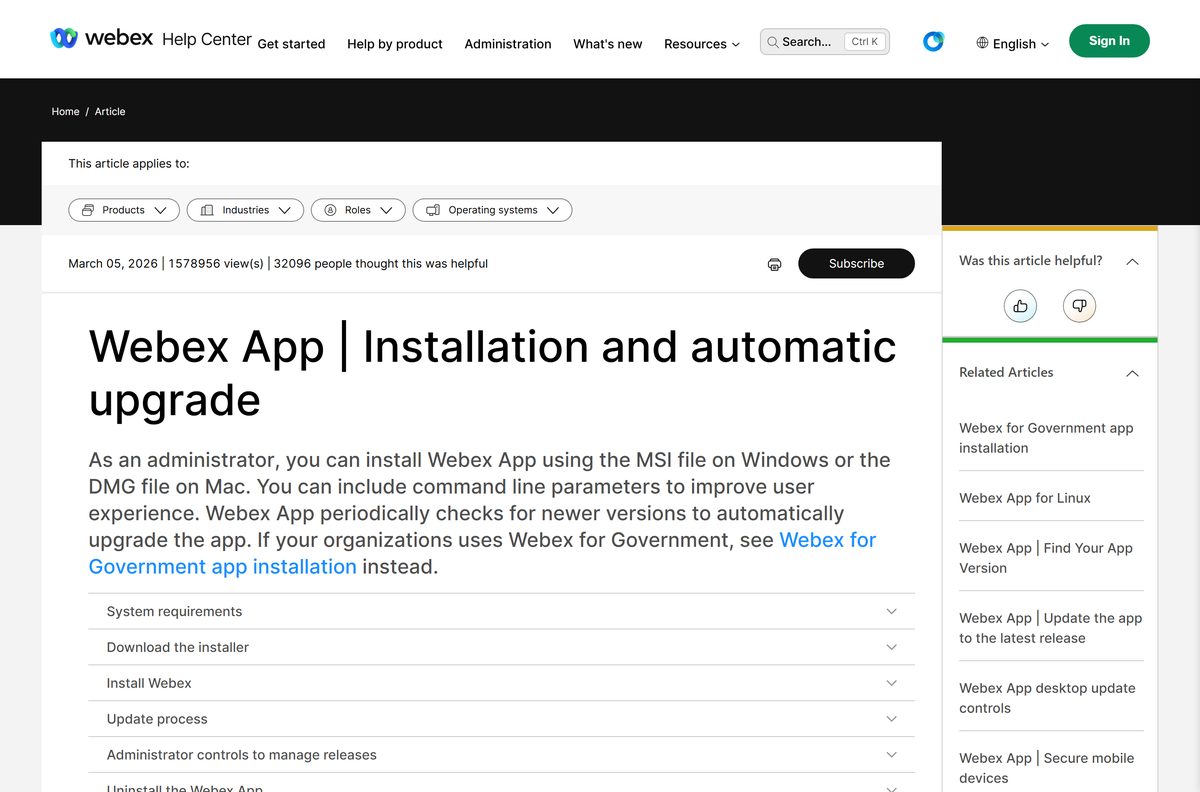
Yes. Webex Free costs nothing, needs no paid licence, and uses the same desktop app as every paid plan. Webex Free allows unlimited meetings of up to 40 minutes, with up to 100 attendees, local recording and unlimited messaging. Webex Meet costs $144 per user per year ($12 a month) and raises meetings to 24 hours and 200 attendees. Webex Suite adds a business phone number for $270 per user per year, and Webex Enterprise goes to 1,000 attendees through sales. Current prices are on the Webex pricing page.
Should you install the Webex app or join in a browser?
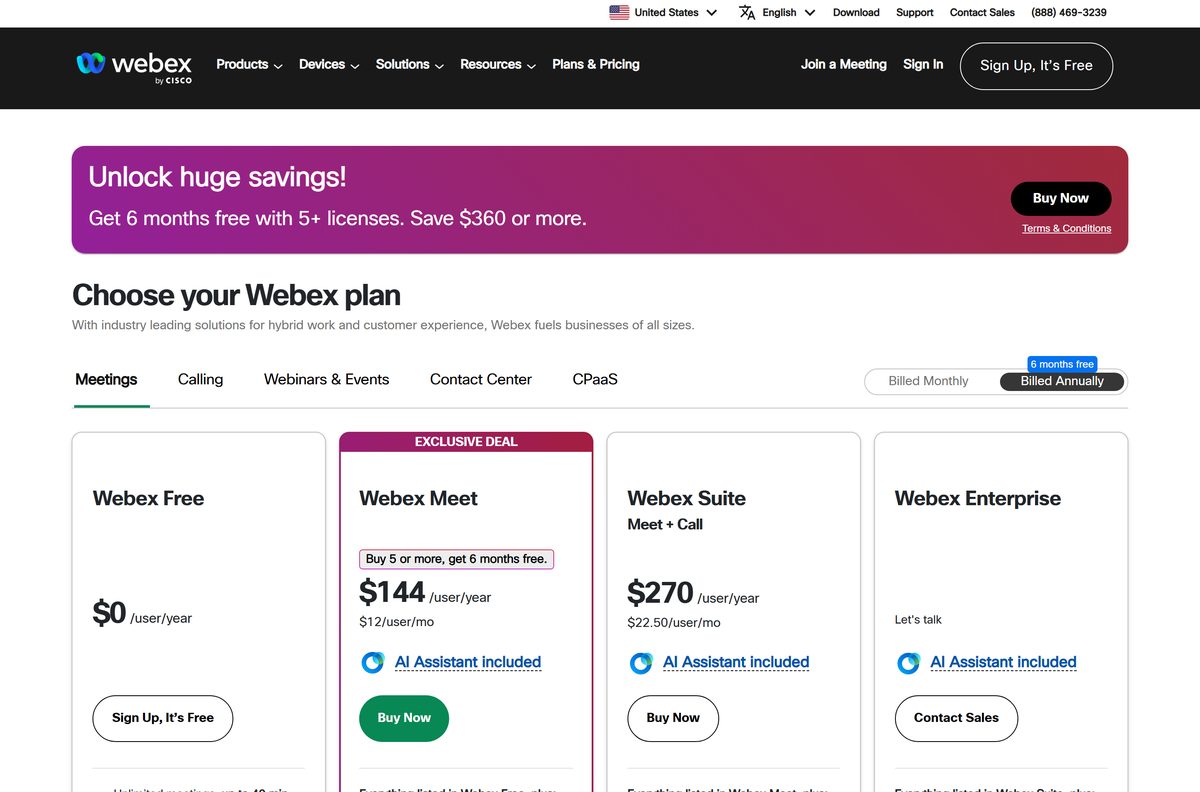
Install the desktop app if you host meetings, message a team or join more than occasionally. Webex App for Web needs no install, so it suits a locked-down work PC or a Mac older than macOS 12. The desktop app runs outside the browser and supports virtual backgrounds on capable hardware. On a phone, install Webex for iPhone and iPad or Webex for Android; your spaces and messages stay in sync across devices.
How to check your Webex version and update it
Webex App checks for new builds on its own. A new release reaches everyone over 7 days, so you can pull it early by hand.
- Open Webex and sign in.
- Select your Profile picture, then Help, then About to see the version.
- Select Check for updates.
- Select Get update when a newer build is offered.
- Select Restart now to install it, or I’ll do it later to finish at the next restart.
On an organization account, Control Hub decides how quickly updates arrive, so a colleague can be one build ahead of you.
Check the Webex system requirements before you install
The 64-bit rule on Windows rules out more machines than the hardware does.
| Field | Value |
|---|---|
| Software | Webex App |
| Developer | Cisco Systems, Inc. |
| Latest version | 46.9.0.35800 on Windows and Mac (September 2026 release) |
| Price | Webex Free plan; paid Webex Meet, Webex Suite and Webex Enterprise |
| Supported OS | Windows 10 and later, Windows Server 2016; macOS 12 or later |
| Not supported | 32-bit Windows; macOS 11 and older |
| Architecture | x64 and ARM64 on Windows; Apple silicon and Intel on Mac |
| Hardware | Intel dual-core 2 GHz or AMD processor, 4 GB RAM minimum |
| Virtual backgrounds | Intel Core i3 or AMD Ryzen 5 or better, 8 GB RAM, 64-bit Windows 10 or later |
| Extra component | Microsoft Edge WebView2 runtime |
| Download size | 260.4 MB for the 64-bit MSI, 207.2 MB for the Apple silicon DMG |
| Offline installer | Yes, Webex.msi and Webex.dmg are full packages |
| Official download source | webex.com and binaries.webex.com |
| Last verified | 2026-09-24 |
Fix Webex not installing on Windows 11 or 10
Webex installs but will not open, or shows a blank window
Webex App needs the Microsoft Edge WebView2 runtime, which some trimmed Windows 10 images lack.
- Open the WebView2 download page on Microsoft’s developer site.
- Install the Evergreen Bootstrapper, or the Evergreen Standalone Installer on a PC without internet access.
- Restart the PC and open Webex again.
The installer refuses to run on an older PC
Cisco supports 64-bit Windows only, so a 32-bit copy of Windows cannot run any Webex MSI.
- Open Settings, select System, then About.
- Read System type. A 32-bit operating system cannot run the desktop app.
- Use Webex App for Web on that PC instead.
The wrong file for your processor
The x64 and ARM64 MSIs share one filename, so it is easy to grab the wrong one.
- Check System type for x64-based or ARM-based.
- Delete the old Webex.msi from Downloads.
- Download the matching file from the table at the top of this page and run it.
A managed work PC blocks the install
Company policy often stops per-user installs, and Control Hub can hold back updates.
- Ask IT to push the MSI with ALLUSERS=1 for a per-computer install.
- Until then, join meetings from Webex App for Web in your browser.
How to uninstall Webex from Windows and Mac
Windows uses the normal app list. Mac uses Cisco’s Webex Uninstaller.
- On Windows, open Settings, select Apps, then Installed apps.
- Find Webex, select the … menu, then Uninstall, and confirm.
- On a managed PC, IT can run msiexec /x Webex.msi instead.
- On a Mac, get the Webex Uninstaller from Cisco’s macOS uninstall guide and double-click it.
- Select OK to uninstall. Tick Keep the user files and data first if you want to keep your data.
- Enter your Mac password and wait for the uninstaller to confirm.
What you can use instead of Webex
| Tool | Best for |
|---|---|
| Webex App for Web | Joining a Webex meeting with no install |
| Zoom | Meetings where most guests already use Zoom |
| Microsoft Teams | Teams already working in Microsoft 365 |
The Zoom and Microsoft Teams links go to the Techdows download guides for each app, with their own file sizes and install steps.
Frequently asked questions
Is Webex free to download and use?
Yes. The app costs nothing on Windows and Mac, and the Webex Free plan gives you unlimited meetings of up to 40 minutes with up to 100 attendees. Paid plans such as Webex Meet add longer meetings and more attendees, not a different app.
What is the official Webex download page?
Cisco’s own page at webex.com/downloads covers Windows, Mac, iPhone, iPad and Android. The installer files themselves are served from binaries.webex.com, and Cisco’s help site lists every direct link for administrators.
Does Webex work on Windows 11?
Yes. Cisco supports Webex App on Windows 10 and later, which includes Windows 11, as well as Windows Server 2016. The PC must run 64-bit Windows on an x64 or ARM64 processor.
How big is the Webex download?
The 64-bit Windows installer is 260.4 MB and the ARM64 one is 217.0 MB. On Mac, the Apple silicon Webex.dmg is 207.2 MB and the Intel Webex.dmg is 240.7 MB. The iPhone app is 578 MB.
Is there a Webex offline installer?
Yes. Webex.msi is a full package rather than a web stub, which is why it runs to 260.4 MB on 64-bit Windows. Copy it to a USB drive and it installs on another PC without downloading anything else.
How do you download Webex for a Mac?
Check About This Mac for an Apple or Intel chip, then download the matching Webex.dmg from Cisco. Double-click it and move Webex into Applications. The Mac app needs macOS 12 or later.
Is there a 32-bit or ARM64 version of Webex for Windows?
There is an ARM64 build for Snapdragon X Elite, Snapdragon X Plus and Microsoft SQ1 PCs, but no 32-bit build. On a 32-bit copy of Windows, join meetings from Webex App for Web instead.
Is the Webex download safe?
The files on webex.com and binaries.webex.com come straight from Cisco. The phone apps are published by Cisco on the App Store and Google Play. Copies on third-party download sites carry no such guarantee, so skip them.
Which Webex version is current?
Webex App 46.9.0.35800, part of the September 2026 release, is current on both Windows and Mac. Phone apps are on version 46.9. The desktop app updates itself, and a new release reaches everyone within 7 days.
Why is Webex not installing on a PC?
The usual causes are a 32-bit copy of Windows, the wrong installer for an ARM processor, a missing Microsoft Edge WebView2 runtime, or a company policy that blocks per-user installs. Each has a fix in the troubleshooting section above.






