You can download VirtualBox free for Windows 11, Windows 10, Intel Macs, Apple silicon Macs and Linux. Oracle ships version 7.2.20 as one complete installer per platform.
The base package is open source under GPLv3. The Extension Pack beside it is a separate Oracle licence, free for personal and educational use only.
This guide covers which file to take, installing on Windows and Mac, checking the download against Oracle’s SHA256 list, what the Extension Pack costs a business, and fixes for a setup that fails.
Which VirtualBox download do you need for Windows?
One file covers every supported Windows PC. Everything else on the page is an add-on you install afterwards.
| Your situation | Take this | Size |
|---|---|---|
| Windows 11 or Windows 10 on an Intel or AMD PC | VirtualBox-7.2.20-175154-Win.exe | 169.9 MB |
| You need remote desktop access, webcam passthrough or disk encryption | Oracle_VirtualBox_Extension_Pack-7.2.20.vbox-extpack | 19.1 MB |
| Windows Server 2025 or Windows Server 2022 | The same Windows host package | 169.9 MB |
| A Snapdragon or other Arm laptop running Windows 11 | Windows on Arm hosts, an experimental feature | Not production ready |
| You script VM automation in Python, C++ or Java | VirtualBoxSDK-7.2.20-175154.zip | 14.2 MB |
Install the base package first. The Extension Pack refuses to load until a matching version of VirtualBox is already on the machine.
Check the VirtualBox system requirements before you download
The host has to be 64-bit. Intel processors must support SSE2, which every chip since the Pentium 4 provides.
| Specification | Detail |
|---|---|
| Software | Oracle VirtualBox |
| Developer | Oracle Corporation |
| Latest version | 7.2.20 (build 175154) |
| Licence / price | Free, GPLv3; Extension Pack under Oracle’s Personal Use and Educational License |
| Windows hosts | Windows 11, Windows 10, Windows Server 2025, Windows Server 2022 |
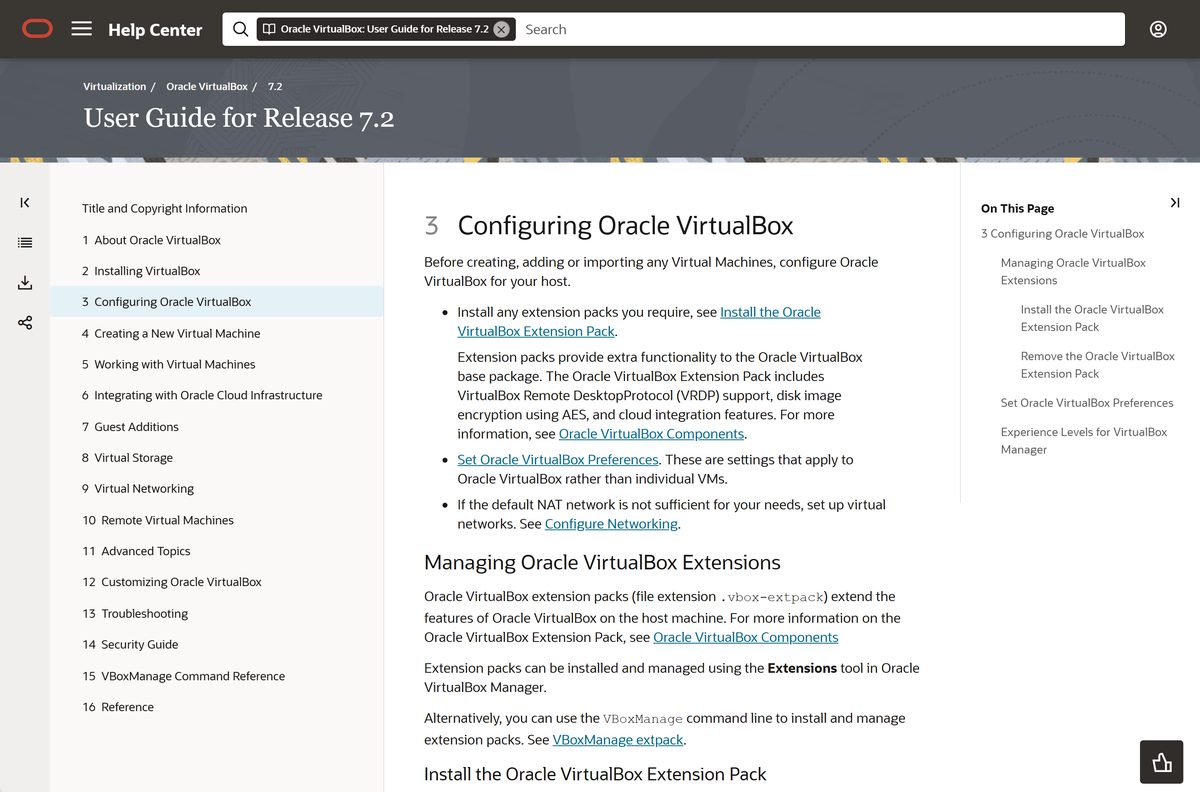
| macOS hosts | macOS 13 Ventura, 14 Sonoma, 15 Sequoia and 26 Tahoe |
| Linux hosts | Oracle Linux and RHEL 8 to 10, Ubuntu 22.04 to 26.04, Debian 11 to 13, Fedora 40 to 44, openSUSE 15.6 and 16.0 |
| Architecture | x86_64 on PCs, Intel Macs and Linux; Arm64 on Apple silicon Macs |
| Processor | SSE2 required on Intel hosts |
| Windows download size | 169.9 MB installer, plus 19.1 MB for the Extension Pack |
| Mac download size | 151.6 MB on Apple silicon, 143.2 MB on Intel |
| Offline installer | Yes, every platform package is a complete standalone file |
| Official download source | virtualbox.org/wiki/Downloads |
| Last verified | 2026-09-22 |
Download VirtualBox from the official Oracle page
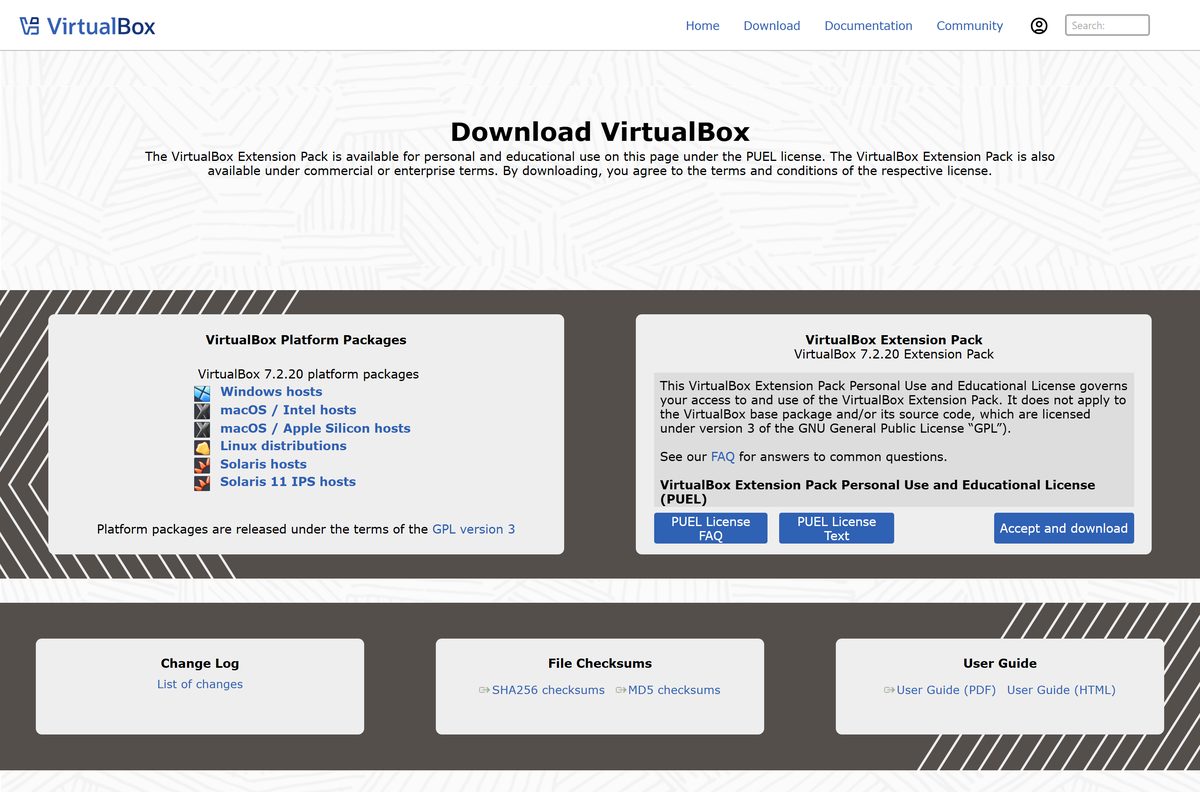
Oracle publishes every package under one release directory, with checksum files beside them. No mirror or download manager is involved.
- VirtualBox-7.2.20-175154-Win.exe — 169.9 MB · Windows 11, Windows 10 and Windows Server
- Oracle_VirtualBox_Extension_Pack-7.2.20.vbox-extpack — 19.1 MB · one file serves every host platform
- Linux host packages and the Oracle apt repository — DEB, RPM and a generic .run installer
- SHA256SUMS for this release — check your file before running it
- Downloads page for every platform — Windows, macOS, Linux, Solaris, SDK and source
The Linux page also lists the Oracle signing key, oracle_vbox_2016.asc , which apt and dnf need before the repository will install anything.
How to install VirtualBox on Windows 11 and 10
Setup installs kernel-level network drivers, so it briefly resets your adapters. Close anything that depends on the network first.
- Open virtualbox.org/wiki/Downloads and select Windows hosts under Platform packages.
- Save VirtualBox-7.2.20-175154-Win.exe , which is 169.9 MB.
- Double-click the saved file and approve the User Account Control prompt.
- Choose the install location and the components you want: USB support, Networking and Python support.
- Select Continue on any unsigned driver warning, or VirtualBox will not work correctly afterwards.
- Let setup finish and open Oracle VirtualBox from its new Start menu group.
- Select Extensions, then Install, and pick the .vbox-extpack file you downloaded.
- Accept the Personal Use and Educational License when the Extension Pack prompts for it.
Python support needs Python 3 already installed on the PC. Skip that component if you never script VirtualBox.
Install VirtualBox with winget instead of the installer
Windows Package Manager carries Oracle’s own build under the identifier Oracle.VirtualBox . There is no Microsoft Store listing for VirtualBox.
- Right-click Start and select Terminal (Admin).
- Run winget install Oracle.VirtualBox and accept the source agreement.
- Wait while winget fetches the installer and runs it silently.
- Run winget list Oracle.VirtualBox to confirm which version landed.
- Install the Extension Pack yourself, because the winget package does not include it.
- Run winget upgrade Oracle.VirtualBox whenever you want the newer build.
The winget manifest currently tops out at 7.2.18, so winget trails the direct download by one release.
Download the VirtualBox MSI for unattended deployment
The Windows package is a wrapper around an MSI. Extract it once and you can push the same file through Intune, SCCM or a logon script.
VirtualBox-7.2.20-175154-Win.exe -extract
msiexec /i VirtualBox-7.2.20-175154-Win.msi Run the first line against the file you saved from the Windows host package to unpack the MSI, then hand the MSI to msiexec . Test it on one machine before a fleet, because the network drivers drop every adapter during install.
How to verify the VirtualBox installer before you run it
Oracle publishes a SHA256 hash for every file in the release. Matching it proves the download arrived intact and unmodified.
- Open the SHA256SUMS file for the release.
- Find the line for your file. The Windows installer is a81777d2b36380ce042a29e9c554cf032eb46a793f62e3cc82e7411e535c2c26 .
- Open Terminal in the folder holding the download.
- Run Get-FileHash .\VirtualBox-7.2.20-175154-Win.exe -Algorithm SHA256 .
- Compare the Hash column with Oracle’s line, ignoring upper and lower case.
- On a Mac, run shasum -a 256 VirtualBox-7.2.20-175154-macOSArm64.dmg instead.
- Delete the file and download it again if the two strings differ.
Oracle also publishes an MD5SUMS file in the same folder. Use the SHA256 list, since MD5 collisions are trivial to manufacture.
Which VirtualBox download do you need for your Mac?
Two separate disk images exist, and they are not interchangeable. Open the Apple menu and select About This Mac to read your chip.
| Your Mac | Download | Size |
|---|---|---|
| Apple M1, M2, M3 or M4 on macOS 13 or later | VirtualBox-7.2.20-175154-macOSArm64.dmg | 151.6 MB |
| Intel Mac on macOS 13 or later | VirtualBox-7.2.20-175154-OSX.dmg | 143.2 MB |
| Either Mac, once VirtualBox is installed | Oracle_VirtualBox_Extension_Pack-7.2.20.vbox-extpack | 19.1 MB |
Double-click the disk image, then double-click VirtualBox.pkg inside it. The installer adds an icon to your Applications folder.
An Apple silicon Mac runs Arm64 guests only. Windows 11 on Arm has premier support there, and x86 operating systems will not boot.
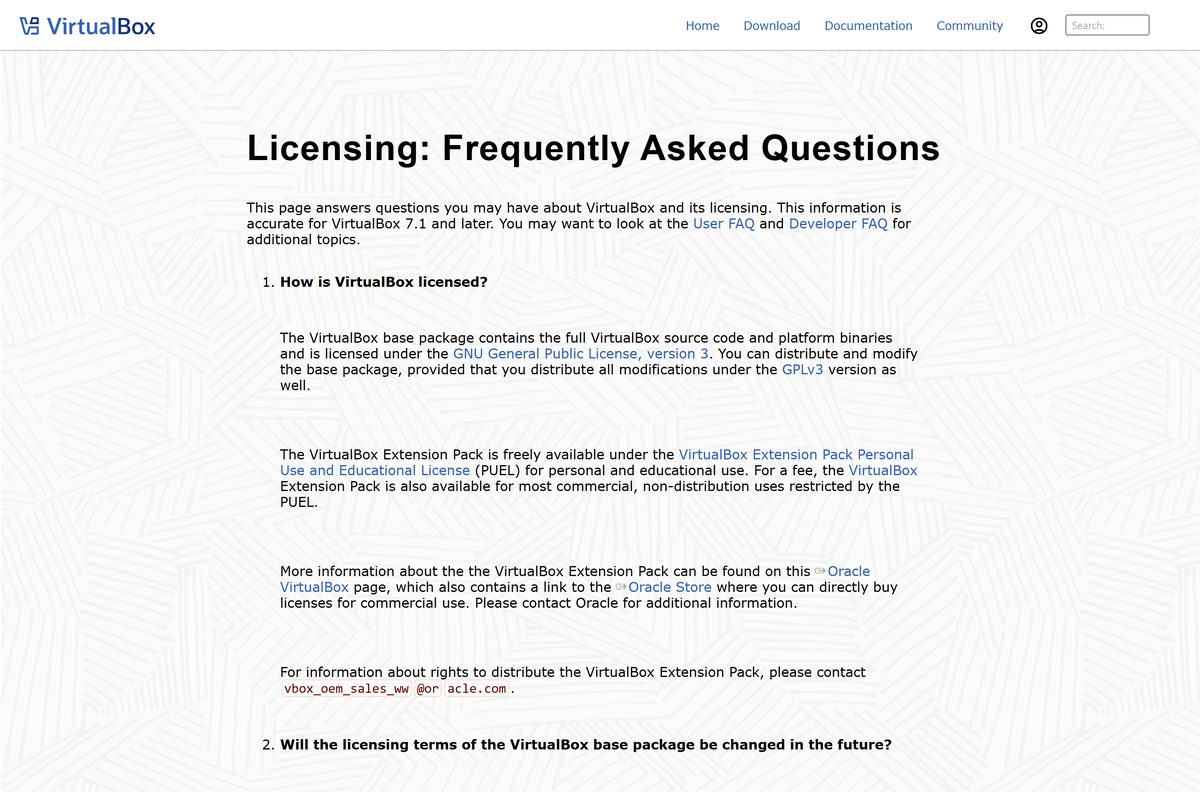
Is VirtualBox free?
Two licences sit on the same download page, and only one of them is open source.
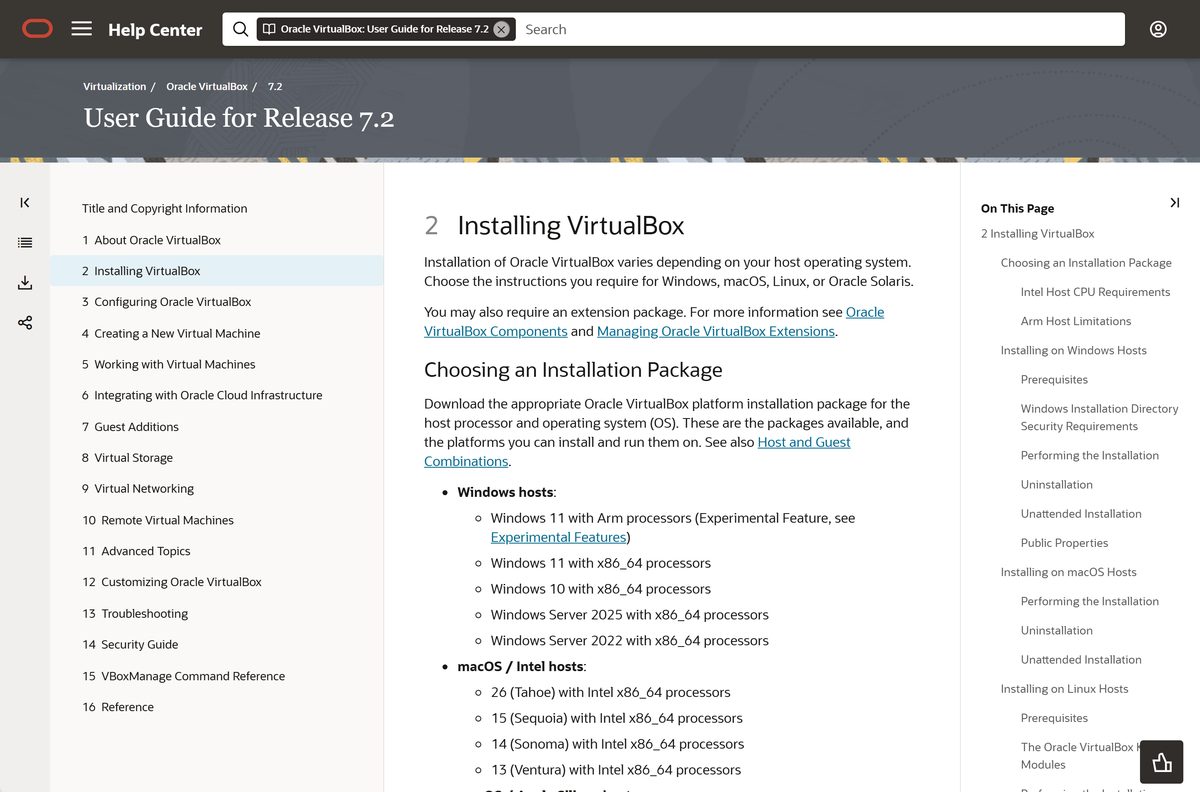
Yes for the VirtualBox base package, which is GPLv3 and free for any use, including at work. The Extension Pack is different. Oracle licenses it under the Personal Use and Educational License, version 12 of 22 July 2024, which grants a free licence for personal use or for teachers and students. That licence expressly excludes commercial purposes and any use on behalf of a business, organisation, governmental organisation or educational institution, so a company that installs it needs an Enterprise licence from Oracle.
Redistributing the Extension Pack binaries needs a separate licence from Oracle as well. The base package carries no such limit.
Nobody sells VirtualBox. A page charging for a download, or bundling an installer with a “download assistant”, is not Oracle.
Should you install VirtualBox 7.2 or stay on 7.1?
Install the 7.2 branch. Oracle marks 7.1.x as no longer supported, and the branch stopped at 7.1.18 on 21 April 2026. The 7.2 branch keeps receiving maintenance builds and is the only one that supports Apple silicon hosts and macOS 26 Tahoe. Older builds stay on the site for people pinned to a legacy VM configuration, not as an ordinary download.
Upgrading between branches keeps your virtual machines. Update the Extension Pack at the same time, because it must match the base version exactly.
How to check your VirtualBox version and update it
VirtualBox checks for updates on its own, but only on the schedule you set in preferences.
- Open Oracle VirtualBox and shut down every running virtual machine.
- Select Help, then About VirtualBox to read the version and build number.
- Select File, then Preferences, then Update to turn on the automatic check.
- Select Check Now to query Oracle for a newer build.
- Download the new installer and run it over the top of your existing install.
- Open Extensions and install the matching Extension Pack for the new version.
- Start a virtual machine and reinstall Guest Additions from the Devices menu.
Guest Additions ship inside the host install, so a host upgrade leaves every guest one version behind until you reinstall them.
What VirtualBox can run as a guest operating system
The guest list depends on the host processor, not on the host operating system. Oracle splits support into premier and limited tiers.
| Host | Premier support guests | Limited support guests |
|---|---|---|
| x86_64 PC, Intel Mac or Linux | Windows 11, Windows Server 2025 and 2022, Oracle Linux and RHEL 8 to 10 | Windows 10 back to XP, Windows Server 2019 to 2003, Ubuntu 14.04 to 24.10, SUSE Linux Enterprise 12 and 15, Oracle Solaris 10 and 11, OS/2 Warp 4.5 |
| Apple silicon Mac (Arm64) | Windows 11 Arm, on macOS hosts only | Oracle Linux and RHEL 7 to 10, Debian 11 and 12, Ubuntu 18.04 to 24.10, SUSE Linux Enterprise 12 and 15 |
Turn on I/O APIC for any 64-bit guest, and give 64-bit Windows guests the Intel network adapter rather than the AMD PCNet card.
Fix VirtualBox not installing or running on Windows 11 or 10
Virtual machines crawl, or refuse to start, after a Windows update
Hyper-V has claimed the processor’s virtualisation extensions. VirtualBox then runs without them.
- Open Turn Windows features on or off from the Start menu.
- Clear Hyper-V, Virtual Machine Platform and Windows Hypervisor Platform.
- Select OK and restart the PC.
- Open Windows Security, then Device security, then Core isolation details.
- Turn Memory integrity off and restart again.
- Start the virtual machine and confirm the status bar no longer reports a software-only run.
Setup fails and the log mentions error 0x8004a029
Windows allows a maximum of 14 network filter drivers, and the limit is already reached.
- Open Registry Editor and go to HKEY_LOCAL_MACHINE\SYSTEM\CurrentControlSet\Control\Network .
- Set MaxNumFilters to 14.
- Restart the PC.
- Run the installer again.
Bridged or host-only adapters are missing after install
A corrupt driver information cache stops Windows finding the sun_VBoxNetFlt or sun_VBoxNetAdp driver.
- Check %windir%\inf\setupapi.dev.log for a failure against those driver names.
- Uninstall VirtualBox from Settings, then Apps.
- Delete %windir%\inf\INFCACHE.1 .
- Restart the PC and install VirtualBox again.
A CD or DVD swap inside a virtual machine is ignored
The Windows media change notification feature is switched off on the host.
- Open Registry Editor and go to HKEY_LOCAL_MACHINE\System\CurrentControlSet\Services\Cdrom .
- Set Autorun to 1 if it currently reads 0.
- Restart the PC.
How to uninstall VirtualBox from Windows 11 and 10
Removing VirtualBox leaves your virtual machines on disk. Delete them yourself if you want the space back.
- Open Oracle VirtualBox, select Extensions, select the Extension Pack and select Uninstall.
- Close VirtualBox and end any VBoxSVC.exe process still running.
- Open Settings, then Apps, then Installed apps.
- Find Oracle VirtualBox and select Uninstall.
- Restart the PC so the network filter drivers unload.
- Delete the VirtualBox VMs folder in your user profile to reclaim the disk images.
- Delete the hidden .VirtualBox folder in your user profile to clear settings and logs.
The command line route is VBoxManage extpack uninstall followed by the MSI removal, which suits a scripted teardown.
What to use instead of VirtualBox on Windows and Mac
Turn on Hyper-V if you run Windows 11 Pro or Enterprise and only need Windows or Linux guests. Hyper-V is built into Windows as an optional feature, so there is nothing to download, and Microsoft enables it from Turn Windows features on or off. It needs a 64-bit processor with Second Level Address Translation, VM Monitor Mode Extension support and at least 4 GB of memory. Windows 11 Home and Windows 10 Home cannot run it, and Microsoft warns that Hyper-V and VirtualBox conflict when the hypervisor is active. Keep VirtualBox if you need a Mac build, a Linux host, or guests older than Windows 10.
There is no VirtualBox for iPhone, iPad, Android or ChromeOS. Oracle ships host packages for Windows, macOS, Linux and Solaris only.
Frequently asked questions
Is VirtualBox free?
Yes. The base package is free and open source under GPLv3, with no user limit and no cost for business use. The separate Extension Pack is free only for personal and educational use, and a company needs an Enterprise licence from Oracle.
What is the official VirtualBox download page?
virtualbox.org/wiki/Downloads is Oracle’s own page, and every file it links sits on download.virtualbox.org. It carries the Windows, macOS, Linux and Solaris packages, the Extension Pack, the SDK, the checksums and the source code.
Does VirtualBox work on Windows 11?
Yes. Oracle lists Windows 11 and Windows 10 on x86_64 processors, plus Windows Server 2025 and 2022, as supported hosts. Windows 11 on Arm hardware is listed as an experimental feature rather than a supported one.
How big is the VirtualBox download?
The Windows installer is 169.9 MB. The Apple silicon disk image is 151.6 MB and the Intel Mac image is 143.2 MB. The Extension Pack adds 19.1 MB and the SDK archive is 14.2 MB.
Is there a VirtualBox offline installer?
Yes. Every platform package is already a complete standalone file, so nothing is fetched while setup runs. Copy the installer and the Extension Pack to a USB stick and both install on a machine with no internet connection.
How do you download VirtualBox for Mac?
Open the downloads page and pick the image that matches your chip. Apple silicon Macs take the macOSArm64 disk image, and Intel Macs take the OSX image. Both need macOS 13 Ventura or later.
Does VirtualBox run on Apple silicon?
Yes, on macOS 13 or later, using the dedicated Arm64 build. That host runs Arm64 guests only: Windows 11 Arm has premier support, several Linux distributions have limited support, and x86 guests will not boot.
Is VirtualBox 64-bit only?
Yes. Every current host package is 64-bit. Windows, Linux and Intel Macs use x86_64 builds, and Apple silicon Macs use an Arm64 build. There is no 32-bit host package in the 7.2 branch.
Is VirtualBox safe to download?
Take it from virtualbox.org and the file is Oracle’s own build. Oracle publishes SHA256 and MD5 checksum files beside every package, so you can confirm the installer matches before you run it.
What is the latest VirtualBox version?
The current release is 7.2.20, build 175154. The previous branch ended at 7.1.18 on 21 April 2026 and Oracle marks it as no longer supported.
Why will VirtualBox not install on Windows 11?
The common causes are a full network filter driver list, which logs error 0x8004a029, and a corrupt driver cache that hides the VirtualBox network drivers. Raise MaxNumFilters to 14, or delete INFCACHE.1, then reinstall.
Can you install VirtualBox with winget?
Yes. Run winget install Oracle.VirtualBox from an elevated terminal. The package carries Oracle’s own installer but lags the website slightly, and it never includes the Extension Pack, so install that separately.
Do you need the VirtualBox Extension Pack?
Only for the VirtualBox Remote Desktop Protocol server, host webcam passthrough, the Intel PXE boot ROM, AES disk image encryption and cloud integration. Ordinary virtual machines run without it, and the base package is untouched by its licence.
How do you install VirtualBox on Linux?
Oracle publishes DEB and RPM packages for Ubuntu, Debian, Fedora, openSUSE, Oracle Linux and RHEL, plus a generic .run installer. Adding Oracle’s apt or dnf repository and its 2016 signing key keeps the package updated with the system.

How to install Windows 95 virtual machine on VirtualBox: complete setup guide - Techdows
[…] current Oracle VirtualBox release on Windows, macOS, Linux or […]