A Unity game engine download starts with Unity Hub, a 184.4 MB installer from unity.com that then fetches the editor version you choose. The Hub runs on Windows 11, Windows 10 and macOS 12 or later, and Unity Personal costs nothing under the licence ceiling.
Unity Hub 3.22.4 is the current release, published on 22 October 2026. Two editor lines sit behind it: Unity 6.6 (6000.6.7f1), which Unity flags as recommended, and Unity 6.3 LTS (6000.3.27f1).
Below: the right file for your machine, the Hub and editor installs, Apple silicon builds, licence limits, module sizes and fixes.
Which Unity download do you need, the Hub or an editor installer?
Unity Hub installs editor versions and switches between them. The engine itself arrives afterwards, as a multi-gigabyte editor build the Hub pulls down.
| What you are installing | File | Download size |
|---|---|---|
| Windows 11 or Windows 10 on an Intel or AMD chip | UnityHubSetup-3.22.4-x64.exe | 184.4 MB |
| Windows 11 on an Arm chip | UnityHubSetup-3.22.4-arm64.exe | 175.2 MB |
| A Mac with Apple silicon | UnityHubSetup-3.22.4-arm64.dmg | 158.1 MB |
| A Mac with an Intel processor | UnityHubSetup-3.22.4-x64.dmg | 174.3 MB |
| The engine on a machine that will not run the Hub | UnitySetup64-6000.6.7f1.exe | 3.59 GB |
None of the four Hub files contain the engine. Budget 8.34 GB of disk for the Windows x64 editor alone.
Download Unity Hub from the official unity.com pages
The download page asks for a Unity ID before it hands over a file. Creating one costs nothing.
- Unity download page — sign in, then pick the Windows or Mac link
- Unity Hub for Windows, x64 — 184.4 MB · Windows 10 version 21H1 or later and Windows 11
- Unity Hub for Windows on Arm — 175.2 MB · native Arm64 build, no emulation
- Unity download archive — every published editor with a Hub install link
- Unity Hub release notes — 3.22.4 landed on 22 October 2026
Editor files come from download.unity3d.com and Hub files from public-cdn.cloud.unity3d.com. Any other host is repackaging them.
Which Unity download do you need for your Mac?
Open the Apple menu and choose About This Mac. Apple silicon lists an item called Chip; an Intel Mac lists Processor.
| Your Mac | File | Download size |
|---|---|---|
| Apple silicon, installing the Hub | UnityHubSetup-3.22.4-arm64.dmg | 158.1 MB |
| Intel Mac, installing the Hub | UnityHubSetup-3.22.4-x64.dmg | 174.3 MB |
| Apple silicon, editor without the Hub | Unity-6000.6.7f1.pkg, Apple silicon build | 4.66 GB |
| Intel Mac, editor without the Hub | Unity-6000.6.7f1.pkg, Intel build | 4.68 GB |
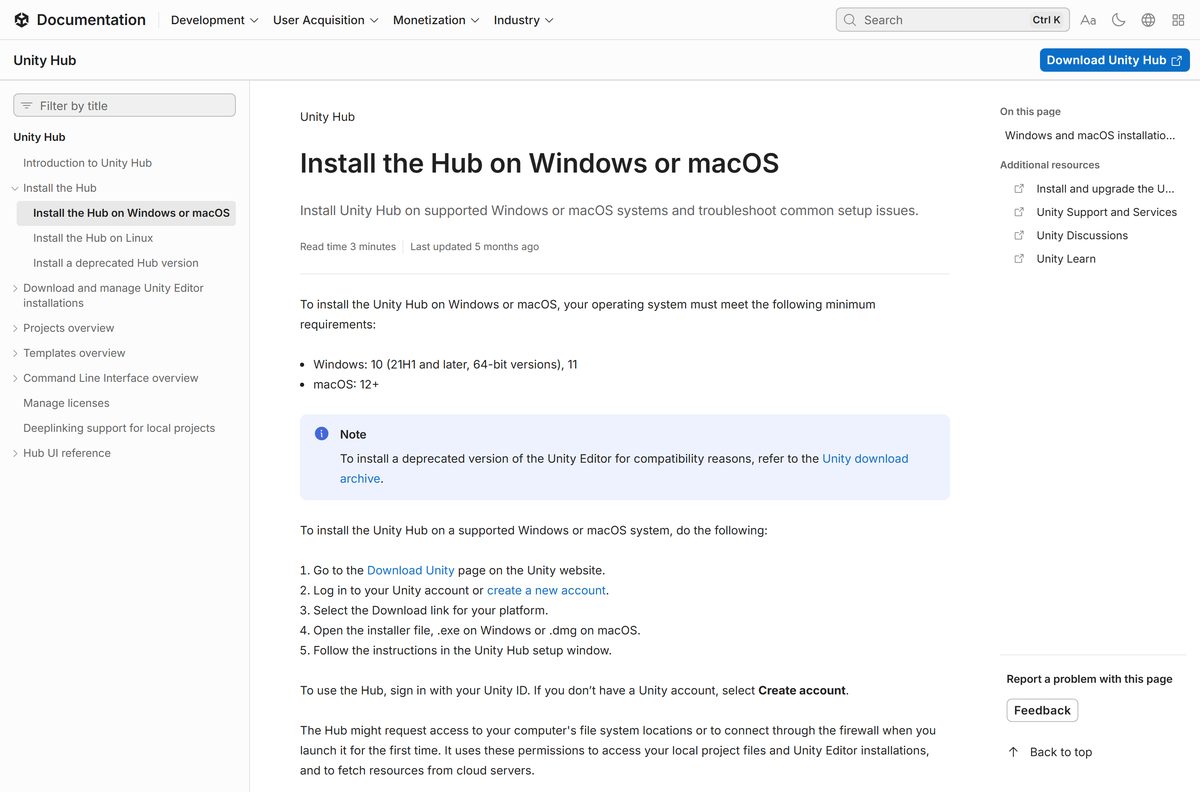
The Hub installs on macOS 12 or later, but the editor needs Ventura 13 or newer. Rosetta 2 has to be present on Apple silicon, for either editor build.
How to install Unity on Windows 11 and Windows 10
- Open the Unity download page and sign in, or select the sign-up link to make a Unity ID.
- Select the Download link for Windows and run the Hub installer.
- Work through the Unity Hub Setup window and accept the default folder.
- Launch the Hub and sign in with the same Unity ID.
- Open Settings, select Licenses, then Add license and Get a free personal license.
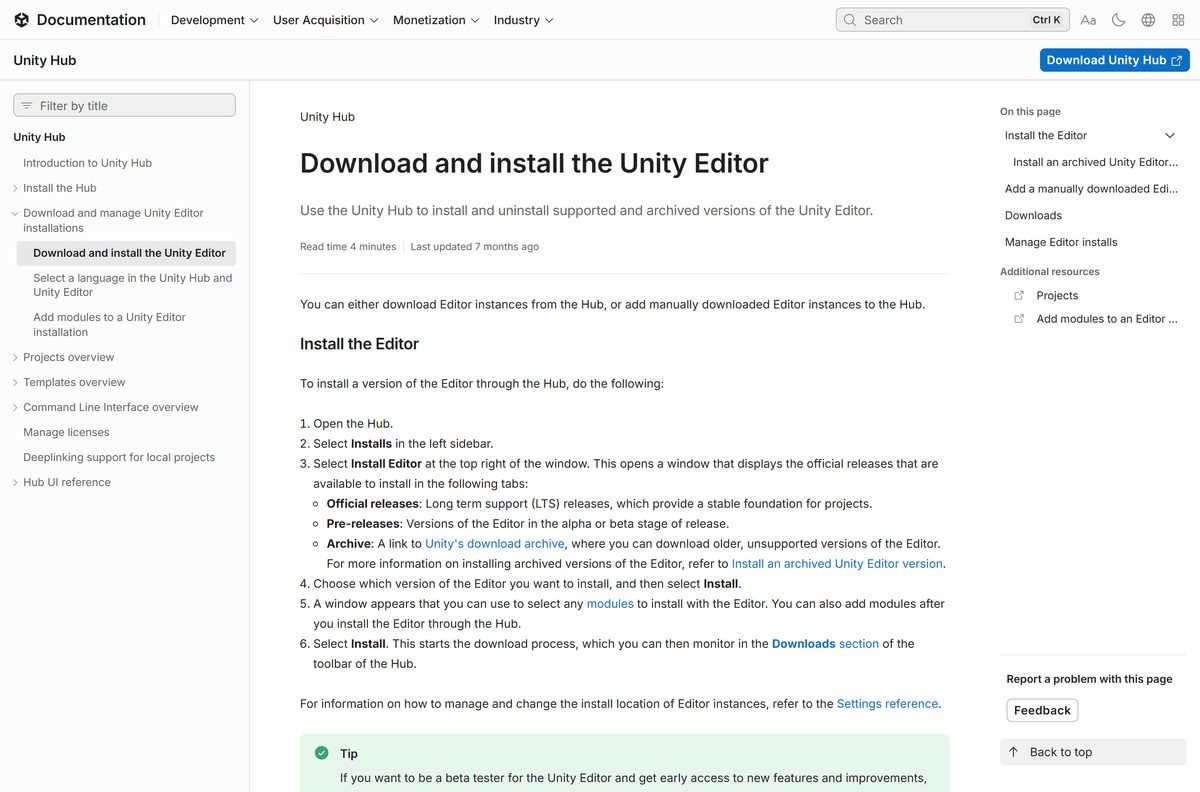
- Select Installs in the sidebar, then Install Editor at the top right.
- Pick a build on the Official releases tab and select Install.
- Tick the modules you need, select Install, and track the job under Downloads in the toolbar.
Microsoft Visual Studio Community 2026 is ticked for you on the module screen and adds 1,621 MB. Clear it when a C# editor is already set up.
How to install the Unity Editor without the Hub
Every release also has a standalone installer that writes the engine straight to disk. It carries the whole editor, so it finishes on a machine with no connection.
- Open the Unity download archive and find the release you want.
- Take the installer for it, such as UnitySetup64-6000.6.7f1.exe.
- Copy the 3.59 GB file to the offline machine on a USB drive.
- Run the installer and accept the licence terms.
- Choose a folder outside C:\Program Files\Unity\Hub\Editor to keep it apart from Hub-managed builds.
- Open the Hub later, select Installs, then Locate, and point it at that folder.
Build modules are separate files in the same release folder. Collect the ones you need first.
How to verify the Unity installer you downloaded
Unity’s release API publishes an MD5 digest beside every editor download. Comparing it against the file on disk proves the transfer finished intact.
- Open Windows Terminal on a PC, or Terminal on a Mac.
- On Windows, run certutil -hashfile UnitySetup64-6000.6.7f1.exe MD5 .
- On a Mac, run md5 -q Unity-6000.6.7f1.pkg .
- Compare the Windows x64 editor against 75688028a67f622bb9c50f6d2d0bd744 .
- Read the digest for any other build from the release API.
- Delete the file and fetch it again when the digests differ.
The Hub files have their own record in latest.yml, with a SHA-512 digest and a byte count for each.
How to install Unity on a build machine from the command line
unity install lts -m ios android webgl The Hub ships a tool named unity and keeps it updated. That line installs the current LTS editor with the iOS, Android and Web modules, with no Hub window. Run unity editors -i to list what is already there. The Unity CLI guide documents every flag.
The older Hub CLI, called with — –headless install , is deprecated from Unity Hub 3.18.0. New scripts should target the unity binary.
Should you install Unity 6.6 or Unity 6.3 LTS?
Install the Unity 6.6 Supported release for a new project, and Unity 6.3 LTS for anything already in production. Unity’s release API flags 6000.6.7f1 as the recommended build, and Supported releases take weekly patches under the same QA as LTS. Those patches stop once the next release ships, while 6.3 LTS keeps them until December 2027, with a third year on Enterprise and Industry plans.
Tech Stream has gone as a label. It covered early testing of unfinished features, and Supported releases replaced it on the LTS patch cadence.
Is Unity free?
Unity Personal is free while revenue and funds raised stay under $200,000 USD across the last 12 months. Past that figure, Unity Pro costs $210 per month and Unity Enterprise takes over above $25 million in the same window. Unity Industry covers work outside games and entertainment once company finances pass $1 million.
Console support is the other paywall: PlayStation, Xbox and Switch modules need an active Pro subscription and platform-holder approval.
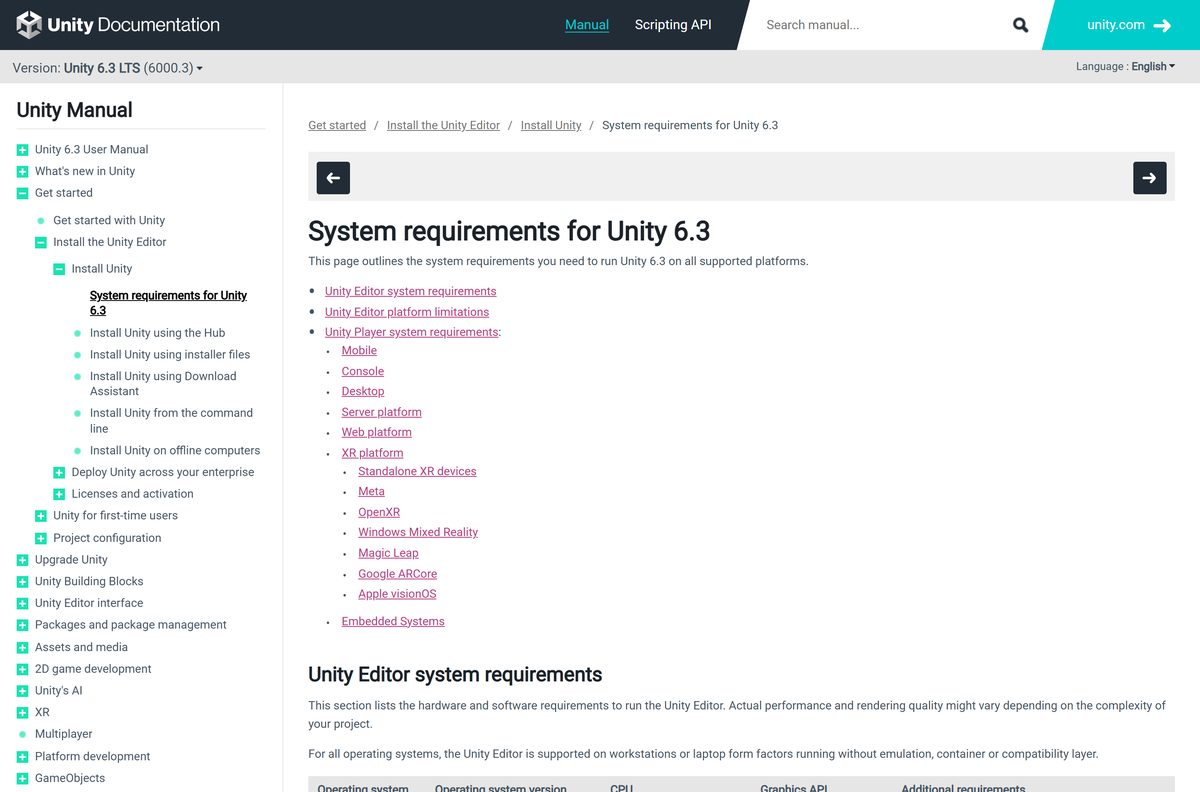
Check the Unity system requirements before you download
| Field | Value |
|---|---|
| Developer | Unity Technologies |
| Latest version | Unity Hub 3.22.4, Unity 6.6 editor (6000.6.7f1) |
| Licence | Unity Personal free under $200,000; Pro $210 per month |
| Windows | Windows 10 version 21H1 (build 19043) or newer on x64; Windows 11 21H2 (build 22000) or newer on Arm64 |
| macOS | Ventura 13 or newer for the editor, macOS 12 or later for the Hub |
| Processor and graphics | x64 with SSE2 or Arm64, Apple M1 and above; DX10 or Metal GPU |
| Hub download | UnityHubSetup-3.22.4-x64.exe, 184.4 MB |
| Editor download | UnitySetup64-6000.6.7f1.exe, 3.59 GB, 8.34 GB on disk |
| Installs to | C:\Program Files\Unity\Hub\Editor or /Applications/Unity/Hub/Editor |
| Offline installer | Yes for the standalone editor, no for Hub-managed installs |
| Official download source | unity.com |
| Last verified | 2026-10-25 |
Lightmapping is GPU-only on Apple silicon and on Windows on Arm, where Vulkan is also absent.
What Unity can build for, and what each module costs on disk
| Module | Download | Installed |
|---|---|---|
| Editor with Windows player support | 3.59 GB | 8.34 GB |
| Android Build Support | 1,269.8 MB | 5.45 GB |
| Web Build Support | 1,069.2 MB | 5.62 GB |
| iOS Build Support | 589.6 MB | 2.65 GB |
| Mac Build Support (Mono) | 509.1 MB | 2.1 GB |
Those figures are for the Windows x64 6.6 editor. Console modules sit behind a Pro subscription.
Fix Unity not downloading or installing on Windows 11 or 10
The download page shows a sign-in screen instead of a file
Unity puts the Hub download behind a Unity ID.
- Select the sign-up link on the download page.
- Confirm the address from the email Unity sends.
- Return to the page and select the link for your platform.
The Hub installer fails on Windows 10
Mandatory ASLR blocks the installer process.
- Open Windows Security, then App & browser control.
- Select Exploit protection settings, then the Program settings tab.
- Add an override for UnityHubInstaller.exe and for UnityDownloadAssistant.exe.
- Run the installer again, and repeat the override for each new Hub version.
An editor download fills the system drive
The Hub stages downloads in the system temp directory by default.
- Open Settings, then Installs.
- Set Downloads location to a drive with room for a 3.59 GB archive.
- Set Installs location to the same drive; it applies to new installs only.
- Lower Concurrent downloads when several modules are queued.
The install stops with a checksum error
The staged archive did not match the digest Unity published for it.
- Update the Hub to 3.22.4, which fixed checksum failures on Unity 6 Preview installs.
- Delete the partial file from the Downloads location.
- Start again from Installs, then Install Editor.
How to uninstall Unity from Windows and Mac
- Close every editor window, then quit the Hub.
- Reopen the Hub, select Installs, and open the Manage dropdown on the build to remove.
- Select Uninstall and confirm.
- Repeat for each editor, because the Hub lists every version separately.
- On Windows, open Settings, Apps, Installed apps, and uninstall Unity Hub.
- On a Mac, drag Unity Hub out of Applications and empty the Bin.
- Delete anything left under C:\Program Files\Unity\Hub\Editor or /Applications/Unity/Hub/Editor .
An editor registered with Locate needs its folder deleted by hand, because Remove only drops the entry from the list.
Which Unity alternative fits when the licence does not?
| Engine | Cost | What triggers the cost |
|---|---|---|
| Unity Personal | Free | Revenue and funds raised under $200,000 in 12 months |
| Unity Pro | $210 per month | Anything above $200,000, and every console build |
| Godot 4.7.2 | Free | MIT licence, so no ceiling and no royalty at any revenue |
| Unreal Engine, games | Free, then a 5% royalty | Above $1 million lifetime gross product revenue |
| Unreal Engine, non-game work | $1,850 per seat per year | Commercial non-game use above $1 million in 12 months |
Epic exempts Epic Games Store sales from its royalty, and Godot asks for donations instead of fees.
Frequently asked questions
Is the Unity game engine free to download?
Yes. Unity Hub and every editor release cost nothing to download, and Unity Personal stays free while revenue and funds raised sit under $200,000 USD across the last 12 months.
What is the official Unity download page?
Unity publishes the Hub at unity.com/download, which asks for a free Unity ID first. Every editor release, current and retired, is listed in the download archive at unity.com/releases/editor/archive.
Does Unity work on Windows 11?
Yes. The editor supports Windows 11 21H2 build 22000 or newer on Arm64 machines, and Windows 10 version 21H1 build 19043 or newer on x64. The Hub installs on Windows 10 21H1 and later.
How big is the Unity download?
Unity Hub is 184.4 MB on Windows x64. The engine is a separate job: the Windows x64 editor for Unity 6.6 downloads 3.59 GB and occupies 8.34 GB once installed, before any build module.
Is there an offline installer for Unity?
Yes, for the editor. Each release has a standalone installer on download.unity3d.com that carries the whole engine and finishes without a connection. Hub-managed installs always pull their files from the internet.
How do you download Unity for Mac?
Pick the Hub disk image that matches the chip: the arm64 file at 158.1 MB for Apple silicon, the x64 file at 174.3 MB for Intel. The editor needs macOS Ventura 13 or newer.
Does Unity have a 64-bit or ARM64 build?
Both, and nothing else. Unity ships x64 and Arm64 builds of the Hub and the editor for Windows, plus separate Apple silicon and Intel builds for macOS. No 32-bit editor exists.
Is Unity safe to download?
Yes, from unity.com. Editor files come from download.unity3d.com and Hub files from public-cdn.cloud.unity3d.com. Unity’s release API publishes an MD5 digest for every editor download, so the bytes can be checked.
What is the latest version of Unity?
Unity Hub 3.22.4 shipped on 22 October 2026. On the engine side, Unity 6.6 arrived as 6000.6.7f1 on 21 October 2026 and carries the recommended flag, while 6000.3.27f1 is the newest 6.3 LTS patch.
Why won’t Unity install on Windows 11 or 10?
Three causes cover most failures: no Unity ID at the download page, Mandatory ASLR blocking the Windows 10 installer, and the system drive filling up because the Hub stages downloads in the temp directory.