You can download MySQL Workbench free from Oracle’s own MySQL site. The current release is 26.7.0, a 261.2 MB MSI installer for Windows and a 301.0 MB disk image for Apple silicon Macs.
The Community Edition carries a GPL licence and costs nothing. Oracle sells commercial editions of the tool inside the paid MySQL Standard Edition and MySQL Enterprise Edition subscriptions.
This guide covers the right file for your machine, the install steps for Windows and Mac, checksum verification, upgrades, uninstalling and the errors that stop a setup.
Check the MySQL Workbench release, licence and system requirements
Oracle ships one build per platform, so the only choice left is the package format.
| Item | Detail |
|---|---|
| Software | MySQL Workbench Community Edition |
| Developer | Oracle Corporation |
| Latest version | 26.7.0 |
| Licence | Free under the GPL; commercial editions ship with paid MySQL subscriptions |
| Windows download | mysql-workbench-26.7.0-winx64.msi (261.2 MB) |
| Mac download | mysql-workbench-26.7.0-macos-arm64.dmg (301.0 MB) |
| Supported Windows | Windows 11 and Windows Server 2022 on x86-64 |
| Supported macOS | macOS 15 Sequoia and macOS 14 Sonoma on Apple silicon |
| Windows prerequisites | Microsoft .NET Framework 4.5.2 and the Visual C++ 2015-2022 Redistributable |
| Install folder | C:\Program Files\MySQL\MySQL Workbench |
| Offline installer | Yes. The MSI, the DMG and both ZIP archives are complete packages |
| Official download page | dev.mysql.com/downloads/workbench |
| Last verified | 22 September 2026 |
Install the two Microsoft prerequisites first if the machine is a fresh Windows build. The system requirements page names both.
Which MySQL Workbench download do you need?
Match the row to the machine in front of you, then take that one file. The download page offers no 32-bit build and no Intel Mac build.
| Your machine | File to take | Size |
|---|---|---|
| Windows 11 or Windows 10, 64-bit PC | mysql-workbench-26.7.0-winx64.msi | 261.2 MB |
| Windows PC where you cannot run an installer | mysql-workbench-26.7.0-winx64.zip | 317.7 MB |
| Mac with an M1, M2, M3 or M4 chip | mysql-workbench-26.7.0-macos-arm64.dmg | 301.0 MB |
| Mac where you prefer an archive to a disk image | mysql-workbench-26.7.0-macos-arm64.zip | 293.8 MB |
| Debian, Ubuntu or another Linux desktop | Debian Linux and Linux – Generic packages | Varies by package |
| Intel Mac or a 32-bit Windows PC | Archived 8.0 releases | Older builds only |
Press Windows + I, open System > About and read System type to confirm a 64-bit PC.
On a Mac, open the Apple menu and select About This Mac. A chip line reading Apple M1 or later means the ARM package fits.
Download MySQL Workbench from the official Oracle page
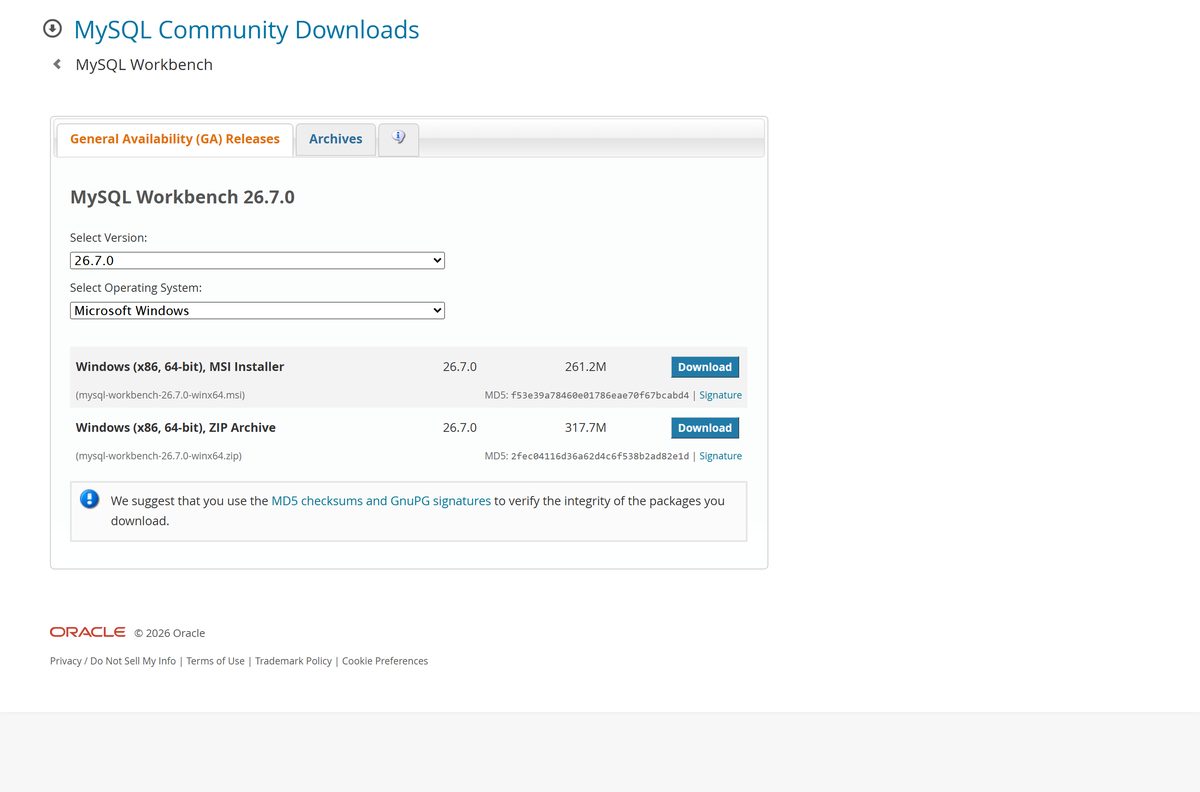
Every file below sits on Oracle’s own MySQL download host. The page hands you an Oracle account form first; the link underneath it skips straight to the file.
- Windows (x86, 64-bit) MSI Installer — 261.2 MB · The normal choice for a desktop install
- Windows (x86, 64-bit) ZIP Archive — 317.7 MB · Unpack and run, no installer needed
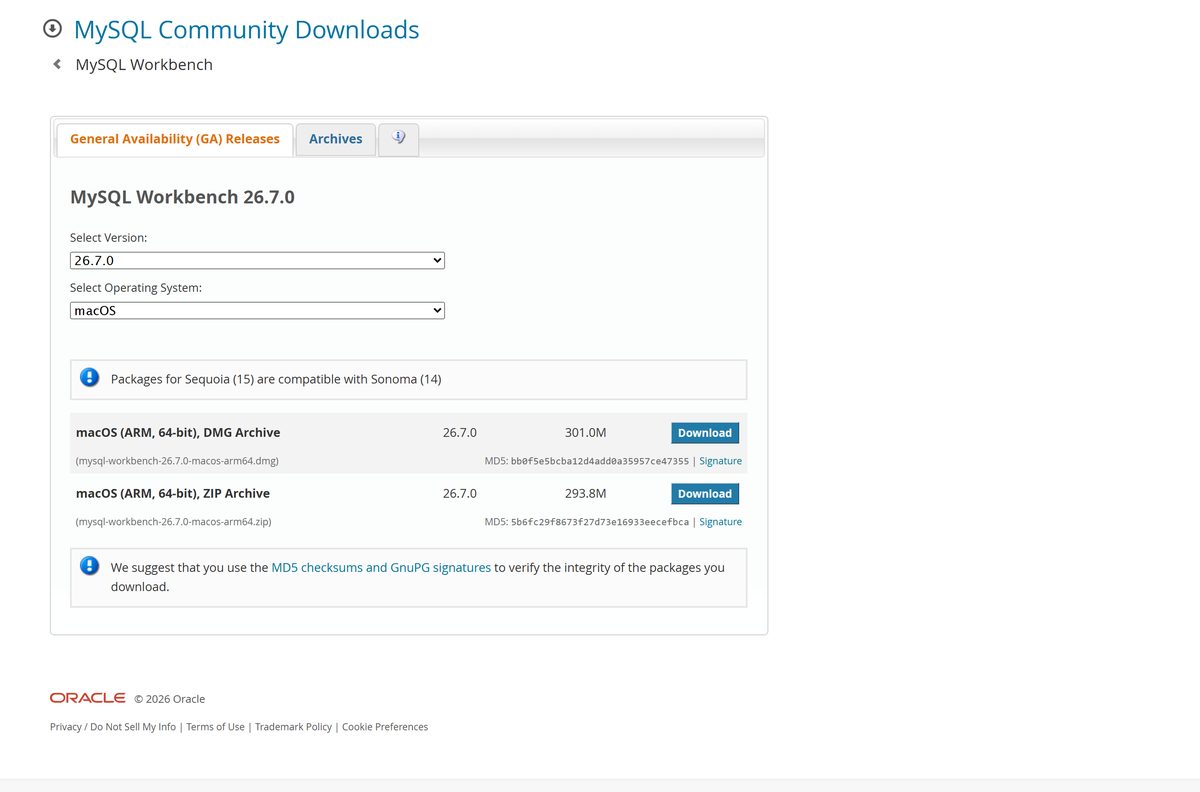
- macOS (ARM, 64-bit) DMG Archive — 301.0 MB · Apple silicon only
- macOS (ARM, 64-bit) ZIP Archive — 293.8 MB
- Linux and source packages — Debian Linux, Linux – Generic and Source Code entries
- Archived releases back to 1.0 — Every 8.0 build, plus 6.3, 5.2 and older
Select No thanks, just start my download. under the sign-in box to download without an Oracle account.
How to install MySQL Workbench on Windows 11 and 10
The MSI needs Administrator or Power User rights. Budget a few minutes; the package is over 250 MB.
- Open the official download page in your browser.
- Set Select Operating System to Microsoft Windows.
- Select Download beside Windows (x86, 64-bit), MSI Installer.
- Select No thanks, just start my download. and save the file.
- Right-click the saved MSI file and select Install, or double-click it.
- Choose Complete on the Setup Type page to get every feature.
- Keep the default folder C:\Program Files\MySQL\MySQL Workbench and select Next.
- Select Install, approve the User Account Control prompt, then select Finish.
- Launch the app from the Start menu and add your first server connection.
A setup that stops early usually means a missing prerequisite. Add Microsoft .NET Framework 4.5.2 and the Microsoft Visual C++ 2015-2022 Redistributable, then run the MSI again.
How to deploy the MySQL Workbench MSI across machines
The Windows package is a plain MSI, so it drops into Intune, Configuration Manager or a Group Policy software installation without repackaging.
| Package | Size | Use it for |
|---|---|---|
| mysql-workbench-26.7.0-winx64.msi | 261.2 MB | Managed installs and per-machine deployment |
| mysql-workbench-26.7.0-winx64.zip | 317.7 MB | Locked-down machines and portable use |
| Archived 8.0 MSI packages | Varies | Fleets still pinned to an older build |
Start from msiexec /i mysql-workbench-26.7.0-winx64.msi /qn /norestart and add your own logging switch.
Test the silent command on one machine before it reaches a collection. Stage the two Microsoft prerequisites in the same task sequence.
How to verify the MySQL Workbench installer before you run it
Oracle prints an MD5 checksum beside every file and links a GnuPG signature next to it. Checking the hash takes about twenty seconds.
- Copy the MD5 string shown under your file on the download page.
- Open Command Prompt in the folder holding the file.
- Run certutil -hashfile mysql-workbench-26.7.0-winx64.msi MD5 on Windows.
- Run md5 mysql-workbench-26.7.0-macos-arm64.dmg in Terminal on a Mac.
- Compare the output with the published string, character for character.
- Delete the file and download it again if the two do not match.
- Follow the package integrity guide to check the GnuPG signature as well.
The MSI for the current Windows release hashes to f53e39a78460e01786eae70f67bcabd4 , and the Mac disk image to bb0f5e5bcba12d4add0a35957ce47355 .
Run MySQL Workbench from the ZIP archive without installing it
The ZIP holds the same program files as the MSI, so a locked-down PC can run the tool from a folder you control.
- Download the Windows (x86, 64-bit), ZIP Archive from the download page.
- Right-click the ZIP file and select Extract All.
- Pick a folder you can write to, such as a Documents subfolder or a USB drive.
- Open the extracted folder and start the MySQL Workbench executable.
- Install the Microsoft Visual C++ 2015-2022 Redistributable first if the app refuses to start.
Server connections you create this way stay in your own Windows profile, not in the extracted folder.
Which MySQL Workbench download do you need for your Mac?
Release 26.7.0 ships an Apple silicon package only. Oracle also states that packages built for Sequoia work on Sonoma.
| Your Mac | What to download | Size |
|---|---|---|
| macOS 15 Sequoia on Apple silicon | mysql-workbench-26.7.0-macos-arm64.dmg | 301.0 MB |
| macOS 14 Sonoma on Apple silicon | The same ARM disk image | 301.0 MB |
| You would rather unpack an archive | mysql-workbench-26.7.0-macos-arm64.zip | 293.8 MB |
| Intel Mac | Archived 8.0 macOS builds | Older builds only |
Double-click the disk image, then drag the icon onto the Applications icon as the window instructs. The Mac install page shows the same two moves.
Launch it afterwards from Applications or from the command line.
Is MySQL Workbench free?
Two versions carry the same name, which is where the confusion starts. The one on the public download page is the open-source build.
Download the Community Edition. It is free, it is licensed under the GPL, and it is the build Oracle publishes on the public download page. Oracle also produces a commercial edition, which is bundled into the paid MySQL Standard Edition and MySQL Enterprise Edition subscriptions rather than sold on its own. Those subscriptions add MySQL Enterprise Backup, Firewall, Audit and 24×7 support. No site that charges you for the Community build is selling anything Oracle does not give away.
Oracle takes orders for the paid editions through the Oracle Store and its sales team, so a payment page on any other domain is a warning sign.
Should you install MySQL Workbench 26 or an archived 8.0 build?
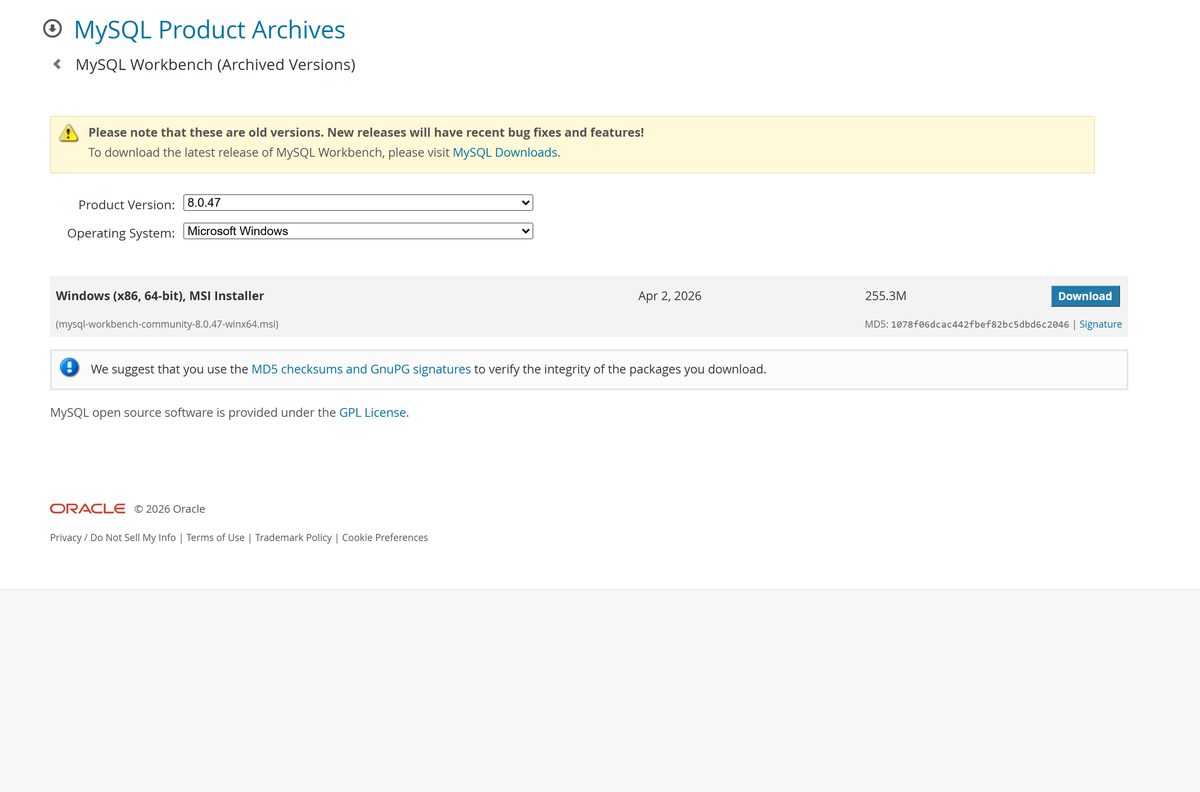
Oracle renumbered the tool and rebuilt it. The 8.0 line stopped at 8.0.47, published on 2 April 2026, and now lives in the archive.
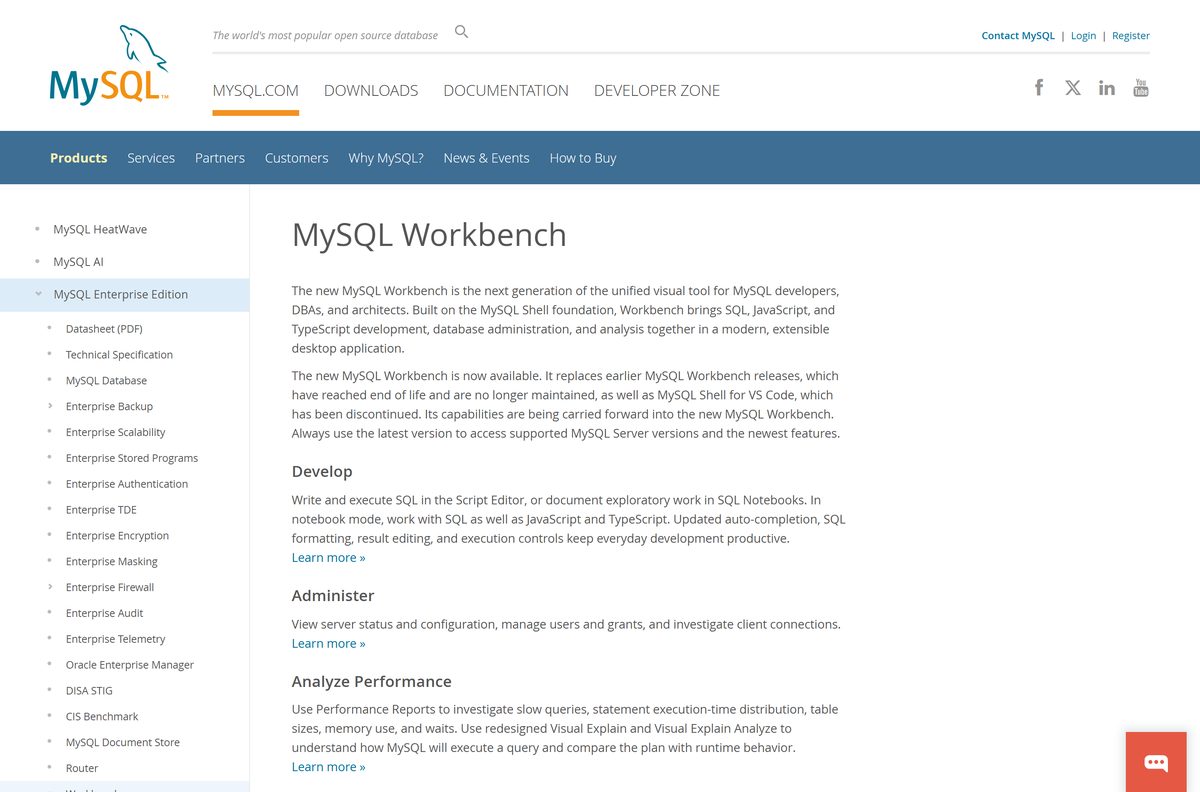
Install the current release from the download page unless a specific machine cannot run it. Oracle states that the new MySQL Workbench replaces earlier releases, which have reached end of life and are no longer maintained. An end-of-life build stops receiving fixes, so the archive is for two cases only: an Intel Mac, which the current release does not cover, and a fleet pinned to a validated version.
Archived builds stay downloadable at the MySQL archives, which lists every release back to 1.0.
How to check your MySQL Workbench version and update it
Windows records the installed version itself, so you do not need the app open to read it.
- Press Windows + I and open Apps > Installed apps.
- Type workbench into the search box on that page.
- Read the version number printed beside the entry.
- Compare it with the number shown on the download page.
- Download the current MSI if yours is older, then run it and choose Complete.
- On a Mac, open Applications, select the app icon, press Command + I and read Version.
- Replace an older Mac copy by dragging the new icon onto Applications and confirming the overwrite.
Export your connections before a major upgrade if you maintain more than a handful.
Fix MySQL Workbench not installing or not opening on Windows 11 and 10
Three failures account for most of the reports, and each has a different cause.
The installer stops or the app closes at startup
One of the two Microsoft prerequisites is missing from the machine.
- Open Apps > Installed apps and search for Visual C++ 2015 .
- Install the Microsoft Visual C++ 2015-2022 Redistributable from the Microsoft Download Center if nothing appears.
- Search the same list for .NET Framework and add version 4.5.2 if it is absent.
- Restart the PC, then run the MSI again.
The MSI refuses to run or reports insufficient rights
The package needs Administrator or Power User privileges.
- Sign in with an account that holds Administrator rights.
- Right-click the MSI file and select Install.
- Approve the User Account Control prompt when it appears.
- Use the ZIP archive instead if your organisation blocks installers outright.
The download stalls or the file will not open
A partial transfer, which the published MD5 will expose.
- Run certutil -hashfile mysql-workbench-26.7.0-winx64.msi MD5 in Command Prompt.
- Compare the result with the string on the download page.
- Download the file again from the official page if it differs.
- Pause any VPN client, which often truncates a 261 MB transfer.
How to uninstall MySQL Workbench
Removing the app leaves your connection settings and saved models behind, which is what you want before a reinstall.
- Press Windows + I and open Apps > Installed apps.
- Search for workbench , select the three-dot menu and choose Uninstall.
- Confirm Uninstall and approve the User Account Control prompt.
- Delete the leftover folder under C:\Program Files\MySQL if the uninstaller leaves one.
- Remove %AppData%\MySQL\Workbench as well to clear saved connections and models.
- On a Mac, drag the app from Applications to the Trash, then empty it.
The Windows removal page and the Mac removal page cover the same ground.
Which Oracle tool should you use instead of MySQL Workbench?
Pick by the job in front of you. A scripted task rarely needs a graphical client at all.
| Tool | Good for | Where to get it |
|---|---|---|
| MySQL Shell | Scripting in JavaScript, Python or SQL, and InnoDB Cluster work | dev.mysql.com/downloads/shell |
| MySQL command-line client | Quick queries and server work over SSH, bundled with the server | dev.mysql.com/downloads/mysql |
| MySQL Router | Routing application traffic across a cluster, not authoring SQL | dev.mysql.com/downloads/router |
| Oracle SQL Developer | Teams that also run Oracle Database and want one client | oracle.com/database/sqldeveloper |
Stay with the main tool for schema design, visual query building and performance reports.
Frequently asked questions
Is the MySQL Workbench download free?
Yes. The Community (OSS) Edition on Oracle’s download page is released under the GPL and costs nothing. Oracle also produces a commercial edition, which comes with a paid MySQL Standard Edition or MySQL Enterprise Edition subscription rather than as a separate purchase.
What is the official MySQL Workbench download page?
It is dev.mysql.com/downloads/workbench on Oracle’s own MySQL site. Use the Select Operating System menu to switch between Microsoft Windows, Debian Linux, Linux – Generic, macOS and Source Code, then take the file listed for your platform.
Does MySQL Workbench work on Windows 11?
Yes. Oracle’s supported platforms list names Windows 11 and Windows Server 2022 on x86-64 hardware. The download page publishes one 64-bit Windows build, supplied as an MSI installer and as a ZIP archive.
How big is the MySQL Workbench download?
The Windows MSI installer is 261.2 MB and the Windows ZIP archive is 317.7 MB. On a Mac, the disk image is 301.0 MB and the ZIP archive is 293.8 MB. Sizes come from Oracle’s download page.
Is there a MySQL Workbench offline installer?
Yes. The Windows MSI and the macOS disk image are complete standalone packages, not small downloaders. Copy either file to a machine with no internet connection and it will install without fetching anything else.
How do I install MySQL Workbench on a Mac?
Download the ARM disk image from the macOS section of the download page, double-click it, then drag the icon onto the Applications icon in the window that opens. Launch it from Applications afterwards.
Is there a 32-bit or Intel Mac build?
No. The current release ships one Windows x86-64 build and one Apple silicon Mac build. An Intel Mac or a 32-bit PC needs an archived 8.0 release from the MySQL archives, which Oracle no longer maintains.
Is MySQL Workbench safe to install?
The file from Oracle’s download page is the official build. Check the MD5 string printed beside your file, or the GnuPG signature linked next to it, before running the installer. Skip any other site that hosts a copy.
What is the latest MySQL Workbench version?
Release 26.7.0 is current. It replaces the 8.0 line, which ended at 8.0.47 on 2 April 2026. Oracle states that earlier releases have reached end of life and are no longer maintained.
Why will MySQL Workbench not install?
The usual cause is a missing prerequisite. Windows needs Microsoft .NET Framework 4.5.2 and the Microsoft Visual C++ 2015-2022 Redistributable. The MSI also needs Administrator or Power User rights to run at all.






