Microsoft Office 2019 installs from the Microsoft account that holds your product key, on Windows 11 and Windows 10. It is a paid one-time purchase, licensed for one device at a time.
Support ended on 14 October 2025. The apps keep opening files and stay activated, but Microsoft ships no more security fixes, bug fixes or technical support for retail copies.
Below are the official Microsoft pages, the retail install steps, the Office Deployment Tool route for volume licences, the Mac position, the system requirements, and fixes for an install that fails.
Which Microsoft Office 2019 download do you need?
Match what you already own to a row. Every route below is a Microsoft page, and each one needs a licence you bought.
| What you own | Where to go | What you get |
|---|---|---|
| A retail product key you have never redeemed | setup.office.com | The key ties to a Microsoft account, once |
| A retail licence already on your account | Microsoft account, Office apps | A setup file for one PC or one Mac |
| A volume licensing agreement | Office Deployment Tool | Click-to-Run files pulled from the Office CDN |
| An Office 2019 for Mac licence | Deployment guide for Office for Mac | A macOS build that left support in October 2023 |
| No licence at all | Office 2024 one-time purchase | A suite that still receives security fixes |
Download Office 2019 from Microsoft’s official pages
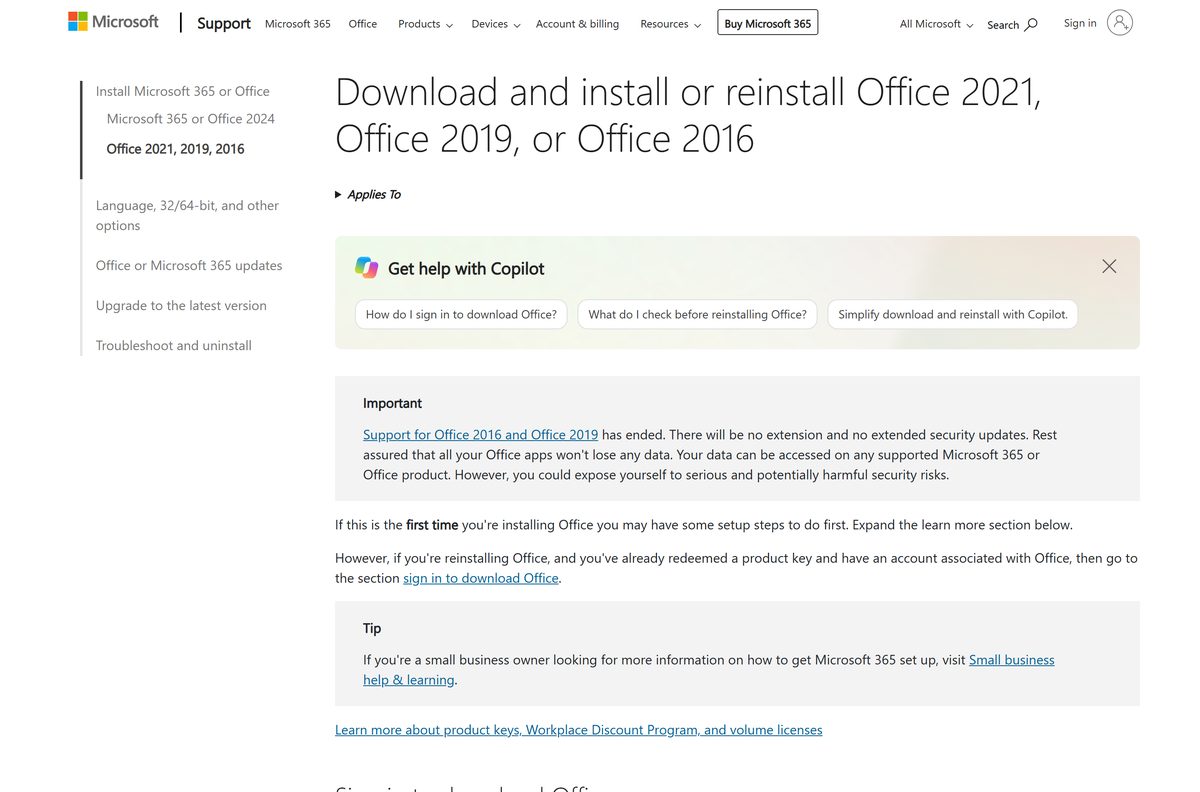
There is no public setup file to click. Microsoft builds the installer for the account that holds the licence, so every real route starts with a sign-in.
- Microsoft account dashboard — Sign in, open Office apps, then select Install
- Redeem an Office product key — Links a new key to a Microsoft account, one time only
- Office Deployment Tool — 3.4 MB · Version 16.0.20326.20112, published 9 September 2026
- Microsoft’s install instructions — The retail steps for a PC and for a Mac
Any site offering an Office 2019 ISO, a setup file or a working key is not distributing Microsoft’s software.
How to install Office 2019 on Windows 11 and 10
Redemption happens once. After that the licence lives on the Microsoft account and the account page rebuilds the installer whenever you need it.
- Open setup.office.com and sign in with your Microsoft account, or create one.
- Type the product key without hyphens, then follow the prompts to finish redemption.
- Open account.microsoft.com, sign in with the same account, and select Office apps.
- Find the Office 2019 product in the list and select Install.
- Select Open file in Microsoft Edge, Setup in Chrome, or Save File in Firefox.
- Select Yes at the User Account Control prompt.
- Wait for You’re all set! Office is installed now, then select Close.
- Open Word, accept the licence terms, and let activation finish.
The suite installs on the system drive, usually C:\, and that location cannot be changed.
Download the Office 2019 installation files for deployment
Volume licensed copies never appear in the Volume Licensing Service Center. The Office Deployment Tool pulls them from the Office Content Delivery Network instead.
| What to set | Value | Note |
|---|---|---|
| The tool itself | Office Deployment Tool, 3.4 MB | Version 16.0.20326.20112, published 9 September 2026 |
| Office Professional Plus or Standard 2019 | ProPlus2019Volume or Standard2019Volume | Every app installs unless you add ExcludeApp |
| Project 2019 | ProjectPro2019Volume or ProjectStd2019Volume | Deployed separately from the suite |
| Visio 2019 | VisioPro2019Volume or VisioStd2019Volume | Deployed separately from the suite |
| Channel | PerpetualVL2019 | The update channel for volume licences |
| OfficeClientEdition | 32 or 64 | One architecture per PC; 64-bit above 4 GB of memory |
Run setup /download configuration.xml from an elevated prompt to stage the files on a share, then setup /configure configuration.xml on each PC.
Build the XML at config.office.com rather than by hand, and add
Which Office 2019 download do you need for your Mac?
The macOS edition ran out of support on 11 October 2023, two years before the Windows suite, and it has no extended support phase.
| Your Mac situation | What to do | Where it stands |
|---|---|---|
| A Home & Student or Home & Business licence on your account | Microsoft account, Office apps | Still installs, no fixes since October 2023 |
| Office Standard 2019 for Mac under volume licensing | Deployment guide for Office for Mac | Same end date as the retail Mac edition |
| You need Access or Publisher | Office 2019 product overview | Neither app exists on macOS, in any edition |
| You want a Mac suite that is still supported | Office 2024 for PC or Mac | One-time purchase, or a Microsoft 365 subscription |
The installer arrives as a .pkg file: open it from Downloads, select Continue, agree to the terms, then select Install and enter your Mac password.
Is Microsoft Office 2019 free?
The confusion comes from the word perpetual. A perpetual licence never expires, but it still has to be bought once.
No. Office 2019 is a paid one-time purchase, and Microsoft never shipped a free edition or a trial of it. A retail key covers one PC or one Mac; everything else runs under a volume licensing agreement. Pages advertising a free Office 2019 setup file, an ISO or a working key are distributing something Microsoft did not build. The genuine no-cost route is Office for the web, which runs Word, Excel and PowerPoint in a browser with a free Microsoft account.
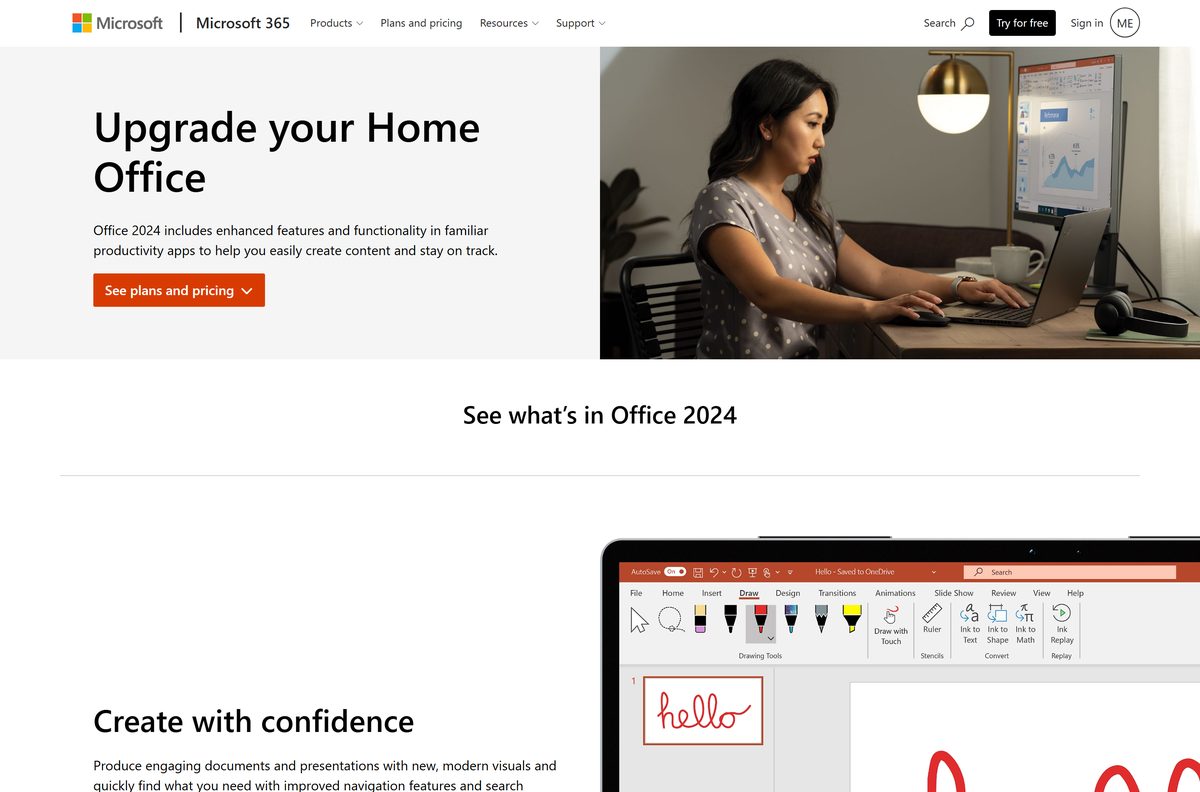
Microsoft’s current one-time purchase editions are Office Home 2024 and Office Home & Business 2024, both licensed for a single device.
Should you stay on Office 2019 or move to Office 2024?
The suite on your PC did not stop working on 14 October 2025. The security servicing behind it did.
Move to a supported release, and treat any Office 2019 machine still in daily use as a known risk. Retail copies stopped at Version 2508 (Build 19127.20302) on 14 October 2025. Volume licensed copies still receive occasional builds, most recently Version 1808 (Build 10417.20211) on 21 September 2026, but Microsoft issues those at its sole discretion rather than as a support commitment. Microsoft names two replacements: Microsoft 365 Apps for the subscription route, and Office LTSC 2024 for regulated, offline or process-control devices that cannot take feature updates.
How to check your Office 2019 version and update it
The build number tells you whether a copy is retail or volume licensed. Retail builds read 19127 and above; volume builds read 10417.
- Open Word and select File.
- Select Account, or Office Account in Outlook.
- Read the version and build under Product Information.
- Select About Word for the full build number and the 32-bit or 64-bit label.
- Select Update Options, then Update Now.
- Select Enable Updates first if Update Now is missing.
- Close the confirmation window when the update finishes.
- On a Mac, open the Word menu and select About Word to read the version and licence type.
A retail copy reporting build 19127.20302 is already on the last release it will ever get.
Check the Office 2019 system requirements before you install
Windows 11 and Windows 10 are the only supported client systems. Windows 8.1 and Windows 7 are not on the list.
| Field | Value |
|---|---|
| Software | Microsoft Office 2019 |
| Developer | Microsoft Corporation |
| Latest version | Version 1808 (Build 10417.20211), volume licensed, 21 September 2026 |
| Last retail build | Version 2508 (Build 19127.20302), 14 October 2025 |
| License | Paid, one-time purchase, one device per key |
| Supported OS | Windows 11, Windows 10, Windows 10 LTSC 2021 and 2019, Windows Server 2025, 2022 and 2019 |
| Architecture | 32-bit and 64-bit; one architecture per PC |
| Processor | 1.6 GHz or faster, 2-core |
| Memory | 4 GB RAM, or 2 GB RAM for the 32-bit version |
| Disk space | 4 GB of available disk space |
| Install technology | Click-to-Run, not Windows Installer |
| Install location | The system drive, usually C:\, and it cannot be changed |
| Official download source | Microsoft account, or the Office Deployment Tool |
| Support ended | 14 October 2025 |
| Last verified | 2026-09-22 |
Volume licensed builds refuse to install on Windows 10 in S mode, or where Windows Defender Application Control is enforced.
What Office 2019 includes, and what it left out
Installing Professional Plus puts every app on the PC by default. An ExcludeApp entry in the configuration file is the only way to drop one.
| Product | What it carries | Platform |
|---|---|---|
| Office Professional Plus 2019 | Access, Excel, OneNote, Outlook, PowerPoint, Publisher, Word and Skype for Business | Windows |
| Office Standard 2019 for Mac | The macOS volume licensed product; Access and Publisher are absent | macOS |
| OneNote | No separate 2019 release, but a version installs with the suite | Windows |
| Project 2019 and Visio 2019 | Sold and deployed on their own, never inside the suite | Windows |
Fix Office 2019 not installing on Windows 11 or 10
Three failures cover almost every stuck install: an error code, the wrong account, and an older Office in the way.
Setup stops with an error code
Microsoft publishes a separate article for each Office setup error code.
- Restart the PC, then run the setup file again.
- Open Microsoft’s troubleshooting page and find your code in the list.
- Run the Microsoft 365 Setup Troubleshooter, which needs Windows 10 or higher.
- Select Open when the browser asks to open Get Help.
No Install button appears on your account page
The licence sits on a different Microsoft account from the one signed in.
- Sign out of account.microsoft.com and sign back in with the account that redeemed the key.
- Select Office apps and look for the Office 2019 entry.
- Redeem the key at setup.office.com if nothing is listed.
- Type the key without hyphens, then refresh the account page.
An older Office blocks the install
Windows Installer copies of Office 2010, 2013 or 2016 conflict with a Click-to-Run install.
- Run the Microsoft 365 Uninstall Troubleshooter and restart when it asks.
- Add
to configuration.xml for a deployment, so the tool clears them first. - Run SaRAcmd.exe -S OfficeScrubScenario -AcceptEula -OfficeVersion All to script the removal.
- Install Office 2019 again once the machine restarts.
How to uninstall Office 2019 from a PC
Removing the suite does not consume the licence. The key stays on the Microsoft account and installs again on another machine.
- Close Word, Excel, Outlook and every other Office window.
- Type control panel in the taskbar search box and open it.
- Select Programs, then Programs and features.
- Select your Office 2019 product in the list.
- Select Uninstall, then follow the prompts.
- Run the Microsoft 365 Uninstall Troubleshooter if the entry refuses to go.
- Restart the PC when prompted.
Which supported Office version should replace Office 2019?
Two of these are direct replacements for a perpetual licence. The other two change the model.
| Option | How it is licensed | Why pick it |
|---|---|---|
| Microsoft 365 Apps | Subscription, per user | New features monthly, several devices per user, cloud services included |
| Office Home 2024 and Office Home & Business 2024 | One-time purchase | The closest match to a 2019 retail key: one PC or Mac, security fixes, no new features |
| Office LTSC 2024 | Volume licensing, one device | Built for regulated, offline or process-control machines that cannot take feature updates |
| Office for the web | Free with a Microsoft account | Word, Excel and PowerPoint in a browser, with no install at all |
Pick Office Home & Business 2024 if you want to buy once and keep Outlook. Pick Microsoft 365 Apps if several devices need the same licence.
Frequently asked questions about Office 2019
Is Microsoft Office 2019 free?
No. It is a paid one-time purchase, sold at retail for a single PC or Mac or through a volume licensing agreement. Microsoft shipped no free edition and no trial. Word, Excel and PowerPoint in a browser are the free alternative.
Where is the official Office 2019 download page?
There is no public setup file. Retail copies install from the Microsoft account dashboard at account.microsoft.com after the key is redeemed at setup.office.com. Volume licensed copies come down through the Office Deployment Tool.
Does Office 2019 work on Windows 11?
Yes. Microsoft lists Windows 11, Windows 10, Windows 10 LTSC 2021 and 2019, and Windows Server 2025, 2022 and 2019 as the supported systems. Windows 8.1 and Windows 7 are not supported.
When did Office 2019 support end?
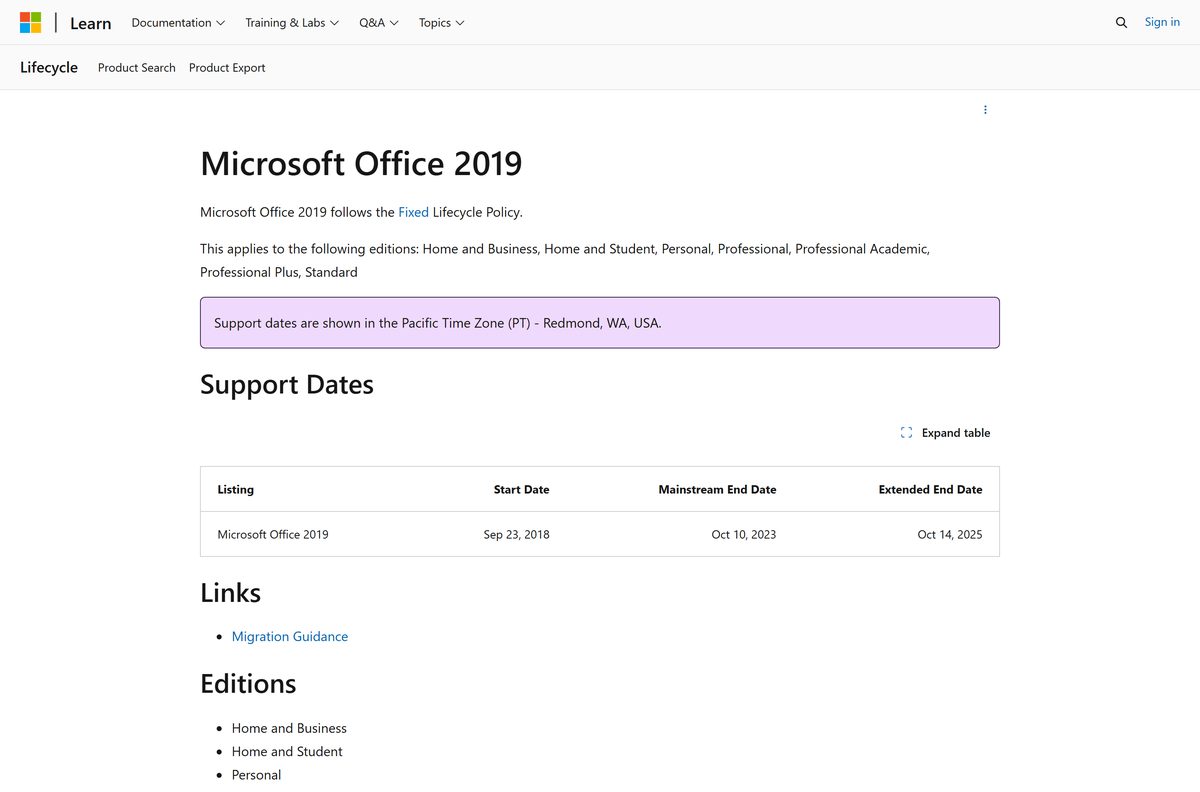
On 14 October 2025. The Microsoft Lifecycle entry records mainstream support ending 11 October 2023 and extended support ending 15 October 2025 in Pacific Time. Technical support, bug fixes and security fixes all stopped.
How big is the Office 2019 download?
Microsoft publishes no installer size, because the setup file is generated for your account and streams the suite as it installs. Plan for the stated requirement instead: 4 GB of available disk space.
Is there an Office 2019 offline installer?
Not as a single public file. Volume licensing gets close: the Office Deployment Tool stages the installation files on a network share, after which no internet access is needed to install, activate or use the suite.
Can you still install Office 2019 on a Mac?
Yes, if the licence is on your Microsoft account. Office 2019 for Mac reached its end date on 11 October 2023 and has no extended support phase, so it receives no security fixes on any macOS release.
Is Office 2019 32-bit or 64-bit?
Both editions exist. Microsoft recommends 64-bit on a PC with 4 GB of memory or more. Every Office product on one machine must share the same architecture, so you cannot mix them.
What is the latest Office 2019 version?
Volume licensed copies are on Version 1808 (Build 10417.20211), released 21 September 2026. Retail copies stopped at Version 2508 (Build 19127.20302) on 14 October 2025, the day support ended.
Is it safe to download Office 2019 from a key reseller site?
The install itself must come from Microsoft, through your account or the Office Deployment Tool. A site offering an ISO, a setup file or a pre-activated build is distributing software Microsoft did not publish.
Why will Office 2019 not install on my PC?
Usually the account, an older Office, or the system. Check that you signed in with the account that redeemed the key, remove earlier Windows Installer copies of Office, and confirm the PC is not running Windows 10 in S mode.






