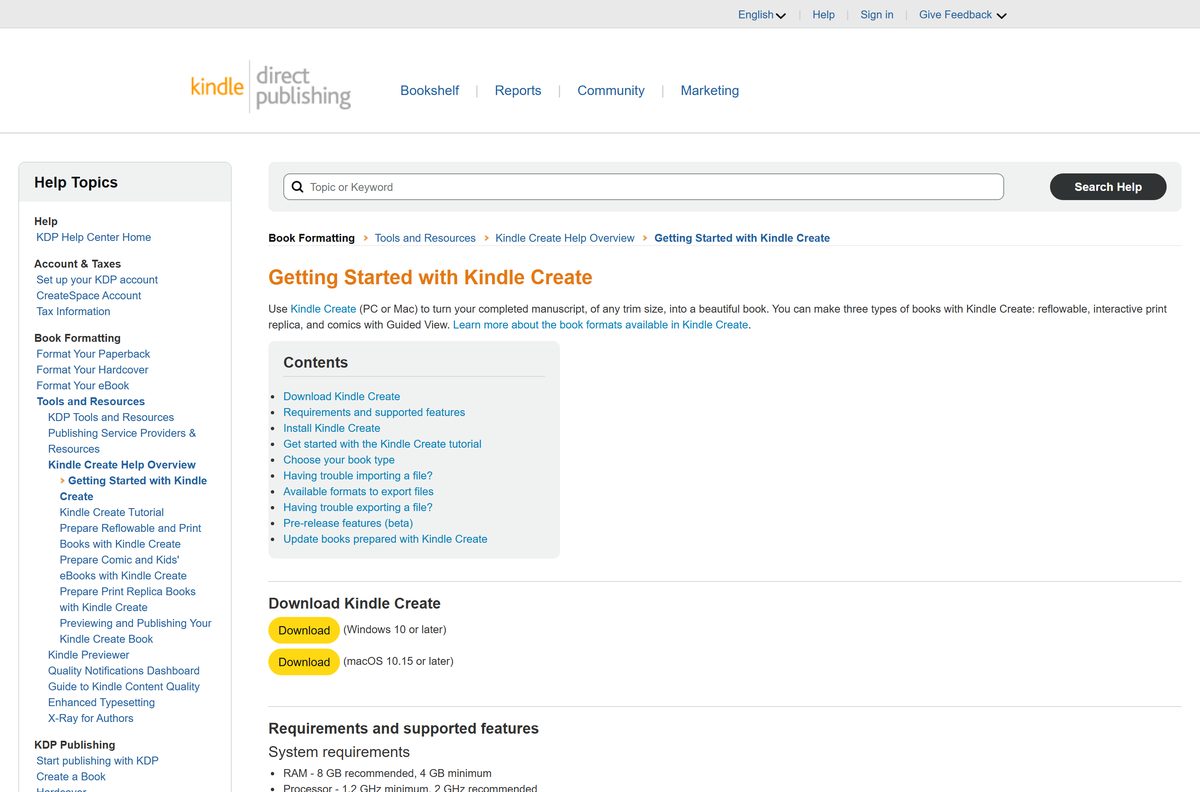
Kindle Create is Amazon’s free formatting tool, and the download sits on the KDP Getting Started page as one button for Windows and one for Mac. It turns a finished Word or PDF manuscript into a Kindle eBook file you upload to KDP.
This guide covers the official download links, the install steps on Windows 11, Windows 10 and macOS, what the tool can open and export, and fixes for the import errors that stop most first projects.
Which Kindle Create download do you need?
Amazon ships two files from the same page. Match your computer in the first column and open the link beside it.
| Your computer | What to get | Minimum system |
|---|---|---|
| Windows 11 or Windows 10 PC | KindleCreateInstaller.exe from the KDP download page | Windows 10 or later |
| Intel Mac | KindleCreateInstaller.pkg from the KDP download page | macOS 10.15 or later |
| Mac with Apple M1 or newer silicon | KindleCreateInstaller.pkg from the KDP download page | macOS 11 or later |
| Chromebook, Linux PC or tablet | Format in Word and upload to KDP instead | No desktop build exists |
Both files carry the same name apart from the extension, so check the extension before you run one. Amazon lists no separate 32-bit, 64-bit or ARM64 build.
Download Kindle Create from the official KDP page
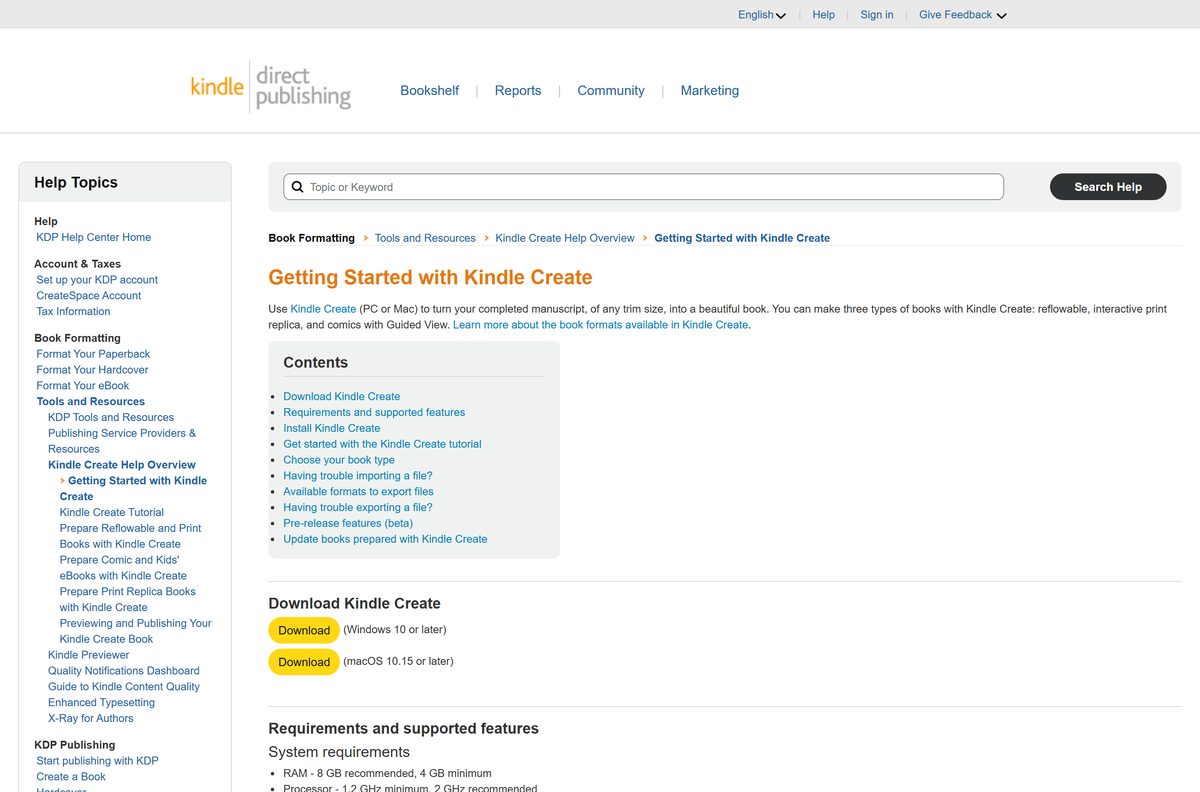
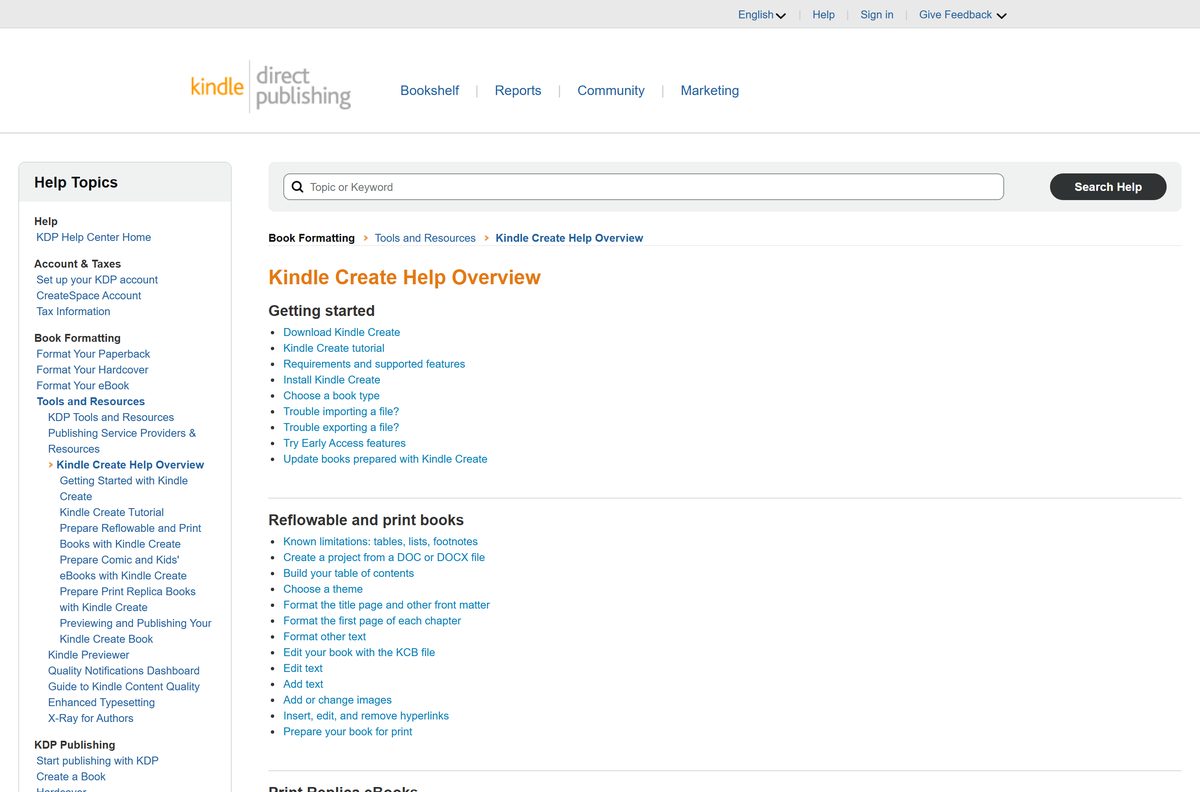
Every genuine copy comes from kdp.amazon.com. The two buttons sit under the Download Kindle Create heading at the top of the Getting Started article.
- Getting Started with Kindle Create (Windows and Mac downloads) — buttons marked Windows 10 or later and macOS 10.15 or later
- Kindle Create Help Overview — index of every Kindle Create help article
- Kindle Create tutorial with sample files — practise run on an unformatted Pride and Prejudice manuscript
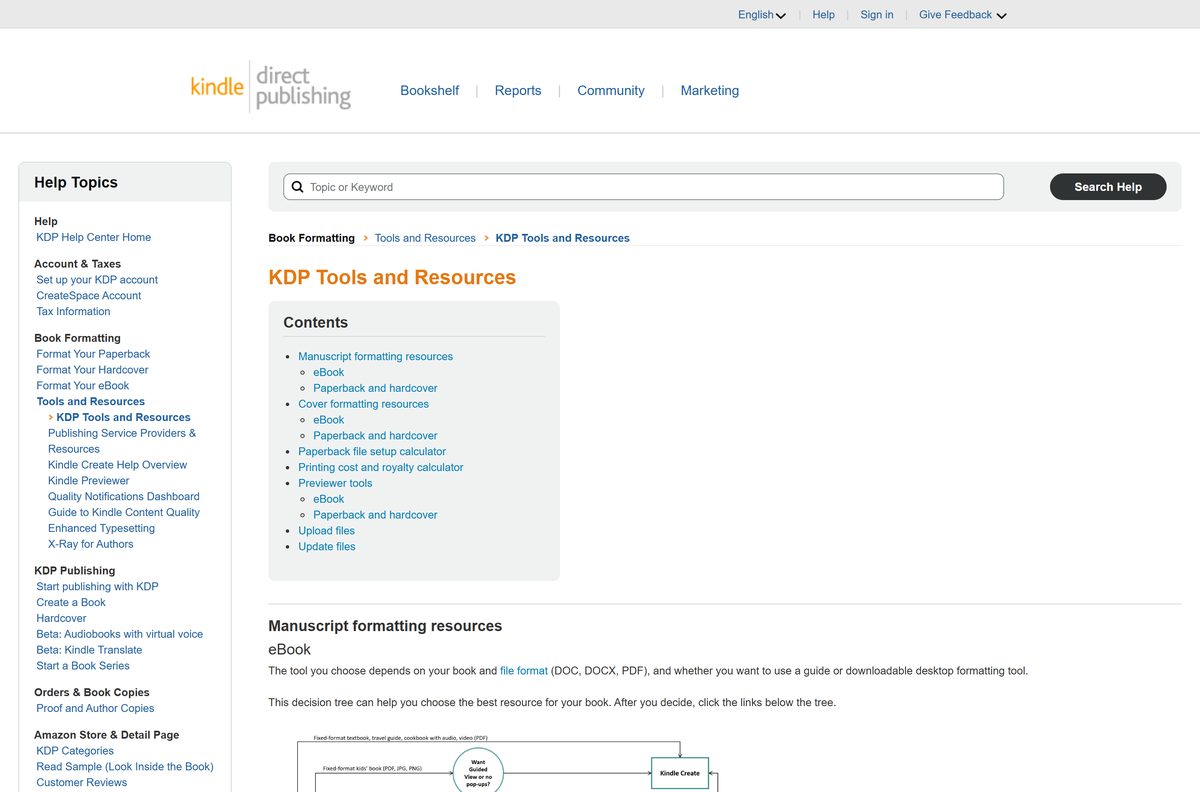
- KDP Tools and Resources — decision tree for picking a formatting tool
Amazon states that its tool downloads go through a review that includes virus and spyware scanning. If a browser or antivirus product blocks the file, add kdp.amazon.com to its trusted sites rather than turning the protection off.
How to install Kindle Create on Windows 11 and 10
The Windows installer is a standard wizard. Nothing is asked for beyond a folder and an agreement.
- Open the KDP Getting Started page and select the Download button marked (Windows 10 or later).
- Select Save File when the confirmation box appears.
- Leave the Downloads folder as the destination, or pick another, then select Save.
- Open the folder and double-click KindleCreateInstaller.exe.
- Read the License Agreement and select I Agree.
- Accept the default install folder or change it, then select Install.
- Select Finish on the success message. Run Kindle Create is ticked by default.
- Open the app later from Windows key > Amazon > Kindle Create.
No KDP account is needed to install or run the tool. You sign in to KDP only when you upload the exported file.
How to install Kindle Create on your Mac
The Mac download is a .pkg package, not a disk image, so it opens straight into the macOS installer.
| Step | What you do | Note |
|---|---|---|
| 1. Download | Select the macOS 10.15 or later button | The download starts immediately |
| 2. Open | Select Show Downloads, then double-click the installer file | The installation wizard opens |
| 3. Agree | Select Continue, review the License Agreement, select Continue, then Agree | Two Continue clicks, one Agree |
| 4. Install | Select Continue, then Install, then Close | Change the location first if you want it elsewhere |
| 5. Launch | Open Launchpad and select Kindle Create | Same interface as the Windows build |
An Apple silicon Mac needs macOS 11 or later; an Intel Mac runs it from macOS 10.15. Open the Apple menu and choose About This Mac to see which chip and version you have.
Is Kindle Create free?
Yes. Kindle Create is free, with no licence key, subscription or trial period. KDP labels it a free formatting tool and groups it with Kindle Previewer, Kindle Kids’ Book Creator and Kindle Comic Creator under free KDP tools. Opening a KDP account is free too, and you pay nothing to upload the file the tool exports. Any site selling a licence, an activation code or a “pro” edition is selling something Amazon gives away.
Check which files Kindle Create can open and export
The source file decides the book type, and the book type decides what the tool lets you edit afterwards.
| Your manuscript | Import format | Book type you get |
|---|---|---|
| Novel, essay or memoir | DOC or DOCX | Reflowable eBook, and a print book in any trim size |
| Textbook, cookbook or travel guide | Print Replica eBook with optional audio, video and links | |
| Comic or graphic novel | Comic eBook with Guided View panels | |
| Finished project, for KDP upload | Export to KPF | Supports every Kindle formatting feature |
| Finished reflowable project, for elsewhere | Export to EPUB | No image bleeds, drop caps over three lines or chapter start imagery |
Tables, lists and footnotes cannot be edited inside the tool, and paperbacks with tables, footnotes or endnotes are not supported at all. Reflowable and Print Replica books are unsupported in Japanese.
Should you export KPF or EPUB from Kindle Create?
Export KPF for anything you publish through KDP. Choose EPUB only when a reflowable book has to leave the Kindle store. KPF is Amazon’s own Kindle Package Format and carries every formatting feature the tool offers, which is why KDP recommends it for eBooks and print books. EPUB export exists for reflowable books only, and it drops image bleeds, renders drop caps taller than three lines incorrectly, and loses the image at the start of each chapter. Exporting also writes a KCB work file, and that is the file you reopen to update the book later.
How to check your Kindle Create version and update it
Amazon publishes no version number for the tool. The app records a build date instead, and KDP treats anything older than three months as out of date.
- Open Kindle Create on your PC or Mac.
- Open the Help menu and select About Kindle Create.
- Read the Last Updated date in the box.
- Compare it with today’s date. Three months or older means you need a newer build.
- Return to the KDP download page and run the installer again over the top.
- Reopen your project from File > Open Recent and check that it still imports cleanly.
To try pre-release features, select Help > Settings > Early Access on Windows or Kindle Create > Preferences > Early Access on Mac, then tick Enable Beta Features. The current beta covers eBooks in Hindi, Tamil, Malayalam, Marathi and Gujarati.
Check that your PC or Mac meets the Kindle Create requirements
The floor is low. An office laptop from the last decade clears it.
| Field | Value |
|---|---|
| Software | Kindle Create |
| Developer | Amazon (Kindle Direct Publishing) |
| Latest version | Not published; the app shows a Last Updated date under Help > About Kindle Create |
| Price | Free |
| Windows file | KindleCreateInstaller.exe, Windows 10 or later |
| Mac file | KindleCreateInstaller.pkg, macOS 10.15 or later on Intel, macOS 11 or later on Apple silicon |
| RAM | 4 GB minimum, 8 GB recommended |
| Processor | 1.2 GHz minimum, 2 GHz recommended |
| Import formats | DOC, DOCX and PDF |
| Export formats | KPF, and EPUB for reflowable books |
| Interface languages | Dutch, English, French, German, Italian, Portuguese, Spanish and Japanese |
| Official source | kdp.amazon.com |
| Last verified | 2026-09-22 |
Book language support is wider than the interface: Gujarati, Hindi, Malayalam, Marathi and Tamil are supported for eBooks, though not for print books.
Fix Kindle Create not importing or exporting your file
The download is blocked or flagged as harmful
A browser or antivirus product treats an unfamiliar installer as a risk. Amazon scans its tool downloads for viruses and spyware before publishing them.
- Add kdp.amazon.com to the trusted sites list in your antivirus or firewall.
- Set the browser to allow downloads from kdp.amazon.com.
- Update your antivirus and anti-spyware definitions, then download again.
- Report the false positive to your antivirus publisher if the block persists.
Invalid source file or unsupported file format
The manuscript is not DOC, DOCX or PDF, or the copy you have is damaged.
- Open the file in Microsoft Word and select File > Save As.
- Choose Word 97-2003 (*.doc) in the Save as type list.
- Give the file a new name and save it to your desktop.
- Import that copy into the app.
The import fails with a generic error
The file name is too long, holds special characters, or sits on a drive the tool cannot read reliably.
- Copy the file from any pen drive, external disk or cloud folder to your desktop.
- Rename it to under 250 characters with no quotes, brackets, asterisks or question marks.
- Remove any password protection in the program you wrote it in.
- Import the renamed copy from the desktop.
The import error mentions styles or a table
Word heading styles and embedded tables both break the automatic chapter detection.
- Open the page in Microsoft Word and set the styled text back to Normal under Home > Styles.
- Apply the effect again with Insert > Drop Cap > Drop Cap Options instead.
- Press F5, open the Go to tab, select Table and step through with Next.
- Right-click the four-arrow symbol, select Delete Table, and replace it with Insert > Text box.
- Save the file and import it again.
Export fails and the file will not save
The project path or file name is blocking the write.
- Create a new folder on your desktop and name it Book.
- Open the KCB file and select File > Save Project As.
- Save it into the new folder under a new name such as Booktest.
- Select Export, use the same new name, and save into that folder.
How to uninstall Kindle Create
Removing the app leaves your project folder alone. Back it up first, because Amazon keeps no copy of your KCB file.
- On Windows, open Start > Settings > Apps > Installed apps.
- Find Kindle Create in the list.
- Select More (the three dots), select Uninstall, and confirm.
- Open File Explorer and check Start > Amazon is gone from the Start menu.
- On a Mac, open Finder and select Applications in the sidebar.
- Drag Kindle Create to the Trash, then empty the Trash.
Keep the folder that holds your KCB work file and its resources. Without it, updating a published book means rebuilding the project from the manuscript.
Choose the right KDP tool for your book
Amazon publishes several free tools and they do different jobs. Pick by what your book needs, not by which one you found first.
| What you need | Use this | Trade-off |
|---|---|---|
| Format a novel or memoir for eBook and paperback | Kindle Create | No tables, footnotes or endnotes in paperbacks |
| Check how a finished eBook looks on devices | Kindle Previewer | Previews only; it does no formatting |
| Format an illustrated children’s book | Kindle Kids’ Book Creator | Built for illustrated books, not text-heavy ones |
| Convert comics, graphic novels or manga | Kindle Comic Creator | Overlaps the comic support already in Kindle Create |
| Control the layout yourself, in Word | KDP manuscript templates and guides | You handle margins, bleed and the table of contents |
Use the formatting tool first and the previewer second. Kindle Create has a built-in Preview button, and Kindle Previewer is the wider check before you publish.
Frequently asked questions
Is Kindle Create free to download?
Yes. KDP describes it as a free formatting tool and lists it beside its other free tools. There is no licence key, subscription or trial limit, and creating the KDP account you upload to costs nothing either.
Where is the official Kindle Create download?
The Getting Started with Kindle Create article on kdp.amazon.com carries both buttons, one marked Windows 10 or later and one marked macOS 10.15 or later. The files are named KindleCreateInstaller.exe and KindleCreateInstaller.pkg.
Does Kindle Create work on Windows 11?
Yes. Amazon lists the requirement as Windows 10 or later, which covers Windows 11. The installer is the same file for both, and the app lands under Windows key, then Amazon, in the Start menu.
Is there a Kindle Create version for Mac?
Yes. The Mac package runs on macOS 10.15 or later on Intel Macs and macOS 11 or later on Apple M1 and newer chips. It installs through the standard macOS installer and opens from Launchpad.
What file formats can Kindle Create open?
DOC and DOCX for reflowable eBooks and print books, and PDF for Print Replica eBooks and for comics with Guided View. Any other format has to be re-saved in Word or a PDF writer first.
What is the difference between a KCB and a KPF file?
The KCB file is your editable work file, and it is the one you reopen to update a published book. The KPF file is the publishable export you upload to KDP. Amazon stores neither, so back up the project folder yourself.
What are the Kindle Create system requirements?
A 1.2 GHz processor at minimum, 2 GHz recommended, with 4 GB of RAM at minimum and 8 GB recommended. The operating system floor is Windows 10, macOS 10.15 on Intel Macs, or macOS 11 on Apple silicon.
What version of Kindle Create do I have?
Open the Help menu and select About Kindle Create, then read the Last Updated date. Amazon publishes no version number, and KDP asks you to reinstall when that date is more than three months old.
Why does my file fail to import into Kindle Create?
The usual causes are a file name over 250 characters, special characters in the name, a password on the document, Word heading styles, or an embedded table. Save a clean copy to your desktop and import that.
Is Kindle Create the same as the Kindle reading app?
No. Kindle Create is a KDP authoring tool that builds book files for publishing. The Kindle app is the reader that opens books you have bought. They are separate downloads and serve opposite ends of the process.
Is Kindle Create safe to download?
Yes, from kdp.amazon.com. Amazon states that its tool downloads pass a review including virus and spyware scanning. If a browser flags the file, add kdp.amazon.com to your trusted sites instead of disabling protection.
Can Kindle Create export EPUB?
Yes, for reflowable books only. The EPUB export loses image bleeds, chapter start imagery and drop caps taller than three lines, so KPF remains the format KDP recommends for publishing.






