A Headspace download takes about a minute on any device. On an iPhone, Android phone or Apple silicon Mac, you get the Headspace app from the App Store or Google Play. On a Windows 11 or Windows 10 PC, you install the Headspace web app from my.headspace.com in Chrome or Edge.
Every route signs in to the same Headspace account, so a subscription started on your phone also works on your computer.
Below: which download fits each device, the official links, install steps for Windows and Mac, what the free trial and subscription cost, and fixes for Headspace not loading.
Which Headspace download do you need?
Match your device to a row. Phones and Apple silicon Macs install from a store; Windows PCs install the web app from the browser.
| Your device | What to install | Size |
|---|---|---|
| iPhone or iPad on iOS 15.6 or later | Headspace on the App Store | 421 MB |
| Android phone or tablet (Android 8.0 or later recommended) | Headspace on Google Play | Play states no size |
| Windows 11 or Windows 10 PC | my.headspace.com web app, installed from Chrome or Edge | Nothing to download |
| Mac with an Apple M-series chip | Headspace on the Mac App Store (Designed for iPad) | 421 MB |
| Intel Mac | my.headspace.com, added to the Dock from Safari | Nothing to download |
The app also runs on Apple Watch, paired with the iPhone app.
Download Headspace from the official sources
Headspace Inc. publishes the apps and the web app at these addresses. Use these links and skip any .exe that carries the Headspace name.
- Headspace on the App Store — 421 MB · Headspace Inc., iPhone, iPad, Apple Watch and Apple silicon Macs
- Headspace on Google Play — 10M+ downloads, Editors’ Choice
- Headspace web app sign-in — use it in a browser or install it as an app on Windows
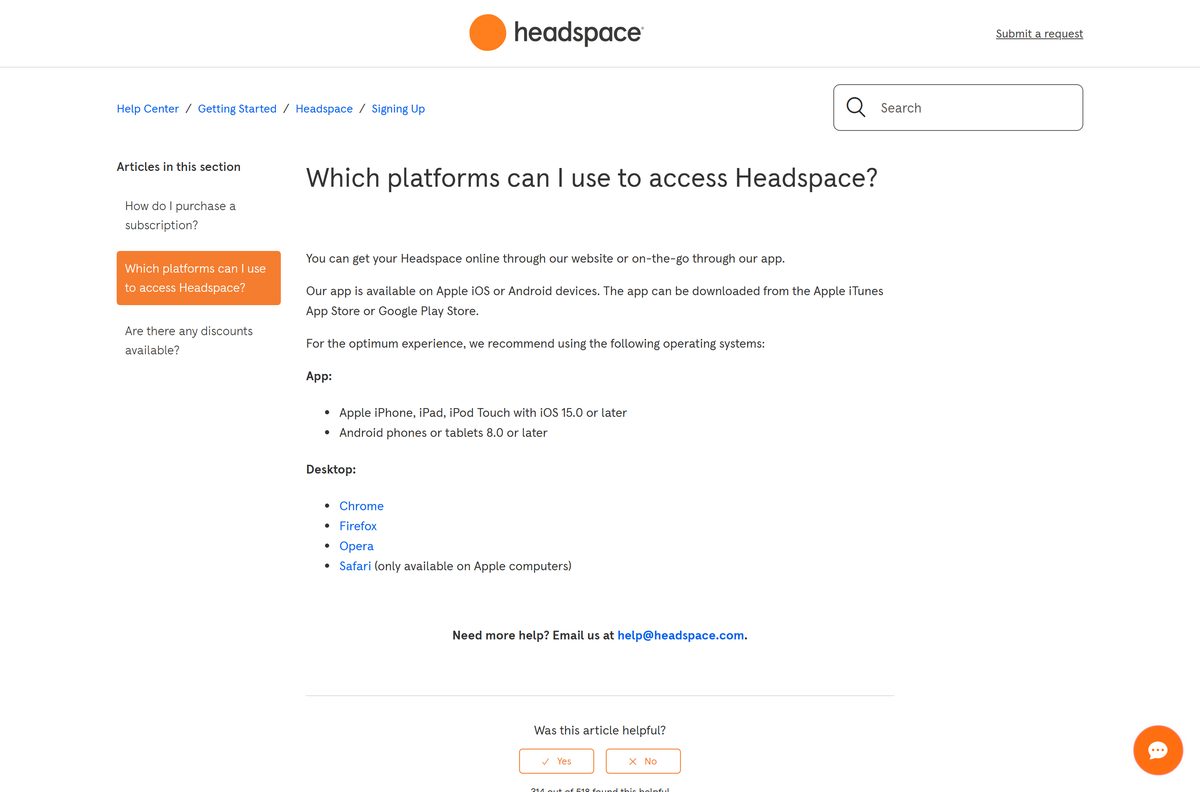
- Which platforms can I use to access Headspace? (Headspace help center) — Headspace’s own list of supported phones and browsers
- Headspace subscriptions — plans and the free trial offer
The App Store listing shows 4.8 stars from 974K ratings. Google Play shows 4.3 stars from 340K reviews.
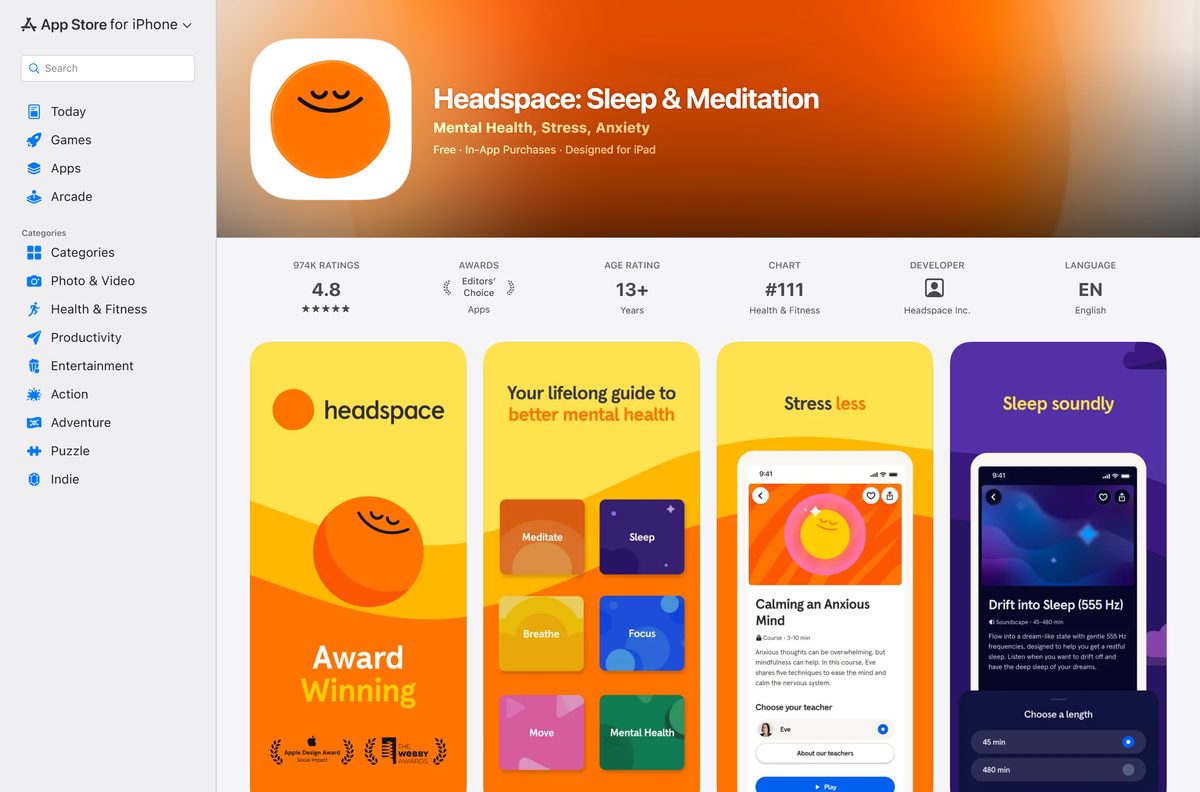
Check the Headspace system requirements
The Windows route has no hardware floor of its own. A current version of a supported browser is the only requirement.
| Field | Value |
|---|---|
| App | Headspace: Sleep & Meditation |
| Developer | Headspace Inc. |
| Latest version | 8.33.0 on iPhone, iPad and Mac (21 September 2026); web-based and auto-updating on Windows |
| Price | Free to download; subscription $12.99 a month or $69.99 a year in the US after the free trial |
| iPhone and iPad | iOS 15.6 or later, 421 MB |
| Android | Android 8.0 or later recommended by Headspace |
| Windows | Windows 11 and Windows 10 through Chrome, Firefox, Opera or Microsoft Edge |
| Mac | Apple silicon Macs through the Mac App Store; any Mac through Safari, Chrome, Firefox or Opera |
| Architecture | No Windows build; the Mac App Store version needs Apple silicon |
| Offline installer | None |
| Language | English |
| Official source | headspace.com, the App Store and Google Play |
| Last verified | 2026-09-25 |
How to install Headspace on Windows 11 and 10 with Chrome
Chrome turns the Headspace website into a windowed app that opens from the taskbar, without tabs or an address bar.
- Open Chrome and go to my.headspace.com.
- Type your Email address and select Continue, or select Continue with SSO if your employer gave you Headspace.
- Finish signing in, so your Headspace home page loads.
- Select More, the three-dot button at the top right.
- Select Cast, save, and share, then Install page as app.
- Keep the name Headspace and select Install.
- Right-click the new taskbar icon and select Pin to taskbar.
Headspace lists Chrome, Firefox, Opera and Microsoft Edge as supported desktop browsers on Windows.
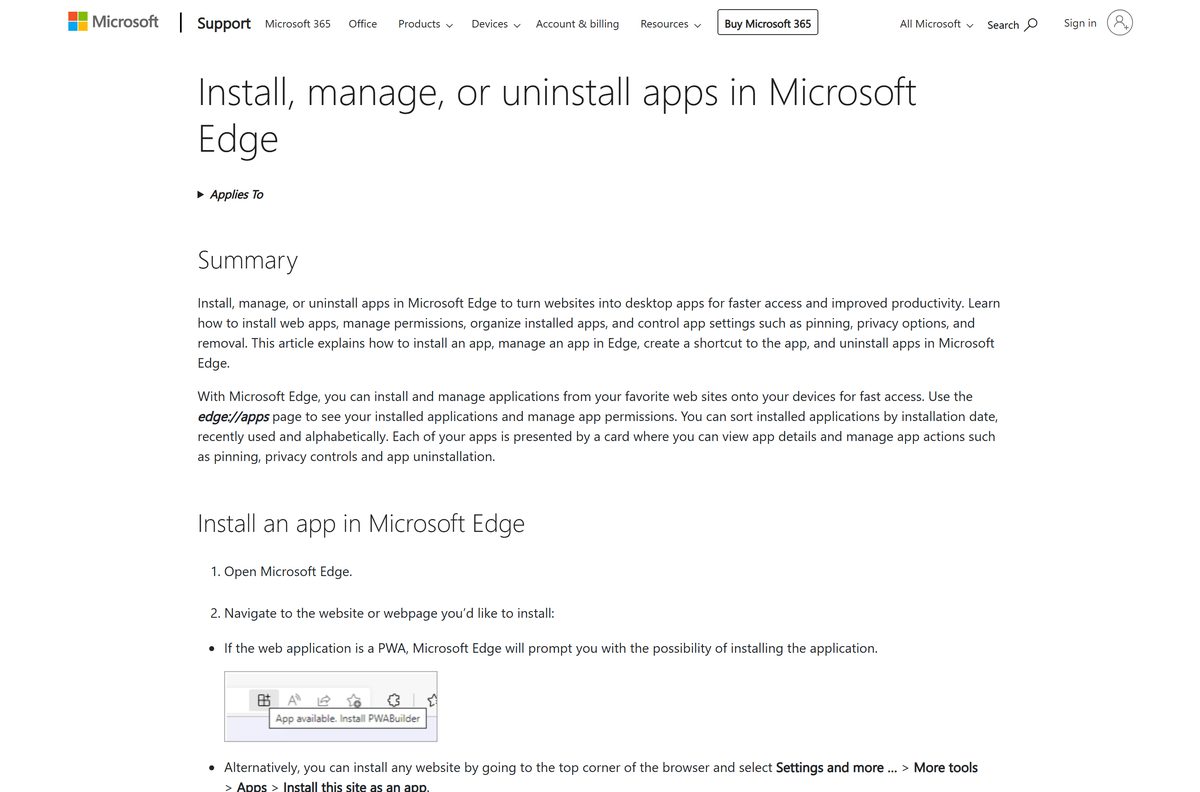
Install Headspace on Windows with Microsoft Edge instead of the Store
Headspace publishes no Windows package, so the Microsoft Store is not the route. Edge builds the same windowed app with nothing extra to download.
- Open Microsoft Edge, go to my.headspace.com and sign in.
- Select Settings and more, the three-dot button at the top right.
- Select More tools, then Apps, then Install this site as an app.
- Name the app Headspace and select Install.
- Go to edge://apps and select Details on the Headspace card.
- Select Pin to taskbar or Pin to Start.
Skip any Store or download-site package that uses the Headspace name. Headspace does not publish one for Windows.
Which Headspace download do you need for your Mac?
Open the Apple menu and select About This Mac. The Chip or Processor line tells you which row applies.
| Your Mac says | What to do | Source |
|---|---|---|
| Apple M1, M2, M3 or later | Search Headspace in the Mac App Store and click Get | Apple App Store |
| Intel, macOS Sonoma 14 or later | Safari: File > Add to Dock on my.headspace.com | Apple |
| Intel, older macOS | Chrome: More > Cast, save, and share > Install page as app | |
| Any Mac, no install | my.headspace.com in a normal browser tab | Headspace |
The Mac App Store labels Headspace Designed for iPad, because it is the iPad app running on Apple silicon. Hold the Option key to use the trackpad as a virtual touch screen where the app expects taps.
Is Headspace free or do you need a subscription?
Download free and start with the trial. After the trial ends, the Headspace library needs a paid subscription. The free trial unlocks the entire Headspace library. After it, a subscription costs $12.99 a month or $69.99 a year in the US, and the Family plan covers up to six people for $99.99 a year. headspace.com advertises a 14-day free trial on the annual plan. Without a subscription, Headspace points you to its free YouTube channel, Radio Headspace and its articles.
Subscriptions renew automatically. On the App Store, turn off auto-renew at least 24 hours before the current period ends to avoid the next charge.
Should you use the Headspace phone app or the web app on your PC?
Use the phone app for offline listening, and the web app on your PC for sessions at your desk. Headspace says the best experience is on the mobile app. Only the iOS and Android apps download sessions for offline use, and even there Today’s Headspace, the Wake Up and Sleepcasts need an internet connection. The web app streams everything, so it needs to stay online.
Both use one account, so your subscription carries across devices.
How to download Headspace sessions for offline listening
Offline downloads work in the iPhone and Android apps only. Download sessions before a flight or a commute without signal.
- Open the Headspace app on your phone.
- Find and select the course or session you want.
- Select the i symbol at the bottom of the session screen, then See full detail page.
- Select the download option on the info screen and wait for it to finish.
- Open your Profile, then Settings (the gear symbol), then Downloads to play it offline.
How to update the Headspace app
The web app on a PC has no version number. It loads the current Headspace every time it opens.
- On an iPhone or iPad, open the App Store, tap your profile picture and scroll to pending updates.
- Tap Update next to Headspace.
- On an Apple silicon Mac, open the App Store, select Updates in the sidebar and click Update next to Headspace.
- On Android, open Google Play, tap your profile picture, then Manage apps & device, and update Headspace.
- On a Windows PC, keep Chrome or Edge up to date, because the web app runs inside the browser.
The App Store listed version 8.33.0, released on 21 September 2026. Google Play shows an update dated 17 September 2026.
Fix Headspace not installing or not playing
The Microsoft Store has no Headspace app
Headspace offers its app on iOS and Android, and a website for desktop browsers.
- Open my.headspace.com in Edge or Chrome.
- Install the page as an app with the steps above.
- Ignore .exe files from download sites that carry the Headspace name.
Sessions will not play on your PC or Mac
A stale login or browser cache blocks the web player.
- Log out of Headspace and log back in.
- Close the browser and open a new window, or try an incognito or private window.
- Clear the cache and cookies with Ctrl+Shift+Del on Windows or Command+Shift+Delete on Mac.
- Switch to the latest Chrome, Firefox, Opera, Edge or Safari.
The Mac App Store does not show Headspace
The Mac version is the iPad app, which runs only on Apple silicon.
- Open the Apple menu and select About This Mac to check the chip.
- On an Intel Mac, add my.headspace.com to the Dock from Safari instead.
The iPhone app will not install
Headspace needs iOS 15.6 or later.
- Open Settings > General > About to check the iOS version.
- Update through Settings > General > Software Update.
- On an iPhone that cannot update, sign in at my.headspace.com in Safari.
A downloaded session will not play offline
Today’s Headspace, the Wake Up and Sleepcasts do not play offline.
- Connect to Wi-Fi or mobile data to play those sessions.
- Download a regular course session instead for offline listening.
How to uninstall Headspace and cancel the subscription
Removing the app does not stop billing. Cancel first, in the place where you subscribed.
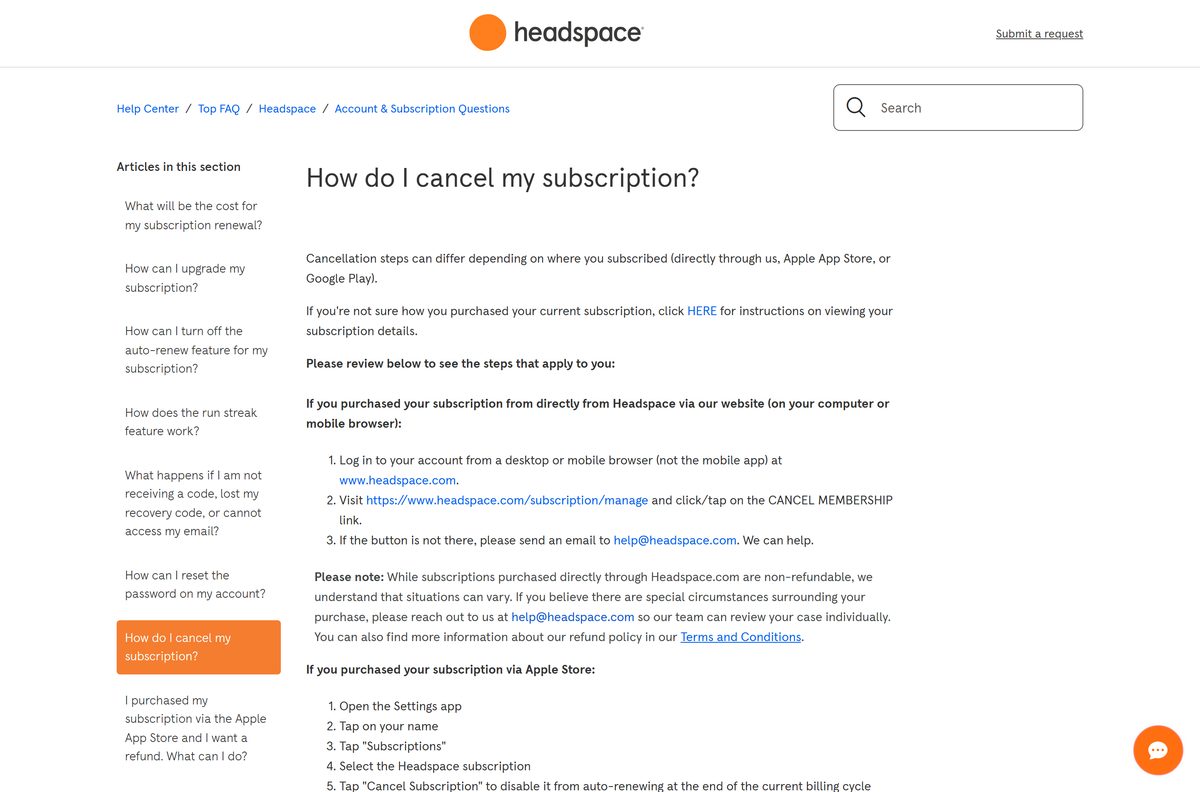
- If you subscribed on headspace.com, log in from a browser, visit headspace.com/subscription/manage and click CANCEL MEMBERSHIP.
- If you subscribed through Apple, open Settings, tap your name, then Subscriptions, select Headspace and tap Cancel Subscription.
- If you subscribed through Google Play, open Google Play, go to Subscriptions, tap Headspace and tap Cancel subscription.
- In Chrome, open the Headspace app window, select More, then Uninstall Headspace, and select Remove.
- In Edge, go to edge://apps, select Details on the Headspace card, then Uninstall, and confirm.
- On a Mac, drag Headspace from Applications to the Trash; a Safari web app sits in the Applications folder inside your home folder.
Subscriptions bought through Apple or Google Play are non-refundable under Headspace’s policy. Email [email protected] if the cancel link is missing.
Which Headspace alternative should you try instead?
If Headspace does not suit you, these meditation apps appear beside it on the App Store.
| App | Developer | App Store rating |
|---|---|---|
| Calm | Calm.com, Inc. | 4.8 from 1.98M ratings |
| Insight Timer | Insight Network Inc | 4.9 from 447K ratings |
Stay with Headspace if you want sessions on a Windows PC and your phone under one account.
Frequently asked questions
Is Headspace free to download?
Yes. Headspace is free to download on the App Store and Google Play, and the web app is free to open. The full library needs a subscription once the free trial ends.
How much does Headspace cost?
In the US, Headspace costs $12.99 per month or $69.99 per year on the App Store. The Family plan costs $99.99 per year for up to six people, including the plan owner.
Can I download Headspace on Windows 11?
Yes, as a web app. Open my.headspace.com in Edge, select Settings and more, then More tools, Apps and Install this site as an app. Headspace then opens from the Start menu and the taskbar.
Is there a Headspace .exe or offline installer for PC?
No. Headspace publishes no .exe or .msi for Windows. Its help center lists the iPhone and Android apps plus desktop browsers as the supported platforms. Use the web app at my.headspace.com, which needs an internet connection.
Is there a Headspace app for Mac?
Yes. On a Mac with an Apple M-series chip, install Headspace from the Mac App Store, where it is labeled Designed for iPad. On an Intel Mac, open my.headspace.com in Safari and choose File, then Add to Dock.
How big is the Headspace download?
The App Store version for iPhone, iPad and Apple silicon Macs is 421 MB. Google Play shows no size for the Android app. The Windows route downloads no installer, because the web app runs in the browser.
Can I use Headspace offline?
Yes, in the iPhone and Android apps. Open a session’s full detail page and select the download option. Today’s Headspace, the Wake Up and Sleepcasts still need an internet connection.
How do I cancel the Headspace free trial?
Cancel where you subscribed: on headspace.com under subscription/manage, in your Apple subscriptions, or in Google Play subscriptions. On the App Store, cancel at least 24 hours before the renewal date to avoid a charge.






