A GlobalProtect download starts on your employer’s own portal page, not on a public download button. You open https://
The app costs you nothing. GlobalProtect is the VPN client for a Palo Alto Networks next-generation firewall or Prisma Access, so the licence sits with the organisation that runs the gateway.
This guide covers the portal address you need, the install steps for Windows and Mac, the supported systems, admin deployment, upgrades, uninstalling and the failures that stop a setup.
Check the GlobalProtect release, licence and system requirements
Palo Alto Networks ships the app on a 6.3 branch and lets each administrator decide which build reaches staff.
| Item | Detail |
|---|---|
| Software | GlobalProtect app |
| Developer | Palo Alto Networks, Inc. |
| Latest version | 6.3.3-h14 (6.3.3-c1121) for Windows and macOS |
| Preferred release | 6.3.3-h11 (6.3.3-c1016), the build Palo Alto Networks marks as preferred |
| Branch support | 6.3 arrived on 13 June 2024 and is supported until 30 June 2028 |
| Licence | Free to the end user; the gateway licence belongs to your organisation |
| Download size | Set by the package your administrator activates, and never published as a public figure |
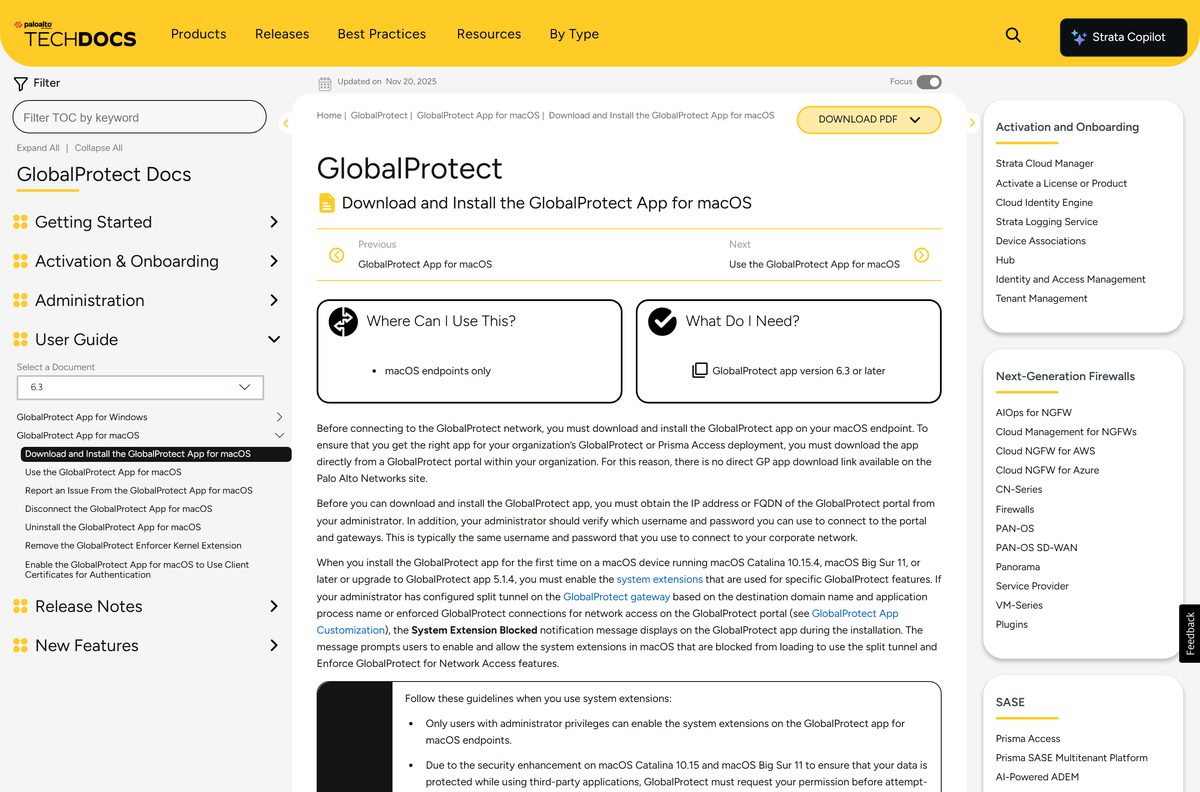
| Supported OS | Windows 11, Windows 10, Windows 365 Cloud PC (6.3.2 or later), macOS 12 to macOS 27, Red Hat Enterprise Linux, Ubuntu LTS, Fedora, Rocky Linux, iOS 16 and later, Android 8.x to 16.x |
| Architecture | x64 and ARM64 on Windows 11; x64, x86 and ARM64 on Windows 10; Apple silicon and Intel on macOS |
| Official download source | Your organisation’s GlobalProtect portal |
| Offline installer | No public standalone setup; administrators host approved versions on the firewall |
| Last verified | 22 September 2026 |
Which GlobalProtect download do you need?
The portal detects little for you, so match the entry to the machine in front of you before selecting a link.
| Your device | What to take from the portal | What to know |
|---|---|---|
| Windows 11 PC | Windows 64-bit agent | Windows 11 runs on x64 and ARM64 devices, with no 32-bit option |
| Windows 10 PC | Windows 32-bit or 64-bit agent | Ask your administrator which width to take if the portal lists both |
| Windows 365 Cloud PC | Windows agent | Needs app 6.3.2 or later |
| Mac with Apple silicon or Intel | Mac 32/64 bit agent | One package covers both chip families |
| Linux desktop | Linux TGZ package | The archive carries DEB, RPM and TAR builds plus a GUI variant |
| iPhone, iPad or Android phone | Supported mobile versions | iOS 16 and later and Android 8.x to 16.x appear in the compatibility matrix |
Press Windows + I, open System > About and read System type to tell an x64 PC from an ARM64 one.
Where to find the official GlobalProtect download
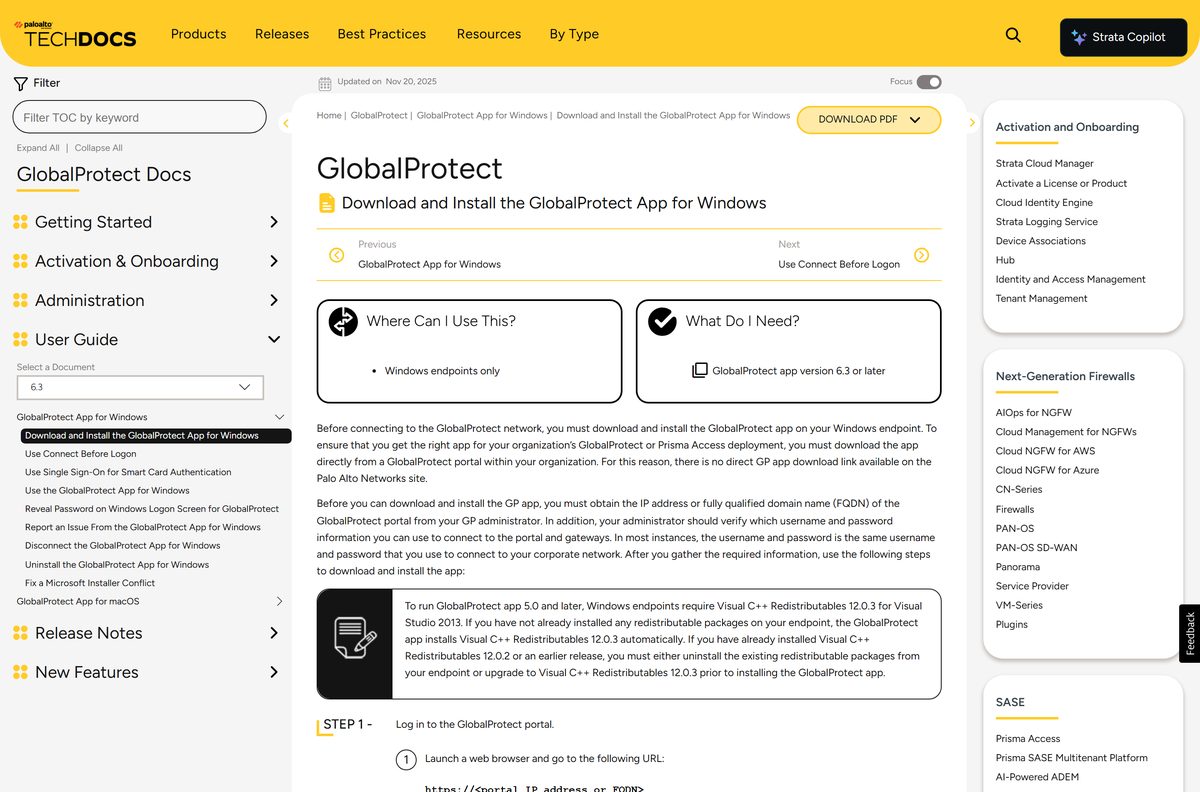
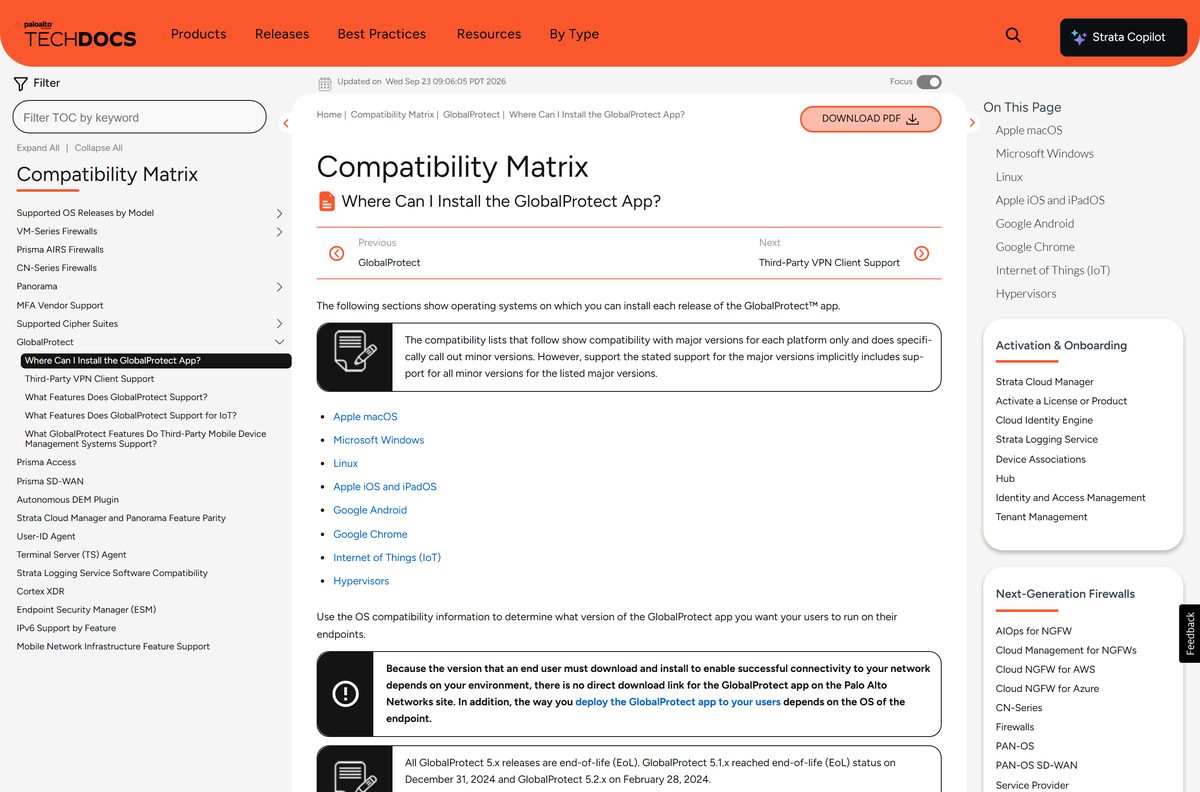
Palo Alto Networks states plainly that no direct app download link exists on its own site. The build you need depends on the gateway you connect to, so the portal serves it instead.
Your IT team gives you the portal address. It is a hostname or IP address, and it is the only page that should ever hand you this installer.
- Portal download and install guide for Windows — Sign in at https://
to reach the package - Portal download and install guide for Mac — Covers the system extension prompts on macOS
- Download and install guide for Linux — Packages come from the Customer Support Portal
- Where you can install the app — The official compatibility matrix
- Product page on paloaltonetworks.com — What the client does once it connects
Treat any other site offering this installer as unsafe. The package is tied to the gateway, and a stranger’s copy cannot be.
How to install GlobalProtect on Windows 11 and Windows 10
The whole flow runs in a browser and a wizard, and it takes about two minutes on a normal connection.
- Open a browser and go to https://
, the address your IT team gave you. - Type your work username and password, then select LOG IN.
- Select GlobalProtect Agent if an applications page opens instead of the download page.
- Select the software link that matches your Windows build, 32-bit or 64-bit.
- Select Run when the browser asks what to do with the file.
- Select Run again to start the GlobalProtect Setup Wizard, then select Next.
- Keep the default folder C:\Program Files\Palo Alto Networks\GlobalProtect and select Next twice.
- Select Close when the wizard reports that the installation finished.
- Type the same portal address into the app window and sign in to connect.
The setup adds Visual C++ Redistributables 12.0.3 for Visual Studio 2013 when that component is missing.
Keep the default install folder unless your IT team asked for another path.
Which GlobalProtect download do you need for your Mac?
One Mac package serves every supported chip, so the decision is about macOS version and system extensions.
| Your Mac | What to install | What to expect |
|---|---|---|
| macOS 12 Monterey to macOS 15 Sequoia | Download Mac 32/64 bit GlobalProtect agent | Apple silicon and Intel run the same package |
| macOS 26 Tahoe or macOS 27 | Compatibility matrix | Supported on newer maintenance builds, so confirm the activated version before you upgrade macOS |
| Your company uses split tunnel or enforcement | Mac install guide | Tick GlobalProtect System extensions during setup and approve them afterwards |
Run the installer, select Continue twice, tick the package you need, then select Continue and Install.
Enter your Mac username and password and select Install Software to finish.
System extensions need an approval in Security Preferences, and only an administrator account can give it.
Download the GlobalProtect packages for a company-wide rollout
Administrators do not use the portal page. They load the package onto the firewall and activate the version staff will receive.
| Task | Where | What to do |
|---|---|---|
| Get the package | Customer Support Portal or the update server | Pull the agent image from the software updates list, or let the firewall fetch it |
| Load it on the firewall | Device > GlobalProtect Client | Select Check Now, then Download beside the version you want |
| Activate it | Device > GlobalProtect Client | Select Activate, or Activate From File for an image you uploaded by hand |
| Serve it to staff | GlobalProtect portal | Only one image is active at a time, so reactivate an older build to roll a version back |
| Cover Linux machines | Linux package guide | Extract the TGZ, then run sudo ./gp_install.sh or add --cli-only for headless hosts |
Test an activation on one machine first. Every user who logs in afterwards is offered that image.
How to check your GlobalProtect version and update it
The version lives two clicks inside the app, next to the update button.
- Select the GlobalProtect system tray icon to open the status panel.
- Select the hamburger menu at the top of the panel.
- Select Settings to open the settings window.
- Open the About tab and read the installed version.
- Select Check for Updates on the same tab.
- Sign in to the portal again if the app asks for credentials.
- Let the app install the image your administrator activated, then reconnect.
The newest build for Windows and macOS is 6.3.3-h14 (6.3.3-c1121), and a portal can serve an older one on purpose.
Upgrades are controlled centrally, so an update button that does nothing usually means the firewall still hosts your current build.
Is GlobalProtect free?
The question comes up because the client is enterprise software that individual users install.
GlobalProtect costs the person installing it nothing. The money sits on the other side of the connection: a Palo Alto Networks next-generation firewall with a GlobalProtect Gateway licence, or a Prisma Access licence with the Mobile User subscription. That is bought by the organisation running the portal, which is also why there is no personal plan and no public sign-up. A site charging for this installer is not Palo Alto Networks.
Without a portal address from an employer or a school, the app has nothing to connect to.
Which GlobalProtect 6.3 build should you install?
Two builds get named often: the newest hotfix and the one Palo Alto Networks marks as preferred.
Install the build your portal offers, and raise a ticket rather than hunting for a newer one. The firewall serves one activated image, and a mismatch between app and gateway is a support problem, not an upgrade. For reference, 6.3.3-h11 (6.3.3-c1016) carries the preferred marking, while 6.3.3-h14 is the newest hotfix and fixes a SAML portal registration failure.
The 6.3 branch is supported until 30 June 2028, so an administrator has no deadline pressure to move you off it.
Fix GlobalProtect not installing, not upgrading or not downloading
Four failures cover most of the tickets, and three of them have a documented fix.
You cannot find a download link on paloaltonetworks.com
No public installer exists, because the package depends on the gateway you connect to.
- Ask your IT help desk for the portal hostname or IP address.
- Open https://
in a browser. - Sign in with your network username and password.
- Select GlobalProtect Agent if the applications page opens first.
The upgrade fails and all traffic is blocked
Windows cannot run two Microsoft Installer processes at once, and network access enforcement holds traffic while the upgrade is stuck.
- Restart the computer.
- Press Ctrl+Alt+Delete, then select Task Manager.
- Find every third-party msiexec.exe process that is running.
- Select each one and choose End task.
- Reinstall the older version to repair it if the app is now broken.
- Run the upgrade again and let it finish.
Windows refuses the install or the removal
Both actions need an administrator account on the endpoint.
- Sign in with an account that has administrator rights.
- Right-click the downloaded file and select Run as administrator.
- Ask IT to push the package from the firewall if company policy blocks local admin.
The Mac install finishes but the connection stays limited
Split tunnel and enforcement features need the system extensions that macOS blocks by default.
- Open the installer again and tick GlobalProtect System extensions.
- Select Open Security Preferences when macOS prompts.
- Select the padlock and enter administrator credentials.
- Allow apps from App Store and identified developers, then reconnect.
The installer conflict is documented by Palo Alto Networks in Fix a Microsoft Installer Conflict.
How to uninstall GlobalProtect from Windows or a Mac
Removal needs an administrator account on both platforms, and it ends your access to the corporate network.
Remove it from Windows 11 or Windows 10
- Open Start, then Control Panel.
- Select Programs, then Programs and Features.
- Select GlobalProtect in the list, then select Uninstall.
- Select Yes when the prompt asks you to continue.
Remove it from a Mac
- Open the installer package from your portal again.
- Select Continue on the introduction and destination screens.
- Tick Uninstall GlobalProtect on the installation type screen, then select Continue.
- Select Install, enter your username and password, then select Install Software.
- Enter the credentials once more if macOS asks to remove the system extensions, then select OK.
- Run sudo /Applications/GlobalProtect.app/Contents/Resources/uninstall_gp.sh instead if you prefer the terminal.
The machine loses its VPN route and its policy checks the moment the app is gone.
What to use when the GlobalProtect app cannot be installed
Unmanaged laptops, phones and Linux workstations each have a documented route in.
| Situation | What to use | The limit |
|---|---|---|
| A personal or unmanaged computer | Clientless VPN through the portal | Reaches published web applications in a browser only, and Palo Alto Networks warns against general browsing through it |
| A phone or tablet | Mobile builds in the compatibility matrix | iOS 16 and later, Android 8.x to 16.x |
| A Linux workstation | Linux GUI and CLI packages | ARM64 builds arrived in app 6.2.6 |
| No portal address at all | Nothing to install | The client connects only to a gateway an organisation runs, so home users have no sign-in to use |
Clientless access is switched on by an administrator, so check whether your portal offers it before planning around it.
Frequently asked questions
Is GlobalProtect free to download and use?
Yes, for the person installing it. Palo Alto Networks licenses the gateway side instead: a GlobalProtect Gateway licence on a next-generation firewall, or Prisma Access with the Mobile User subscription. Your employer pays that, and you pay nothing for the app.
What is the official GlobalProtect download page?
It is your own organisation’s portal, reached at https:// followed by the hostname or IP address your IT team gives you. Palo Alto Networks states that no direct app download link exists on its website, because the right build depends on the gateway.
Does GlobalProtect work on Windows 11?
Yes. The compatibility matrix lists Windows 11 on 64-bit and ARM64 devices, alongside Windows 10 and Windows 365 Cloud PC. Cloud PC support needs app version 6.3.2 or later.
How big is the GlobalProtect download?
Palo Alto Networks publishes no public installer, so no size is listed. The package your portal serves is the image your administrator activated on the firewall, and its size changes with the release.
Is there a GlobalProtect offline installer?
Not as a public file. Administrators download the agent image from the Customer Support Portal or the update server, then activate it under Device > GlobalProtect Client so the portal can serve it.
How do I install GlobalProtect on a Mac?
Sign in to your portal, choose the Mac agent, and run the installer. Select Continue, tick the package, then Install, and authenticate with your Mac password. Split tunnel setups also need the system extensions approved.
Does GlobalProtect have a 64-bit or ARM64 build?
Yes. Windows 11 is supported on x64 and ARM64 devices, and Windows 10 adds a 32-bit build. Mac packages cover Apple silicon and Intel, and Linux gained ARM64 support in app 6.2.6.
Is GlobalProtect safe to install?
The package from your own portal is the one your security team activated, so it matches the gateway. Downloads from other sites are not from Palo Alto Networks and cannot be matched to your company’s configuration.
What is the latest GlobalProtect version?
6.3.3-h14 (6.3.3-c1121) is the newest hotfix for Windows and macOS, and 6.3.3-h11 (6.3.3-c1016) carries the preferred marking. The 6.3 branch is supported until 30 June 2028.
Why will GlobalProtect not install or upgrade?
The common cause on Windows is another Microsoft Installer process running at the same time, which can also block traffic. Restart the machine, end third-party msiexec tasks in Task Manager, then run the upgrade again.






