Foxit PDF Reader is a free download for Windows 11, Windows 10 and Mac. It opens, annotates, fills and signs PDF files, and version 2026.2.0.39747 shipped on 1 September 2026.
The reader costs nothing on either platform. Creating and editing PDF content is where the paid Foxit PDF Editor takes over, and a 14-day trial covers that side.
Below are the official download routes, install steps, the enterprise MSI package, requirements, fixes for failed setups and clean removal.
Which Foxit PDF Reader download do you need?
Match your machine to the left column. Foxit splits the reader by operating system and by installer width, not by edition.
| Your machine | What to get | Where it comes from |
|---|---|---|
| Windows 11 or 64-bit Windows 10 | 64-bit Windows installer | Foxit download centre |
| 32-bit Windows 10 | 32-bit Windows installer | Foxit download centre |
| Mac on macOS 12 Monterey or newer | Current Mac release, 64-bit only | Foxit download centre |
| Mac on macOS 10.15 Catalina or macOS 11 Big Sur | Version 2025.2.1, the last build those releases accept | Foxit support note |
| A fleet of office PCs | MSI package plus Group Policy templates | Enterprise Packaging form |
Press Windows + R, type winver and select OK if you are unsure which Windows release you run.
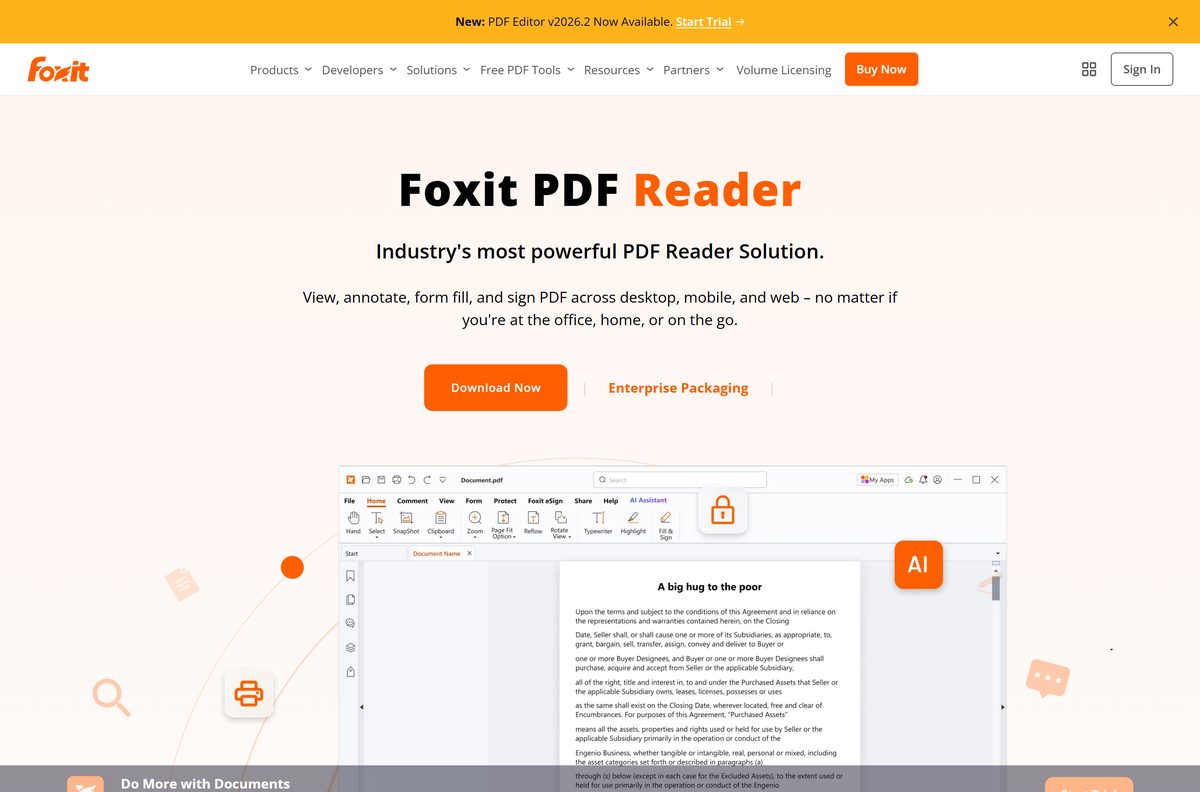
Download Foxit PDF Reader from the official Foxit download centre
Foxit hands out the reader through its own download centre. Open the Foxit PDF Reader tab, keep Windows or Mac selected, choose a language and select Free Download.
- Foxit download centre — the Free Download button for Windows and Mac
- Foxit PDF Reader product page — feature list, FAQ and the mobile app links
- Enterprise Packaging register page — MSI package, GPO templates and the Customization Wizard
- Version history and release notes — every build back to version 2, with release dates
- Windows user manual — official documentation for the Windows build
- Mac user manual — official documentation for the macOS build
A copy hosted on a download portal is not the Foxit build and carries no support. Stay on foxit.com.
Check the Foxit PDF Reader system requirements before you install
Windows 10 is the floor on the PC side. Anything older has to be upgraded before setup will run.
| Field | Value |
|---|---|
| Software | Foxit PDF Reader |
| Developer | Foxit Software Incorporated |
| Latest version | 2026.2.0.39747 |
| Released | 1 September 2026 |
| License | Free |
| Supported Windows | Windows 10 and Windows 11, plus verified Citrix environments |
| Supported macOS | macOS 12 or later from version 2025.3.0; macOS 10.15 and 11.x up to version 2025.2.1 |
| Architecture | Windows 32-bit and 64-bit; Mac 64-bit only |
| File size | Not published by Foxit |
| Offline installer | Yes, through the Enterprise Packaging MSI |
| Mac version | Yes, as a separate build |
| Official source | Foxit download centre, foxit.com |
| Last verified | 2026-09-22 |
Foxit puts the hardware figures behind the SYSTEM REQUIREMENTS link on the download page, and no installer size appears anywhere on the site.
How to install Foxit PDF Reader on Windows 11 and 10
Setup runs in under two minutes. Sign in with an administrator account first, because the installer asks for approval.
- Open the Foxit download centre and select the Foxit PDF Reader tab.
- Select Free Download, leave Windows selected and pick your program language.
- Select Free Download again in the dialog, then Save the installer when the browser asks.
- Double-click the saved file in your Downloads folder.
- Select Yes at the User Account Control prompt.
- Accept the licence agreement and select Next.
- Leave the default install folder in place, or select Browse to move it, then start the install.
- Select Finish, then open Start, type Foxit PDF Reader and open the app.
Anything older than Windows 10 has to be upgraded first, as Foxit’s install note sets out. Check your Windows version if you are not sure.
Download the Foxit PDF Reader MSI package for deployment
The Enterprise Packaging route is the one IT teams want. It swaps the consumer setup for an MSI, and adds the management pieces Group Policy needs.
| What you get | Format | Where it comes from |
|---|---|---|
| English reader package | .msi | Enterprise Packaging form |
| Other language packages | .msi or .exe | Enterprise Packaging form |
| Group Policy administrative templates | .zip, ADM and ADMX | Enterprise Packaging form |
| Foxit Customization Wizard | .exe | Enterprise Packaging form |
| Silent-install switches and feature flags | Documentation | MSI installer public properties |
Got an EXE where you wanted an MSI? Run FoxitPDFReader.exe /extract in the folder holding it and the MSI lands beside it.
Test one machine before the pilot ring. Version 2026.2.0 is a baseline release, so earlier builds upgrade with the full package rather than an MSP patch.
Which Foxit PDF Reader download do you need for your Mac?
Open the Apple menu and select About This Mac to read your macOS release, then match it below.
| Your macOS release | Download | Why |
|---|---|---|
| macOS 12 Monterey or newer | Current Mac build | Full support, 64-bit only |
| macOS 11 Big Sur | Version 2025.2.1 | Last release Big Sur accepts |
| macOS 10.15 Catalina | Version 2025.2.1 | Last release Catalina accepts |
| macOS 10.14 Mojave or older | Apple Preview | Outside Foxit’s supported range |
Install 2025.3.0 or later on Catalina or Big Sur and setup stops with the message that macOS version 12 or later is required. Foxit traces that to the refactored Microsoft Sensitivity Labels plugin.
Foxit PDF Reader or Foxit PDF Editor: which should you install?
Both products come from the same download centre, and the names sit one word apart, so the split is worth stating plainly.
Install the reader unless you need to create PDFs or change the text inside one. Viewing, annotating, form filling, signing and shared review all sit in the free reader. Editing page content, converting files to PDF and building PDFs from scratch belong to Foxit PDF Editor, a paid product with a 14-day trial that needs no card.
Installing the editor trial on top of the reader answers the question in a fortnight without spending anything.
Is Foxit PDF Reader free?
Foxit labels the reader FREE on its own product page, and no licence key or account is needed to run it.
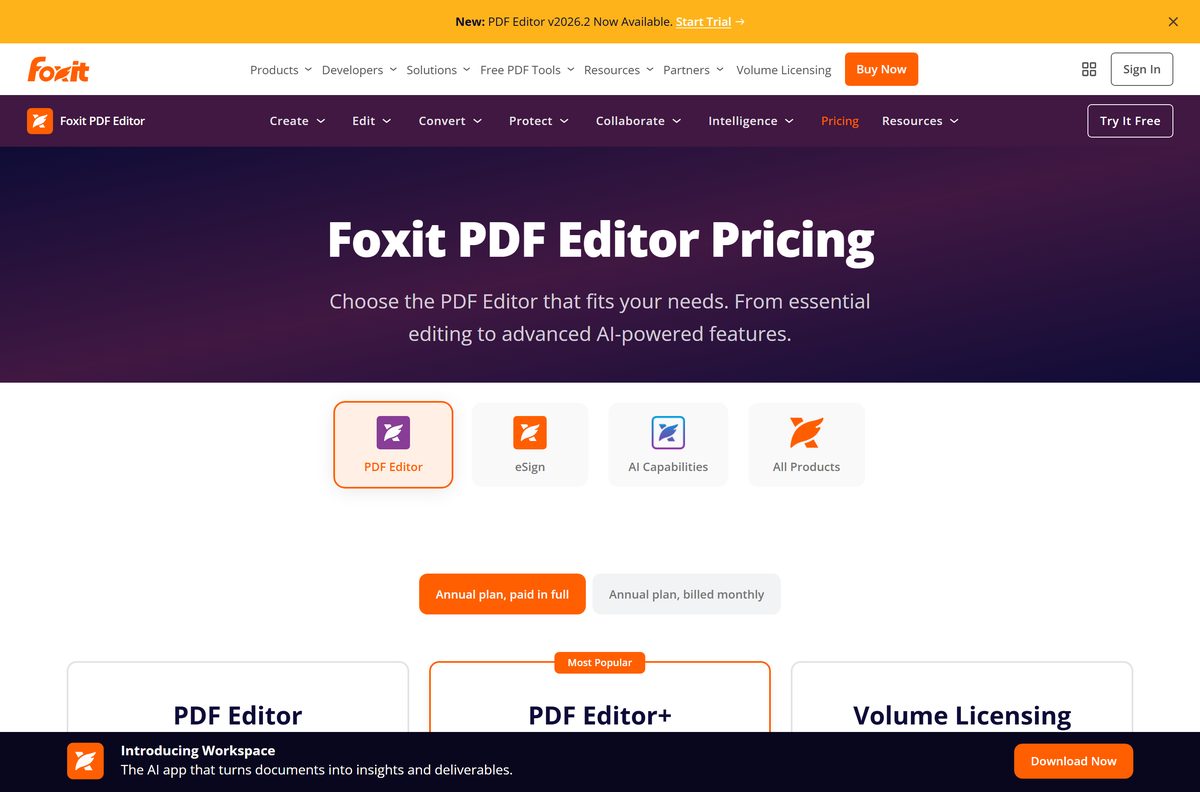
Yes. Foxit PDF Reader is free to download and free to use on Windows and Mac, with no trial clock. The paid tiers are separate products: Foxit PDF Editor and Foxit PDF Editor+ are sold per user per year, with a perpetual licence and volume licensing as alternatives on the pricing page. Foxit eSign signing workflows inside the reader also need that extra purchase.
Any site asking for a payment or a serial to unlock the reader is not Foxit. The download centre never charges for it.
What Foxit PDF Reader does on Windows and on Mac
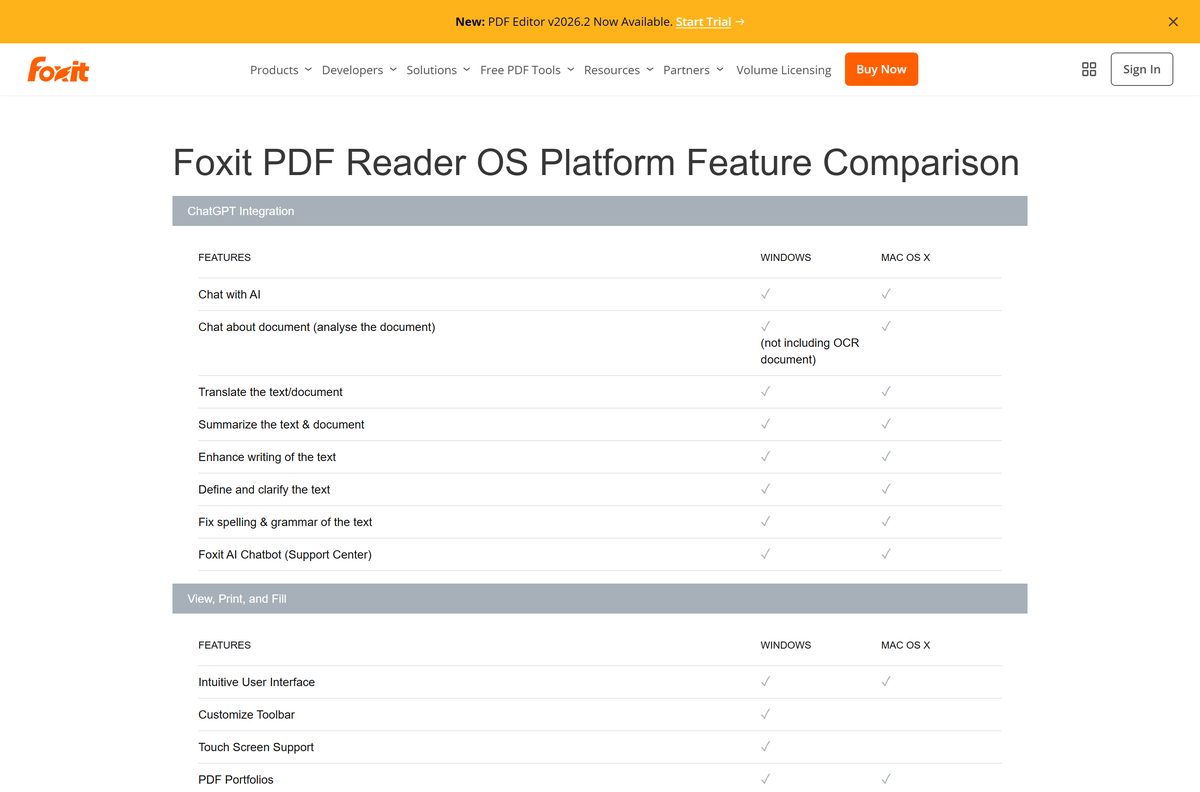
Foxit publishes a platform matrix, and the two builds are not identical. The deployment and hardening features land on Windows only.
| Capability | Windows | Mac |
|---|---|---|
| Form filling, AcroForms and XFA | Yes | Yes |
| Form data import and export | Yes | Yes |
| PDF portfolios | Yes | Yes |
| Shared review and comment tools | Yes | Yes |
| SharePoint, OneDrive, Google Drive and Dropbox | Yes | Yes |
| Digital signatures and time stamps | Yes | Yes |
| Microsoft Purview Information Protection | Yes | Yes |
| Customize toolbar | Yes | No |
| Touch screen support | Yes | No |
| ASLR and DEP support | Yes | No |
| Group Policy, SCUP and XML configuration | Yes | No |
| Setup Customization Tool | Yes | No |
The full grid, including the language list, sits on Foxit’s platform comparison page.
How to check your Foxit PDF Reader version and update it
Minor updates normally arrive as MSP patches. Version 2026.2.0 broke that chain, so an older copy needs the full package.
- Open Settings, then Apps, then Installed apps.
- Type Foxit in the search box and read the version beside the entry.
- Compare it with the top entry on the version history page.
- Download the current package from the Foxit download centre when yours is behind.
- Close every PDF window, then run the installer over the existing copy.
- Reopen the app and check Installed apps again to confirm the new number.
IT teams patching a 2025.x fleet can pull MSP files from Foxit’s patch note instead of redeploying the full installer.
How to make Foxit PDF Reader the default on Windows 11
Windows 11 keeps sending PDFs to Microsoft Edge until the file type is reassigned by hand.
- Open Settings, then Apps, then Default apps.
- Type Foxit PDF Reader in the search box and select the app.
- Select the .pdf tile under its file-type list.
- Select Foxit PDF Reader in the picker, then Set default.
- Repeat for .fdf and .xfdf if you work with exported form data.
- Double-click any PDF on the desktop to confirm the change.
Microsoft documents the same route in change default programs in Windows.
Fix Foxit PDF Reader not installing on Windows 11 or 10
Four failures cover almost every stuck install. Work down to the one that matches your screen.
The download never starts on the Foxit site
The browser blocked the save dialog that the download page opens.
- Stay on the thank-you page that loads after Free Download.
- Select the manual download link in the first line of that page.
- Allow the pop-up if your browser shows a blocked-content bar.
- Retry from the download centre in a private window if nothing happens.
Setup refuses to run on your Windows version
Windows 8.1 and earlier fall outside the supported list.
- Press Windows + R, type winver and select OK.
- Upgrade to Windows 10 or Windows 11 when the build reads lower.
- Run the installer again once the upgrade finishes.
Setup stops at the User Account Control prompt
The signed-in account has no administrator rights.
- Right-click the installer and select Run as administrator.
- Enter an administrator password when Windows asks for one.
- Ask your IT team to deploy the MSI package instead on a managed PC.
The installer will not open on a 32-bit PC
A 64-bit package cannot run on a 32-bit Windows install.
- Open Settings, then System, then About and read System type.
- Return to the download page and pick the 32-bit package when it says 32-bit.
- Install the 64-bit package on 64-bit Windows for the faster build.
A half-removed older copy blocks setup as well. Remove it first, then install fresh.
How to uninstall Foxit PDF Reader
Removal runs through the standard Windows list. Nothing extra has to be downloaded first.
- Close every open PDF window.
- Open Settings, then Apps, then Installed apps.
- Type Foxit in the search box.
- Select the three dots beside Foxit PDF Reader and choose Uninstall.
- Select Uninstall again to confirm, then Yes at the User Account Control prompt.
- Restart the PC, then reassign .pdf under Default apps to the reader you keep.
On a Mac, drag the app from Applications to the Bin and empty it. Microsoft’s uninstall guide covers the Windows side in more detail.
Which free PDF reader to use instead of Foxit PDF Reader
Three free readers cover the same ground. The right one depends on how much you annotate and which machine you sit at.
| Reader | Platforms | Best for |
|---|---|---|
| Adobe Acrobat Reader | Windows and Mac | Documents built around Adobe’s own signature and review tools |
| Microsoft Edge | Windows and Mac | Quick reading and printing with nothing to install |
| Apple Preview | Mac only | Markup and page shuffling that ships with macOS |
Stay with Foxit when you fill XFA forms, run shared reviews or need Group Policy control. The three above stop short of all of that.
Frequently asked questions
Is Foxit PDF Reader free?
Yes. Foxit lists the reader as free on its product page, and it installs on Windows and Mac without a key or an account. Foxit PDF Editor is the paid product, sold per user per year or as a perpetual licence.
Where is the official Foxit PDF Reader download?
The Foxit download centre at foxit.com/downloads carries it. Open the Foxit PDF Reader tab, keep Windows or Mac selected, choose a language and select Free Download. IT teams use the Enterprise Packaging form on the same site for the MSI.
Does Foxit PDF Reader work on Windows 11?
Yes. Foxit lists Windows 10 and Windows 11 as supported, and the reader is verified for Citrix environments as well. Windows 8.1 and older releases have to be upgraded before setup will run.
How big is the Foxit PDF Reader download?
Foxit publishes no file size for the reader. The product page, the download centre and the version history page all leave it out, and the installer itself is served after a download form.
Is there a Foxit PDF Reader offline installer?
Yes, through Enterprise Packaging. That form hands over an MSI package, the Group Policy administrative templates and the Foxit Customization Wizard, which is what an offline or managed rollout needs.
Is Foxit PDF Reader available for Mac?
Yes, as a separate 64-bit build. Releases from 2025.3.0 need macOS 12 Monterey or later. Macs on macOS 10.15 Catalina or macOS 11 Big Sur stay on version 2025.2.1, the final build for those systems.
Does Foxit PDF Reader support 64-bit and ARM64 PCs?
Foxit has shipped a native 64-bit Windows installer since version 2025.2 and still offers a 32-bit one. The Mac build is 64-bit only. Foxit lists no native ARM64 Windows package.
Is Foxit PDF Reader safe?
It is safe when it comes from foxit.com. The reader ships Protected View, Trust Manager and Safe Mode, privileged locations, a switch to disable JavaScript, and ASLR and DEP support on Windows.
What is the latest version of Foxit PDF Reader?
Version 2026.2.0.39747, released on 1 September 2026. Foxit’s version history page lists every build before it, back through 2026.1.3.36551 and 2025.3.0.35737.
Why won’t Foxit PDF Reader install?
The usual causes are a Windows release older than 10, an account without administrator rights, a 64-bit package on 32-bit Windows, or a browser that blocked the save dialog. Each has a fix in the troubleshooting section above.
Can I edit a PDF in Foxit PDF Reader?
No. The reader views, annotates, fills forms and signs. Changing the text or images inside a PDF, or creating one from another file, needs Foxit PDF Editor, which offers a 14-day trial.
Can I update Foxit PDF Reader with an MSP patch file?
Not to version 2026.2.0. Foxit treats that release as a new baseline and ships full installation packages only, so an earlier copy upgrades by running the current installer over it.