You can download ESET Internet Security from ESET for Windows 11 and Windows 10, and run it free for 30 days without a credit card. The 64-bit offline installer is 85.6 MB, and the current program version is 19.2.10.0.
Windows gets two files, a 64-bit build and a Windows-on-ARM build. A Mac runs a different ESET program, ESET Cyber Security, which the same subscription activates.
Below: which file to take, the Live and offline routes, the ESET HOME account step, what each subscription tier unlocks, the macOS download and fixes for the documented install errors.
Which ESET Internet Security download do you need?
ESET publishes the same program version as several files. Match your machine to a row and take that file.
| Your machine | File to take | Size |
|---|---|---|
| Windows 11 or 10, 64-bit, with internet access | eset_internet_security_live_installer.exe | 10.5 MB |
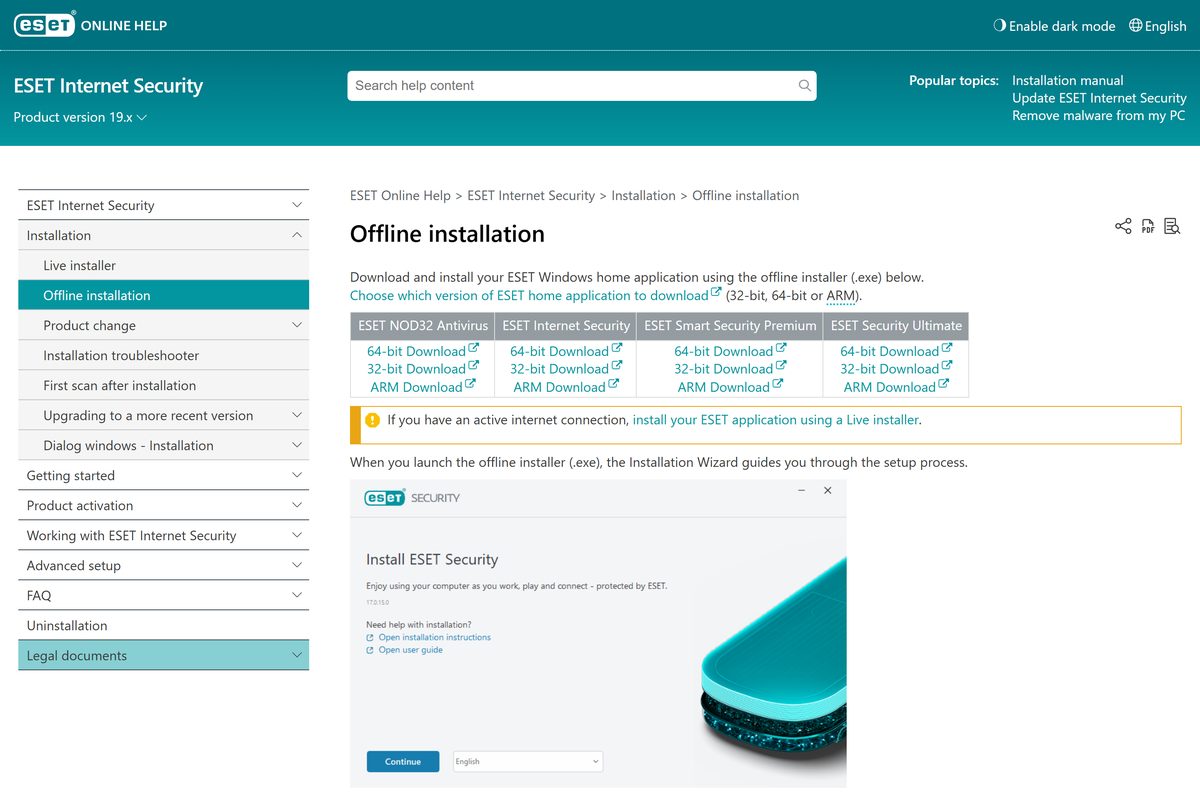
| Windows 11 or 10, 64-bit, installing offline | eis_nt64.exe | 85.6 MB |
| Windows 11 on an ARM processor | eis_arm64.exe | 84.7 MB |
| Mac on Apple silicon or a 64-bit Intel chip | eset_cybersecurity.dmg | 621.4 MB |
The Live installer detects an ARM device and fetches the ARM build itself. On 32-bit Windows 10 the last compatible release is 18.2, because version 19.0 removed 32-bit support.
Download ESET Internet Security for Windows 11 and Windows 10
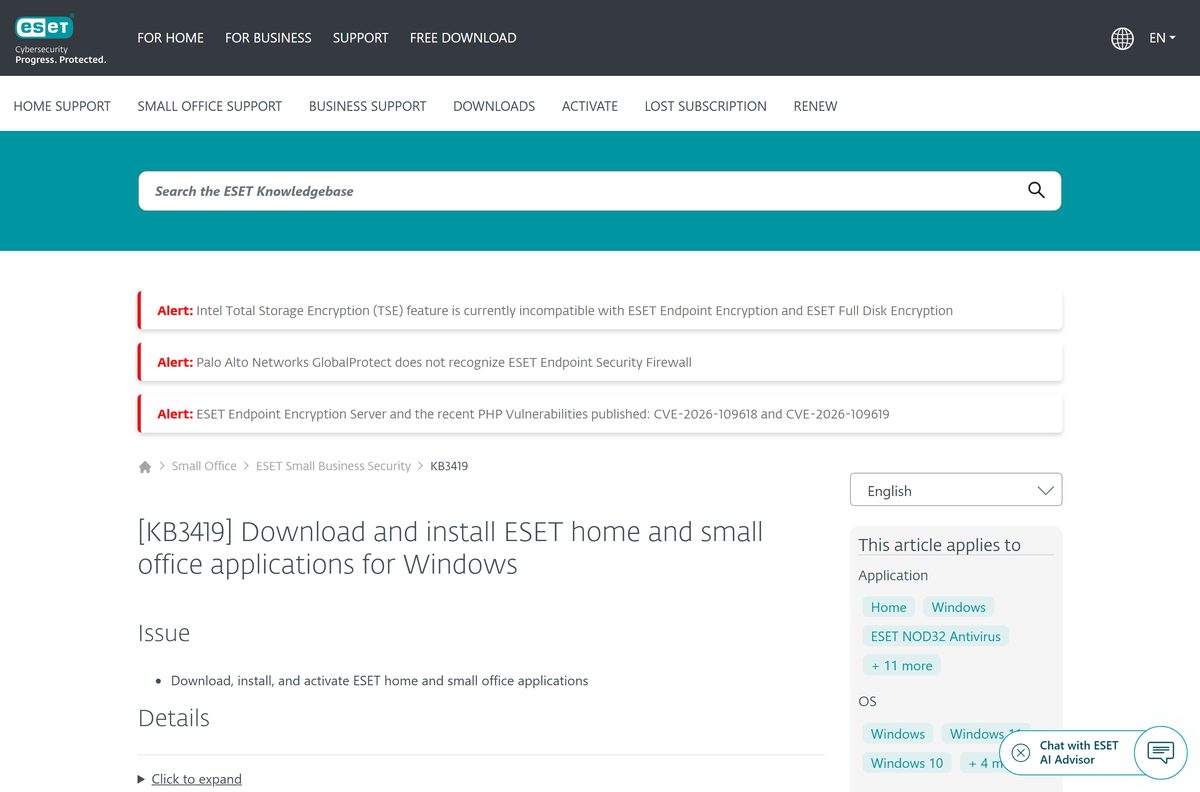
Every link below sits on eset.com or on ESET’s own download host. The downloads page serves the Live installer, and the detailed download options lead to the full files.
- ESET home downloads page — Live installer plus detailed download options
- eis_nt64.exe, 64-bit full installer — 85.6 MB · 89,745,120 bytes
- eis_arm64.exe, Windows on ARM installer — 84.7 MB · 88,823,016 bytes
- eset_internet_security_live_installer.exe — 10.5 MB · Picks the architecture during setup
- Offline installation page — ESET’s own list of full installers per architecture
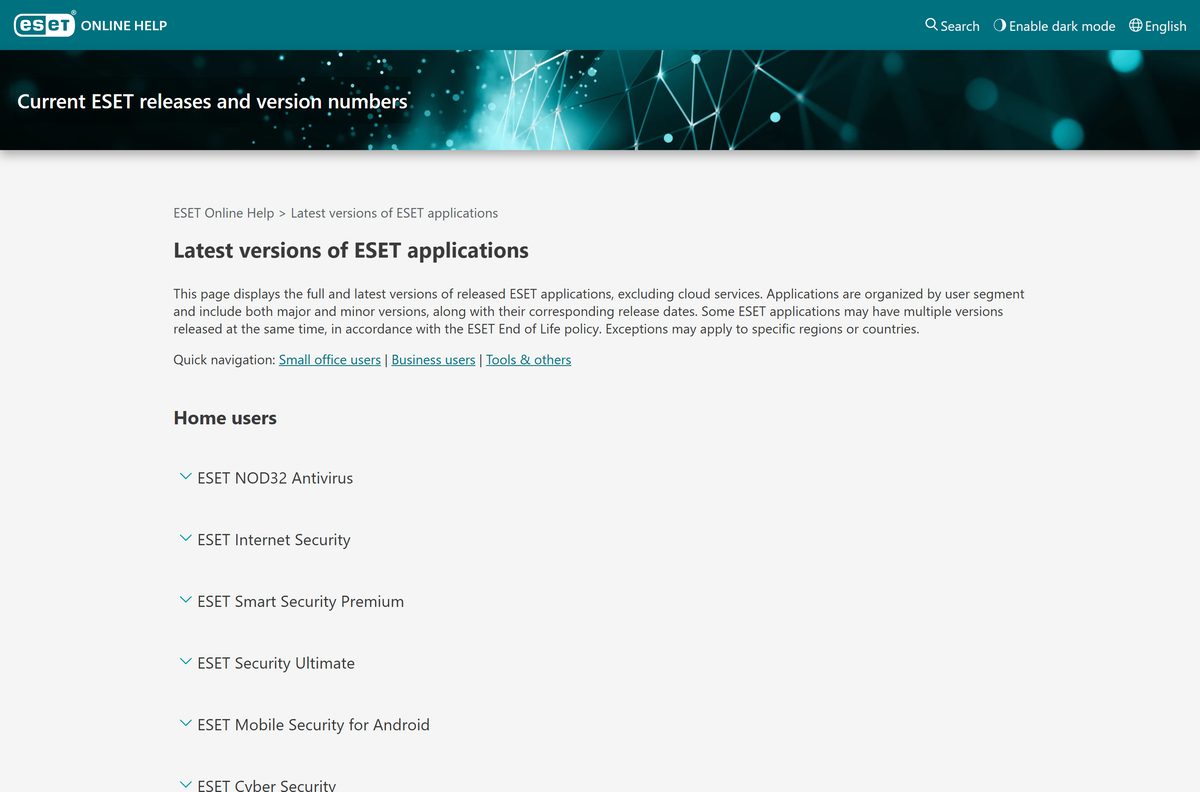
- Latest program versions — Windows build released 27 August 2026
How to install ESET Internet Security on Windows 11 and 10
ESET’s installation article asks you to remove any other third-party antivirus first. Microsoft Defender needs no action, because Windows hands protection over by itself once ESET registers.
- Remove any other third-party antivirus through Settings > Apps > Installed apps.
- Open the ESET downloads page and start the download for Windows.
- Sign in to ESET HOME, or create the account that subscriptions bought after 15 November 2023 require.
- Choose Use an activation key, Buy a subscription or Start a free 30-day trial, then click Continue.
- Run the downloaded file, select your language and click Continue.
- Click Allow all and continue, or set the individual options and click Continue.
- Enter a device name for this PC and click Continue.
- Click Continue to start the installation, then click Done.
- Let the initial scan that starts after setup run to the end.
The offline installer offers Skip activation in place of the sign-in. Activation afterwards needs an internet connection.
How to verify the ESET Internet Security installer
The byte size, the signature and the published hash are three checks that take a minute between them.
- Confirm the address bar read eset.com or download.eset.com before the transfer started.
- Right-click the saved file and select Properties.
- On the General tab, check the 64-bit file reads 85.6 MB, or 89,745,120 bytes.
- Open the Digital Signatures tab and check the signer reads ESET, spol. s r.o.
- Open Windows PowerShell in the download folder and run Get-FileHash .\eis_nt64.exe -Algorithm SHA256 .
- Compare the result with the SHA-256 ESET’s download service publishes for the current 64-bit build: 66abde4ceef009ff7f599ef63e97fa9acba276836227ec242f75a1b028049687 .
- Delete the file and take it again from ESET if the size or the hash differs.
- Never open the .exe with an archive tool, because ESET lists The header is corrupt as the result.
A copy from a download portal or a mirror fails the first of those checks.
Which ESET download do you need for your Mac?
There is no macOS build of this program. ESET ships ESET Cyber Security for the Mac, and the same subscription activates it.
| Your machine | What to download | Size |
|---|---|---|
| Mac on Apple silicon, M1 to M4 | eset_cybersecurity.dmg | 621.4 MB |
| Mac on a 64-bit Intel chip | The same disk image covers both chips | 621.4 MB |
| Mac still on macOS 12 or older | Check the macOS requirements first | Version 10 is not supported |
| Windows 11 or Windows 10 PC | eis_nt64.exe | 85.6 MB |
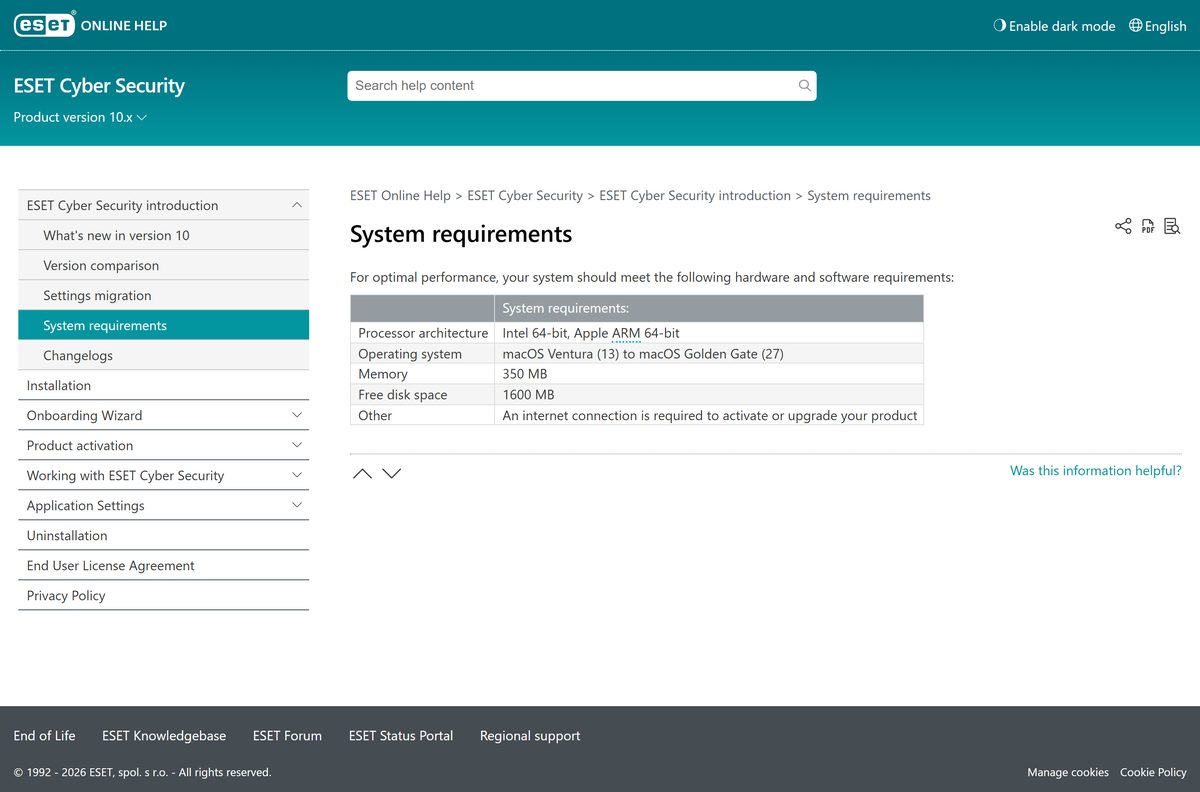
ESET Cyber Security 10.0.2100.0 reached release on 14 September 2026. It needs macOS 13 Ventura or later, 350 MB of memory and 1,600 MB of free disk space.
Is ESET Internet Security free?
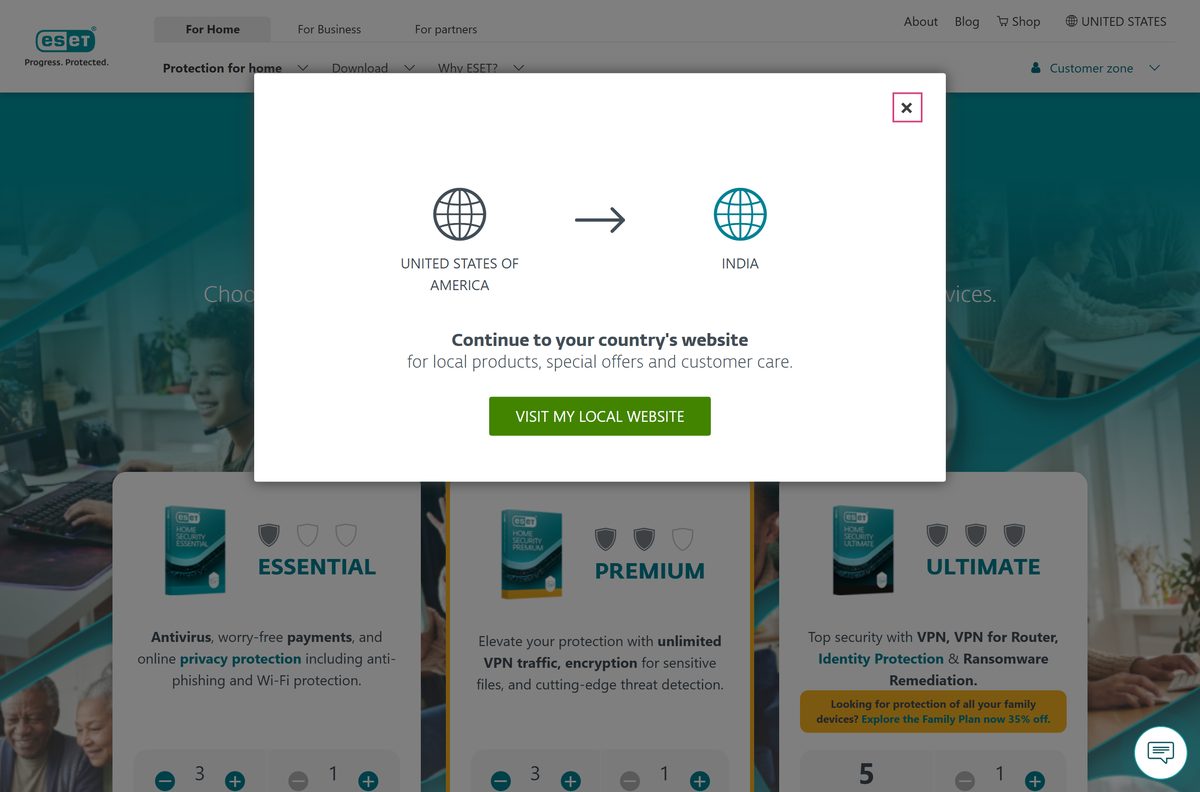
No. It is a paid subscription, and the free route is the 30-day trial. ESET sells the program inside its ESET HOME Security tiers, priced per plan for 1 to 5 devices, with a 15-device Family Protection Pack. The trial runs 30 days, needs no credit card and bills nothing at the end. A purchase carries a 30-day money-back guarantee.
A site offering a free licence key or a lifetime activation is not ESET, and a key bought outside the ESET eStore cannot be supported.
Should you install ESET Internet Security or ESET HOME Security Essential?
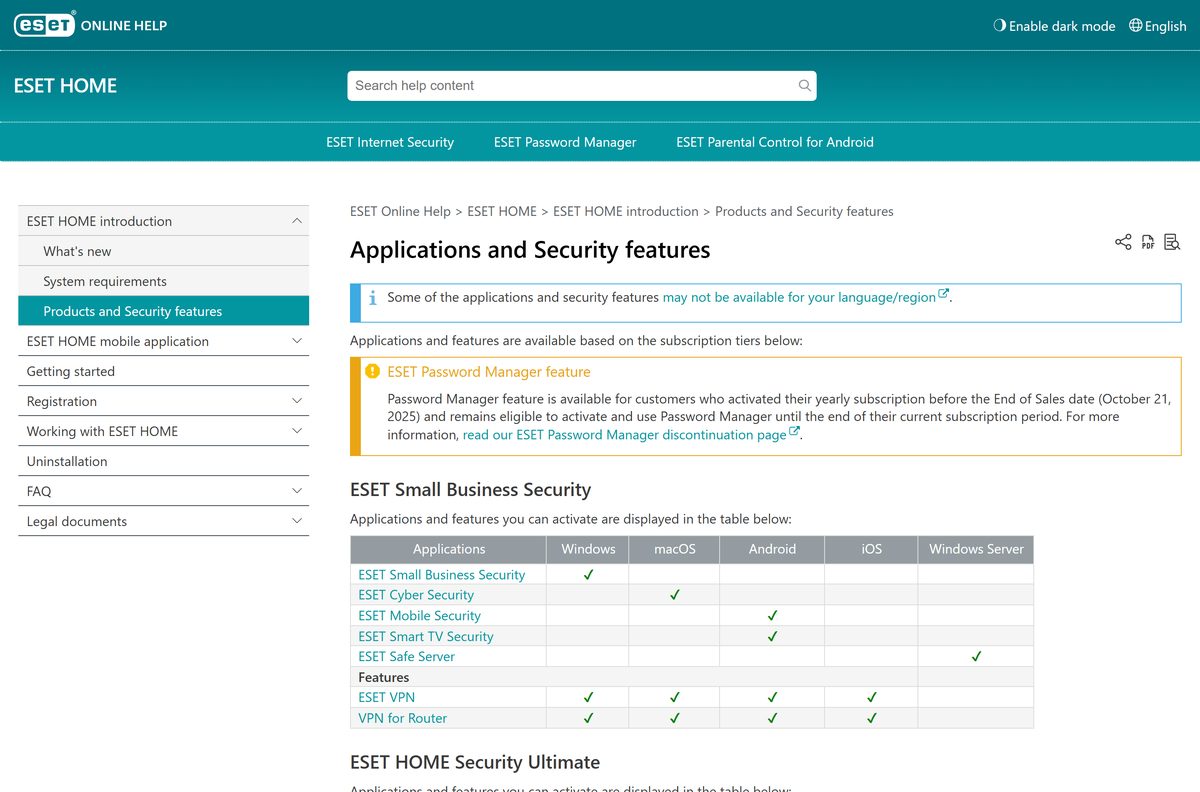
Install ESET Internet Security. ESET HOME Security Essential is the subscription that unlocks it, not a second program to download. ESET’s plans page states that the earlier subscriptions have been replaced with the new tiers, so the shop lists Essential, Premium and Ultimate instead. The program kept its own name and version numbering, and ESET’s feature matrix lists it among the applications any of those three tiers can activate.
Premium adds ESET Smart Security Premium and unlimited VPN traffic. Ultimate adds ESET Security Ultimate, identity protection and VPN for Router.
Check what your ESET subscription installs on each device
One subscription covers several devices and a different app on each. The tier decides which Windows program it can activate.
| Device or add-on | Essential | Premium | Ultimate |
|---|---|---|---|
| Windows 11 and Windows 10 | ESET Internet Security or ESET NOD32 Antivirus | Adds ESET Smart Security Premium | Adds ESET Security Ultimate |
| macOS 13 and later | ESET Cyber Security | The same app | The same app |
| Android 9.0 and later | ESET Mobile Security and ESET Smart TV Security | The same two apps | The same two apps |
| iPhone and iPad | ESET HOME app, iOS 16 or later | The same app | The same app |
| ESET VPN | Not included | Included | Included |
| Identity protection and VPN for Router | Not included | Not included | Included |
No tier includes an antivirus for iPhone or iPad. The ESET HOME app manages the subscription, and ESET VPN needs iOS 13.
How to check your ESET Internet Security version and update it
The installed version sits one click from the main window, and program updates arrive on their own.
- Open the main program window from the Windows taskbar or the Start menu.
- Click Update.
- Read the number next to Current version.
- Compare it with the number on ESET’s latest versions page.
- Click Check for updates when the two numbers differ.
- Click Update application now if a newer program version is offered.
- Restart the PC when the wizard asks for it.
- Re-enter your activation key if the application reports that it cannot update.
Auto-updates are on by default and ESET checks hourly, so the detection engine stays current without a manual pass.
Check ESET Internet Security system requirements before you download
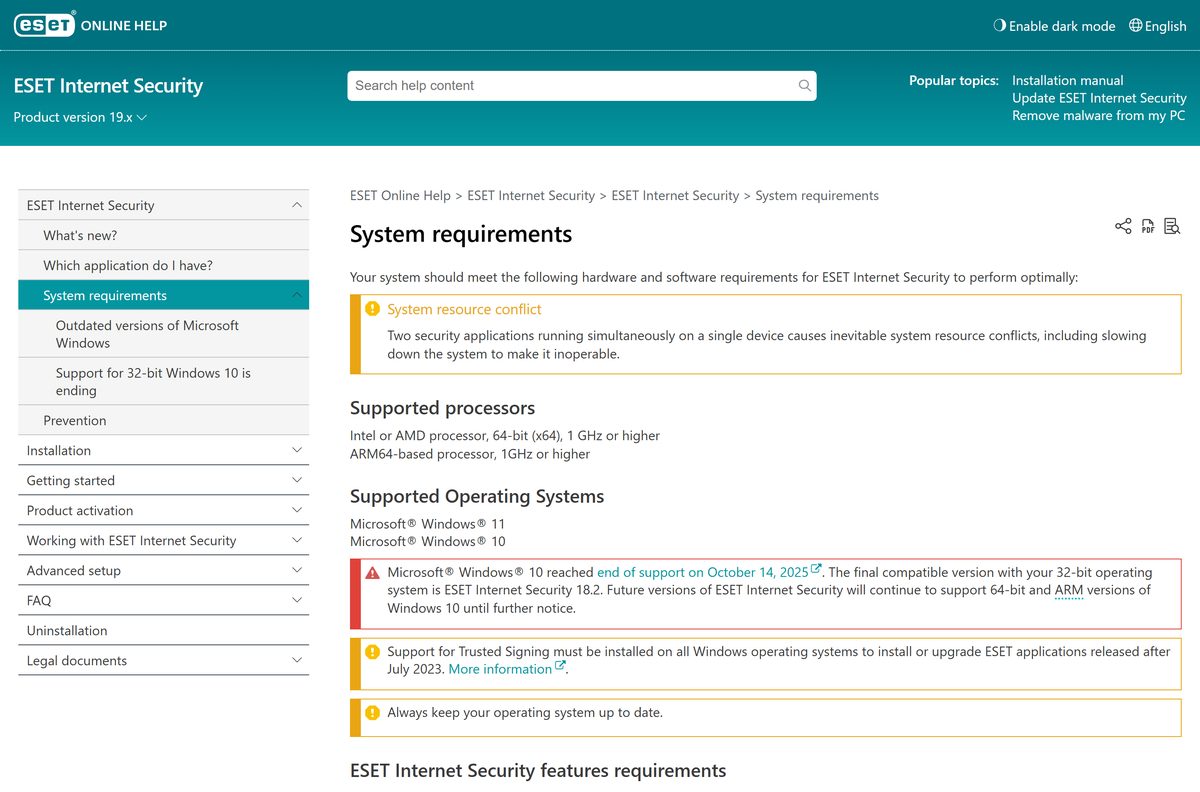
One 64-bit processor requirement, two Windows releases and a signing component that has to be present first.
| Field | Value |
|---|---|
| Software | ESET Internet Security |
| Developer | ESET, spol. s r.o. |
| Latest version | 19.2.10.0, released 27 August 2026 |
| License | Paid subscription with a 30-day free trial |
| File size | 85.6 MB (89,745,120 bytes), 64-bit full installer |
| Live installer size | 10.5 MB (11,015,600 bytes) |
| Supported OS | Windows 11 and Windows 10 |
| Processor | Intel or AMD x64 at 1 GHz or higher, or ARM64 at 1 GHz or higher |
| Architecture | x64 and ARM64; 32-bit support ended after version 18.2 |
| Other requirement | Trusted Signing support installed, plus internet access for activation and updates |
| macOS product | ESET Cyber Security 10.0.2100.0, macOS 13 or later |
| Offline installer | Yes |
| Official download source | eset.com/us/download/home/ |
| Last verified | 2026-10-25 |
ESET lists Specialized Cleaner, System Cleaner, Exploit Blocker, Deep Behavioral Inspection, Advanced Machine Learning, Safe Banking & Browsing and Secure Data as unsupported on ARM64.
How to confirm ESET is the active antivirus on Windows 11
Windows gives protection to the antivirus that registers itself, so there is no switch to flip by hand.
- Open the Windows Security app from the Start menu.
- Select Virus & threat protection.
- Under Who’s protecting me? select Manage providers.
- Check that ESET appears under Antivirus as the provider that is turned on.
- Open Windows PowerShell and run Get-MpComputerStatus | select AMRunningMode to read Microsoft Defender’s own state.
- Leave both entries exactly as Windows set them.
Microsoft documents that Microsoft Defender Antivirus moves to disabled mode by itself once a non-Microsoft antivirus becomes the primary product, then turns itself back on if that product expires or is removed.
Fix ESET Internet Security not installing on Windows 11 or 10
Error 2878: other security applications were found
Another antivirus is still registered, and the installer stops rather than run two products at once.
- Remove the other antivirus through Settings > Apps > Installed apps.
- Download ESET AV Remover when that uninstaller leaves parts behind.
- Run the 21.4 MB tool, select the product it found and click Remove.
- Leave Microsoft Defender alone, because Windows manages its state for you.
- Restart the PC and start the ESET installer again.
Installation has been interrupted, Error Code: WIN.1620
The Live installer could not finish fetching the product over this connection.
- Take the 64-bit full installer instead.
- Run it and select Skip activation when the wizard offers it.
- Activate from the main window afterwards, which needs an internet connection.
- Keep your existing subscription, because it stays valid through a reinstall.
Error 1618, or MSI.1406 and MSI.1303
Windows Installer is busy elsewhere, or the file is running without administrator rights.
- Wait for any other installation or Windows update to finish.
- Open Task Manager and end the remaining Windows Installer tasks.
- Right-click the ESET installer and select Run as administrator.
- Check free disk space, because return code 5014 is a full drive.
Return code 5020, 5021 or 5022
An ESET application is already installed on this PC.
- Open the ESET application already on the PC and upgrade it rather than installing a second copy.
- Uninstall the existing copy when the upgrade is refused.
- Run the ESET Uninstaller tool in Safe Mode if the uninstall itself fails.
- Install the current build and activate it again.
How to uninstall ESET Internet Security
Removal runs through the program’s own wizard rather than Control Panel. A settings password blocks it until the password is typed in.
- Type ESET in the Windows search bar and select the application.
- Click Uninstall.
- Click the three-dot menu icon and choose Modify.
- Click Next.
- Enter your settings or Parental Control password if one is set, then click Next.
- Click Remove, then click Remove again.
- Click Finish and choose whether to restart now or later.
- Export your settings and run the ESET Uninstaller tool in Safe Mode if the wizard fails.
A subscription stays active however many times the application is removed and reinstalled. Microsoft Defender Antivirus turns itself back on once nothing else is registered.
Choose between ESET Internet Security and the other ESET programs
Four Windows programs and one Mac program share one subscription system, and the tier decides which of them activates.
| Program | Where it fits | Size | Download |
|---|---|---|---|
| ESET NOD32 Antivirus | The lighter Windows program in the Essential tier | 85.6 MB | eav_nt64.exe |
| ESET Internet Security | Adds the firewall, network protection and anti-phishing layers | 85.6 MB | eis_nt64.exe |
| ESET Smart Security Premium | The Premium-tier Windows program, with password manager and encryption | 85.6 MB | essp_nt64.exe |
| ESET Security Ultimate | The Ultimate-tier Windows program | Listed per architecture | Offline installation page |
| ESET Cyber Security | The macOS product every tier activates | 621.4 MB | eset_cybersecurity.dmg |
| Microsoft Defender Antivirus | Built into Windows, active until another antivirus registers | With Windows | Microsoft Learn |
The Windows programs share one build and almost the same installer size, so the subscription decides the feature set.
Frequently asked questions
Is ESET Internet Security free?
No. It is a paid subscription sold inside the ESET HOME Security tiers, with a 30-day free trial that needs no credit card and no commitment. A purchase carries a 30-day money-back guarantee, and the advertised rate applies to the first term only.
Where is the official ESET Internet Security download page?
The official page is eset.com/us/download/home/. It serves the Live installer, and the detailed download options lead to the full file for each architecture. ESET’s offline-installation help page lists those same files with their direct links.
Does ESET Internet Security work on Windows 11?
Yes. ESET lists Windows 11 and Windows 10 as the supported releases, on an Intel, AMD or ARM64 processor running at 1 GHz or higher. Support for Trusted Signing has to be present before the program will install or upgrade.
How big is the ESET Internet Security download?
The 64-bit full installer is 89,745,120 bytes, or 85.6 MB. The Windows-on-ARM file is 88,823,016 bytes. The Live installer is only 11,015,600 bytes, because it downloads the product itself while setup runs.
Is there an ESET Internet Security offline installer?
Yes. ESET publishes a full offline installer for each architecture on its offline-installation help page. Setup then offers Skip activation instead of a sign-in, and activation afterwards still needs an internet connection.
Is ESET Internet Security available for Mac?
No. The Mac product is ESET Cyber Security, a 621.4 MB disk image that an ESET HOME Security subscription activates. It needs macOS 13 Ventura or later and covers Apple silicon and 64-bit Intel chips in one file.
Does ESET Internet Security have a 64-bit or ARM64 download?
Both. The file eis_nt64.exe covers 64-bit Windows and eis_arm64.exe covers Windows on ARM. ESET names 18.2 as the last release compatible with 32-bit Windows 10, and version 19.0 removed support for 32-bit systems.
Is ESET Internet Security safe to download and install?
It is safe from eset.com and download.eset.com. Check the saved file reads 85.6 MB, confirm the Digital Signatures tab names ESET, spol. s r.o., then compare the SHA-256 with the value ESET’s download service publishes for that build.
What is the latest version of ESET Internet Security?
Program version 19.2.10.0, which ESET released on 27 August 2026. The matching macOS product is ESET Cyber Security 10.0.2100.0 from 14 September 2026. Auto-updates are on by default and check for a newer build every hour.
Why won’t ESET Internet Security install on my PC?
Error 2878 means another antivirus is still registered, so remove it and use ESET AV Remover if its own uninstaller leaves parts behind. Error WIN.1620 is answered by the offline installer, and return codes 5020 to 5022 mean an ESET application is already installed.
Do you need an ESET HOME account to install it?
Yes, for any subscription bought after 15 November 2023. The account holds the subscription, lists the protected devices and serves the installer that matches the operating system. Google and Apple sign-in both create an account.
Has ESET Internet Security been renamed?
The Windows program keeps its name and its version numbering. The subscriptions around it changed: ESET now sells ESET HOME Security Essential, Premium and Ultimate, and each of those tiers can activate this program on a Windows PC.