A Duolingo download for a Windows 11 or Windows 10 PC comes from the Microsoft Store, where Duolingo Inc. publishes the app free. On a Mac you add duolingo.com to the Dock as its own app. iPhone, iPad and Android builds come from the App Store and Google Play.
All four routes sign in to the same account, so your streak, hearts and course progress follow you between the PC, the Mac and the phone.
This guide covers which download suits your device, the official links, install steps for Windows and Mac, what Super Duolingo adds, and fixes for the app refusing to install.
Which Duolingo download do you need?
Match your device to a row. The Windows row is a real package; the Mac row installs the site as a desktop app.
| Your device | What to install | Size |
|---|---|---|
| Windows 11 or Windows 10 PC | Duolingo – Language Lessons in the Microsoft Store | 1.3 MB |
| Windows PC where the Store is blocked | duolingo.com, installed as an app in Edge | Nothing to download |
| Mac on macOS Sonoma 14 or later | duolingo.com, added to the Dock from Safari | Nothing to download |
| iPhone or iPad on iOS 17.0 or later | Duolingo: Language Lessons on the App Store | 513.3 MB |
| Android phone or tablet | Duolingo: Language Lessons on Google Play | Play states no size |
The 1.3 MB Windows package is small because the lessons themselves stream from Duolingo’s servers. Plan on staying online.
Download Duolingo from the official sources
Four addresses cover every device. Use these and nothing else, because no other site distributes this app.
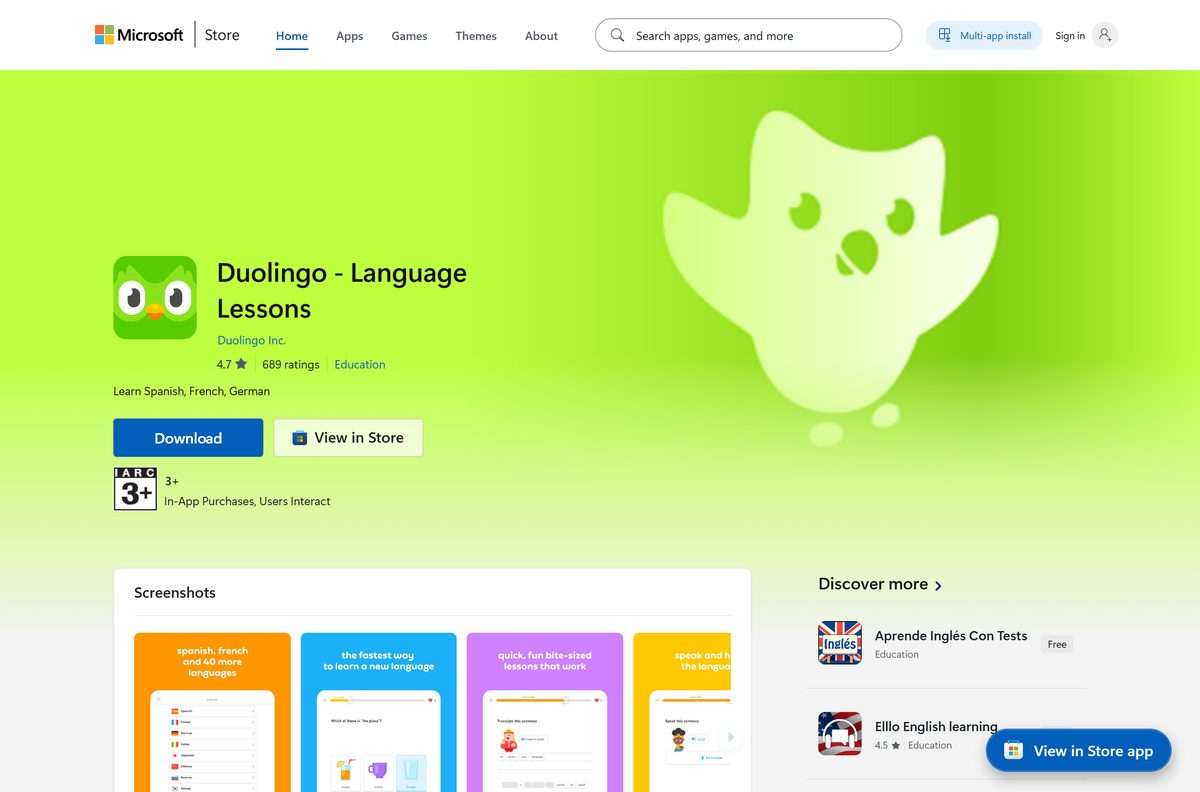
- Duolingo – Language Lessons in the Microsoft Store — 1.3 MB · published by Duolingo Inc., listed at $0.00, rated 4.6 from 313,086 ratings
- duolingo.com — the desktop route on Mac, Linux and any PC without the Store
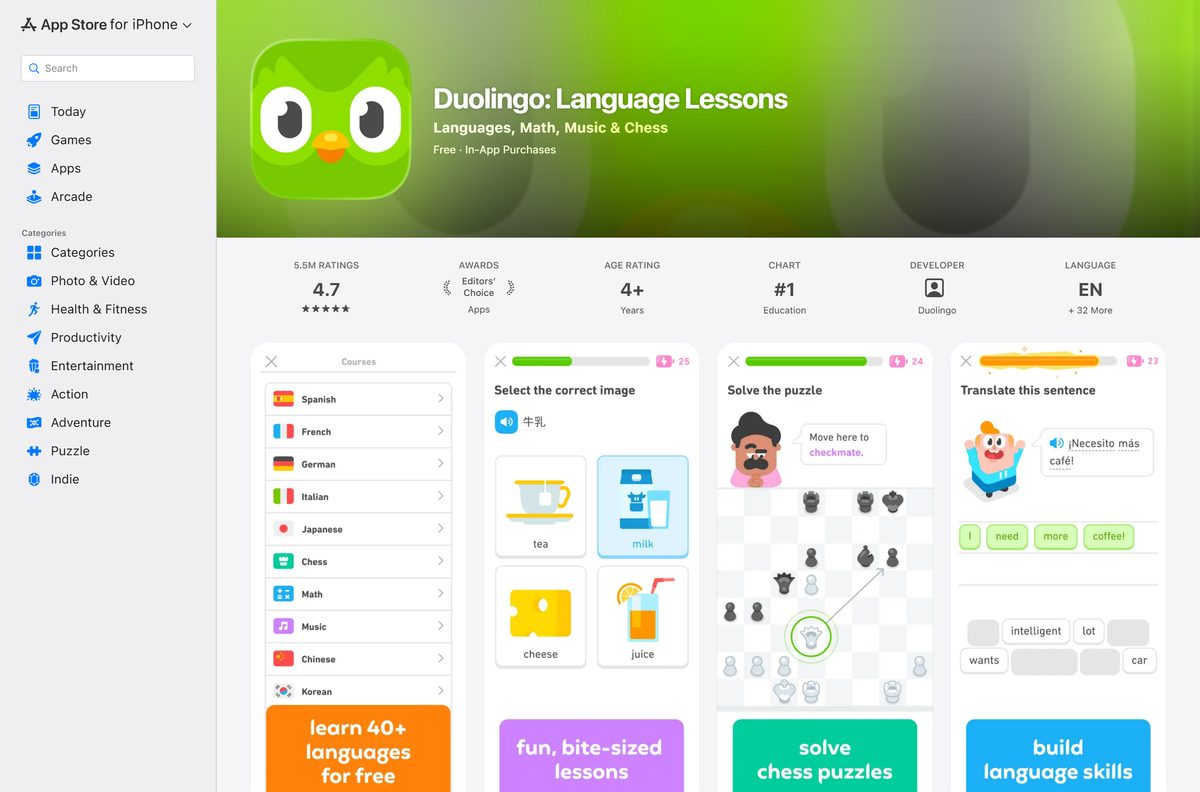
- Duolingo: Language Lessons on the App Store — 513.3 MB · seller Duolingo, Inc, version 7.141.0, iOS 17.0 or later
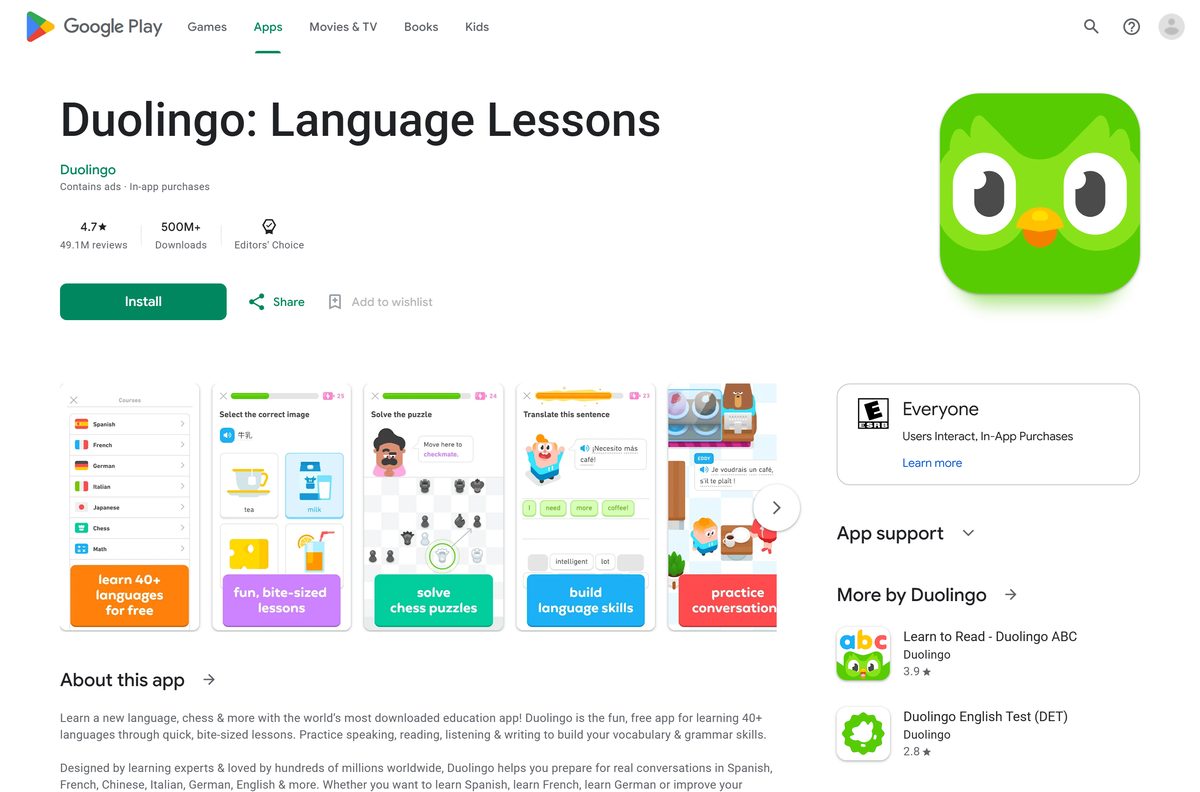
- Duolingo: Language Lessons on Google Play — 500M+ downloads, 4.7 stars from 49.1M reviews, updated 21 September 2026
A listing under any other publisher name is not the real app.
How to install Duolingo on Windows 11 and 10
The Store handles the whole install. No installer file lands in your Downloads folder.
- Open Microsoft Store from the Start menu.
- Type Duolingo in the search box and press Enter.
- Select Duolingo – Language Lessons, published by Duolingo Inc.
- Select Get. The package is 1.3 MB, so the transfer finishes in seconds.
- Wait for the button to change to Open.
- Select Open, then sign in with your Duolingo account or create one.
- Right-click the app’s taskbar button and select Pin to taskbar.
How to install Duolingo with winget or as an Edge app
Two routes avoid clicking through the Store interface. The first pulls the same package from the command line.
- Press Windows + X and select Terminal.
- Run winget install 9WZDNCRCV5XN -s msstore to fetch the Store package by its product ID.
- Accept the source agreement prompt the first time you use the msstore source.
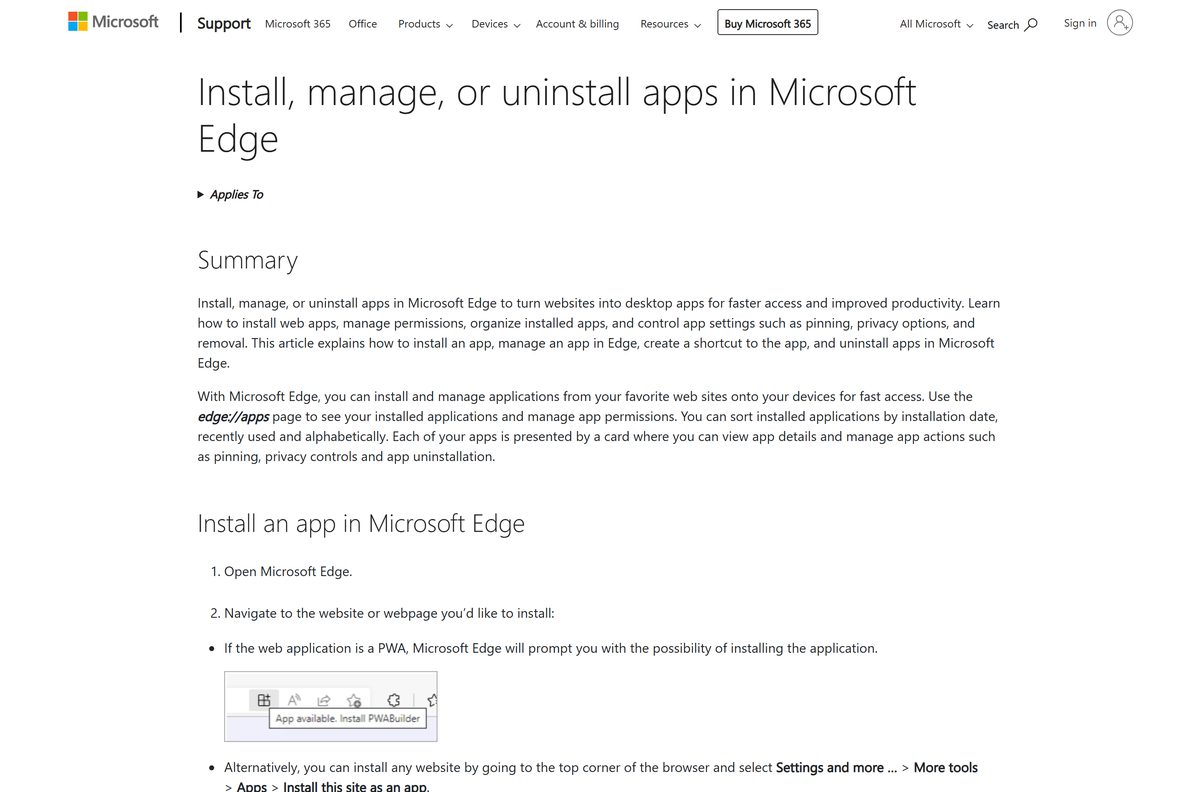
- For the browser route instead, open Microsoft Edge and go to duolingo.com.
- Select Settings and more, then More tools, then Apps, then Install this site as an app.
- Name the app and select Install.
- Open edge://apps to confirm the new entry is listed.
Which Duolingo download do you need for your Mac?
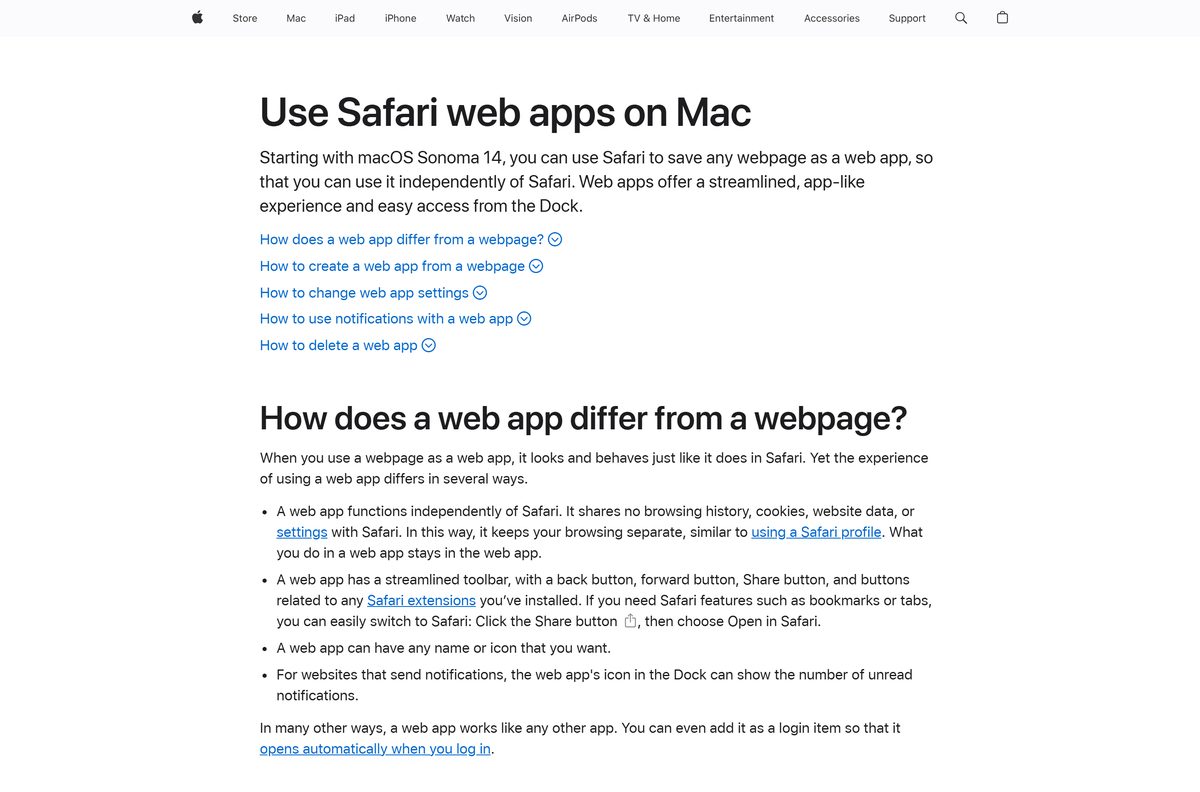
No Mac app is listed on the Mac App Store, and the iPhone listing declares no Mac compatibility. The browser supplies the desktop app instead.
| Your Mac | What to do | Menu path |
|---|---|---|
| macOS Sonoma 14 or later | Add the site to the Dock from Safari | File > Add to Dock, then Add |
| macOS 13 Ventura or later | Install the site as an app in Chrome | More > Cast, save, and share > Install page as app |
| Any Mac, no install wanted | Open duolingo.com in a tab | None |
| Looking on the Mac App Store | Nothing is listed there | Use a row above instead |
A Safari web app saves into the Applications folder inside your home folder and runs independently of Safari.
How to run Duolingo without installing anything
Lesson progress lives in your account, not on the machine. That makes the browser route the right one for a library or work PC.
- Open Edge, Chrome, Firefox or Safari on the computer in front of you.
- Go to duolingo.com.
- Sign in with your existing account, or create one.
- Pick a course and start a lesson.
- Check your phone afterwards: the same streak and XP show up there.
- Sign out before you walk away from a shared computer.
Is Duolingo free?
The free tier is the whole course catalogue, funded by ads.
Yes. Every course is free, and the Microsoft Store lists the app at $0.00. Google Play labels the listing Contains ads and In-app purchases, and the App Store lists it as Free with in-app purchases. The paid tier is Super Duolingo, offered as 14 days free on the vendor’s own store listings; it removes the ads and adds Unlimited Hearts, called Unlimited Energy on the App Store, plus a Monthly Streak Repair each month. Any site charging for the base app is not selling something Duolingo sells.
Subscriptions bought on a phone renew through Apple or Google, not through a separate card entry on the PC.
Should you install the Store app or use the website?
Both carry the same courses and the same account. The difference is how Windows treats them.
Install the Microsoft Store app on a PC you own, and use duolingo.com on a Mac or any machine you do not control. The Store package is published by Duolingo Inc., gets its own Start menu entry and updates through the Store with no prompts. The website needs no install rights, runs on macOS and Linux, and is the only desktop route Duolingo’s own site footer points to.
How to check your Duolingo version and update it
Store apps update on their own, but a stalled update is a common reason lessons stop loading.
- Open Microsoft Store and select Library.
- Select Get updates.
- Let any pending update for Duolingo – Language Lessons finish.
- Select Start > Settings > Apps > Installed apps to confirm the entry is present.
- On a Mac or in a browser, reload duolingo.com; the web version updates itself.
- On a phone, update from the App Store or Google Play listing.
Check the Duolingo system requirements before you install
The Windows floor is a Store requirement, not a hardware one. An old Windows 10 build is the usual blocker.
| Field | Value |
|---|---|
| App | Duolingo, listed as Duolingo – Language Lessons in the Microsoft Store |
| Developer | Duolingo, Inc. |
| Latest version | 1.178.3.0 in the Microsoft Store; 7.141.0 on iPhone and iPad |
| Price | Free with ads and in-app purchases |
| Windows | Windows 10 version 2004, build 19041, or newer, including Windows 11 |
| Download size | 1.3 MB from the Microsoft Store |
| Mac | No Mac app; macOS Sonoma 14 or later for a Safari web app, macOS 13 Ventura or later for Chrome |
| iPhone and iPad | iOS 17.0 or later, 513.3 MB |
| Android | Phones and tablets through Google Play |
| Architecture | Architecture-neutral package, so x64 and ARM64 PCs install the same build |
| Offline installer | None |
| Official source | Microsoft Store listing |
| Last verified | 22 September 2026 |
What Duolingo teaches on a PC
The Windows package and the website carry the same catalogue. Two separate apps cover the rest of the range.
| Subject | What the course covers | Where it lives |
|---|---|---|
| Languages | 40+ courses, from Spanish, French and German to Irish, Welsh, Hawaiian, Latin and High Valyrian | Store app and duolingo.com |
| Math | Multiplication, fractions, geometry and mental arithmetic | Store app and duolingo.com |
| Music | Reading notation and playing songs on an on-screen keyboard, with no instrument | Store app and duolingo.com |
| Chess | Guided lessons, puzzles and online matches | Store app and duolingo.com |
| Early reading | Learn to Read – Duolingo ABC on the App Store | Separate free app |
| English proficiency test | DET – Duolingo English Test on the App Store | Separate free app |
Fix Duolingo not installing on Windows 11 or 10
Each symptom below has one cause and one fix. Work through the one that matches.
The Get button does nothing, or the install stalls at 0%
The Microsoft Store itself is out of date more often than the app is.
- Select Start > Settings > Windows Update > Check for updates.
- Open Microsoft Store, select Library, then Get updates.
- Close the Store with the X button and reopen it.
- Open Library, find the app and select Install.
Windows 10 says the app is not compatible with this device
The package needs Windows 10 build 19041 or newer.
- Press Windows + R, type winver and press Enter.
- Read the build number in the About Windows box.
- If it is below 19041, run Windows Update and restart.
- Use duolingo.com in Edge until the feature update installs.
Nothing at all installs from the Store on Windows 10
The Store app cache or its service is broken, and Windows ships a troubleshooter for exactly that.
- Select Start > Settings > Update & Security > Troubleshoot.
- Select Windows Store apps from the list.
- Select Run the troubleshooter and apply what it suggests.
- Restart the PC and select Get again.
The app opens but lessons never load
The 1.3 MB package holds almost no content, so every lesson arrives over the network.
- Open duolingo.com in a browser and sign in to test the account.
- If the site works, sign out of the app and sign back in.
- Check whether a firewall or school filter blocks duolingo.com.
- Uninstall the app, then install it again from the Store listing.
How to uninstall Duolingo from Windows 11 and 10
Removing the app leaves your account, streak and course progress untouched on Duolingo’s servers.
- Select Start > Settings > Apps > Installed apps.
- Find Duolingo – Language Lessons in the list.
- Select More, the three-dot button, then Uninstall.
- Select Uninstall again to confirm.
- For an Edge web app, open edge://apps , select Details, then Uninstall.
- In Chrome, open chrome://apps , right-click the icon and select Uninstall.
- On a Mac, open Finder, choose Go > Home, open Applications and drag the web app to the Trash.
Sign in again from any device and the streak picks up where it stopped.
Which Duolingo alternatives are worth a look?
All five below are free to download from the App Store and sell subscriptions inside the app.
| App | Publisher | App Store listing |
|---|---|---|
| Babbel – Language Learning | Babbel GmbH | App Store listing |
| Memrise: Language Learning App | Memrise Limited | App Store listing |
| Busuu: Language Learning App | Busuu Limited | App Store listing |
| LingoDeer – Learn Languages | LingoDeer Co., Ltd. | App Store listing |
| Rosetta Stone Classic (2024) | Rosetta Stone Ltd. | App Store listing |
None of the five publishes a Microsoft Store app, so on Windows each one is a browser tab.
Frequently asked questions
Is the Duolingo download free?
Yes. The Microsoft Store lists the app at $0.00, the App Store lists it as Free and Google Play installs it at no cost. Every course is free. Ads pay for it, and Super Duolingo removes them for a subscription fee.
What is the official Duolingo download page?
On Windows it is the Microsoft Store listing for Duolingo – Language Lessons, published by Duolingo Inc. On Mac it is duolingo.com. On phones it is the App Store and Google Play listings published by Duolingo, Inc.
Can I download Duolingo on Windows 11?
Yes. Open Microsoft Store, search for the app, select Get and wait for the button to read Open. The package is architecture-neutral, so x64 and ARM64 PCs running Windows 11 install the same build.
How big is the Duolingo download?
The Microsoft Store package is 1.3 MB, which covers the whole bundle. The iPhone and iPad app is 513.3 MB. Google Play states no size. Installing the site as a browser app downloads nothing at all.
Is there a Duolingo offline installer?
No. Duolingo publishes no .exe, .msi or .dmg file anywhere. Windows gets the app through the Microsoft Store, and every other desktop uses the website. Lessons stream from the network, so an offline copy would not work.
Is there a Duolingo app for Mac?
No Mac app is listed on the Mac App Store. On macOS Sonoma 14 or later, open duolingo.com in Safari and choose File, then Add to Dock. The result runs in its own window, separate from Safari.
Does Duolingo run on an ARM64 Windows PC?
Yes. The Microsoft Store package is architecture-neutral, so Snapdragon and other ARM64 laptops install the same file as an Intel or AMD machine. No separate 32-bit or 64-bit choice appears on the listing.
Is the Duolingo download safe?
The Microsoft Store copy is signed and vetted by Microsoft and published under the name Duolingo Inc. The App Store and Google Play copies list Duolingo, Inc as the seller. Avoid any other site offering a setup file.
What is the latest Duolingo version?
The Microsoft Store package is 1.178.3.0. The App Store build is 7.141.0. Google Play publishes no version number and shows an update date of 21 September 2026. The website carries no version and updates itself.
Why will Duolingo not install on my PC?
The most common cause is a Windows 10 build older than 19041. Press Windows and R, type winver and read the build number. An out-of-date Microsoft Store is the next most common cause; update it from Library.
What does Super Duolingo add?
The vendor’s store listings describe Super Duolingo as 14 days free, with no ads, Unlimited Hearts, called Unlimited Energy on the App Store, and a Monthly Streak Repair. Courses themselves stay free on the ad-supported tier.