Brother printer drivers are free, and every one of them comes from your own machine’s Downloads page on support.brother.com. Search your model number, pick your operating system, and Brother lists the exact files that match it.
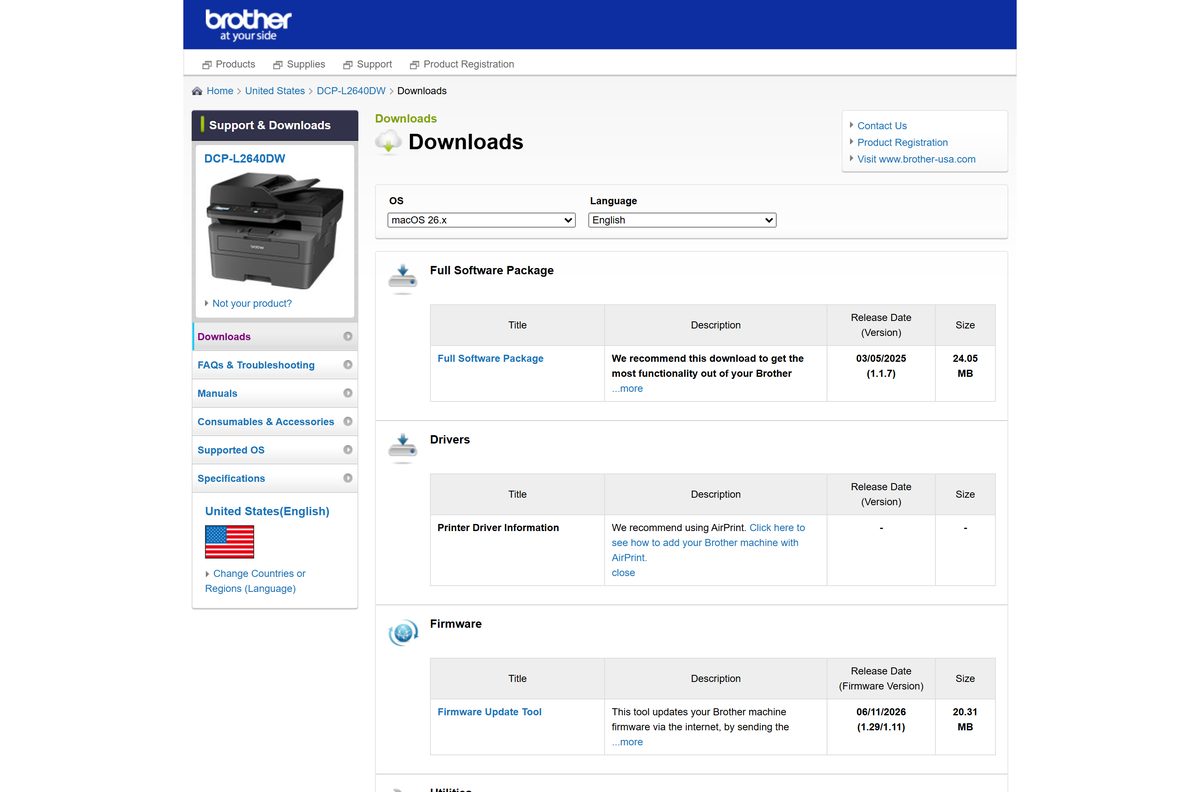
The worked example below uses the DCP-L2640DW, whose Full Driver & Software Package is 285.28 MB on Windows and 24.05 MB on macOS. Swap in your own model number and the page layout is identical, only the file names and sizes change.
This guide covers which package to take, how to install it on Windows 11 and macOS, the Microsoft Store route, what to do when the installer fails, and how to remove an old driver cleanly.
Which Brother printer driver download do you need?
Brother splits the downloads into a full package and several narrower drivers. Match your situation to the row below, then open the same entry on your own model’s page.
| Your situation | Take this | Size |
|---|---|---|
| A new printer, Windows PC, you want scanning too | Full Driver & Software Package | 285.28 MB |
| You only ever print, and want a small install | Printer Driver | 44.21 MB |
| Several Brother models on one network or PC | Universal Printer Driver for PCL | 11.64 MB |
| A Mac on macOS 13 or later | Full Software Package for macOS | 24.05 MB |
Brother ships one Windows installer per entry. It runs on 32-bit and 64-bit Windows, so there is no second file to hunt for.
Check the Brother printer driver specifications and requirements
The hardware decides everything here. A supported Brother machine on USB, Wi-Fi or Ethernet is the real requirement, and the operating system floor is low.
| Specification | Detail |
|---|---|
| Software | Brother printer drivers and software packages |
| Developer | Brother Industries, Ltd. |
| Latest version | G1 full package on Windows, 1.1.7 full package on macOS |
| Licence / price | Free, under the Brother End User License Agreement |
| Windows | Windows 11 and Windows 10, 32-bit and 64-bit |
| Windows Server | Server 2016, 2019, 2022 and 2025 for the printer driver |
| macOS | macOS 13.x, 14.x, 15.x and 26.x |
| Architecture | One x86 Windows installer for both bit depths; a universal .dmg on the Mac |
| Windows package size | 285.28 MB |
| Mac package size | 24.05 MB |
| Hardware | A Brother printer, all-in-one or scanner on USB, Wi-Fi or Ethernet |
| Account needed | An administrator account on the computer |
| Offline installer | Yes, the Windows package installs without a connection |
| Example model used here | DCP-L2640DW, entry also listed for the DCP-L2647DW |
| Official download source | support.brother.com |
| Last verified | 2026-09-22 |
Download Brother printer drivers from the official support site
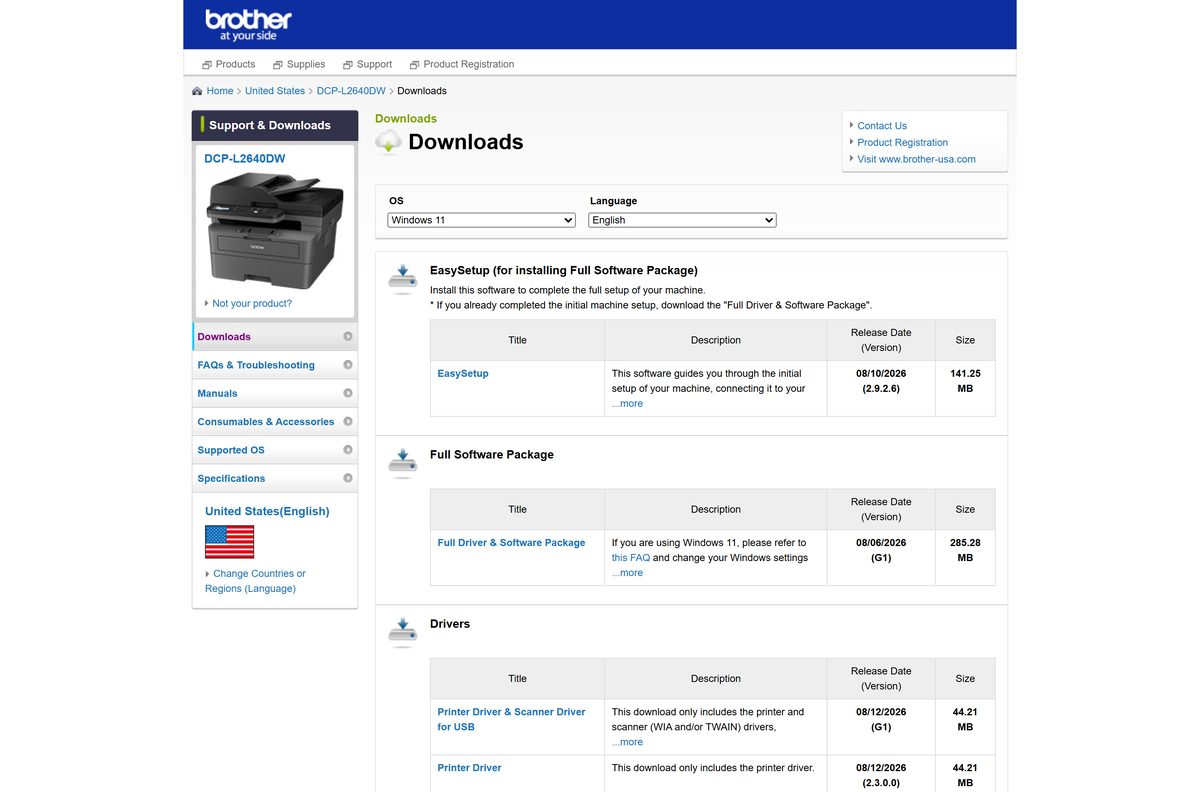
Brother has no single driver page. Each machine has its own Downloads page, reached by typing the model number into the search box on support.brother.com.
The links below open the DCP-L2640DW entries. Replace the model in the search box with yours, choose Windows 11 or your Windows version, and the same groups appear: Full Software Package, Drivers, Firmware, Utilities and Management Tools.
- Brother Support & Downloads, United States — Start here and search your model number
- Full Driver & Software Package (G1) — 285.28 MB · Released 6 August 2026
- Printer Driver only (2.3.0.0) — 44.21 MB · Released 12 August 2026
- Universal Printer Driver for PCL (1.10.1.0) — 11.64 MB · Covers a range of monochrome models
- Full Windows download list for this model — Every driver, utility and admin tool in one list
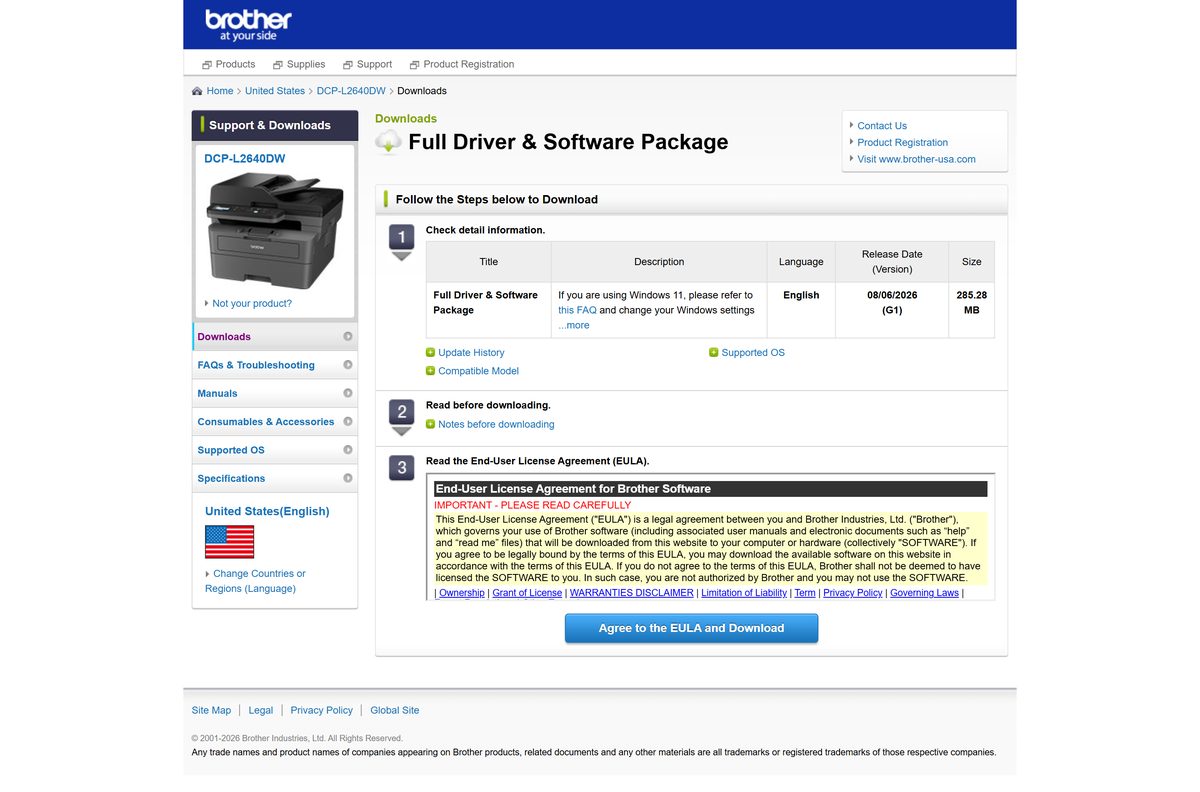
Each entry ends with an Agree to the EULA and Download button. The licence is the Brother End User License Agreement, and nothing is charged at any point.
How to install Brother printer drivers on Windows 11 and 10
Sign in with an administrator account first. Brother also asks you to unplug the USB cable until setup tells you to connect it.
- Disconnect the interface cable if you already plugged the machine into the PC.
- Switch the printer on and confirm its screen or LED shows no error.
- Open your model’s Downloads page on support.brother.com and select your Windows version.
- Select Full Driver & Software Package, then Agree to the EULA and Download.
- Extract the saved file and double-click start.exe in the extracted folder.
- Approve the User Account Control prompt.
- Follow the on-screen prompts and connect the cable when setup asks for it.
- If a Windows Security dialog appears, tick Always trust software from “Brother Industries, ltd.” and select Install.
- Let the installation finish before you restart, even if a restart prompt appears early.
A Windows 11 PC on a USB connection needs one setting changed first. Open Start > Settings > Bluetooth & devices > Printers & scanners, then turn off Default install printers using Windows Ready Print under Printer preferences. The option does not exist on every build, and setup runs normally when it is absent.
Install the Brother Print Support App from the Microsoft Store
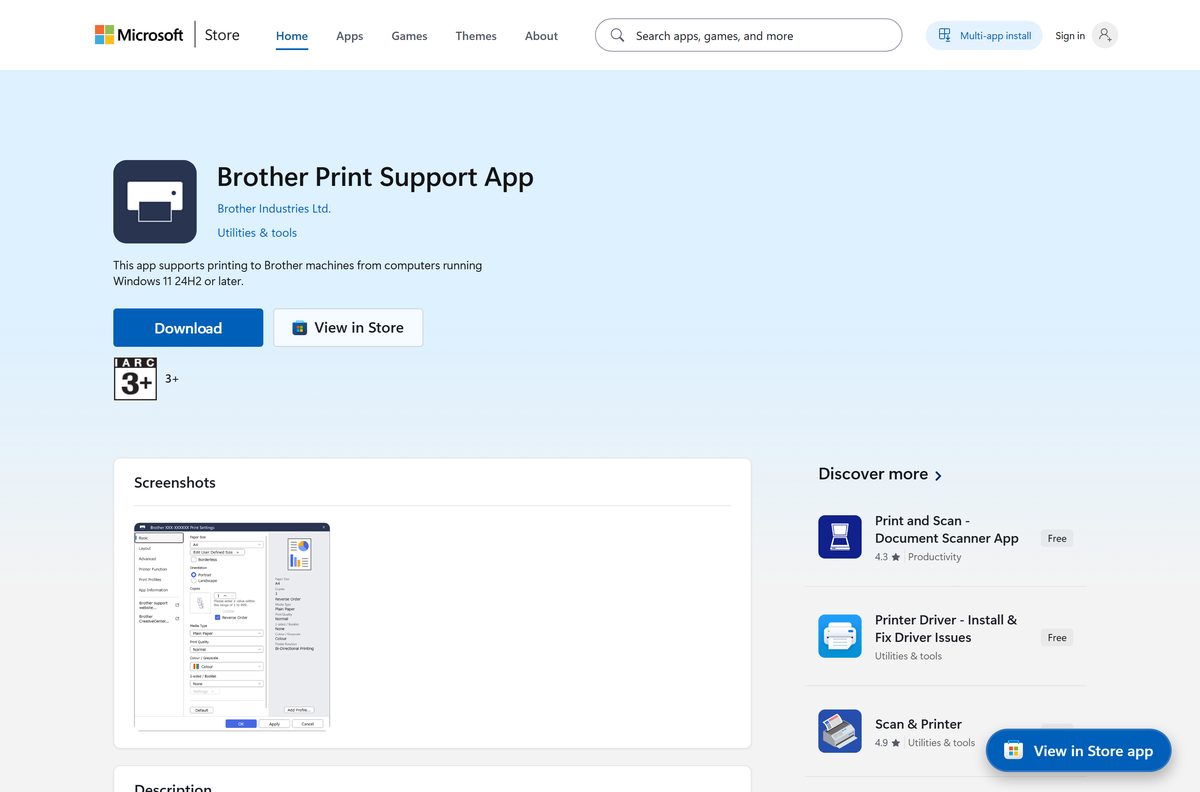
Windows on ARM has no Brother full package. The Brother Print Support App covers it instead, shipping x64 and ARM64 builds through the Microsoft Store.
It needs Windows 11 version 24H2 or newer, build 10.0.26100.0, so an older Windows 10 PC stays on the downloaded driver.
- Open the Brother Print Support App listing in the Microsoft Store.
- Check that the publisher reads Brother Industries Ltd. before you continue.
- Select Get, then wait for the download to finish.
- Switch the printer on and connect it to the same network as the PC.
- Open Start > Settings > Bluetooth & devices > Printers & scanners and select Add device.
- Select your machine when Windows lists it, then select Add device again.
The Store bundle is 296.8 MB across both architectures. Windows installs only the package your processor needs, so the disk cost is lower than that figure.
Which Brother printer driver download do you need for your Mac?
The Mac list is much shorter than the Windows one. Brother publishes a single Full Software Package plus a few add-ons, and macOS already handles basic printing through AirPrint.
| What you want | Take this | Size |
|---|---|---|
| Printing and scanning with Brother’s own software | Full Software Package 1.1.7 | 24.05 MB |
| Scanning started from the printer’s own control panel | iPrint&Scan Push Scan Tool 1.15.0.0 | 11.25 MB |
| Web Based Management over a USB cable | HTTP to USB Bridge 1.1.11 | 0.29 MB |
| Printing only, with no download at all | Add the printer with AirPrint | Built into macOS |
To add the machine without any download on macOS 13 or later, open System Settings > Printers & Scanners, select Add Printer, Scanner, or Fax, pick your machine, choose its model name in the Use menu and select Add.
Are Brother printer drivers free?
Every driver, utility and admin tool on a Brother machine’s Downloads page costs nothing. There is no trial timer, no licence key and no account sign-in. You accept the Brother End User License Agreement on the download page and the file starts. Sites that charge for a Brother driver, or wrap one in a “driver updater” subscription, are repackaging a free file. Brother does not distribute through download portals, so a paid Brother driver is always somebody else’s product.
Which Brother package should you install, full or printer-only?
The two Windows entries install different amounts of software from the same driver core. Size is the obvious difference; scanning is the real one.
Install the Full Driver & Software Package on an all-in-one, and the Printer Driver on a print-only machine or a locked-down office PC. The full package is 285.28 MB and adds the scanner driver, Brother Utilities and the status monitor. The Printer Driver is 44.21 MB and installs the print path alone, which is why it also lists Windows Server 2016 through 2025. Pick the Universal Printer Driver for PCL, at 11.64 MB, only when one PC talks to several Brother monochrome models.
How to check your Brother driver version and update it
Brother dates every entry on the Downloads page, so comparing your installed driver against the listed release date is the quickest check.
- Open Start > Settings > Bluetooth & devices > Printers & scanners and select your machine.
- Select Printer properties, open the Advanced tab and read the driver name and version.
- Open your model’s Downloads page and compare that number with the Printer Driver entry.
- Download the newer entry and run it over the top when the dates differ.
- Install the Firmware Update Tool from the same page to bring the machine’s own firmware up to date.
- Restart the PC once the installer reports that it finished.
Windows Update also offers Brother drivers, but it lags the support site. The dated entry on your model’s page is the current one.
What the Brother full driver package installs
The full package is a bundle rather than a single driver. Knowing what goes on the PC makes it easier to decide whether you want the smaller entry instead.
| Component | What it does |
|---|---|
| Printer driver | The print path Windows uses for every application |
| Scanner driver | WIA and TWAIN scanning for all-in-one models |
| Brother Utilities | The launcher that groups the tools and the uninstaller |
| Status Monitor | Toner, paper and error alerts on the desktop |
| Network setup | Finds the machine over Wi-Fi or Ethernet during setup |
| BR-Script driver | PostScript emulation, also sold separately at 1.23 MB |
| Brother iPrint&Scan | Offered alongside the package as a 370.45 MB utility |
The scanning and workflow app is covered on its own page: download Brother iPrint&Scan for Windows and Mac.
Download the Brother admin tools for deploying drivers at scale
Brother lists the fleet tools under Management Tools on the same Downloads page as the driver. They configure and monitor machines rather than package the driver itself.
| Tool | Version | Size | Use |
|---|---|---|---|
| Mass Deployment Tool | 2.12.0 | 25.50 MB | Push settings to many network machines at once |
| BRAdmin Professional 4 | 1.22.0000 | 35.25 MB | Deploy and monitor networked and USB machines |
| Network Connection Repair Tool | 1.2.30.0 | 1.67 MB | Rewrite a changed IP address inside the driver |
| Universal Printer Driver for BR-Script | 1.18.1.0 | 11.54 MB | One PostScript driver for a mixed Brother fleet |
For an unattended rollout, extract the full package and call start.exe from your deployment script. The extracted folder is the same one setup opens by hand.
Fix Brother printer drivers not installing on Windows 11 or 10
Setup throws an error on Windows 11
Windows Ready Print claims the printer before the Brother installer reaches it.
- Open Start > Settings > Bluetooth & devices > Printers & scanners.
- Under Printer preferences, turn off Default install printers using Windows Ready Print.
- Unplug the USB cable, then run the downloaded package again.
- Reconnect the cable only when setup asks for it.
The installer cannot find the machine on the network
The printer, the PC or the router is not passing traffic between them.
- Switch the printer off and on to reset its network card.
- Confirm the wireless or wired LAN interface is enabled on the machine.
- Check that the PC reaches the internet, then restart the router or switch.
- Turn off Privacy Separator on the access point and confirm the SSID matches.
- Allow the Brother installer through your firewall or security software.
- Enter the machine’s IP address by hand if automatic discovery still fails.
You cannot find the file you downloaded
The browser saved it somewhere other than the folder you expected.
- Open File Explorer and select Downloads in the navigation pane.
- Sort by Date modified to bring the newest file to the top.
- Search the file name from the download page if it is not there.
- Download the entry again from your model’s page if the file is missing.
Printing stopped after a Windows feature update
The upgrade replaced the Brother driver with a generic one.
- Run the Uninstall Tool from your model’s Downloads page.
- Restart the PC.
- Install the Full Driver & Software Package again.
- Set the machine as the default in Printers & scanners.
How to uninstall Brother printer drivers
Brother Utilities carries its own uninstaller, and it removes the drivers and the bundled software together. Use it before you reinstall.
- Select Start > All apps > Brother > Brother Utilities.
- Pick your model name from the pulldown list.
- Select Tools in the left navigation bar, then select Uninstall.
- Select Yes or Allow at the User Account Control prompt.
- Follow the dialog to remove the software and drivers.
- Restart the computer.
- Open Start > Settings > Bluetooth & devices > Printers & scanners, select the machine and select Remove if an entry remains.
When Brother Utilities is missing, the 1.22 MB Uninstall Tool on the Downloads page does the same job and prepares the PC for a clean Plug and Play install.
What to install instead of the full Brother package
A full 285.28 MB package is more than many PCs need. These are the official routes to the same printer.
| Route | Platform | Trade-off |
|---|---|---|
| Printer Driver only, 44.21 MB | Windows 11, 10 and Server | No scanning, no status monitor |
| Universal Printer Driver for PCL, 11.64 MB | Windows 11, 10 and Server | Covers several models, drops model-specific options |
| Brother Print Support App | Windows 11 24H2 and newer | Store-managed updates, needs a recent build |
| AirPrint | macOS 13 or later | Printing works with no download, scanning does not |
| EasySetup, 141.25 MB | Windows 11 and 10 | Guides first-time setup instead of installing everything |
Frequently asked questions
Are Brother printer drivers free to download?
Yes. Every driver, utility and management tool on a Brother machine’s Downloads page is free under the Brother End User License Agreement. There is no key, no account and no trial period. You accept the licence on the download page and the file starts.
Where is the official Brother printer drivers download page?
On support.brother.com, under your own machine’s Downloads page. Type the model number into the search box, select your operating system, and Brother lists the drivers, firmware, utilities and admin tools that match that model.
What is the difference between the Full Driver & Software Package and the Printer Driver?
The full package is 285.28 MB and installs the print path, the scanner driver, Brother Utilities and the status monitor. The Printer Driver is 44.21 MB and installs printing alone. Choose the smaller file if the machine never scans.
How big is the Brother driver download?
For the DCP-L2640DW, the Windows full package is 285.28 MB and the macOS one is 24.05 MB. Sizes differ by model, so read the figure on your own machine’s entry before you start.
Do Brother printer drivers work on Windows 11?
Yes. The full package lists Windows 11 alongside Windows 10 in 32-bit and 64-bit form. On a USB connection, turn off Default install printers using Windows Ready Print in Printers & scanners before you run setup.
Is there a Brother printer driver for Mac?
Yes. Brother publishes a Full Software Package for macOS 13.x, 14.x, 15.x and 26.x, currently version 1.1.7 at 24.05 MB. macOS can also add the machine through AirPrint with no download, though that covers printing only.
Is there a 64-bit or ARM64 Brother driver?
Brother ships one x86 Windows installer that runs on 32-bit and 64-bit systems, so there is no separate 64-bit file. For Windows on ARM, the Brother Print Support App in the Microsoft Store carries an ARM64 package.
Can you install a Brother driver without an internet connection?
Yes. The Windows package is a full installer rather than a small downloader, which is why it runs to 285.28 MB. Copy it to a USB stick and it installs on a PC that has no connection.
Which Brother driver should you use for several printers?
The Universal Printer Driver for PCL, version 1.10.1.0 at 11.64 MB. It finds Brother machines over USB or the network and prints to any of them. A BR-Script version at 11.54 MB does the same for PostScript printing.
Are Brother printer drivers safe to download?
They are safe when they come from support.brother.com, which serves Brother’s own signed files. Download portals and driver-updater tools repackage those installers with bundled offers, and Brother does not publish through them.






