The Big Fish Games App download is Game Manager 5, a free Windows 11 and Windows 10 program from bigfishgames.com. It holds the Big Fish store, your game library, free trials and Game Club deals in one window.
Game Manager installs itself the first time you download a game or free trial, so there is no separate setup page to hunt for.
Below: which route fits your computer, the install steps, how Mac players get games, what Game Club costs, Version 4 versus 5, fixes for install errors and a clean uninstall.
Which Big Fish Games App download do you need?
Big Fish ships one Game Manager build. Match your computer to a row before you start.
| Your computer | What to get | Where |
|---|---|---|
| Windows 11 or Windows 10, 64-bit | Game Manager 5, installed with your first game or free trial | Game Manager 5 page |
| Mac | Mac editions of individual games; Game Manager 5 has no Mac build | Big Fish Mac Games |
| 32-bit Windows, Windows 8 or Windows 7 | Not supported by Game Manager 5 | Requirements on the Game Manager page |
Check your Windows edition under Settings > System > About. The System type line must say 64-bit operating system.
Download the Big Fish Games App from the official Big Fish links
Big Fish offers no standalone installer link. The Game Manager comes down with the first game or free trial you download from bigfishgames.com.
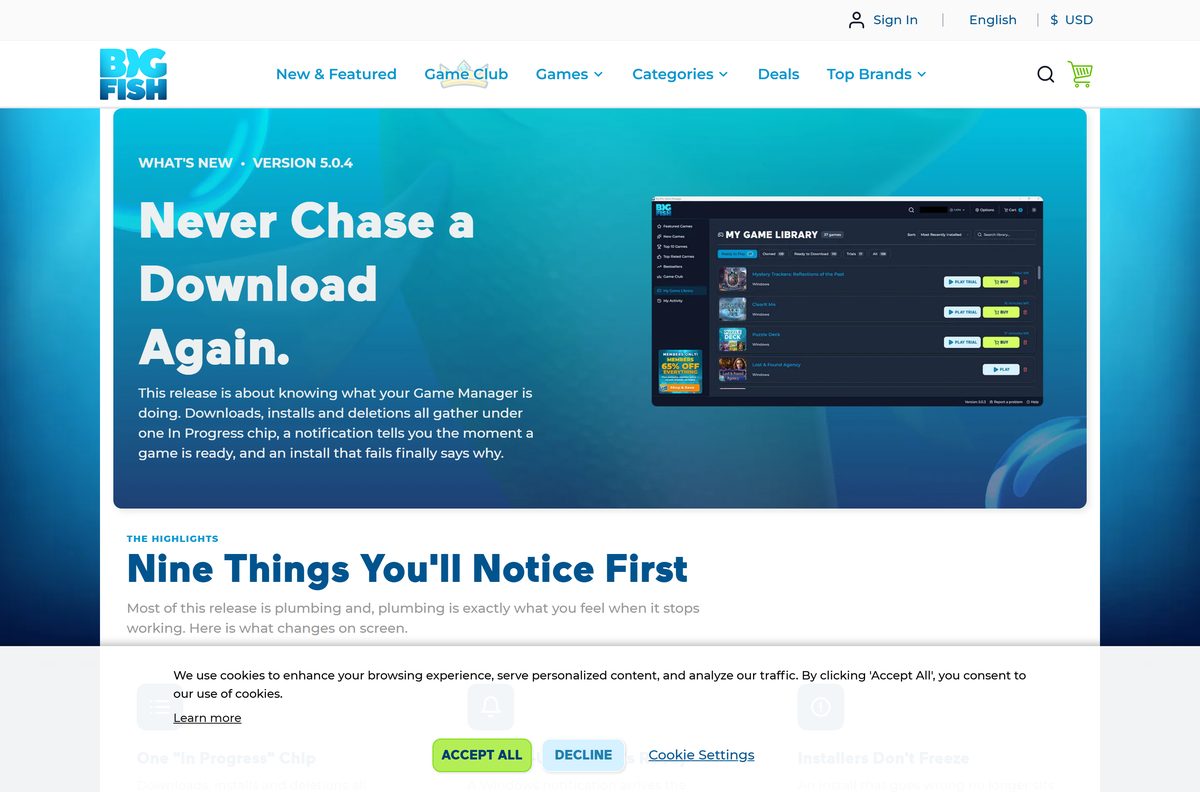
- Game Manager 5 page — Version 5.0.4 release notes, requirements and FAQ
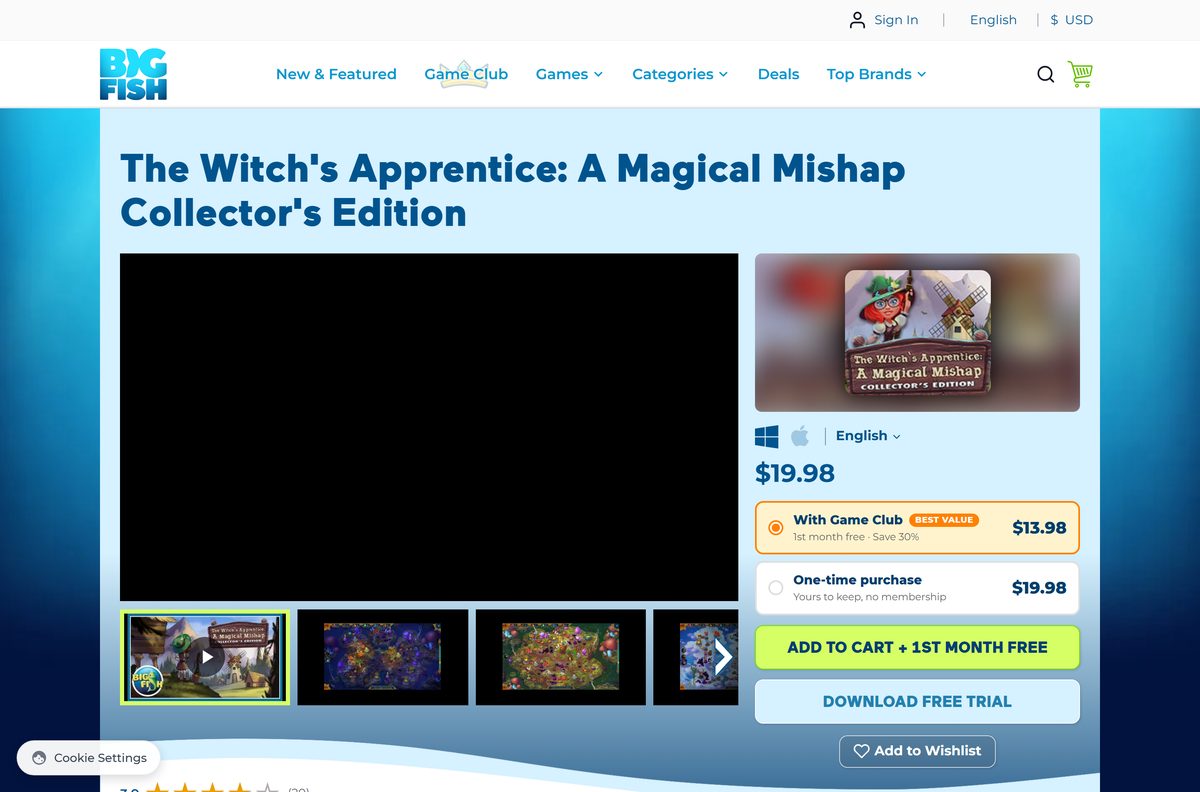
- Big Fish PC games — Pick any game and select DOWNLOAD FREE TRIAL to start the install
- Big Fish Mac games — Mac editions, each with its own macOS requirements
- Game Club — Optional membership with a free first month
How to install the Big Fish Games App on Windows 11 and 10
You need a Big Fish account and an internet connection. Game Manager sets itself up during your first game download.
- Open bigfishgames.com in your browser.
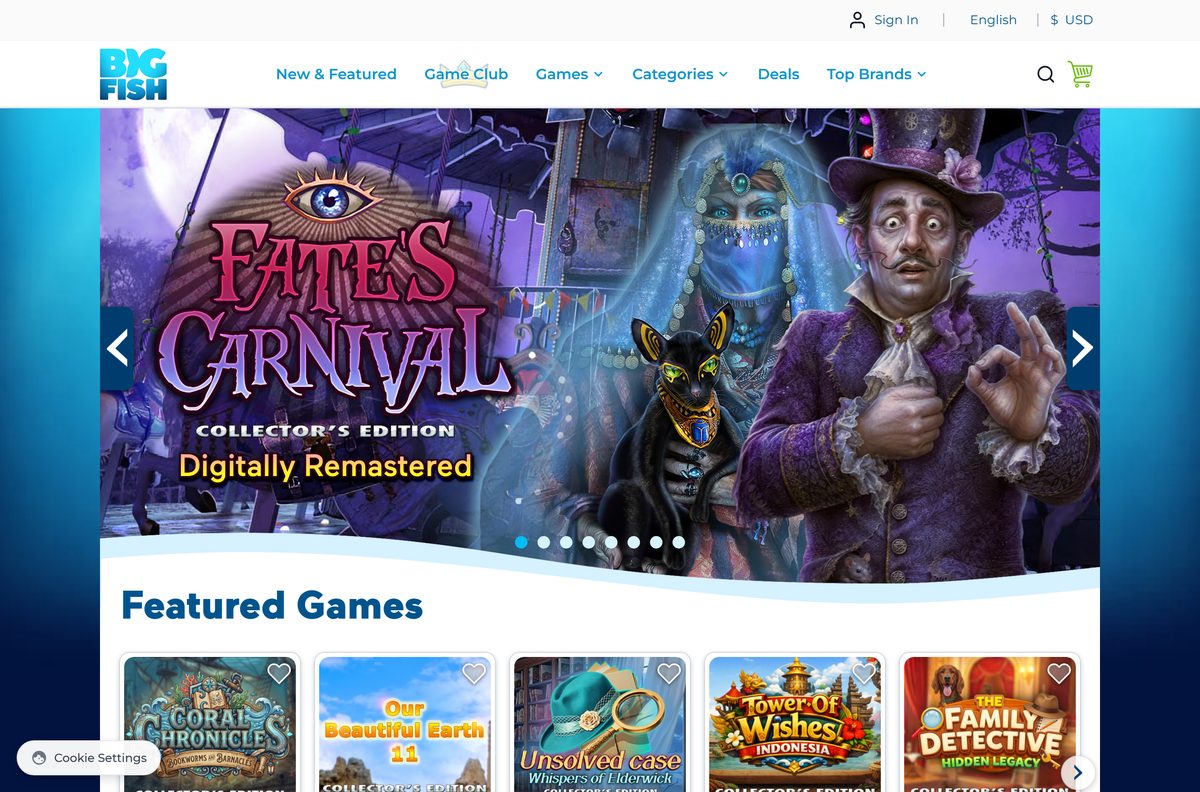
- Open any game page, for example a title from Top 10 Games.
- Select DOWNLOAD FREE TRIAL, or ADD TO CART and check out to buy the game.
- Select Sign In, or Create an Account if you are new to Big Fish.
- Open the file your browser saves if it does not start by itself.
- Select Yes at the Windows permission prompt.
- Let Game Manager install; it sets everything up on first run.
- Wait for the game to appear in My Game Library, then select it to play.
Game Manager 5 shows one Windows permission prompt per session. After you approve it, downloads, installs and uninstalls run for ten minutes without asking again.
What you can do inside the Big Fish Games App
Game Manager 5 puts the store, your library and your history in one window, so you can buy and play without opening a browser.
| Screen | What it does |
|---|---|
| New Games | Early-access crowns, Game Club pricing and English, German and French filters |
| Game pages | Screenshots, rating, trial time remaining and your member price |
| Cart and checkout | Points, discounts and totals inside the app |
| Game Club | The Catch, the Daily Deal and Exclusive Access in one hub |
| My Activity | What you played and when, to pick a trial back up |
| My Game Library | Five filters, sort and search across every game you own |
| In Progress | Downloads, installs and deletions in the order they will run |
A Windows notification tells you when a download finishes, so you can leave a large Collector’s Edition running in the background.
Which Big Fish Games download do you need for your Mac?
Game Manager 5 is a Windows application, and Big Fish lists no Mac build in this release. Mac players buy and download Mac editions of individual games instead.
| You want to | Do this | Where |
|---|---|---|
| Find games that run on a Mac | Browse the Mac Games section | Big Fish Mac Games |
| Try a game first | Open the game page and select DOWNLOAD FREE TRIAL | Big Fish Mac Games |
| Check it runs on your Mac | Read System Requirements on the game page before you buy | Example Mac game page |
Requirements differ per title. Some older Mac editions list INTEL ONLY for the processor, so an Apple silicon Mac owner should read that line first.
Is the Big Fish Games App free?
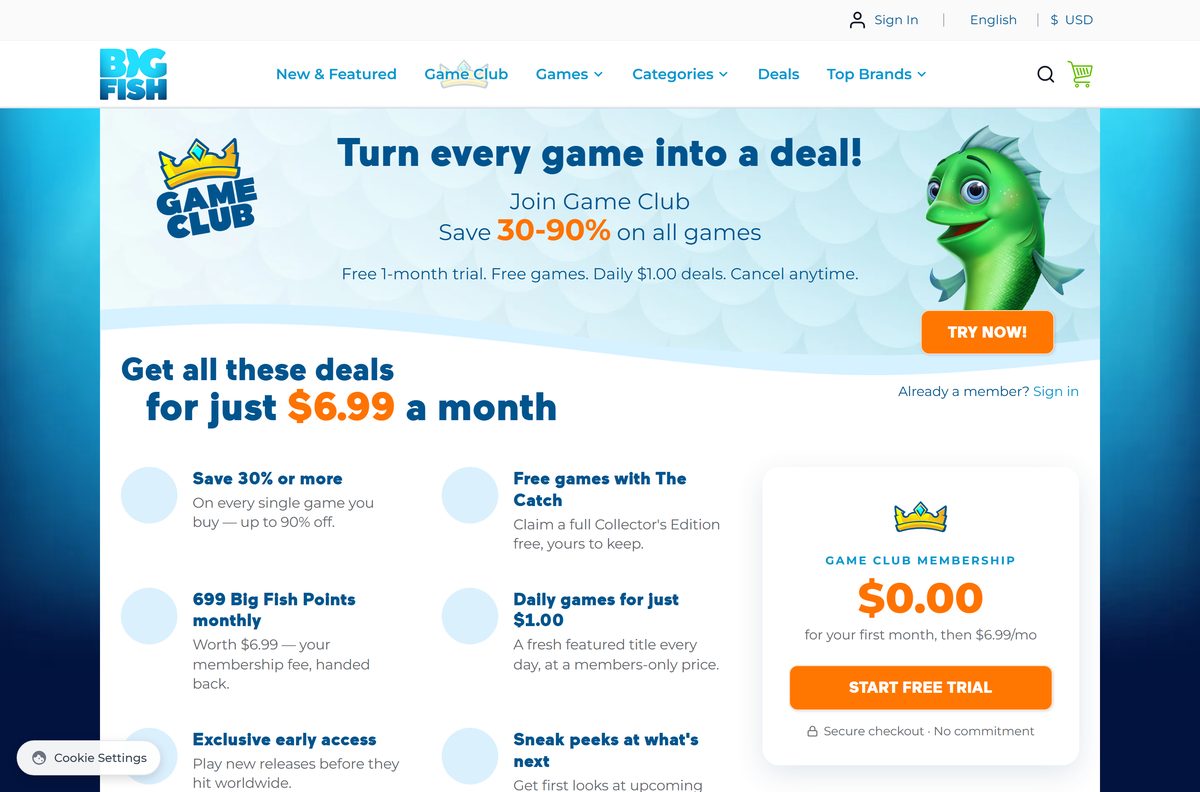
Yes. Game Manager is free and game pages offer free trials, but full games cost money. Top-selling standard editions list at $9.99 and Collector’s Editions at $19.98. Game Club is optional: $0.00 for the first month, then $6.99 a month for 30 to 90 percent off every game.
Game Club also returns 699 Big Fish Points each month, worth $6.99, and adds a free Collector’s Edition through The Catch plus a $1.00 Daily Deal.
The membership renews monthly until you cancel. Cancel from My Subscription at least 24 hours before the period ends, because Big Fish does not refund charged fees.
Buy games only on bigfishgames.com or inside Game Manager. A site selling Big Fish keys or cracked Collector’s Editions is not Big Fish.
Choose between Game Manager 4 and Game Manager 5
Install Game Manager 5. Accept the upgrade prompt if you still run Version 4. Version 4 still launches the games you have installed, but the In Progress chip, download notifications and install error reporting ship only in Version 5. Your purchases stay on your Big Fish account and your saves stay on your drive.
Game Manager 5.0.4 also cuts Windows permission prompts, loads large libraries completely and keeps you signed in through a network blip.
Your saved game folders moved to Options > Downloads in Version 5. Add or remove folders there, and set a default install location.
Check the Big Fish Games App system requirements
Big Fish publishes one requirements list for Game Manager 5. Each game page lists its own requirements on top of it.
| Field | Value |
|---|---|
| Software | Big Fish Game Manager 5 |
| Developer | BFG Entertainment Inc. (Big Fish Games) |
| Latest version | 5.0.4 |
| License | Free app; games paid, with free trials and optional Game Club |
| Operating system | Windows 10 and Windows 11, 64-bit |
| Architecture | 64-bit Windows; no 32-bit build |
| Memory | 4 GB RAM |
| Disk space | 2 GB free, plus room for your games |
| Connection | Internet required to download and activate |
| Mac | No Game Manager 5 build; Mac games sold separately |
| Offline installer | No |
| Official download source | bigfishgames.com |
| Last verified | 2026-09-25 |
Fix the Big Fish Games App not installing or not downloading games
A game card says Install Error
Game Manager 5 now stops a failed install and names the problem instead of spinning.
- Read the message on the game card; it names the actual error.
- Fix what it names, then retry the install.
- If it fails again, select Report a problem in the bottom-right corner.
- Send the bundle, which includes the installer log for Big Fish support.
Windows keeps asking for permission
Game Manager asks once at the start of a session, then allows ten minutes of installs without prompts.
- Select Yes at the first Windows prompt.
- Queue your downloads, installs and uninstalls in the next ten minutes.
- Expect one new prompt when you return hours later; that is by design.
Games you own are missing from My Game Library
Large libraries load in stages, and custom game folders moved in Version 5.
- Sign in with the Big Fish account you bought the games on.
- Wait a minute for the last titles of a big collection to appear.
- Open Options > Downloads and add the folder that holds your games.
- Turn on the scan for detachable drives if your games sit on a USB drive.
Game Manager will not start on your computer
Game Manager 5 runs only on 64-bit Windows 10 and 11.
- Open Settings > System > About and read System type.
- Update to Windows 10 or 11 64-bit if you run an older or 32-bit system.
- On a Mac, use the Mac Games section instead.
How to uninstall the Big Fish Games App
Remove individual games inside Game Manager first if you want the disk space back. Your purchases stay on your Big Fish account.
- Open Game Manager and go to My Game Library.
- Uninstall each game you no longer want; removals show under In Progress.
- Close Game Manager.
- Open Settings > Apps > Installed apps on Windows 11, or Settings > Apps on Windows 10.
- Find Game Manager in the list, select the menu next to it and select Uninstall.
- Confirm, then select Yes at the Windows permission prompt.
To play again later, sign in on bigfishgames.com and download a game. Game Manager reinstalls and rebuilds your library from your account.
Frequently asked questions
Is the Big Fish Games App free?
Yes. Game Manager 5 is free to install, and game pages offer a free trial download. Full games cost money, for example $9.99 for a standard edition and $19.98 for a Collector’s Edition, and Game Club is an optional $6.99 monthly membership after a free first month.
Where is the official Big Fish Games App download?
The official source is bigfishgames.com. Game Manager installs automatically the first time you select DOWNLOAD FREE TRIAL or download a purchased game. The Game Manager 5 page at bigfishgames.com/game-manager.html covers the release notes and requirements.
Does the Big Fish Games App work on Windows 11?
Yes. Game Manager 5 supports Windows 11 and Windows 10, 64-bit. It needs 4 GB of RAM, 2 GB of free disk space plus room for games, and an internet connection to download and activate titles.
How big is the Big Fish Games App download?
Big Fish does not publish a size for the Game Manager installer. It asks for 2 GB of free disk space for the app, plus room for your games, which list their own sizes under System Requirements on each game page.
Is there a Big Fish Games App offline installer?
No. Game Manager needs an internet connection to download and activate games, and Big Fish offers no standalone offline setup file. The installer arrives through the game download flow on bigfishgames.com after you sign in.
Is there a Big Fish Games App for Mac?
No. Game Manager 5 is Windows-only, and Big Fish lists no Mac build in this release. Mac players buy and download Mac editions of individual games from the Mac Games section, checking each game’s macOS requirements first.
Does the Big Fish Games App run on 32-bit or ARM64 Windows?
Game Manager 5 requires 64-bit Windows 10 or 11, so 32-bit Windows is not supported. Big Fish does not mention ARM64 support, so check with Big Fish support before you rely on an ARM-based PC.
Is the Big Fish Games App safe?
Yes, when it comes from bigfishgames.com. Every Windows build of Game Manager 5 goes through Big Fish’s central code-signing service, and a build that fails to sign never ships. Avoid sites that repackage the installer or sell game keys.
What is the latest version of the Big Fish Games App?
The latest release is Game Manager 5.0.4. It adds a single In Progress chip for downloads, installs and deletions, Windows notifications when a game is ready, and named install errors instead of installs that hang.
Why won’t the Big Fish Games App install a game?
Read the Install Error message on the game card, because Game Manager 5 now names the real problem. If it persists, select Report a problem in the bottom-right corner to send Big Fish support a bundle with the installer log.
Will I lose my games if I upgrade to Game Manager 5?
No. Your purchases live on your Big Fish account, and installed games and their saves stay on your drive. Sign in after the upgrade and your library rebuilds itself from your account.
Can I cancel Game Club at any time?
Yes. Cancel from My Subscription on your Game Club page. Do it at least 24 hours before the current month ends to avoid the next charge, because Big Fish does not refund membership fees already billed.






