Azure Data Studio 1.52 is a free download from Microsoft for Windows 11, Windows 10, macOS and Linux, and every installer is still served from Microsoft’s own servers.
The recommended Windows file is azuredatastudio-windows-user-setup-1.52.0.exe at 141.6 MB. It installs under your user profile, so it never asks for administrator rights.
This guide covers the official download links for all three platforms, install steps, the winget command, Mac builds, install fixes and what Microsoft recommends instead.
Which Azure Data Studio download do you need?
Check your processor first. Open Settings, select System, select About, and read the System type line.
| Your Windows PC | File | Size | Download |
|---|---|---|---|
| Intel or AMD, and you have no admin rights | azuredatastudio-windows-user-setup-1.52.0.exe | 141.6 MB | User installer (x64) |
| Intel or AMD, shared by every account | azuredatastudio-windows-setup-1.52.0.exe | 141.6 MB | System installer (x64) |
| Arm-based, such as a Surface Pro X or Copilot+ PC | azuredatastudio-windows-arm64-user-setup-1.52.0.exe | 136.6 MB | User installer (Arm64) |
| Arm-based, shared by every account | azuredatastudio-windows-arm64-setup-1.52.0.exe | 136.6 MB | System installer (Arm64) |
| Intel or AMD, and setup files are blocked | azuredatastudio-windows-1.52.0.zip | 211.3 MB | Archive (x64) |
| Arm-based, and setup files are blocked | azuredatastudio-windows-arm64-1.52.0.zip | 210.4 MB | Archive (Arm64) |
Microsoft recommends the user installer. It writes to your LOCALAPPDATA folder, which is why it skips the User Account Control prompt.
Check the Azure Data Studio system requirements and specifications
Two CPU cores and 4 GB of RAM run the editor comfortably.
| Item | Detail |
|---|---|
| Software | Azure Data Studio |
| Developer | Microsoft Corporation |
| Latest version | 1.52.0, released June 18, 2025 |
| License | Free for private or commercial use |
| File size | 141.6 MB (Windows x64 user installer) |
| Supported OS | Windows 10 and later; Windows Server 2016, 2019, 2022; macOS with current Apple security updates; Debian 9+, RHEL 7+, SLES 15, Ubuntu 18.04+ |
| Architecture | x64 and Arm64 on Windows; universal, Intel and Apple Silicon on macOS; x64 on Linux |
| Minimum hardware | 2 CPU cores, 4 GB RAM |
| Recommended hardware | 4 CPU cores, 8 GB RAM |
| Offline installer | Yes, the setup files and archives are standalone |
| Support status | Retired on February 28, 2026, no further updates or security fixes |
| Official download source | learn.microsoft.com |
| Last verified | September 22, 2026 |
Download Azure Data Studio for Linux from the official Microsoft page
Linux builds are x64 only. Pick the package format your distribution uses.
- azuredatastudio-linux-1.52.0.deb — 135.9 MB · Ubuntu, Debian
- azuredatastudio-linux-1.52.0.rpm — 202.7 MB · Red Hat Enterprise Linux, SUSE Linux Enterprise Server
- azuredatastudio-linux-1.52.0.tar.gz — 202.7 MB · any distribution, extract and run
- Download page on Microsoft Learn — links for Windows, macOS and Linux in one place
Install the Debian package with sudo dpkg -i ./Downloads/azuredatastudio-linux-1.52.0.deb , then start the app with azuredatastudio . Red Hat uses sudo yum install on the RPM, and RHEL 8 needs glibc-2.29 on the library path first.
How to install Azure Data Studio on Windows 11 and 10
- Open the download page on Microsoft Learn.
- Select the Windows tab, then the User installer tab.
- Select the x64 or Arm64 link to match the System type you read in Settings.
- Open your Downloads folder and double-click the setup file.
- Accept the licence agreement, then select Next.
- Leave the destination folder as it is and select Next, then select Install.
- Select Finish to launch the app.
- Select New connection, type your server name, choose an authentication type, and select Connect.
The system installer adds a User Account Control prompt after step 4 and installs for every account on the PC.
Install Azure Data Studio with winget on Windows
Windows Package Manager pulls the same Microsoft-signed setup file and is the fastest route on a machine you rebuild often.
- Press Windows + X and select Terminal.
- Run winget –version to confirm Windows Package Manager is present.
- Install the Windows Package Manager client from Microsoft if that command returns nothing.
- Run winget install “azure data studio” .
- Accept the source agreements prompt if Terminal asks for it.
- Wait for the Successfully installed line.
- Open the Start menu and launch the app.
Run Azure Data Studio without installing it
The Windows archive holds the same program files as the installer. Nothing is written to the registry, so it runs from a USB stick or a locked-down PC.
- Download the x64 archive at 211.3 MB, or the Arm64 archive at 210.4 MB.
- Right-click the downloaded .zip file and select Extract All.
- Choose a folder on your drive or USB stick and select Extract.
- Open the extracted azuredatastudio-windows folder.
- Double-click azuredatastudio.exe to start the editor.
- Pin it to the taskbar if you want a shortcut on that machine.
Which Azure Data Studio download do you need for your Mac?
Open the Apple menu and select About This Mac to read your chip name.
| Your Mac says | Download | Size |
|---|---|---|
| Apple M1, M2, M3 or M4 | azuredatastudio-macos-arm64-1.52.0.zip | 203.5 MB |
| Intel Core i5, i7 or i9 | azuredatastudio-macos-1.52.0.zip | 211.8 MB |
| Either chip, one file for a fleet | azuredatastudio-macos-universal-1.52.0.zip | 359.9 MB |
Double-click the downloaded archive, then drag Azure Data Studio.app into your Applications folder.
Apple Silicon Macs need Rosetta 2, because some backend services never shipped as native Arm64 binaries. Install it with /usr/sbin/softwareupdate –install-rosetta –agree-to-license .
Is Azure Data Studio free?
Microsoft charges nothing for the app itself. A SQL Server licence covers the database, not the client tool you connect with.
Yes. Microsoft states the tool is free for private or commercial use, with no subscription and no trial period. The front-end source sits on GitHub under a source code EULA, and the data providers ship under the MIT licence. Any site charging for a copy, bundling an installer or offering a “pro” edition is not Microsoft.
Should you install Azure Data Studio or Visual Studio Code?
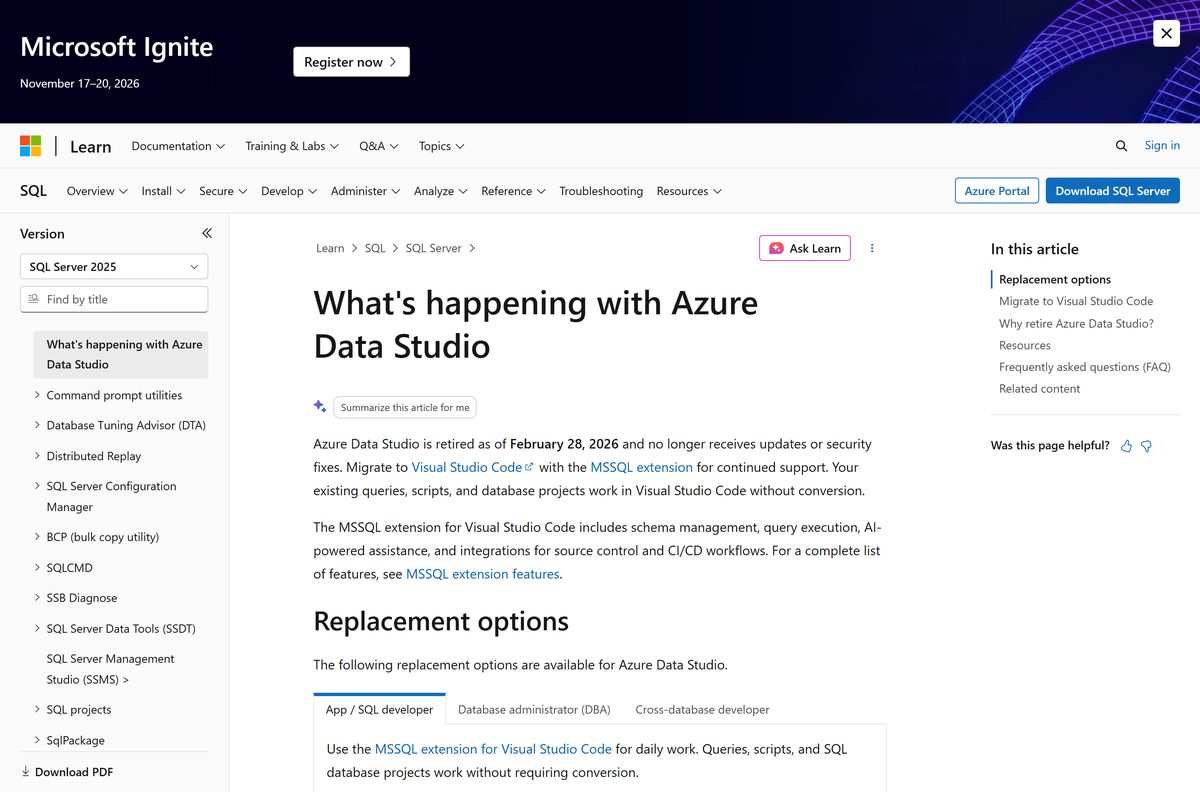
This is the one decision worth making before you download anything. Microsoft retired Azure Data Studio on February 28, 2026, and the app no longer receives updates, security patches or maintenance.
The installers still work and the app still connects to SQL Server, Azure SQL Database and Azure SQL Managed Instance. What ended is support, not the download.
Install Visual Studio Code with the MSSQL extension for any machine you plan to keep using. Microsoft names that pair as the replacement, and your existing queries, scripts and SQL database projects open in it without conversion. The extension carries schema compare, schema designer, query profiler, backup and restore, flat-file import and SQL notebooks. Take the retired build only for an extension that has no Visual Studio Code equivalent, and keep it off machines holding production credentials.
Read Microsoft’s own notice on what is happening with Azure Data Studio before you standardise a team on the retired build.
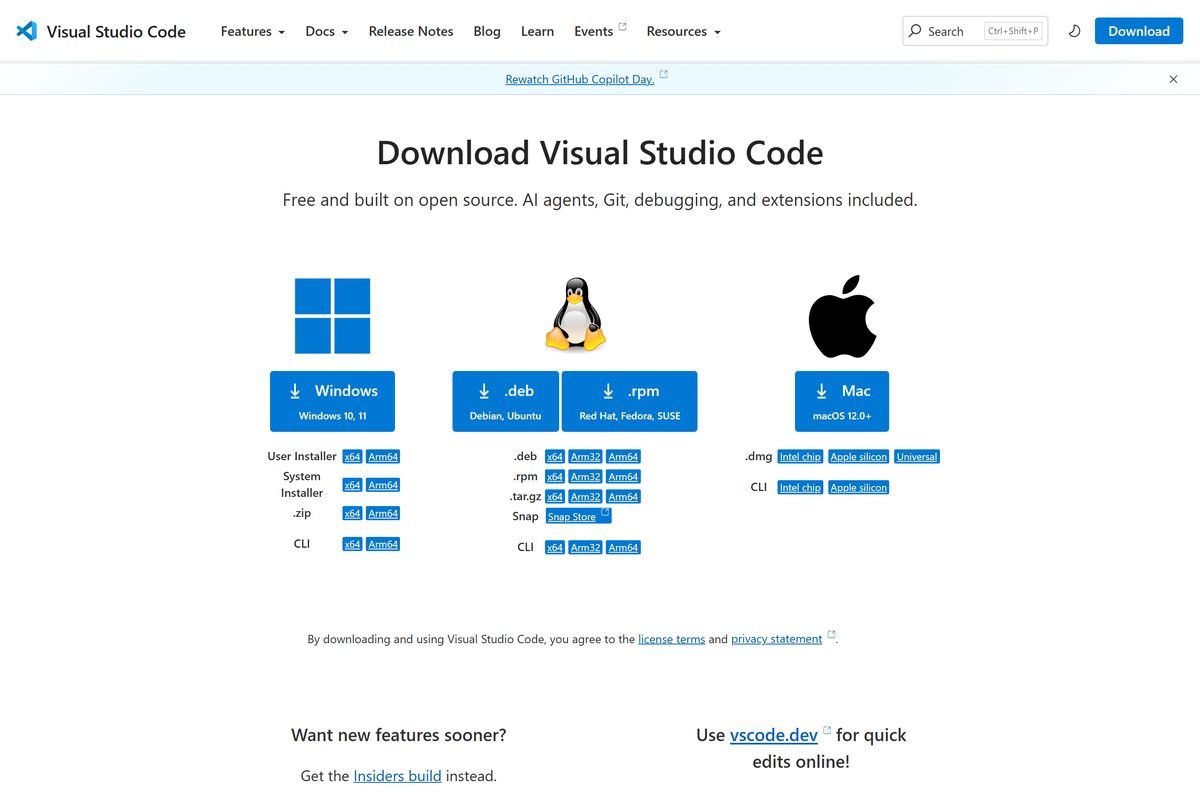
Get Visual Studio Code from code.visualstudio.com, then install the MSSQL extension from the Extensions pane.
How to check your Azure Data Studio version
June 18, 2025 produced the final build. Anything older is worth replacing, because no newer release exists.
- Open the app and select Help, then About.
- Read the Version line in the dialog.
- Select Copy if you need the build and commit details for a support ticket.
- Close the dialog, select Manage (the gear icon), then Check for Updates to confirm nothing newer is offered.
- Download the current setup file from Microsoft Learn if your build is older.
- Run it over the top of your existing install. The setup replaces the old build and keeps your connections and settings.
Which databases and platforms Azure Data Studio connects to
SQL Server support is built in. Everything else arrives as an extension from the marketplace inside the app.
| Data platform | How it connects | Status after retirement |
|---|---|---|
| SQL Server 2014 and later | Built in | Works, unsupported |
| Azure SQL Database and SQL Managed Instance | Built in | Works, unsupported |
| Azure Synapse Analytics | Built in | Works, unsupported |
| PostgreSQL | Extension | Replaced by the PostgreSQL extension for Visual Studio Code |
| Azure Cosmos DB for MongoDB | Extension | Replaced by Azure Databases for Visual Studio Code |
| MySQL | Extension | No Visual Studio Code replacement announced yet |
| SQL Server Agent jobs | Extension | Handled by SQL Server Management Studio |
Fix Azure Data Studio not installing on Windows 11 or 10
Setup stops with “you need administrator privileges”
You launched the system installer on an account without local admin rights.
- Close the setup window.
- Download the User installer instead of the system installer.
- Run it again. It installs under your profile and asks for no elevation.
Windows blocks the file with “Windows protected your PC”
SmartScreen flags a file with a low download count even when the signature is valid.
- Select More info in the blue dialog.
- Confirm the publisher line reads Microsoft Corporation.
- Select Run anyway.
- Delete the file and download it again from Microsoft Learn if the publisher line is blank.
The app installs but will not start
A corrupt user profile folder survives an upgrade and breaks the window on launch.
- Close the app and open Task Manager to end any azuredatastudio.exe process.
- Press Windows + R, type %APPDATA% , and select OK.
- Rename the azuredatastudio folder to azuredatastudio.old .
- Start the app again. It rebuilds settings from scratch.
Setup fails on Red Hat Enterprise Linux 8
The package expects a newer glibc than RHEL 8 ships.
- Install glibc-2.29 manually.
- Add it to the library path.
- Run the package installation again.
A connection fails with a login or certificate error
The server blocks the account, or the client rejects a self-signed certificate.
- Open the connection dialog and select Advanced.
- Set Trust server certificate to True for a lab server with a self-signed certificate.
- Confirm the login exists and is enabled on the server.
- Open port 1433 on the firewall if the server sits on another machine.
How to uninstall Azure Data Studio
- Open Settings, select Apps, then Installed apps.
- Type azure data in the search box.
- Select the three dots next to the entry and select Uninstall.
- Select Uninstall again to confirm, then approve the prompt.
- Press Windows + R, type %APPDATA% , and delete the leftover azuredatastudio folder.
- Delete the .azuredatastudio folder in your user folder to remove extensions and cached connections.
- Drag the app from Applications to the Trash on a Mac, or run sudo apt-get remove azuredatastudio on Ubuntu.
Delete the extracted folder instead if you ran the archive build. Nothing else was written to the machine.
Which tool should you use instead of Azure Data Studio?
Pick by task. Query work moves to Visual Studio Code, and server administration moves to SQL Server Management Studio.
| Tool | Best for | Platforms | Price |
|---|---|---|---|
| Visual Studio Code with the MSSQL extension | Queries, schema compare, notebooks, source control | Windows, macOS, Linux | Free |
| SQL Server Management Studio | Agent jobs, security management, performance dashboards | Windows | Free |
| SQL Server Developer Edition | A local database engine to point these tools at | Windows, Linux, containers | Free for development |
| PostgreSQL extension for Visual Studio Code | PostgreSQL databases | Windows, macOS, Linux | Free |
Frequently asked questions
Is Azure Data Studio free?
Yes. Microsoft states the tool is free for private or commercial use. No subscription, trial period or SQL Server licence is needed to install it or connect to a database with it.
Where is the official Azure Data Studio download page?
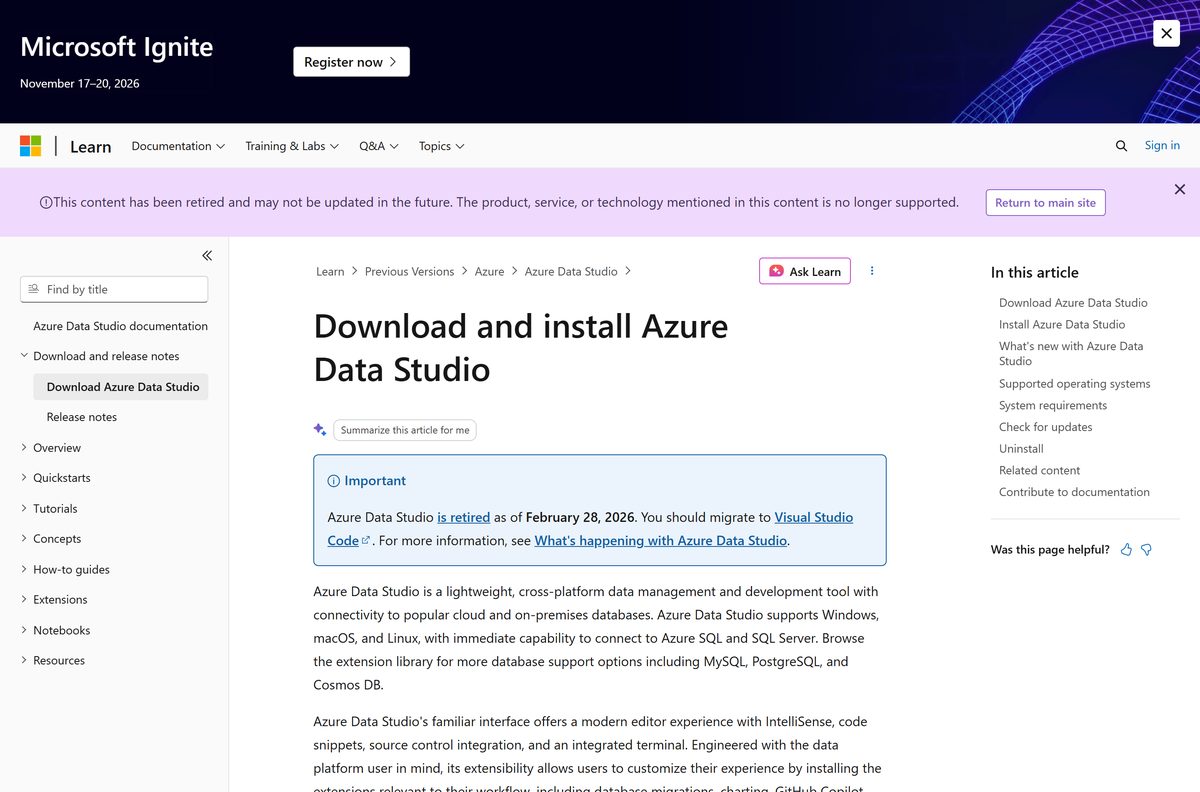
The official page is Download and install Azure Data Studio on learn.microsoft.com, now filed under previous versions. The short link aka.ms/getazuredatastudio redirects to the same page, and its links resolve to download.microsoft.com.
Does Azure Data Studio work on Windows 11?
Yes. Microsoft lists Windows 10 and later, plus Windows Server 2016, 2019 and 2022. Separate x64 and Arm64 builds cover Intel, AMD and Arm-based Windows 11 PCs.
How big is the Azure Data Studio download?
The Windows x64 user installer is 141.6 MB and the Arm64 user installer is 136.6 MB. The Windows archive is 211.3 MB, the macOS universal archive is 359.9 MB, and the Linux Debian package is 135.9 MB.
Is there an offline installer?
Yes. Every Windows setup file and archive is a complete standalone package rather than a small stub that downloads the rest. Copy the file to an offline machine and it installs without a network connection.
Can you run Azure Data Studio on a Mac?
Yes. macOS builds ship as archives for Apple Silicon, Intel, and a universal file that covers both. Apple Silicon Macs need Rosetta 2, because some backend services never shipped as native Arm64 binaries.
Is there a 64-bit and ARM64 build?
Windows has x64 and Arm64 user installers, system installers and archives. macOS has Intel, Apple Silicon and universal archives. Linux is x64 only, as a .deb, .rpm or .tar.gz package.
Is Azure Data Studio safe to download?
The setup files come from download.microsoft.com and are signed by Microsoft Corporation. Check that publisher name in the SmartScreen or User Account Control prompt. The app receives no security fixes after February 28, 2026, so treat it as unpatched software.
What is the latest Azure Data Studio version?
Build 1.52.0, released on June 18, 2025, is the final general availability release. No newer version exists, so Check for Updates inside the app reports nothing further.
Why will Azure Data Studio not install?
The usual cause is the system installer running on an account without local administrator rights. Use the user installer instead. On Red Hat Enterprise Linux 8, install glibc-2.29 and add it to the library path first.