Techdows

Your source for Windows, Software and Browser news

  • Home
  • News
  • Windows 11
  • Firefox
  • Chrome
  • Microsoft Edge
  • Android
  • Privacy Policy
Home›Tips and Tricks

Tips and Tricks

727 articles

Opera
Opera 42 advanced settings

Opera 42: Where is Advanced Settings Checkbox?

November 16, 2016 by Venkat Eswarlu 1 Comment
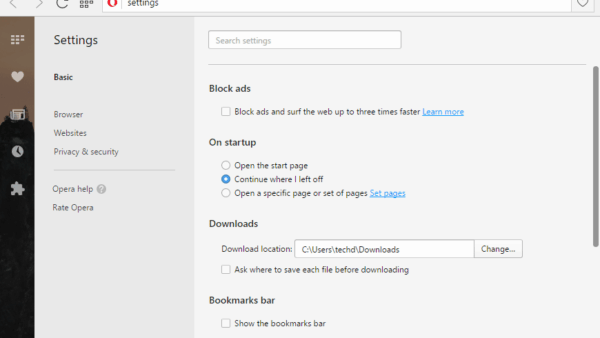
Opera 42 advanced settings

Opera browser advanced settings –which used to exist at the bottom of the settings page in Browser section (check the second screenshot) and offers … [Read more…]

Posted in: Opera, Tips and Tricks
How to

How to disable EaseUS Partition Master’s Clean Junk files Popup?

November 15, 2016 by Venkat Eswarlu Leave a Comment

EaseUS  has recently added Cleanup and Optimization feature — which includes junk files cleaner along with Large file cleanup and Disk optimization support– to EaseUS Partition … [Read more…]

Posted in: How to, Tips and Tricks
How to

How to Uninstall Panda Safe Web?

November 12, 2016 by Venkat Eswarlu Leave a Comment

When you install Panda Free Antivirus 18.0 and if you won’t pay attention during its installation, along with the antivirus, Panda Safe Web will also … [Read more…]
Posted in: How to, Tips and Tricks
Opera
RSS notification Opera speed dial

Opera : Disable RSS Notifications

November 3, 2016 by Venkat Eswarlu Leave a Comment
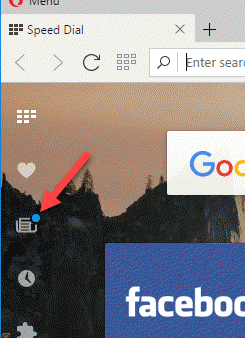
RSS notification Opera speed dial

Know how to turn off Opera’s built-in RSS Reader notifications. Opera‘s built-in RSS Reader in Personal news is shaping up quite well, recently with … [Read more…]

Posted in: Opera, Tips and Tricks
How to

How to disable Advanced SystemCare Notifications?

November 2, 2016 by Venkat Eswarlu Leave a Comment

After installing and configuring IObit Advanced SystemCare, when you start your computer next time, ASC shows its first notification about your system boot time. … [Read more…]

Posted in: How to, Tips and Tricks
How to

Find out which BSNL Broadband Plan You’re Using

November 1, 2016 by Venkat Eswarlu Leave a Comment

BSNL allows Broadband users to change their plan, the quicker way to change your plan is to visit the nearest BSNL office and submit … [Read more…]
Posted in: How to, Tips and Tricks
Tips and Tricks
Pocket displaying Trending Stories Chrome new tab page

Disable Trending Stories Shown by Pocket on Chrome New Tab Page

October 31, 2016 by Venkat Eswarlu 1 Comment
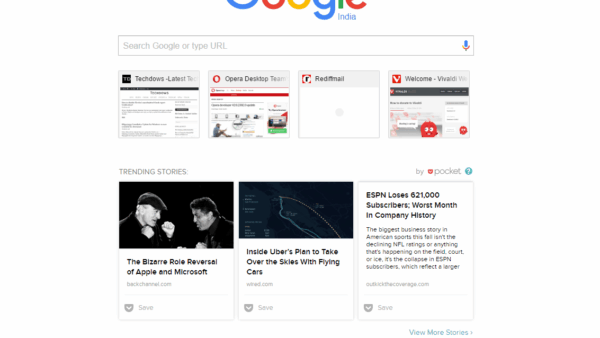
Pocket displaying Trending Stories Chrome new tab page

Pocket, the service which lets you save articles and videos to it, has updated their Chrome extension with two new features: when you add … [Read more…]

Posted in: Tips and Tricks
Firefox

How to disable Firefox’s unsubmitted Crash report Notification?

October 29, 2016 by Venkat Eswarlu Leave a Comment

Till now Mozilla has limited displaying ‘You have an unsubmitted crash report‘ notification to Firefox Nightly and developer users only, now they’ve enabled this … [Read more…]

Posted in: Firefox, How to, Tips and Tricks
How to

How to uninstall and remove TechSmith Uploader Service?

October 27, 2016 by Venkat Eswarlu 1 Comment

When you install Snagit, along with it TechSmith Uploader Service will also be installed on your computer. This service registers itself to run on … [Read more…]

Posted in: How to, Tips and Tricks
Firefox

How to block images in Firefox browser?

October 25, 2016 by Venkat Eswarlu Leave a Comment

The ‘load images automatically‘ option which used to exist in older versions of Firefox’s content settings, was in fact removed from version 23 and … [Read more…]

Posted in: Firefox, How to, Tips and Tricks
Firefox
Reset Firefox about:config

Firefox: How to reset all Preferences in about:config?

October 20, 2016 by Venkat Eswarlu Leave a Comment
Reset Firefox about:config

To tweak Firefox UI or to disable a feature if you’ve changed a preference value in about:config, that’s fine! You can always reset the … [Read more…]

Posted in: Firefox, How to, Tips and Tricks
How to

How to delete Vivaldi typed history?

October 17, 2016 by Venkat Eswarlu 1 Comment

Vivaldi browser has typed history feature, the address field displays whatever you’ve typed or pages you’ve visited so far in the drop down when … [Read more…]

Posted in: How to, Tips and Tricks, Vivaldi
« Previous 1 … 27 28 29 … 61 Next »

More from Techdows

Password manager vault showing a Password Health score of 90 and a breach warning
Best password manager for 2026
How to · 5 hours ago
Steam Friends List in a browser with the status line under the profile name
How to appear offline on Steam [easy & quick guide]
How to · 5 hours ago
New Outlook welcome screen asking to add all your email accounts
How to install Outlook in Windows 11: A step-by-step guide
How to · 5 hours ago
Three Apple Watch Series 12 models with different cases and bands
How much does Apple Watch cellular cost with every carrier
How to · 5 hours ago
PowerToys Keyboard Manager page listing remapped keys and shortcuts
How to set hotkeys in Windows 11
How to · 4 hours ago
Chrome Remote Desktop homepage with Access my computer and Share my screen buttons
How to configure and use Google Chrome Remote Desktop
How to · 4 hours ago
LinkedIn two-factor authentication dropdown showing Authenticator App and Phone Number options
How to change your email account on LinkedIn
How to · 4 hours ago
Facebook Help Centre steps for changing your name on a computer
How to edit your name on Facebook: A step-by-step guide
How to · 4 hours ago

© 2009–2026 Techdows · About · Contact · Privacy Policy

Copyright © 2026 Techdows.

Techdows WordPress Theme by Techdows