Techdows

Your source for Windows, Software and Browser news

  • Home
  • News
  • Windows 11
  • Firefox
  • Chrome
  • Microsoft Edge
  • Android
Home›How to

How to

683 articles

How to
How to Select All on Mac, Files, Text, Photos, Emails & More

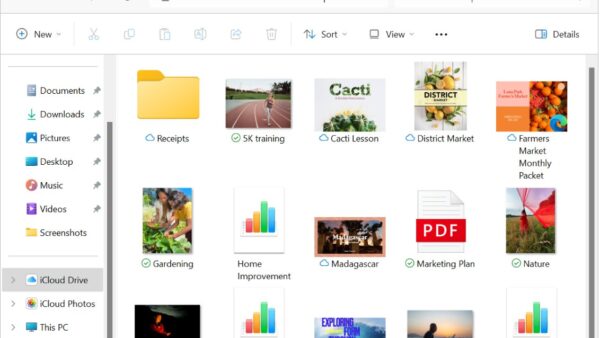
How to Select Multiple Files on Mac, Finder, Keyboard & Trackpad Methods

September 2, 2026 by Philip Celasco Leave a Comment
How to Select All on Mac, Files, Text, Photos, Emails & More

To select multiple files on a Mac, hold the Command (⌘) key and click each file you want. To select several files next to … [Read more…]

Posted in: How to, Tips and Tricks
How to

How to Create a ZIP File on Mac, Files, Folders & Password-Protected ZIPs

September 1, 2026 by Philip Celasco Leave a Comment

To create a ZIP file on a Mac, select the file or folder in Finder, Control-click it, and choose Compress. macOS creates the ZIP … [Read more…]

Posted in: How to
How to
How to Show Hidden Files on Mac, Finder Shortcut & Terminal Commands

How to Show Hidden Files on Mac, Finder Shortcut & Terminal Commands

September 1, 2026 by Philip Celasco Leave a Comment
How to Show Hidden Files on Mac, Finder Shortcut & Terminal Commands

To show hidden files on a Mac, open Finder and press Command + Shift + . (period). Hidden files and folders will immediately appear … [Read more…]

Posted in: How to
How to
How to Record Audio on Mac, Microphone, System Audio & Voice Memos

How to Record Audio on Mac, Microphone, System Audio & Voice Memos

September 1, 2026 by Philip Celasco Leave a Comment
How to Record Audio on Mac, Microphone, System Audio & Voice Memos

You can record audio on a Mac using built-in apps such as QuickTime Player and Voice Memos, so you do not need to install … [Read more…]

Posted in: How to
How to
How to Zoom In on Mac, Keyboard Shortcuts, Trackpad & Full Screen

How to Zoom In on Mac, Keyboard Shortcuts, Trackpad & Full Screen

August 28, 2026 by Philip Celasco Leave a Comment
How to Zoom In on Mac, Keyboard Shortcuts, Trackpad & Full Screen

To zoom in on a Mac, press Command + Plus (+) when you want to enlarge a webpage or other supported content. You can … [Read more…]

Posted in: How to
How to
How to Reinstall macOS, Recovery, Internet Recovery, USB & Clean Install

How to Reinstall macOS, Recovery, Internet Recovery, USB & Clean Install

August 28, 2026 by Philip Celasco Leave a Comment
How to Reinstall macOS, Recovery, Internet Recovery, USB & Clean Install

To reinstall macOS without deleting your files, start your Mac in macOS Recovery, choose Reinstall macOS, select your normal startup disk, and follow the … [Read more…]

Posted in: How to
How to
How to Get Emojis on Mac, Keyboard Shortcut, Emoji Keyboard & Genmoji

How to Use Emojis on Mac, Keyboard Shortcut, Emoji Keyboard & Genmoji

August 28, 2026 by Philip Celasco Leave a Comment
How to Get Emojis on Mac, Keyboard Shortcut, Emoji Keyboard & Genmoji

You can use emojis on a Mac by pressing Control + Command + Space or Fn/Globe + E while typing. This opens the Mac … [Read more…]

Posted in: How to
How to

How to Find IP Address on Mac, Local, Public, Router & Terminal Methods

August 28, 2026 by Philip Celasco Leave a Comment

You can find your Mac’s IP address from System Settings > Network, from the Wi-Fi menu, or with a Terminal command. The address shown … [Read more…]

Posted in: How to
How to
How to Select All on Mac, Files, Text, Photos, Emails & More

How to Select All on Mac, Files, Text, Photos, Emails & More

August 27, 2026 by Philip Celasco Leave a Comment
How to Select All on Mac, Files, Text, Photos, Emails & More

To select all on a Mac, press Command + A. The shortcut selects everything in the active window or area, including files in Finder, … [Read more…]

Posted in: How to
How to
How to Record Video on Mac: Camera, Screen & QuickTime Methods

How to Record Video on Mac: Camera, Screen & QuickTime Methods

August 24, 2026 by Philip Celasco Leave a Comment
How to Record Video on Mac: Camera, Screen & QuickTime Methods

You can record video on a Mac using apps already included with macOS. QuickTime Player records video from your MacBook camera, an external webcam, … [Read more…]

Posted in: How to
How to
How to Format SD Card on Mac, FAT32, exFAT & Disk Utility

How to Format SD Card on Mac, FAT32, exFAT & Disk Utility

August 17, 2026 by Philip Celasco Leave a Comment
How to Format SD Card on Mac, FAT32, exFAT & Disk Utility

You can format an SD card on a Mac with the built-in Disk Utility app, so you do not need additional software. Insert the … [Read more…]

Posted in: How to
How to

How to Connect AirPods to MacBook, Mac & iMac (All Models)

August 17, 2026 by Philip Celasco Leave a Comment

You can connect AirPods to a MacBook, iMac, Mac mini, Mac Studio, or Mac Pro directly through Bluetooth. If your AirPods are already paired … [Read more…]

Posted in: How to
« Previous 1 … 9 10 11 … 57 Next »

More from Techdows

Windows 11 File Explorer right-click menu with Pin to Quick access highlighted
Accessing the C Drive on Windows 11: Step-by-Step Guide
How to · 5 hours ago
Google Account Help page listing steps to delete all activity
Search History: How to View or Delete It
How to · 5 hours ago
Microsoft Solitaire Collection version, price, size and supported systems
Download Microsoft Solitaire Collection for Windows 11/10, iPhone & Android
Software · 4 hours ago
java.com download page listing Version 8 Update 503 and its release date
Java JRE latest version: Download & Install [32-bit, 64-bit]
How to · 4 hours ago
Edge Internet Explorer compatibility settings showing Allow and mode pages list
How to Enable or Disable Internet Explorer Mode in Microsoft Edge on Windows 11
How to · 4 hours ago
Microsoft 365 version, setup size and supported systems
Download Microsoft 365 for PC, Windows 11/10 & Mac (Free Trial)
Software · 3 hours ago
Windows User Account Control prompt asking to allow changes
How to Run Device Manager as Admin [CMD, PowerShell & Run]
How to · 2 hours ago
Diagram of a Unifying receiver linking six devices to one laptop port
How to Download Logitech Unifying Software on Windows 11
How to · 2 hours ago
Advertisement

© 2009–2026 Techdows

Copyright © 2026 Techdows.

Techdows WordPress Theme by Techdows