On the desktop, AMD's Ryzen 9 9900X gives you 12 cores and 24 threads at 120 W, while Intel's Core Ultra 9 285K gives you 24 cores and 24 threads at a 125 W base power.
The charts below set those two chips side by side, then compare Ryzen AI 300 with Intel Core Ultra Series 3 laptops, AM5 and Intel 800 series chipsets, integrated graphics and memory support, using only the specifications AMD and Intel publish.
AMD vs Intel processors: quick comparison
Both chips are current high-end desktop parts on PCIe 5.0 and DDR5. The biggest differences are core layout, socket and power limits.
| Specification | AMD Ryzen 9 9900X | Intel Core Ultra 9 285K |
|---|---|---|
| Cores / threads | 12 / 24 (all one core type) | 24 / 24 (8 Performance-cores + 16 Efficient-cores) |
| Simultaneous multithreading | Yes, 2 threads per core | No (Hyper-Threading: No) |
| Max boost clock | Up to 5.6 GHz | Up to 5.7 GHz |
| Base clock | 4.4 GHz | 3.7 GHz (P-cores), 3.2 GHz (E-cores) |
| Cache | 76 MB total (L2 + L3) | 36 MB Intel Smart Cache plus 40 MB L2 |
| Power | 120 W TDP | 125 W base, 250 W maximum turbo |
| Socket | AM5 | LGA1851 |
| PCIe | Gen 5 | PCIe 5.0 and 4.0, up to 24 lanes |
| Memory | DDR5, dual channel | Up to DDR5-6400, dual channel, up to 256 GB |
| Integrated graphics | Not listed in AMD's launch table | Intel Graphics, 4 Xe-cores, up to 2 GHz |
| Availability | July 2024 | Q4 2024, $589 to $599 recommended price |
Pick the Ryzen 9 9900X if you want 24 threads at a lower rated power on a socket AMD supports through 2027 and beyond. Pick the Core Ultra 9 285K if you want 24 physical cores and Intel Quick Sync video encoding on the processor.
AMD Ryzen 9 9900X specifications
The Ryzen 9 9900X sits second in AMD's Ryzen 9000 desktop range, which uses the Zen 5 architecture. AMD rates Zen 5 at an average 16% higher instructions per clock than Zen 4.
| Model | Cores / threads | Boost / base | Total cache | PCIe | TDP |
|---|---|---|---|---|---|
| Ryzen 9 9950X | 16 / 32 | 5.7 / 4.3 GHz | 80 MB | Gen 5 | 170 W |
| Ryzen 9 9900X | 12 / 24 | 5.6 / 4.4 GHz | 76 MB | Gen 5 | 120 W |
| Ryzen 7 9700X | 8 / 16 | 5.5 / 3.8 GHz | 40 MB | Gen 5 | 65 W |
| Ryzen 5 9600X | 6 / 12 | 5.4 / 3.9 GHz | 38 MB | Gen 5 | 65 W |
AMD defines max boost as the highest frequency a single core reaches in a short single-threaded burst. Cooling, motherboard design, BIOS and the chipset driver all change how often you see it.
Older Ryzen 7000 and Ryzen 5000 chips use different sockets and memory, so check the full AMD Ryzen CPU list before you mix generations.
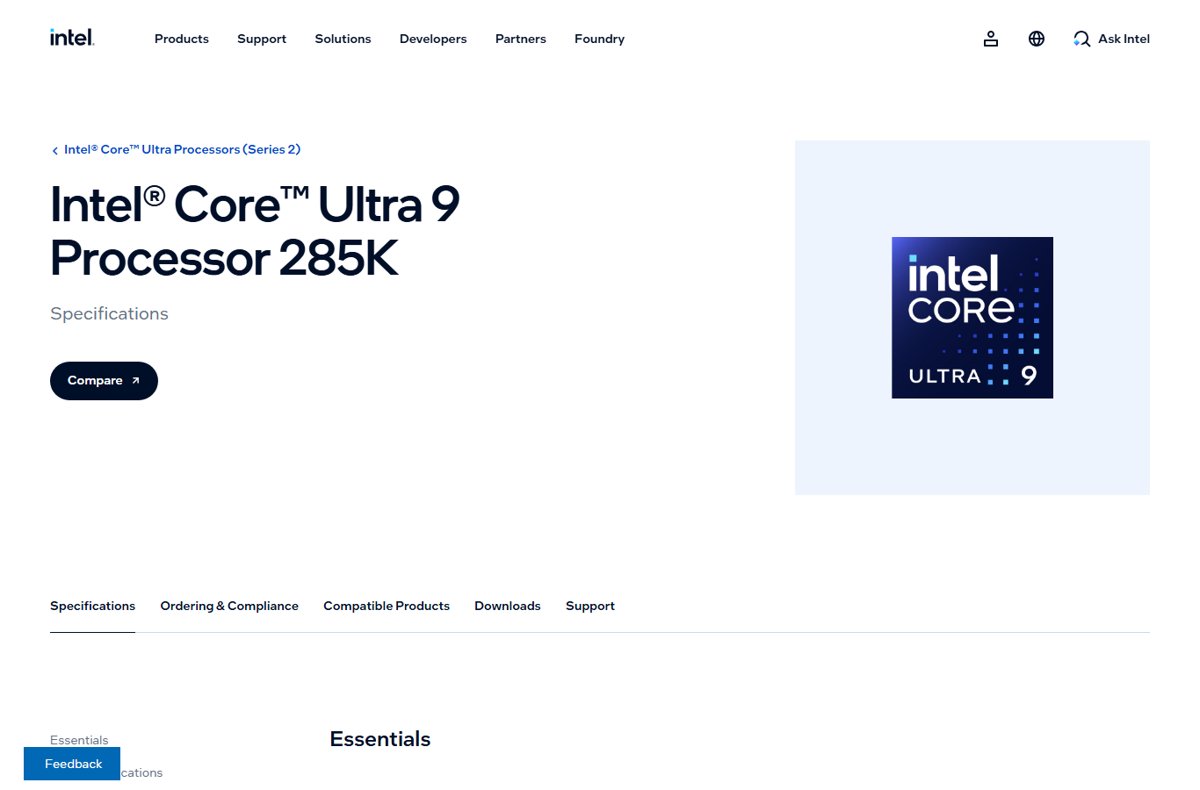
Intel Core Ultra 9 285K specifications
The Core Ultra 9 285K tops Intel's Core Ultra 200S desktop range, formerly code-named Arrow Lake. Intel lists separate clocks for each core type.
| Specification | Intel Core Ultra 9 285K |
|---|---|
| Performance-cores / Efficient-cores | 8 / 16 |
| P-core max turbo / base | 5.5 / 3.7 GHz |
| E-core max turbo / base | 4.6 / 3.2 GHz |
| Turbo Boost Max 3.0 / Thermal Velocity Boost | 5.6 / 5.7 GHz |
| NPU | Intel AI Boost, 13 TOPS (36 TOPS for the whole processor) |
| Memory | Up to DDR5-6400, ECC supported, 256 GB maximum |
| PCIe configurations | 1×16+2×4, 2×8+2×4 or 1×8+4×4 |
| Thunderbolt | Thunderbolt 4 |
| Lithography | TSMC N3B |
| Max operating temperature | 105 °C |
AMD AM5 motherboard chipset comparison
Every chipset below takes a Ryzen 9000 or Ryzen 7000 processor in the AM5 socket. The chipset decides PCIe 5.0 slots, USB4 and overclocking, not the CPU.
| AM5 chipset | PCIe 5.0 | Overclocking | Other features |
|---|---|---|---|
| X870E | 24 PCIe 5.0 lanes, 16 for graphics, direct NVMe | Yes, plus faster EXPO memory overclocking | USB4 standard, Wi-Fi 7, 44 total PCIe lanes |
| X870 | Direct-to-processor PCIe 5.0 NVMe | Yes, plus faster EXPO memory overclocking | USB4 standard, Wi-Fi 7, 44 total PCIe lanes |
| X670E | Graphics and storage | Extreme overclocking | Most connectivity of the 600 series |
| X670 | Storage, optional graphics | Enthusiast overclocking | Launched September 2022 |
| B650E | Storage, optional graphics | Not stated by AMD | Aimed at performance users |
| B650 | Optional | Not stated by AMD | Mainstream DDR5 boards |
The E suffix on an AMD chipset means PCIe 5.0 graphics. On a plain X670, B650E or B650 board, PCIe 5.0 to the graphics slot depends on the board maker.
Intel 800 series chipsets for Core Ultra 200S desktops
| Intel chipset | Overclocking support | Chipset PCIe | USB |
|---|---|---|---|
| Z890 | CPU cores (IA), BCLK and memory | PCIe 4.0 | USB 3.2, 2.0 |
| W880 | Memory | PCIe 4.0 | USB 3.2, 2.0 |
| B860 | Memory | PCIe 4.0 | USB 3.2, 2.0 |
| Q870 | None | PCIe 4.0 | USB 3.2, 2.0 |
| H810 | None | PCIe 4.0 | USB 3.2, 2.0 |
A K-series chip such as the 285K only unlocks its cores on a Z890 board. On B860 you keep memory overclocking but lose core and BCLK tuning.
Intel Core Ultra Series 3: read the model carefully
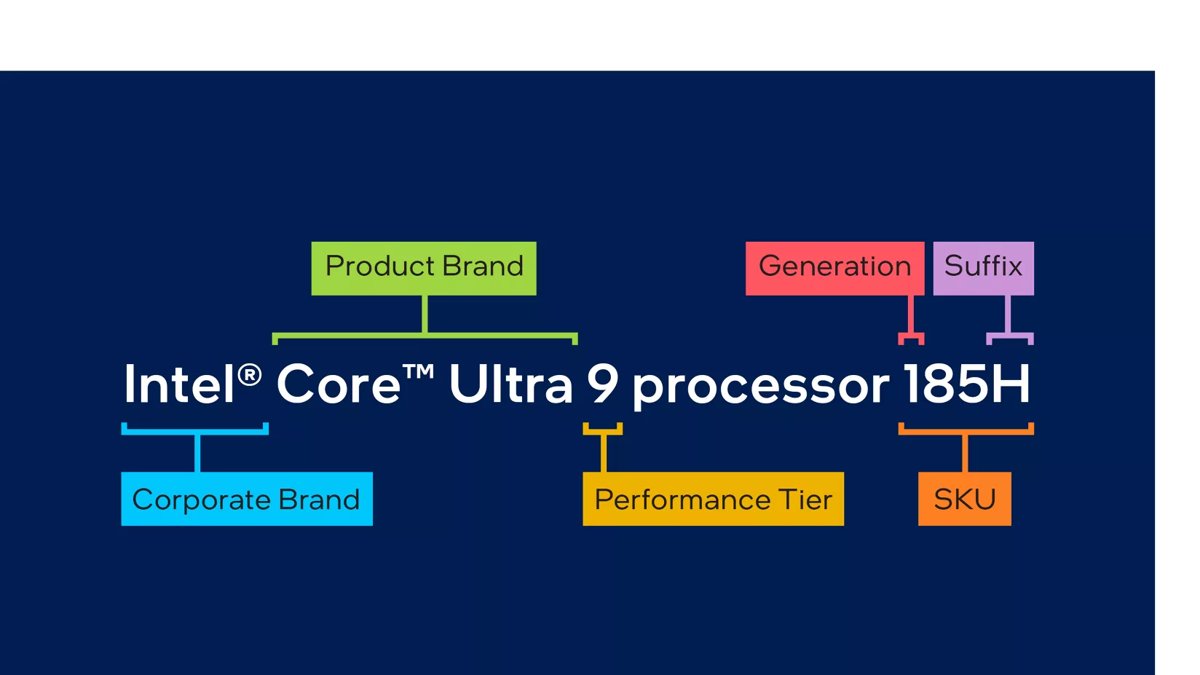
Core Ultra Series 3, formerly Panther Lake, launched in Q1 2026 as a mobile family built on Intel 18A. Models with near-identical names carry very different graphics and memory.
| Model | Cores (P + E + LP E) / threads | Max turbo | Graphics | Memory | Power base / max |
|---|---|---|---|---|---|
| Core Ultra X9 388H | 16 (4 + 8 + 4) / 16 | 5.1 GHz | Intel Arc B390, 12 Xe-cores | LPDDR5X-9600 only, 96 GB max | 25 / 80 W |
| Core Ultra 9 386H | 16 (4 + 8 + 4) / 16 | 4.9 GHz | Intel Graphics, 4 Xe-cores | LPDDR5X-9600 or DDR5-7200, 128 GB max | 25 / 80 W |
| Core Ultra 5 325 | 8 (4 + 0 + 4) / 8 | 4.5 GHz | Intel Graphics, 4 Xe-cores | LPDDR5X-7467 or DDR5-6400, 128 GB max | 25 / 55 W |
The X in Core Ultra X9 marks the 12-Xe-core Arc B390. A Core Ultra 9 386H has the same CPU cores but a third of the graphics cores.
The X9 388H lists LPDDR5X only, so its memory is soldered and cannot be upgraded later. Intel also says Arc graphics on H-series systems need at least 16 GB of dual-channel memory.
AMD vs Intel laptop processors comparison chart
AMD's Ryzen AI 300 laptop chips use Zen 5 cores, RDNA 3.5 graphics and an XDNA 2 NPU. They compete with Core Ultra Series 3 in ultrathin laptops.
| Model | Cores / threads | Max boost | Cache | Graphics | NPU | Power |
|---|---|---|---|---|---|---|
| AMD Ryzen AI 9 HX 370 | 12 / 24 | 5.1 GHz | 36 MB | Radeon 890M | 50 TOPS | 15-54 W cTDP |
| AMD Ryzen AI 9 365 | 10 / 20 | 5.0 GHz | 34 MB | Radeon 880M | 50 TOPS | 15-54 W cTDP |
| Intel Core Ultra X9 388H | 16 / 16 | 5.1 GHz | 18 MB Smart Cache | Arc B390 | 50 TOPS | 25 W base, 80 W turbo |
| Intel Core Ultra 9 386H | 16 / 16 | 4.9 GHz | 18 MB Smart Cache | Intel Graphics | 50 TOPS | 25 W base, 80 W turbo |
AMD gives Ryzen AI 300 two threads per core, so 12 cores show as 24 threads. Intel Series 3 has one thread per core but splits work across three core types.
AMD versus Intel integrated graphics
| Processor | Integrated graphics | What the vendor lists |
|---|---|---|
| Ryzen 7000 / 9000 desktop (AM5) | Graphics in the I/O die | AMD's Ryzen 7000 launch lists video encode/decode, light-duty graphics and multi-display support |
| Core Ultra 9 285K | Intel Graphics, 4 Xe-cores | Up to 2 GHz, 4 displays, AV1 encode/decode, DirectX 12 |
| Ryzen AI 9 HX 370 | Radeon 890M | RDNA 3.5 architecture, aimed at laptop gaming |
| Core Ultra X9 388H | Arc B390, 12 Xe-cores | Up to 2.5 GHz, ray tracing, DirectX 12 Ultimate, 122 GPU TOPS |
| Core Ultra 9 386H / Ultra 5 325 | Intel Graphics, 4 Xe-cores | Up to 2.5 / 2.45 GHz, ray tracing, 40 GPU TOPS |
AMD describes its desktop graphics as suited to light-duty work, and Intel gives the 285K just 4 Xe-cores. In laptops, AMD pitches the Radeon 890M at AAA gaming, and the Arc B390 triples the Xe-core count.
Intel F-series desktop chips, such as a 285KF, have no usable integrated graphics: Intel defines the F suffix as requiring discrete graphics.
Memory support: the DIMM-count trap
AM5 and Intel's Core Ultra 200S desktops both run dual-channel DDR5. Four slots on the board means two modules share each channel.
| Check | AMD AM5 | Intel LGA1851 (285K) |
|---|---|---|
| Memory type | DDR5 only | DDR5 only |
| Channels | 2 | 2 |
| Rated speed on the spec page | Listed on each Ryzen product page at amd.com | Up to DDR5-6400 |
| Memory profile for faster kits | AMD EXPO | Memory overclocking on Z890, B860 and W880 |
| Where four-module speed is stated | Your motherboard's memory support list | Your motherboard's memory support list |
A headline speed such as DDR5-6400 is the processor's rating, not a promise for every layout. Before buying four sticks, find the four-module speed in the board maker's memory support list.
Laptops add a second trap: LPDDR5X is soldered. A Core Ultra X9 388H laptop keeps the memory it ships with, so buy the capacity you need on day one.
AM5 compatibility and BIOS checks
Ryzen 9000 launched in July 2024, almost two years after the first AM5 boards. A 600 series board may need a newer BIOS before it recognises the chip.
- Find the exact motherboard model printed on the board or its box, such as a B650 or X670E model name.
- Open the board maker's CPU support list for that model and find Ryzen 9 9900X or the chip you plan to buy.
- Note the minimum BIOS version listed next to the processor.
- Compare it with the BIOS version shown on the board's BIOS main screen.
- Update the BIOS first if your version is older, following the board maker's instructions.
- Install the latest AMD chipset driver in Windows after the new processor boots.
Intel's equivalent check is the Intel Desktop Compatibility Tool, linked from each processor's Compatible Products page on intel.com.
Which should you buy?
| Your situation | Lean towards | Why |
|---|---|---|
| You want to upgrade the CPU later on the same board | AMD AM5 | AMD commits to AM5 support through 2027 and beyond |
| You need many cores for rendering or compiling | Compare Ryzen 9 9950X with Core Ultra 9 285K | 16 cores / 32 threads against 24 cores / 24 threads |
| You edit video and have no discrete GPU yet | Intel Core Ultra 200S (not F) | Quick Sync and AV1 encode on the processor |
| You want a thin laptop with strong built-in graphics | Ryzen AI 9 HX 370 or Core Ultra X9 / X7 | Radeon 890M or Arc B390 |
| You want upgradeable laptop memory | A Core Ultra 9 386H or Ryzen system with DDR5 SO-DIMMs | LPDDR5X-only chips are soldered |
| You build a quiet or small desktop | Ryzen 7 9700X or Ryzen 5 9600X | 65 W TDP |
Whichever side you pick, confirm the chip is on the Windows 11 supported CPU list if you are buying a used PC. For a single game target, the same specs decide the best CPU for GTA 6.
Why clock speed does not settle the comparison
The 285K's 5.7 GHz and the 9900X's 5.6 GHz are single-core burst figures. They say little about sustained or multithreaded work.
| What the GHz figure hides | AMD example | Intel example |
|---|---|---|
| Core types | One Zen 5 core type | P-cores at 5.5 GHz, E-cores at 4.6 GHz |
| Threads per core | 2 (SMT) | 1 (no Hyper-Threading on the 285K) |
| Instructions per clock | Zen 5 rated 16% higher IPC than Zen 4 | Not comparable across vendors |
| Power limit | 120 W TDP | 125 W base, 250 W maximum turbo |
| Cache | 76 MB total | 36 MB Smart Cache plus 40 MB L2 |
| Who sets the boost | Cooling, BIOS and chipset driver | Turbo Boost Max 3.0 and Thermal Velocity Boost |
Intel also states that processor numbers are not a measure of performance across families. Compare independent benchmarks for your own software after narrowing the list by specs.
Common AMD versus Intel comparison mistakes
| Mistake | Why it misleads | What to check instead |
|---|---|---|
| Comparing core counts directly | 24 Intel cores include 16 Efficient-cores; 12 AMD cores run 24 threads | Core types and thread count |
| Comparing TDP with base power | The 285K has a 125 W base power but a 250 W maximum turbo power | Maximum turbo power and your cooler rating |
| Assuming every Core Ultra has Arc graphics | Core Ultra 9 386H and Ultra 5 325 have Intel Graphics, not Arc | The GPU Name line on the intel.com spec page |
| Buying an F chip without a graphics card | F means discrete graphics required | The suffix before you order |
| Pairing a K chip with a B860 board | B860 does not unlock core overclocking | Z890 for IA and BCLK tuning |
| Ignoring the BIOS on an older AM5 board | Early 600 series BIOS versions predate Ryzen 9000 | The board's CPU support list |
How to check which CPU your Windows PC has
Before you compare upgrades, confirm what the current PC has. Task Manager shows the model, cores and threads on Windows 11 and Windows 10.
- Press Ctrl + Shift + Esc to open Task Manager.
- Select Performance in the left pane.
- Select CPU.
- Read the processor name in the top-right corner of the graph.
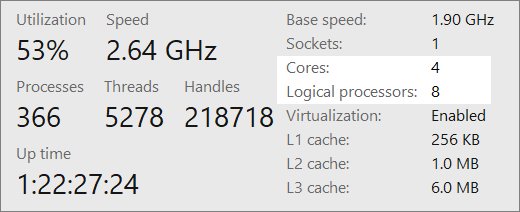
- Read Cores and Logical processors below the graph; logical processors equal threads.
A Ryzen 9 9900X shows 12 cores and 24 logical processors. A Core Ultra 9 285K shows 24 cores and 24 logical processors.
AMD vs Intel processors FAQ
Is Ryzen 9000 compatible with all AM5 motherboards?
Ryzen 9000 uses the same AM5 socket as Ryzen 7000, and AMD added the X870E and X870 chipsets for it. Older 600 series boards may need a BIOS update first, so check the board maker's CPU support list.
Does AM5 support DDR4 memory?
No. AMD describes Socket AM5 as a dual-channel DDR5 platform, and every AM5 chipset from B650 to X870E uses DDR5. DDR4 kits from an AM4 build cannot be reused.
Does every Intel Core Ultra processor have Arc integrated graphics?
No. Among Core Ultra Series 3 chips, the X models such as the X9 388H have Arc B390 graphics, while the Core Ultra 9 386H and Ultra 5 325 list Intel Graphics. Arc also needs at least 16 GB of dual-channel memory on H-series systems.
Is the Ryzen 9 9900X faster than every Core Ultra processor?
No spec sheet answers that. The 9900X has 24 threads on 12 cores at 120 W, the 285K has 24 cores at up to 250 W, and the result depends on your software. Check independent benchmarks for the apps you use.
Can four DDR5 modules run at the processor's advertised speed?
Not necessarily. The advertised figure, such as DDR5-6400 for the 285K, is the processor rating. With four modules, two share each of the two channels, and the motherboard's memory support list gives the speed for that layout.
Which uses less power, AMD or Intel?
On rated figures, the Ryzen 9 9900X has a 120 W TDP and the Core Ultra 9 285K a 125 W base power with 250 W maximum turbo power. Plan cooling for the higher figure.
Does the Core Ultra 9 285K have Hyper-Threading?
No. Intel's spec page lists Hyper-Threading as No for the 285K, so its 24 cores run 24 threads. AMD's Ryzen 9 9900X runs two threads per core, giving 24 threads from 12 cores.
What does the F suffix mean on an Intel processor?
Intel defines F as a desktop processor that requires discrete graphics. An F chip, such as a 285KF, cannot drive a monitor from the motherboard ports, so you need a graphics card.
Which socket does each current desktop processor use?
AMD Ryzen 9000 and Ryzen 7000 desktop chips use Socket AM5. Intel Core Ultra 200S desktop chips, including the 285K, use LGA1851 with Intel 800 series chipsets such as Z890 and B860.
The bottom line on AMD vs Intel processors
Choose AMD AM5 if you value a long-lived socket and two threads per core at a lower rated power; choose Intel Core Ultra if you want more physical cores, Quick Sync video encoding or Arc graphics in a laptop. The vendors' own specifications separate the two platforms on core layout, power limits, socket support and graphics, while headline clock speeds sit within 0.1 GHz of each other.