To delete a Tinder account permanently, open the app's settings, scroll to the bottom, choose the delete account option and confirm; to only hide your profile, use the pause option on the same screen instead.
Deleting the account does not cancel a Tinder Plus, Gold or Platinum subscription bought through Apple or Google Play, so this guide also covers cancelling billing, removing the Facebook login link and coming back later.
Quick answer: Delete Tinder in 30 seconds
Cancel any paid plan first, because the account deletion does not stop store billing.
- Cancel Tinder Plus, Gold or Platinum in your phone's subscription settings if you pay for one.
- Open the Tinder app and tap your profile icon.
- Open the app's settings.
- Scroll to the bottom of the settings list and choose the delete account option.
- Pick the delete option rather than pause when Tinder offers both.
- Confirm the deletion when Tinder asks.
Deleting the app from your phone afterwards is optional. Removing the app alone leaves the account in place.
Before you delete: What happens to your data?
Three separate things hold your Tinder data: the app on your phone, your Tinder account, and any store subscription or Facebook login linked to it. Each one is removed in a different place.
| What | Delete the app | Delete the account | Where to remove it |
|---|---|---|---|
| App files on the phone | Removed with the app | Removed only if you also delete the app | Home Screen or Play Store |
| Profile, matches and chats | Kept | Removed from Tinder | Tinder app settings |
| Apple or Google Play subscription | Keeps billing | Keeps billing | Apple Subscriptions or Google Play Subscriptions |
| Facebook login connection | Kept | Kept | Facebook Apps and websites |
| Data the app copied from Facebook | Kept | Ask Tinder | Tinder's privacy request process |
Facebook notes that an app may keep information it stored while you used it, and that you can contact the developer to ask for it to be deleted.
Pause vs. delete: Making the right choice
| Your situation | Use this | Why |
|---|---|---|
| Taking a break and may swipe again | Pause | Your profile leaves the swipe deck, but the account stays |
| Met someone and want to keep chatting on Tinder | Pause | Existing matches stay in the account |
| Done with Tinder for good | Delete the account | Removes the profile instead of just hiding it |
| Paying for Plus, Gold or Platinum | Cancel the subscription first | Neither pause nor delete stops store billing |
| Only want the app off your phone | Delete the app | The account and profile stay untouched |
Step-by-step: Pausing or deleting Tinder on your phone
Tinder puts pause and delete on the same screen at the bottom of its settings, on both iPhone and Android.
- Open Tinder and log in with the same method you used to sign up: phone number, Google, Apple or Facebook.
- Tap the profile icon.
- Open settings and scroll to the very bottom.
- Tap the delete account option.
- Choose pause to hide your profile, or delete to remove the account.
- Answer or skip the feedback question Tinder shows.
- Confirm your choice.
After deleting the account, delete the Tinder app itself to clear its files from the phone.
Pause Tinder or disable account discovery
Pausing, or turning off discovery, hides your card from new people without deleting anything. Read the short description Tinder shows next to the option, which states what stays visible.
- Open Tinder and tap the profile icon.
- Open settings.
- Find the discovery option and switch it off to stop showing up in the swipe deck.
- Or scroll to the bottom, tap the delete account option, and choose pause.
- Reopen settings later and switch discovery back on to return.
Pausing does not cancel a subscription. If you are taking a long break, cancel Plus, Gold or Platinum as well.
How to cancel Tinder subscription on iPhone
Tinder Plus, Gold and Platinum bought in the iPhone app are Apple subscriptions, so you cancel them in Settings, not in Tinder.
- Open Settings and tap your name.
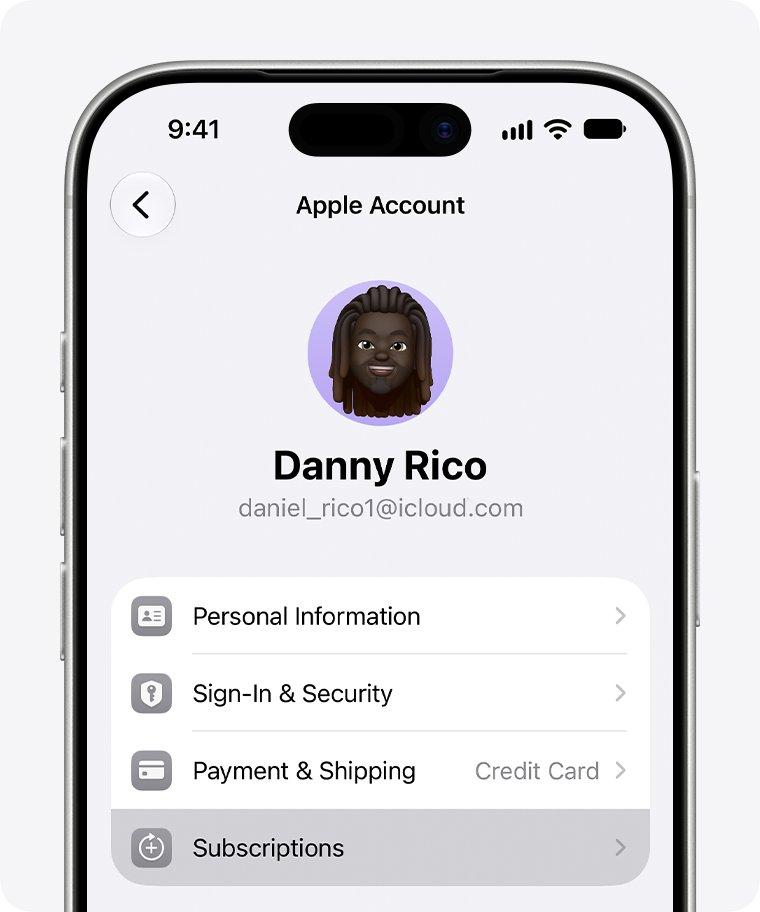
- Tap Subscriptions.
- Tap the Tinder subscription.
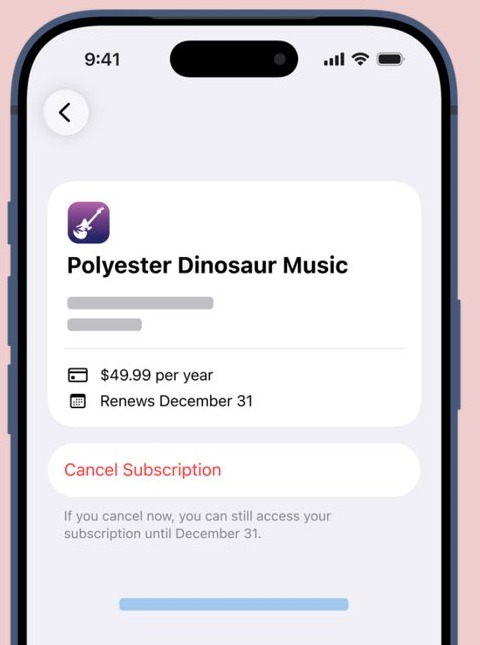
- Tap Cancel Subscription. You may need to scroll down to find it.
- If there is no cancel button, or you see an expiration message in red text, the subscription is already cancelled.
On a free trial, cancel at least 24 hours before the trial ends to avoid the first charge.
How to cancel Tinder subscription on Android
Google Play states plainly that uninstalling an app does not cancel its subscription. Sign in to the Google Account that pays for Tinder before you start, because Google Play subscriptions are listed per account.
- Open the Google Play Store app.
- Go to your subscriptions in Google Play.
- Select the Tinder subscription.
- Tap Cancel subscription.
- Follow the on-screen prompts to finish.
You keep the paid features until the end of the period you already paid for, and Google Play does not charge you again.
How to pause Tinder subscription payments on Google Play
If you only want a break, Google Play can pause payments instead of cancelling, where the app allows it. Pause lengths range from one week to three months, depending on the subscription.
- On your Android phone, go to your subscriptions in Google Play.
- Select the Tinder subscription.
- Tap Manage, then Pause payments.
- Choose how long to pause.
- Tap Confirm. The pause starts at the end of the current billing period.
If Pause payments does not appear, the subscription does not support it, and cancelling is the only way to stop billing.
Deleting Tinder from desktop (yes, it's possible)
Tinder also runs in a web browser, so you can delete the account from a PC or Mac without the phone. A Google Play subscription can be cancelled from the computer too.
- Open Tinder's website in a browser and log in with your usual sign-in method.
- Open your profile and go to its settings.
- Scroll to the bottom, choose the delete account option, and confirm.
- For a Google Play plan, go to your subscriptions in Google Play on the computer and click Manage next to Tinder.
- Click Cancel subscription, select a reason in the pop-up, and click Continue.
Apple subscriptions can also be cancelled on the web through your Apple Account, but the iPhone Settings route above is the most direct.
Hidden complications you should know about
| Complication | What goes wrong | How to avoid it |
|---|---|---|
| The subscription trap | Apple or Google keeps billing after the account or app is gone | Cancel in Subscriptions before deleting |
| The Facebook connection | Tinder stays listed as an app with access to your Facebook login | Remove it in Facebook Apps and websites |
| Matches and conversations | Chats go with the account, so you cannot read them later | Save any contact details you want before deleting |
| Deleting only the app | The profile can still appear to others | Delete or pause the account inside Tinder first |
| Wrong store account | The subscription does not show up in your list | Check the receipt email for the account that paid |
How to remove Tinder from Facebook
If you signed up with Facebook, the login link stays in your Facebook account until you remove it.
- On Facebook, click your profile picture at the top right.
- Select Settings and privacy, then Settings.
- Click Apps and websites in the left menu.
- Click Remove next to Tinder.
- Optionally tick the box that lets Facebook tell Tinder the login connection was removed.
- Click Remove again to confirm.
Remove the Facebook link after you delete the Tinder account. If you remove it first, you may not be able to log in to Tinder to delete the account.
If you are leaving Facebook as well, you can deactivate or delete your Facebook account once the Tinder link is gone.
How to delete Tinder app on iPhone
Deleting the app removes it and its data from your iPhone. It does not delete your Tinder account or cancel a subscription.
- Touch and hold the Tinder icon on the Home Screen or in App Library.
- Tap Remove App.
- Tap Delete App. Do not choose Remove from Home Screen, which only moves it to App Library.
- Tap Delete to confirm.
On Android, open the Google Play Store, tap the profile icon, tap Manage apps & devices > Manage, select Tinder and tap Uninstall.
How to get a refund for a Tinder subscription on iPhone
Some App Store subscription charges qualify for a refund from Apple. Apple decides each request, and eligibility varies by country.
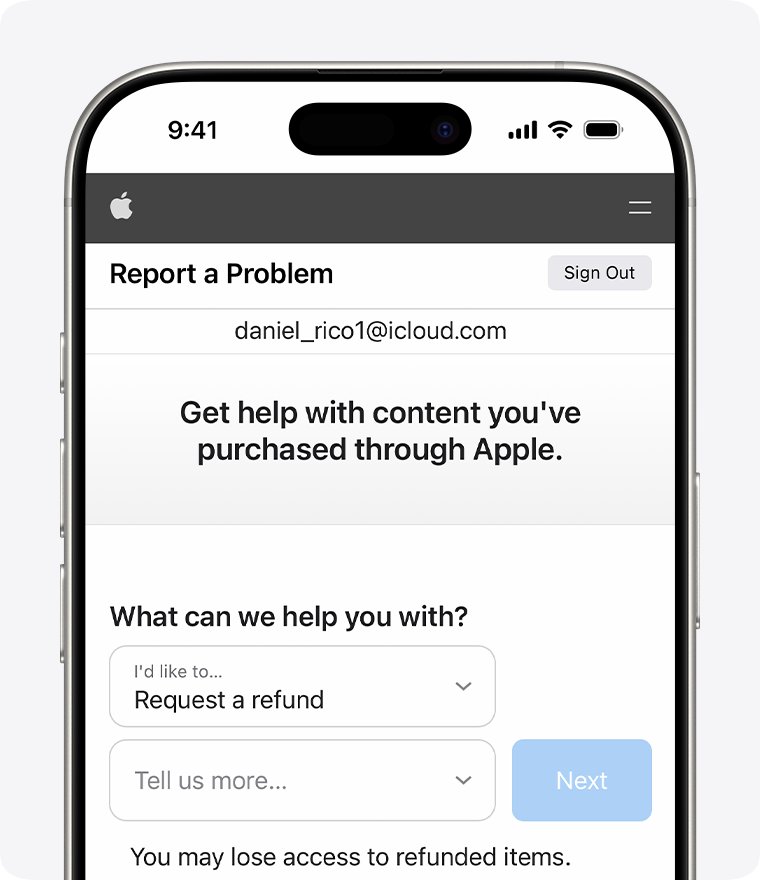
- Sign in to reportaproblem.apple.com with the Apple Account that paid.
- Click I'd like to, then choose Request a refund.
- Choose the reason, then choose Next.
- Choose the Tinder subscription, then choose Submit.
- Wait 24 to 48 hours for an update on the request.
Common deletion problems and solutions
Still charged after deleting Tinder
The subscription is billed by Apple or Google Play, and deleting the account or app does not cancel it.
- On iPhone, open Settings, tap your name, then Subscriptions, and cancel Tinder.
- On Android, go to your subscriptions in Google Play, select Tinder and tap Cancel subscription.
- Request a refund for the latest App Store charge at reportaproblem.apple.com if it qualifies.
Tinder subscription not showing in iPhone Subscriptions
Another Apple Account, a family member, or a different company is billing you.
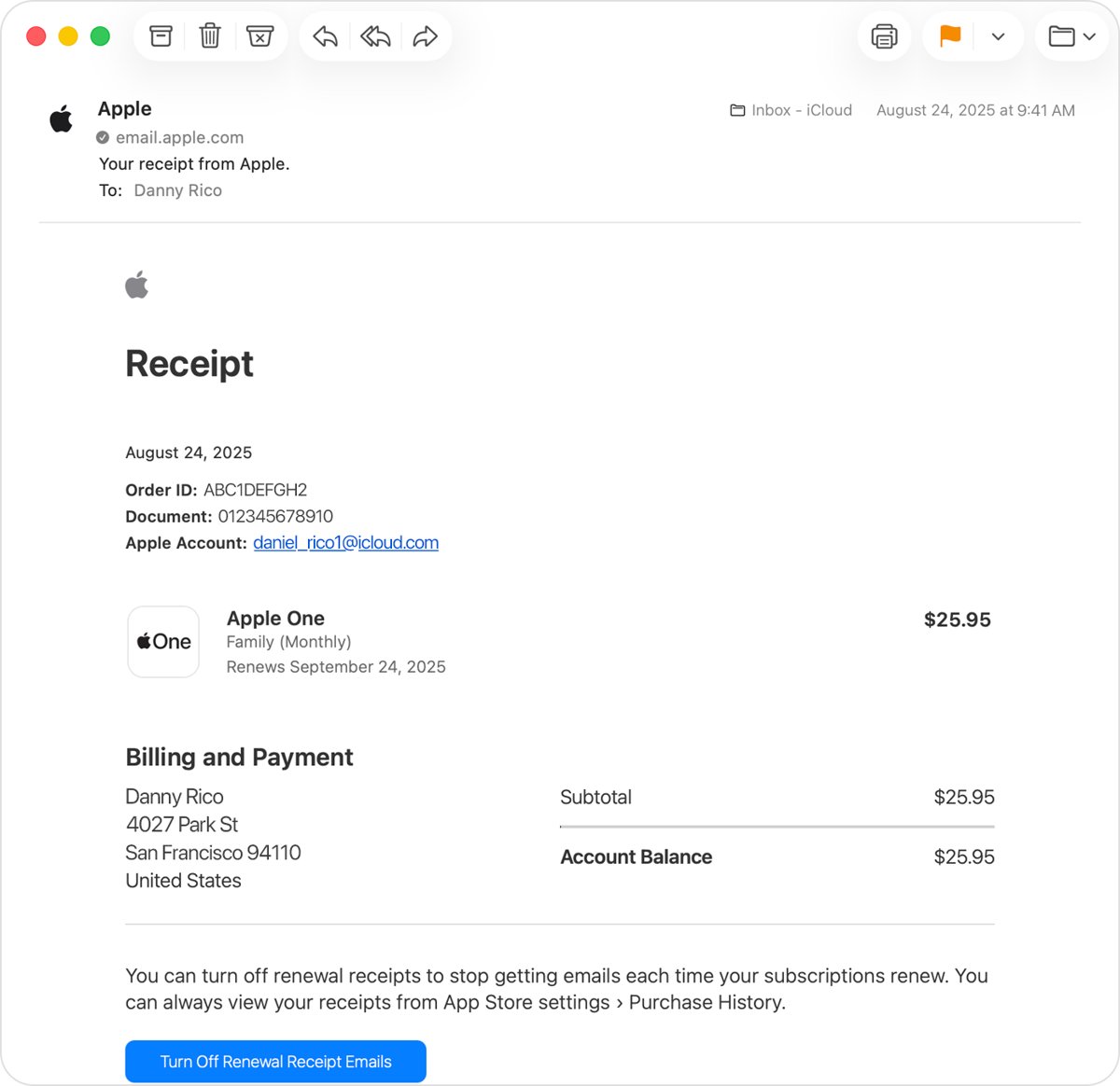
- Search your email for "receipt from Apple" or "invoice from Apple".
- Check which Apple Account appears on the Tinder receipt and sign in with it to cancel.
- If a family member's account paid, ask that person to cancel; you cannot cancel it for them.
- If there is no Apple receipt, check your bank statement for the company that bills you and cancel with it.
Tinder subscription not showing in Google Play
You are signed in to a different Google Account from the one that pays.
- In the Play Store, tap the profile icon and switch to the other Google Account.
- Go to your subscriptions in Google Play again.
- Select Tinder and tap Cancel subscription.
Can't log in to Tinder to delete the account
You are using a different sign-in method from the one the account was created with.
- Try each method you may have used: phone number, Google, Apple or Facebook.
- If you signed up with Facebook, keep the Facebook link in place until the deletion is done.
- Use Tinder's own help centre to contact support if no method works.
Starting fresh: What if you want to return?
A paused account comes back when you turn discovery on or log in again. Treat a deleted account as gone; returning means creating a new one.
- Reinstall Tinder from the App Store or Google Play. Apps you got before reinstall without a new purchase.
- Open Tinder and sign up with your phone number, Google, Apple or Facebook.
- Build your profile again with photos and a bio.
- Resubscribe from the app if you want paid features; Google Play also lets you restart a cancelled subscription from Subscriptions.
If you are clearing out other social accounts at the same time, you can delete a Snapchat account permanently in a similar way.
Tinder account deletion FAQ
Does deleting the Tinder app delete your account?
No. Deleting the app only removes it and its files from your phone. Your profile stays on Tinder until you delete or pause the account from the app's settings.
Does deleting Tinder cancel my subscription?
No. Tinder Plus, Gold and Platinum bought in the app are billed by Apple or Google Play. Google Play states that uninstalling an app does not cancel its subscription, so cancel in your store's Subscriptions list.
How do I hide my Tinder profile without deleting it?
Pause the account or switch off discovery in Tinder's settings. Your card leaves the swipe deck for new people, and you can switch it back on whenever you want to return.
Can I delete Tinder on a computer?
Yes. Log in to Tinder's website in a browser, open your profile settings, scroll to the bottom and choose the delete option. A Google Play subscription can also be cancelled from a computer.
Do I keep Tinder Gold after cancelling?
On Google Play, yes, until the end of the period you already paid for. You are not charged again after that date. Cancelling a trial at least 24 hours before it ends avoids the first charge on Apple.
Can I get a refund after deleting Tinder?
Sometimes. For App Store charges, sign in at reportaproblem.apple.com, choose Request a refund and pick the subscription. Apple decides each request, and eligibility varies by country or region.
Should I remove Tinder from Facebook too?
Yes, if you signed up with Facebook. In Facebook Settings, open Apps and websites and click Remove next to Tinder. Do it after deleting the Tinder account so you can still log in.
Can I recover a deleted Tinder account?
Treat a deleted account as gone: returning means signing up again and rebuilding your profile, matches and chats from nothing. If you think you may come back, pause the account instead of deleting it.