Most iPad charging port problems are fixed by swapping the cable or adapter, brushing lint out of the port with a soft nonmetallic brush, and force restarting the iPad.
This guide covers those fixes in Apple's order, loose and wet ports, what a repair costs, where to get it done, and when a part replacement is the only fix.
How to fix iPad charging port
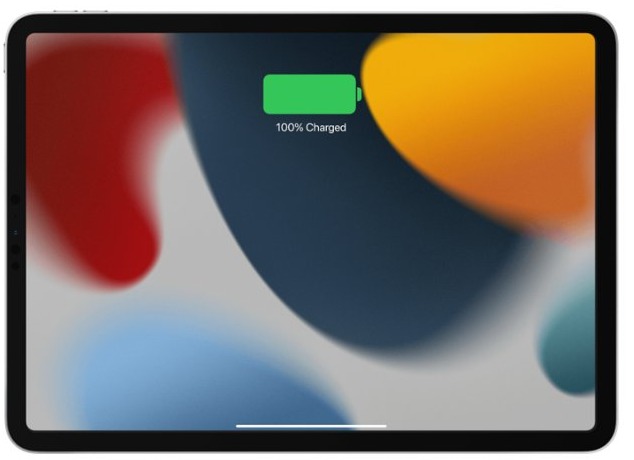
Try again after each step. When the iPad is charging, a lightning bolt appears on the battery icon in the status bar, or a large battery icon shows on the Lock Screen.
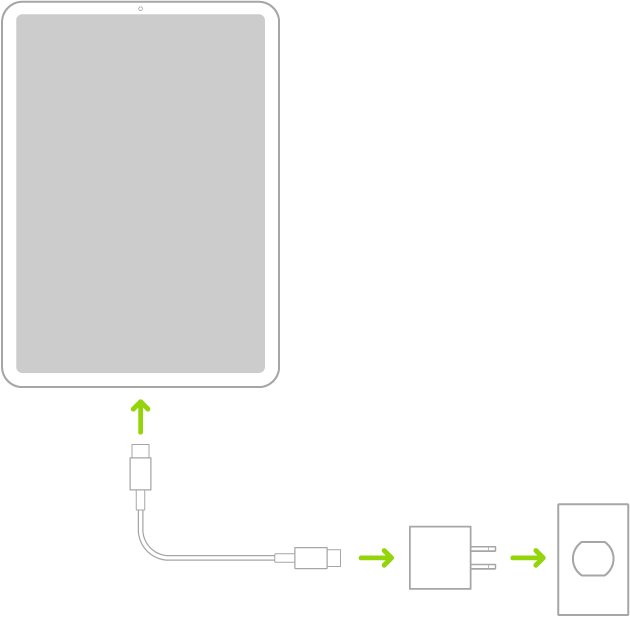
- Plug the iPad into a wall outlet with the cable and USB power adapter that came with it, not a computer or keyboard.
- Swap in a different power adapter, then a different charging cable, to rule out the accessories.
- Inspect the cable and adapter for breakage, visible wear or bent prongs, and stop using any damaged part.
- Turn the iPad off, then clean the charging port with a small, nonmetallic, soft-bristled brush.
- Plug the cable back in firmly and leave the iPad charging for 10 minutes.
- If nothing changes, force restart the iPad and let it charge again.
- If it still will not charge, or charges only when the cable is held at an angle, book Apple service.
A very flat battery can leave the screen blank for up to 2 minutes before the low-battery image appears, so give it that long before you decide the port is dead.
Where to fix iPad charging port
Apple does not sell a separate port repair on most models, so the route depends on whether the fault is the accessory, dirt in the port, or the port itself.
| Your situation | Where to fix it | Why |
|---|---|---|
| Works with another cable or adapter | At home: replace the cable or adapter | The port is fine; the accessory failed |
| Lint or debris visible in the port | At home: clean the port | Packed lint stops the plug seating fully |
| Under warranty or AppleCare+ | Apple Store Genius Bar or Apple mail-in service | Apple inspects it and covers manufacturing faults |
| Out of warranty, want genuine parts nearby | Apple Authorized Service Provider | Same Apple parts, but each provider sets its own fee |
| iPad Air (M2) or later, iPad Pro (M4) or later, iPad mini (A17 Pro) or later, iPad (A16) | Self Service Repair, if you have repair experience | Apple lists the USB-C connector as a replaceable part for these models |
How to clean iPad charging port
Lint and debris in the port can stop the cable seating fully, so the iPad charges only now and then or not at all. Apple's cleaning method uses only a soft brush.
- Unplug every cable and accessory from the iPad.
- Open Settings > General, tap Shut Down, and drag the slider to turn the iPad off.
- Hold the iPad so the charging port faces down and you can see into it under a good light.
- Insert just enough bristles of a small, nonmetallic, soft-bristled brush to fit inside the port.
- Brush debris outward, away from the port, so you do not push it deeper.
- Repeat until no more lint comes out, then turn the iPad on and plug in the cable firmly.
Do not use compressed air, cleaners with bleach or hydrogen peroxide, or anything wet. Apple warns against getting moisture in any opening on the iPad.
How to force restart iPad when it won't charge
A frozen iPad can look as if its port has failed. Apple's sequence depends on whether the iPad has a Home button.
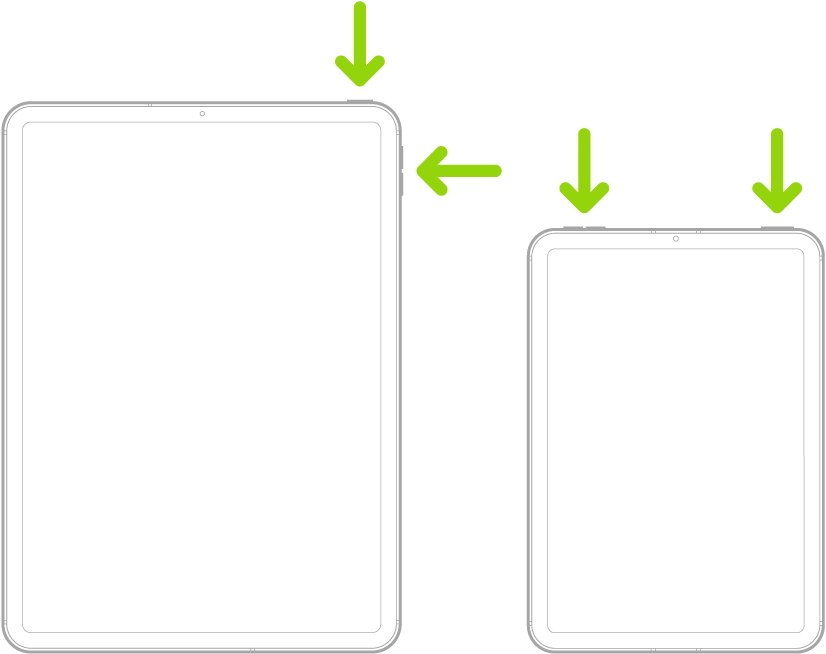
- iPad without a Home button: press and quickly release the volume button closest to the top button.
- Press and quickly release the volume button farthest from the top button.
- Press and hold the top button until the iPad restarts.
- iPad with a Home button: press and hold the top (or side) button and the Home button together until the Apple logo appears.
- Plug the iPad back into a wall adapter and leave it to charge for up to an hour.
How to tell if your iPad is charging
| What you see | What it means |
|---|---|
| Lightning bolt on the battery icon in the status bar | The port and charger are working |
| Large battery icon on the Lock Screen after plugging in | Charging has started |
| Image of a nearly empty battery | Charging, but it needs up to 10 minutes before the iPad can be used |
| Not Charging in the status bar | The computer or port does not supply enough power; use a wall adapter |
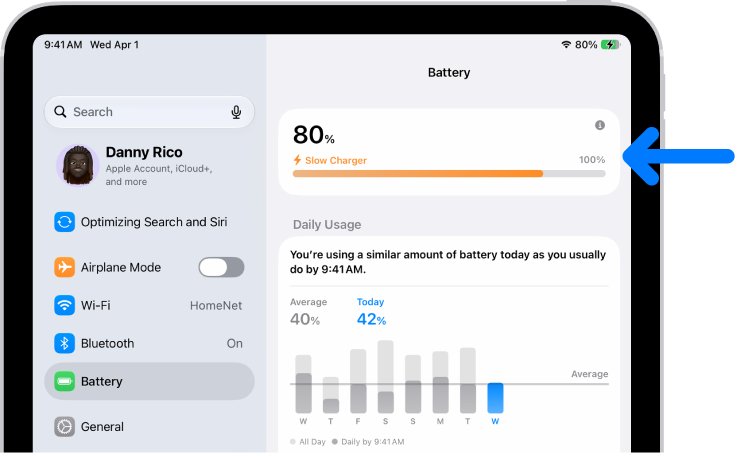
| Slow Charger under Settings > Battery | Charging works, but the adapter cannot deliver the iPad's full charging power |
| No icon and a blank screen after 10 minutes on a wall adapter | Apple says the iPad may need service |
How much to fix iPad charging port
Apple prices iPad repairs per model on its service page rather than listing a single port fee. Use the estimator at support.apple.com/ipad/repair and choose your model to see the out-of-warranty figure.
| Repair route | What you pay |
|---|---|
| Under the one-year Apple Limited Warranty, manufacturing fault | Covered; accidental damage is not |
| Apple out of warranty | The estimate for your model; for example, the iPad mini (A20 Pro) Wi-Fi showed $119 for battery service and $529 for other damage |
| Apple Authorized Service Provider | Its own fee and estimate |
| Apple mail-in | The repair fee, plus a shipping fee if Apple has to ship the iPad |
| Self Service Repair | The genuine part and tool rental from the Self Service Repair Store |
| New cable or adapter | Only the accessory, when the port itself is fine |
Apple inspects the iPad to set the final fee, and its repairs and parts are guaranteed for 90 days or the rest of the warranty, whichever is longer.
Can iPad charging port be repaired?
Yes, but on most models the repair is done by Apple or an authorized provider, not at home. Only the iPad Air (M2) and later, iPad Pro (M4) and later, iPad mini (A17 Pro) and later, and iPad (A16) have a USB-C connector part that Apple lists for replacement. Apple recommends service when the connection is intermittent with a working cable, and says Self Service Repair is meant for people with the knowledge and experience to repair electronic devices. Damage caused during a DIY repair is not covered by the warranty.
How to replace iPad charging port
Replace the port only after cleaning, a second cable and a force restart have not fixed it. Apple's own troubleshooting page puts the USB-C connector replacement last for that reason.
- Back up the iPad to iCloud or a computer.
- Confirm your model is an iPad Air (M2) or later, iPad Pro (M4) or later, iPad mini (A17 Pro) or later, or iPad (A16).
- Open support.apple.com/self-service-repair and read the repair manual for your exact model.
- Note the manual ID, then order the genuine part and rent or buy the tools from the Self Service Repair Store.
- Follow the manual's steps, and run Repair Assistant afterwards if the manual recommends it.
- Return the old part to Apple for refurbishment or recycling.
- For any other iPad model, book a repair at support.apple.com/ipad/repair instead.
The same process covers a worn battery, which is a separate fault; if the battery rather than the port is failing, you can replace an iPad battery instead.
Charging port on iPad not working
iPad port not charging at all
The power source, cable or adapter is faulty, or the battery is deeply discharged.
- Use a wall outlet and the adapter that came with the iPad, not a computer port or wireless charger.
- Try a different adapter and a different cable.
- Charge for 20 to 30 minutes; after a deep discharge the charging icon should appear within about two minutes.
- Force restart the iPad, then charge again.
iPad loose charging port, or the cable falls out
Lint packed at the back of the port stops the plug seating, or the connector itself is worn.
- Turn off the iPad and brush the port clean with a soft nonmetallic brush.
- Plug in a cable you know works and check whether it now clicks in firmly.
- If charging still cuts in and out with a working cable, book Apple service.
iPad charging port damaged by liquid
Liquid in the port can corrode the pins if you charge while it is wet.
- Unplug the cable straight away and do not plug it in again until the iPad is fully dry.
- Leave the iPad in a dry place with some airflow.
- Do not use compressed air; for the same connectors on iPhone, Apple also rules out heat sources, rice, and cotton swabs or paper towels pushed into the port.
- If it still will not charge once dry, book Apple service.
iPad still doesn't charge after following these steps
The port, the charging circuit or the battery has failed.
- Check your coverage on Apple's service page.
- Book a Genius Bar appointment, an Apple Authorized Service Provider, or Apple mail-in service.
- Take the cable and adapter with you so the technician can test them too.
Tips for fixing iPad charging port
| Tip | Why it matters |
|---|---|
| Never use a needle, pin or other metal object | Apple's cleaning method uses a nonmetallic brush only |
| Use a wall adapter, not a keyboard or a sleeping computer | A computer must be on and awake, and Apple advises against charging an iPad from a keyboard unless it has a high-power USB port |
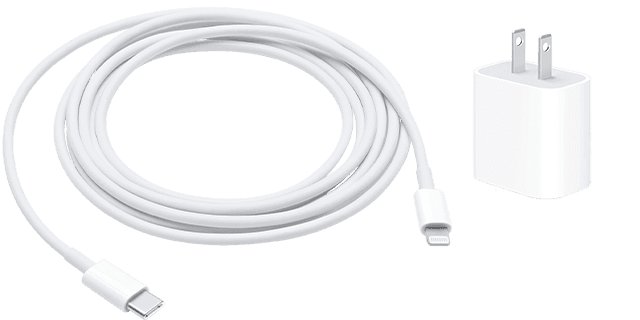
| Use Apple or MFi-certified Lightning accessories | Uncertified Lightning cables may not charge, can get very hot, or may not fit properly |
| Pull the plug, not the cable | Pulling the cable strains the connector joints |
| Keep the iPad within its operating temperature | Charging can pause when the iPad is too hot or too cold |
| Do not charge with a wet port | Apple warns against plugging in if you suspect liquid in the port |
Charging habits affect battery health more than the port does; the best time to charge an iPad is easy to build into your routine.
iPad charging port FAQ
Can I use a needle to clean my iPad's charging port?
No. Apple's method uses a small, nonmetallic, soft-bristled brush, inserting only enough bristles to fit and brushing debris outward. Metal tools such as needles and pins are not part of Apple's method, and nothing else should be pushed into the port.
How do I fix a loose iPad charging port?
Turn the iPad off and brush lint out of the port, then test with a cable you know works. If the connection still cuts in and out with a working cable, Apple recommends service because the connector itself may be worn.
How much does it cost to fix an iPad charging port?
Apple quotes repairs per model on support.apple.com/ipad/repair. Faults under the one-year warranty are covered, while accidental damage and out-of-warranty faults cost the estimate shown for your model. Authorized providers set their own prices.
How often should I clean my charging port?
Clean it whenever the cable stops clicking in firmly or charging becomes unreliable. Apple sets no fixed schedule, so look into the port under a light whenever charging misbehaves.
Is it safe to use third-party charging cables?
Use certified ones. Apple recommends MFi-certified accessories, and warns that uncertified Lightning cables may not charge, can get very hot, may not fit properly, and could damage the device.
Can a software update fix charging issues?
It can fix a software fault, but not a dirty or damaged port. Update through Settings > General > Software Update once the iPad has some charge, and try the cable, adapter and cleaning steps first.
Can I replace my iPad charging port myself?
Only on the iPad Air (M2) and later, iPad Pro (M4) and later, iPad mini (A17 Pro) and later, and iPad (A16), through Apple's Self Service Repair, and only if you have experience repairing electronics.
Why is my iPad plugged in but not charging?
The usual causes are a weak power source, a faulty cable or adapter, lint in the port, or a temperature outside the operating range. A computer that is off or asleep can even drain the iPad instead of charging it.
Will Apple fix my iPad charging port under warranty?
Yes, if the fault is a manufacturing issue within the one-year Apple Limited Warranty. The warranty does not cover accidental damage such as liquid or a bent connector, so those repairs carry a fee unless another plan applies.