The App Store comes built in on iPhone, iPad and Mac, so there is nothing to install: if the icon is gone from your iPhone, swipe left past your Home Screen pages to App Library, search for App Store and drag it back.
Windows PCs and Fire tablets cannot run Apple's App Store, so this guide also covers Microsoft Store on Windows, the Amazon Appstore on Fire tablets, and what to check when the icon has been blocked.
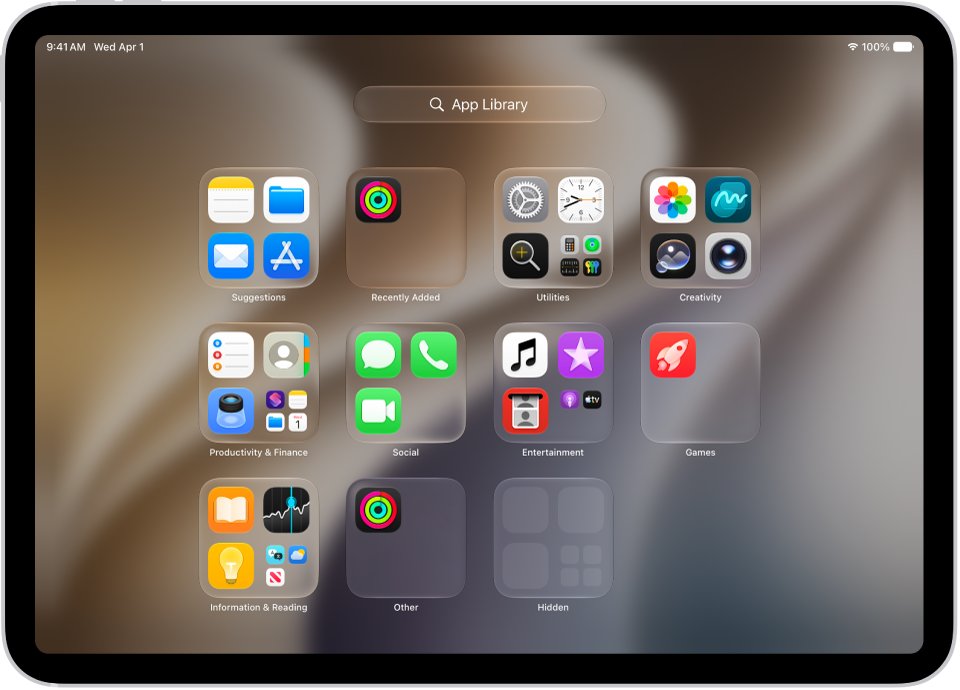
How to install App Store on iPhone
A missing App Store icon usually means it was removed from the Home Screen. Apple moves those apps to App Library instead of deleting them, and it does not list the App Store among the built-in apps you can delete.
- Go to the Home Screen.
- Swipe left past all your Home Screen pages to reach App Library.
- Tap the search field at the top of the screen and enter App Store.
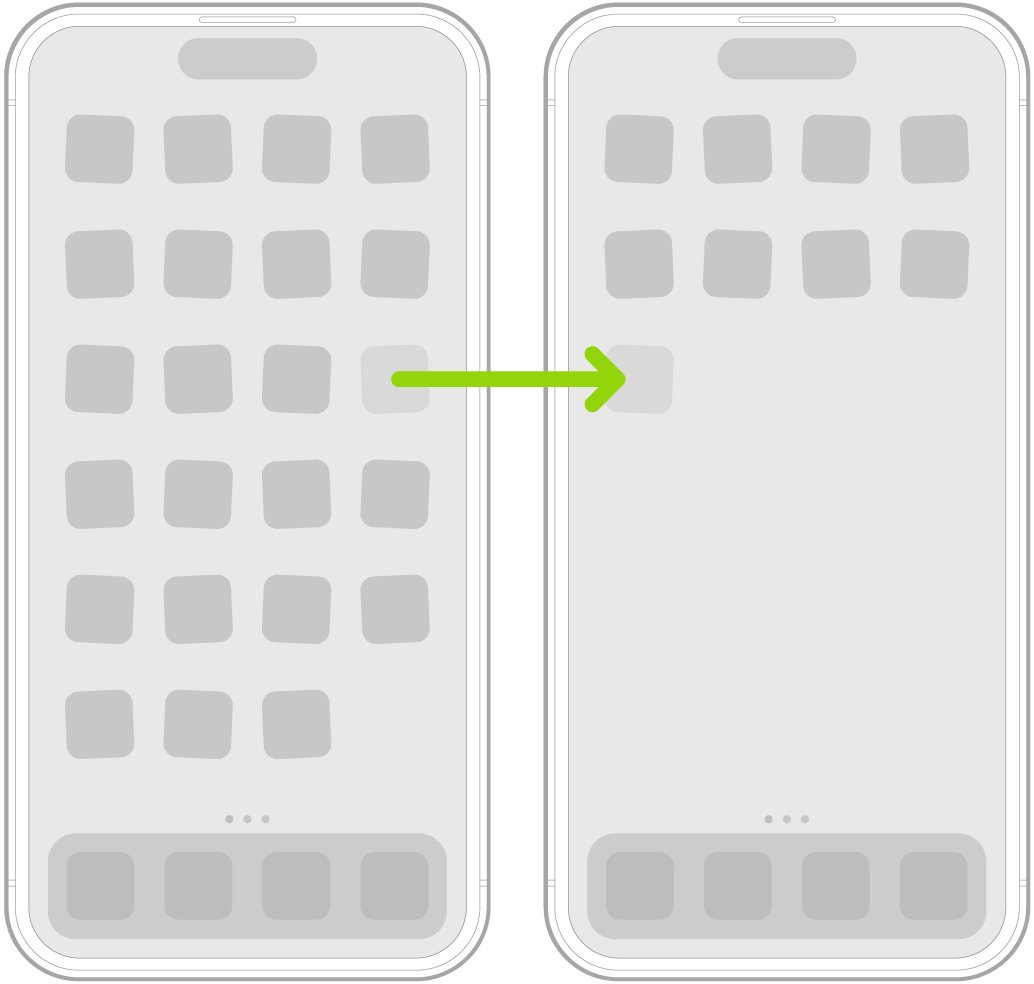
- Touch and hold the App Store icon until the icons begin to jiggle and the app moves to the Home Screen.
- Lift your finger, drag the icon where you want it, then tap the Home Screen background.
Tap the icon instead of holding it if you just want to open the store once. If App Store does not appear in App Library, a restriction is the likely cause, and the Screen Time section below shows how to clear it.
Can you install App Store on your device?
| Your device | Store to use | What to do |
|---|---|---|
| iPhone | Apple App Store, built in | Bring the icon back from App Library or Search |
| iPad | Apple App Store, built in | Tap the App Library button in the Dock and search for it |
| Mac or MacBook | Apple App Store, included with macOS | Open it from Spotlight or the Applications folder |
| Windows 11 or Windows 10 PC or laptop | Microsoft Store | Search for Microsoft Store from the Start menu |
| Amazon Fire or Kindle Fire tablet | Amazon Appstore | Get apps through the Amazon Appstore, not Apple's store |
| Linux laptop | No Apple App Store | Use the software source for your Linux distribution |
How to find App Store with Search on iPhone
Search is quicker than scrolling when you have many Home Screen pages. It finds apps that are not on any page.
- Swipe down on the Home Screen.
- Enter App Store in the search field.
- Tap App Store in the results to open it.
Apple says apps that come installed cannot be hidden, so the App Store will not be sitting in the Hidden folder at the bottom of App Library.
How to show hidden Home Screen pages with App Store on iPhone
The icon may still be on a Home Screen page that has been hidden. Showing the page brings back everything on it.
- Touch and hold the Home Screen wallpaper until the icons begin to jiggle.
- Tap the dots at the bottom of the screen.
- Tap to add a checkmark below any page that has none.
- Leave the page view, then tap the Home Screen background to finish, or press the Home button on iPhone SE.
How to reset Home Screen to restore App Store on iPhone
A reset puts the apps that came with your iPhone back in their original places. It removes any folders you created and arranges your downloaded apps alphabetically after the built-in ones, but it does not delete apps.
- Open the Settings app.
- Tap General, then tap Transfer or Reset iPhone.
- Tap Reset, then tap Reset Home Screen Layout.
- Tap Reset Home Screen to confirm.
- Look for the App Store icon on the first Home Screen pages.
App Store missing because of Screen Time on iPhone
Screen Time can restrict app installs on an iPhone. You need the Screen Time passcode to change the setting, and a parent or guardian may have set it.
- Open the Settings app and tap Screen Time.
- Tap Content & Privacy Restrictions.
- Tap iTunes & App Store Purchases, and enter the Screen Time passcode if asked.
- Change the restriction for installing apps so it is allowed.
- Go back to App Library and search for App Store again.
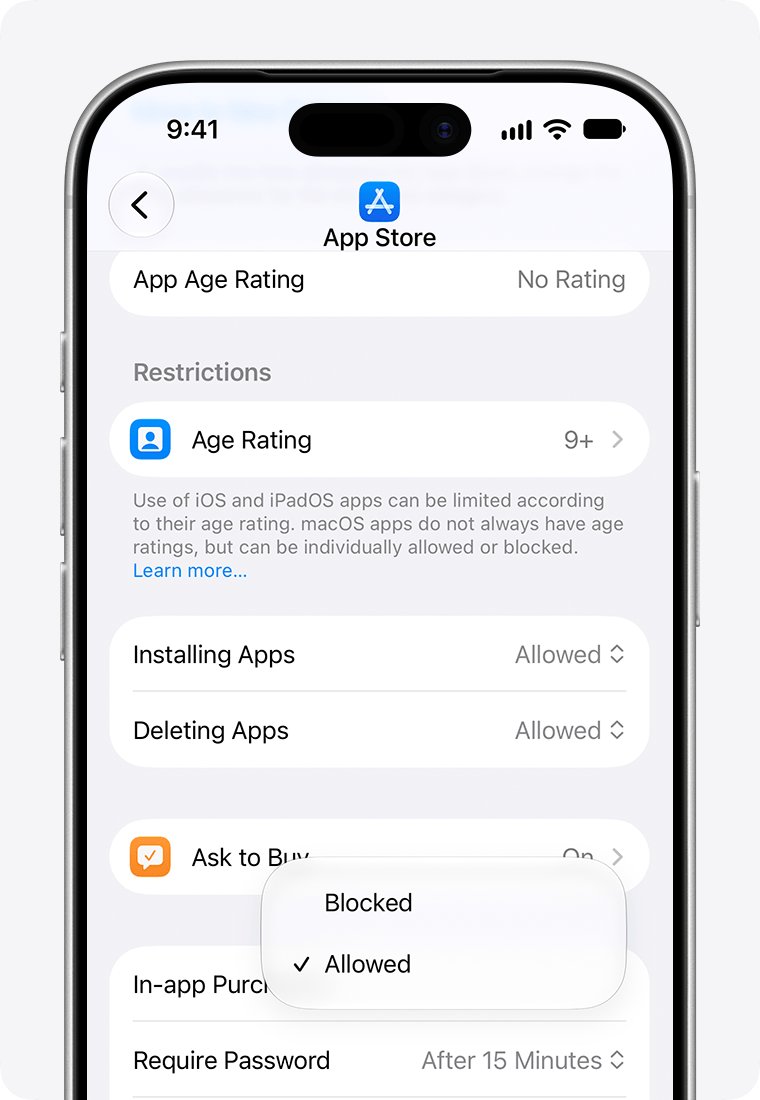
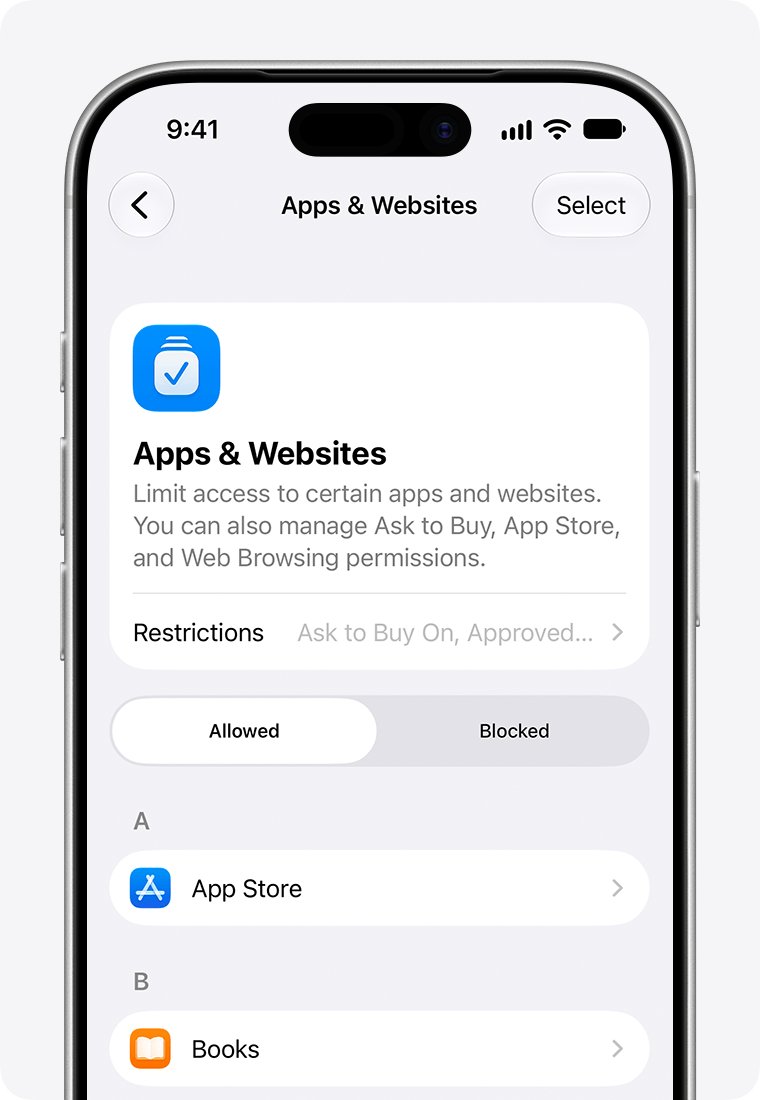
On a child's iPhone managed through Family Sharing, the parent opens Settings > Family, selects the child, taps Apps & Websites, taps App Store, and sets Installing Apps to Allowed.
How to install App Store on iPad
The iPad works the same way as the iPhone, with a shortcut in the Dock.
- Tap the App Library button, the rightmost button in the Dock at the bottom of the screen.
- Tap the search field and enter App Store.
- Touch and hold the icon until it moves to the Home Screen, then lift your finger.
- If it is not listed, open Settings and tap General, then Transfer or Reset iPad.
- Tap Reset, then Reset Home Screen Layout.
How to install App Store on Mac
Apple includes the App Store in the apps that come with every Mac. If the icon is gone from the Dock, the app is still there.
- Press Command-Space bar to open Spotlight.
- Type App Store, then press Return.
- If you prefer Finder, click the Finder icon in the Dock.
- Click Applications in the sidebar, then double-click App Store.
- If the app is blocked, go to System Settings > Screen Time > Content & Privacy Restrictions.
- Click Other Features and allow any setting that blocks the feature you need.
Can I install App Store on Windows 10/11?
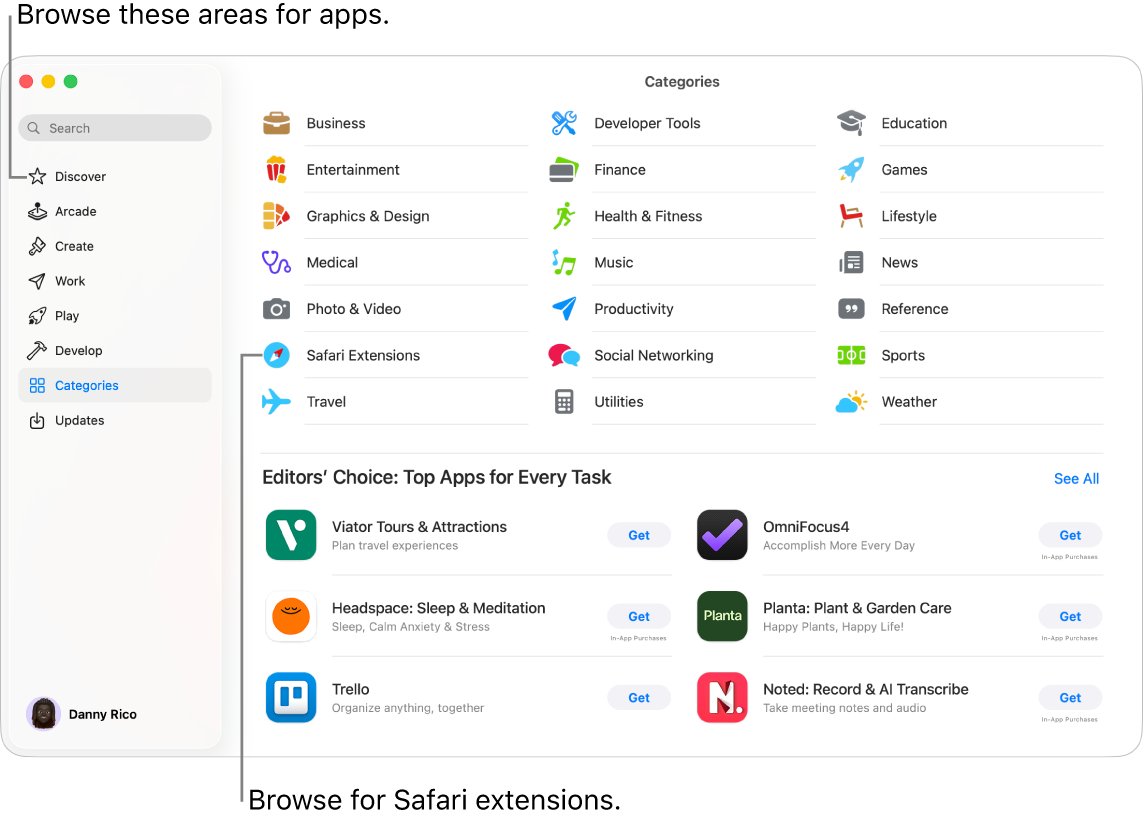
No. Apple's App Store is for Apple devices, so you cannot install it or run iPhone apps from it on a Windows 11 or Windows 10 laptop or PC. Windows has its own store, Microsoft Store. Apple's Apple Devices app for Windows syncs, backs up and restores an iPhone or iPad, but its guide does not offer App Store downloads. Apple's own apps for Windows cover Apple Music, Apple TV, iCloud and iTunes.
How to install Windows app store
Microsoft Store is the Windows equivalent, and it may only be unpinned from the taskbar. Microsoft says it may not be available if you are signed in with a local account.
- Select Start and enter Microsoft Store.
- Select Microsoft Store in the results to open it.
- Right-click it and select Pin to Start so you can find it later.
- If it is not in the results, sign in to Windows with your Microsoft account.
- On a work device, ask your administrator, who may have turned the store off.
- If it still will not open, press Windows key + R, enter
wsreset.exeand select OK.
A blank Command Prompt window opens, closes after about ten seconds, and the store then opens. For more options, you can repair or reset Microsoft Store or download the Microsoft Store app again.
How to install App Store apps on PC
iPhone and iPad apps do not run on Windows, so look for the Windows version of the same app in Microsoft Store.
- Open Microsoft Store from the Start menu.
- Search for the app by name.
- Select the app and check it is from the publisher you expect.
- Select Get to download and install it.
- Open the app from the Start menu when the install finishes.
Some apps are not in Microsoft Store but can be downloaded from the publisher's site. You can also install apps on a Windows laptop from those sources.
How to install Microsoft Store apps without Store using winget
Windows Package Manager can install from the same catalog at a command prompt. Run winget search with the app name first to find its ID, then use that ID in place of the example below.
winget install XP9KHM4BK9FZ7Q -s msstore-s msstore limits the search to the Microsoft Store source, and each app there has a unique ID. Windows Package Manager prompts you to accept any license agreements before the app installs.
How to install App Store on Fire tablet
Fire tablets run Fire OS, and apps for them are published through the Amazon Appstore. Apple's App Store does not run on them. The same applies to older tablets sold as Kindle Fire.
| Platform | Amazon Appstore support |
|---|---|
| Fire tablet | Supported |
| Fire TV | Supported |
| Android devices | Supported |
| Windows 11 | Ended on March 5, 2025, along with Windows Subsystem for Android |
How to install apps from App Store on iPhone
You need an internet connection and an Apple Account. App Store availability also varies by country or region.
- Open the App Store app.
- Tap the search button and enter the app's name.
- Tap Get if the app is free, or tap the price.
- Confirm with Face ID, Touch ID or your passcode if asked.
- Find the new app in Recently Added in App Library.
To reinstall an app you deleted, open the App Store, tap your picture, then tap Apps & Purchase History and Your Apps. Apple's App Store on a Mac works in a similar way: click Get or the price on the app's page.
How to sign in to App Store
- On iPhone, open the Settings app and tap Apple Account.
- Tap Sign in Manually, or tap Use Another Apple Device if you have a device nearby.
- Enter your email address or phone number, then your password.
- Enter the six-digit verification code if you use two-factor authentication.
- On a Mac, open the App Store and click Sign In in the bottom-left corner.
If the store keeps asking for your account, try signing in to the App Store with your Apple ID from the store itself.
How to tell if App Store is working on iPhone
- Tap the App Store icon and wait for the Today page to load.
- Tap the search button and search for a free app.
- Tap Get and check that a progress indicator appears on the app icon.
- Open App Library and look for the app under Recently Added.
App Store missing on iPhone: how to get it back
App Store icon gone from the Home Screen
The icon was removed from the Home Screen, which only moves it to App Library.
- Swipe left past all Home Screen pages to reach App Library.
- Search for App Store.
- Touch and hold the icon until it moves to the Home Screen.
App Store missing on a work or school iPhone
A device management restriction makes the App Store unavailable and removes its icon from the Home Screen.
- Ask the administrator who manages the iPhone whether App Store installs are restricted.
- Ask for the app you need to be installed for you, because users cannot install or update apps while the restriction is on.
App Store icon missing after a Home Screen reset
A Screen Time restriction on app installs stays in place after the reset.
- Open Settings > Screen Time > Content & Privacy Restrictions.
- Tap iTunes & App Store Purchases and allow installing apps.
- If you do not know the passcode, ask the parent or guardian who set it.
App Store opens but will not load apps
The store needs an internet connection and an Apple Account, and it is not available in every country or region.
- Check that Wi-Fi or cellular data is on and that websites load.
- Open Settings > Apple Account and sign in if you are signed out.
- Quit and reopen the App Store, then try the search again.
Microsoft Store will not open on a Windows laptop
A store cache problem, a pending Windows update or wrong time and region settings can stop it.
- Press Windows key + R, enter
wsreset.exeand select OK. - Install any pending Windows updates and restart the PC.
- Check your time and location settings, then try the store again.
How to install App Store FAQ
How can I install the App Store?
On iPhone, iPad and Mac, you do not need to install it because it comes with the device. Find it in App Library on iPhone or iPad, and in Spotlight or the Applications folder on Mac. Windows uses Microsoft Store instead.
Can I install App Store on Windows 10/11?
No. Apple's App Store is only for Apple devices, so it cannot be installed on a Windows 11 or Windows 10 PC. Use Microsoft Store for Windows apps, and look for the Windows version of any iPhone app you use.
How do I install App Store on my laptop?
It depends on the laptop. A MacBook already has the App Store in its Applications folder. A Windows laptop uses Microsoft Store, which you open from the Start menu. Apple's App Store is not available for Windows laptops.
How do I get App Store on Windows?
Select Start, enter Microsoft Store and open the result. Sign in to Windows with a Microsoft account if it does not appear, because the app may be unavailable on a local account. On a work device, ask your administrator.
How do I install App Store on Kindle Fire?
You cannot install Apple's App Store on a Kindle Fire or any other Fire tablet. Apps for those tablets come through the Amazon Appstore, and iPhone or iPad apps do not run on Fire OS.
How do I install App Store apps on PC?
App Store apps run on Apple devices only, so install the Windows version instead. Search for the app by name in Microsoft Store and select Get, or download it from the publisher's own site when it is not in the store.
How do I use App Store?
Open the App Store, browse Today, Games, Apps or Arcade, or tap the search button. Tap an app to read its details, then tap Get or the price. Confirm with Face ID, Touch ID or your passcode if asked.
Can I reinstall the App Store if I deleted it?
Apple does not list the App Store among the built-in apps you can delete, so it should still be on your device. Removing it from the Home Screen only moves it to App Library, and you can drag it back from there.
Is it free to install App Store?
There is no separate charge because the App Store comes with iPhone, iPad and Mac. Many apps in the store are free, and you pay only for apps or in-app content that show a price, using your Apple Account's payment method.