If an email from a family member turned out to be a phishing scam, close the page, change the password for any account you entered, check that account for changes, and warn your relative by phone.
This guide covers what to do if you clicked a link, typed a password or opened a file on a Mac, iPhone or Windows PC, plus how to report the message.
What to do after clicking a phishing link in an email from family
Speed matters most if you typed a password. Work through these steps in order, and skip any that do not apply to what you did.
- Close the page without entering anything else.
- Do not reply to the email. Call your family member on a number you already know.
- If you opened a file from the email, check or scan the device before you change passwords.
- Change the password for any account you typed in, by typing the real website address yourself.
- Change that same password anywhere else you reuse it.
- Turn on two-factor authentication for the account.
- Remove any forwarding, rules or devices you do not recognize.
- If you gave card or bank details, call your bank and card company.
Never share a verification code with anyone during this process, including a caller who claims to be helping you.
Phishing link clicked: what you did and how to respond
| What happened | What is at risk | Do this |
|---|---|---|
| Clicked the link, typed nothing | Any file the page downloaded or tried to install | Close the page, check your downloads and update the device |
| Entered your email password | Your mailbox and accounts that reset through it | Change the password now, turn on two-factor authentication, check forwarding and rules |
| Reused that password elsewhere | Every account with the same password | Change each one to a different password |
| Entered card or bank details | Your money and identity | Call your bank and card company, then contact local authorities if money or identity is affected |
| Opened a file or installed something | The device itself | Run the Mac, iPhone or Windows checks below |
| Someone phoned you afterward | Verification codes and remote access | Hang up and call the company on a number you have checked yourself |
How a phishing email can come from a family member's address
A familiar name does not prove who sent the message. There are three common explanations, and your relative may not know about any of them.
| Explanation | What it means | What it looks like |
|---|---|---|
| Forged sender name | The sender name or address on an email can be faked without touching the real account | The name looks right, but the actual address does not match, or your relative gets bounces and replies to mail they never sent |
| Lookalike address | A similar address uses added numbers or changed letters | One character differs from the address you normally see |
| Hacked account | Someone signed in to your relative's real email account | Other friends and family received the same message from the correct address |
How to spot a phishing email from someone you know
Fake invitations and shared documents work because they appear to come from someone you trust. Treat any unexpected link as suspicious, even from a familiar sender.
| Check | How to do it | Warning sign |
|---|---|---|
| Link destination on a Mac or PC | Hover over the link without clicking | The address does not match the link text or the company |
| Link destination on iPhone | Touch and hold the link | The web address belongs to an unrelated site |
| Sender in Mail on iPhone | Tap the sender's email address | The address differs from the one in your contacts |
| Sender in Outlook on the web | Hover over the sender's name | A ? in the sender photo on someone normally verified |
| Requests in the message | Read what it asks you to do | It wants a password, card number or a sign-in to view a document |
| Pressure in the wording | Look for urgency or a threat | It claims your account is under attack or demands fast action |
| The relative themselves | Call them on a known number | They did not send it |
The same checks apply to fakes that borrow a company's name, so it helps to know what real Apple messages look like and how to judge a suspicious text on iPhone.
How to change your email password after a phishing attack
Open the provider's site yourself and do not use any link in the email. If your address comes from an internet provider, use that company's own account page or support line.
| Account | Change the password | Then check |
|---|---|---|
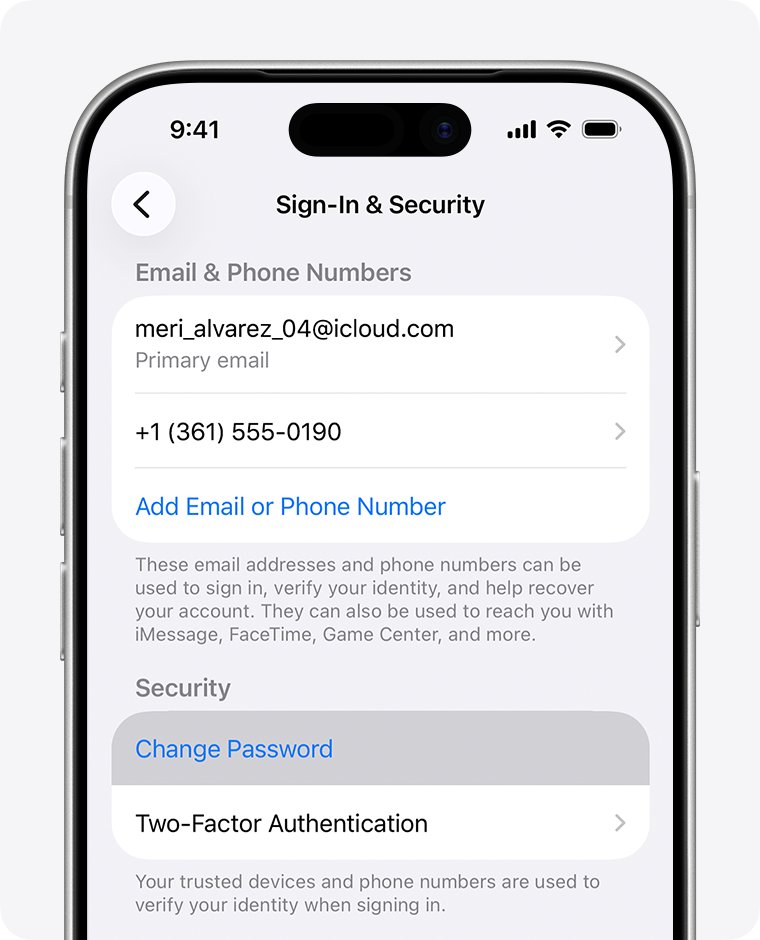
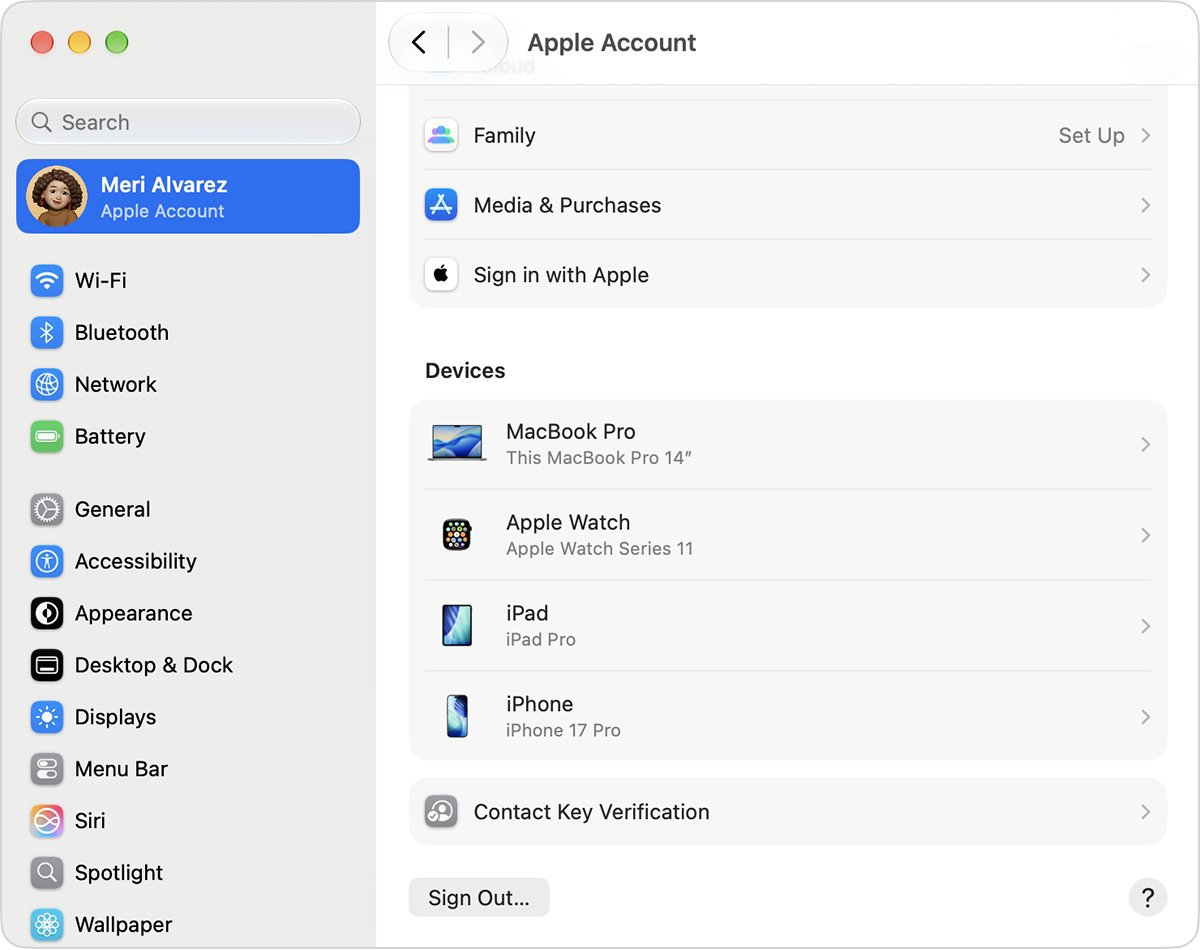
| Apple Account on iPhone | Settings > your name > Sign-In & Security > Change Password | Your device list and your trusted phone numbers |
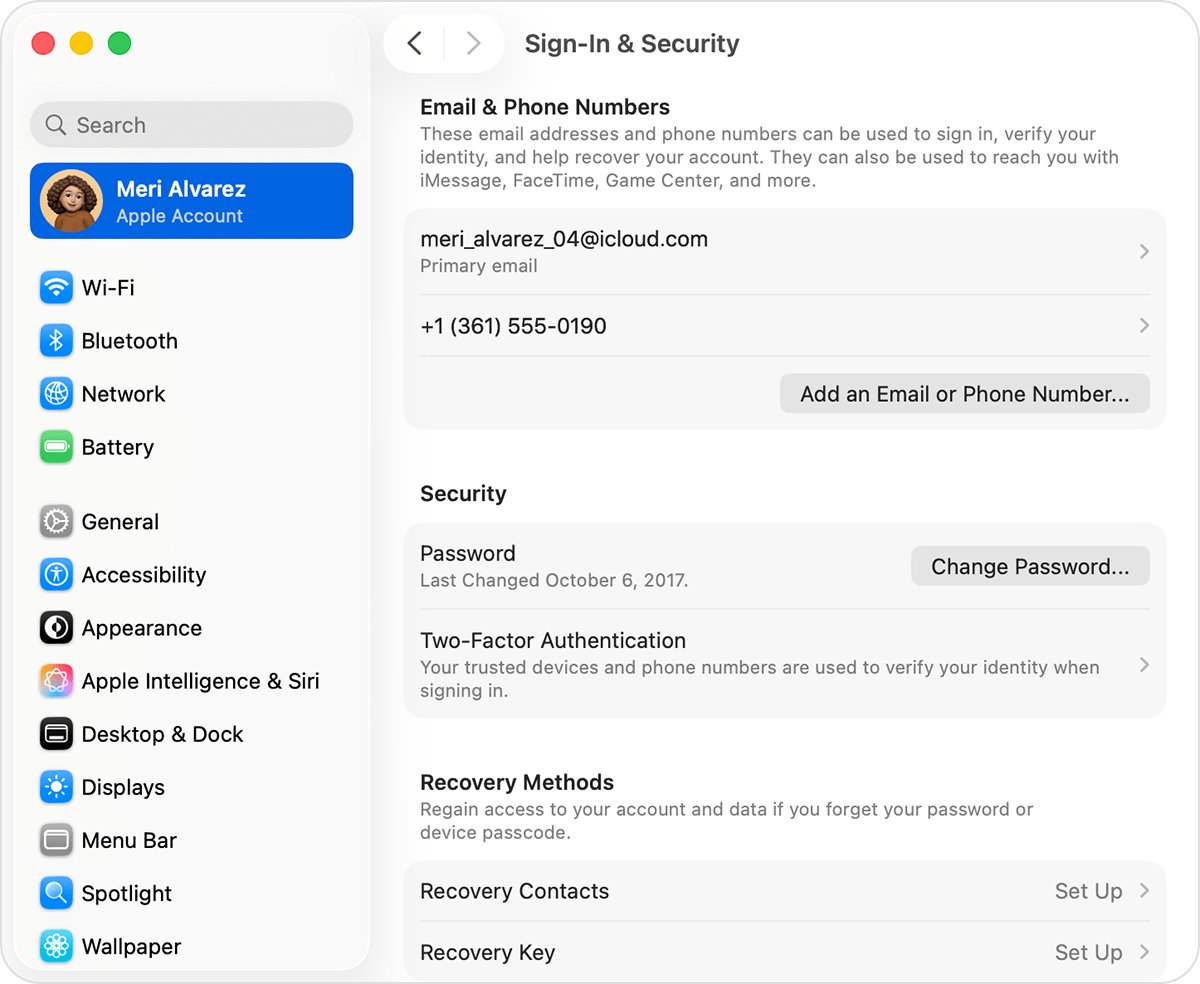
| Apple Account on Mac | System Settings > your name > Sign-In & Security > Change Password | Your device list and your email addresses |
| Google Account | Sign in to your Google Account and change the password | Recent security events and Your devices under Security & sign-in |
| Microsoft account or Outlook.com | Sign in, then change the password; reset it if you cannot sign in | Recent activity at account.live.com/activity |
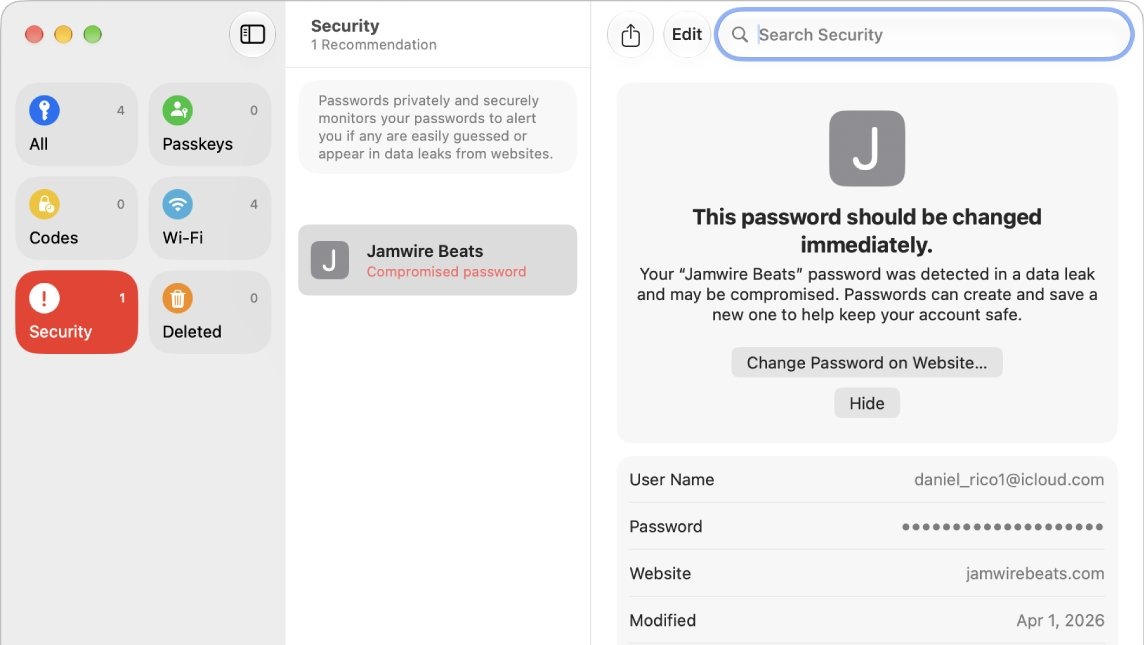
| Other sites using the same password | Change each one to a different password | On a Mac, the Security list in the Passwords app |
Stolen Device Protection can add a one-hour wait before an Apple Account password change. If you have lost access, you can reset your Apple Account password, and a stolen social login may mean you need to get your Facebook account back.
How to check email forwarding and rules after a phishing scam
Someone with your password can set up a quiet copy of your mail that survives a password change. Check for it right after the password change, starting with iCloud Mail below.
- Go to icloud.com/mail and sign in.
- Select the Settings button at the top of the Mailboxes list, then choose Settings.
- Select Mail Forwarding and clear Forward my email to if you did not set it.
- Select Rules and review each one.
- Select any rule you did not create, then select Delete.
In Gmail, remove any labels, filters or forwarding rules you did not create, then check mail delegation, IMAP and POP access, automatic replies and blocked addresses. In Outlook.com, review forwarding, automatic replies and connected accounts.
How to check a Mac after clicking a phishing link
macOS checks apps the first time they open and warns about scripts and other risky file types. These checks look for anything that got through or that you approved by mistake.
- Update macOS in System Settings > General > Software Update.
- Open your Downloads folder and move any file from the email to the Trash.
- Open System Settings > General > Login Items & Extensions, select any unknown item under Open at Login, then click the minus button.
- Open System Settings > General > Device Management, select any profile you do not recognize, then click Remove.
- In Safari, choose Safari > Settings > Extensions, select anything unfamiliar, then click Uninstall.
- Open the Passwords app, click Security and change any password listed as compromised.
Removing a profile also deletes its settings and data, such as an email account it set up. If the Mac is managed by an employer or school, ask them before removing one.
How to check iPhone after clicking a phishing link
A scam page or app may ask you to install a configuration profile, which can then control your iPhone. Look for that first, then check your account.
- Open Settings > General > VPN & Device Management.
- Tap any profile you do not recognize and delete it.
- Open Settings > General > Software Update and install any update shown.
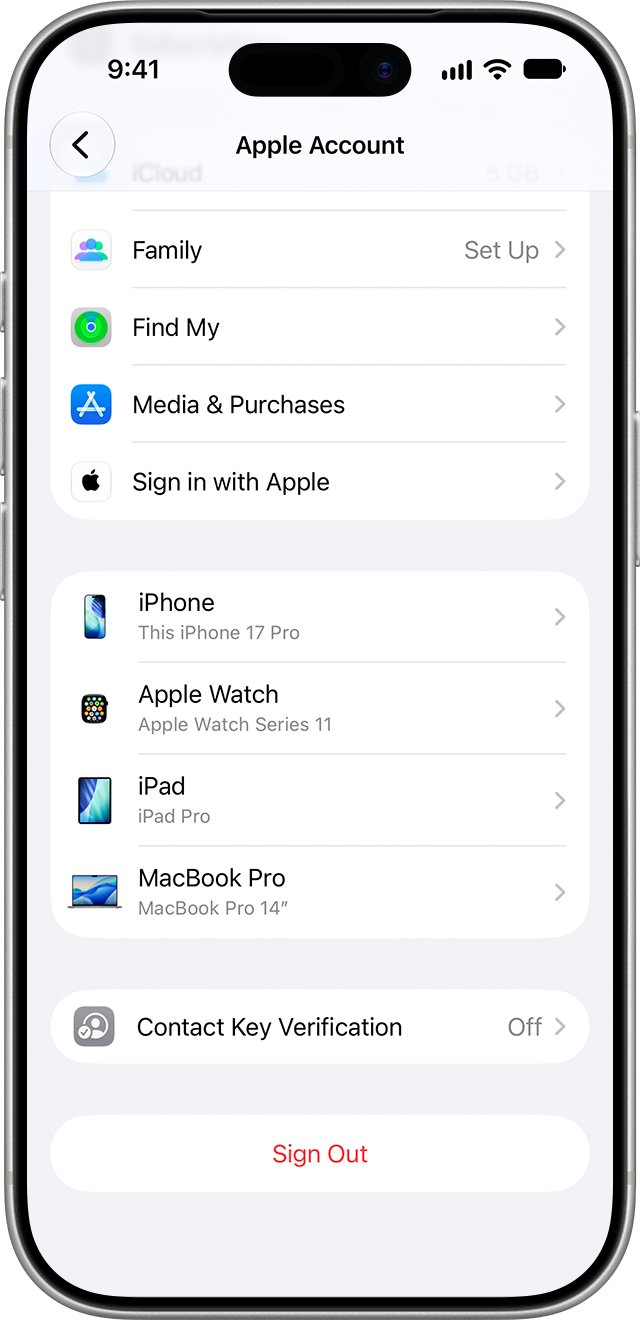
- Open Settings, tap your name, then scroll to your device list.
- Select any device you do not recognize, then choose Remove from Account.
Deleting a profile also removes the settings, apps and data that came with it. Keep any profile from your employer or school unless they tell you otherwise.
How to scan a Windows PC after clicking a phishing link
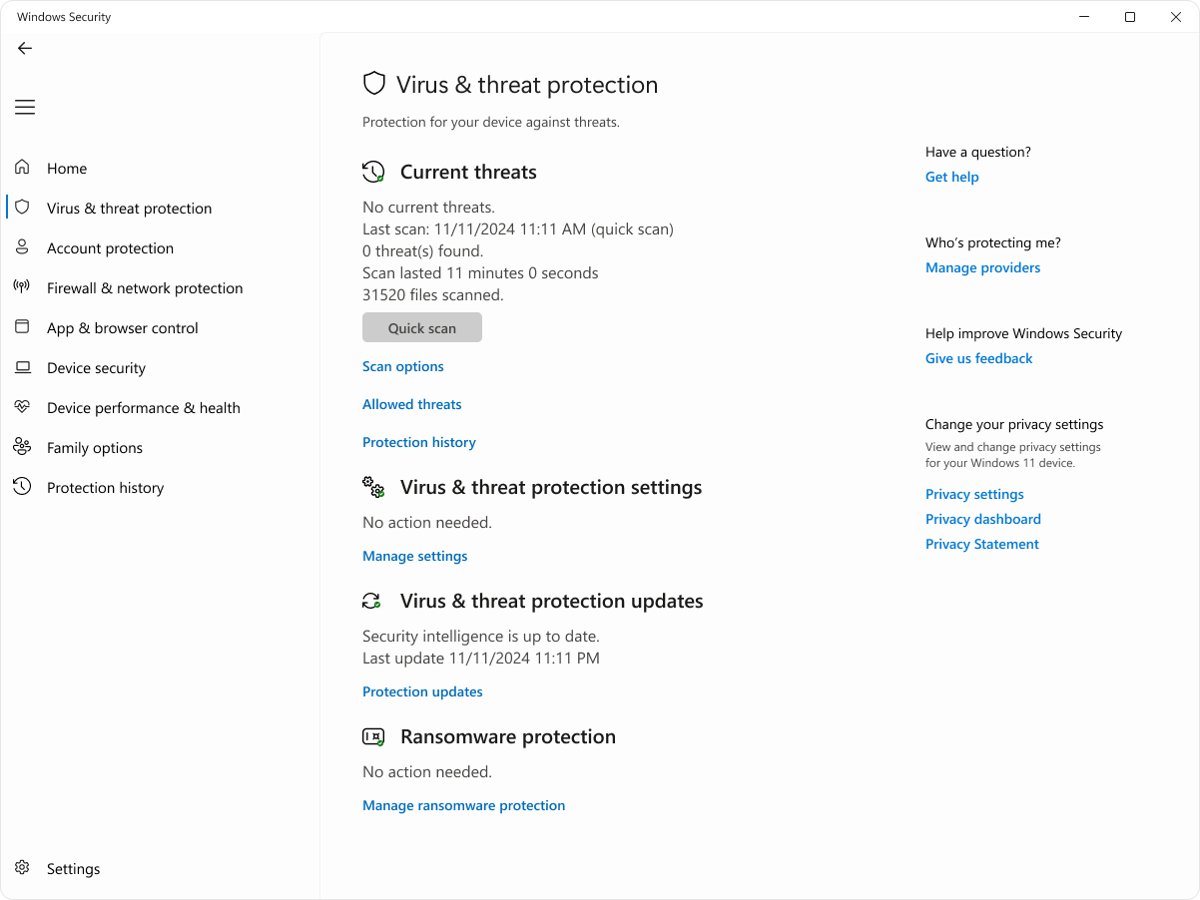
Microsoft says to run a full scan on your PC before you change your password. If the account is urgent and the scan will take a while, change the password from a different device you trust.
- Open the Windows Security app.
- Select Virus & threat protection.
- Under Current threats, select Scan options.
- Choose Full scan, then select Start a full scan.
- Follow any prompts to remove what it finds, then change your passwords.
How to report a phishing email
Reporting sends your provider a copy of the message to analyze. It does not stop that sender reaching you in Outlook, so block the address separately if needed.
| Where it arrived or what it faked | How to report it |
|---|---|
| Gmail on a computer | Open the message, click More next to Reply, then Report phishing |
| Outlook | Select the message, then Report > Report phishing above the reading pane |
| Mail on a Mac | Select the message and click the Junk button |
| iCloud.com, me.com or mac.com inbox | Mark it as junk; send harassment or impersonation to [email protected] |
| Email pretending to be Apple | Forward it to [email protected]; on a Mac, use Forward As Attachment to include the headers |
| A scam phone call that followed, in the US | Report it to the Federal Trade Commission at reportfraud.ftc.gov or to local law enforcement |
What to tell a family member whose email was hacked
Your relative needs to know quickly, and a phone call is the safest route. Replying to the email may only reach the scammer.
- Call them on a number you already know and describe the message you received.
- Ask whether they sent it and whether others received the same email.
- If they use Gmail, ask them to complete the Gmail security checklist and report the problem to Gmail.
- Ask them to change the password and turn on two-factor authentication.
- Ask them to remove any forwarding, rules or automatic replies they did not create.
- If their account looks untouched, explain that the sender name may have been forged.
How to block phishing emails in Mail on iPhone and Mac
Block the address only after you have spoken to your relative. They may recover a hacked account, and a block would also stop their genuine mail.
| Device | Steps |
|---|---|
| iPhone | In Mail, open a message from the sender, tap their email address, tap View Contact Card, then tap Block this Contact |
| Mac | In Mail, select a message, move the pointer next to the sender's name, click the arrow, then choose Block Sender |
| Mac, to undo | Use the same arrow menu and choose Unblock Sender, or use Settings > Privacy & Security > Blocked Contacts |
| Mac, remote content | Choose Mail > Settings, click Privacy, then select Protect Mail Activity to hide your IP address from senders |
How to tell if your email account was hacked after a phishing scam
- In Gmail on a computer, select Details in the lower-right corner to see last account activity.
- For a Google Account, review the Recent security events page and mark anything you did not do as unauthorized.
- For Microsoft, open account.live.com/activity and look for sign-ins you do not recognize.
- For an Apple Account, look for sign-in alerts, two-factor codes you did not request and unfamiliar trusted devices.
- Ask friends and family whether they received messages you did not send.
- Check your Sent folder for mail you do not remember sending.
Email account problems after a phishing scam
Why did my email stop receiving mail?
A filter, forwarding rule or blocked address created during the break-in can divert new messages.
- Check the Spam and Trash folders for the missing mail.
- Review filters, rules and forwarding, then delete anything you did not create.
- Check blocked addresses and automatic replies.
- Change the password again if you find any of these.
Family and friends say you sent them spam
Your account was used, or someone forged your address.
- Change your password and turn on two-factor authentication.
- Review recent activity and sign out unknown devices.
- On Gmail, complete the security checklist and report the problem to Gmail.
- Tell your contacts not to open the links.
Bounce messages for email you never sent
Spammers can put your address in the From field of mail sent outside your account.
- Report the bounce messages as spam.
- Check your account activity to rule out a real sign-in.
- Do not reply to the bounces or open their attachments.
Your password no longer works
Someone may have changed it after signing in.
- For an Apple Account, start at iforgot.apple.com.
- For a Google Account, use the account recovery page.
- For a Microsoft account, use its reset password route or sign-in helper.
- For email from an internet provider, call the provider on a number from your bill.
Two-factor codes you did not request
Someone may be trying to sign in with your password.
- Do not approve the prompt or share the code.
- Change the password right away.
- Remove any devices you do not recognize.
Phishing email from a family member FAQ
Should I change my password after clicking a phishing link?
Yes, if you typed that password on the page or are unsure. Open the real site yourself, change the password, and change it anywhere else you reused it. If you also opened a file from the email, scan or check the device first.
How do I know if my family member's email was hacked?
Call them on a number you already know and ask whether they sent it. If others received the same message from their correct address, the account was probably used. If the address differs by a character, it is a lookalike rather than their account.
Why did I stop receiving emails after a phishing scam?
An intruder can create filters, forwarding rules or blocked addresses that move new mail away from your inbox. Check your Spam folder, review filters and forwarding, and delete anything you did not create. Then change your password again and turn on two-factor authentication.
How do I report a phishing email to Apple?
Forward any email pretending to be Apple to [email protected]. On a Mac, Forward As Attachment includes the header information. For a phishing email that only used your relative's name, report it through your own email provider, such as Report phishing in Gmail or Outlook.
Will Apple ever ask for my password by email?
No. Apple says it will never ask you to log in to any website, share your password, passcode or two-factor code, or disable security features. Treat any message or call asking for those as phishing, then contact Apple through its official channels.
Does reporting a phishing email block the sender?
Not necessarily. Microsoft says Report phishing in Outlook does not stop that sender from emailing you again, so add them to your blocked senders list too. Wait to block a relative's real address until you know their account is safe again.
What should I do if I entered my bank details on a phishing page?
Call your bank and card company right away and report the fraudulent activity. Google also advises contacting local authorities if your banking details, personal records or identity may have been used. Then change the passwords for any related accounts on a clean device.
Should I run an antivirus scan after opening a phishing attachment?
Yes. On Windows, run a full scan from Windows Security before you change your passwords. Google also advises running trusted anti-virus software to remove harmful programs. On a Mac, check login items, profiles and Safari extensions as well, and install any macOS update.
Is your email safe after a phishing scam?
Treat the account as exposed if you typed its password anywhere, then change the password, turn on two-factor authentication and remove unknown forwarding, rules and devices the same day. A stolen password is what lets someone read your mail, reset other accounts and message your contacts. If you typed nothing and opened no file, closing the page and checking your downloads and device settings is the proportionate response.