To sign in to Facebook, go to www.facebook.com, enter your email address, phone number or username and your password, and select Log in.
This guide covers signing up, resetting a password, two-factor authentication, passkeys and security keys, logging out of every device, signing in with Instagram, and fixes for the most common sign-in problems.
Facebook login
Type the address yourself instead of following a link. Scammers build fake sites that look like Facebook, and Meta never asks for your password by email.
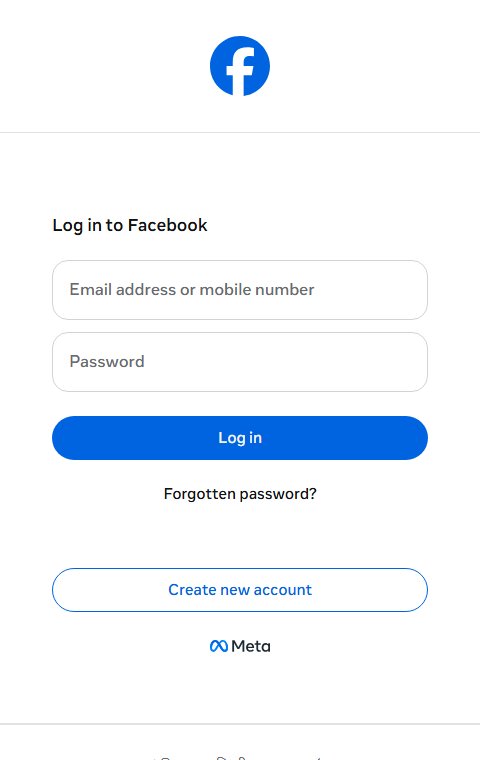
- Open your browser and type www.facebook.com into the address bar.
- In Email address or phone number, enter an email on the account, a confirmed mobile number, or your username.
- Type a mobile number without leading zeros or symbols before the country code.
- Enter your password and select Log in.
- If you set up a passkey, use it instead of the password and confirm with your fingerprint, face or device PIN.
- If two-factor authentication is on, enter the code from your authentication app or text message, or tap your security key.
- Select Save this browser only on your own computer, never on a shared or public one.
The Facebook app for iPhone, iPad and Android uses the same email, phone number or username and password.
Facebook sign up
A new Facebook profile needs an email address or a mobile number, and you must be at least 13 years old.
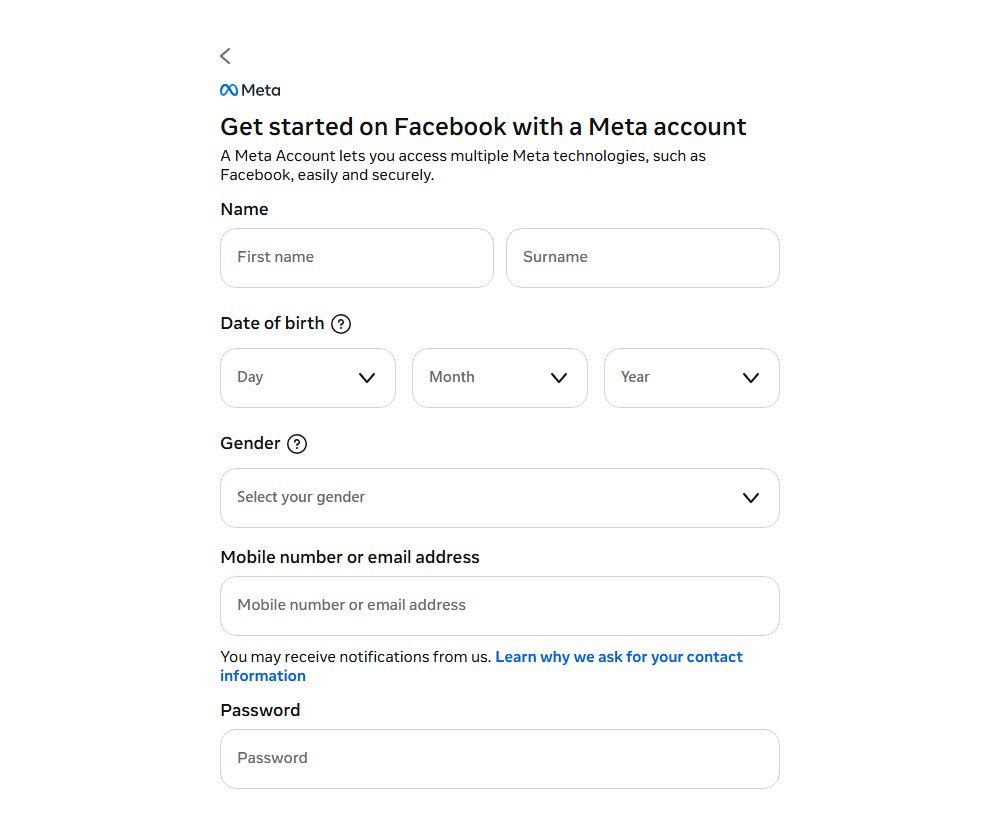
- Go to www.facebook.com and select Create new account.
- Enter your name and your email address or mobile phone number.
- Create a password you do not use on any other site.
- Enter your date of birth and choose your gender.
- Select Sign Up.
- Confirm your email address or mobile number with the code Facebook sends to finish creating the account.
If you already have a profile you no longer use, you can make a new account from your old one instead of starting from nothing.
Reset or recover Facebook password
Use the reset flow when you cannot remember the password. If you are still logged in somewhere, change it from Accounts Center instead.
- On the Facebook login page, select Forgot password?.
- Enter the email address, mobile number, full name or username on the account, then select Search.
- Choose whether Facebook sends the code to your email or your phone.
- Enter the code Facebook sends you.
- Create a new password and log in with it.
- When logged in, change the password any time under Settings and privacy > Settings > Accounts Center > Password and security > Change password.
Facebook limits how many resets you can request each day, so wait 24 hours if you hit the limit. You also cannot reset the password with the phone number you use for two-factor codes.
If the codes go to an email or number you no longer have, recover the Facebook account through facebook.com/login/identify instead.
How to turn on two-factor authentication on Facebook
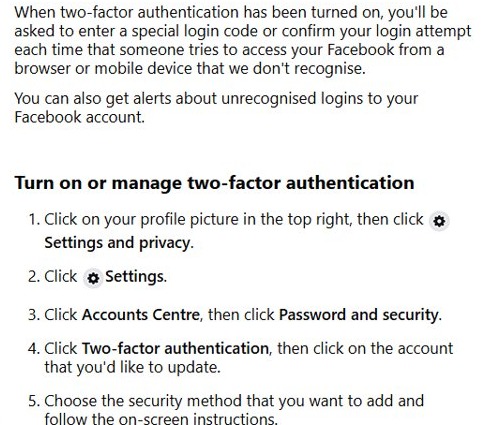
Two-factor authentication asks for a code or a key when someone logs in from a browser or device Facebook does not recognize. It is the single biggest step toward a secure login.
- Click your profile picture in the top right of Facebook.
- Select Settings and privacy > Settings.
- Select Accounts Center > Password and security > Two-factor authentication.
- Choose the account you want to protect.
- Pick a method: a security key, an authentication app, or text message (SMS) codes, and follow the on-screen steps.
- Get your 10 recovery login codes and store them somewhere offline for when your phone is unavailable.
With two-factor authentication on, Facebook also alerts you about logins it does not recognize, so you can act before anyone gets in.
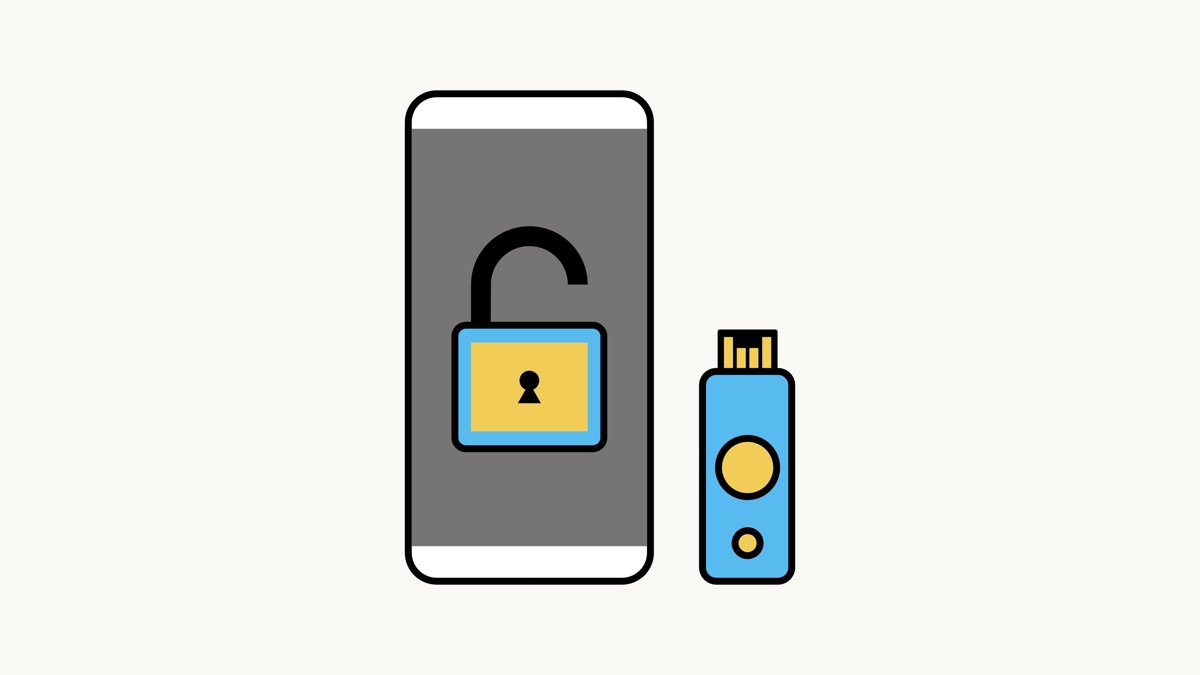
What is a security key for Facebook login?
A security key is a small hardware device that authorizes logins from new browsers and devices. Once it is registered, a correct password alone is not enough to get into the account.
| Sign-in protection | How it works | What you need |
|---|---|---|
| Security key | Plug it into a USB or Lightning port, or hold it near the device, to approve the login | A U2F or FIDO2 key, plus Chrome, Opera, Firefox, Edge, Safari or a supported phone |
| Passkey | Replaces the password with your device unlock: fingerprint, face scan or passcode | Windows 10 or later, macOS Ventura or later, ChromeOS 109 or later, or a FIDO2 key |
| Authentication app | Shows a fresh login code on your phone | A third-party authentication app |
| Text message codes | Facebook texts a code to your phone | A confirmed mobile number |
| Recovery codes | Ten one-off codes for when your phone or key is unavailable | A safe offline place to keep them |
A key does not replace your password, so someone who finds a lost key still needs your login details. Register a second key or a second method so a lost key does not lock you out.
Facebook sign out or log out
Logging out on one device does not log you out anywhere else. Use Where you're logged in to end sessions on phones and computers you cannot reach.
- On a computer, click your profile picture in the top right and select Log out at the bottom of the menu.
- To end other sessions, go to Settings and privacy > Settings > Accounts Center > Password and security.
- Select Where you're logged in and choose your Facebook account.
- Review each device, location and date in the list.
- Select Select devices to log out, then Select all, and confirm with Log out.
Always log out on shared or library computers. If you forget, end that session remotely with the same steps.
Is login with Facebook secure?
Log in with Facebook depends on the security of the Facebook account behind it, so a unique password and two-factor authentication matter for every app you sign in to with it. Review those apps and remove the ones you no longer use.
- Open Settings and privacy > Settings on Facebook.
- Go to Apps and websites to see every app and site you logged in to with Facebook.
- Select an app you do not recognize or no longer use.
- Select Remove to stop it from accessing your information.
- To cut off all third-party logins, select Turn Off next to Apps, websites and games under Preferences.
Turning off the integration means you can no longer log in to those apps with Facebook, so set up a separate login for any you still need first.
Can I sign into Facebook with Instagram?
Yes, in the Facebook app for iPhone, iPad and Android, when both profiles are in the same Accounts Center and allowed to log into each other.
- In Instagram or Facebook, open Accounts Center and make sure both profiles are listed.
- Open Connected experiences > Logging in with accounts and allow the accounts to log into each other.
- Open the Facebook app on your phone.
- On the login screen, enter the email or mobile number and password of your Instagram account.
- If you are already logged in to Instagram on the same phone, tap your profile picture to log in with one tap.
The same setting works in the other direction, so you can also log in to Instagram through Facebook.
How to create a test account on Facebook without email or phone number
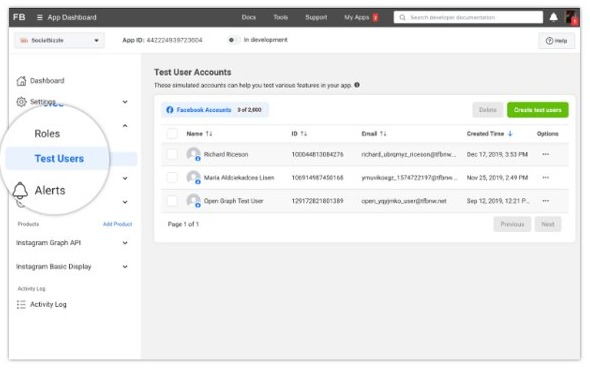
A real Facebook profile always needs an email address or mobile number. The only accounts without one are developer test users: simulated profiles for testing an app's Facebook Login.
Meta has temporarily removed the ability for apps to create new test users, so the create button may be missing for your app.
- Sign in at developers.facebook.com as an Administrator or Developer of your app.
- Open the app in the App Dashboard and go to Roles > Test Users.
- Select Create test users if it is available, and create up to four at a time.
- To use one, find it in the Facebook Accounts table and open the ••• menu in the Options column.
- Choose the option to log in as that test user, then test your app's login flow.
Each app can have 10 test users. They cannot interact with real Facebook users and cannot be converted into real accounts.
How do you comment anonymously on a Facebook group?
Anonymous comments work only in groups whose admins turned on anonymous posting and participation, and only in the Facebook app for Android, iPhone and iPad.
- Open the Facebook app and go to the group post.
- Tap Comment.
- Tap your profile picture next to the comment box.
- Select anonymous member in a private group or anonymous participant in a public group.
- Write the comment and post it.
Other members cannot see who you are, but group admins, moderators and Facebook's systems still see your name and profile photo.
Why can't I sign into Facebook?
Facebook says my password is incorrect
Passwords are case sensitive, and an old browser or app version can also block the login.
- Check that Caps Lock is off and type the password again.
- Update your browser or try a different one; on a phone, update the Facebook app.
- If it still fails, select Forgot password? on the login page and reset it.
Why do I keep having to sign into Facebook?
Private browsing, cleared browser data or removed saved login info makes Facebook forget the device.
- Turn off private or incognito browsing for Facebook.
- When you log in on your own device, select Save this browser if Facebook offers it.
- Check that the device appears under Accounts Center > Password and security > Saved login.
- If the logouts continue, clear the browser's cache and temporary data, then log in again.
Can't sign into Facebook on my computer or laptop, but the phone works
The browser has a problem, or you opened a page that is not the real Facebook site.
- Type www.facebook.com into the address bar rather than using a bookmark or link.
- Update the browser or try another one.
- Clear the browser's cache and temporary data, then try again.
The login or reset code never arrives
The message went to spam, the phone has no signal, or you hit the daily reset limit.
- Check the spam or junk folder of your email.
- Make sure the phone has a mobile signal, then request a new code after a few minutes.
- If Facebook says you reached the limit, wait 24 hours before trying again.
- If the reset email goes to an address you do not recognize, find the email on your Facebook account first.
Facebook is asking me to review recent logins
Facebook spotted a login it wants you to confirm.
- Click your profile picture, then Settings and privacy > Activity log.
- Select Where you're logged in and check each device and location.
- Log out any session you do not recognize, then change your password and turn on two-factor authentication.
Facebook sign in FAQ
What is the Facebook sign in page?
The real Facebook sign in page is www.facebook.com. Type the address yourself instead of following links in emails or messages, because scam sites copy the Facebook login page to steal passwords. Meta never asks for your password by email.
Why do I have to sign into Facebook each time?
Facebook forgets a device when you browse privately, clear browser data or remove its saved login. Turn off private browsing, save the browser when you log in on your own device, and check the device under Saved login in Accounts Center.
Can I sign into Facebook with Instagram?
Yes, in the Facebook app for iPhone, iPad and Android, if both accounts are in the same Accounts Center and allowed to log into each other. Enter your Instagram email or phone number and password on the Facebook login screen.
Can you sign into Facebook with Google?
Facebook's own login help lists an email address, confirmed mobile number, username or passkey, with no Google sign-in option. You can still use a Gmail address as the email on your Facebook account and log in with it.
Can you log into a Facebook Page?
A Facebook Page has no separate login. Log in to the personal profile that manages the Page, then switch into it: on a computer, click your profile picture in the top right, select See all profiles and choose the Page.
Can I log into Facebook without a password?
Yes, with a passkey. It uses your device's fingerprint, face scan or passcode instead of a password, and works on Windows 10 or later, macOS Ventura or later and current Chrome, Safari, Edge and Firefox. A saved login also skips the password on that device.
Why won't Facebook let me sign in?
The usual causes are a mistyped password, since passwords are case sensitive, an outdated browser or app, or a two-factor check on a device Facebook does not recognize. Check Caps Lock, update the browser or app, and use a recovery login code if your phone is unavailable.