To block ads on YouTube for free on a PC or laptop, install uBlock Origin in Firefox, or uBlock Origin Lite in Chrome, then reload YouTube; to remove ads in the YouTube app, on TVs and without breaking YouTube's rules, subscribe to YouTube Premium.
This guide covers Firefox, Chrome, Edge, Android, the YouTube app, YouTube Music and YouTube TV, plus why blockers stop working and how to fix them.
How to block ads on YouTube
Firefox still runs the full uBlock Origin, a Mozilla Recommended add-on from developer Raymond Hill. It works on Windows, Mac and Firefox for Android.
- Open Firefox on your PC or laptop.
- Go to addons.mozilla.org and search for uBlock Origin by Raymond Hill.
- Select the add button on the uBlock Origin page and accept the permission prompt.
- Open youtube.com, or reload any YouTube tab that was already open.
- Play a video and confirm it starts without a pre-roll ad.
YouTube states that blocking its ads violates YouTube's Terms of Service. It may ask you to allow ads or sign up for YouTube Premium, and it may block video playback if you keep using a blocker.
Why is blocking YouTube ads so difficult?
| Reason | What it means for you |
|---|---|
| YouTube detects ad blockers | You may see a prompt to allow ads or try Premium, and playback can be blocked |
| Chrome dropped Manifest V2 extensions | Classic uBlock Origin was disabled in Chrome from version 138 (July 2025) and removed from the Chrome Web Store on August 31, 2026 |
| Edge is phasing out Manifest V2 | Deprecation warnings started showing to some Edge users in mid-September 2026 |
| Extensions only run in browsers | Nothing blocks ads inside the YouTube app on phones, TVs or consoles |
Step-by-step guide: Block YouTube ads with uBlock Origin
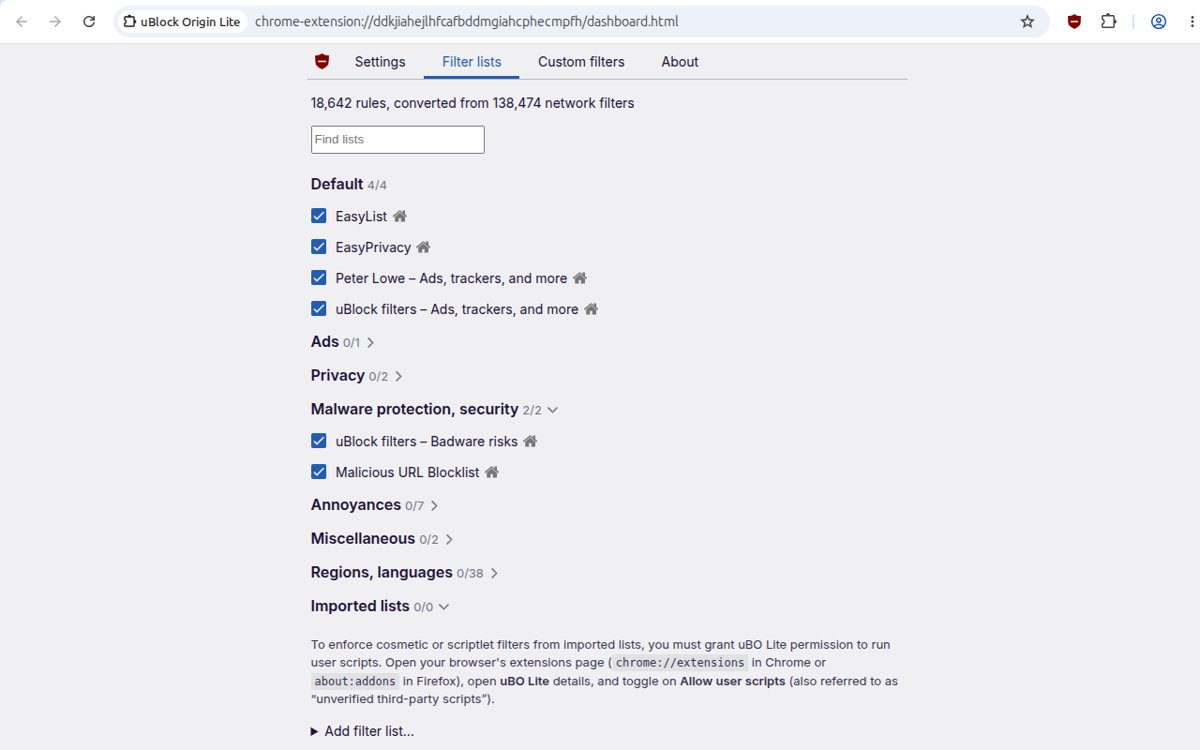
In Google Chrome, install uBlock Origin Lite, the Manifest V3 version from the same developer. It blocks ads, trackers and miners right after installation using uBlock Origin's default filters, EasyList, EasyPrivacy and Peter Lowe's list.
- Open the Chrome Web Store in Chrome and search for uBlock Origin Lite.
- Open the listing published by Raymond Hill.
- Select Add to Chrome, then select Add extension.
- Select the Extensions icon to the right of the address bar and select Pin next to uBlock Origin Lite.
- Visit YouTube and reload the page.
- Play a video to check that ads are blocked.
You cannot add extensions in an Incognito window or as a guest in Chrome. Extra filter rulesets can be turned on from the extension's options page.
Block YouTube ads on Microsoft Edge
Edge installs extensions from the Microsoft Edge Add-ons site.
- Open Edge and go to microsoftedge.microsoft.com/addons.
- Search for uBlock Origin and open the listing by Raymond Hill.
- Install the extension and confirm the permission prompt.
- Reload YouTube and play a video to test it.
Edge is warning about Manifest V2 extensions, so classic uBlock Origin is on borrowed time there. You can add uBlock Origin to Edge now and switch to uBlock Origin Lite when the warning appears.

Block ads on YouTube in Android with Firefox
uBlock Origin is available on Firefox for Android, so YouTube in the Firefox browser can play without ads on your phone.
- Install Firefox from Google Play.
- Open Firefox and go to addons.mozilla.org.
- Search for uBlock Origin and add it, accepting the permission prompt.
- Open youtube.com in Firefox rather than the YouTube app.
- Play a video to confirm ads are blocked.
Alternative solutions to block YouTube ads
| Your situation | Use this | Why |
|---|---|---|
| YouTube app on phone, TV or console | YouTube Premium | The only option that removes ads inside the app, on smart TVs and on game consoles |
| Free, on a PC or laptop | Firefox with uBlock Origin | Full-strength blocker still supported in Firefox |
| You must stay in Chrome | uBlock Origin Lite | Manifest V3 version that Chrome still allows |
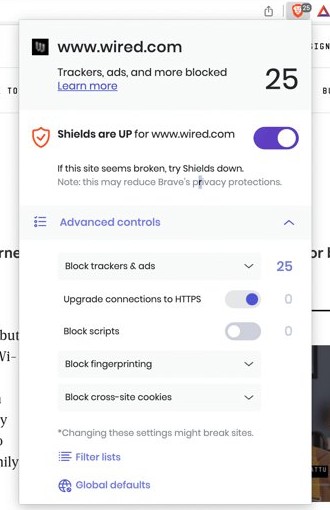
| You want a browser with blocking built in | Brave | Brave Shields block third-party ads and trackers by default on desktop, Android and iOS |
| You want to stay within YouTube's terms | YouTube Premium | Blocking ads violates YouTube's Terms of Service |
YouTube Premium removes ads before and during videos, plus third-party banner and search ads. Creator-embedded sponsorships, Primetime Channels and some live events can still carry ads or promotions.
Check that YouTube ads are blocked
- Open a popular YouTube video that normally shows a pre-roll ad.
- Confirm playback starts with the video, not an ad countdown.
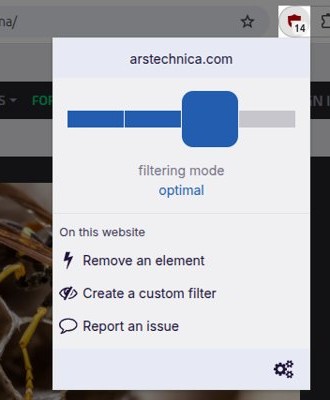
- Select the uBlock Origin or uBlock Origin Lite icon and confirm it is switched on for youtube.com.
- Check that no banner ads appear beside the video or above search results.
Tips for the best ad-free YouTube experience
| Tip | Why it helps |
|---|---|
| Run only one ad blocker at a time | YouTube notes that ad-blocking extensions can affect video playback |
| Install blockers only from official stores | addons.mozilla.org and the Chrome Web Store list the real uBlock Origin builds by Raymond Hill |
| Use Premium for background play and downloads | Premium adds background play and offline videos in the YouTube app |
| Pause the blocker for creators you want to support | Creators earn from ads you watch, or from Premium fees |
| Keep Chrome and Edge extensions on Manifest V3 versions | Manifest V2 extensions are disabled in Chrome and being retired in Edge |
Allow ads on YouTube in uBlock Origin, AdBlock or Adblock Plus
If YouTube blocks playback or you want to support a channel, turn the blocker off for YouTube only. You can also disable your ad blocker entirely on other devices.
- In uBlock Origin, select its icon on YouTube, then select the power button so it turns grey.
- In AdBlock, select its icon, choose Don't run on pages on this site and select Exclude.
- In Adblock Plus, select its icon and slide the power button to the left.
- Reload the YouTube page.
Still not working? Try these fixes
Why can't I block ads on YouTube anymore?
Chrome 138 and later disabled Manifest V2 extensions such as classic uBlock Origin.
- In Chrome, select More > Extensions > Manage extensions and check whether uBlock Origin is turned off.
- Remove it and install uBlock Origin Lite from the Chrome Web Store.
- Or install Firefox and add the full uBlock Origin there.
YouTube says ad blockers are not allowed or stops playback
YouTube detected the blocker and enforces its Terms of Service.
- Allow ads on YouTube in your blocker, as shown in the section above.
- Reload the page and play the video.
- Subscribe to YouTube Premium if you want ad-free playback without the prompts.
The ad blocker warning appears when no blocker is installed
YouTube misread another extension or setting as an ad blocker.
- Select Report issue in the bottom-left corner of the YouTube message.
- Turn off other extensions one at a time from the browser's extension page and reload YouTube.
Ads still play in the YouTube app
Browser extensions cannot run inside the YouTube app.
- Watch in Firefox with uBlock Origin on Android instead of the app.
- Or sign in to the app with a YouTube Premium account.
YouTube ad blocking FAQ
Can I block ads on YouTube?
Yes. uBlock Origin in Firefox or uBlock Origin Lite in Chrome blocks YouTube ads in a browser. YouTube says this violates its Terms of Service and may block playback, so YouTube Premium is the only route it permits.
How do I block ads on YouTube for free?
Install Firefox and add uBlock Origin from addons.mozilla.org, then reload YouTube. In Chrome, use uBlock Origin Lite from the Chrome Web Store. Both are free extensions from developer Raymond Hill.
How do I block ads on YouTube without Premium on a laptop or PC?
Use a browser extension. Firefox with uBlock Origin is the strongest free option on Windows and Mac. Chrome users should install uBlock Origin Lite because classic uBlock Origin no longer runs in Chrome 138 and later.
How do I block ads in the YouTube app?
You cannot block ads inside the YouTube app with an extension, because extensions only run in browsers. YouTube Premium removes ads in the YouTube app on phones, smart TVs and game consoles.
How do I block ads on YouTube on Android?
Install Firefox from Google Play, add uBlock Origin from addons.mozilla.org, and watch YouTube in Firefox instead of the app. For the YouTube app itself, YouTube Premium is the only way to remove ads.
How do I block ads on YouTube in Edge?
Install uBlock Origin from the Microsoft Edge Add-ons site, then reload YouTube. Edge has started showing Manifest V2 deprecation warnings, so move to uBlock Origin Lite when the classic version stops working.
Can I block ads on YouTube Music?
In the YouTube Music app, ads go away only with a YouTube Music Premium membership. YouTube Premium memberships also include ad-free viewing on YouTube itself, while ad-free music sits in the YouTube Music app.
Does YouTube Premium remove ads on YouTube TV?
No. YouTube TV is a separate product that YouTube Premium does not include, along with NFL Sunday Ticket and channel memberships. Browser ad blockers do not run on TV apps either.
Why can't I block political ads on YouTube?
YouTube has no switch that removes one category such as political ads. You can hide a specific ad with More or Info, then Block ad, after customising ads in My Ad Center, and report ads that break Google's ad policies.
Does blocking ads hurt YouTubers?
Yes. YouTube shares ad revenue with creators when you watch ads. YouTube Premium replaces that by sharing your membership fee with the creators you watch, so blocking ads without Premium removes that income.
Is blocking YouTube ads legal?
YouTube treats it as a Terms of Service violation rather than a legal matter: it may ask you to allow ads or subscribe to Premium, and it may block video playback if you keep using an ad blocker.
Quick summary: Best way to block ads on YouTube
On a PC or laptop, use Firefox with uBlock Origin, or uBlock Origin Lite if you stay in Chrome; for the YouTube app, TVs and consoles, use YouTube Premium. Browser extensions only work in browsers and break the Terms of Service, while Premium is the one option that removes ads everywhere and still pays creators.