Logitech Gaming Software 9.04.49 is a free 120 MB download from Logitech’s own support site, and it installs on Windows 11 and Windows 10. The 64-bit and 32-bit files are both complete standalone installers.
Which app your gear needs is decided by the device, not by preference. LGS-era Logitech G mice, keyboards, headsets, speakers and select wheels use this app, older gamepads, joysticks and wheels use LGS 5.10, and anything sold from 2019 onward uses G HUB.
Below: a device-by-device table that picks the app for you, the official installer links with their real byte sizes, install and removal steps, the Mac position, and fixes for the failures that actually happen.
Which Logitech gaming software do you need, LGS or G HUB?
Logitech spreads its gaming gear across three apps and one small utility. Match your hardware to a row and take that file.
| Your Logitech gear | App to install | Where to get it |
|---|---|---|
| Anything sold from 2019 onward | G HUB 2026.6.981214 | G HUB download page |
| An LGS-era G mouse such as the G502 | Current LGS; the G502 needs 8.53 or later | 64-bit LGS installer |
| An LGS-era keyboard, headset, speaker or select wheel | Current LGS | Official download listing |
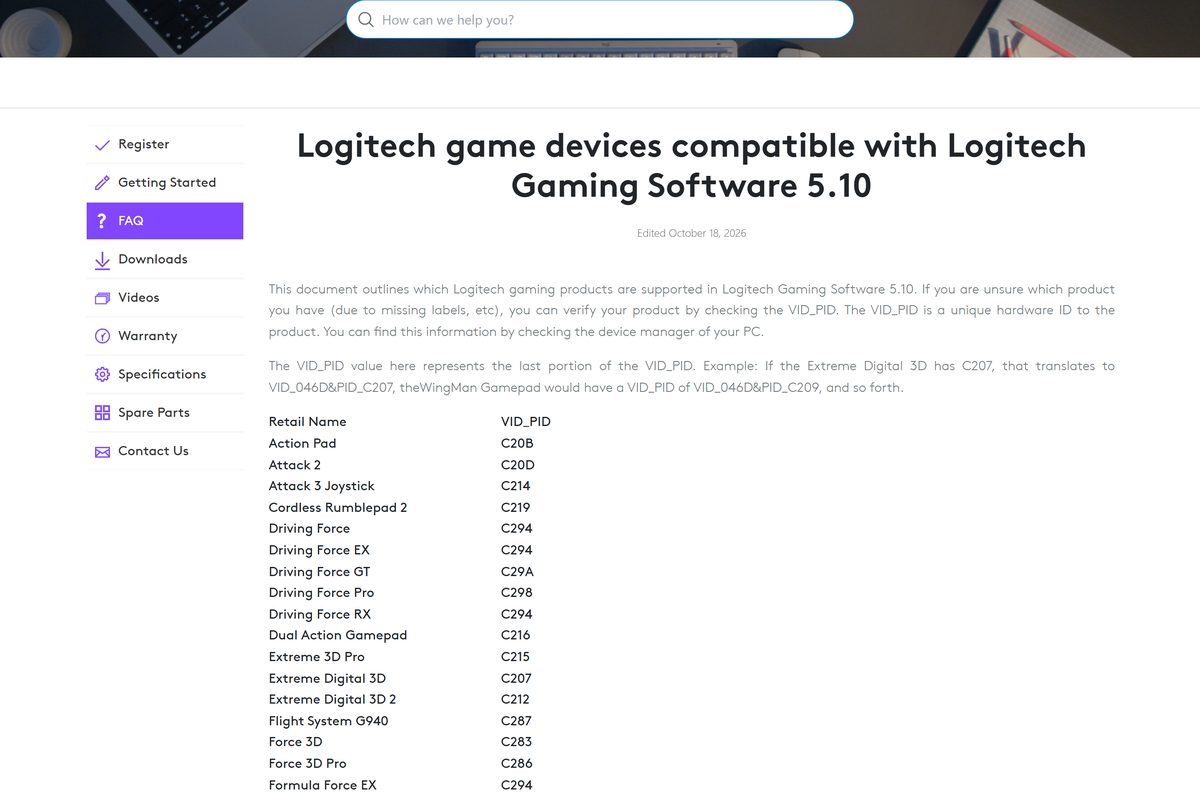
| A G25, G27, Driving Force GT, MOMO Force or G940 | LGS 5.10, a separate 15.3 MB install | 64-bit LGS 5.10 |
| A Gamepad F310, F510 or F710, listed in D mode only | LGS 5.10 | The 37-device 5.10 list |
| An old wheel and a current G mouse on one PC | LGS 5.10 first, then the current LGS | Install-order guide |
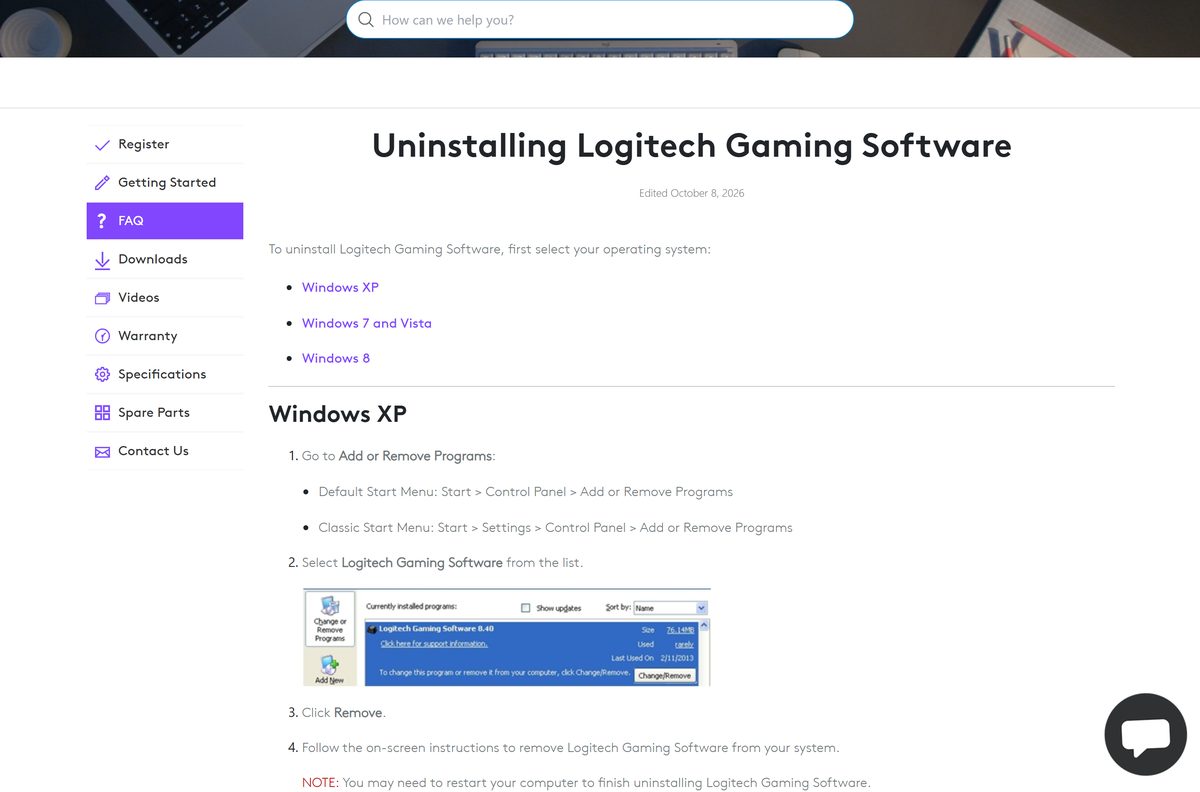
| Onboard profiles on a PRO mouse, no app running | Onboard Memory Manager 2.7.4428 | Onboard Memory Manager |
| An MX, K380 or other non-gaming Logitech device | Logi Options+ | Logi Options+ page |
The verdict in one line: install G HUB unless a row above names LGS. LGS is right only for gear G HUB does not list, because Logitech has pointed every new device at G HUB since 2019.
Download Logitech Gaming Software from the official Logitech links
Every file below sits on support.logi.com or its own host, download01.logi.com. Take one architecture: the two installers are not interchangeable.
- Logitech Gaming Software download listing — Listed at 123 MB · Windows 11 and Windows 10
- 64-bit installer, LGS_9.04.49_x64_Logitech.exe — 120 MB (125,787,696 bytes) · For a 64-bit Windows install
- 32-bit installer, LGS_9.04.49_x86_Logitech.exe — 109 MB (114,281,128 bytes) · Only for a 32-bit Windows install
- 64-bit LGS 5.10 for older wheels and gamepads — 15.3 MB (16,082,320 bytes) · Installs alongside the newer line
- 32-bit LGS 5.10 — 14.4 MB (15,087,456 bytes) · Same device list
- G HUB for Windows, lghub_installer.exe — 67.1 MB (70,346,392 bytes) · Version 2026.6.981214, 29 September 2026
- G HUB 2023.1 for Windows 10 1803 and older — 39.6 MB (41,512,192 bytes) · For OS build 17134 and lower
The listing also keeps every release from 8.70.315 onward in both architectures under Show All Downloads, which is where a specific old build for a specific old device comes from.
How to install Logitech Gaming Software on Windows 11 and 10
Setup copies drivers and asks for a restart, so close your games first. Leave the device plugged in throughout.
- Install LGS 5.10 first if an old wheel, joystick or gamepad is also on this PC.
- Open Settings, go to System then About, and read System type to see whether Windows is 64-bit or 32-bit.
- Open the official download listing and check the version and date above the download button.
- Save the matching file: LGS_9.04.49_x64_Logitech.exe for 64-bit Windows, LGS_9.04.49_x86_Logitech.exe for 32-bit.
- Connect the mouse, keyboard, headset or wheel to a USB port before you start setup.
- Double-click the saved installer and select Yes at the User Account Control prompt.
- Accept the licence terms and let setup finish copying the drivers.
- Select Restart when setup asks, because the code-integrity drivers load on that restart.
- Open Logitech Gaming Software from the Start menu and check the device appears on the home screen.
No account, licence key or activation step exists, and no internet connection is needed once the installer is on disk.
How to check the Logitech Gaming Software installer before you run it
Logitech publishes no checksum file for this installer, so the host, the byte size and the signature are the three checks you have.
- Confirm the address bar read support.logi.com or download01.logi.com before the transfer started.
- Check the filename matches the listing exactly: LGS_9.04.49_x64_Logitech.exe , not a generic setup.exe .
- Right-click the saved file and select Properties.
- On the General tab, confirm the 64-bit file is 125,787,696 bytes or the 32-bit file is 114,281,128 bytes.
- Open the Digital Signatures tab and confirm Logitech is named as the signer.
- Delete the file and take it again if the size is short, which means the transfer stopped early.
- Leave Windows Security switched on through the install rather than disabling it.
A copy from a download portal fails the first of those checks, because portals wrap legacy installers in their own downloaders.
Should you install the current LGS, LGS 5.10 or G HUB?
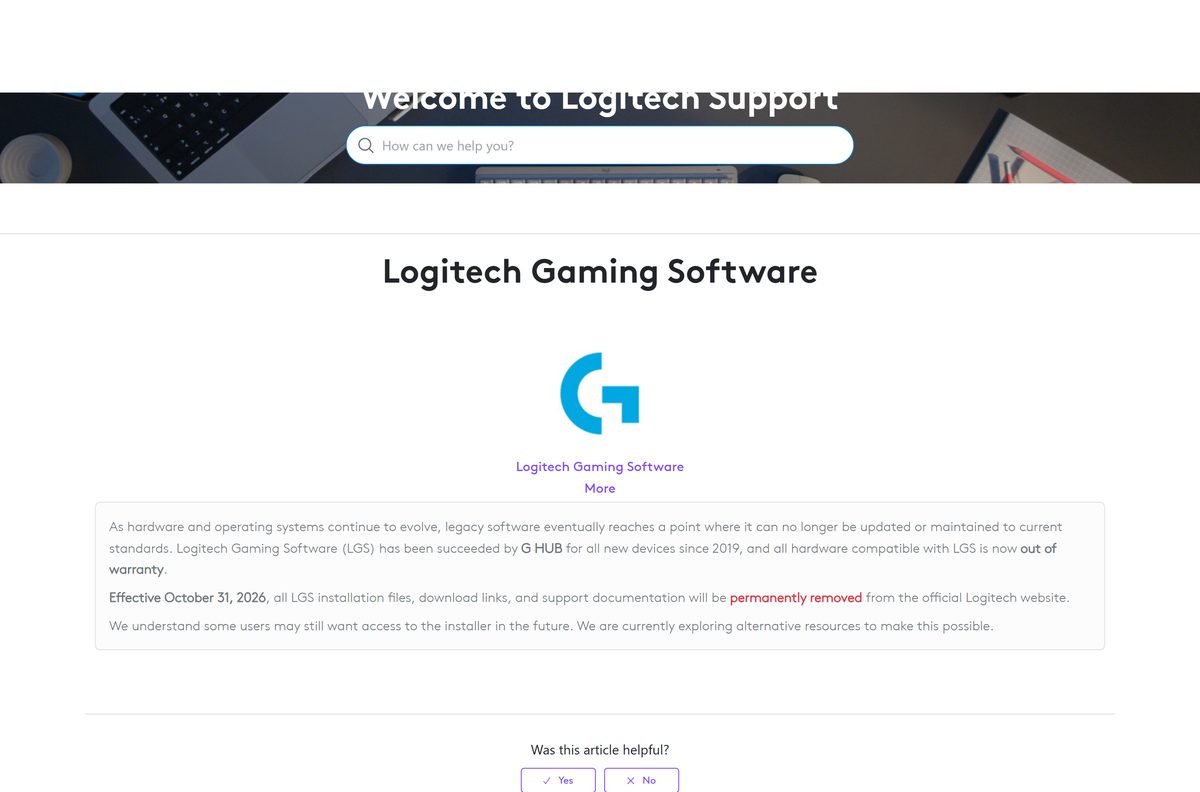
Install G HUB if it lists your device, LGS 9.04.49 if it does not, and LGS 5.10 only for the older gamepads, joysticks and wheels on Logitech’s 5.10 list. Logitech states that Logitech Gaming Software has been succeeded by G HUB for all new devices since 2019, that all hardware compatible with it is now out of warranty, and that effective October 31, 2026 the LGS installation files, download links and support documentation will be permanently removed from the official Logitech website. The LGS build on the listing has not changed since 25 May 2022; G HUB shipped 2026.6.981214 on 29 September 2026.
Logitech adds that it is exploring alternative resources for people who still want the installer, and has not named one. A copy saved now is the copy you keep, which is why the standalone installer matters more here than usual.
The two LGS lines do share a PC. Install 5.10 first and the newer line second; if devices go missing, remove both and repeat in that order.
Which Logitech gaming software do you need for your Mac?
On macOS the split is sharper than on Windows. G HUB is the only one of these apps Logitech still releases for the Mac.
| Your Mac and gear | What to install | Where |
|---|---|---|
| macOS 14 Sonoma or newer with G HUB-listed gear | The current G HUB for macOS, lghub_installer.zip | macOS G HUB download |
| macOS 11 Big Sur, 12 Monterey or 13 Ventura | G HUB 2023.10.493254, the 16.5 MB build listed for macOS 12 to 14 | macOS G HUB listing |
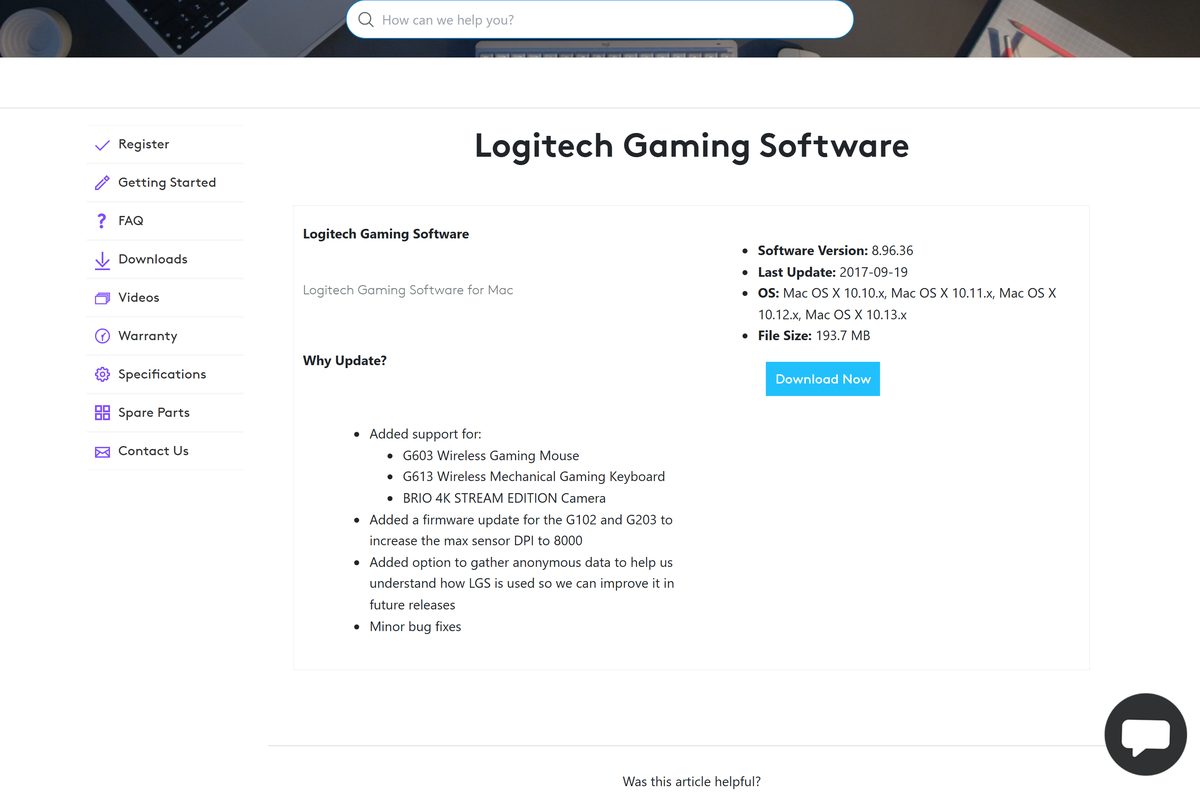
| Mac OS X 10.10 to macOS 10.13 with LGS-era gear | LGS 8.96.36, listed at 193.7 MB, whose download link now returns a 404 | Mac LGS listing |
| A Windows 11 or Windows 10 PC instead | The current LGS or G HUB, per the device table above | Official download listing |
G HUB dropped macOS Monterey first and then macOS Ventura in its April 2026 release, so a Mac on Sonoma or later needs a current G HUB rather than anything from the LGS line. The newest Mac LGS build is 8.96.36, dated 19 September 2017.
Is Logitech Gaming Software free?
Yes. It is free, with no trial period, no licence key and no paid tier. Logitech serves every build from its own support site with no purchase, registration or account step, and G HUB, LGS 5.10 and Onboard Memory Manager are free on the same terms. A site charging for an LGS installer, or asking for card details to unlock one, is not Logitech.
Free here means free rather than a trial that lapses. The only thing with an end date is Logitech’s hosting of the files.
How to check your Logitech Gaming Software version and update it
An 8.x install does not always climb to the 9.x line on its own, and the Windows release-notes page stops short of it, so the download listing is the reference.
- Open Settings, go to Apps then Installed apps.
- Search the list for Logitech Gaming Software and read the version beside the entry.
- Compare it against 9.04.49 on the official listing.
- Check System type under System then About if you are unsure which installer you need.
- Save the matching 64-bit or 32-bit file and run it over the existing install.
- Select Restart when setup asks, then reconnect the device.
- Uninstall the old copy, restart, and install again if the device stops being detected after the upgrade.
The Windows release-notes page documents nothing past 8.98.234 from 18 April 2018, which is why the number on the download listing is the one to trust.
Check Logitech Gaming Software system requirements before you download it
One installer per architecture, no runtime prerequisite, no account and no store listing.
| Field | Value |
|---|---|
| Software | Logitech Gaming Software |
| Developer | Logitech |
| Latest version | 9.04.49 |
| Release date | 25 May 2022 |
| License | Free |
| File size, 64-bit | 120 MB (125,787,696 bytes) |
| File size, 32-bit | 109 MB (114,281,128 bytes) |
| Supported OS | Windows 11 and Windows 10 |
| Architecture | Separate x64 and x86 installers, no ARM64 build |
| Mac build | 8.96.36, for Mac OS X 10.10 to macOS 10.13 |
| Older device line | LGS 5.10, 15.3 MB (16,082,320 bytes) |
| Offline installer | Yes, both Windows files are standalone |
| Microsoft Store build | None published |
| Official download source | support.logi.com |
| Last verified | 2026-10-25 |
The listing states 123 MB for the 64-bit file; the file is 125,787,696 bytes, which is 120 MB.
What the current LGS cannot do that G HUB can
Four of these jobs have no equivalent anywhere in the LGS line, and one needs no Logitech app at all.
| Capability | App that has it | Reference |
|---|---|---|
| Firmware updates for gear sold from 2019 onward | G HUB | G HUB release notes |
| Macros and Dynamic Lighting on a Windows ARM64 PC | G HUB | G HUB release notes |
| Local Settings Backup, under Manage Profile | G HUB | G HUB release notes |
| Any Mac newer than macOS 10.13 High Sierra | G HUB | macOS G HUB listing |
| Onboard mouse profiles with no background app | Onboard Memory Manager | Onboard Memory Manager |
| LIGHTSYNC lighting set from Windows Settings | Windows 11 Dynamic Lighting | Supported G devices |
Nothing in the LGS line has gained a feature since May 2022, so any capability added after that date exists in G HUB only.
Fix Logitech Gaming Software not installing or not detecting your device
The installer will not run at all
The saved file is for the other architecture, or the transfer stopped short.
- Open Settings, go to System then About, and read System type.
- Take the _x64_ file for a 64-bit Windows install and the _x86_ file for a 32-bit one.
- Right-click the file, select Properties, and check it against 125,787,696 or 114,281,128 bytes.
- Right-click the installer and select Run as administrator.
- Save it again from the official listing if the size is short.
The app opens but reports no devices detected
The documented fix on a G502 is a reinstall with the device connected and a restart in the middle.
- Leave the mouse, keyboard or headset connected to the PC.
- Uninstall Logitech Gaming Software from Settings, Apps, Installed apps.
- Restart the PC, and do not skip this step.
- Install LGS again, making sure the version is 8.53 or later.
- Reboot a second time when setup prompts for it.
An old wheel or gamepad disappears after the newer install
The two LGS lines have to go on in order, oldest first.
- Uninstall both LGS 5.10 and the current version.
- Restart the PC.
- Install LGS 5.10 first.
- Install the current LGS second.
- Reconnect the wheel or gamepad and check it in the 5.10 window, not the newer one.
The device is newer than the software and never shows up
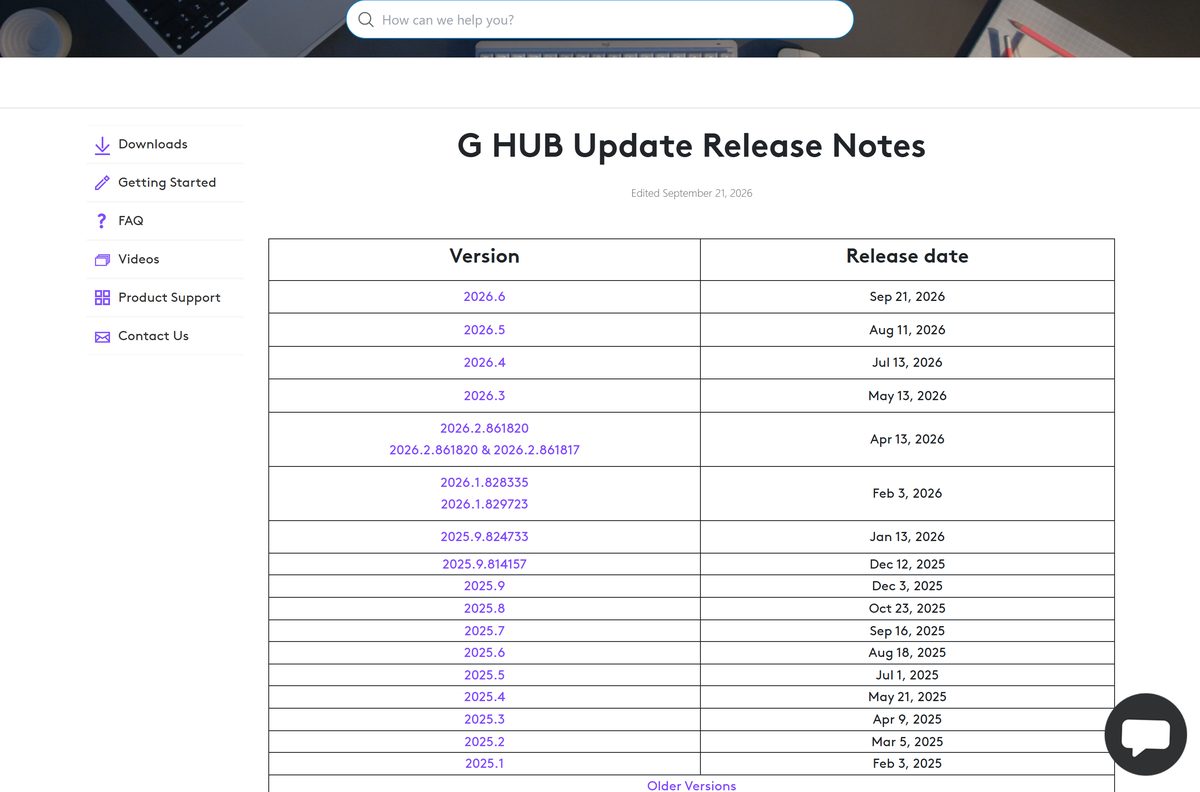
G HUB, not LGS, carries the device list and firmware for gear sold from 2019 onward.
- Look for the model in the G HUB release notes.
- Uninstall LGS if the model is listed there.
- Install G HUB and let the first run finish its update.
- Apply any firmware update G HUB offers for that device.
- Install G HUB 2023.1 instead on Windows 10 1803, OS build 17134, or lower.
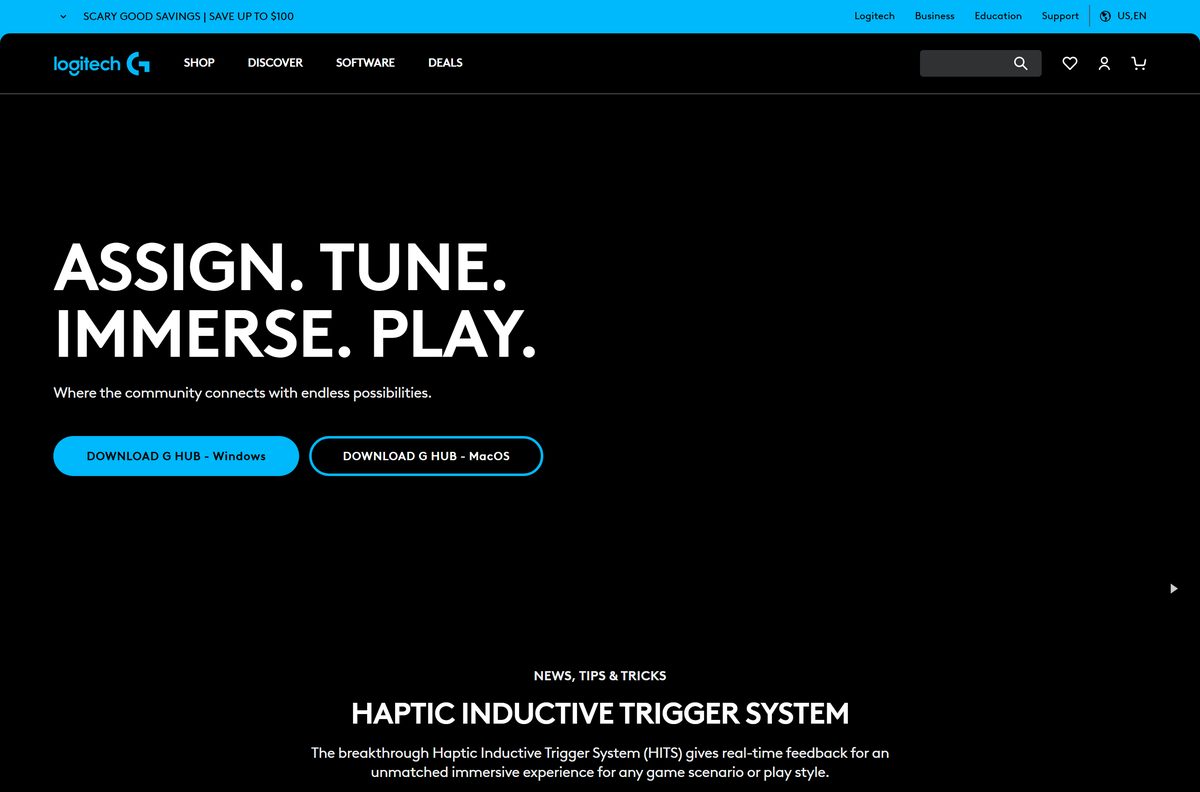
How to uninstall Logitech Gaming Software
Logitech routes the removal through the installed-programs list on every Windows release it documents, and the restart at the end is part of it.
- Close the app from the notification area so no part of it is running.
- Open Settings, go to Apps then Installed apps.
- Find Logitech Gaming Software, open the three-dot menu and select Uninstall.
- Use Control Panel, Programs and Features instead if no entry appears in Settings.
- Confirm at the prompt and let the removal run to the end.
- Restart the PC if the uninstaller asks, because the removal does not finish until you do.
- Repeat for the 5.10 entry if that line is installed as well.
- Install G HUB afterwards if the device is one it lists.
Profiles and macros kept in the app go with the install. Settings already written to a mouse’s onboard memory stay on the mouse.
Choose between LGS, G HUB, Onboard Memory Manager and Logi Options+
Four Logitech apps cover four different sets of hardware.
| App | What it covers | Latest build | Source |
|---|---|---|---|
| Logitech Gaming Software | LGS-era G mice, keyboards, headsets, speakers, select wheels | 25 May 2022 | support.logi.com |
| LGS 5.10 | Thirty-seven older gamepads, joysticks and wheels | 5.10 | Device list |
| Logitech G HUB | Everything sold from 2019 onward, Windows and macOS | 2026.6.981214, 29 September 2026 | logitechg.com |
| Onboard Memory Manager | Onboard profiles on a compatible Logitech G mouse | 2.7.4428, 23 September 2026 | support.logi.com |
| Logi Options+ | Non-gaming Logitech mice and keyboards, the MX line included | Actively released | logitech.com |
Logitech’s software index heads its list with G HUB and Logi Options+, and groups the LGS entry with legacy tools such as SetPoint and Logitech Control Center.
Frequently asked questions
Is Logitech Gaming Software free?
Yes. Logitech serves every build from its own support site with no purchase, licence key, registration or account step. LGS 5.10, G HUB and Onboard Memory Manager are free on the same terms. Any site charging for an LGS installer is not Logitech.
Where is the official Logitech Gaming Software download page?
The listing on support.logi.com carries the current build for Windows 11 and Windows 10, with 64-bit and 32-bit installers and every release back to 8.70.315 under Show All Downloads. The files themselves come from download01.logi.com.
Does Logitech Gaming Software work on Windows 11?
Yes. The listing names Windows 11 and Windows 10, and the newest build added drivers compatible with Windows 10 and 11 code integrity, or HVCI. Nothing newer has shipped since 25 May 2022, so that build is the one Windows 11 gets.
How big is the Logitech Gaming Software download?
The 64-bit installer is 125,787,696 bytes, or 120 MB, and the 32-bit installer is 114,281,128 bytes, or 109 MB. The listing itself states 123 MB. LGS 5.10 is far smaller at 16,082,320 bytes.
Is there a Logitech Gaming Software offline installer?
Yes. Both Windows files are complete standalone setups rather than small bootstrappers, so a copy on a USB stick installs on a PC with no internet connection. That matters more than usual, given the 31 October 2026 removal date.
Is Logitech Gaming Software available for Mac?
A Mac build exists at version 8.96.36, listed for Mac OS X 10.10 to macOS 10.13 at 193.7 MB, but its download link now returns a 404. For gaming gear on a Mac, G HUB is the app Logitech still releases for macOS.
Does Logitech Gaming Software have a 64-bit or ARM64 download?
There are separate 64-bit and 32-bit installers and no ARM64 build. Read System type under Settings, System, About, then take the x64 or x86 file. For macros and lighting on a Windows ARM64 PC, G HUB is the supported app.
Is Logitech Gaming Software safe to download?
It is safe from the Logitech listing, which serves the files over Logitech’s own download host. The risk sits elsewhere: download portals repackage legacy installers inside their own wrappers, and the official copies come down on 31 October 2026.
What is the latest version of Logitech Gaming Software?
Version 9.04.49, dated 25 May 2022, is the newest build on the download listing. The Windows release-notes page stops at 8.98.234 from April 2018, so the listing is the reference. G HUB, by contrast, is at 2026.6.981214.
Why won’t Logitech Gaming Software install on my PC?
The usual cause is the wrong architecture or a download that stopped short, so check System type and the byte size in Properties. If it installs but finds no device, uninstall it with the device connected, restart, then install again.
Should you replace Logitech Gaming Software with G HUB?
Yes, if G HUB lists your device. Logitech has pointed every new device at G HUB since 2019 and still ships builds for it most months. Keep LGS only for gear G HUB does not list, and LGS 5.10 for the old wheels and gamepads.