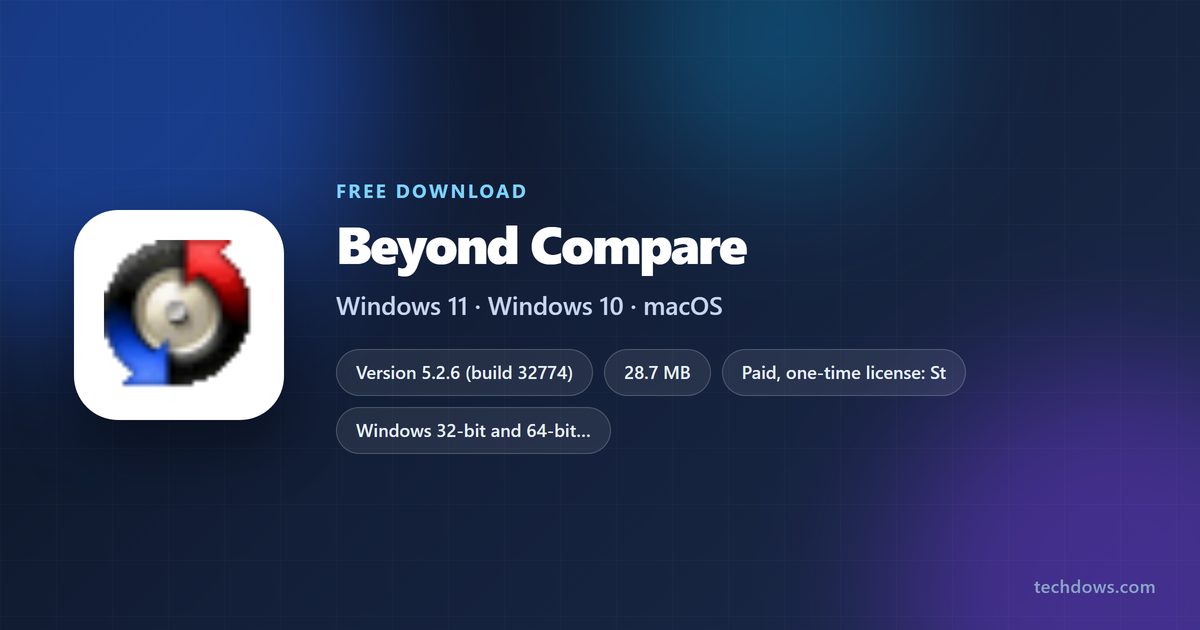
The Beyond Compare download for Windows 11 and Windows 10 is a 28.7 MB installer from scootersoftware.com. Run it, and you can compare files and folders side by side within a minute.
The same tool installs on Macs and on 64-bit Linux. Every copy starts with a 30-day fully functional trial.
Below: which file to pick, Windows, Mac and Linux installs, silent deployment, pricing, updates, fixes and a clean uninstall.
Which Beyond Compare download do you need?
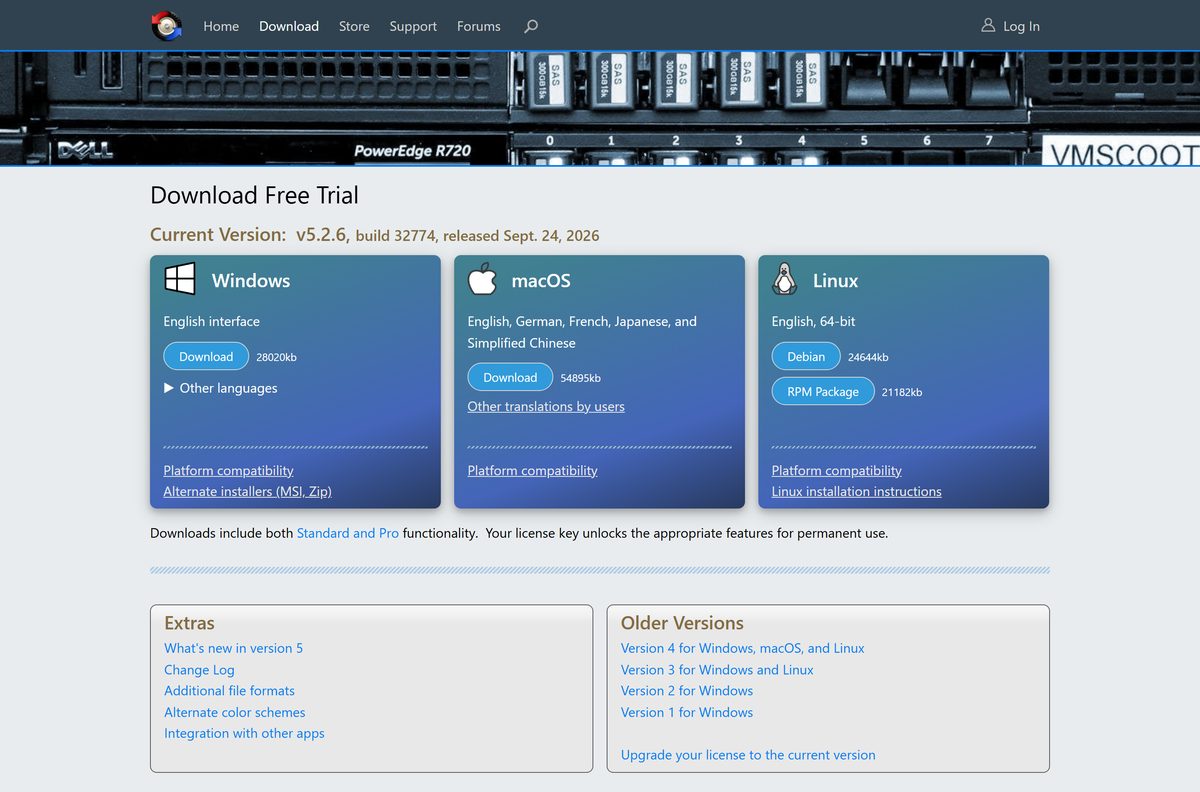
Scooter Software offers one file per system. Match your computer to a row and click the file name.
Every download contains both the Standard and Pro editions. Your license key decides which features stay unlocked.
| Your computer | File to download | Size |
|---|---|---|
| Windows 11 or 10 PC | BCompare-5.2.6.32774.exe | 28.7 MB |
| Windows PC on a network that blocks .exe downloads | BCompareSetup-5.2.6.32774.zip | 27.9 MB |
| Mac on macOS 12 Monterey or later | BCompareOSX-5.2.6.32774.zip | 56.2 MB |
| Ubuntu, Debian or Linux Mint, 64-bit | bcompare-5.2.6.32774_amd64.deb | 25.2 MB |
| Red Hat, Fedora or openSUSE, 64-bit | bcompare-5.2.6.32774.x86_64.rpm | 21.7 MB |
German, French, Japanese and Simplified Chinese Windows installers are listed under Other languages on the download page.
Download Beyond Compare from the official site
Get Beyond Compare only from scootersoftware.com. The files are served from the same domain, so there is no third-party mirror involved.
- Beyond Compare download page — Windows, macOS and Linux files for version 5.2.6
- Beyond Compare for Windows — 28.7 MB · full setup for Windows 11 and 10
- Beyond Compare for Mac — 56.2 MB · for macOS 12 Monterey and later
- Beyond Compare 5 change log — fixes in each release
How to install Beyond Compare on Windows 11 and 10
- Open scootersoftware.com/download and click Download under Windows.
- Save BCompare-5.2.6.32774.exe to your Downloads folder.
- Double-click the file and click Yes at the User Account Control prompt.
- Choose whether to install for all users or only for you.
- Select I accept the agreement and click Next.
- Keep the default install folder and click Next.
- Click Install, then Finish.
- Open Beyond Compare from the Start menu to start the 30-day trial.
The setup file contains the whole program, so it also works as an offline installer on a PC without internet access.
How to deploy Beyond Compare silently across several PCs
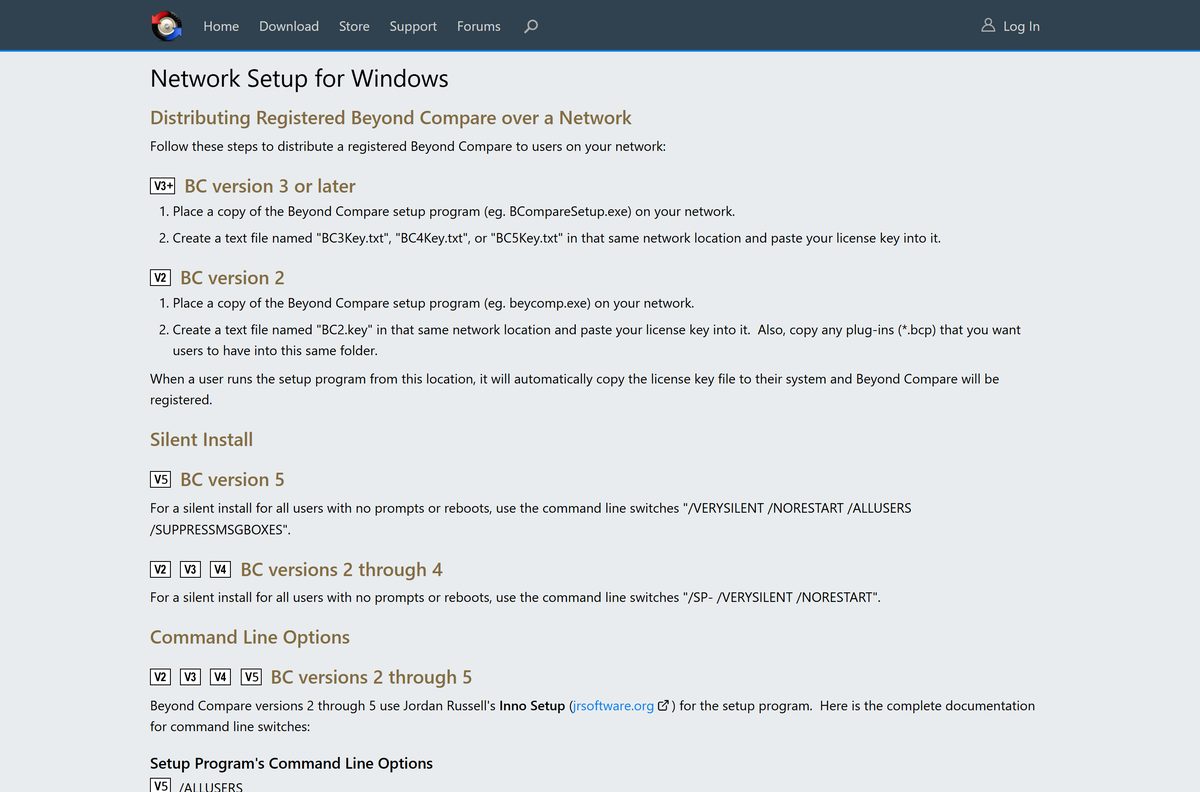
Scooter Software removed the MSI installers in version 5. Admins deploy the standard setup EXE with command-line switches instead.
| File or switch | What it does | Link |
|---|---|---|
| BCompare-5.2.6.32774.exe | Standard setup, 28.7 MB, used for silent deployment | Windows setup |
| BCompareSetup-5.2.6.32774.zip | Same setup in a ZIP, 27.9 MB, for shares that block EXE files | ZIP installer |
/VERYSILENT /NORESTART /ALLUSERS /SUPPRESSMSGBOXES |
Installs for all users with no prompts or reboot | Network Setup guide |
/DISABLEUPDATES |
Turns off the Check for Updates action | Alternate installers |
A starting command looks like this: BCompare-5.2.6.32774.exe /VERYSILENT /NORESTART /ALLUSERS /SUPPRESSMSGBOXES /DISABLEUPDATES .
To register every copy, place a text file named BC5Key.txt holding your license key next to the setup file on the network share. Test the command on one machine before rolling it out.
Which Beyond Compare download do you need for your Mac?
Version 5 adds native Apple silicon support and needs macOS 12 Monterey or later. Older Macs stay on version 4.
| Your Mac | What to do | Download |
|---|---|---|
| macOS 12 Monterey or later | Unzip and drag the app to Applications | BCompareOSX-5.2.6.32774.zip |
| macOS 10.11 El Capitan to macOS 11, with a version 4 license | Install Beyond Compare 4.4.7 | Beyond Compare 4 downloads |
Beyond Compare 5 asks to move itself to Applications each time it runs from elsewhere. Move it there once and the prompt stops.
Install Beyond Compare on Ubuntu, Debian or Fedora
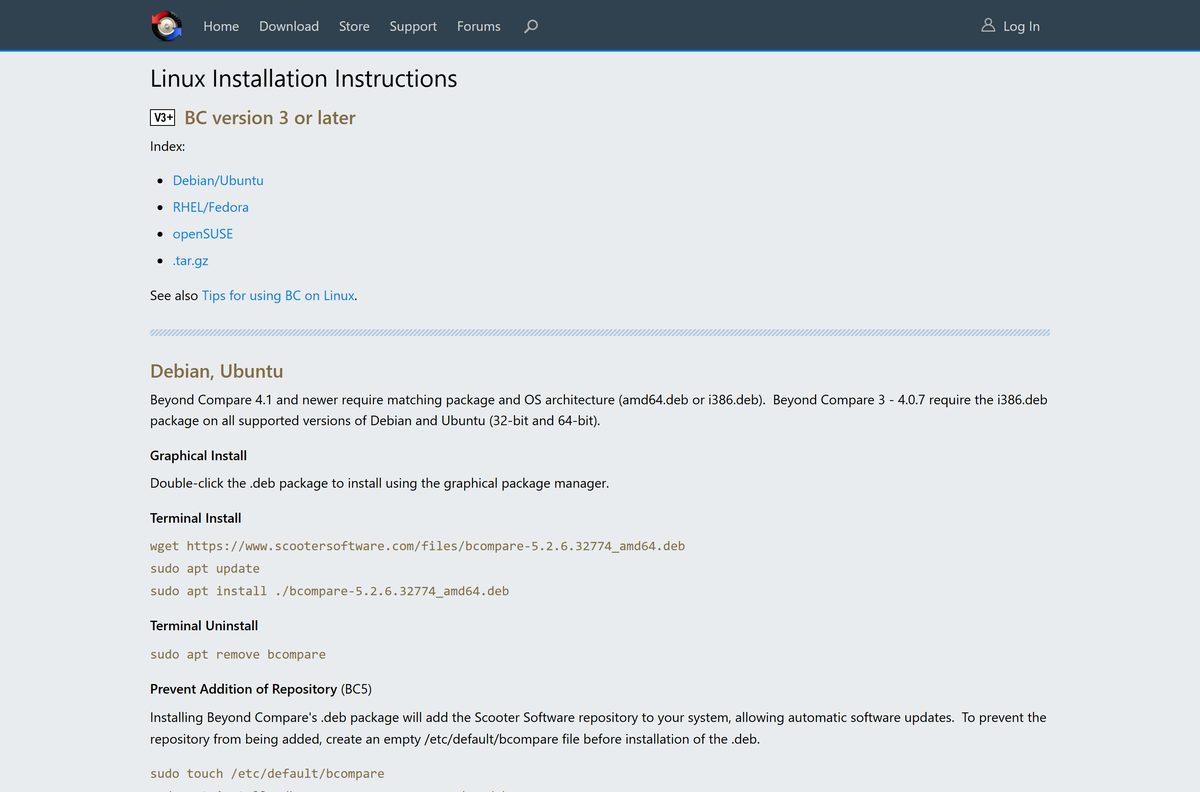
On Linux, the DEB and RPM packages add Scooter Software’s repository so updates arrive with your system updates.
- Download the package: wget https://www.scootersoftware.com/files/bcompare-5.2.6.32774_amd64.deb
- Refresh your package list: sudo apt update
- Install it: sudo apt install ./bcompare-5.2.6.32774_amd64.deb
- On Fedora or Red Hat, run dnf install bcompare-5.2.6.32774.x86_64.rpm as root instead.
- Launch Beyond Compare from your app menu, or run bcompare in a terminal.
Beyond Compare needs the X window system on Linux and does not run as a console program. Red Hat Enterprise Linux 9 also needs the EPEL repository; the Linux install guide lists those commands.
Is Beyond Compare free?
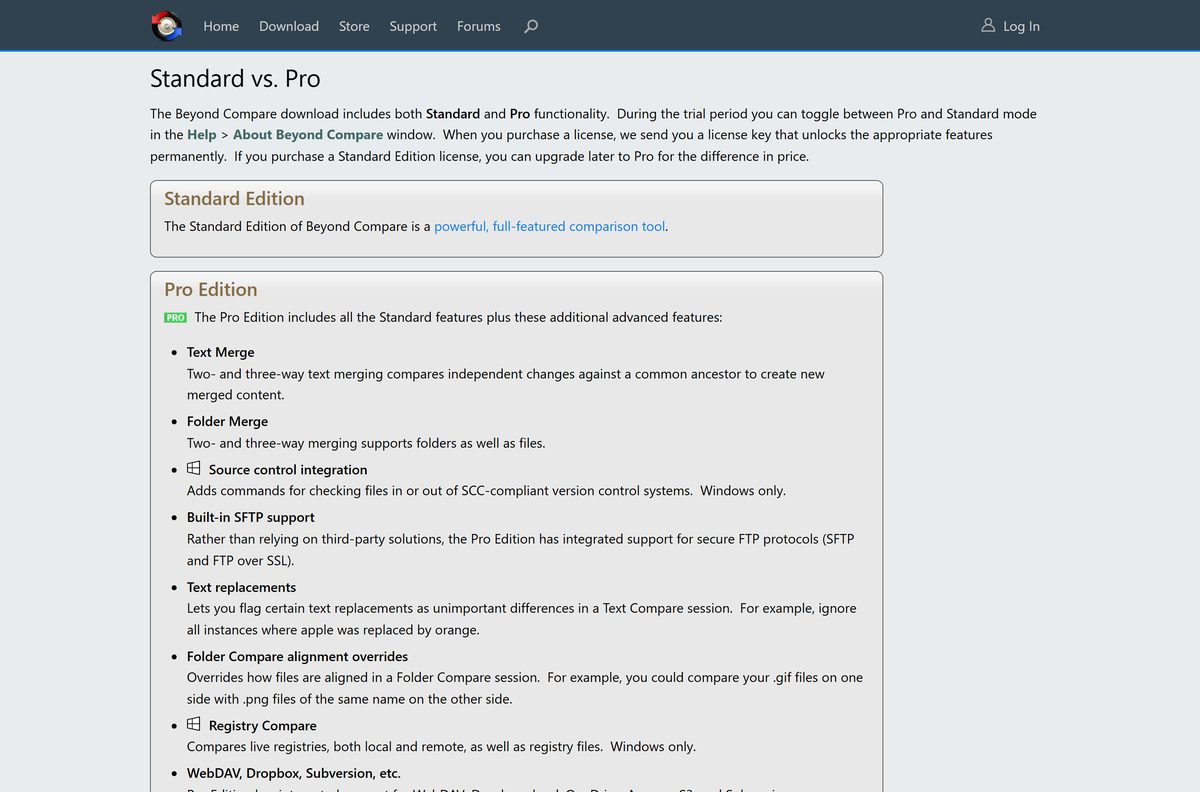
A Standard license costs $35 per user and Pro costs $70 per user. Each is a one-time purchase with no annual renewal, and one user may run it on any number of computers.
Download the free 30-day trial first, then buy a Standard or Pro license if you keep using it. Beyond Compare is paid software. The trial is fully functional and lets you switch between Pro and Standard mode, so you can test the feature you need before paying.
Pro adds three-way merge, built-in SFTP, source control integration and Registry Compare. Minor updates are free, and major upgrades are generally half price.
Any site offering a Beyond Compare “free key” or cracked build is not Scooter Software. Those files are the ones that carry malware.
How to check your Beyond Compare version and update it
- Open Beyond Compare.
- Click Help and choose About Beyond Compare to see your version and edition.
- Compare it with the current version shown at the top of the download page.
- Click Help > Check for Updates to look for a newer release.
- Accept the offer to upgrade, or run the newer setup file over your current install.
- Restart Beyond Compare; your settings and license stay in place.
A version 5 license covers every 5.x.x release. On Linux, updates arrive through the Scooter Software repository added by the package.
Check the Beyond Compare system requirements before you install
| Field | Value |
|---|---|
| Software | Beyond Compare 5 |
| Developer | Scooter Software, Inc. |
| Latest version | 5.2.6, build 32774 |
| Released | 24 September 2026 |
| License | Paid; 30-day free trial; Standard $35, Pro $70 per user |
| File size | 28.7 MB (Windows), 56.2 MB (Mac), 25.2 MB (DEB) |
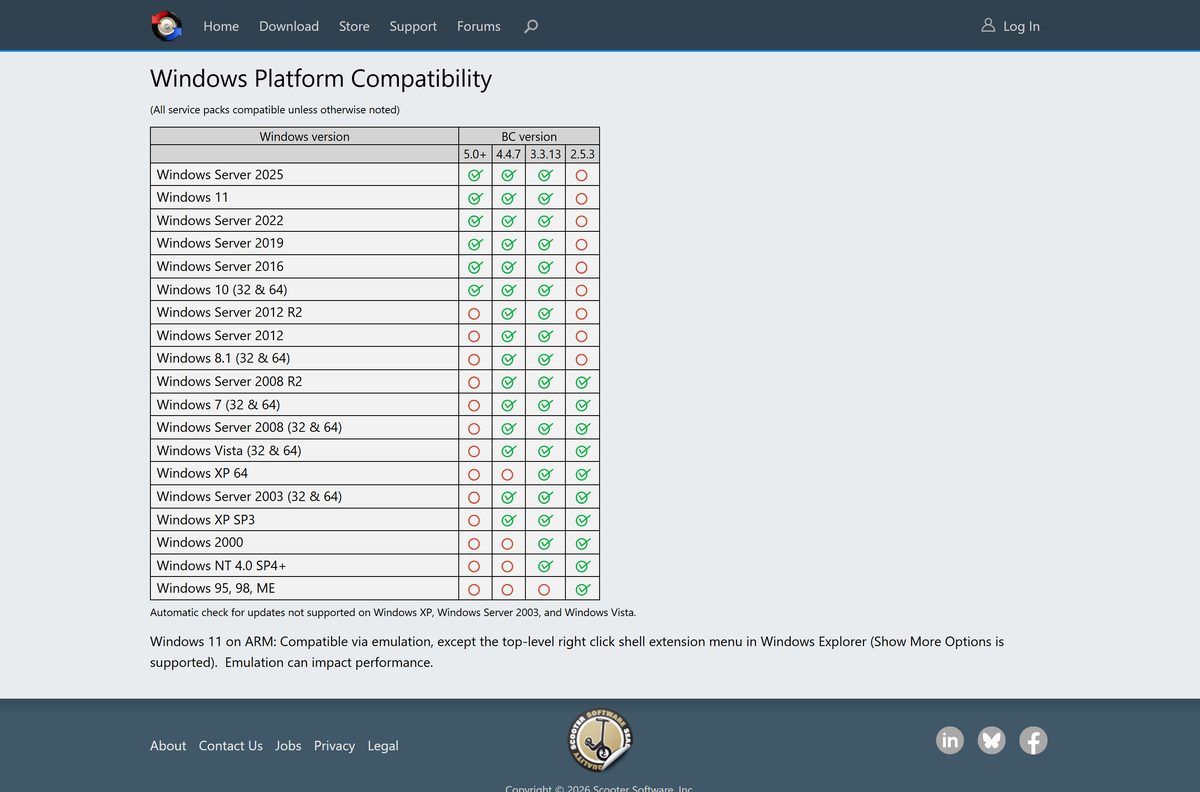
| Windows | Windows 11, Windows 10 (32-bit and 64-bit), Windows Server 2016 to 2025 |
| Mac | macOS 12 Monterey or later, native on Apple silicon |
| Linux | Ubuntu 22.04 to 26.04, RHEL 7 to 10, Linux Mint 21 and 22, 64-bit |
| Architecture | x86 and x64 on Windows; Windows 11 on ARM through emulation |
| Offline installer | Yes, the Windows setup EXE is a full package |
| Official download source | scootersoftware.com |
| Last verified | 2026-09-25 |
Windows 11 on ARM runs Beyond Compare through emulation, but the top-level Explorer right-click menu is missing; use Show More Options instead.
Fix Beyond Compare not installing or starting
Beyond Compare 5 misbehaves on Windows 7 or 8.1
Beyond Compare 5 lists Windows 10 as its oldest supported desktop version.
- Press Windows + R, type winver and press Enter to check your version.
- Upgrade to Windows 10 or 11, or install Beyond Compare 4.4.7 if you hold a version 4 license.
Your network blocks the .exe download
Some firewalls and mail filters strip executable files.
- Download BCompareSetup-5.2.6.32774.zip instead.
- Right-click the ZIP, choose Extract All, and run the setup file inside.
Beyond Compare will not open on an older Mac
Version 5 needs macOS 12 Monterey or later.
- Open the Apple menu and choose About This Mac to check your macOS version.
- Update macOS, or use Beyond Compare 4 on macOS 10.11 to 11.
The right-click compare menu is missing on a Windows ARM PC
The top-level shell menu is not supported under emulation.
- Right-click the files in File Explorer.
- Click Show More Options and pick the Beyond Compare command there.
How to uninstall Beyond Compare from Windows
- Close Beyond Compare.
- Open Settings > Apps > Installed apps.
- Find Beyond Compare 5, click the three-dot menu and select Uninstall.
- Confirm with Uninstall and wait for the uninstaller to finish.
- Restart File Explorer or sign out and back in to clear the right-click menu entries.
On a Mac, drag the app from Applications to the Trash and delete ~/Library/Application Support/Beyond Compare 5 . On Ubuntu run sudo apt remove bcompare , and on Fedora run dnf remove bcompare as root.
Choose another tool if Beyond Compare is not the right fit
| Option | Best for | Link |
|---|---|---|
| Beyond Compare | Comparing and syncing folders, text, tables and images with a one-time license | scootersoftware.com |
| Visual Studio Code | Free side-by-side text diffs inside a code editor | Download Visual Studio Code |
| Git | Tracking changes between file versions from the command line | Download Git |
| GitHub Desktop | Reviewing diffs in a Git repository without commands | Download GitHub Desktop |
Pick Visual Studio Code if you only compare code files now and then. Keep Beyond Compare if you sync whole folders or compare binary, table and image files.
Frequently asked questions
Is Beyond Compare free?
No. Beyond Compare is paid software with a 30-day fully functional free trial. After the trial, a Standard license costs $35 per user and Pro costs $70 per user, as a one-time purchase with no annual renewal.
What is the official Beyond Compare download page?
The official page is scootersoftware.com/download. It lists the Windows setup, the Mac ZIP and the Linux DEB and RPM packages, plus older versions 1 to 4 for existing license holders.
Does Beyond Compare work on Windows 11?
Yes. Beyond Compare 5 supports Windows 11 and Windows 10, in 32-bit and 64-bit form. On Windows 11 on ARM it runs through emulation, with the right-click menu under Show More Options.
How big is the Beyond Compare download?
The Windows setup file for version 5.2.6 is 28.7 MB. The Mac ZIP is 56.2 MB, the Linux DEB package is 25.2 MB and the RPM package is 21.7 MB.
Is there a Beyond Compare offline installer?
Yes. The standard Windows setup EXE contains the full program and installs without an internet connection. A ZIP-wrapped copy of the same installer is offered for networks that block EXE downloads.
Is there a Beyond Compare version for Mac?
Yes. Beyond Compare 5 runs on macOS 12 Monterey or later with native Apple silicon support. Macs on macOS 10.11 to 11 can use Beyond Compare 4 with a version 4 license.
Is there a 64-bit or ARM64 Beyond Compare build?
The Windows installer supports 32-bit and 64-bit Windows 10 and 11. There is no native ARM64 Windows build; Windows 11 on ARM runs it through emulation. The Mac app runs natively on Apple silicon.
Is Beyond Compare safe to download?
Yes, when you download it from scootersoftware.com, the developer’s own site. Avoid sites offering free license keys or cracked builds, which do not come from Scooter Software and are a common malware source.
What is the latest version of Beyond Compare?
The latest release is Beyond Compare 5.2.6, build 32774, released on 24 September 2026. It fixed several crashes, a Linux launcher vulnerability and updated the bundled 7-zip library.
Why won’t Beyond Compare install?
The usual cause is an unsupported system. Version 5 needs Windows 10 or later, or macOS 12 Monterey or later. If your network blocks EXE files, use the ZIP-wrapped installer from the official site.
What is the difference between Beyond Compare Standard and Pro?
Pro adds two- and three-way text and folder merge, built-in SFTP, source control integration, Registry Compare and cloud support such as Dropbox and OneDrive. You can upgrade Standard to Pro later for the difference in price.
Can I install Beyond Compare silently?
Yes. Run the Windows setup file with /VERYSILENT /NORESTART /ALLUSERS /SUPPRESSMSGBOXES to install for all users without prompts. Version 5 has no MSI package.