The Nmap download for Windows 11, Windows 10 and Mac comes free from nmap.org, and the installer adds the Zenmap GUI too. Install it to map the devices on your network, find open ports and check which services your own machines expose.
The Windows self-installer bundles Nmap, Zenmap, Ncat, Nping, Ndiff and the Npcap capture driver in one 35.6 MB file. Mac users get a disk image with the same tools, and Linux users get RPM packages or the source code.
Below: the right file for each system, install steps, a signature check, Mac setup, scan fixes and clean removal. Scan only networks you own or have permission to test.
Which Nmap download do you need?
Match your system to a row. Every Windows 11 and Windows 10 PC uses the same self-installer.
| Your system | What you download | Size | Link |
|---|---|---|---|
| Windows 11, Windows 10 or Windows Server PC | nmap-7.991-setup.exe (includes Zenmap and Npcap) | 35.6 MB | Windows self-installer |
| Mac with macOS 10.9 or later | nmap-7.991.dmg (x86-64) | 33.8 MB | macOS disk image |
| 64-bit Linux with RPM packages | nmap-7.991-1.x86_64.rpm | See download page | Linux x86-64 RPM |
| Linux, BSD or Mac where you only need the GUI | zenmap-7.991-py3-none-any.whl | See download page | Zenmap Python wheel |
| Any other system, or you compile it yourself | nmap-7.991.tar.bz2 source code | 12.3 MB | Source tarball |
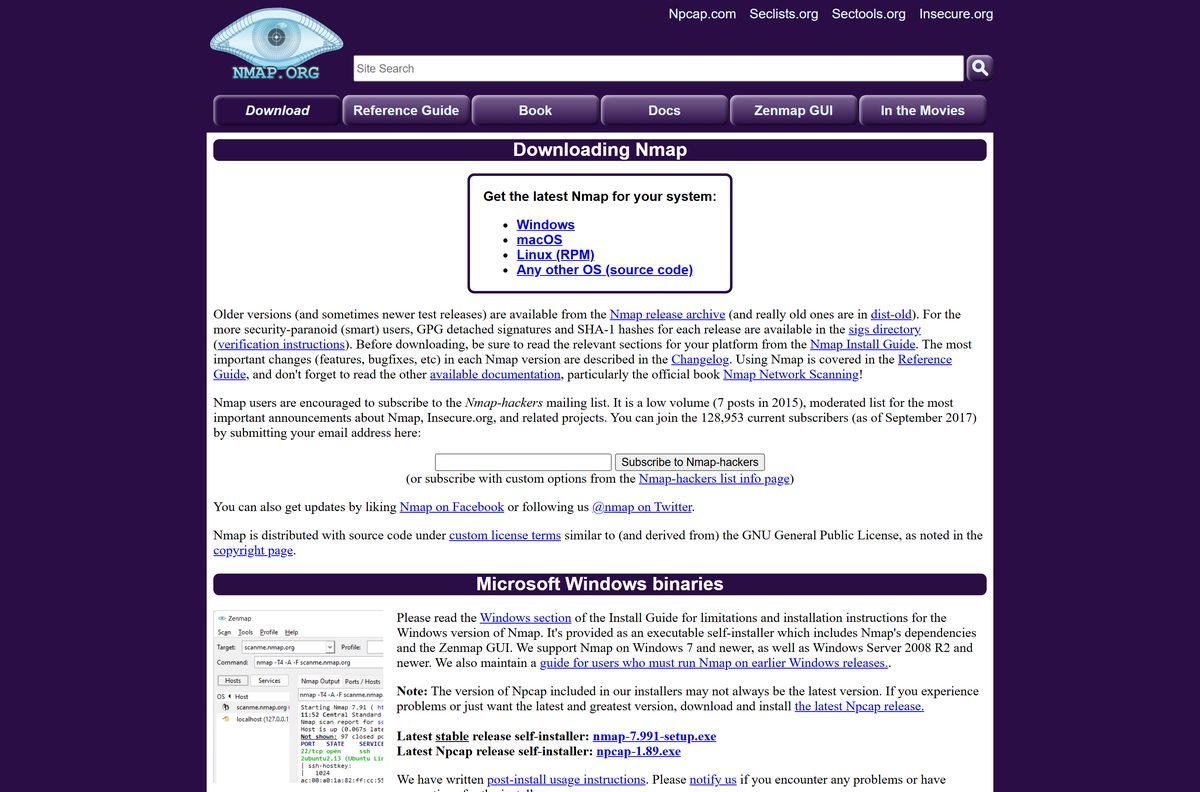
Download Nmap from the official nmap.org page
Nmap 7.991 is the latest stable release, published on August 6, 2026. It updates the bundled OpenSSL to 3.0.21 and fixes Zenmap crashes with some saved profiles.
- Nmap download page — Windows, macOS, Linux and source builds
- Nmap 7.991 for Windows — 35.6 MB · includes Zenmap and Npcap
- Nmap 7.991 for macOS — 33.8 MB · includes Zenmap, Ncat and Ndiff
- Nmap release archive — older versions and test releases
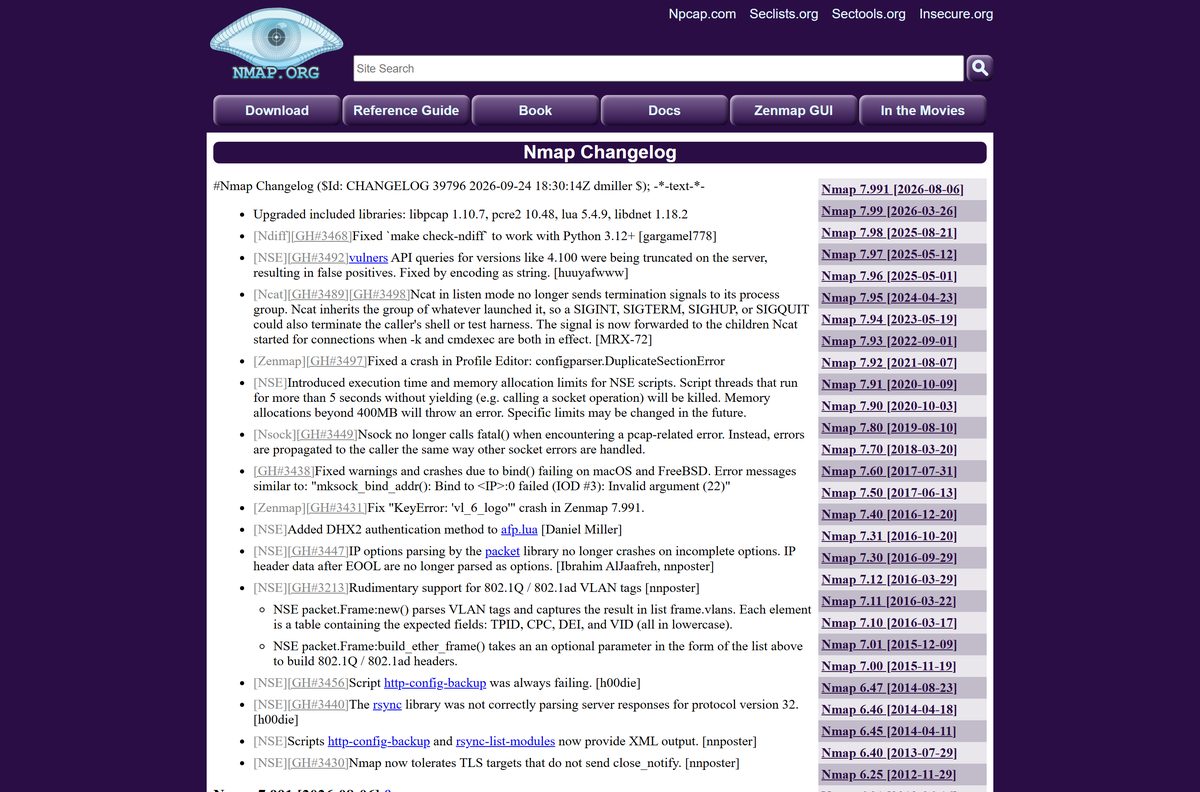
- Nmap changelog — what changed in each version
The Windows file is a full self-installer, not a web stub. Copy it to a USB stick and it installs on a PC with no internet connection.
How to install Nmap and Zenmap on Windows 11 and Windows 10
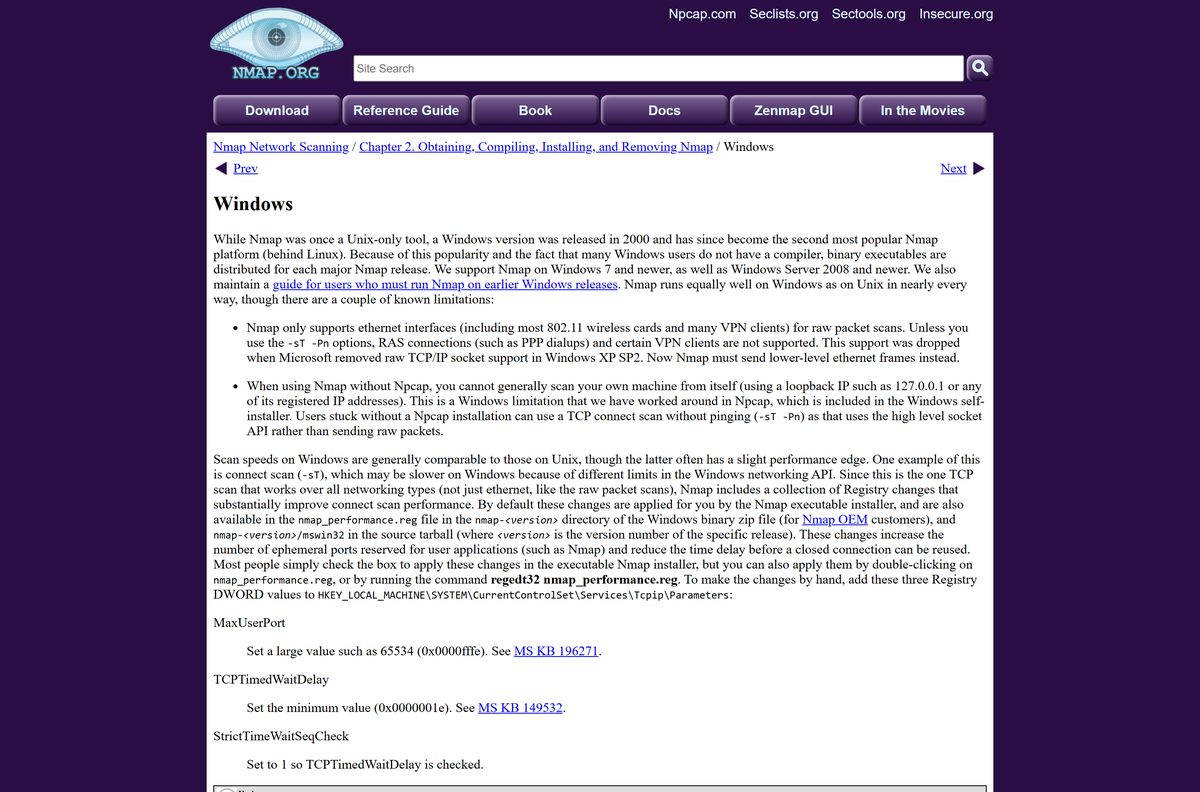
Keep every component selected on the first run. Npcap in particular is what lets Nmap send raw packets on Windows.
- Open the Nmap download page and select nmap-7.991-setup.exe under Microsoft Windows binaries.
- Open the downloaded file and select Yes at the User Account Control prompt.
- Select Next or I Agree through the license screen.
- On the components screen, keep Nmap, Npcap, Ncat, Nping, Zenmap and Ndiff selected, along with the registry performance changes and the PATH option.
- Keep the default install folder, C:\Program Files (x86)\Nmap, or choose another one.
- When the Npcap setup opens, follow its prompts and finish it.
- Select Finish in the Nmap installer.
- Open Zenmap from the Start menu or desktop, or open PowerShell and run nmap –version to confirm the install.
For scripted deployments, the installer accepts /NPCAP=NO , /ZENMAP=NO , /REGISTERPATH=NO and similar switches, plus /D to change the folder. Fully silent /S installs are reserved for Nmap OEM installers.
How to verify the Nmap installer before you run it
nmap.org publishes a PGP signature and a list of hashes for every package in its sigs directory.
- Open the Nmap sigs directory and open nmap-7.991-setup.exe.digest.txt.
- Open PowerShell in your Downloads folder.
- Run Get-FileHash .\nmap-7.991-setup.exe -Algorithm SHA256 .
- Compare the hash PowerShell prints with the SHA256 line in the digest file. They must match exactly.
- For a stronger check, import the Nmap Project Signing Key into GnuPG and run gpg –verify nmap-7.991-setup.exe.asc . Look for Good signature from Nmap Project Signing Key.
A hash match only proves the file arrived intact. The PGP signature also proves the Nmap Project built it.
Which Nmap download do you need for your Mac?
Open the Apple menu and select About This Mac to see your chip and macOS version.
| Your Mac says | Download | Size |
|---|---|---|
| Intel chip, macOS 10.9 or later | nmap-7.991.dmg (x86-64) | 33.8 MB |
| Apple M-series chip, and you want a native build | Mac install guide: MacPorts and source options | Varies |
| Any Mac, and you only need the Zenmap GUI on an existing Nmap | Zenmap Python wheel | See download page |
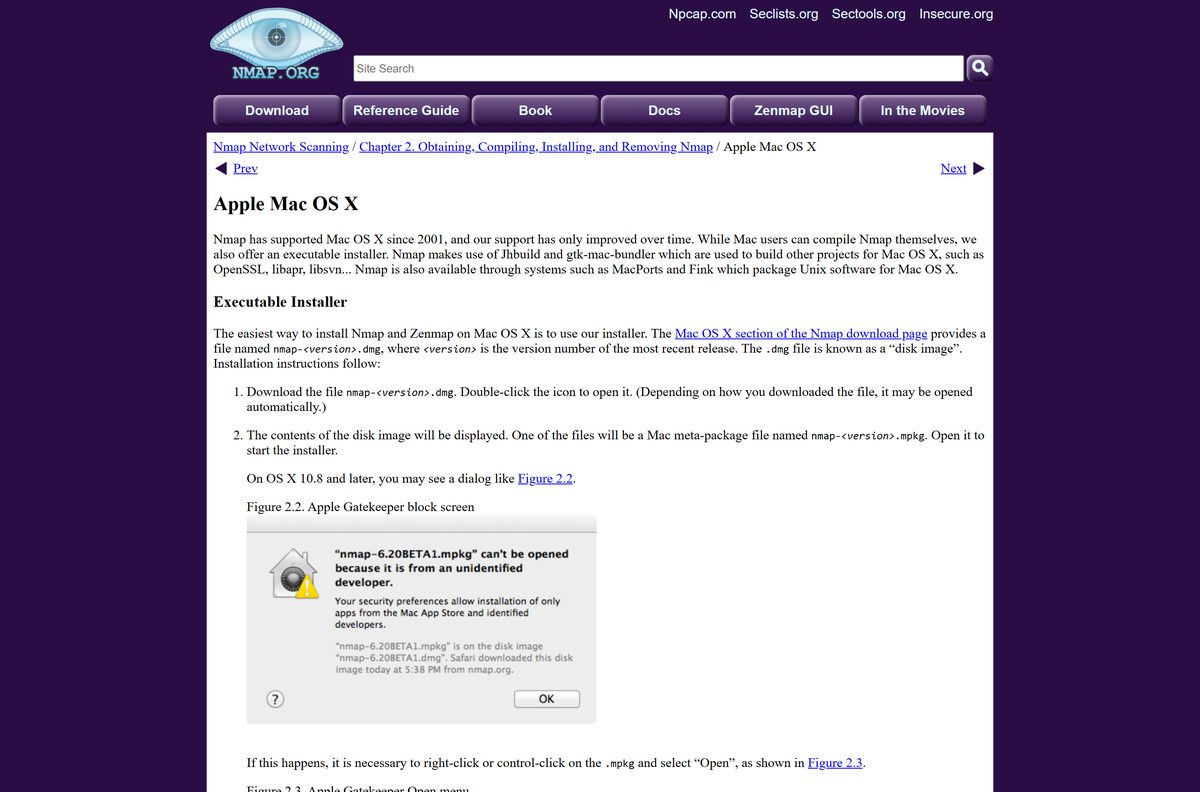
Open the disk image, then open the .mpkg installer inside it. If macOS blocks it, Control-click the .mpkg, select Open, and select Open again in the dialog. Follow the installer, enter your password, then eject the disk image.
With MacPorts installed, sudo port install nmap builds Nmap for your Mac’s own chip.
Is Nmap free to use?
Nmap ships with source code under the Nmap Public Source License, a licence derived from the GNU GPL.
Yes. Nmap and Zenmap are free to download and use, with no paid edition for end users. The licence generally allows end users to download and use Nmap for free. The one paid product is Nmap OEM, which companies buy only to embed or redistribute Nmap inside their own commercial software or hardware. Any site selling an Nmap Pro licence is not the official project.
Free does not mean any target is fair game. Scan only networks you own or manage, and ask for permission before scanning anyone else’s. Nmap can crash fragile systems, so avoid critical production hosts unless you can accept downtime.
How to check your Nmap version and update it
Nmap has no built-in updater. You compare your version with nmap.org and install the new release.
- Open PowerShell, Command Prompt or Terminal.
- Run nmap –version . The first line shows the installed version.
- Open the Nmap download page and compare it with the latest stable release.
- If yours is older, remove the old version from Settings > Apps > Installed apps on Windows.
- Download and run the new self-installer.
On Linux, update through your distribution’s package manager, or run rpm -vhU with the newer RPM from nmap.org.
Check the Nmap system requirements before you install
Nmap is light. The main requirement on Windows is the Npcap driver, which the installer adds for you.
| Field | Value |
|---|---|
| Software | Nmap Security Scanner with the Zenmap GUI |
| Developer | Nmap Project (Insecure.Com LLC) |
| Latest version | 7.991 (released August 6, 2026) |
| License | Free, Nmap Public Source License |
| Windows | Windows 7 and newer, including Windows 11 and Windows 10; Windows Server 2008 R2 and newer |
| Mac | Disk image tested on Mac OS X 10.9 and later |
| Linux and others | x86-64 RPMs; FreeBSD, OpenBSD, NetBSD, Solaris and more from source |
| Architecture | Windows self-installer; macOS x86-64; Linux x86-64 RPMs |
| Capture driver | Npcap, included in the Windows self-installer |
| Network | Raw packet scans need an ethernet interface, including most Wi-Fi cards and many VPN clients |
| Download size | 35.6 MB for Windows; 33.8 MB for macOS; 12.3 MB source |
| Offline installer | Yes, the Windows self-installer includes every dependency |
| Official source | nmap.org |
| Last verified | 2026-09-25 |
Fix Nmap scans that fail or will not start
Match what you see to one fix below.
PowerShell says nmap is not recognized as a command
The install folder is not on your PATH, often after installing with /REGISTERPATH=NO.
- Run cd “C:\Program Files (x86)\Nmap” and try nmap –version again.
- To fix it for good, run SystemPropertiesAdvanced.exe and select Environment Variables.
- Select Path under System variables, select Edit, and add C:\Program Files (x86)\Nmap.
- Open a new PowerShell window and run nmap scanme.nmap.org .
Nmap cannot scan your own PC at 127.0.0.1, or raw scans fail
Npcap is missing or was skipped during setup.
- Run the Nmap self-installer again with Npcap selected.
- Restart the PC and run the scan again.
- If you cannot install Npcap, use a TCP connect scan without ping: nmap -sT -Pn
.
Scans fail over a dial-up link or some VPN clients
Raw packet scans on Windows only work over ethernet-type interfaces.
- Switch to a connect scan with -sT -Pn , which uses the normal Windows socket API.
- Or run the scan from a machine on a wired or Wi-Fi connection.
macOS says the Nmap installer cannot be opened
Gatekeeper blocks the .mpkg on a double-click.
- Open the Nmap disk image in Finder.
- Control-click the .mpkg file and select Open.
- Select Open in the warning dialog and finish the installer.
How to uninstall Nmap and Npcap
Removing Nmap leaves Npcap in place, so tools such as Wireshark keep capturing.
- Open Settings > Apps > Installed apps on Windows 11, or Programs and Features in Control Panel.
- Find Nmap, select Uninstall, and follow the prompts.
- To remove the capture driver too, find Npcap in the same list and select Uninstall.
- On Linux, run rpm -e nmap zenmap as root for an RPM install, or make uninstall in the source build folder.
Remove Npcap only when no other app on the PC needs it.
Choose between Nmap, Zenmap, Ncat, Nping and Ndiff
The same download installs five tools. Pick the one that fits the task.
| What you need | Use this | How you run it |
|---|---|---|
| Discover hosts and open ports from a script or terminal | Nmap | nmap in PowerShell, Command Prompt or Terminal |
| Build scans with a mouse, save profiles and view results | Zenmap GUI | Zenmap shortcut on the Start menu or in Applications |
| Compare two saved scans to spot new hosts or ports | Zenmap scan comparison, or Ndiff | Zenmap, or ndiff in a terminal |
| Read and write data across a network connection | Ncat | ncat in a terminal |
| Generate packets and measure response times | Nping | nping in a terminal |
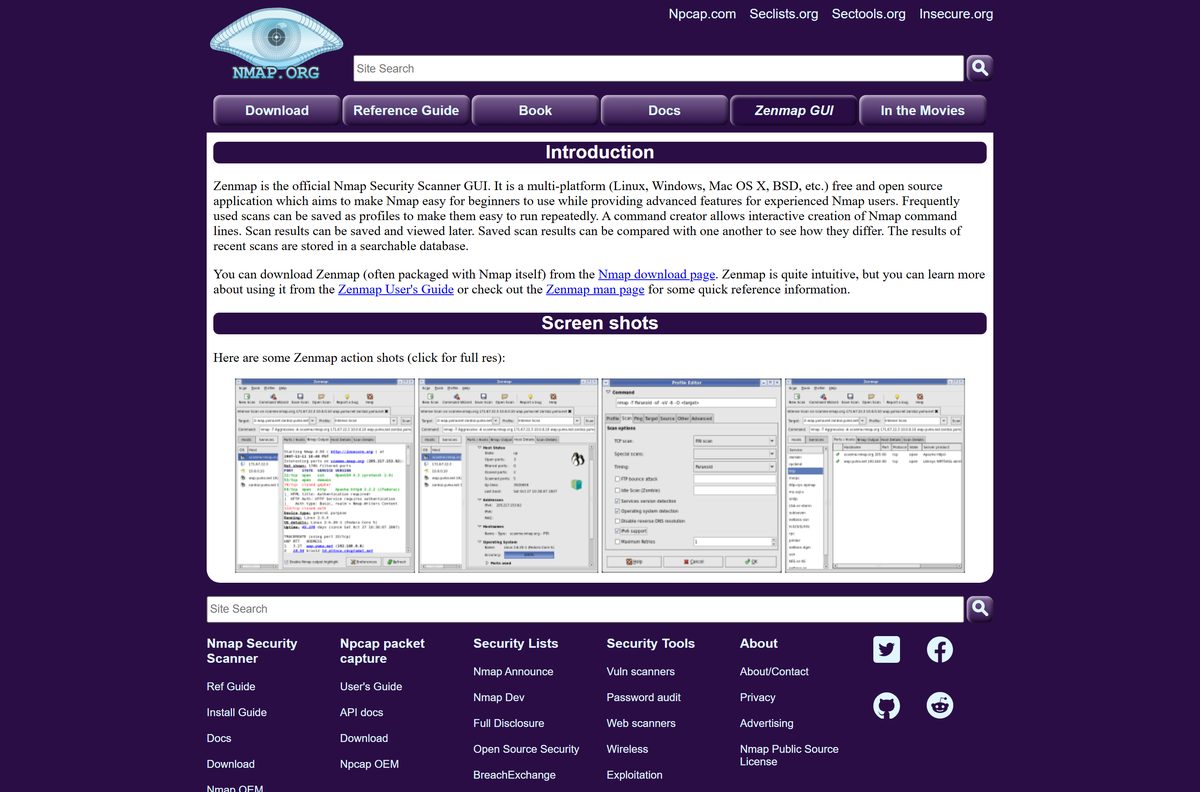
New to Nmap? Start in Zenmap. Its command creator builds the Nmap command for you, so you learn the options as you scan, and saved profiles rerun a scan in one click.
Frequently asked questions
Is Nmap free to download?
Yes. Nmap and the Zenmap GUI are free from nmap.org under the Nmap Public Source License. There is no paid edition for end users. Only Nmap OEM, for companies that embed Nmap in their own products, costs money.
What is the official Nmap download page?
The official page is nmap.org/download.html. It lists the Windows self-installer, the macOS disk image, Linux RPM packages, the Zenmap Python wheel and the source code, plus the release archive for older versions.
Does Nmap work on Windows 11?
Yes. Nmap supports Windows 7 and newer, which includes Windows 11 and Windows 10, and Windows Server 2008 R2 and newer. One self-installer covers every supported Windows version.
What is the Nmap download size?
Nmap 7.991 for Windows is a 35.6 MB self-installer that includes Zenmap and Npcap. The macOS disk image is 33.8 MB, and the source tarball is 12.3 MB.
Does the Nmap download include Zenmap?
Yes. The Windows self-installer and the macOS installer both include Zenmap, the official Nmap GUI. On Linux, Zenmap comes as a separate Python wheel on the download page.
Is there an Nmap offline installer?
Yes. nmap-7.991-setup.exe is a full self-installer with Nmap’s dependencies, Zenmap and Npcap inside. Copy it to another PC and install it there without an internet connection.
Does Nmap need Npcap on Windows?
Yes, for raw packet scans. The self-installer includes Npcap. Without it, some Nmap and Nping features stop working and you generally cannot scan your own PC. A TCP connect scan with -sT -Pn still works.
How do you install Nmap on a Mac?
Download nmap-7.991.dmg from nmap.org, open it and open the .mpkg installer inside. If macOS blocks it, Control-click the .mpkg and select Open. The installer adds Nmap, Zenmap, Ncat and Ndiff.
Is it legal to use Nmap?
Nmap is a legitimate network administration tool. Scan networks you own or manage, and ask for permission before scanning anyone else’s. Avoid critical production systems unless you can accept downtime, because some scans can crash fragile devices.
What is the latest Nmap version?
Nmap 7.991 is the latest stable release, published on August 6, 2026. It updates the included OpenSSL to 3.0.21, adds limits for NSE scripts and fixes Zenmap profile crashes.