Your Angular CLI download is one npm command, and it installs free on Windows 11, Windows 10, Mac and Linux. Install Node.js, run npm install -g @angular/cli , and the ng command is ready to create your first app.
Below you will find what to install for your system, the Windows and Mac steps, the Node.js versions each Angular release needs, how to update the CLI, and fixes for the errors people hit first.
Which Angular CLI setup do you need?
Angular CLI is the @angular/cli package on npm, and it adds a command named ng . Every route needs Node.js first. Match your setup to a row.
| Your setup | What to install | Where |
|---|---|---|
| Windows 11 or Windows 10 | Node.js LTS Windows installer, then the npm command in PowerShell | Node.js downloads |
| Mac | Node.js for macOS, then the npm command in Terminal, with sudo if needed | Angular local set-up |
| Linux | Node.js for Linux, then the npm command in your shell | Node.js downloads |
| You prefer pnpm, yarn or bun | The same global install through your package manager | Angular installation guide |
| You only want to try Angular | No install; the browser-based tutorial runs in StackBlitz | Angular CLI overview |
Download Angular CLI from the official sources
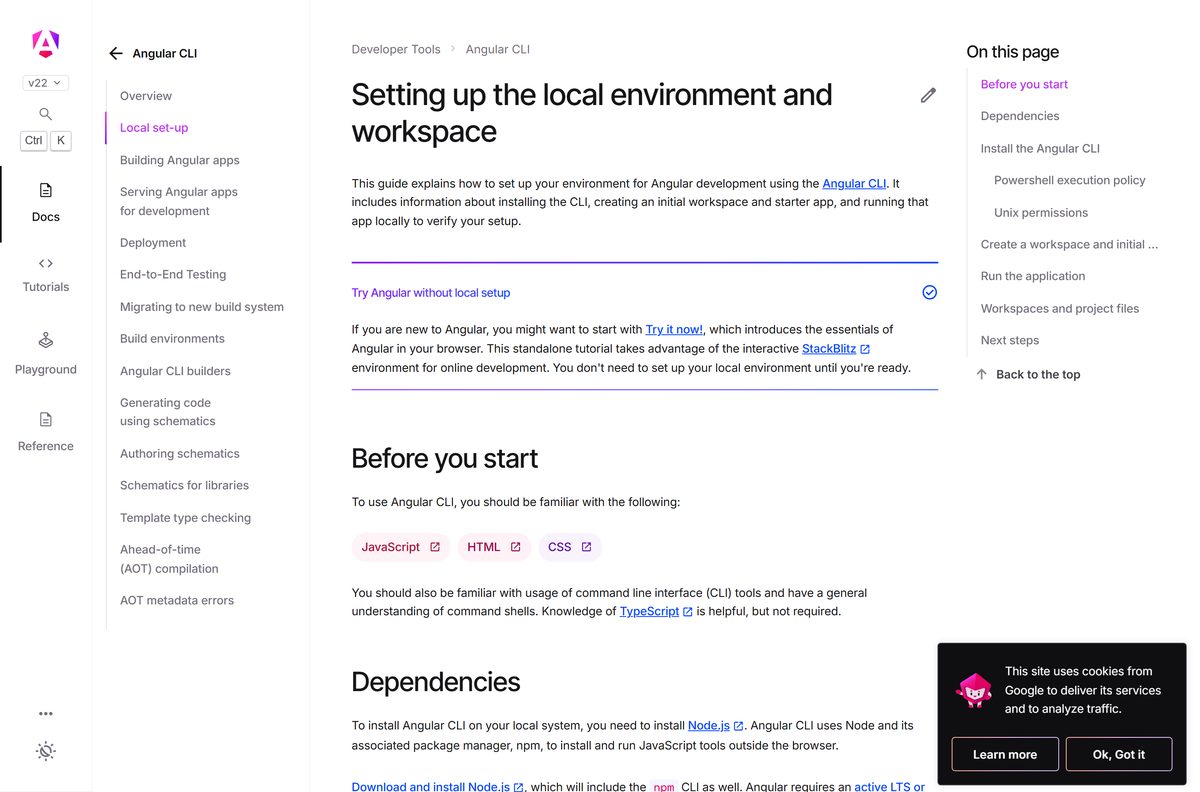
Angular publishes no .exe or .dmg. The official route is Node.js from nodejs.org plus the npm command on angular.dev.
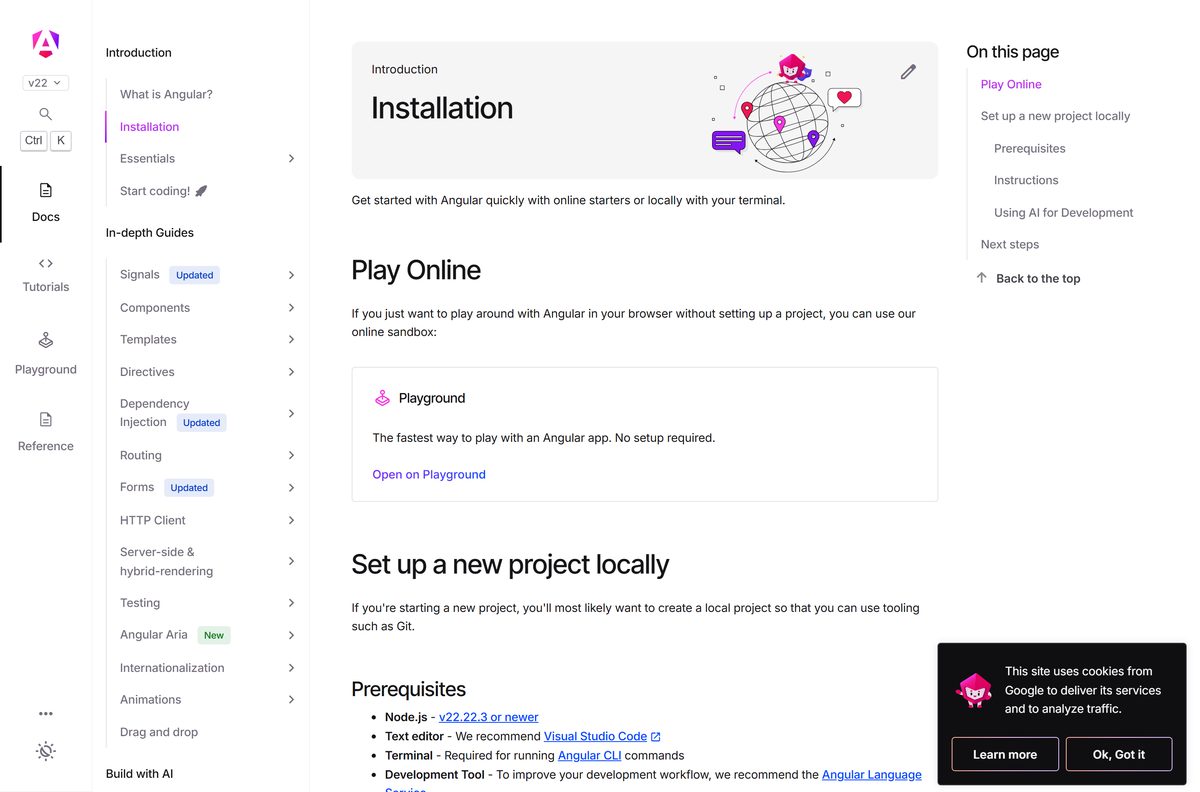
- Angular installation guide — prerequisites and the npm, pnpm, yarn and bun install commands
- Angular CLI local set-up — install steps, the PowerShell policy fix and the sudo fix
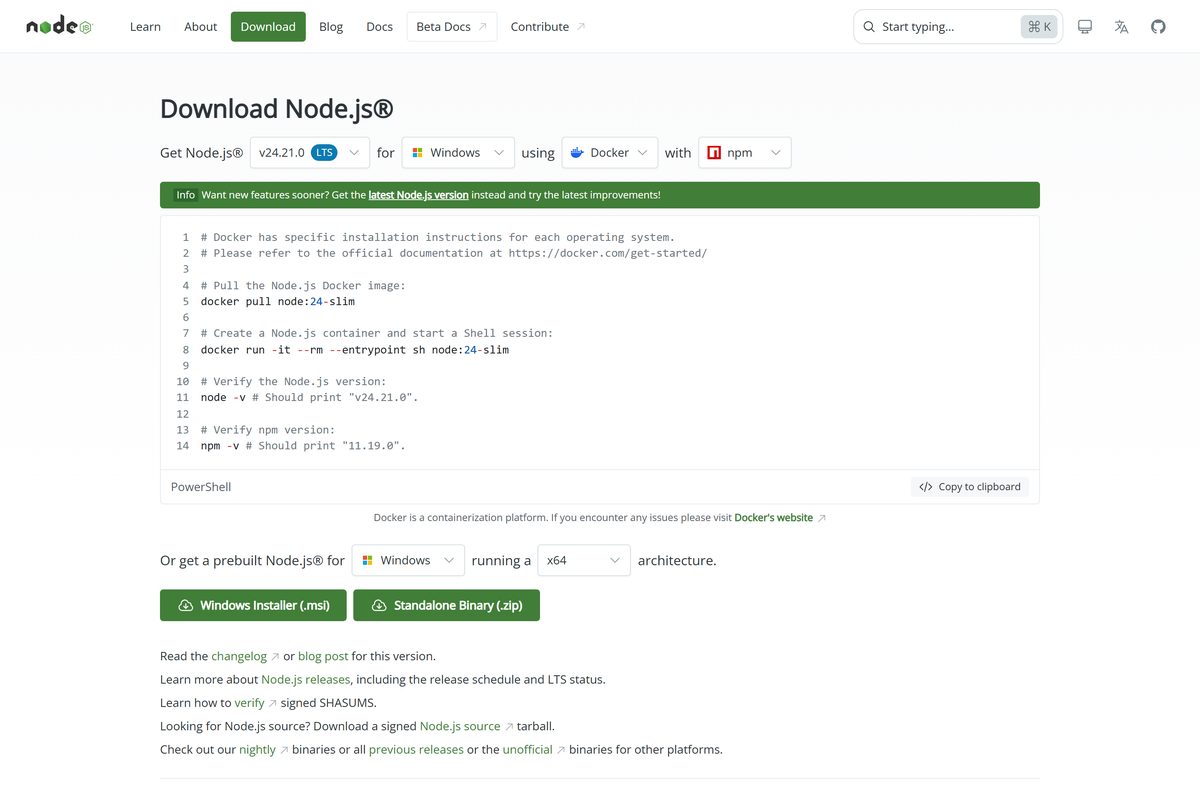
- Node.js downloads — Node.js 24.21.0 LTS, which includes npm 11.19.0
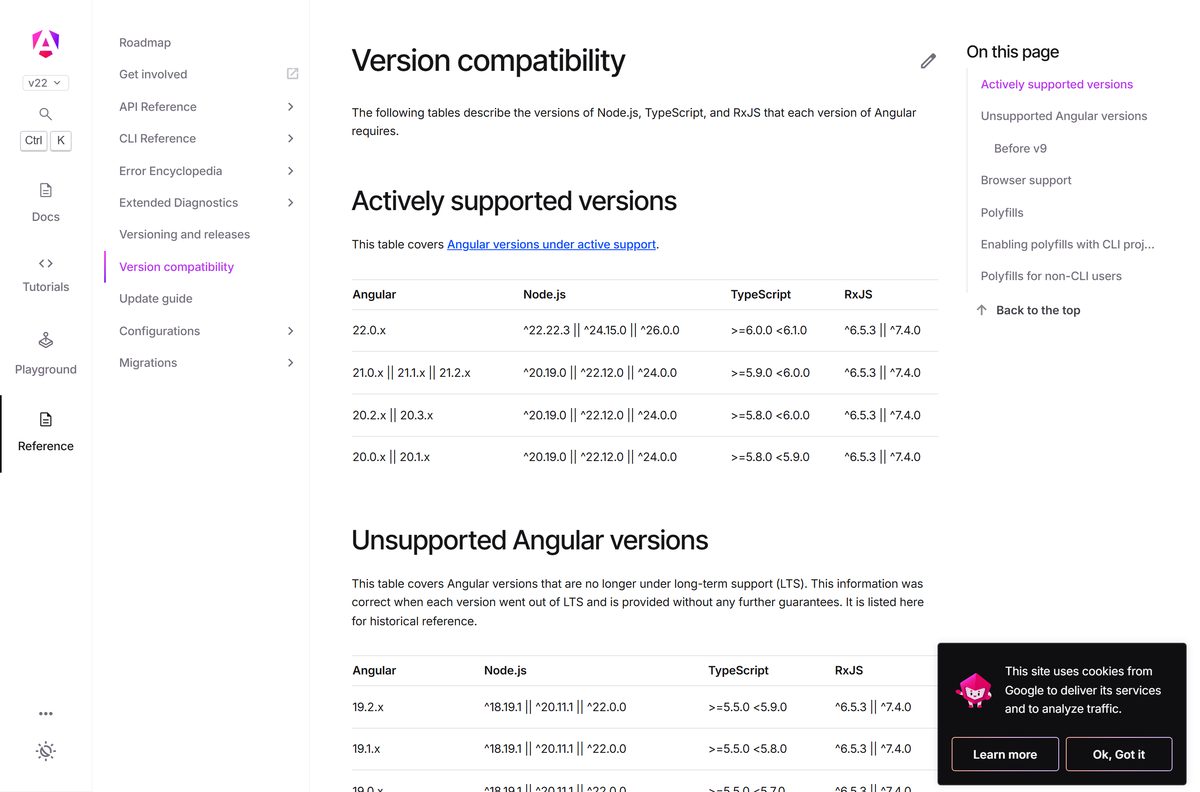
- Angular version compatibility — which Node.js and TypeScript versions each Angular release supports
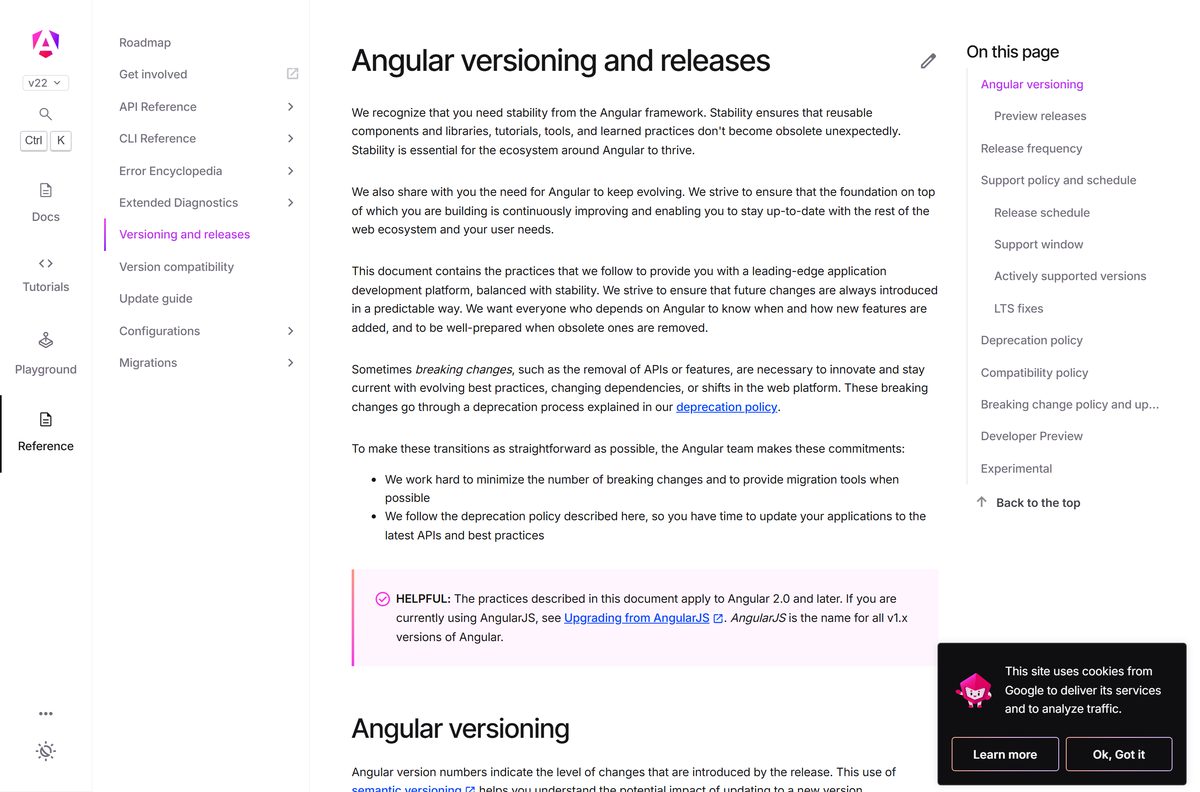
- Angular versioning and releases — support dates for Angular 22, 21 and 20
The npm package is the only official Angular CLI distribution. Treat any site that offers an Angular CLI installer file as unofficial.
How to install Angular CLI on Windows 11 and 10
Install Node.js first. Its Windows installer adds both node and npm to your PATH.
- Open nodejs.org/en/download and select Windows Installer (.msi) for the LTS release.
- Run the .msi and accept the defaults to install Node.js and npm.
- Open Windows PowerShell or Command Prompt from the Start menu.
- Run node -v and confirm it prints a supported version, such as v24.21.0.
- Run npm install -g @angular/cli and wait for npm to finish.
- If PowerShell refuses to run ng , run Set-ExecutionPolicy -Scope CurrentUser -ExecutionPolicy RemoteSigned and read the prompt.
- Run ng version to confirm the CLI is installed.
How to install Angular CLI on a Mac or Linux
The command is the same as on Windows. Only the permission fix differs, because global npm folders can belong to root.
- Download Node.js for macOS or Linux from nodejs.org and install it.
- Open Terminal on a Mac, from Applications > Utilities, or your Linux shell.
- Run node -v and check the version against the compatibility table below.
- Run npm install -g @angular/cli .
- If npm reports a permission error, run sudo npm install -g @angular/cli and enter your password.
- Run ng version to confirm the install.
Running npm as root changes files owned by the system. Use sudo only when the plain command fails with a permission error.
How to check that Angular CLI works
A new starter app is the quickest end-to-end test. It proves the CLI, npm and the development server all work.
- Run ng version and confirm it prints the Angular CLI version.
- Move to a folder outside any existing Angular workspace.
- Run ng new my-app and answer the prompts, or press Enter to accept the defaults.
- Wait for Packages installed successfully; this can take a few minutes.
- Run cd my-app to enter the new workspace.
- Run ng serve –open to start the development server.
- Check that the welcome app opens at http://localhost:4200/ .
Is Angular CLI free?
Yes. Angular CLI is free and open source, with no paid edition, trial or licence key. Google’s Angular team publishes the code under an MIT-style License, and Node.js and npm are free as well. Any site that charges for an Angular CLI download, or bundles it into a setup .exe, is not the official source.
Which Angular CLI version should you install: 22 or 21?
Install the current Angular CLI for new projects, and keep an existing project on its own major version until you update it with ng update. Angular 22 is the active release, with active support until June 2027 and LTS until June 2028. Angular 21 is in LTS until June 2027, and Angular 20 LTS ends on November 28, 2026. A global install gives you the current CLI for ng new , while a project uses the CLI version saved in its own packages.
Angular now ships one major release every 12 months, with four to six minor releases and a patch almost every week.
How to check your Angular CLI version and update it
- Run ng version , or the short form ng v , to see the installed CLI version.
- Add –json to print the same details in JSON format.
- Inside a project, run ng update @angular/cli @angular/core to move to the current stable release.
- To jump a major version, run ng update @angular/cli@^22 @angular/core@^22 with the target major.
- Open the Angular Update Guide for the manual changes between your two versions.
- Run npm install -g @angular/cli again to refresh the global CLI used by ng new .
Update to the latest patch of your major version before moving to the next major.
Check the Angular CLI system requirements
Angular CLI is a command-line tool, so Node.js sets the requirements. A terminal and a code editor complete the setup.
| Field | Value |
|---|---|
| Software | Angular CLI (@angular/cli, command ng) |
| Developer | Google (the Angular team) |
| Latest version | 22.2.0, part of Angular 22 |
| License | Free and open source, MIT-style License |
| Supported OS | Windows 11, Windows 10, macOS and Linux, through Node.js |
| Node.js | 22.22.3 or newer; an active or maintenance LTS release |
| Architecture | Any Node.js build, including Windows x64 and ARM64 |
| Other tools | A terminal, plus an editor such as Visual Studio Code |
| Offline installer | No; npm downloads the package |
| Official source | angular.dev |
| Last verified | 2026-09-25 |
Check which Node.js version Angular CLI needs
Run node -v and find your Angular version below. Use a Node.js release inside the range your Angular version lists.
| Angular version | Node.js | TypeScript |
|---|---|---|
| 22.0.x | ^22.22.3, ^24.15.0 or ^26.0.0 | 6.0.x |
| 21.0.x to 21.2.x | ^20.19.0, ^22.12.0 or ^24.0.0 | 5.9.x |
| 20.2.x and 20.3.x | ^20.19.0, ^22.12.0 or ^24.0.0 | 5.8.x to 5.9.x |
| 20.0.x and 20.1.x | ^20.19.0, ^22.12.0 or ^24.0.0 | 5.8.x |
Node.js 24.21.0 LTS falls inside the range for Angular 20, 21 and 22, so it is the safest single version to install. See the full version compatibility table.
Fix Angular CLI not installing or not running
PowerShell blocks the ng command on Windows
Windows client PCs disable PowerShell scripts by default, and npm global commands need them.
- Open Windows PowerShell.
- Run Set-ExecutionPolicy -Scope CurrentUser -ExecutionPolicy RemoteSigned .
- Read the message it prints and confirm the change.
- Run ng version again.
npm install -g fails with a permission error on Mac or Linux
The global npm folder is owned by the root user.
- Run sudo npm install -g @angular/cli .
- Enter your account password when prompted.
- Run ng version to confirm the install.
Your Node.js version is too old for Angular
Your Node.js release is outside the range your Angular version supports.
- Run node -v to see your version.
- Compare it with the compatibility table above.
- Install an active LTS release from nodejs.org.
- Open a new terminal and run the npm install command again.
ng new will not create a project
ng new must run outside an existing Angular workspace, because it creates a new one.
- Run cd .. until you leave the workspace folder.
- Run ng new my-app again.
- Wait a few minutes for the packages to install.
Choose another way to start with Angular
| Option | What it needs | Pick it when |
|---|---|---|
| npm global install | Node.js and npm | You want the standard setup from angular.dev |
| pnpm, yarn or bun | That package manager installed | Your team already uses it |
| Try Angular online | A web browser | You want to learn Angular before installing anything |
All three routes use the same Angular CLI package. Only the online tutorial skips the local install.
Frequently asked questions
Is Angular CLI free?
Yes. Angular CLI is free and open source, released by Google’s Angular team under an MIT-style license. There is no paid edition, trial or licence key. Any site that charges for an Angular CLI download is not the official source.
Where is the official Angular CLI download?
The official instructions live on angular.dev under Installation and Local set-up. The CLI itself is the @angular/cli package on npm, so you install it with one npm command after installing Node.js from nodejs.org.
Does Angular CLI work on Windows 11?
Yes. Install the Node.js LTS release for Windows, then run npm install -g @angular/cli in PowerShell or Command Prompt. If PowerShell blocks the ng command, set the RemoteSigned execution policy for your user account as angular.dev describes.
How big is the Angular CLI download?
Angular CLI has no setup file with a fixed size. npm downloads the @angular/cli package and its dependencies, and each new project created with ng new downloads its own packages. Node.js is a separate installer from nodejs.org.
Is there an offline installer for Angular CLI?
No. Angular publishes no standalone or offline installer. The npm command fetches the CLI from the npm registry, and ng new downloads the packages each project needs, so both steps need an internet connection.
Can I install Angular CLI on a Mac?
Yes. Install Node.js for macOS from nodejs.org, open Terminal and run npm install -g @angular/cli. If npm reports a permission error, run the same command with sudo and enter your Mac password.
Does Angular CLI support 64-bit and ARM64?
Angular CLI is JavaScript, so it runs wherever Node.js runs. Node.js offers Windows builds for x64 and ARM64, plus builds for macOS and Linux. Install the Node.js build that matches your processor.
Is Angular CLI safe to install?
Yes, when you install the official @angular/cli package with npm, as angular.dev documents. Avoid download sites that offer an Angular CLI .exe; the Angular team publishes no Windows setup file.
What is the latest version of Angular CLI?
Angular 22 is the active major release, out since June 3, 2026, and angular.dev runs on version 22.2.0. Angular 21 and 20 remain in long-term support. Run ng version to see the version you have.
Which Node.js version does Angular CLI need?
Angular 22 needs Node.js 22.22.3 or later in the 22 line, 24.15.0 or later in the 24 line, or Node.js 26. Angular requires an active LTS or maintenance LTS release, such as Node.js 24.
Why won’t Angular CLI install?
The three common causes are an unsupported Node.js version, a PowerShell execution policy that blocks npm scripts on Windows, and a permission error for global packages on Mac or Linux. Each has a documented fix in the troubleshooting section above.
How do I update Angular CLI?
Inside a project, run ng update @angular/cli @angular/core to move to the current stable release. For a new major version, add the major number, such as @angular/cli@^22, and follow the Angular Update Guide.






