You can get the LibreOffice download for Windows 11, Windows 10, Mac and Linux free from libreoffice.org. LibreOffice is The Document Foundation’s open-source office suite, with Writer, Calc, Impress, Draw, Base and Math in one install.
It opens and saves Word, Excel and PowerPoint files, and it needs no account or subscription. This guide shows which file to pick, how to install it, which version branch to choose, and how to fix common setup problems.
Which LibreOffice download do you need?
The download page detects your system and offers a matching file. Check the row for your computer before you click, because the ARM and Intel builds are separate files.
| Your computer | File to get | Link |
|---|---|---|
| Windows 11 or 10 PC with an Intel or AMD processor | Windows (x86-64) .msi | LibreOffice_26.8.0_Win_x86-64.msi |
| Windows 11 PC with a Snapdragon or other ARM chip | Windows (ARM64) .msi | LibreOffice_26.8.0_Win_aarch64.msi |
| Mac with an Apple M-series chip | macOS (Apple silicon) .dmg | LibreOffice_26.8.0_MacOS_aarch64.dmg |
| Mac with an Intel processor | macOS (Intel) .dmg | LibreOffice_26.8.0_MacOS_x86-64.dmg |
| Ubuntu, Debian or Linux Mint | Your distribution’s package, or the deb archive | LibreOffice_26.8.0_Linux_x86-64_deb.tar.gz |
| Fedora, openSUSE or another RPM distribution | Your distribution’s package, or the rpm archive | LibreOffice_26.8.0_Linux_x86-64_rpm.tar.gz |
The download server hands each file to a nearby mirror, so the address in your browser changes once the download starts. That is normal for LibreOffice.
Download LibreOffice from the official site
Every official LibreOffice package starts at libreoffice.org. The download page also has a Configure your download box for another version, operating system, processor or language.
- LibreOffice download page — Windows, macOS and Linux installers, language packs and offline help
- Other versions and installation methods — app stores, Flatpak, Snap, SDK, source code and pre-releases
- Release notes — the latest and previous branches with their release dates
- Installation instructions — official setup steps for Windows, macOS and Linux
Language packs and the offline help are separate downloads under Complementary language package downloads on the same page.
How to install LibreOffice on Windows 11 and 10
The Windows download is a full .msi installer. You need administrator rights, and an older LibreOffice install is upgraded in place with your settings kept.
- Open the LibreOffice download page and select DOWNLOAD for Windows.
- Open your Downloads folder and double-click the .msi file.
- Select Next > on the welcome screen.
- Keep Typical and select Next >, or pick Custom to add spelling dictionaries under Optional Components.
- Tick the four file-type boxes if you want LibreOffice to open Word, Excel and PowerPoint files, then select Next >.
- Choose whether to create a desktop shortcut and load LibreOffice at startup, then select Install.
- Select Yes when User Account Control asks for permission.
- Select Finish, then open LibreOffice from the Start menu.
The file-type option is off by default. You can change the default apps later in Windows Settings.
Install LibreOffice silently on many PCs with msiexec
The .msi format suits scripted rollouts. The Document Foundation wiki documents these public properties for the installer.
| Property | What it does | Example |
|---|---|---|
/qb |
Runs the installer with a basic progress window and no questions | msiexec /qb /i LibreOffice_26.8.0_Win_x86-64.msi |
REGISTER_ALL_MSO_TYPES=1 |
Makes LibreOffice the default app for Microsoft Office formats | Add to the msiexec line |
ISCHECKFORPRODUCTUPDATES=0 |
Turns off the built-in update check | Useful where staff cannot install updates |
REBOOTYESNO=No |
Stops the automatic restart after setup | Add to the msiexec line |
UI_LANGS=en_US,de,fr |
Limits the interface languages installed | Add to the msiexec line |
/l* install_log.txt |
Writes a full log of the installation | Add to the msiexec line |
| Full property list | Every documented installer property and example | Deployment and Migration wiki |
Test the command on one PC before a wide rollout. The x86-64 file name changes with each release, so update it in your script.
How to verify the LibreOffice installer
Each file on the download server has a mirror list page with its SHA-256 hash. Compare it with the file you received.
- On the download page, select see all mirror links under your file.
- Copy the SHA-256 Hash value from the File information block.
- Open Windows Terminal or PowerShell in your Downloads folder.
- Run Get-FileHash .\LibreOffice_26.8.0_Win_x86-64.msi -Algorithm SHA256 .
- Check that the hash matches the mirror list; for this file it is 4aa6c6e1895f4055104effcb556bd3362d20c6ad707c149543304f395ef9db95 .
- On a Mac, run shasum -a 256 followed by the .dmg name in Terminal instead.
A different hash means the file is damaged or not from the official server. Delete it and download it again.
Which LibreOffice download do you need for your Mac?
Open the Apple menu and select About This Mac. The Chip or Processor line tells you which file to get.
| Your Mac says | Download | What to know |
|---|---|---|
| Apple M1, M2, M3, M4 or later | macOS (Apple silicon) .dmg | The default on the download page |
| Intel Core processor | macOS (Intel) .dmg | Select macOS and x86-64 under Configure your download |
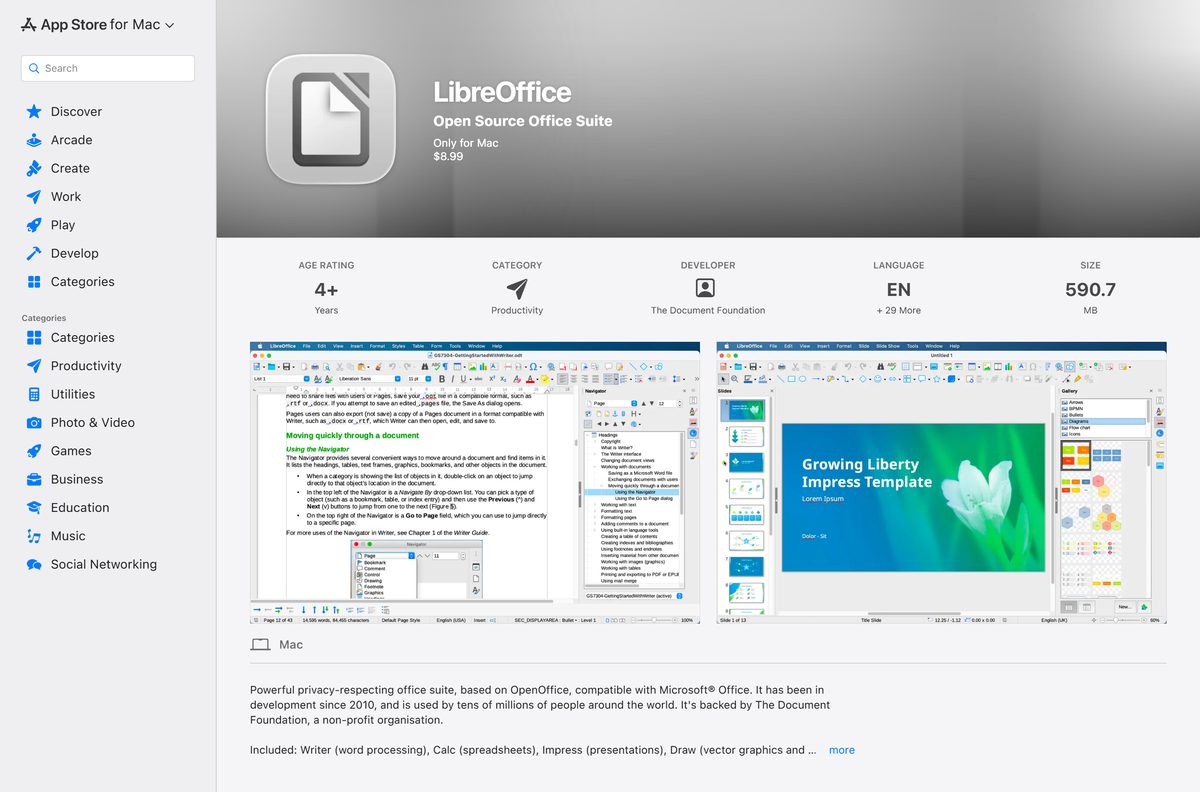
| You prefer App Store updates | LibreOffice on the Mac App Store | Paid, no Java features, trails the website release |
To install, open the .dmg and drag the LibreOffice icon onto Applications in the same window. Enter your administrator password if macOS asks. You need macOS 11 or newer.
Install LibreOffice from the Microsoft Store or Mac App Store
The Document Foundation publishes LibreOffice in both app stores. The store editions update automatically but charge a small fee that funds development.
- On Windows, open the LibreOffice Microsoft Store listing.
- Check that the publisher reads The Document Foundation.
- Select the price button, complete the purchase and let the Store install it.
- On a Mac, open the LibreOffice Mac App Store listing.
- Confirm the developer is The Document Foundation, then select the price and Get.
- Open LibreOffice from Start or Launchpad once the download finishes.
Both store listings carried version 25.8.7 in September 2026, while the website offers newer builds. The Mac App Store edition cannot run Java features such as Java-based extensions.
Is LibreOffice free?
Yes. LibreOffice is free and open source from libreoffice.org on Windows, Mac and Linux, for home, school and business use. The source code is under the Mozilla Public License v2.0, and the download page only invites an optional donation. The Microsoft Store and Mac App Store editions cost a small fee, $8.99 on the Mac App Store, for the same suite. Organisations that need support contracts buy LibreOffice Enterprise versions from certified partners instead.
Which LibreOffice version should you install: 26.8 or 26.2?
The download page offers two branches. The Suite version menu under Configure your download switches between them.
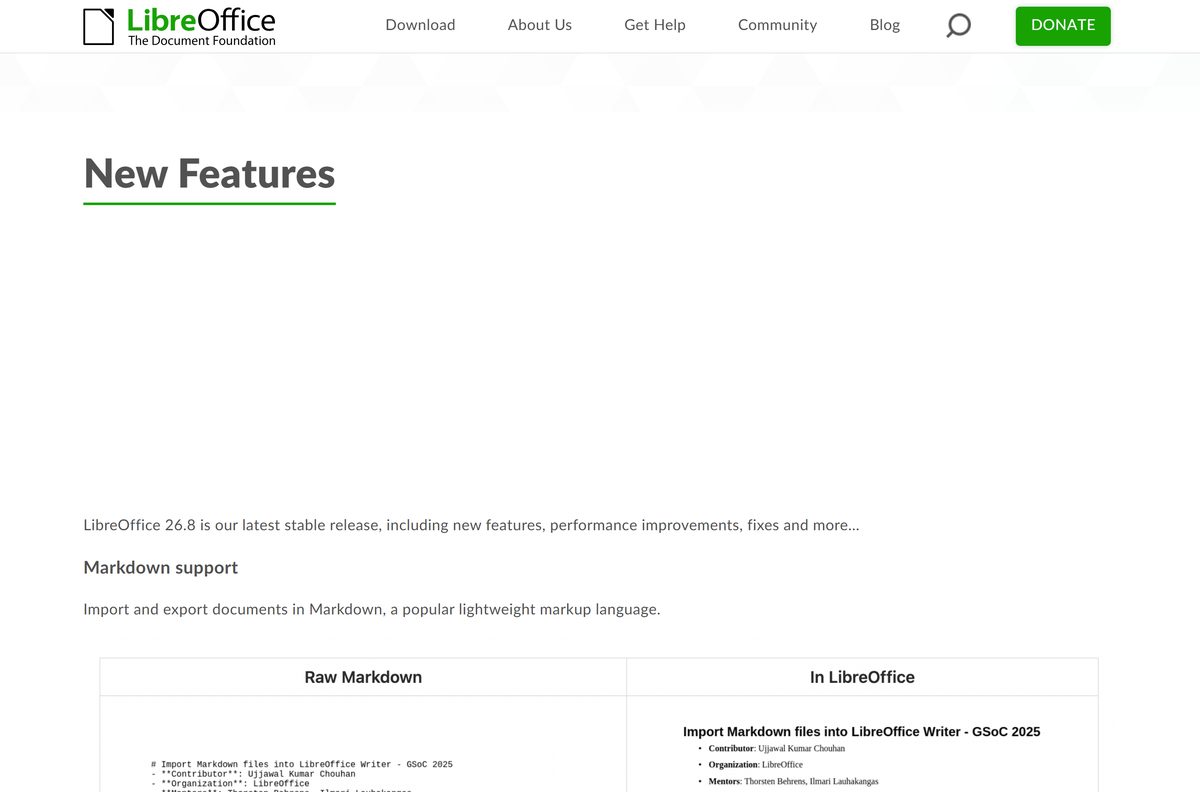
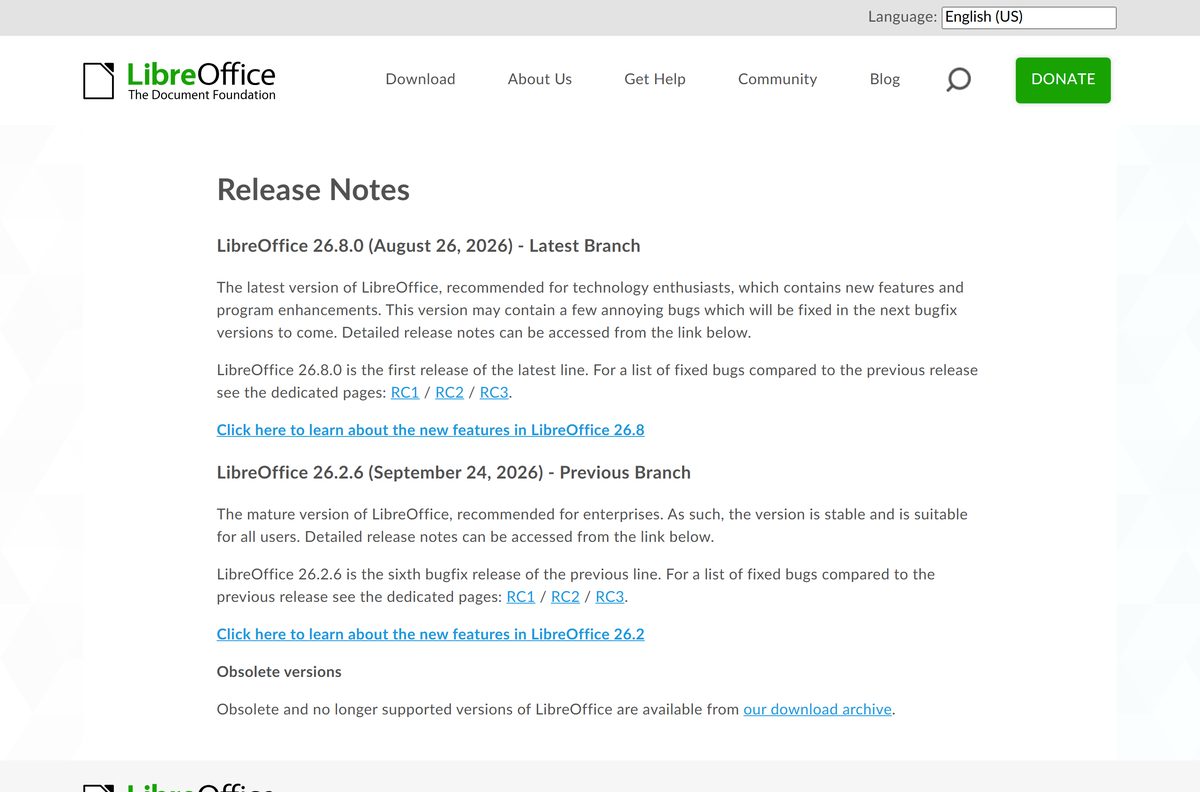
Install 26.8 for the newest features on a personal PC. Install 26.2 on work machines where stability matters most. The Document Foundation calls 26.8 the latest branch, recommended for technology enthusiasts, and notes it may contain a few bugs fixed in later updates. It adds Markdown import and export and connectors in Calc and Writer. The 26.2 line, at 26.2.6 from September 24, 2026, is the mature branch recommended for enterprises.
How to check your LibreOffice version and update it
LibreOffice checks for new versions itself and shows an icon on the menu bar when one is ready.
- Open any LibreOffice app, such as Writer.
- Select Help → About LibreOffice to see the installed version.
- Select Help → Check for Updates to look for a newer release.
- Select Download in the dialog if a new version appears, then install it over the old one.
- To change automatic checks, open Tools → Options → LibreOffice → Online Update.
Updating needs administrator rights. On Linux, updates usually come through your distribution’s package manager instead.
Check the LibreOffice system requirements
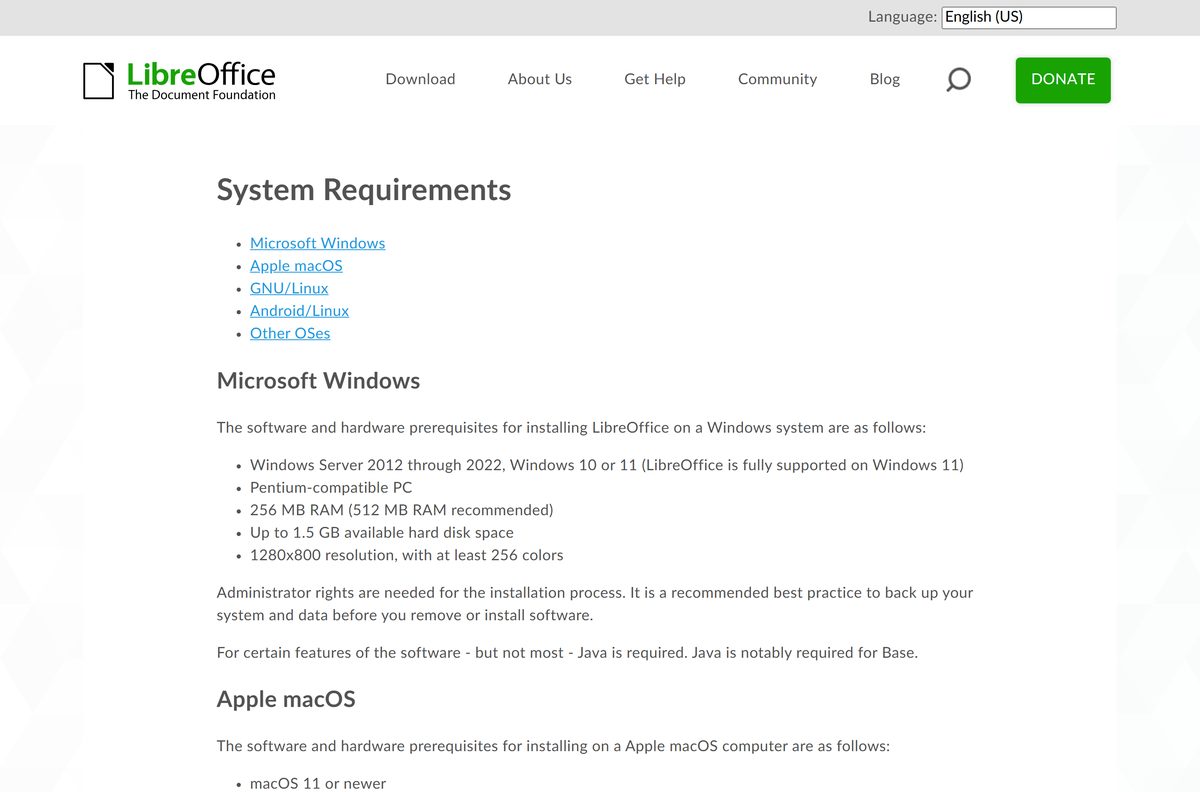
LibreOffice runs on modest hardware. Java is only needed for a few features, most notably Base.
| Field | Value |
|---|---|
| Software | LibreOffice |
| Developer | The Document Foundation |
| Latest version | 26.8.0, released August 26, 2026 |
| Previous branch | 26.2.6, recommended for enterprises |
| License | Free, open source (MPL 2.0) |
| Windows | Windows 10 or 11, Windows Server 2012 through 2022 |
| Windows hardware | 256 MB RAM (512 MB recommended), up to 1.5 GB disk, 1280×800 display |
| Windows builds | x86-64 and ARM64 .msi |
| macOS | macOS 11 or newer, Intel or Apple silicon, 512 MB RAM, up to 800 MB disk |
| Linux | Kernel 4.18+, glibc 2.27+, x86-64-v2 CPU, up to 1.55 GB disk |
| Offline installer | Yes, full .msi and .dmg packages |
| Official download | libreoffice.org |
| Last verified | 2026-09-25 |
The official download offers no 32-bit Windows build, so older 32-bit PCs cannot run the current release from libreoffice.org.
What LibreOffice can open and save
LibreOffice saves in OpenDocument Format by default and reads the common Microsoft Office formats.
| File type | Extensions | Opens in |
|---|---|---|
| Word documents | .doc, .docx | Writer |
| Excel spreadsheets | .xls, .xlsx | Calc |
| PowerPoint presentations | .ppt, .pptx | Impress |
| Microsoft Publisher files | .pub | Import only |
| OpenDocument files | .odt, .ods, .odp, .odg | Writer, Calc, Impress, Draw |
| Markdown | .md, import and export from 26.8 | Writer |
| Export from every app | File → Export as PDF |
To keep sharing .docx or .xlsx files with Microsoft Office users, choose that format in the Save As dialog.
Fix LibreOffice not installing on Windows 11 or 10
The installer says it needs administrator rights
Setup writes to Program Files, which standard accounts cannot change.
- Sign in with an administrator account.
- Run the .msi again and select Yes at the User Account Control prompt.
- On a work PC, ask IT to install it or use the Microsoft Store edition.
Windows says the app cannot run on this PC
The wrong processor build was downloaded, such as ARM64 on an Intel PC.
- Open Settings → System → About and check System type.
- Download the x86-64 .msi for an x64-based processor, or the ARM64 .msi for an ARM-based one.
- Run the matching installer.
The download is corrupt or setup stops with an error
An interrupted download or a damaged file.
- Compare the file’s SHA-256 hash with the mirror list page.
- Delete the file if the hashes differ.
- Download it again from libreoffice.org and rerun setup.
The Intel Mac build will not open on an M-series Mac, or the reverse
The Mac download defaults to Apple silicon.
- Check the Chip line in About This Mac.
- Pick the matching macOS build under Configure your download.
- Drag the new copy onto Applications and replace the old one.
Base or a Java extension reports that Java is missing
Base and some extensions need a Java runtime, and macOS needs a full JDK.
- Install a 64-bit Java runtime, or a JDK on macOS.
- Open Tools → Options → LibreOffice → Advanced.
- Enable Use a Java runtime environment and select the installed Java.
How to uninstall LibreOffice
You do not need to remove LibreOffice before an upgrade, because the new installer overwrites the old version. Uninstall only when you want it gone.
- Close every LibreOffice window.
- On Windows, open Settings → Apps → Installed apps.
- Find LibreOffice, select the … menu and choose Uninstall.
- Uninstall any help pack or language pack listed separately in the same way.
- On a Mac, open Applications and drag LibreOffice to the Bin.
- Empty the Bin to finish.
Your documents stay where you saved them. Your LibreOffice settings stay in your user profile folder unless you delete it.
Choose a LibreOffice alternative
LibreOffice covers most home and office work without a subscription. These options suit other needs.
| Suite | Best for | Price | Guide or page |
|---|---|---|---|
| LibreOffice | Offline work, OpenDocument files, no account | Free, open source | libreoffice.org |
| Microsoft Word and Microsoft 365 | Exact Word formatting and tracked changes with Office users | Subscription, free web version | Microsoft Word download guide |
| Collabora Office | LibreOffice-based editing on Android and iOS | Listed by The Document Foundation | Mobile options on libreoffice.org |
Stay with LibreOffice if you want a full desktop suite that costs nothing. Pick Microsoft 365 when your work depends on exact Office layouts.
Frequently asked questions
Is LibreOffice free?
Yes. LibreOffice is free and open source from libreoffice.org on Windows, Mac and Linux, for personal and business use. The download page only asks for an optional donation. The Microsoft Store and Mac App Store editions charge a small fee for the same suite.
Where is the official LibreOffice download page?
The official page is libreoffice.org/download/download-libreoffice. It detects your system, offers the matching installer, and has a Configure your download box for other versions, operating systems, processors and language packs.
Does LibreOffice work on Windows 11?
Yes. The Document Foundation lists LibreOffice as fully supported on Windows 11, as well as Windows 10 and Windows Server 2012 through 2022. The same .msi installer covers Windows 10 and 11, with separate x86-64 and ARM64 builds.
Is there a 32-bit version of LibreOffice?
The current download page offers Windows builds for x86-64 and ARM64 processors only. A 32-bit Windows PC cannot run the current release from libreoffice.org, so check System type under Settings, System, About before you download.
Which LibreOffice version should I download?
Pick the latest branch, 26.8, for the newest features such as Markdown import and export. Pick the previous branch, 26.2, for business machines, because The Document Foundation recommends that mature line for enterprises.
How do I install LibreOffice on a Mac?
Download the .dmg that matches your chip, Apple silicon or Intel, then open it. Drag the LibreOffice icon onto the Applications icon in the same window and enter your administrator password if macOS asks. You need macOS 11 or newer.
Is LibreOffice on the Mac App Store the same app?
It is the same suite from The Document Foundation, sold for $8.99. The App Store build cannot use Java features such as Java-based extensions, and it trailed the website release, at version 25.8.7 in September 2026.
Is the LibreOffice download safe?
Yes, when you start at libreoffice.org. Files come from download.documentfoundation.org through nearby mirrors, and each file’s mirror list page shows a SHA-256 hash you can compare. Sites that charge for the desktop download are not The Document Foundation.
Is there LibreOffice for Android or iPhone?
The Document Foundation offers a LibreOffice viewer for Android with experimental editing. For full editing on Android and iOS, libreoffice.org points to Collabora Office, a LibreOffice-based app from one of its certified partners.