Apple Numbers is a free spreadsheet app, and the download lives in the App Store for Mac, iPhone and iPad. A Windows 11 or Windows 10 PC opens the same spreadsheets at iCloud.com in a browser.
Nothing here costs money. An Apple Account is the only thing you need, and it carries 5 GB of iCloud storage to hold the files.
Below: the right route for your device, install steps for a Mac and a PC, Excel import and export, version checks, fixes and clean removal.
Which Apple Numbers download do you need?
Match your device to a row. Every route is free and comes from Apple.
| Your device | What to get | Cost and size |
|---|---|---|
| Mac on macOS 15.6 or later | App Store app on the Mac | Free |
| iPhone or iPad on iOS 18.0 or later | App Store listing | Free, 650.5 MB |
| Windows 11 or Windows 10 PC | Numbers for iCloud | Free, nothing installs |
| Mac on an older macOS | Numbers for iCloud | Free, nothing installs |
| Windows PC that needs the files in File Explorer | iCloud for Windows | Free, 338.8 MB |
The spreadsheets themselves live in iCloud Drive, so a file made on an iPhone opens on a PC minutes later.
Download Apple Numbers from Apple’s own pages
These are the addresses Apple publishes. A portal offering a repackaged setup file for a store app has nothing genuine to hand you.
- Numbers on the App Store — 650.5 MB · Apple Inc., Productivity, iOS 18.0 or later, rated 4+
- Numbers for iCloud — the browser version, and the route for a Windows PC
- Apple’s support home for the app — user guides for Mac, iPad, iPhone and the browser
- Numbers User Guide for Mac — covers the current release and where to check your build
- iCloud for Windows on the Microsoft Store — 338.8 MB · Apple Inc., x64, Windows build 10.0.18362.145 or later
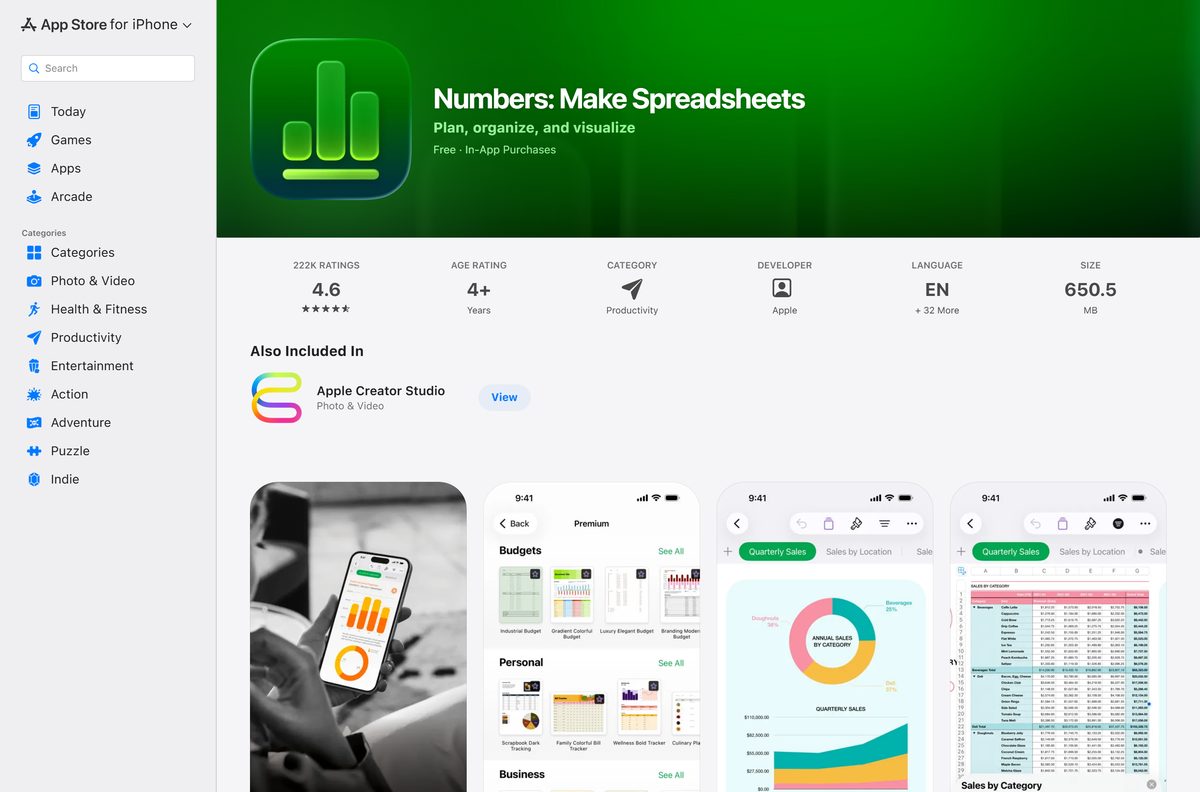
Check the Apple Numbers system requirements
The Mac release tracks macOS closely, so an older Mac is the usual reason an install stalls.
| Field | Value |
|---|---|
| Software | Numbers |
| Developer | Apple Inc. |
| Latest version | 15.3, released 30 June 2026 |
| Price | Free |
| Mac | macOS 15.6 or later |
| iPhone and iPad | iOS 18.0 or later |
| Windows | No native build; iCloud.com in Chrome 130, Edge 130 or Firefox 128 and later |
| App Store size | 650.5 MB for the iPhone and iPad build |
| Architecture | 64-bit only |
| Category | Productivity |
| Age rating | 4+ |
| Languages | English and 32 more |
| Official source | apps.apple.com and icloud.com |
| Last verified | 2026-09-22 |
A work Mac managed by an employer may block the App Store, in which case the browser version still opens.
How to install Numbers on a Mac from the App Store
A new Mac already has the app in the Applications folder. Use these steps when it was removed, or when a fresh copy is needed.
- Open the App Store app on the Mac.
- Type Numbers in the search field, then press Return.
- Click the app name or icon to open its description page.
- Click Get, then confirm with your Apple Account.
- Wait for the download to finish; the button changes to Open.
- If the app was installed before, click your name in the bottom-left corner, then click the download button beside it.
- Open the app and pick a template to confirm it runs.
How to open Apple Numbers on a Windows 11 or 10 PC
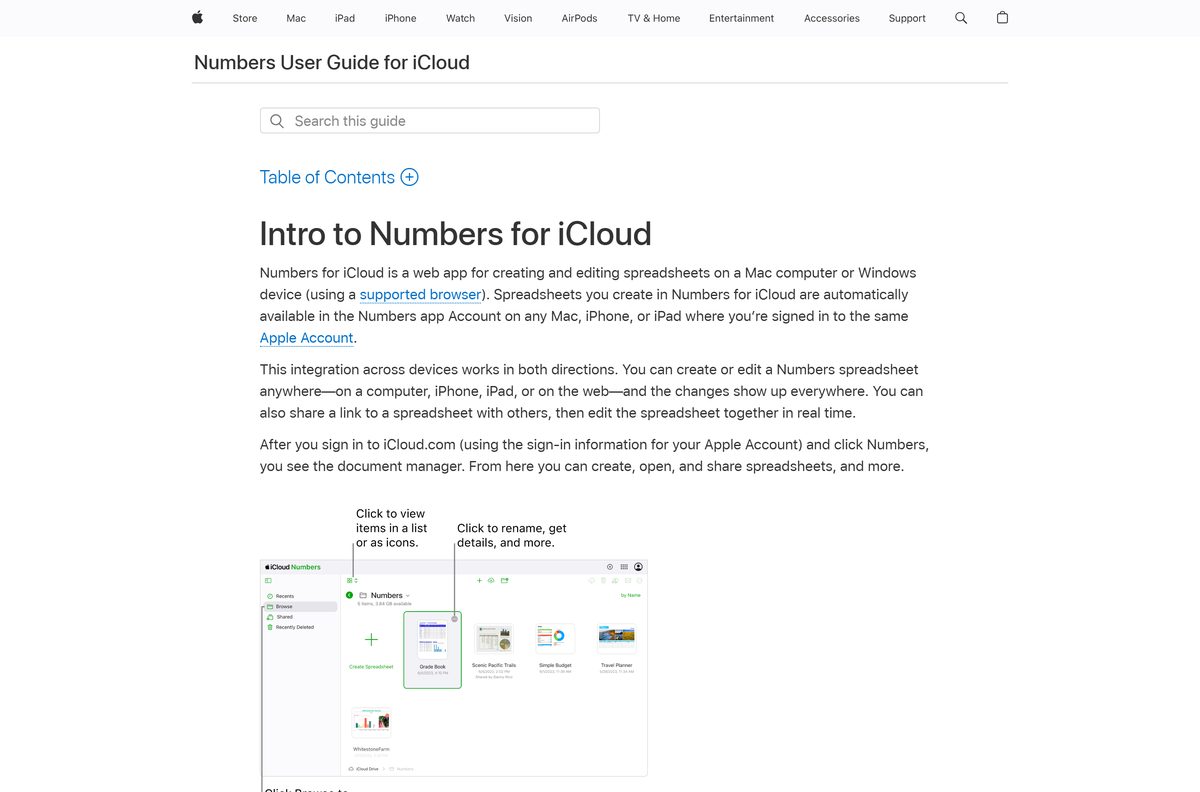
Apple calls this a web app for a Mac computer or a Windows device. It edits real spreadsheets, and nothing installs on the PC.
- Open Google Chrome 130, Microsoft Edge 130 or Firefox 128, or a later release of one of them.
- Go to icloud.com/numbers.
- Sign in with your Apple Account and finish the sign-in prompts.
- Wait for the document manager to appear.
- Drag a spreadsheet from the PC into the document manager, or click Upload in the toolbar, select a file, then click Choose or Open.
- Double-click a spreadsheet to edit it in the browser.
- To take a copy back to the PC, click More, choose Download a Copy, then pick a format.
Chrome has to run in desktop mode. A phone browser reaches the site but not the editor.
Which Numbers route fits your Mac?
Click the Apple menu and choose About This Mac to read the macOS version, then match it below.
| Your Mac | Route | Why |
|---|---|---|
| macOS 15.6 or later | Numbers 15.3 from the App Store | the current release needs that system |
| macOS older than 15.6 | Numbers for iCloud | the browser version sets no macOS floor |
| A Mac you do not own | Numbers for iCloud in Safari 13.1 or later | nothing is installed and nothing is left behind |
What Apple Numbers can open and export
Excel files move in and out in both directions, which matters when the rest of the office runs Windows.
| Task | Formats | Where |
|---|---|---|
| Open on a Mac | Excel spreadsheets, delimited text, fixed-width text | Drag the file onto the app icon, or choose File > Open |
| Export on a Mac | PDF, Excel, CSV, TSV, Numbers ’09 | File > Export To |
| Upload in a browser | Numbers, Excel, CSV | The Upload button in the document manager |
| Download in a browser | Numbers, PDF, Excel, CSV | More > Download a Copy |
Choose CSV in the browser and each sheet arrives as its own CSV file.
The Numbers ’09 export exists for Numbers 2.0 through 2.3 on a Mac, and a very large table can fail to convert.
Is Apple Numbers free?
There is no trial, no licence key and no paid edition of the app itself.
The app is free on the App Store and free in a browser, on every device Apple supports. Storage is the only part with a price. An Apple Account starts with 5 GB of iCloud storage, and iCloud+ raises that for $0.99 a month at 50 GB, $2.99 at 200 GB and $9.99 at 2 TB. A site charging for an installer is selling a free app, and a site bundling its own setup wrapper is worse than that.
Collaboration, templates and Excel export are all included, so a paid plan buys room rather than features.
Should you use the Mac app or the browser version?
Both edit the same file in iCloud Drive, so the choice is about the machine in front of you.
Install the Mac app when the Mac runs macOS 15.6 or later, and use the browser version on a PC or an older Mac. The installed app keeps working with no connection, opens files by drag and drop, and exports to TSV and to the old 2009 format. The browser version needs a current browser and a live connection, but it runs on a Windows device that has no native app at all.
How to check your Numbers version and update it
Apple ships spreadsheet updates through the App Store rather than through the app itself.
- Open the app on the Mac.
- Click Numbers in the menu bar, then choose About Numbers.
- Read the version number in the panel, then close it.
- Open the App Store app.
- Click Updates in the sidebar.
- Click Update beside the app, or click Update All.
- Choose App Store > Settings, then select Automatic Updates to keep it current by itself.
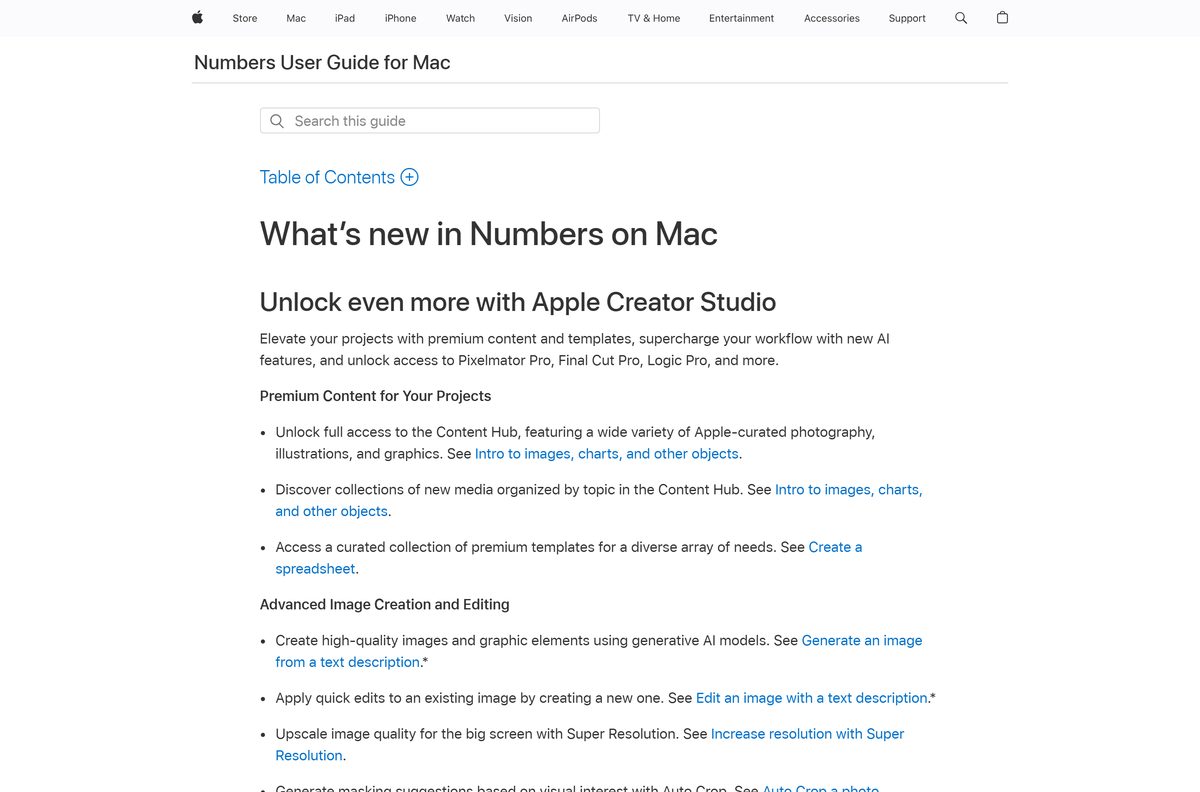
The June release added hidden sheets, colored sheet tabs and quicker image replacement from the Content Hub.
The browser version updates on Apple’s side, so there is nothing to click there.
Fix Apple Numbers not installing or opening
Four failures cover almost every report. Work through the one that matches.
The App Store will not install it on your Mac
Numbers 15.3 needs macOS 15.6 or later, and an older system is offered nothing.
- Click the Apple menu, then choose About This Mac.
- Read the macOS version shown there.
- Open System Settings, click General, then click Software Update.
- Install any macOS update that is offered, then restart.
- Open the App Store app and try Get again.
- Use Numbers for iCloud on a Mac that cannot move up.
The browser version will not load on your PC
Apple supports Chrome 130 or later, Edge 130 or later and Firefox 128 or later on a PC.
- Open the browser’s About page and update it to a current release.
- Restart the browser, then open icloud.com/numbers again.
- Sign in with the Apple Account that holds the spreadsheet.
- Switch the browser out of mobile or compatibility mode.
- On a Mac, use Safari 13.1 or later instead.
An imported Excel or text file looks wrong
A delimited or fixed-width text file is read with import settings that you can still change.
- Close the imported spreadsheet without editing the table.
- Open the file again by dragging it onto the app icon in the Dock.
- Adjust the import settings before you touch a cell.
- Check that merged cells and pivot tables survived the conversion.
- Ask the sender for a CSV export when a large Excel file keeps breaking.
A spreadsheet will not upload to the browser version
Only Numbers, Excel and CSV files upload, and the account needs free iCloud space.
- Confirm the file is a Numbers, Excel or CSV file.
- Open Settings at iCloud.com and read the storage bar.
- Delete large files or backups to clear room inside the 5 GB.
- Upgrade to iCloud+ at $0.99 a month for 50 GB when the account stays full.
- Upload the file again from the Upload button in the toolbar.
How to uninstall Numbers from a Mac
Deleting the app leaves your spreadsheets alone. They sit in iCloud Drive, not inside the app.
- Quit the app if it is running.
- Click the Finder icon in the Dock.
- Click Applications in the Finder sidebar.
- Drag the app from Applications to the Trash at the end of the Dock.
- Empty the Trash to remove it permanently.
- To bring it back, open the App Store app, click your name in the bottom-left corner, then click the download button beside it.
Your files stay reachable at icloud.com/numbers while the Mac has no app installed.
Which Apple Numbers alternatives fit your work?
Pick by where the file has to travel, not by feature lists.
| Alternative | Where it runs | What it gives you |
|---|---|---|
| Microsoft Excel | Mac, iPhone and iPad from the App Store | the .xlsx format as its own native file |
| Google Sheets | any current browser | spreadsheets tied to a Google Account instead of an Apple one |
| Numbers for iCloud | a supported browser on a PC or a Mac | the same spreadsheet with no install at all |
Apple’s word processor follows the same pattern, and Apple Pages reaches a PC the same way.
Frequently asked questions
Is Apple Numbers free?
Yes. The App Store lists it at no cost for Mac, iPhone and iPad, and the browser version costs nothing either. Only storage carries a price: an Apple Account includes 5 GB of iCloud storage, and iCloud+ starts at $0.99 a month for 50 GB.
What is the official Apple Numbers download page?
The App Store listing at apps.apple.com is the download page for Mac, iPhone and iPad, and apple.com/numbers opens Apple’s support home for the app. The browser version sits at icloud.com/numbers and needs no download.
Can you download Apple Numbers for Windows 11?
Apple publishes no Windows installer. A Windows 11 or Windows 10 PC runs the spreadsheet app at icloud.com/numbers in Chrome 130, Edge 130 or Firefox 128 and later. Installing iCloud for Windows also puts the files in File Explorer.
What is the Apple Numbers download size?
650.5 MB for the iPhone and iPad build on the App Store. The Mac copy arrives through the App Store app, which shows its size before the install starts, and the browser version downloads nothing at all.
Is there an offline installer for Apple Numbers?
No. Apple ships the app only through the App Store, so there is no standalone package to copy between machines. The App Store redownloads it on any device signed in with the same Apple Account.
How do you install Numbers on a Mac?
Open the App Store app, search for it, click the name to open its page, then click Get. A new Mac already has it in the Applications folder, and a past install reappears under your name in the bottom-left corner.
Does Apple Numbers open Excel files?
Yes. On a Mac it opens Excel spreadsheets, delimited text and fixed-width text files, and it exports to PDF, Excel, CSV, TSV and the 2009 format. The browser version uploads Numbers, Excel and CSV files.
Is the Apple Numbers download safe?
It is safe from the App Store and from icloud.com, where Apple signs and serves the app itself. Download portals repackage installers with their own wrappers, and a store app has no installer for them to pass on honestly.
What is the latest Apple Numbers version?
Numbers 15.3, released on 30 June 2026. It added hidden sheets, colored sheet tabs and faster image replacement from the Content Hub. Click the app name in the menu bar and choose About Numbers to see your own build.
Why will Apple Numbers not install on a Mac?
The current release requires macOS 15.6 or later, so an older Mac is offered nothing in the App Store. Run Software Update from System Settings, restart, then try again. Use the browser version on a Mac that cannot move up.