The Destiny 2 download for PC is free on Windows 11 and Windows 10 through Steam, the Epic Games Store or the Microsoft Store. Add the game to your library in any of the three, and the free-to-play base game installs at no cost.
Bungie develops and publishes Destiny 2. The same game runs on PlayStation 4, PlayStation 5, Xbox One and Xbox Series X|S, and Cross Save carries your Guardians between platforms.
This guide covers which store to use, the official links, install steps, what is free and what is paid, PC requirements, storage space and fixes for failed installs.
Which Destiny 2 download do you need?
Every PC route installs the same game through a launcher. Match your setup to a row and use that link.
| Your setup | Where to get it | Space it needs |
|---|---|---|
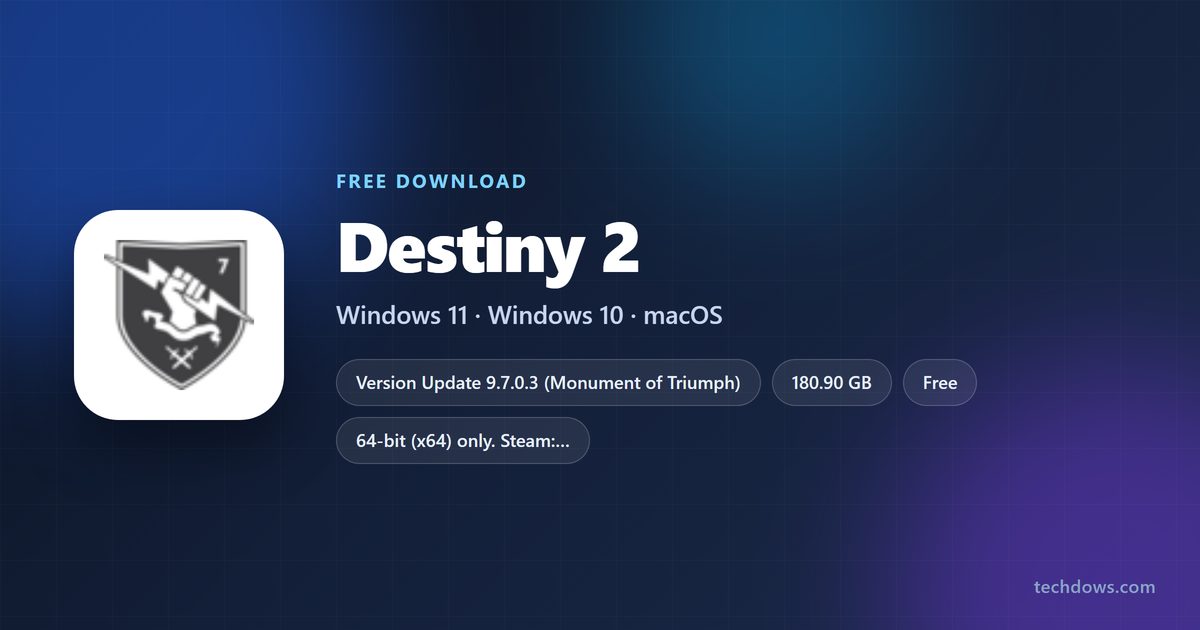
| Windows PC that already runs Steam, or no launcher yet | Destiny 2 on Steam | 180.90 GB, and 353 GB free while a major update pre-loads |
| Windows PC that already runs the Epic Games Launcher | Destiny 2 on the Epic Games Store | 180.65 GB, and 352.56 GB free while a major update pre-loads |
| Windows PC with the Xbox app or an Xbox console account | Destiny 2 on the Xbox and Microsoft Store | 181.76 GB |
| PlayStation 4 or PlayStation 5 | Search the PlayStation Store for Destiny 2, then select Download | 178.79 GB on PS4, 179.23 GB on PS5 |
| Mac or Steam Deck | Steam platform list (Windows only) | No macOS or SteamOS build |
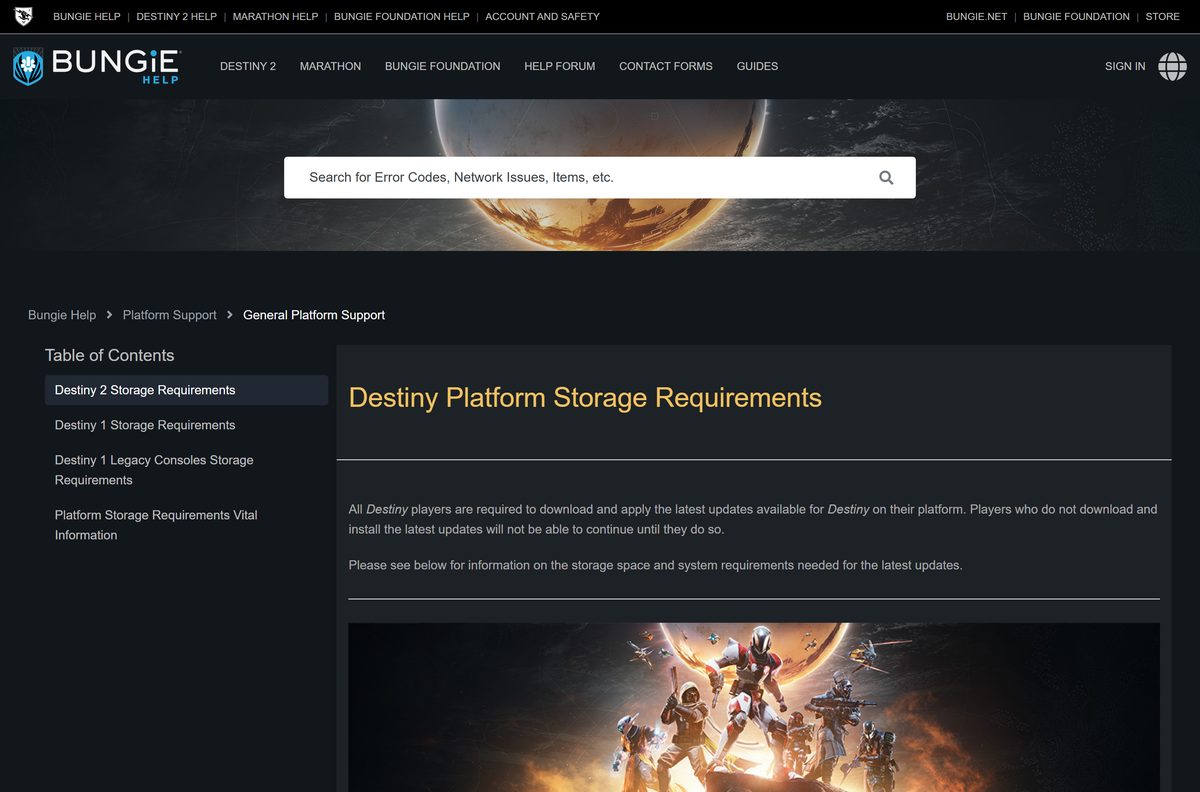
The sizes come from Bungie’s storage table and cover the game with every expansion and update. Each launcher downloads the files itself, so there is no standalone setup file.
Download Destiny 2 from the official stores
Bungie is listed as developer and publisher on every official store page. Start from Bungie’s own free-to-play page if you want to confirm the links.
- Destiny 2: Play for Free on bungie.net — Bungie’s official free-to-play page
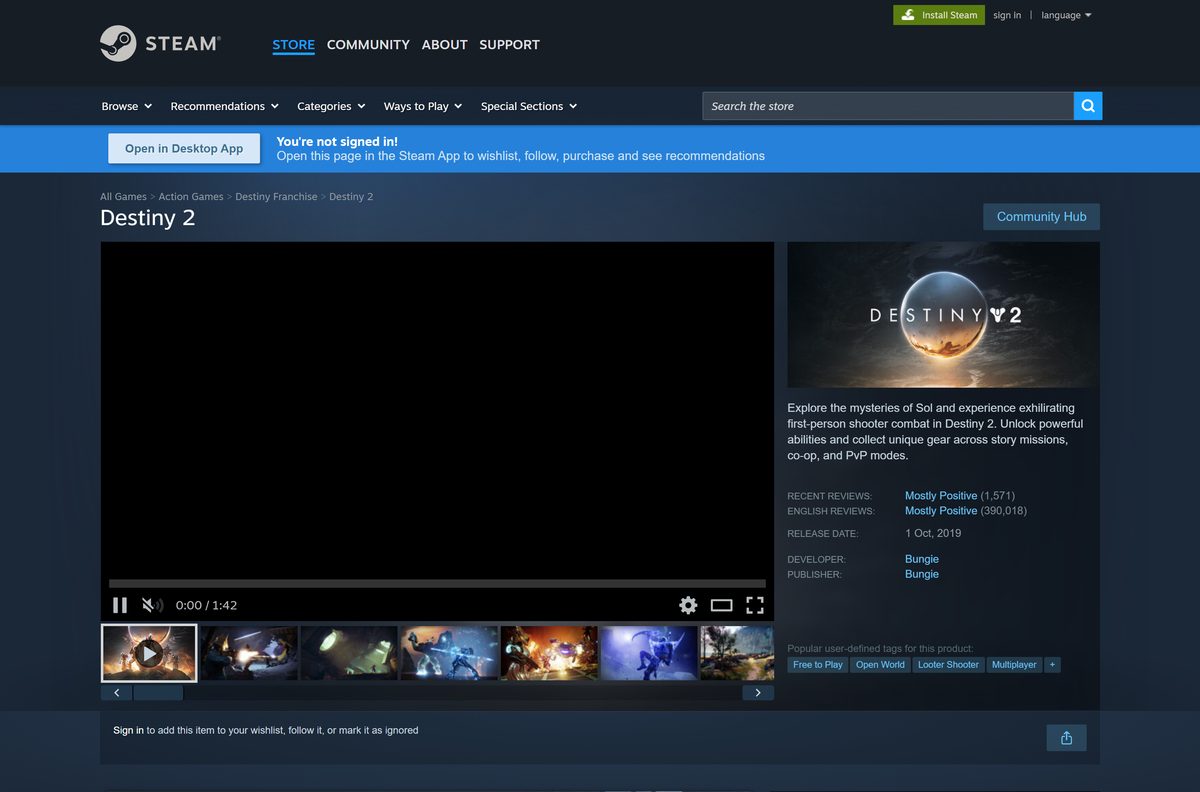
- Destiny 2 on Steam — Free To Play, Windows only, in-app purchases
- Destiny 2 on the Epic Games Store — Linked from Bungie’s Epic Games Store guide
- Destiny 2 on the Xbox and Microsoft Store — Free, x64 package for Windows PCs
- Destiny 2 on PC System Requirements (Bungie Help) — Minimum and recommended hardware
Link your Steam, Epic or Microsoft account to a Bungie.net profile after you sign up. That link enables Cross Save and the Destiny Companion features.

How to install Destiny 2 on Windows 11 and 10 with Steam
Steam is required to play the Steam version. Install the Steam app first, then follow these steps.
- Create a Steam account, or sign in to your existing one.
- Download and install the Steam app from store.steampowered.com.
- Open the Destiny 2 product page in Steam.
- Select Play Game to add the free game to your account.
- Pick a drive with at least 181 GB free in the install dialog, then select Install.
- Allow BattlEye to install when Steam asks, because the game cannot launch without it.
- Wait for the download to finish, then launch Destiny 2 from your Library.
- Sign in and link your Steam account to a Bungie.net profile.
New Steam accounts stay under Limited User Account status until $5.00 or more is spent in the Steam Store.
Install Destiny 2 from the Epic Games Store or the Microsoft Store
Epic and Microsoft install the same free game. Use the launcher you already have, because add-ons you buy stay on that platform.
Install with the Epic Games Store
Bungie has offered Destiny 2 on the Epic Games Store since August 23, 2022, for 64-bit Windows 10 and later.
- Create an Epic Games account, or sign in.
- Download and install the Epic Games Launcher.
- Open the Destiny 2 product page and select Get.
- Open your Library in the launcher and select Install on Destiny 2.
- Launch the game when the download completes and link your Epic account to Bungie.net.
Install with the Microsoft Store or Xbox app
Use the same Microsoft Account as your Xbox console to keep one Gamertag and shared Silver.
- Open Microsoft Store or the Xbox app from the Start menu.
- Select the Profile icon and sign in with your Microsoft Account.
- Type Destiny 2 in the search bar and open the game page.
- Select Get, then start the installation from the same page.
- Select Play on the game page, or open Destiny 2 from the Start menu.
Which way can you play Destiny 2 on a Mac?
Destiny 2 has no macOS version. Steam lists Windows as its only platform, and Bungie’s PC requirements name 64-bit Windows 10 as the operating system.
| Your situation | What to do | Link |
|---|---|---|
| Mac, plus a Windows 10 or 11 PC in the house | Install the free game on the PC through Steam, Epic or the Microsoft Store | Destiny 2 on Steam |
| Mac, plus a PlayStation or Xbox | Download the free console version and turn on Cross Save to share characters | Bungie install and update guides |
| Mac only | There is no native build; check Bungie’s platform list before buying hardware | Bungie PC system requirements |
Is Destiny 2 free to download and play?
The base game costs nothing on Steam, Epic, the Microsoft Store and consoles. Expansions and some activities are paid.
Yes. Download the free base game first, and buy an expansion only when you want its campaign, raids or dungeons. Bungie’s Destiny 2 page is titled Play for Free, Steam lists the game as Free To Play with in-app purchases, and the Microsoft Store lists a price of $0. Bungie sells Destiny 2: The Collection and expansions such as The Witch Queen, Lightfall, The Final Shape, The Edge of Fate and Renegades separately, and some raids and dungeons require them or a Dungeon Key.
Add-ons do not transfer between PC stores. A copy of The Final Shape bought on Steam stays on Steam even when Cross Save moves your characters to Epic.
Treat any site that sells a Destiny 2 setup file or a cracked full version as a scam.
How to check the Destiny 2 version and install the latest update
The current build is Update 9.7.0.3, released July 7, 2026, on top of Monument of Triumph. The game refuses to connect with error code CAT until every pending update is installed.
Update on Steam
Steam queues the update under Downloads once it detects the new build.
- Exit Steam completely, including the icon in the Windows taskbar tray.
- Reopen Steam and check Downloads for Destiny 2.
- Select the download button if automatic updates are off.
- Run Verify integrity of game files if the update still does not appear.
Update on the Epic Games Store
Epic starts the update automatically after a launcher restart.
- Exit the Epic Games Launcher, including the taskbar tray icon.
- Reopen the launcher and let the Destiny 2 update download.
- Verify the game files in your Library if no update appears.
Update on the Microsoft Store or Xbox app
Windows can hold game updates until you ask for them.
- In Microsoft Store, select … next to your profile icon, then Downloads and updates, then Get updates.
- In the Xbox app, select My Collection, then Manage Installs, and update Destiny 2.
- Turn on automatic updates on the same screen.
Bungie ended planned content updates with Update 9.7.0 and now ships only hotfixes. Its September 17, 2026 post says vaulted campaigns, destinations and raids will return to the game in future updates.
Check the Destiny 2 PC system requirements before you download
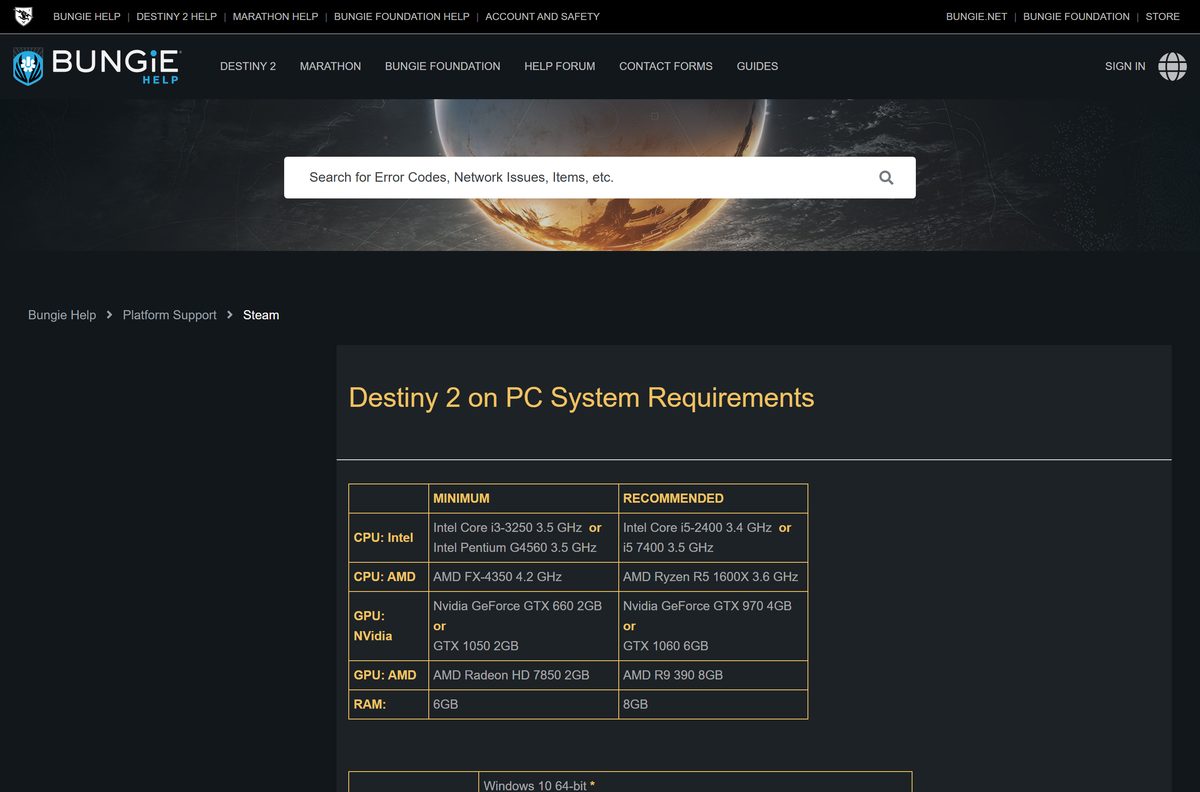
Bungie and Steam list the same Windows hardware. Meet the recommended column for steadier frame rates in raids and Crucible.
| Field | Value |
|---|---|
| Game | Destiny 2 |
| Developer | Bungie |
| Publisher | Bungie |
| Latest version | Update 9.7.0.3 (Monument of Triumph) |
| Price | Free-to-play base game, paid expansions |
| Supported OS | Windows 10 64-bit or later; no macOS, Linux or SteamOS version |
| Architecture | 64-bit (x64) only |
| Processor | Intel Core i3-3250, Pentium G4560 or AMD FX-4350 minimum; Intel Core i5-2400, i5 7400 or AMD Ryzen R5 1600X recommended |
| Memory | 6 GB RAM minimum, 8 GB recommended |
| Graphics | GeForce GTX 660 2GB, GTX 1050 2GB or Radeon HD 7850 2GB minimum; GeForce GTX 970 4GB, GTX 1060 6GB or Radeon R9 390 8GB recommended |
| Storage | 180.90 GB on Steam, 180.65 GB on Epic, 181.76 GB on the Microsoft Store |
| Network | Broadband internet required |
| Offline installer | No, Steam, Epic or the Microsoft Store downloads the game |
| Official sources | Steam, Epic Games Store, Microsoft Store and Xbox app |
| Last verified | 2026-09-24 |
Bungie does not officially support laptops, although a laptop that meets the minimum may run the game. Steam’s store page still shows 105 GB of storage, so plan for Bungie’s larger figure.
To check your PC, open Settings, select System, then About. The Installed RAM and System type lines show your memory and whether Windows is 64-bit.
How to verify and repair the Destiny 2 game files
There is no setup file to checksum, because each launcher downloads the game itself. Bungie’s fix for corrupted files, error code MARMOT, is a file check in the launcher.
Verify on Steam
Steam compares the installed files with the current build and redownloads anything damaged.
- Close Destiny 2.
- Right-click Destiny 2 in your Steam Library.
- Select Properties, then the Installed Files tab (Local Files in older Steam builds).
- Select Verify integrity of game files.
- Restart Destiny 2 once the check finishes.
Verify on the Epic Games Store
Epic runs the same file check from the game’s Manage menu.
- Close Destiny 2.
- Right-click Destiny 2 in the Epic Games Library.
- Select Manage, then Verify.
- Restart Destiny 2 once the check finishes.
Fix Destiny 2 not downloading, installing or launching on Windows 11 or 10
Find the symptom that matches your screen and follow the fix under it.
The download stops or runs out of space
Major updates need close to double the install size while they pre-load on Steam and Epic.
- Open Settings, select System, then Storage, and check the free space on the target drive.
- Free at least 353 GB on Steam or 352.56 GB on Epic during a major update.
- Move the game to a larger drive from the launcher if you cannot free enough space.
- Restart the download.
Error code CAT when you launch
A new update is available and the game will not connect until it is installed.
- Exit Destiny 2.
- Close the launcher completely, including its taskbar tray icon.
- Reopen the launcher and install the pending update.
- Relaunch the game.
Error code MARMOT or the game crashes on load
The game files are corrupted and need repairing.
- Verify the game files in Steam or Epic, as shown in the section above.
- On Steam, open Browse under the installed files, delete everything except the packages folder, then verify again.
- Run chkdsk on the drive if the error returns.
- Uninstall and reinstall the game if the files still fail.
Error code PLUOT or the game will not start
BattlEye anti-cheat is missing or was blocked, or the game was started from its install folder.
- Launch Destiny 2 from Steam, Epic or the Xbox app, never from the install folder.
- Allow BattlEye to install when the launcher asks.
- Verify the game files to reinstall BattlEye if you removed it.
- Restart your PC and launch the game again.
How to uninstall Destiny 2 on PC
Uninstalling frees about 181 GB but keeps your characters and purchases, which live on your Bungie.net and platform accounts. Use the launcher you installed from.
- Close Destiny 2.
- On Steam, right-click Destiny 2 in your Library, select Manage, then Uninstall.
- On Epic, right-click Destiny 2 in your Library, select Manage, then Uninstall.
- For the Microsoft Store version, open Settings, select Apps, then Installed apps.
- Select … next to Destiny 2, choose Uninstall and confirm.
Frequently asked questions
Is Destiny 2 free to download on PC?
Yes. The Destiny 2 base game is free-to-play on Steam, the Epic Games Store and the Microsoft Store. Expansions such as The Final Shape and The Edge of Fate are paid, and some raids and dungeons require them.
Where is the official Destiny 2 download for PC?
Start at Bungie’s Play for Free page on bungie.net, then get the game from Steam, the Epic Games Store or the Microsoft Store. Bungie is the developer and publisher on every official listing.
Does Destiny 2 work on Windows 11?
Bungie lists 64-bit Windows 10 as the required operating system, and the Microsoft Store package installs on Windows 10 and later desktop builds, including Windows 11. Your PC still needs at least 6 GB of RAM and a GeForce GTX 660 or Radeon HD 7850.
How big is the Destiny 2 download on PC?
Plan for about 181 GB. Bungie lists 180.90 GB on Steam, 180.65 GB on the Epic Games Store and 181.76 GB on the Microsoft Store, with all expansions and updates included.
Is there a Destiny 2 offline installer?
No. Steam, the Epic Games Launcher or the Microsoft Store downloads the game over the internet, and Bungie offers no standalone setup file. The game also needs a broadband connection to play.
Can you download Destiny 2 on a Mac?
No. Steam lists Windows as the only supported platform, and Bungie offers no macOS build. Mac owners can play the free PlayStation or Xbox version and share characters with Cross Save.
Can you play Destiny 2 on Steam Deck?
No. Bungie blocks SteamOS and Proton, so the game returns you to the library after a short time. It runs on a Steam Deck only when Windows is installed on the device.
Is Destiny 2 64-bit only?
Yes. Steam states the game requires a 64-bit processor and operating system, and the Microsoft Store package is x64 only. Check System type under Settings, System, About to confirm your PC is 64-bit.
Is it safe to download Destiny 2?
Yes, from the official stores. Steam, the Epic Games Store and the Microsoft Store all list Bungie as publisher. Avoid sites offering a Destiny 2 setup file and any page asking for your account password.
What is the latest version of Destiny 2?
The latest version is Update 9.7.0.3, released July 7, 2026, following the Monument of Triumph update on June 9, 2026. Restart your launcher to pull any newer hotfix before you play.
Why won’t Destiny 2 install on my PC?
The usual cause is disk space, because major updates need up to 353 GB free on Steam while they pre-load. Other causes are a blocked BattlEye install and pending updates that trigger error code CAT.