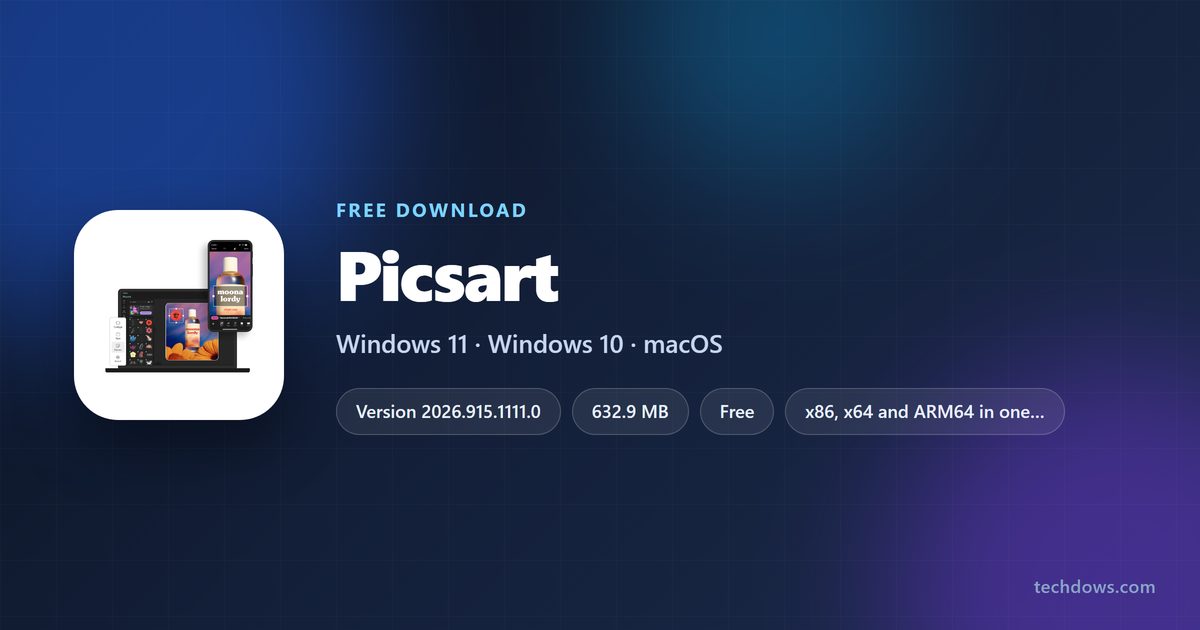
The Picsart download for Windows 11 and Windows 10 is a free Microsoft Store app, and it installs in a couple of clicks. One package covers x86, x64 and ARM64 PCs, so you never pick a build.
On a Mac with an Apple M1 chip or later, the same account runs the App Store app. Every other Mac opens the browser editor at picsart.com instead.
Below: which route fits your machine, the official links, install steps, the winget command, what Plus and Pro cost, and fixes when the Store stalls.
Which Picsart download do you need?
Match your machine to a row. Every link goes to picsart.com or to an official app store.
| Your device | What to open | Note |
|---|---|---|
| Windows 11 or Windows 10 PC, any processor | Picsart Photo Editor on the Microsoft Store | Free, one package for x86, x64 and ARM64 |
| Windows PC you set up from a script | Same listing, installed by winget | Use the msstore source and product ID 9WZDNCRFJ10M |
| Mac with an Apple M1 chip or later | Picsart on the App Store | Needs macOS 12.0 or later |
| Intel Mac, Chromebook or a locked-down work PC | Browser editor | Nothing to install |
| iPhone or iPad | Picsart on the App Store | Needs iOS 15.0 or iPadOS 15.0 or later |
| Android phone or tablet | Picsart on Google Play | Free, package com.picsart.studio |
Press Windows + R, type winver and select OK to read your build number. Anything below 19041 cannot install the Store package.
Download Picsart for Windows 11 and Windows 10
The Windows app ships through the Microsoft Store only. There is no .exe or .msi anywhere on picsart.com, and the Download photo editor button on the vendor’s Windows page opens the Store listing.
- Picsart Photo Editor on the Microsoft Store — 632.9 MB bundle, 338.5 MB installed · publisher PicsArt Inc., product ID 9WZDNCRFJ10M
- Windows photo editor page on picsart.com — the vendor page that points at the Store
- Browser editor — works on any Mac, Chromebook or PC
- Picsart on the App Store — up to 269.9 MB · iPhone, iPad and Apple silicon Macs
- Picsart on Google Play — Android phones and tablets
Portal copies of a Store app are repackaged files the vendor never published. Microsoft’s own guidance is to get apps from official publisher websites or stores.
Check the Picsart system requirements before you install
The Windows build number is the only hard gate on a PC. On a Mac, the chip matters more than the macOS release.
| Field | Value |
|---|---|
| Software | Picsart Photo Editor |
| Developer | PicsArt, Inc. |
| Latest version | 2026.915.1111.0 on Windows (15 September 2026); 30.8.2 on iPhone and iPad |
| Licence | Free plan, with Plus, Pro and Ultra sold as subscriptions |
| Supported OS | Windows 10 version 2004 (build 19041) or later and Windows 11; macOS 12.0 or later on Apple silicon; iOS and iPadOS 15.0 or later |
| Architecture | x86, x64 and ARM64 in one Store package; Apple silicon only on Mac |
| Download size | 632.9 MB for the full multi-architecture bundle |
| Install size | 338.5 MB on one PC |
| Offline installer | No, Store delivery only |
| Languages | 30, including English, Spanish, German, Japanese and Hindi |
| Store rating | 3.9 out of 5 from 181,235 ratings |
| Official download source | Microsoft Store, App Store, Google Play, picsart.com |
| Last verified | 2026-09-22 |
How to install Picsart on Windows 11 and 10
- Open the Windows photo editor page and select Download photo editor.
- Confirm the listing that opens reads Picsart Photo Editor from PicsArt Inc.
- Select Get in Store app, then Open Microsoft Store when the browser asks.
- Select Get, or Install if the account already owns the app.
- Sign in with a Microsoft account if the Store prompts you. The app itself does not need one.
- Wait for the download to finish, then select Open.
- Select Continue with Google, Continue with Apple or Continue with email to sign in to a Picsart account.
- Right-click the taskbar icon and select Pin to taskbar to keep it there.
Projects sync to the account rather than the PC, so anything you started on a phone is already there.
Install Picsart with winget instead of clicking through the Store
winget reaches the same Store package, which makes it the route for a setup script or a fresh PC. The msstore source identifies apps by product ID rather than by publisher and name.
- Right-click Start and select Terminal.
- Run winget search –id 9WZDNCRFJ10M –source msstore and check the result reads Picsart AI Photo Editor.
- Run winget install –id 9WZDNCRFJ10M –source msstore to install it.
- Accept the Microsoft Store source agreement if the terminal asks.
- Wait for Successfully installed to appear.
- Open Picsart Photo Editor from the Start menu and sign in.
A plain winget search picsart returns only Picsart ComicMe, because the main listing is matched by product ID. Use the ID and the search lands on the right app.
How to verify the Picsart app you installed is genuine
A Store package is signed by Microsoft and cannot be tampered with after publication, so there is no checksum to compare. What you verify instead is the publisher and the package identity.
- Right-click Start and select Terminal.
- Run Get-AppxPackage PicsArt to list the installed package.
- Check PublisherId reads crhqpqs3x1ygc .
- Check PackageFamilyName reads 2FE3CB00.PicsArt-PhotoStudio_crhqpqs3x1ygc .
- Check Version matches the build the Store shows, currently 2026.915.1111.0.
- Run Get-AppxPackage PicsArt | Select Status and confirm it reads Ok rather than Modified.
Any file called a Picsart setup or installer did not come from this publisher. The Windows app has no standalone installer to distribute.
Which Picsart download do you need for your Mac?
Open the Apple menu and select About This Mac to read your chip and macOS release. There is no Mac desktop build, so the answer turns on whether the Mac has Apple silicon.
| Your Mac says | What to use | Why |
|---|---|---|
| Apple M1, M2, M3 or M4, on macOS 12.0 or later | App Store listing | The iPad app runs natively on Apple silicon |
| Apple silicon but macOS 11 or older | Browser editor | The listing requires macOS 12.0 |
| Intel Core i5, i7 or i9 | Browser editor | Intel Macs cannot run iPad apps |
| Any Mac, and you also edit on a phone | App Store listing | One account syncs projects across devices |
The App Store listing is rated 4.67 out of 5 from 1,195,291 ratings and is one download for iPhone, iPad and Apple silicon Macs.
Is Picsart free?
The app costs nothing on every store, and a Free plan gets you the editor, the collage maker and the template library. Subscriptions add advanced tools, an ad-free interface, exclusive content, more cloud storage and more generation credits.
Install it free, then pay only if you hit the limits. On the United States App Store, Picsart Plus is $11.99 a month or $64.99 a year, and Picsart Pro is $13.99 a month or $83.99 a year. Picsart Ultra, which carries the Team plan, sells only on picsart.com. Nowhere outside those stores is authorised to sell a subscription, so a cheap Pro key on a marketplace is not a licence.
Cancel through whichever store billed you. A subscription bought in the iPhone app is managed in Apple’s settings, not in the app.
How to check your Picsart version and update it
The Store updates the Windows app in the background, which is usually enough. Force it when a new tool has not appeared or the editor keeps failing.
- Open the Microsoft Store and select Library in the lower left.
- Select Get updates and let the queue run.
- To read the installed build, right-click Start, select Terminal and run Get-AppxPackage PicsArt | Select Version .
- Compare it with the version on the Store listing.
- If the numbers differ and nothing downloads, select Settings, then App updates, and turn App updates on.
- On iPhone, iPad or an Apple silicon Mac, open the App Store, select your profile picture and select Update beside the listing.
Most changes arrive server-side. The release notes for 30.8.2 say content and templates ship without an app update.
Fix Picsart not installing or opening on Windows 11 or 10
Almost every failure here is a Microsoft Store problem rather than an app problem, because the Store is the only delivery route on Windows.
The Store listing will not open or shows an error code
The Store cache is stale or the account is signed out.
- Press Windows + R, type wsreset.exe and select OK.
- Wait for the blank window to close and the Store to reopen.
- Select your profile picture and confirm you are signed in.
- Open the listing again and select Get.
The download starts, then stops partway
Delivery Optimization or a metered connection is throttling it.
- Open Settings, select Network & internet, then your connection.
- Turn Metered connection off.
- Open Settings, select Windows Update, then Advanced options, then Delivery Optimization.
- Turn Allow downloads from other PCs off, then retry the install.
The Store says the app does not work on your device
Windows is older than build 19041.
- Press Windows + R, type winver and select OK.
- Read the build number in the second line.
- If it is below 19041, open Settings, select Windows Update and install everything offered.
- Restart, then retry the install.
The app installs but closes straight after the splash screen
The package registration is damaged.
- Right-click Start and select Terminal (Admin).
- Run Get-AppxPackage PicsArt | Reset-AppxPackage .
- Reopen the app from the Start menu.
- If it still closes, uninstall it, restart the PC and install it again.
Tools grey out or a project will not save
The editor is offline, or the feature belongs to a paid plan.
- Confirm the PC is online, because generation and cloud saving both need a connection.
- Select your profile picture and check which plan the account holds.
- Sign out and back in to refresh the subscription.
- Open the same project in the browser editor to confirm the file itself is fine.
How to uninstall Picsart from Windows and Mac
Removing the app does not cancel a subscription and does not delete projects, which live in the account.
- Open Settings, select Apps, then Installed apps.
- Type Picsart in the search box.
- Select the three dots beside Picsart Photo Editor and select Uninstall.
- Select Uninstall again to confirm.
- To remove it from a script, run Get-AppxPackage PicsArt | Remove-AppxPackage in Terminal.
- On a Mac, iPhone or iPad, press and hold the icon in Launchpad or on the Home Screen and select Delete App.
- Cancel any active subscription in the store that billed you, or it keeps renewing.
Which Picsart alternative should you install instead?
Pick by what blocks you: price, offline work, or a real desktop Mac app.
| If you need | Look at | Why |
|---|---|---|
| A native Mac desktop app | Canva | Ships a universal Mac disk image, not an iPad app |
| Editing with no account and no connection | Paint.NET | Runs fully offline once installed |
| Adobe files and a mobile companion | Adobe Express Photos | Published by Adobe Inc. on the same Store |
| Nothing installed at all | Picsart browser editor | Same account, works on Intel Macs and Chromebooks |
Frequently asked questions
Is Picsart free to download?
Yes. It costs nothing on the Microsoft Store, the App Store and Google Play, and the Free plan covers the editor, collages and templates. Plus and Pro are optional subscriptions.
Where is the official Picsart download for PC?
The Microsoft Store listing at apps.microsoft.com/detail/9wzdncrfj10m, published by PicsArt Inc. The Windows page on picsart.com sends you to the same listing.
Is Picsart free on PC?
Yes. The Windows app is listed at $0.00 and installs without a payment method. Some AI tools and premium content need a Plus or Pro subscription.
Does Picsart work on Windows 11?
Yes. The package supports Windows 10 version 2004 and later, which includes every Windows 11 release. Microsoft’s catalog records it as tested up to build 26100.
What is the Picsart download size?
The Store bundle is 632.9 MB because it carries x86, x64 and ARM64 together. A single PC installs 338.5 MB of that. The Apple listing is up to 269.9 MB.
Is there a Picsart offline installer?
No. Windows delivery is the Microsoft Store package only, and picsart.com publishes no .exe or .msi. Any file advertised as a Picsart setup came from somewhere else.
Can I download Picsart on a Mac?
Yes, on a Mac with an Apple M1 chip or later running macOS 12.0 or later, through the App Store. Intel Macs use the browser editor at picsart.com instead.
Is there a Picsart download for ARM64 Windows?
Yes. The Store package includes x86, x64 and ARM64, so a Snapdragon PC installs the same listing and runs the app natively.
Which Picsart version is current?
The Windows package is 2026.915.1111.0, updated on 15 September 2026. The iPhone and iPad app is on a separate train, currently 30.8.2.
How much do Picsart Plus and Pro cost?
On the United States App Store, Plus is $11.99 a month or $64.99 a year and Pro is $13.99 a month or $83.99 a year. Ultra sells only on picsart.com.
Is it safe to download Picsart from other sites?
Take it only from the Microsoft Store, the App Store, Google Play or picsart.com. A Store app has no installer to redistribute, so a third-party file is not the same software.
Why will Picsart not install on my PC?
Usually the Windows build is below 19041, or the Store is signed out or cached badly. Run winver to read the build, then run wsreset.exe and retry.