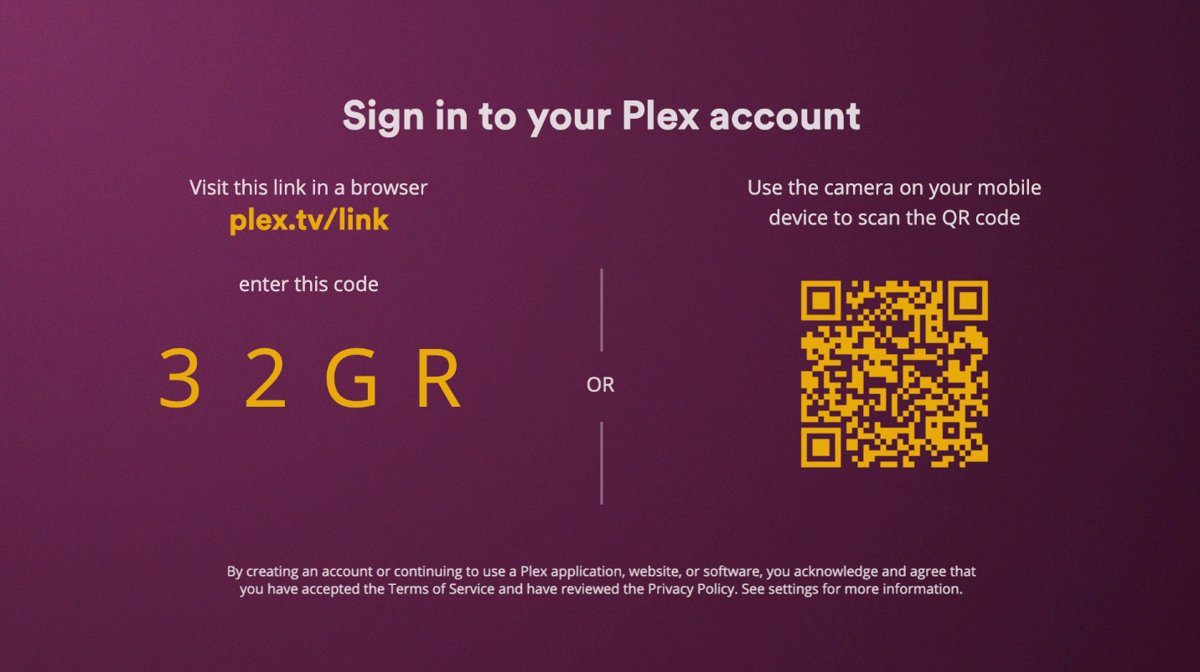
To enter the Plex TV code, open https://plex.tv/link in a browser on your phone or computer, sign in to your Plex account, type the 4-character code shown on your TV and submit it.
This guide covers where the code comes from, what you need first, how to confirm the TV is linked, how to unlink it later and what to do when the code is rejected.
The fastest way to enter the Plex TV code
Keep the TV on the code screen while you do this. The app checks for the link on its own, so you never type a password with the remote.
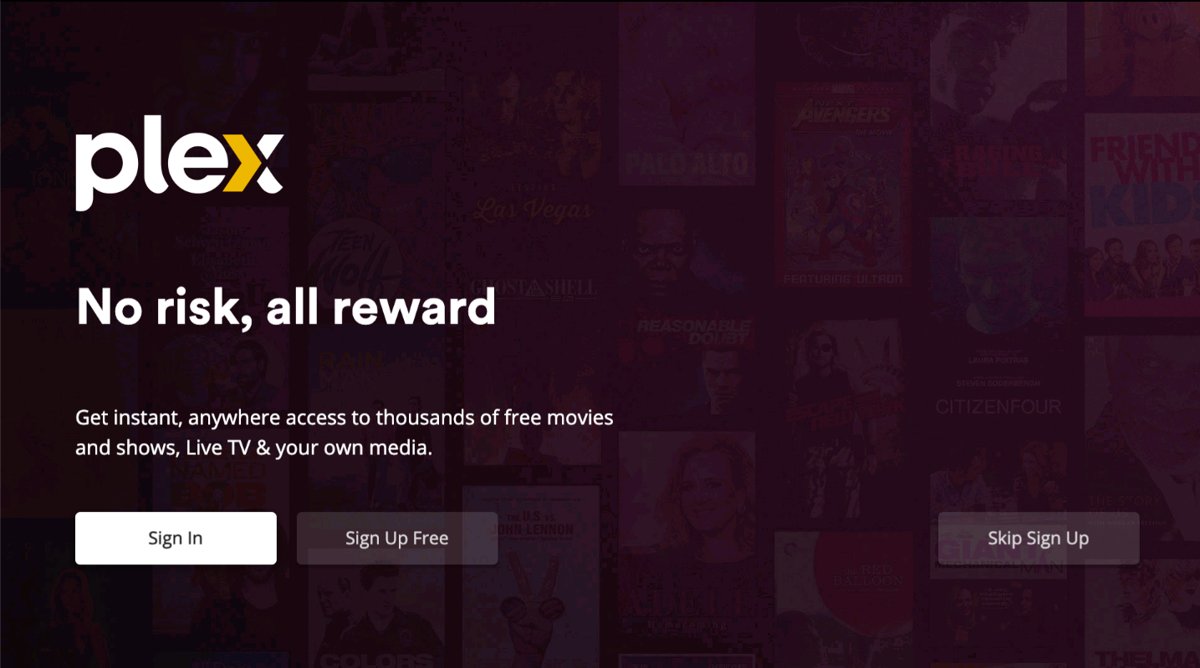
- Open the Plex app on your TV or streaming device and select Sign In.
- Note the 4-character code the app shows. Some platforms also show a QR code you can scan with your phone's camera instead.
- On your phone, tablet or computer, open
https://plex.tv/linkin a browser. - Sign in to the Plex account you want the TV to use.
- Type the 4-character code and submit it.
- Look back at the TV. The app refreshes itself a few seconds later and is linked to your account.
What Plex TV Link Is and When You Need It
plex.tv/link is the Plex web page that connects a big-screen app to your account with a short code. Plex uses it because typing an email and password with a remote and an on-screen keyboard is slow.
| Where you use Plex | How it signs in | Do you need plex.tv/link? |
|---|---|---|
| Smart TVs (LG, Samsung, VIZIO, VIDAA/Hisense and others) | 4-character link code | Yes |
| Android TV and Apple TV | 4-character link code | Yes |
| Game consoles such as PlayStation and Xbox | Big-screen app; generally a link code | Usually yes |
| Phone and tablet apps | Email or username and password, Google or Apple | No, sign in directly |
| Plex Web App and the plex.tv website | Email or username and password, Google or Apple | No, sign in directly |
When you usually need Plex TV Link: the first time you open Plex on a new TV, after you sign out of the TV app, and after you remove the TV from your account's device list.
Signing the TV in is what lets it find your own or a shared Plex Media Server, use Plex Pass features, and reach your server away from home if Remote Access is on. Many apps, including smart TV, PlayStation and Xbox apps, only work when both the app and the server are signed in.
Requirements Before Entering the Plex TV Code
| What you need before starting | Why it matters | How to check |
|---|---|---|
| A Plex account | The code links the TV to an account; the Plex app for Apple TV, for example, cannot be used without one | Sign in at plex.tv, or choose Sign Up to create a free account with email, Google or Apple |
| The Plex app installed on the TV or streaming device | Only the app can generate the code | Open the app and find the Sign In button on its first screen |
| A second device with a browser | The code is entered on a phone, tablet or computer, not on the TV | Any browser that can open plex.tv/link |
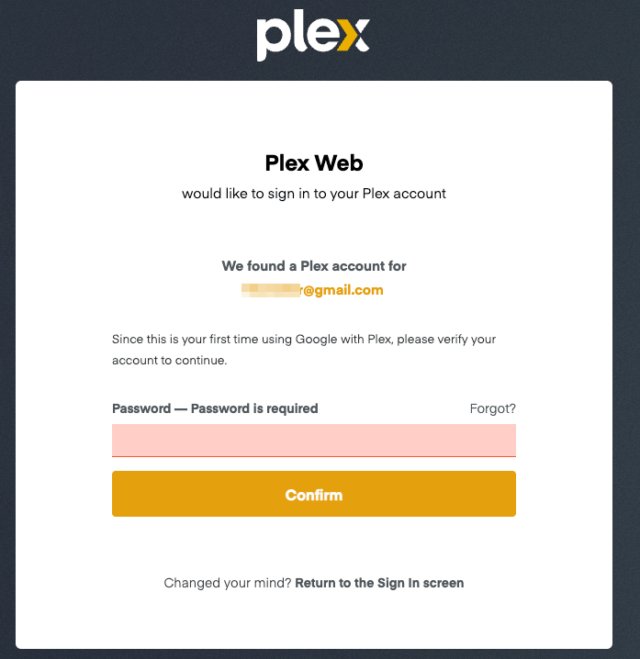
| Your password or Google/Apple sign-in to hand | plex.tv/link needs you signed in before it accepts a code | Use Forgot? on the email sign-in form if you need a reset |
| Your authenticator app, if 2FA is on | Password sign-in asks for a 6-digit verification code | Open the authenticator app before you start |
| Internet on the TV | The TV checks with Plex to pick up the link | Open any other online app on the TV |
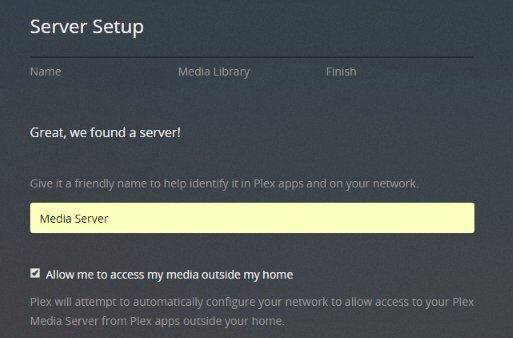
| A signed-in Plex Media Server, if you want your own library | Apps find the server through the account both are signed in to | See the server note below |
Device and app readiness checklist: the TV app is on its code screen, the browser device is unlocked, and you know which Plex account the TV should use. Setting up the server itself is a separate job covered in the Plex Media Server setup guide.
How to Enter the TV Code at plex.tv/link
This is the full flow with the details that trip people up. The code screen on the TV stays open while you work on the other device.
- Launch Plex on the TV. On the information screen that appears, select Sign In. Choose Sign Up there only if you have no account yet.
- Leave the TV showing the 4-character code. If a QR code is shown too, you can scan it with your phone's camera to open the right page.
- In a browser on your phone or computer, go to
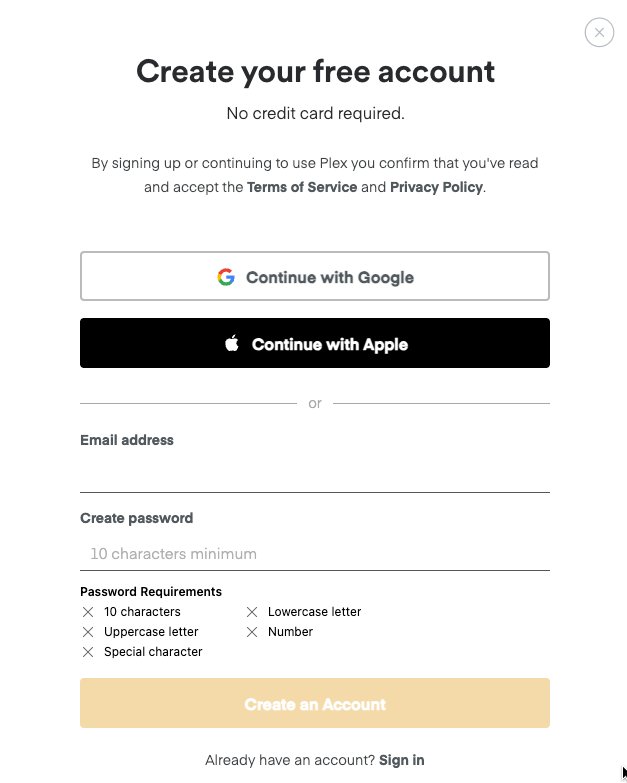
https://plex.tv/link. - If the page asks you to sign up, choose the sign-in option instead and sign in with Continue with Google, Continue with Apple or Continue with Email.
- If you use a password and have two-factor authentication on, enter the 6-digit code from your authenticator app when prompted.
- Check the account shown on the page is the one the TV should use.
- Type the 4-character code exactly as the TV shows it and submit.
- Wait a few seconds for the TV app to refresh. Do not press back on the remote while it does.
Example activation flow: the TV shows a code, you enter it on your phone, and the TV moves past the sign-in screen on its own. If your account belongs to a Plex Home, the TV may then ask which Home member is watching.
Which sign-in route fits your device
| Your situation | Use this | Why |
|---|---|---|
| Plex on a smart TV, Android TV, Apple TV or console | Link code at plex.tv/link | Saves typing credentials with a remote |
| The TV shows a QR code next to the link code | Scan the QR code with your phone | Opens the right page without typing the address |
| Plex on a phone, tablet or the web | Sign in directly | These apps have a keyboard, so they skip the code |
| A child's managed user on the TV | Link the TV with the Home admin's account, then switch user | Managed users have no email and cannot sign in to any app directly |
| Your account uses only Google or Apple | Choose Continue with Google or Continue with Apple on plex.tv/link | There is no separate Plex password to type |
How to Confirm Your TV or Device Is Linked
- Look at the TV: the code screen should close on its own and the Plex home screen should load.
- Check your libraries: if you own or have access to a Plex Media Server, its libraries appear in the app.
- In a browser, go to plex.tv, sign in, and open the Plex Web App.
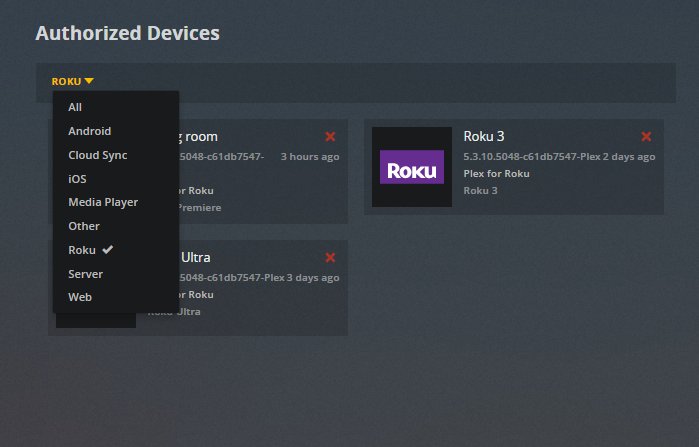
- Open the settings menu and choose Authorized Devices.
- Use the drop-down filter to narrow the list and find your TV or streaming device in it.
Signs the Plex link was successful: the TV left the code screen, your server or shared content is visible, and the device appears under Authorized Devices. Duplicate entries for the same device are normal and cause no problems.
Common Plex TV Code Problems and Fixes
The code expired before you entered it
The code on screen is no longer accepted. Plex does not publish how long each code stays valid, so a code left on screen for a long time is the usual suspect.
- On the TV, go back to the first screen and select Sign In again to get a fresh code.
- Sign in on plex.tv/link before you ask for the new code, so the page is ready.
- Enter the new code straight away and submit.
The code was typed incorrectly
The code is short, so one wrong character fails it.
- Compare each of the 4 characters on the TV with what you typed.
- Clear the field and type the code again.
- If the TV shows a QR code, scan it instead to open the page from your phone.
plex.tv/link shows a sign-up page instead of a code box
You are not signed in on that browser, so Plex redirects you to create an account.
- Choose the sign-in option on that page rather than creating a new account.
- Sign in with the same method you normally use: Google, Apple or email.
- Return to
https://plex.tv/linkif the code box does not appear after sign-in.
You are signed in to the wrong Plex account
The TV joins whichever account is signed in on the browser.
- Sign out on plex.tv and sign in to the correct account.
- On the TV, sign out of the Plex app.
- Select Sign In on the TV for a new code and enter it at plex.tv/link.
- Remove the TV from the wrong account's Authorized Devices list.
The TV app does not update after activation
The app checks with Plex for the link and cannot see it if the TV lost its connection.
- Wait about a minute; the app normally refreshes a few seconds after you submit.
- Check that the device appears under Authorized Devices.
- If it appears, close and reopen the Plex app on the TV.
- If it does not, request a new code on the TV and enter it again.
Network or server connection problems after linking
The app is signed in but cannot reach Plex Media Server.
- Make sure Plex Media Server is running, up to date and signed in to the same account.
- Confirm the server is listed on your Authorized Devices page.
- Turn off any VPN or proxy on the computer or router.
- On the same network, check the TV and server are on the same subnet.
- Away from home, confirm Remote Access is enabled on the server.
- Sign out of the app and the server, sign in on the server first, then sign in on the TV again.
A Samsung or older LG TV links but will not connect to your server
These models cannot use secure connections to a personal server because of root certificate limits in the TV's OS.
- In the TV app's settings, turn on Allow Insecure Connections.
- On Samsung, also allow fallback to insecure connections.
- Set the server's Secure Connections preference to Preferred.
Security Tips When Linking Plex to a TV
| Safe linking practice | Why it matters |
|---|---|
Type only plex.tv/link into the address bar |
The code grants account access, so enter it only on Plex's own site |
| Enter only a code shown on a screen in front of you | A code someone sends you would sign their device in to your account |
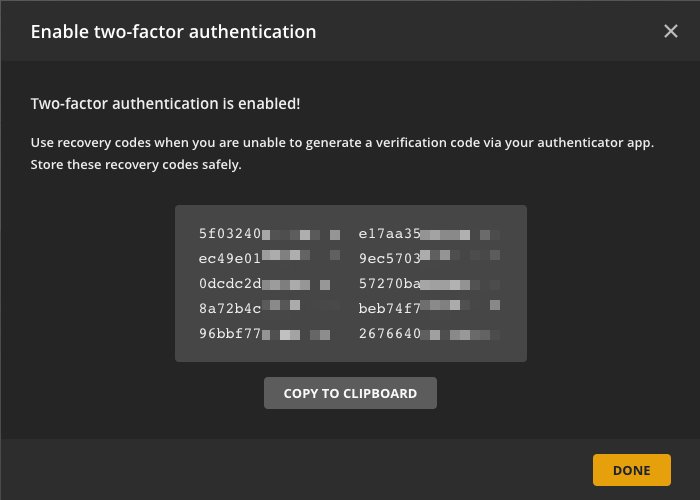
| Turn on two-factor authentication | Password sign-ins then also need a code from an authenticator app |
| Store your 2FA recovery codes off your phone | If you lose the phone, a recovery code is the way back in |
| Review Authorized Devices after linking a shared or hotel TV | Remove any device you no longer use with the red x |
| Join or build a Plex Home only with people you live with | Switching between Home members skips the 2FA prompt |
| Treat a Home PIN as a convenience | Plex says a PIN is not true security |
How to unlink a TV from your Plex account
- On plex.tv, sign in and open the Plex Web App.
- Open the settings menu and choose Authorized Devices.
- Find the TV or streaming device in the list.
- Click the red x on that device and confirm the removal.
- To link the same device again later, sign out of the Plex app on it, then sign in and enter a new code at plex.tv/link.
Frequently Asked Questions
Bing autocomplete returns only a few Plex-specific questions for this query, so the list below also uses the questions the ranking page answers.
Where do I enter the Plex TV code shown on my screen?
Enter it at plex.tv/link in a browser on a phone, tablet or computer. Sign in to your Plex account on that page first, type the 4-character code from the TV and submit. The TV app refreshes and links itself a few seconds later.
How do I enter a code on my TV for Plex?
You do not type the code on the TV. The Plex TV app displays the code, and you type it into plex.tv/link on another device. On some TVs you can scan the QR code on screen with your phone to open the page.
What is the code on my TV for Plex?
It is a 4-character link code the Plex app shows after you select Sign In. It connects that TV to whichever Plex account is signed in on the plex.tv/link page, so you avoid typing an email and password with a remote.
How do I find my Plex TV code?
Open the Plex app on the TV and select Sign In on its first screen. The 4-character code appears straight away. If you are already signed in, sign out of the app first, then choose Sign In to get a new code.
How do I enter the Plex TV code on Amazon Fire TV?
Use the same flow as other big-screen Plex apps. Open Plex on the Fire TV, select Sign In, then enter the code shown at plex.tv/link on your phone or computer while signed in to your Plex account.
Do I need a Plex account before using plex.tv/link?
Yes. The page links the TV to an account, and signed-out visitors are sent to the sign-up page. A free account works. You can create one with an email address, Google or Apple, then return to plex.tv/link.
What should I do if my Plex activation code expired?
Get a new one. Go back to the first screen of the Plex TV app and select Sign In again, then enter the fresh code at plex.tv/link straight away. Sign in on the browser beforehand so the new code is used quickly.
How can I tell if my TV successfully linked to Plex?
The TV leaves the code screen and loads the Plex home screen within a few seconds. For proof, open Authorized Devices in the Plex Web App and look for the TV in the list.
Is it safe to enter a Plex TV code on another device?
Yes, that is how the feature is designed, as long as you use plex.tv/link and the code is on a screen in front of you. Never enter a code someone sends you, because it would sign their device in to your account.
Bottom Line
Sign in at plex.tv/link on your phone first, then select Sign In on the TV and enter the 4-character code right away. Being signed in before the code appears avoids the two most common failures, a stale code and a sign-up page instead of the code box, and the Authorized Devices list confirms the result.