The official TeamViewer download for Windows 11 and Windows 10 is TeamViewer_Setup_x64.exe, an 80.3 MB signed setup from teamviewer.com. It is a complete offline installer, not a small downloader, and it is free for personal use.
TeamViewer also publishes a 129.2 MB macOS disk image, an ARM64 build for Windows on Arm, and QuickSupport, which runs without installing anything.
This guide covers which file to pick, the official links and sizes, install and uninstall steps, what the free licence allows, and fixes for TeamViewer not installing or not connecting.
Which TeamViewer download do you need?
Press Windows + I, open System > About and read the System type line. Match it to a row below.
| Your case | File | Size |
|---|---|---|
| Windows 11 or 10, 64-bit | TeamViewer_Setup_x64.exe | 80.3 MB |
| Windows 11 or 10, 32-bit | TeamViewer_Setup.exe | 76.0 MB |
| Windows 11 on Arm | TeamViewer_Setup_ARM64.exe | 73.8 MB |
| Windows 7 or 8.1, 64-bit | TeamViewer 15.64.7 setup | 71.8 MB |
| A Mac of any model | TeamViewer.dmg | 129.2 MB |
| One support session, nothing installed | TeamViewerQS_x64.exe | 35.4 MB |
| A PC you want to reach at any time | TeamViewer_Host_Setup_x64.exe | 41.2 MB |
The 32-bit build runs on 64-bit Windows, but TeamViewer recommends the 64-bit one there. The two cannot sit on the same PC at once.
Download TeamViewer for Windows 11 and 10 from the official source
Three modules cover almost every Windows case. Each file below is signed by TeamViewer Germany GmbH.
- TeamViewer full client, 64-bit — 80.3 MB · makes and accepts connections
- TeamViewer full client, 32-bit — 76.0 MB
- TeamViewer full client, ARM64 — 73.8 MB · Snapdragon and other Arm PCs
- TeamViewer Host, 64-bit — 41.2 MB · unattended access only
- TeamViewer QuickSupport, 64-bit — 35.4 MB · no installation, no admin rights
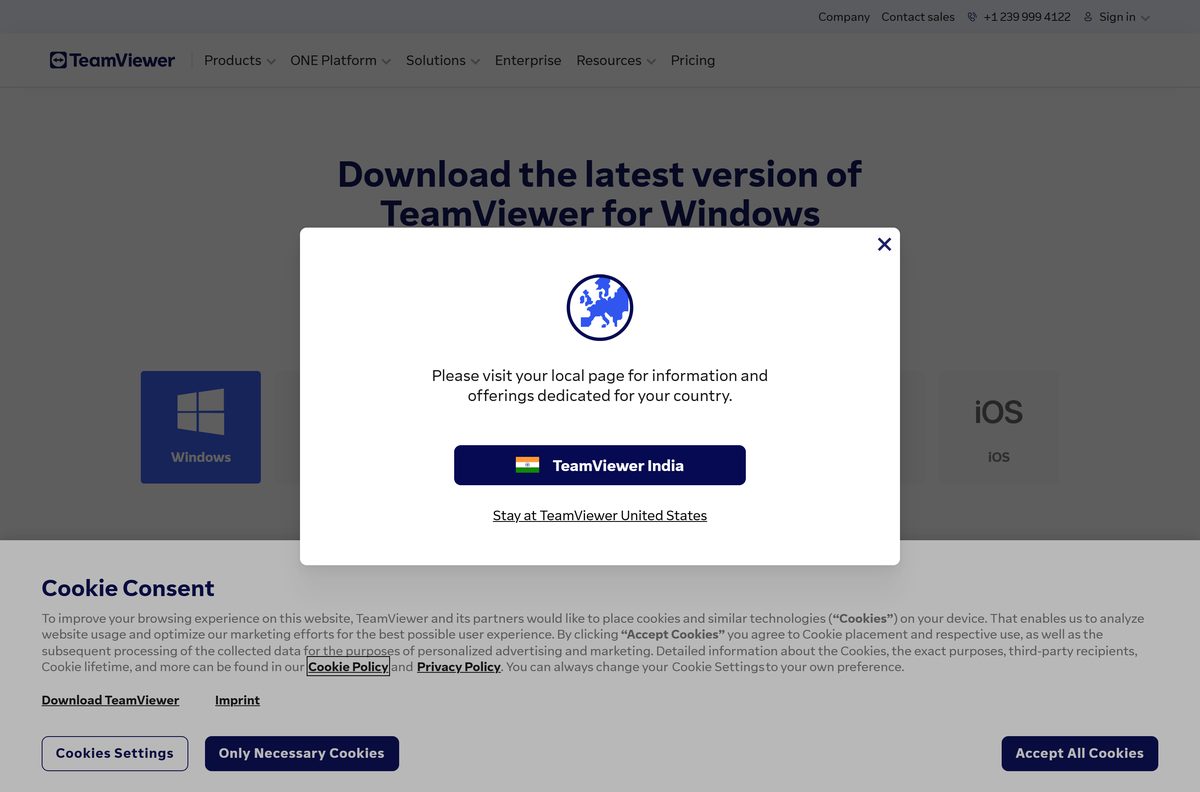
- TeamViewer Windows download page — the vendor page these files come from
- TeamViewer download portal — Linux, ChromeOS, Raspberry Pi, Android and iOS
The setup unpacks and installs with the network unplugged, which is what separates it from a bootstrapper that fetches the app at run time. Take the file from teamviewer.com and check its signature before running it.
How to install TeamViewer on Windows 11 and 10
The installer asks two questions, and there is no licence key to enter.
- Open TeamViewer_Setup_x64.exe from your Downloads folder.
- Check that the Open file – security warning dialog names the publisher as TeamViewer Germany GmbH, then click Run.
- Select Default Installation under How do you want to proceed?
- Click Accept – next.
- Tick the checkbox that accepts the EULA and the DPA.
- Click Continue and wait for the progress bar to finish.
- Open TeamViewer and read Your ID and the password from the main screen.
- Sign in with a TeamViewer account if you want a saved device list. The ID and password work without one.
Switching a PC from the 32-bit to the 64-bit build means uninstalling the old one first. Leave Remove settings unticked during that uninstall and the TeamViewer ID stays the same.
Install TeamViewer with winget instead of the Microsoft Store
TeamViewer has no Microsoft Store listing. The winget package pulls the same signed file from teamviewer.com, which makes it the route for scripts and fresh PCs.
- Press Windows + X and select Terminal.
- Run winget install TeamViewer.TeamViewer and accept the source agreement when it appears.
- Run winget install TeamViewer.TeamViewer.Host instead when the PC only needs unattended access.
- Run winget list TeamViewer to confirm what installed.
- Run winget upgrade TeamViewer.TeamViewer later to move to a newer build.
Microsoft’s package index carries TeamViewer.TeamViewer at 15.81.6, credited to TeamViewer Germany GmbH and released on 3 September 2026, with the payload URL pointing at download.teamviewer.com.
Download the TeamViewer MSI package for deployment
There is no public MSI link. The package sits behind the Management Console and needs a Corporate or Tensor licence.
| What you need | Licence | Where it comes from |
|---|---|---|
| Windows MSI, full client | Corporate or Tensor | Admin settings > Rollout set-up |
| Windows MSI, Host | Corporate or Tensor | Admin settings > Rollout set-up |
| macOS deployment package | Corporate or Tensor | Admin settings > Rollout set-up |
| The download procedure | Any | Download the .msi installer |
| Intune and endpoint rollout | Corporate or Tensor | Deploy via Microsoft Endpoint Manager |
For a handful of machines the signed EXE plus winget upgrade beats packaging. TeamViewer recommends the 64-bit package for full-client rollout, and one test machine before any device group.
How to verify the TeamViewer installer is genuine
The setup is code-signed. Reading the signature takes ten seconds and rules out a swapped or repackaged file.
- Right-click the downloaded setup and select Properties.
- Open the Digital Signatures tab.
- Select the signature in the list and click Details.
- Confirm the signer name reads TeamViewer Germany GmbH.
- Click View Certificate and confirm the issuer is a DigiCert code signing authority.
The 64-bit setup on teamviewer.com signs as CN=TeamViewer Germany GmbH, O=TeamViewer Germany GmbH, L=Goeppingen, C=DE, issued by DigiCert Trusted G4 Code Signing RSA4096 SHA384 2021 CA1. A file with no Digital Signatures tab did not come from TeamViewer.
Run TeamViewer without installing it
QuickSupport is one executable that installs nothing and asks for no administrator rights. Use it on a locked-down PC, or on someone else’s machine.
- Download TeamViewerQS_x64.exe, 35.4 MB, from the TeamViewer download portal.
- Double-click the file. No setup wizard and no Yes prompt appear.
- Read the Your ID number and the session password from the window.
- Give both to the person connecting, or open the session link they sent instead.
- Close the window when the session ends. A new password is generated the next time it starts.
The full client can also start without installing: run TeamViewer.exe –noInstallation . TeamViewer Portable, the USB-stick build, is published only on the 15.64.7 previous-versions page at 74.0 MB.
Which TeamViewer download do you need for your Mac?
TeamViewer ships one disk image per module for macOS. There is no separate Apple silicon or Intel file, and no 32-bit build, because macOS itself is 64-bit only.
| What the Mac has to do | Download | Size |
|---|---|---|
| Control other machines and be controlled | TeamViewer.dmg | 129.2 MB |
| Receive support once, install nothing | TeamViewerQS.dmg | 78.1 MB |
| Stay reachable without anyone at the keyboard | TeamViewerHost.dmg | 87.3 MB |
| Anything else for a Mac | macOS download portal | varies |
Open the disk image and click the Install TeamViewer Remote icon. macOS 13 Ventura is the oldest release the current build supports.
Then open Help > Check system access and grant Screen Recording, Remote Desktop, Accessibility and Full Disk Access. Without them the remote side sees only the desktop background.
Is TeamViewer free?
Yes for personal use, no for anything work-related. The free version covers connections between your own devices and remote help for friends and family, with a ceiling of three managed devices. Use for a trade, business or profession is not personal, and neither is anything you are paid for directly or indirectly. Connecting to a work computer, supporting clients or monitoring business devices needs a paid Remote Access, Business, Premium, Corporate or Tensor licence. Declaring commercial use at install time gets a limited trial licence instead of the free one.
No key is sold for the free version, so a page charging for one is selling something teamviewer.com gives away.
Which TeamViewer client should you install: full, Host or QuickSupport?
Install the full client unless the device only ever receives support. The full client makes outgoing connections, accepts incoming ones and holds every feature in one window. Host installs for unattended access only, which suits a PC or server you need to reach at any hour with nobody there to accept. QuickSupport installs nothing and fits a single session. All three are free for personal use.
One Windows PC takes the full client or Host, not both.
How to check your TeamViewer version and update it
Auto-update checks weekly by default, under Settings > Go to this device’s settings > Advanced settings. The manual route is faster when a connection has just been refused.
- Open TeamViewer and sign in with your TeamViewer account.
- Click Help in the bottom-left corner.
- Click Check for new version.
- Click Update when the pop-up names a newer build, then let TeamViewer restart.
- In the classic interface, click the three-line menu, then Check for new version, then OK.
- To read the build you run now, open the same menu and select About TeamViewer.
- To update the far end during a session, click Remote update in the remote control toolbar.
TeamViewer asks free users on older builds to update before they can keep connecting, so an old copy eventually stops working rather than merely ageing.
Check the TeamViewer system requirements before you install
TeamViewer asks almost nothing of the hardware. The constraint is the operating system version and outbound network access.
| Field | Value |
|---|---|
| Software | TeamViewer full client |
| Developer | TeamViewer Germany GmbH |
| Latest version | 15.81.6 |
| Release date | 3 September 2026 |
| Price | Free for personal use, paid licences for commercial use |
| Supported Windows | Windows 11 22H2 to 25H2, Windows 10 22H2, Server 2016, 2019 and 2022 |
| Supported macOS | macOS 13 Ventura, 14 Sonoma, 15 Sequoia and 26 Tahoe |
| Architecture | x64, x86 and ARM64 on Windows; 64-bit only on macOS |
| Download size | 80.3 MB x64, 76.0 MB x86, 73.8 MB ARM64, 129.2 MB macOS |
| Offline installer | Yes, the Windows setup is self-contained |
| Firewall | Outbound TCP and UDP 5938, then TCP 443, then TCP 80. No inbound ports |
| Encryption | 4096-bit RSA key exchange, 256-bit AES session encoding |
| Official source | teamviewer.com |
| Last verified | 2026-09-11 |
Windows 8.1, 8 and 7 stop at version 15.64.7 on the previous-versions page. Vista and XP stop at 14.2.
Fix TeamViewer not installing or not connecting on Windows 11 and 10
The setup will not start
A partial download fails its own integrity check, and a running copy locks the files the installer wants to replace.
- Right-click the TeamViewer system tray icon and select Exit TeamViewer.
- Delete the downloaded file and fetch it again from the TeamViewer download portal.
- Open Properties > Digital Signatures and confirm the signer is TeamViewer Germany GmbH.
- Right-click the setup and select Run as administrator.
The installer stops because another version is present
The 32-bit and 64-bit builds cannot be installed on the same PC.
- Right-click the Windows Start Menu and select Apps & Features.
- Select TeamViewer and click Uninstall.
- Leave Remove settings unticked so the TeamViewer ID survives.
- Restart the PC, then run the setup that matches your System type.
TeamViewer shows Not ready. Please check your connection
The client cannot reach TeamViewer’s servers, which is nearly always a firewall or proxy rule.
- Load any web page to confirm the internet connection works.
- Allow outbound TCP and UDP on port 5938 to master.teamviewer.com and router.teamviewer.com.
- Allow outbound TCP 443 as the fallback, and 80 as a last resort.
- Open the hamburger menu and select Exit TeamViewer, then start it again.
- Check the TeamViewer status page before changing anything else.
The remote Mac shows a black screen or ignores the mouse
macOS has not been given the four privacy permissions TeamViewer needs, and they cannot be granted through a remote session.
- At the Mac, open TeamViewer and select Help > Check system access.
- Click Set up Accessibility and turn on the TeamViewer toggle.
- Repeat for Screen Recording and Full Disk Access.
- Check Remote Desktop by hand in System Settings > Privacy & Security > Remote Desktop.
- Reconnect from the other machine.
Connections are blocked as commercial use
The free licence covers personal use only, and work devices trip that rule.
- Confirm both devices are personal, not employer-owned.
- Sign in with your TeamViewer account and keep it to three managed devices.
- Buy a Remote Access or Business licence when the use really is work-related.
How to uninstall TeamViewer from Windows and macOS
Tick Remove settings only when TeamViewer is not going back on the machine. That box also clears the device’s TeamViewer ID.
- Right-click the TeamViewer icon in the system tray and select Exit TeamViewer.
- Right-click the Windows Start Menu and select Apps & Features.
- Select TeamViewer in the list, click Uninstall, and confirm in the pop-up.
- Decide on the Remove settings checkbox, then click Uninstall at the bottom of the window.
- Click Close once the progress bar fills, then restart the PC.
- On a Mac, quit TeamViewer, open Applications in the Finder and drag TeamViewer to the Trash.
- Tick Also delete configuration files, click Uninstall, then click OK.
Remnants of a failed uninstall live under HKEY_CURRENT_USER\SOFTWARE\TeamViewer and HKEY_LOCAL_MACHINE\SOFTWARE\TeamViewer . Export the registry through Registry > Export Registry File before deleting either key, and restart afterwards.
What to use instead of TeamViewer
Two of these already sit on the machine, which matters when the free licence rules out your use case.
| Tool | Where it comes from | Best for |
|---|---|---|
| Quick Assist | Windows 11 and 10, built in | Helping one person once, with nothing to download |
| Remote Desktop Connection | Windows, built in | Reaching a Windows Pro or Enterprise PC on your own network |
| Chrome Remote Desktop | Google, runs in the browser | Cross-platform access with no client on the controlling side |
| Screen Sharing | macOS, built in | Mac to Mac on the same network |
| AnyDesk | AnyDesk Software GmbH | A small client, free for private use |
Quick Assist and Remote Desktop Connection raise no licence question, because Windows includes both.
Frequently asked questions
Is TeamViewer free to download?
Yes. The full client, Host and QuickSupport are free downloads. The free licence covers personal use, meaning your own devices or helping friends and family, with a ceiling of three managed devices.
Is TeamViewer free for commercial use?
No. Work-related use, use inside an organisation and anything that earns revenue need a paid licence. Connecting to your work computer, supporting clients and monitoring business devices all count as commercial.
What is the official TeamViewer download page?
The Windows download page on teamviewer.com, and the download portal for every other platform. The files themselves sit on download.teamviewer.com and are signed by TeamViewer Germany GmbH.
Is there a TeamViewer offline installer?
Yes. TeamViewer_Setup_x64.exe is 80.3 MB and holds the whole application, so it installs with no internet connection. Only the remote session itself needs the network.
How big is the TeamViewer download?
The 64-bit Windows setup is 80.3 MB, the 32-bit setup 76.0 MB and the ARM64 setup 73.8 MB. The macOS disk image is 129.2 MB, and Windows QuickSupport is 35.4 MB.
Which TeamViewer download do I need for 64-bit Windows 11?
TeamViewer_Setup_x64.exe. Open Settings, then System, then About, and read the System type line to confirm. The 32-bit build runs on 64-bit Windows too, but TeamViewer recommends the 64-bit one.
Is there a TeamViewer download for Mac?
Yes. TeamViewer.dmg is a 129.2 MB disk image on the macOS download portal. There is no separate Apple silicon or Intel file, and no 32-bit build, because macOS is 64-bit only.
Does TeamViewer still work on Windows 7 or Windows 8?
Only up to version 15.64.7, which stays on the TeamViewer previous-versions page. The current build needs Windows 10 22H2, Windows 11, or Windows Server 2016 and later.
Which TeamViewer version is current?
15.81.6, published on 3 September 2026 for Windows and macOS. Open the menu and select About TeamViewer to see the build on your own machine.
Can I run TeamViewer without installing it?
Yes. QuickSupport is a single executable that needs no installation and no administrator rights. The full client also starts unattended with the noInstallation command-line switch.
Is TeamViewer safe to download?
The setup on teamviewer.com is signed by TeamViewer Germany GmbH, and sessions use 4096-bit RSA key exchange with 256-bit AES encoding. The real risk is social: never grant access to a caller you did not contact.
Why will TeamViewer not install or connect?
An installer that stops usually means a 32-bit copy is already present, because the two builds cannot coexist. A red Not ready message means outbound port 5938 is blocked.