The official Roblox Studio download is a free installer from roblox.com, and it runs on Windows 11, Windows 10 and Mac. Roblox Corporation charges nothing for the tool, and a free Roblox account is the only requirement.
The file you click is small. The Windows installer is 9.6 MB and the Mac disk image is 7.9 MB, because each one downloads about 500 MB of Studio packages while it runs. There is no offline installer and no MSI.
This guide covers the file your machine needs, the official links, install steps for Windows and Mac, the winget command, requirements and fixes.
Which Roblox Studio download do you need?
Roblox ships one Studio installer per platform. Match your machine to a row.
| Your machine | What to download | Size |
|---|---|---|
| Windows 11 or Windows 10, 64-bit | RobloxStudioInstaller.exe | 9.6 MB |
| Mac with Apple silicon, M1 to M4 | RobloxStudio.dmg | 7.9 MB |
| Intel Mac on macOS 10.14 or later | RobloxStudio.dmg | 7.9 MB |
| 32-bit Windows | Nothing. Roblox installs on 64-bit Windows only | 0 |
| Chromebook, Linux, phone or Xbox | Nothing. Studio is a Windows and Mac application | 0 |
Both installers are downloaders. Each one pulls the Studio packages at install time, so the machine needs a working connection.
Download Roblox Studio from the official Roblox source
Roblox hands out Studio from its own domains and nowhere else.
- roblox.com/download/studio — 9.6 MB Windows, 7.9 MB Mac · serves the .exe to a Windows browser and the .dmg to a Mac browser
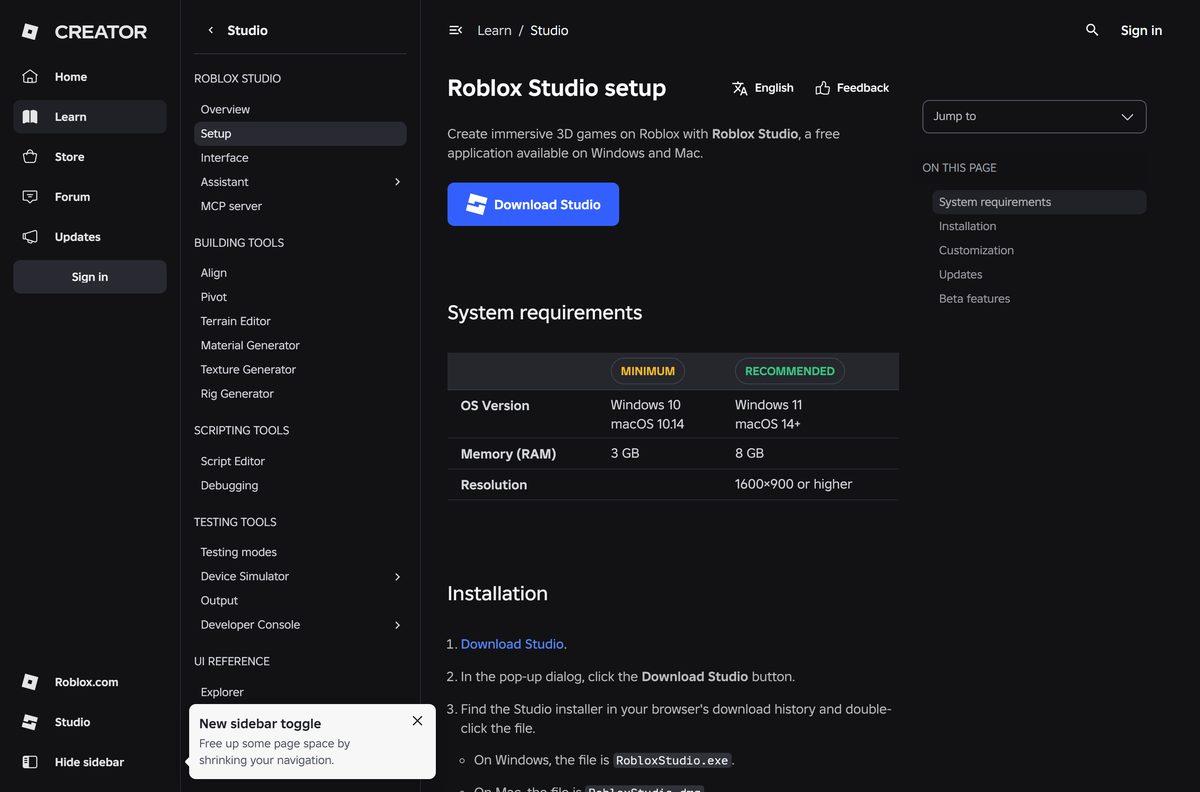
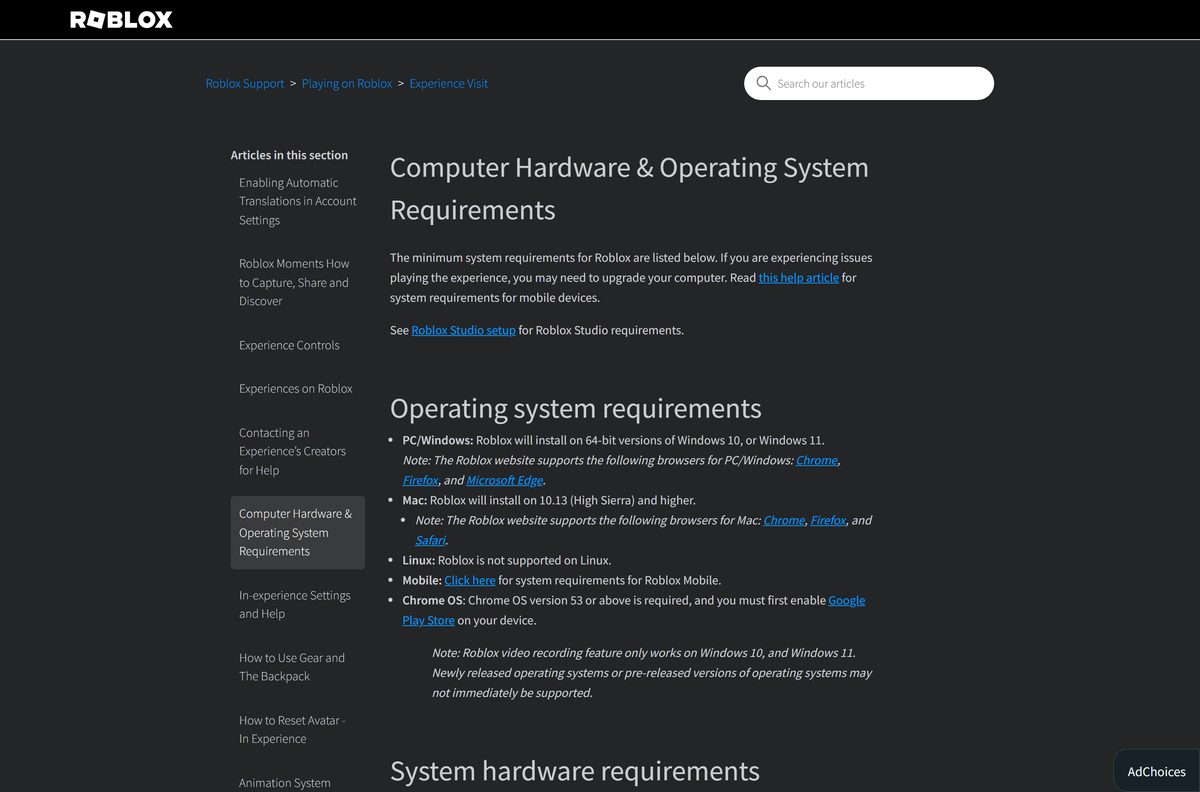
- Roblox Studio setup page — the Download Studio button, plus the current system requirements
- Install Roblox Studio tutorial — Roblox’s own walkthrough with the dialog labels
A 9.6 MB file cannot hold a 3D engine. The installer fetches 34 packages worth about 500 MB, which expand to roughly 890 MB.
No mirror is authorised. A build not signed by Roblox Corporation did not come from Roblox. The player is a separate program with its own installer, covered in Download Roblox for PC, Windows 11/10 and Mac.
Check the Roblox Studio system requirements before you install
Roblox publishes a Studio requirements table and a wider hardware list. Both are folded in below.
| Field | Value |
|---|---|
| Developer | Roblox Corporation |
| Latest version | 0.738.0.7381393 |
| Price | Free, with a free Roblox account |
| Download size | 9.6 MB Windows installer, 7.9 MB Mac disk image |
| Packages it then fetches | About 500 MB, expanding to about 890 MB on disk |
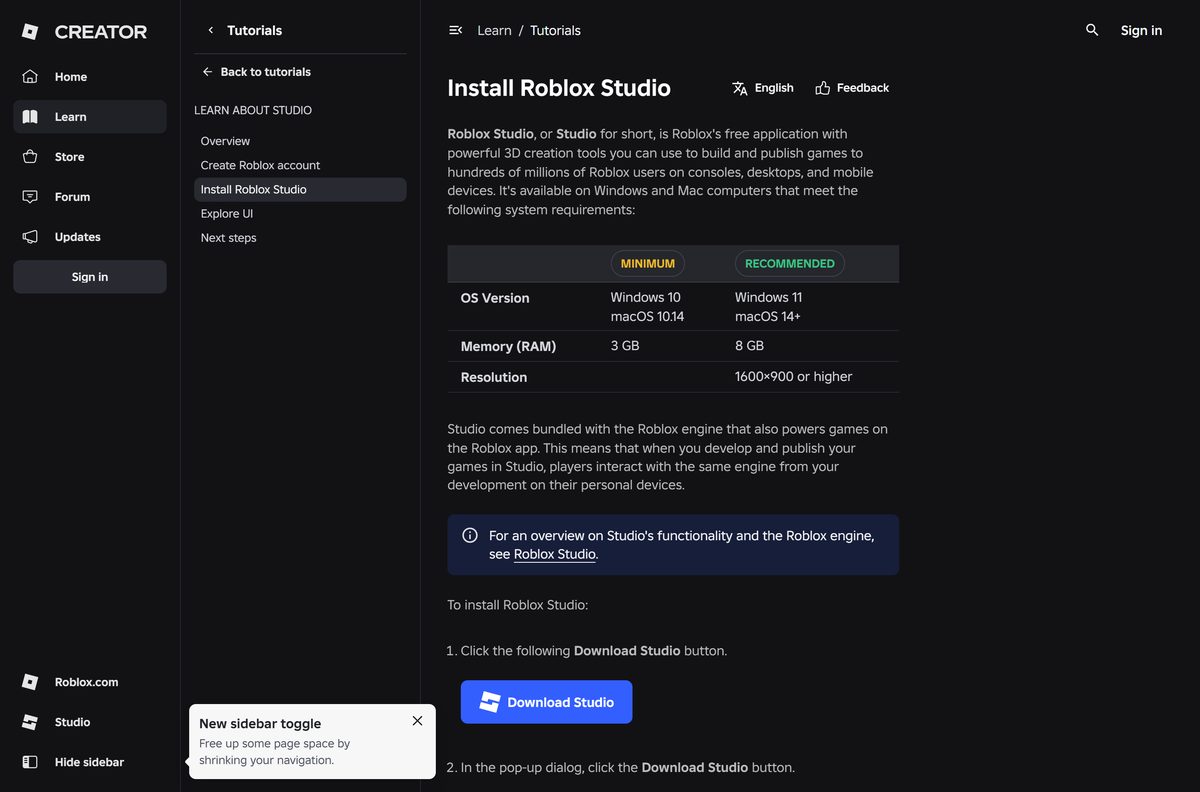
| Supported OS | Windows 10 and 11 (64-bit), macOS 10.14 or later |
| Recommended OS | Windows 11, macOS 14 or later |
| Architecture | x64 on Windows; Intel and Apple silicon on Mac |
| Memory | 3 GB minimum, 8 GB recommended |
| Graphics | DirectX 10 feature level or higher on Windows |
| Internet | 4 to 8 Mb/s for a single-use household |
| Offline installer | No |
| Official download source | roblox.com |
| Last verified | 2026-09-11 |
Storage is the row most people underestimate. Roblox asks 300 MB for the player; Studio lands closer to 890 MB.
How to install Roblox Studio on Windows 11 and 10
The installer writes to your user profile, so Windows does not ask for an administrator password.
- Open the Roblox Studio setup page and select Download Studio.
- Select Download Studio again in the pop-up dialog.
- Open your browser’s download history and double-click RobloxStudioInstaller.exe .
- Check that the publisher on any Windows or browser prompt reads Roblox Corporation.
- Leave the progress window alone while it downloads about 500 MB of packages.
- Select Launch Studio on the confirmation that appears when it finishes.
- Sign in with your Roblox account, then pick a template to open the editor.
Studio installs under %LOCALAPPDATA%\Roblox for the account that ran it. A second Windows user on the same PC installs their own copy.
Install Roblox Studio with winget instead of a browser
Microsoft’s package manager fetches the same signed installer, which suits a new PC or a scripted setup.
The Microsoft Store listing Roblox publishes is the player, named Roblox – Windows. Studio is not part of it.
- Press Windows + X and select Terminal.
- Run winget show Roblox.RobloxStudio to see the version and the installer URL winget will use.
- Confirm the Publisher line reads Roblox Corporation.
- Run winget install Roblox.RobloxStudio and accept the source agreement if winget asks.
- Wait while winget downloads the installer and runs it, then sign in to Studio.
- Run winget upgrade Roblox.RobloxStudio later to pull a newer installer.
Microsoft’s manifest records the same SHA256 as the live file on Roblox’s CDN, so both routes deliver one identical binary.
How to verify the Roblox Studio installer is genuine
Two checks take under a minute on the file already sitting in your Downloads folder.
- Right-click RobloxStudioInstaller.exe and select Properties.
- Open the Digital Signatures tab, select the signature, then click Details.
- Confirm the signer name reads Roblox Corporation and the signature is valid.
- For a hash check, open Terminal in your Downloads folder.
- Run certutil -hashfile RobloxStudioInstaller.exe SHA256 .
- Compare the result with the InstallerSha256 line in Microsoft’s winget manifest.
The copy served on 11 September 2026 carried a valid signature for CN=Roblox Corporation, San Mateo, California and hashed to 14e3e506d5cccc03eeb3ae006f2d55611fb0af64ac8d176dd23d8a3966099b74 , matching Microsoft’s manifest. No Digital Signatures tab means the file did not come from Roblox.
Which Roblox Studio download do you need for your Mac?
One disk image covers every supported Mac, and Roblox supports Apple silicon. Roblox recommends macOS 14 or later.
| Your Mac | What to download | Note |
|---|---|---|
| Apple silicon, M1 to M4 | RobloxStudio.dmg | Roblox supports Apple silicon chips |
| Intel Mac on macOS 10.14 or later | RobloxStudio.dmg | Same disk image, same 7.9 MB |
| macOS 10.13 or older | No supported download | Studio needs macOS 10.14 at minimum |
| iPad or iPhone | No Studio build exists | Roblox lists Studio for Windows and Mac only |
Open the disk image, follow the installer, then launch Studio from Applications and sign in. Removing it later follows how to uninstall apps on Mac.
Is Roblox Studio free?
Yes. Studio is free to download, free to use and free to publish with. Roblox’s own setup page calls Studio a free application for Windows and Mac, and Microsoft’s package listing repeats that licence. Building, testing and publishing cost nothing, and the sign-in account is free too. Robux costs money; the editor does not. Any site selling a Studio licence, key or premium installer is charging for something Roblox gives away.
Should you install Roblox Studio or the Roblox app?
Install Studio to build, and the Roblox app to play. Creators usually end up with both. Studio is the editor: the 3D viewport, the Luau script editor and one-click publishing. The Roblox app only launches experiences other people published. They are separate installers with separate updates, and installing one never installs the other.
How to check your Roblox Studio version and update it
Studio updates itself. Every experience runs on the current Roblox engine, so an old editor falls behind.
- Open Studio and look at the upper-right corner of the toolbar.
- Select Update if the button is showing.
- Save and close the open place when Studio prompts you, then let it restart.
- To read the build Roblox ships right now, open https://clientsettingscdn.roblox.com/v2/client-version/WindowsStudio64 in a browser.
- Swap WindowsStudio64 for MacStudio in that address to read the Mac build.
- Reinstall from roblox.com if the Update button never completes.
Roblox ships one current build and publishes no archive of older ones, which is why a downgrade is not an option.
What Roblox Studio runs on, and where it does not
Studio is a desktop application. Below is what Roblox ships on each platform people ask about.
| Platform | Studio | What Roblox ships there |
|---|---|---|
| Windows 11 and 10, 64-bit | Yes | RobloxStudioInstaller.exe, x64 |
| 32-bit Windows | No | Roblox installs on 64-bit Windows only |
| Windows on ARM | No native build | Roblox publishes an x64 installer only |
| macOS 10.14 or later | Yes | RobloxStudio.dmg, Intel and Apple silicon |
| Linux | No | Roblox is not supported on Linux |
| Chromebook | No | The Roblox app, through Google Play |
| iPad, iPhone, Android | No | The Roblox app, for playing experiences |
| Xbox | No | The Roblox app, for playing experiences |
The 32-bit question has one answer. Roblox’s requirements name 64-bit Windows, so no 32-bit Studio exists to download.
Fix Roblox Studio not downloading, not installing or not opening
The installer loops on Getting the latest Roblox
An earlier install left broken files behind, so the downloader restarts instead of finishing.
- Close Studio and the player, then end any Roblox process in Task Manager.
- Uninstall Roblox Studio from Settings > Apps > Installed apps.
- Open %LOCALAPPDATA% in File Explorer and delete the Roblox folder.
- Restart the PC, then download and run the installer again.
Studio will not install, or the download stops part way
Security software or a firewall rule is blocking the packages the installer needs.
- Close every open program first, which is Roblox’s own opening instruction.
- Allow Roblox through your firewall or security suite rather than switching protection off.
- Retry on another network if the machine sits behind a school or office filter.
- Confirm about 1 GB of free space, then run the installer once more.
Studio will not sign in, or opens blank panels
Roblox groups these symptoms and points at a proxy setting or a wrong system clock.
- Press Windows + I and open Network & internet > Proxy.
- Turn off Use setup script and Use a proxy server.
- Open Time & language > Date & time and turn on Set time automatically.
- Restart the PC, then reopen Studio.
Studio will not install on a Mac
The macOS version is below the minimum, or a Roblox process is still holding files open.
- Open the Apple menu, select About This Mac and confirm macOS 10.14 or later.
- Press Command + Option + Esc and force quit Roblox and Roblox Studio.
- Drag Roblox Studio from Applications to the Trash, then empty the Trash.
- Press Command + Space, open ~/Library/Logs/Roblox/ and delete what is inside.
- Reinstall from the disk image.
How to uninstall Roblox Studio
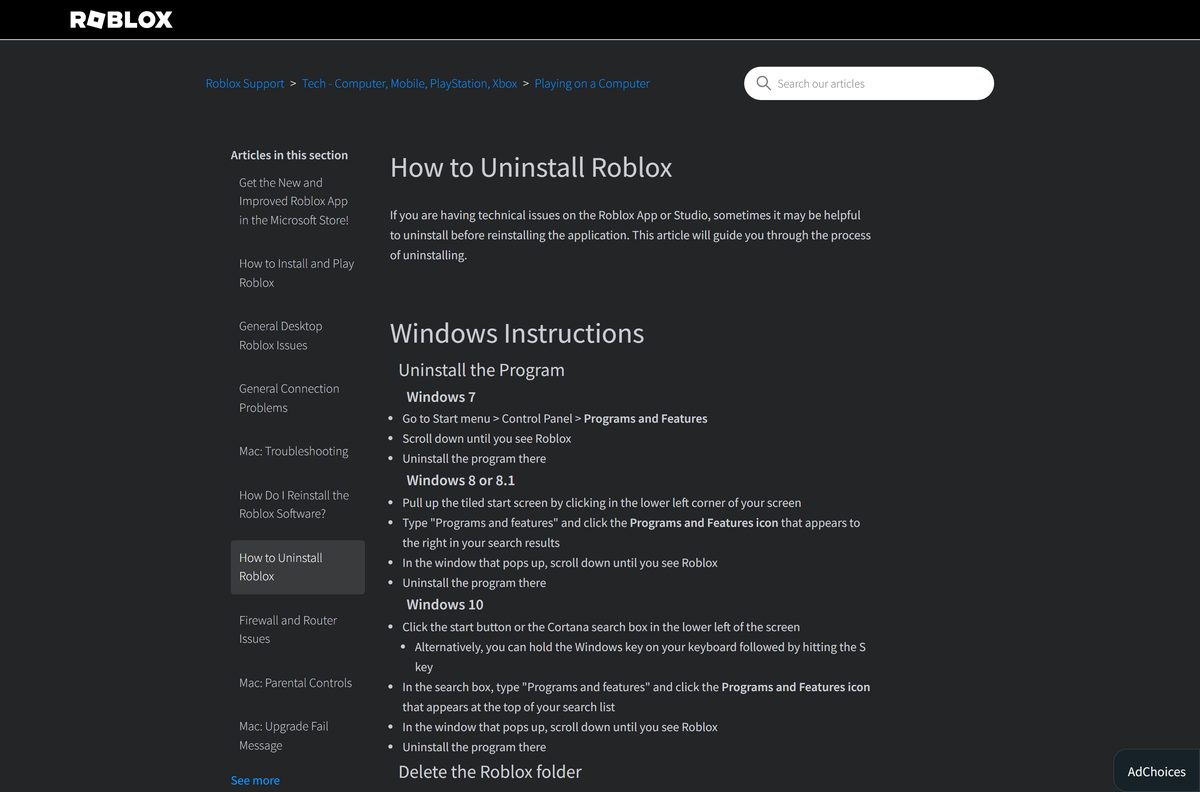
Windows lists Studio and the player as separate entries. Removing one leaves the other in place.
- Press Windows + I, then open Apps > Installed apps.
- Search for Roblox and find the Roblox Studio entry.
- Select the three dots beside it, choose Uninstall, then confirm Uninstall.
- Open %LOCALAPPDATA% in File Explorer and delete the Roblox folder to clear leftovers.
- On a Mac, force quit Studio with Command + Option + Esc, drag it from Applications to the Trash, and empty the Trash.
Roblox notes that the folder holds none of your places unless you saved them there yourself. Deleting it also clears the player’s files.
What to use instead of Roblox Studio
Nothing else publishes to Roblox. These suit people leaving the platform, or working beside Studio.
| Tool | Publishes to Roblox | Best for |
|---|---|---|
| Roblox Studio | Yes | The only editor that builds and publishes Roblox experiences |
| Studio plus an external code editor | Yes | Writing Luau in your own editor and syncing files into Studio |
| Unity | No | 3D games for standalone platforms and app stores |
| Unreal Engine | No | High-fidelity 3D projects with a large asset pipeline |
| Godot | No | A free, open-source engine with no platform revenue share |
| The Roblox app | No | Playing experiences without building anything |
Stay on Studio if the goal is a Roblox experience. Roblox documents external editors as a supported workflow, not a replacement.
Frequently asked questions
Is Roblox Studio free to download?
Yes. Roblox lists Studio as a free application for Windows and Mac, and building, testing and publishing all cost nothing. The Roblox account you sign in with is free as well.
What is the official Roblox Studio download page?
Two Roblox addresses serve it. roblox.com/download/studio hands you the installer directly, and the Studio setup page on create.roblox.com carries the Download Studio button.
Does Roblox Studio work on Windows 11?
Yes. Roblox names 64-bit Windows 10 and Windows 11 as supported and calls Windows 11 its recommended version. The installer is the same file on both.
How big is the Roblox Studio download?
The Windows installer is 9.6 MB and the Mac disk image is 7.9 MB. Each then downloads about 500 MB of packages, which expand to roughly 890 MB on disk.
Is there a Roblox Studio offline installer?
No. Both files are downloaders that connect to Roblox’s servers while they run, and Roblox publishes no standalone setup and no MSI. Installing without an internet connection is not possible.
Can you download Roblox Studio on a Mac?
Yes. RobloxStudio.dmg installs on macOS 10.14 or later, and Roblox supports Apple silicon, so M1 to M4 MacBooks run it. Roblox recommends macOS 14 and 8 GB of memory.
Is Roblox Studio 64-bit?
Yes, and only 64-bit. Roblox installs on 64-bit Windows and publishes an x64 installer. There is no 32-bit build, no native Windows ARM64 build and no Linux version.
Is the Roblox Studio installer safe?
The file from roblox.com is signed by Roblox Corporation, and its SHA256 matches the hash Microsoft records for the same package. Check the Digital Signatures tab on any other copy.
Which Roblox Studio version is current?
Roblox is serving Studio build 0.738.0.7381393, and the installer reports file version 1.6.0.7381393. Roblox’s client-version address for WindowsStudio64 always returns the current number.
Why won’t Roblox Studio install?
The usual causes are a broken earlier install, an open Roblox process, or security software blocking the download. Close everything Roblox, uninstall, delete the Roblox folder, restart and install again.
How do you get an old version of Roblox Studio?
You cannot. Every experience runs on the current Roblox engine, so Studio updates forward and Roblox publishes no archive of older builds. Sites offering old Studio setups serve unsigned copies.
Can you use Roblox Studio offline?
Only partly. Installing and signing in both need a connection, and Studio saves places to Roblox by default. File then Save to File exports a local .rbxl or .rbxlx copy.