You can reach the Apple App Store on a Mac, an iPhone and from a Windows PC, and this guide covers all three routes. On a Mac it is already installed and one click away.
On a Mac you do not download it either. The App Store is part of macOS and sits in the Dock.
This guide covers the five Apple apps that do run on Windows, their Store links and sizes, how to open the App Store on a Mac or iPhone, and fixes for downloads that fail.
Which Apple App Store download do you need?
Find your device in the first column. Most rows need no download, and that is the answer rather than a gap.
| Your device | What you actually do | File to download |
|---|---|---|
| Windows 11 or Windows 10 PC | No App Store exists. Install Apple’s Windows apps instead | None |
| Mac on macOS Tahoe 26, Sequoia 15 or Sonoma 14 | Click App Store in the Dock | None |
| iPhone or iPad | Tap App Store on the Home Screen | None |
| Apple Watch, Apple TV or Apple Vision Pro | Each device carries its own App Store | None |
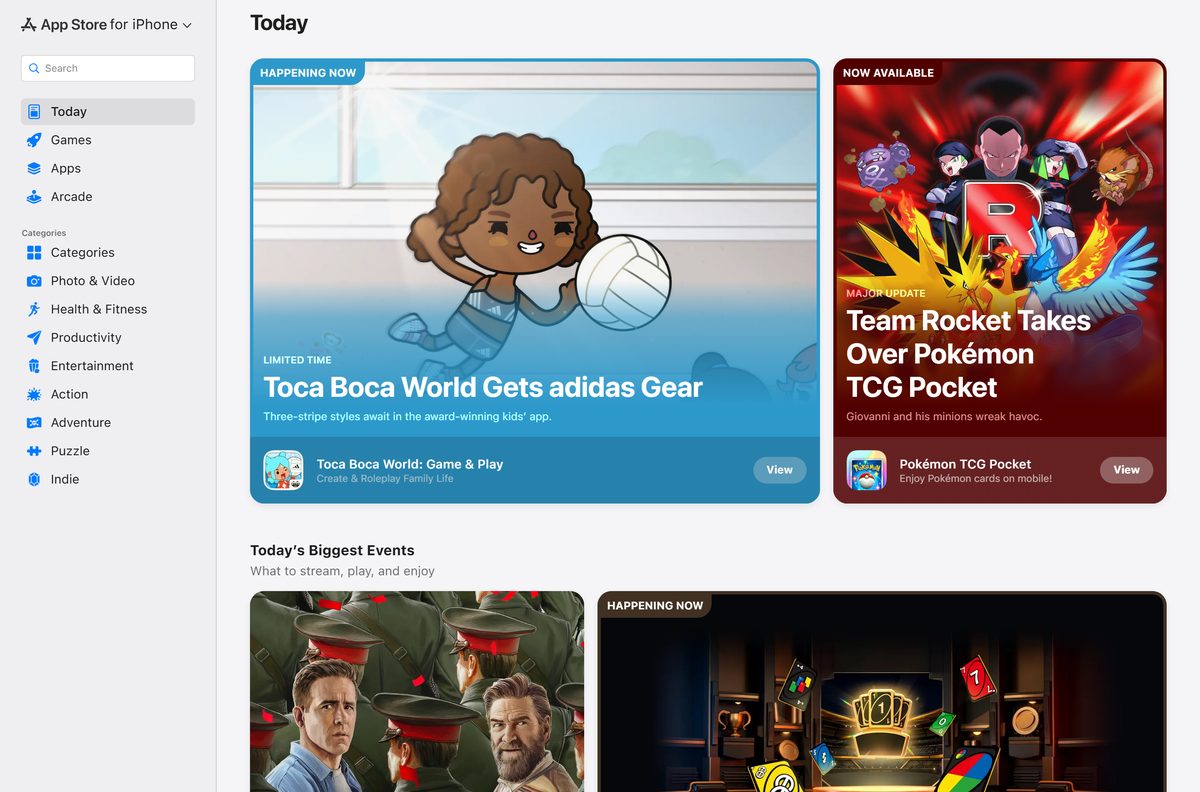
| You only want to browse apps on the PC | Open the App Store in a browser | None |
The browser version lists prices, ratings and compatibility. The install still happens on the Apple device.
Download the official Apple apps for Windows 11 and 10
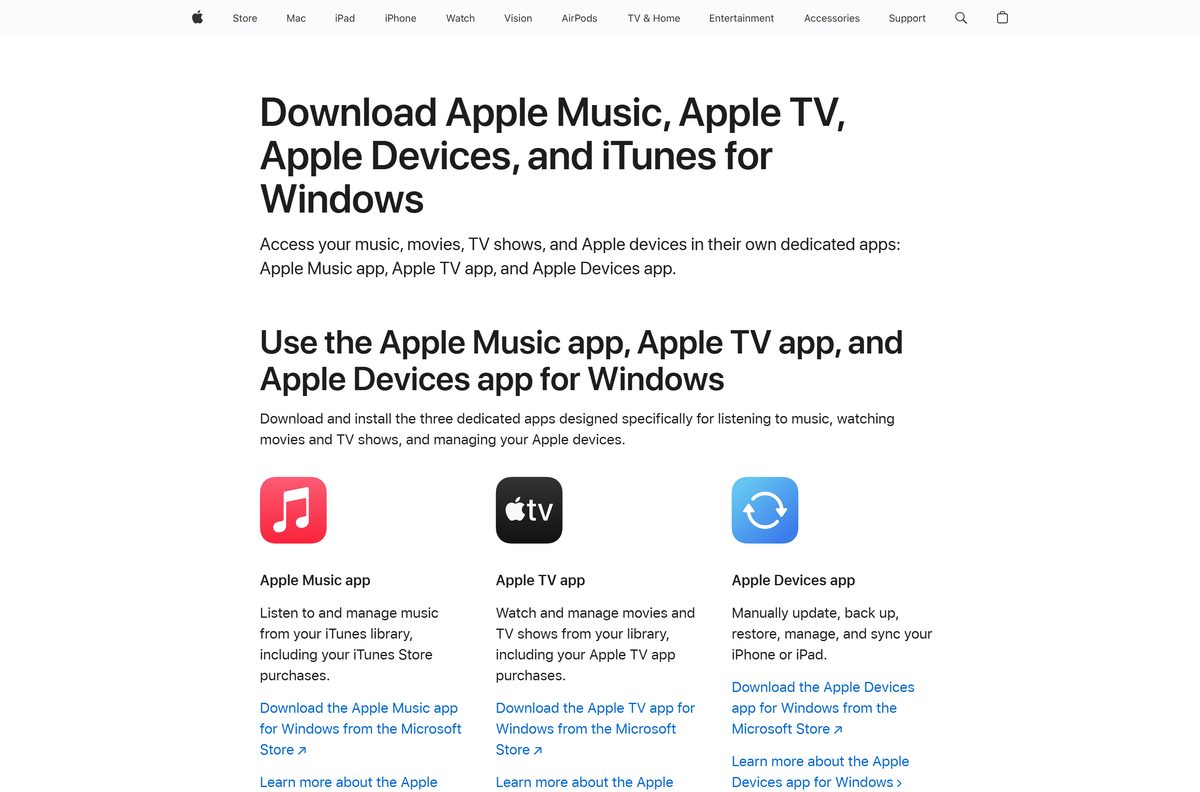
Apple names five apps for Windows, all delivered through the Microsoft Store and all free. None of them is the App Store.
- Apple Music for Windows — 218.5 MB x64 package · product 9PFHDD62MXS1
- Apple TV for Windows — 222.2 MB x64 package · product 9NM4T8B9JQZ1
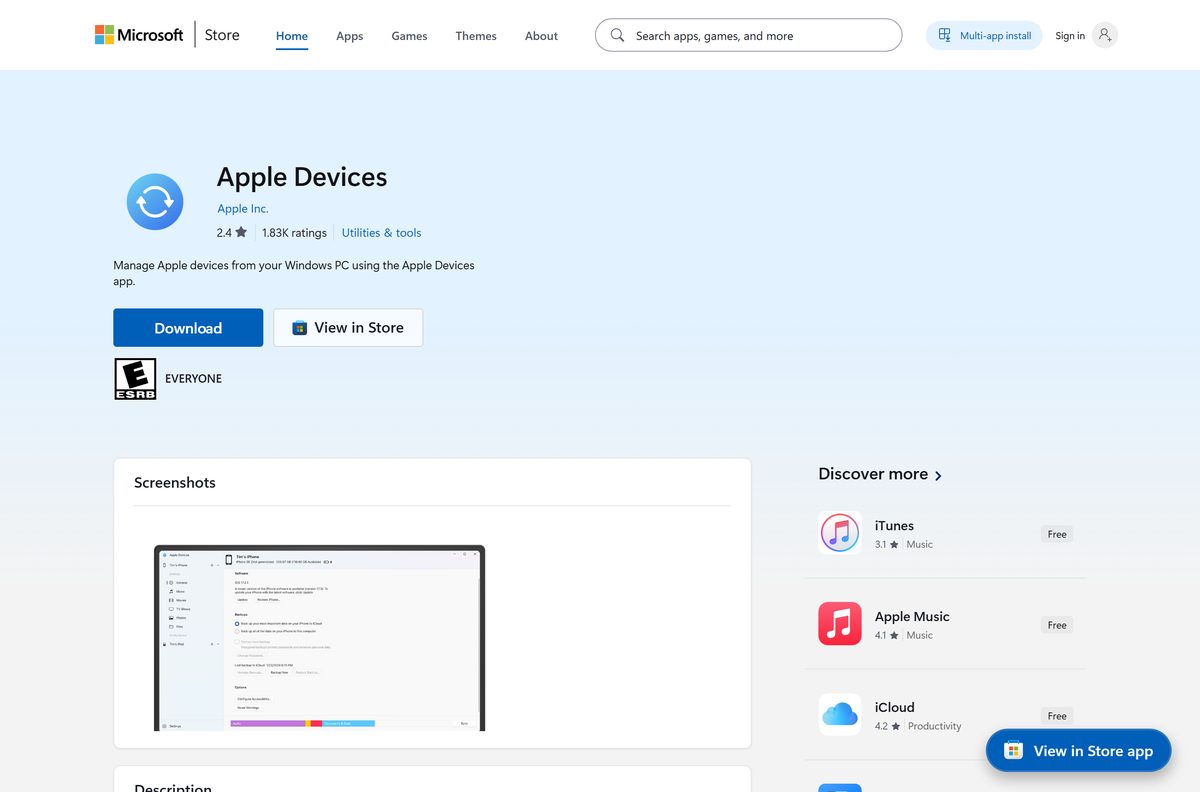
- Apple Devices for Windows — 239.7 MB x64 package · product 9NP83LWLPZ9K, syncs and backs up an iPhone
- iCloud for Windows — 338.8 MB x64 package · product 9PKTQ5699M62
- iTunes for Windows — 420.2 MB x86 and x64 package · product 9PB2MZ1ZMB1S, podcasts and audiobooks only
- Apple’s own page for its Windows software — the media and device apps, straight from Apple
The Windows 11 24H2 builds of Apple Music, Apple TV and Apple Devices pair x64 with ARM64 in one bundle, listed as 442.0 MB, 449.3 MB and 483.7 MB. A PC downloads only its own architecture.
Nothing else Apple makes runs on Windows. Microsoft’s guidance is to get apps from official publisher websites or stores.
Check the App Store system requirements for your device
The App Store ships inside the operating system, so its requirement is the operating system version.
| Field | Value |
|---|---|
| Developer | Apple Inc. |
| Latest version | Built into iOS 26.6.2, iPadOS 26.6.2 and macOS Tahoe 26.6.2 |
| Price | Free |
| Supported devices | iPhone, iPad, Mac, Apple Watch, Apple TV, Apple Vision Pro |
| Windows version | None. Apple publishes no App Store app for Windows |
| Mac releases still updated | macOS Sonoma 14, Sequoia 15 and Tahoe 26 |
| Next macOS | macOS 27 Golden Gate, from 14 September 2026, Apple silicon only |
| Apple’s apps on Windows | Build 19045 (22H2) for Apple Music, Apple TV and Apple Devices; 16299 for iTunes; 18362.145 for iCloud |
| Architecture | x64 and ARM64 for the three newer apps; x86 and x64 for iTunes |
| Official source | Apple (apple.com) and the Microsoft Store |
| Offline installer | No |
| Last verified | 2026-09-10 |
To read your own build, press Windows + R, type winver and select OK.
How to get an iPhone or iPad app when your computer runs Windows
The browsing can start on the PC. The install happens on the Apple device, and that split is the whole answer.
- Open apps.apple.com in any browser on the PC.
- Search for the app, or open its listing directly.
- Read the Compatibility panel, the price and the In-App Purchases list.
- Pick up the iPhone or iPad and open App Store.
- Tap the Search tab and type the same app name.
- Tap the price or the Get button.
- Double-click the side button, or use Face ID or Touch ID, to authorise the download.
Install Apple’s Windows apps from the Microsoft Store or with winget
This is the only route Apple documents for Windows. The Microsoft Store then keeps the apps updated on its own.
- Open Microsoft Store from the Start menu.
- Search for Apple Devices, or open product 9NP83LWLPZ9K directly.
- Check the publisher line reads Apple Inc.
- Select Get, and wait until the button changes to Open.
- Repeat for Apple Music, Apple TV, iCloud or iTunes as needed.
- For a command line instead, run winget install 9NP83LWLPZ9K –source msstore .
- Connect the iPhone with a cable, then tap Trust on the phone to finish setup.
How to check an Apple app for Windows is genuine
Five Microsoft Store listings carry Apple’s name. Anything else calling itself an Apple App Store for PC came from somewhere else.
- Open the Microsoft Store listing and read the publisher line. It must say Apple Inc.
- Match the product ID in the address bar against the five products Apple publishes: 9PFHDD62MXS1, 9NM4T8B9JQZ1, 9NP83LWLPZ9K, 9PKTQ5699M62 and 9PB2MZ1ZMB1S.
- After installing, open PowerShell and run Get-AppxPackage -Name AppleInc.* .
- Confirm every PackageFamilyName ends in _nzyj5cx40ttqa , which is Apple’s publisher ID on the Microsoft Store.
- Delete any App Store setup file that came from a search result, then run a scan in Windows Security.
Which App Store download do you need for your Mac?
None. The App Store installs with macOS on every Mac. Match what you see below if you cannot find it.
| What you see | What to do | Where it is |
|---|---|---|
| The App Store icon is in the Dock | Click it, then browse or search | Dock |
| No icon in the Dock | Choose App Store from the Apple menu | Apple menu, top left |
| Not in the Apple menu either | Open Finder, then Applications, then App Store | Applications folder |
| The window says Sign In | Click Sign In at the bottom left of the window | App Store window |
| Screen Time has hidden it | Turn App Store back on under Content & Privacy | System Settings, Screen Time |
An app showing Get instead of a price is free. Mac and iPhone share one account and one purchase history, not one catalogue.
Is the Apple App Store free?
Yes, and so are all five Apple apps for Windows. The App Store is part of iOS, iPadOS and macOS, so there is nothing to buy and no licence key to enter. Apple Music, Apple TV, Apple Devices, iCloud and iTunes each list at $0.00 on the Microsoft Store. Paid apps, subscriptions and extra iCloud storage bill through your Apple Account. Any site charging for an App Store installer or activation code is charging for something Apple does not make.
Should you install iTunes or Apple’s newer Windows apps?
Install Apple Music, Apple TV and Apple Devices, and add iTunes only for podcasts and audiobooks. Apple split iTunes into separate Windows apps. Music went to Apple Music, video to Apple TV, and syncing and backups to Apple Devices, which is now required to move media onto an iPhone. Apple’s wording is that on a Windows PC you manage podcasts and audiobooks in iTunes. The newer apps need Windows 10 build 19045, so a PC below that keeps iTunes.
How to check your App Store version and update it
The App Store changes when the operating system under it changes.
- On a Mac, choose Apple menu > System Settings, then General > Software Update.
- On an iPhone or iPad, open Settings > General > Software Update.
- Install whatever is offered, then reopen the App Store.
- To update an app rather than the system, open the App Store and select Updates.
- On Windows, open Microsoft Store, select Library, then Get updates.
macOS Tahoe 26.6.2, iOS 26.6.2 and iPadOS 26.6.2 are the current public releases. macOS 27 Golden Gate and iOS 27 arrive on 14 September 2026.
Fix App Store downloads that fail on Mac, iPhone and Windows
The App Store is missing on your Mac
It was dragged out of the Dock, or Screen Time is hiding it. It cannot be uninstalled.
- Choose App Store from the Apple menu at the top left of the screen.
- If that is greyed out, open Finder and select Applications.
- Open Apple menu > System Settings > Screen Time > Content & Privacy.
- Select App and Feature Restrictions and turn App Store back on.
An app will not download or update on a Mac
Apple’s own order of checks starts with the service, not the Mac.
- Open Apple’s System Status page and check the App Store row.
- Open the App Store, select Updates, and start the update by hand.
- Clear any unpaid order by changing the payment method on your Apple Account.
- Restart the Mac, then try again on a different network.
An app will not download on an iPhone or iPad
Apple requires a valid payment method on file, even for a free app.
- Open Settings, tap your name, then Payment & Shipping.
- Clear any message about a billing problem with a previous purchase.
- Touch and hold the icon on the Home Screen, then choose Prioritize Download.
- Restart the iPhone, then confirm your age if the region asks for it.
An App Store setup for PC will not install
Apple ships no such file, so nothing on the PC knows what to do with it.
- Delete the downloaded file, then run a scan in Windows Security.
- Open Microsoft Store and install product 9NP83LWLPZ9K for Apple Devices.
- Check the publisher line reads Apple Inc. before selecting Get.
Microsoft Store will not install Apple Music, Apple TV or Apple Devices
All three need Windows 10 build 19045, which is version 22H2.
- Press Windows + R, type winver and select OK to read the build number.
- Open Settings > Windows Update, install everything pending, then restart.
- Press Windows + R, type wsreset.exe and select OK to clear the Store cache.
- Install iTunes instead if the PC cannot reach build 19045.
How to hide the App Store or remove Apple’s Windows apps
The App Store cannot be uninstalled from a Mac, iPhone or iPad. It is part of the operating system, so hiding it is as far as Apple allows.
- On an iPhone or iPad, open Settings > Screen Time > Content & Privacy Restrictions.
- Select Allowed Apps & Features and turn off App Store. The icon leaves the Home Screen, and nothing is deleted.
- To block installs but keep the icon, select App Installations & Purchases and set the options to Don’t Allow.
- On a Mac, open Apple menu > System Settings > Screen Time > Content & Privacy > App and Feature Restrictions.
- On Windows, open Settings > Apps > Installed apps.
- Select the three dots beside an Apple app, then Uninstall.
Reinstalling is the same route: open Microsoft Store, select Library, then Install.
What to use on Windows instead of an App Store
Match what you wanted the App Store for against the middle column. Not one of these installs an iPhone app on a PC.
| What you want | Use this on Windows | What it will not do |
|---|---|---|
| Install software on the PC | Microsoft Store | Install iPhone or iPad apps |
| Play your Apple Music library | Apple Music | Install apps |
| Watch Apple TV shows and films | Apple TV | Install apps |
| Back up and sync an iPhone | Apple Devices | Put iPhone apps on the PC |
| Reach iCloud photos and files | iCloud on the web | Sync an iPhone |
| Browse App Store listings and prices | App Store on the web | Install anything on the PC |
| Podcasts and audiobooks | iTunes | Sync media, which needs Apple Devices |
Windows 11 no longer runs Android apps either. Microsoft pulled the Windows Subsystem for Android and the Amazon Appstore from the Microsoft Store on 5 March 2025.
Frequently asked questions
Is there an Apple App Store download for Windows 11?
No. Apple publishes no App Store application for Windows 11 or Windows 10, and none has ever existed. Its five Windows apps are iCloud, Apple Music, Apple TV, Apple Devices and iTunes.
Is the Apple App Store free?
Yes. It comes with iOS, iPadOS and macOS at no cost, and all five Apple apps for Windows list at $0.00. Paid apps, subscriptions and extra iCloud storage bill separately.
What is the official Apple App Store download page?
There is no download page, because the App Store is part of Apple’s operating systems. Apple’s Windows software page lists Apple Music, Apple TV, Apple Devices and iTunes, all on the Microsoft Store.
How big is the Apple App Store download?
There is no file to size. The nearest Apple downloads for Windows run from 218.5 MB for Apple Music to 420.2 MB for iTunes, with Apple Devices at 239.7 MB.
Is there an Apple App Store offline installer?
No. No App Store installer exists for any platform, online or offline. Apple’s five Windows apps install only through the Microsoft Store, which needs an internet connection.
Do you need to download the App Store on a Mac?
No. It installs with macOS. Click the App Store icon in the Dock, or choose App Store from the Apple menu if the icon is not there.
Is the App Store 64-bit or ARM64?
Both, on Apple hardware. On Windows, Apple Music, Apple TV and Apple Devices ship x64 and ARM64 packages, iCloud ships x64 and x86, and iTunes ships x86 and x64.
Is it safe to download an Apple App Store setup for PC?
No file like that comes from Apple, so anything offering one is distributing something else. Install Apple software only from Store listings whose publisher line reads Apple Inc.
Which App Store version is current?
The App Store has no version of its own. It updates with the operating system, currently iOS 26.6.2, iPadOS 26.6.2 and macOS Tahoe 26.6.2.
Why will the App Store not install on Windows?
Because there is nothing to install. Windows has its own storefront, and iPhone apps do not run on a PC. Microsoft also pulled Android app support from Windows 11 on 5 March 2025.