The Weather Channel app shows kilometers because its units are set to Metric: tap the profile icon in the top-right corner, tap Settings, open Display (labelled Look and Feel in some versions) and choose Imperial to get miles, mph, inches and Fahrenheit.
This guide explains the three unit systems in the app, why the setting can switch back after you change it, how to fix weather.com in Safari and the iPhone's own Weather app, and how to set the iPhone itself to US units.
How to change Weather Channel app from kilometers to miles on iPhone
The unit choice lives inside The Weather Channel app, not in the iPhone Settings app. These steps are the same on iPad and on Android.
- Open The Weather Channel app.
- Tap the profile icon in the top-right corner, or your initial if you are logged in.
- Tap Settings.
- Tap Display (or Look and Feel).
- Select Imperial to show Fahrenheit, mph, miles and inches.
- Go back to the forecast and check that wind speed now reads in mph.
Pick Hybrid instead if you want miles and mph but Celsius temperatures. Metric is the setting that produces kilometers and km/h.
Imperial vs metric vs hybrid in the Weather Channel app
The app offers three unit systems, and each one changes several readings at once. There is no separate switch for distance alone.
| Unit system | Temperature | Wind and distance | Rain and pressure |
|---|---|---|---|
| Imperial | Fahrenheit | mph and miles | Inches |
| Metric | Celsius | km/h and kilometers | Millimeters and millibars |
| Hybrid | Celsius | mph and miles | Millimeters and millibars |
If the forecast shows Celsius but miles, the app is on Hybrid, not Imperial. Switching to Imperial changes the temperature to Fahrenheit as well.
Why does the Weather Channel app keep switching to metric?
Find the row that matches when the kilometers come back.
| When kilometers appear | Likely cause | Fix |
|---|---|---|
| Every time you open the app | The app's own unit system is set to Metric | Choose Imperial in Settings > Display |
| After you sign in on another phone, tablet or the website | Preferred units sync across devices when you are logged in | Set Imperial on every device where you use the same account |
| Only on weather.com in Safari | The website keeps its own unit choice | Change units from the three-line menu on the site |
| Only in the iPhone's Weather app | Apple Weather has separate unit settings | Change units in the Weather app's Units menu |
| Across many apps on the iPhone | The iPhone's measurement system is set to Metric or UK | Set Measurement System to US in Language & Region |
| Temperature in Celsius but distances in miles | The app is on Hybrid | Switch to Imperial |
How to change units on weather.com in Safari on iPhone
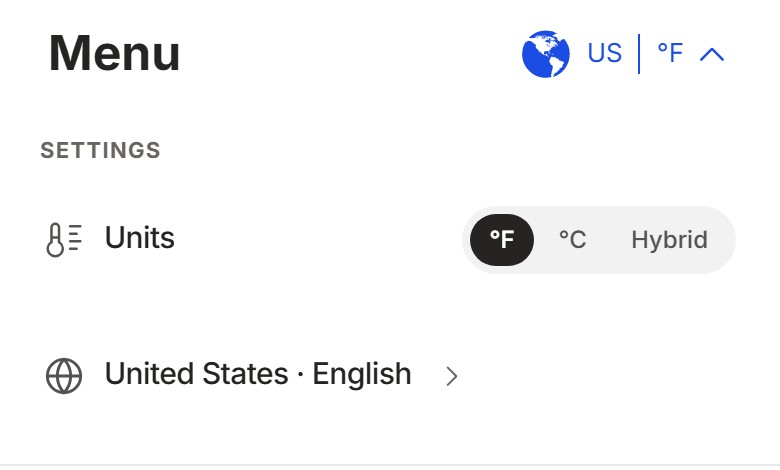
The Weather Channel website has its own unit setting, so a correct app does not fix the site in Safari or another browser.
- Open weather.com in Safari on your iPhone.
- Tap the three horizontal lines in the top-left corner of the screen.
- Tap Imperial to show Fahrenheit, mph, miles and inches.
- Close the menu and reload a forecast to confirm the new units.
The website uses cookies to keep you signed in. If Safari clears cookies, you get logged out and the site can forget your choices, so check the browser's privacy settings if the units keep resetting on the website only.
How to change iPhone measurement system to miles
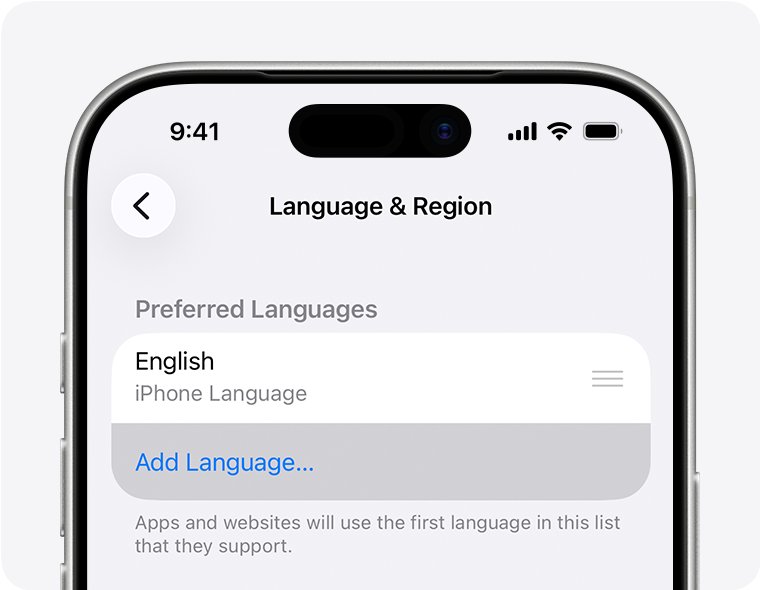
The iPhone has its own temperature unit and measurement system in Language & Region. Apple's apps use it, and The Weather Channel still keeps its own choice, so set both when you want miles everywhere.
- Open Settings on your iPhone.
- Tap General, then tap Language & Region.
- Tap Measurement System and choose US.
- Tap Temperature and choose Fahrenheit if you want it.
- Check that Region matches where you live.
The measurement system offers three choices: Metric, US and UK. Pick US for miles.
How to change Apple Weather app units to miles on iPhone
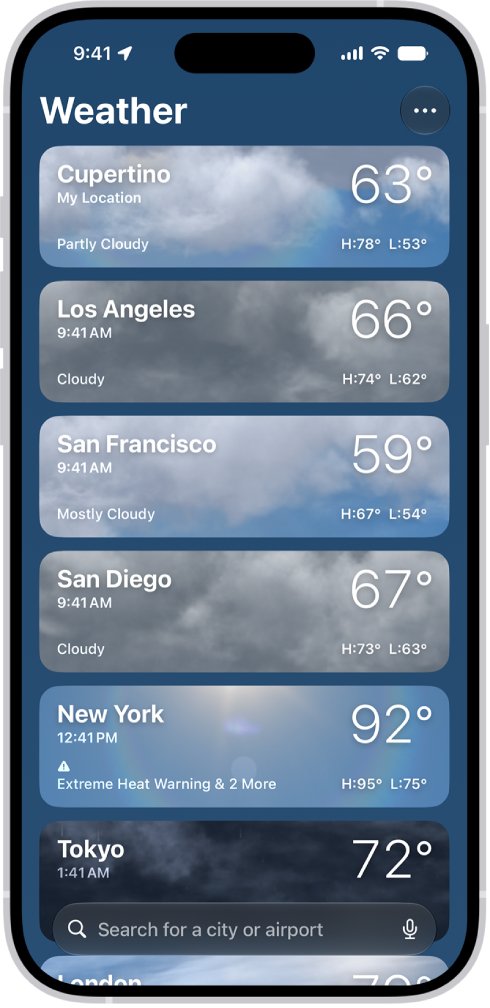
Apple's Weather app lets you set temperature, wind, precipitation, pressure and distance separately, which is useful if you check both apps.
- Open the Weather app on your iPhone.
- Tap the list button to show your saved locations.
- Tap the More button, then tap Units.
- Tap Fahrenheit, Celsius or Use system setting for temperature.
- Tap the button next to wind, precipitation, pressure or distance and choose the unit you want, such as miles per hour.
Wind in Apple Weather can show miles per hour, kilometers per hour, knots or Beaufort. The two apps can also show different temperatures for the same place, so compare readings only after both use the same units.
How to tell which units the Weather Channel app is using
The forecast screen itself shows the active unit system once you know which readings to look at.
- Open The Weather Channel app and go to today's forecast.
- Look at the temperature: °F means Imperial, °C means Metric or Hybrid.
- Look at wind speed: mph means Imperial or Hybrid, km/h means Metric.
- Check rainfall or pressure details: inches means Imperial, millimeters and millibars mean Metric or Hybrid.
- Open Settings > Display to see the selected option if the readings are unclear.
Weather Channel app units keep changing back on iPhone
Work through the symptom that matches what happens on your phone.
Units go back to kilometers after you sign in
Your account syncs preferred units, so a device set to Metric can carry that choice to the others.
- Sign in to The Weather Channel on each phone, tablet and browser you use.
- Set Imperial on every one of them.
- Close and reopen the app on your iPhone and check the wind speed.
Weather Channel widget still shows kilometers
The widget has not refreshed since you changed the unit system in the app.
- Open The Weather Channel app once so it loads the forecast in the new units.
- Touch and hold the widget, tap Remove Widget, then tap Remove.
- Touch and hold the Home Screen, tap the + button, search for The Weather Channel and tap Add Widget, then Done.
- If the widget stays blank instead, fix the Weather Channel widget not showing info.
Can't find Display or Look and Feel in Settings
An older version of the app labels its menus differently.
- Open the App Store, tap the My Account button or your photo, then tap App Updates.
- Tap Update next to The Weather Channel.
- Open the app again and go to the profile icon > Settings.
Weather Channel app not working after changing settings
The app crashes or fails to load the forecast, so the new units never appear.
- Restart the iPhone and open the app again.
- Update the app from the App Store.
- If it still closes on launch, fix the Weather Channel app crashing.
Weather Channel units on iPhone FAQ
Why does the Weather Channel show kilometers instead of miles?
The app's unit system is set to Metric, which uses kilometers, km/h, millimeters and Celsius. Change it to Imperial from the profile icon > Settings > Display to get miles and mph.
Does The Weather Channel have an app for iPhone?
Yes. The Weather Channel app is in the App Store for iPhone and iPad, and there is an Android version with the same unit settings. Search for The Weather Channel in the App Store and tap Get to install it.
How to get the Weather Channel app on a computer?
Open weather.com in any desktop browser, or get The Weather Channel on Windows or Mac. Units on the website are set separately from the app.
Where is my Weather Channel app on iPhone?
Swipe left past your last Home Screen page to open App Library, then type Weather Channel in the search field at the top. You can also swipe down on the Home Screen and search for it.
How to change weather location on iPhone?
In Apple's Weather app, tap the list button, tap the search field, enter a city or neighborhood, tap the result, and add it to your list. Your location list stays in sync on devices signed in to the same Apple Account.
How to add weather to iPhone screen?
Touch and hold the Home Screen until the icons jiggle, tap the + button, search for The Weather Channel or Weather, choose a widget size, then tap Add Widget and Done. The Weather Channel widgets need iOS 16 or later.
How to check weather on iPhone?
Open the Weather app to see your current location's hourly and 10-day forecast. Turn on Precise Location in Settings > Privacy & Security > Location Services > Weather for a more accurate local forecast.
Can I show Celsius but keep miles in The Weather Channel?
Yes. Choose Hybrid in the app's Display settings, which shows Celsius with miles and mph, and millimeters and millibars for rain and pressure.