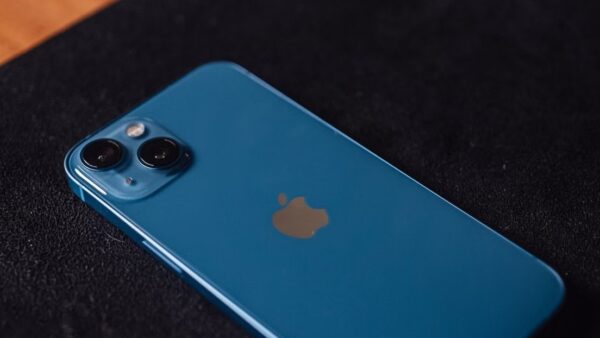
You cannot activate VoLTE on an iPhone 5s, because Apple states that VoLTE is available only on iPhone 6 or later, so no setting or carrier change adds it.
This guide shows how to check the LTE setting on an iPhone 5s, how to turn on Wi-Fi Calling as the closest alternative, how to enable VoLTE on iPhone 6 and later, and what the 3G shutdown means for a 5s.
How to check VoLTE on iPhone 5s
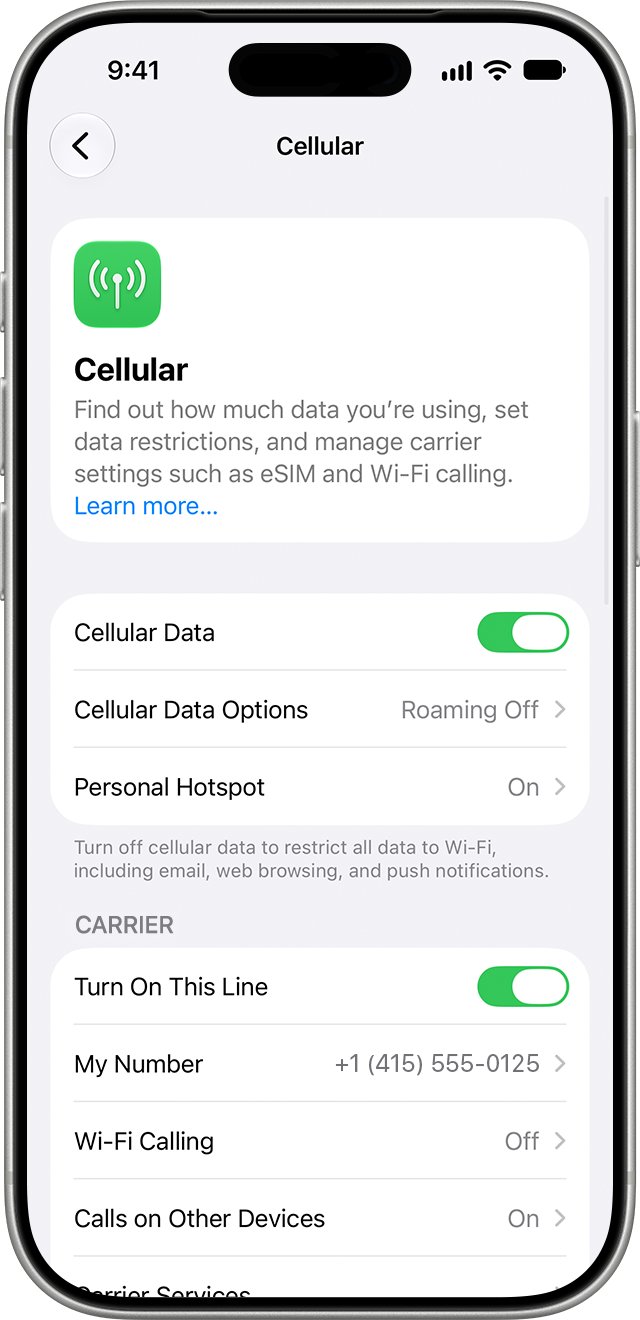
The VoLTE switch on an iPhone lives under the LTE setting. On an iPhone 5s that screen offers LTE for data only, with no voice choice.
- Open the Settings app on the iPhone 5s.
- Tap Cellular.
- Tap Cellular Data Options.
- Look at Enable LTE. On an iPhone 5s you can only turn LTE on or off for data.
- Note that the Voice & Data choice, which is the VoLTE setting, does not appear. Apple adds it only on iPhone SE, iPhone 6, iPhone 6 Plus and later models.
Leave Enable LTE on if your carrier offers LTE data. It speeds up data, but voice calls on an iPhone 5s still use the older 3G or 2G network.
iPhone 5s VoLTE support compared with iPhone 6 and later
VoLTE needs support in the phone itself, not only on the carrier's network. Apple's specification pages show where the line falls.
| Feature | iPhone 5s | iPhone 6 and later |
|---|---|---|
| LTE data | Yes, on selected carriers and bands | Yes |
| VoLTE (Voice over LTE) | No | Yes, where the carrier supports it |
| Voice & Data option under Enable LTE | Not shown | Shown on supported carriers |
| Wi-Fi Calling | Listed in Apple's specs, on selected carriers | Yes, where the carrier supports it |
| Latest iOS version | iOS 12.5.7 | iOS 12.5.7 on iPhone 6, newer iOS on later models |
| Calls after a carrier ends 3G | Contact the carrier, as Apple advises | Voice over LTE keeps working |
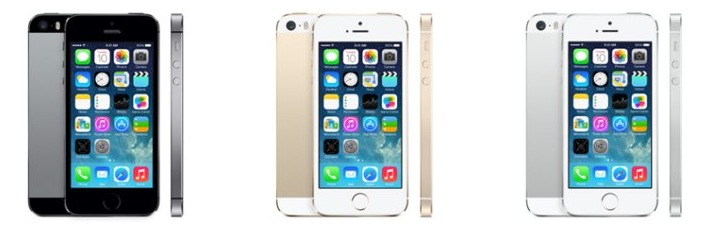
The iPhone 5s model numbers are A1453, A1457, A1518, A1528, A1530 and A1533. All of them lack VoLTE, whichever carrier sold the phone.
How to turn on Wi-Fi Calling on iPhone 5s
Wi-Fi Calling routes voice calls over a Wi-Fi network instead of the cellular network. Apple lists it for the iPhone 5s, but only through carriers that offer it.
- Connect the iPhone 5s to a Wi-Fi network.
- Open Settings and tap Cellular.
- Tap Wi-Fi Calling.
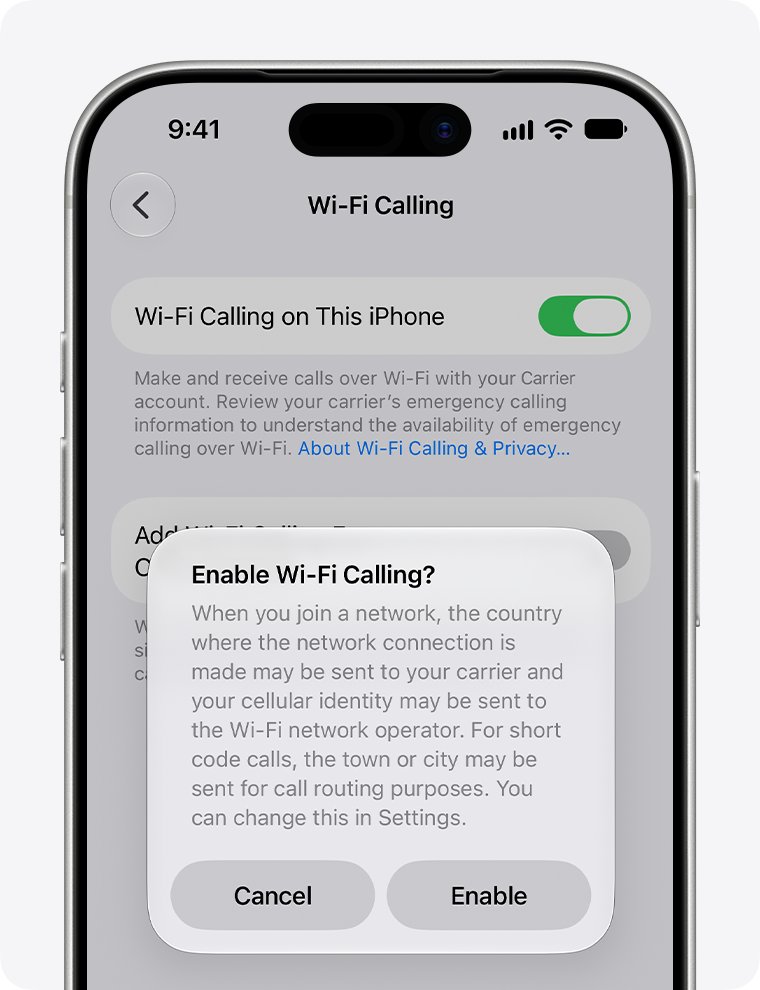
- Turn on Wi-Fi Calling on This iPhone.
- Tap Enable when the prompt appears.
- Enter or confirm your address for emergency services, then save it.
If Wi-Fi Calling is missing from the Cellular screen, your carrier does not offer it for this phone or plan. Only the carrier can switch it on at its end.
How to enable VoLTE on iPhone 6s and later
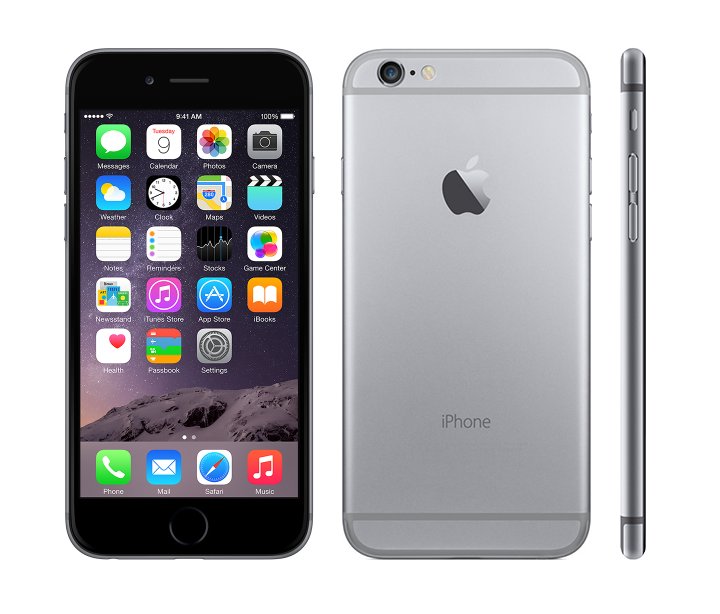
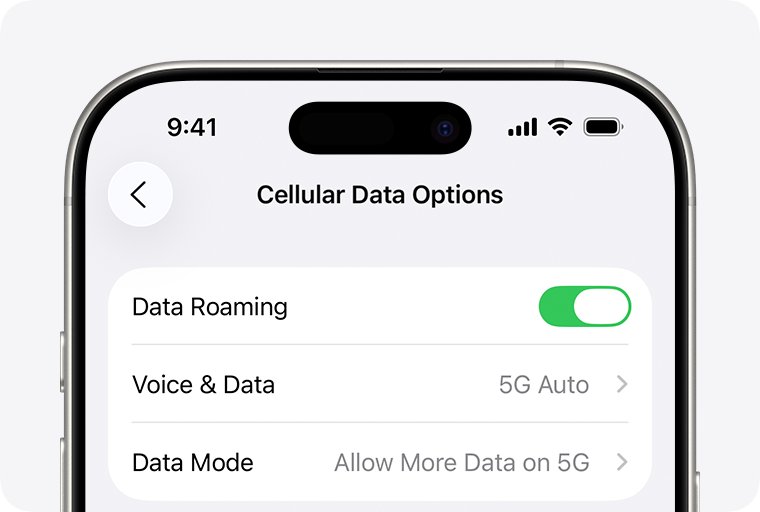
If you have moved to a newer iPhone, or you are setting one up for someone, VoLTE is a setting under Cellular Data Options. These steps cover the iPhone 6 and later, including the iPhone 6s and iPhone 14.
- Open Settings and tap Cellular.
- Tap Cellular Data Options. On a Dual SIM iPhone, tap the line first, then its options.
- Tap Enable LTE on an LTE iPhone, or Voice & Data on an iPhone 12 or later.
- Choose Voice & Data on an LTE iPhone. On a 5G iPhone, choose 5G Auto or LTE.
- Go back to the Cellular screen and make a test call.
If the option is missing on an iPhone 6 or later, your carrier has not enabled VoLTE for your plan. When you replace an iPhone 5s, transfer your data to the new iPhone first, then check this setting.
How to check if your carrier supports VoLTE on iPhone
Apple publishes a feature list for every carrier it works with. It shows whether each carrier offers VoLTE and Wi-Fi Calling on iPhone.
- Open Apple's Wireless carrier support and features for iPhone page at support.apple.com/en-us/109526.
- Choose your country or region from the list at the top.
- Find your carrier's name.
- Look for VoLTE and Wi-Fi Calling in the features under it.
- Read the footnotes. The VoLTE footnote states that it is available only on iPhone 6 or later.
A carrier that lists VoLTE still cannot offer it on an iPhone 5s. A carrier that lists Wi-Fi Calling may offer it on the 5s, so ask the carrier to confirm for your plan.
How to update carrier settings on iPhone 5s
Carrier settings updates change how the phone works with the network, including Wi-Fi Calling. Install any that are waiting before you contact the carrier.
- Connect the iPhone to Wi-Fi.
- Open Settings and tap General.
- Tap About.
- Tap Update if a carrier settings prompt appears. If nothing appears, the carrier settings are current.
- Go to General > Software Update and install iOS 12.5.7 if the phone runs an earlier version.
If you inserted a SIM card from a different carrier, the phone needs that carrier's settings before Wi-Fi Calling can appear.
iPhone 5s and 3G network shutdowns
Without VoLTE, an iPhone 5s makes voice calls over 3G or 2G. When a carrier switches those networks off, the phone can lose calling even though LTE data still shows.
| What you see on the iPhone 5s | What it means | What to do |
|---|---|---|
| No Service after your carrier ended 3G | The phone has no network it can use for voice | Contact your carrier about your options, which usually means a newer iPhone |
| LTE icon, but calls fail | LTE carries data only on this model | Use Wi-Fi Calling if the carrier offers it |
| Searching | The phone is looking for a network | Turn Airplane Mode on for 15 seconds, then off |
Apple's advice for an iPhone 5s, iPhone 5c or earlier that shows No Service on a 3G-only plan is to contact the carrier. Apple says iPhone models with 5G are not affected by the 3G phase-out.
How to tell if Wi-Fi Calling is on for iPhone 5s
There is no VoLTE indicator to look for on an iPhone 5s. Wi-Fi Calling does show itself in the status bar.
- Connect to a Wi-Fi network.
- Look at the status bar at the top of the screen. Apple says Wi-Fi appears there when Wi-Fi Calling is available and in use.
- Open Settings > Cellular > Wi-Fi Calling and check that Wi-Fi Calling on This iPhone is on.
- Place a call while the phone has weak or no cellular signal. A connected call over Wi-Fi proves the feature works.
When cellular service is available, the iPhone still places emergency calls over the cellular network.
Phone won't activate VoLTE on iPhone
Match what you see to the group below. The first group is the iPhone 5s case.
There is no Voice & Data option on an iPhone 5s
The iPhone 5s hardware does not support VoLTE.
- Leave Enable LTE on for faster data.
- Turn on Wi-Fi Calling if your carrier offers it.
- Ask your carrier whether its network still carries 3G or 2G voice calls in your area.
- Plan a move to an iPhone 6 or later if the carrier has ended 3G voice.
There is no Voice & Data option on an iPhone 6 or later
The carrier has not enabled VoLTE for your plan, or carrier settings are out of date.
- Open Settings > General > About and install any carrier settings update.
- Update the iPhone to the latest iOS version it supports.
- Check Apple's carrier feature page for VoLTE under your carrier.
- Contact the carrier and ask it to add VoLTE to your line.
Wi-Fi Calling will not turn on or calls fail over Wi-Fi
The carrier does not support it, the software is old, or the Wi-Fi network blocks it.
- Confirm with your carrier that it offers Wi-Fi Calling for your plan.
- Restart the iPhone.
- Connect to a different Wi-Fi network, because not every network works with Wi-Fi Calling.
- Turn Wi-Fi Calling on This iPhone off and then on again.
- Go to Settings > General > Reset and tap Reset Network Settings. This also clears saved Wi-Fi passwords.
The iPhone 5s shows No Service after you activate a new SIM
The new plan may rely on VoLTE, which the 5s cannot use.
- Turn Airplane Mode on for at least 15 seconds, then turn it off.
- Restart the iPhone.
- Check Settings > General > About for a carrier settings update.
- Contact the carrier and ask whether the plan supports an iPhone 5s.
iPhone 5s VoLTE FAQ
How do I enable VoLTE on iPhone?
Open Settings, tap Cellular, then Cellular Data Options, and choose Voice & Data under Enable LTE. This works on iPhone 6 and later when your carrier supports VoLTE. An iPhone 5s does not have the option.
How do I set VoLTE for my iPhone?
VoLTE is set under Settings, Cellular, Cellular Data Options. Pick Voice & Data on an LTE iPhone, or 5G Auto or LTE under Voice & Data on an iPhone 12 or later. The carrier must also enable VoLTE on your line.
How do I enable VoLTE on iPhone 6s?
Go to Settings, Cellular, Cellular Data Options, tap Enable LTE, and choose Voice & Data. The iPhone 6s supports VoLTE, so a missing option means the carrier has not enabled it for your plan.
How do I enable VoLTE on iPhone 14?
Open Settings, tap Cellular, then Cellular Data Options, and tap Voice & Data. Choose 5G Auto, or LTE to turn off 5G. Voice calls then use the newer network when your carrier supports VoLTE on the line.
How do I check VoLTE in iPhone?
Open Settings, Cellular, Cellular Data Options and look under Enable LTE or Voice & Data. If Voice & Data is selected, VoLTE is on. If you only see LTE on and off, as on an iPhone 5s, the phone does not support VoLTE.
Where can I find VoLTE on iPhone?
VoLTE sits in Settings under Cellular, then Cellular Data Options. It appears as the Voice & Data choice. The option is shown only on iPhone SE, iPhone 6 and later, and only on carriers that offer VoLTE.
How do I switch on VoLTE on iPhone 5s?
You cannot switch on VoLTE on an iPhone 5s. Apple states VoLTE is available only on iPhone 6 or later. The closest alternative is Wi-Fi Calling, if your carrier offers it for the 5s.
How do I get VoLTE on my phone?
You need a phone that supports VoLTE and a carrier plan that includes it. On iPhone, that means an iPhone 6 or later. Turn on Voice & Data under Cellular Data Options, and ask the carrier if the option is missing.
Does iPhone 5s work after the 3G shutdown?
An iPhone 5s can lose voice service when its carrier ends 3G, because it cannot make calls over LTE. Apple advises iPhone 5s owners who see No Service to contact the carrier about their options.